Xbox Wireless Gaming Controller is our pick for the Best PC Controller for Steam because it offers native, plug-and-play compatibility with Windows and Steam without requiring additional software or complex driver installations.
For those seeking specialized features, the PlayStation DualSense Wireless Controller provides immersive haptic feedback for supported titles, while the 8Bitdo Ultimate 2 Wireless Controller appeals to competitive players with its 1000Hz polling rate and Hall Effect joysticks.
Selecting a controller for Steam involves balancing broad compatibility with the specific input requirements of your library. While many controllers offer universal support, the integration depth varies between standard XInput devices and those requiring custom software for advanced features like back-button mapping or macro recording.
If you are specifically looking for a competitive edge in fast-paced titles, our guide on the Best PC Controller For Rocket League provides additional insights into input responsiveness. For those who spend most of their time on the track, the Best PC Controller for Racing Games highlights models with the best trigger precision.
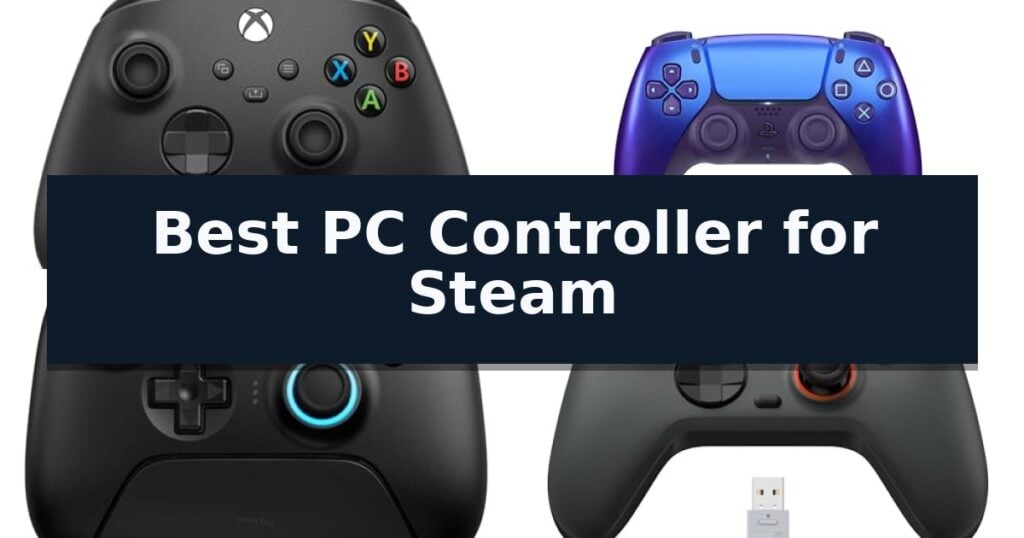
10 Best PC Controller for Steam in 2026 Reviews
Quick Comparison
| Product | Best For | Key Strength | Score |
|---|---|---|---|
| Xbox Wireless Gaming Controller | Best Overall | Zero-setup wired play via the included 9' USB-C cable. | 4.9 |
| PlayStation DualSense Wireless Controller | Immersive Haptic Feedback | Immersive haptic feedback and adaptive triggers for tactile engagement. | 4.7 |
| 8Bitdo Ultimate 2 Wireless Controller | Premium TMR Joystick Precision | TMR Joysticks offer enhanced precision and durability. | 4.5 |
| GameSir Nova Lite 2 Controller | Competitive 1000Hz Polling Rate | 1000Hz polling rate for low-latency input registration. | 4.9 |
| EasySMX D10 Wireless Controller | Tactile Mechanical Button Feedback | 1000Hz polling rate for low-latency input. | 4.7 |
| AOC PC Controller | Screen-Based Settings Control | No-software configuration via the integrated 1.5-inch interactive screen. | 4.5 |
| ManbaOne Wireless Gaming Controller | Visual On-Controller Customization | Integrated 2-inch interactive screen for software-free customization. | 4.6 |
| BIGBIG WON Aether Wireless Controller | High-Precision 12-bit Sampling | 1000Hz polling rate for near-instant input response. | 4.4 |
| EasySMX X15 Wireless Controller | Drift-Free Hall Effect Sticks | Hall Effect sensors prevent stick drift and ensure long-term input accuracy. | 4.8 |
| Logitech G F310 Wired Gamepad | Reliable Budget Wired Choice | Floating 4-switch D-pad for enhanced directional responsiveness. | 4.5 |
How We Chose
Evaluating the best PC controller for Steam requires a focus on how seamlessly a device integrates with the Steam Input API. We prioritize controllers that offer stable, low-latency connections and hardware-level precision, ensuring that your inputs are translated accurately across a wide range of game genres and platform environments.
- Native compatibility with Steam and Windows XInput standards
- Connection versatility including wired, 2.4GHz wireless, and Bluetooth
- Build quality of internal components like Hall Effect or TMR joysticks
- Customization options such as remappable buttons and trigger sensitivity
- Ergonomic design and tactile feedback of bumpers and D-pads
1 Xbox Wireless Gaming Controller — Industry Standard for PC Gaming
Finding the Best PC Controller for Steam often leads to a trade-off between wireless convenience and the reliability of a wired connection. The Xbox Wireless Gaming Controller addresses this by including a 9' USB-C cable, which enables an immediate, zero-setup wired connection for Windows PCs. This plug-and-play functionality bypasses the need for Bluetooth pairing or proprietary adapters, ensuring a stable interface across Steam, the Xbox app, and various cloud gaming platforms.
Beyond its connectivity, the controller features a modernized design with sculpted surfaces and refined geometry intended to improve ergonomics during extended play sessions. The inclusion of a textured grip on the triggers, bumpers, and back case provides essential tactile feedback, while the hybrid D-pad is engineered for precise input across diverse gaming genres. These physical refinements are complemented by a 3.5mm audio jack, allowing for direct headset integration for streamlined voice chat and audio.
Versatility remains a primary strength, as the device transitions between wired and wireless modes without requiring additional hardware. When operating wirelessly, it utilizes standard AA batteries to deliver up to 40 hours of battery life. For users who prefer a personalized experience, the Xbox Accessories app provides deep customization, including button remapping and the ability to create unique controller profiles that can be saved and swapped depending on the specific requirements of a game.
While the controller offers broad compatibility across consoles, PCs, and mobile devices via cloud streaming, it relies on AA batteries for wireless power. This design choice means users who prefer an integrated, rechargeable internal battery will need to account for the ongoing use of disposable cells or invest in separate rechargeable battery packs. Despite this, the consistent interface and robust build quality make it a reliable choice for PC gamers seeking a standardized, high-performance input device.
Best for: Gamers who require a versatile, high-performance controller that offers both stable wired connectivity and wireless freedom across multiple platforms.
Skip if: Users who strictly prefer a controller with a built-in, non-removable rechargeable battery rather than relying on standard AA batteries.
- Zero-setup wired play via the included 9' USB-C cable.
- Textured grip on triggers and bumpers for improved handling.
- Extensive customization available through the Xbox Accessories app.
- Broad compatibility with PC, console, and cloud gaming services.
- AA battery dependence for wireless operation.
- No integrated rechargeable battery included out of the box.
2 PlayStation DualSense Wireless Controller — Immersive Haptic Feedback
The PlayStation DualSense Wireless Controller distinguishes itself through its advanced haptic feedback and adaptive triggers, which provide physically responsive sensations and varying levels of force directly to your fingertips during gameplay. This controller is designed to bridge the gap between console and PC gaming, offering seamless integration for users who want to experience these specific tactile features on their Windows PC, Mac, or mobile devices.
Beyond its primary tactile capabilities, the controller includes a built-in microphone for online communication, complemented by a dedicated mute button for quick audio control. It also features a 3.5mm headset jack, allowing for direct audio connectivity. The device maintains versatility by supporting both USB Type-C wired connections and Bluetooth wireless connectivity, ensuring compatibility across a wide range of platforms including Windows, Mac, Android, and iOS.
Measuring 7.95 inches in length and weighing approximately 0.92 pounds, the controller provides a substantial, ergonomic feel. The Chroma Indigo finish offers a distinct aesthetic update to the standard hardware. While the controller is highly capable, users should note that the full benefit of haptic and adaptive features depends on specific game support within the Steam environment or other platforms.
This hardware is a practical choice for gamers who prioritize immersive sensory feedback and require a multi-platform controller that functions reliably across desktop and mobile ecosystems. Its combination of wired and wireless options ensures it remains a flexible tool for various gaming setups.
Best for: Gamers who want to utilize haptic feedback and adaptive trigger technology across PC, Mac, and mobile platforms.
Skip if: Users who prefer a lightweight, minimalist controller or those who do not require advanced haptic and trigger features.
- Immersive haptic feedback and adaptive triggers for tactile engagement.
- Versatile connectivity via USB Type-C or Bluetooth.
- Built-in microphone with a dedicated mute button for easy communication.
- Broad compatibility across PC, Mac, iOS, and Android.
- Feature dependency on game-specific software support for full functionality.
- Heavier build compared to standard basic controllers.
3 8Bitdo Ultimate 2 Wireless Controller — Premium TMR Joystick Precision
Precision and responsiveness define the 8Bitdo Ultimate 2 Wireless Controller, which integrates advanced TMR Joysticks to provide superior sensitivity and durability compared to standard analog sticks. This controller is engineered for gamers who demand high-performance input accuracy across PC, Steam, and mobile platforms, ensuring that every movement is registered with consistent reliability.
Connectivity is managed via the proprietary 8Speed 2.4G wireless technology, ensuring a stable, low-latency connection under 1ms with a 10m range. For competitive scenarios, the device supports a 1000Hz polling rate when used in either 2.4G or wired modes, minimizing input delay for faster response times. This high-frequency data transmission is critical for maintaining an edge in fast-paced titles where millisecond differences in reaction time can impact success.
Versatility is a core design element, highlighted by a Trigger Mode Switch that allows users to toggle between linear Hall Effect triggers and non-linear tactile triggers. This flexibility ensures the controller adapts to different gaming genres, from precision racing requiring gradual acceleration to rapid-fire action titles that benefit from the immediate actuation of a tactile switch.
The hardware includes 2 Pro back paddle buttons and extra R4/L4 bumpers for expanded input mapping, alongside customizable 6-axis motion control and rumble vibration. The package comes complete with a multifunctional charging dock and a USB-C adapter, facilitating seamless integration into any desktop or mobile gaming setup while providing a dedicated storage and power solution.
Best for: Gamers who require high-precision TMR joysticks and the flexibility of switching between linear and tactile trigger modes for diverse game genres.
Skip if: Users who prefer a traditional, lightweight controller design without back paddles or those who do not require ultra-low latency 1000Hz polling capabilities.
- TMR Joysticks offer enhanced precision and durability.
- Trigger Mode Switch allows for both linear and tactile trigger inputs.
- 1000Hz polling rate ensures ultra-low latency.
- Multifunctional charging dock included for convenient storage and power.
- Advanced feature set may be excessive for casual users who do not utilize back paddles or custom software.
4 GameSir Nova Lite 2 Controller — Competitive 1000Hz Polling Rate
Achieving precise input registration during intense gaming sessions requires hardware that minimizes latency. The GameSir Nova Lite 2 Wireless PC Controller addresses this by offering a high-performance 1000Hz polling rate, ensuring that every command is processed with near-instantaneous responsiveness.
This controller is built for versatility, supporting connections across PC, Switch, Android, and iOS devices through Bluetooth, wired, or wireless dongle modes. Its internal architecture features Hall Effect joysticks and triggers, which utilize magnetic sensors to provide superior anti-drift capability and smooth recentering compared to traditional mechanical potentiometers. The inclusion of anti-friction rings further refines the stick movement for consistent accuracy.
Customization is a core component of the design. The controller includes two remappable back buttons that support both single-button assignments and macro recording. Furthermore, the 2-way trigger lock allows users to toggle between short and long pull positions, with an additional hair-trigger mode accessible via a simple button combination. These physical adjustments are complemented by software support through the GameSir app, which enables firmware updates and fine-tuning of dead zones and vibration intensity.
For tactile feedback, the device utilizes dual asymmetric motors to simulate varying levels of vibration intensity. The layout also features a mechanical circular D-pad intended to provide a responsive, clicky feel for directional inputs. Whether playing on a desktop or mobile device, the combination of these features provides a highly configurable interface for varied gaming requirements.
Best for: Gamers seeking a multi-platform controller with customizable trigger travel and high-speed input polling.
Skip if: Users who prefer a traditional, non-rechargeable controller or those who do not require advanced macro-mapping and trigger-stop features.
- 1000Hz polling rate for low-latency input registration.
- Hall Effect sticks and triggers for enhanced longevity and anti-drift performance.
- 2-way trigger lock system for adjustable pull distance.
- Software-based customization for dead zones and vibration settings.
- Requires app-based configuration for advanced mapping and dead zone adjustments.
5 EasySMX D10 Wireless Controller — Tactile Mechanical Button Feedback
Achieving precise, low-latency input is essential for competitive gaming, and the EasySMX D10 Wireless Gaming Controller for PC, Switch, Android | TMR Anti-Drift Joysticks, Full Mechanical Buttons, 1000Hz, 2 Back Buttons, with Charging Dock addresses this with a high-performance 1000Hz polling rate in both wired and 2.4G wireless modes. This controller is designed to provide consistent, rapid-fire responsiveness, updating inputs every millisecond to ensure your actions translate immediately on screen.
The hardware is built for longevity and tactile satisfaction. It features TMR Anti-Drift Joysticks rated for 5 million cycles, which the manufacturer notes is 2.5 times the durability of standard Hall Effect sensors. Complementing this are full mechanical buttons for the ABXY layout and D-pad, providing a crisp, consistent actuation feel that is particularly beneficial for fighting games and fast-paced action titles.
Versatility is a core component of the EasySMX D10 Wireless Controller, offering three connection methods: 2.4G wireless for low-latency PC play, Bluetooth for mobile devices, and USB-C for stable wired sessions. The inclusion of dual-mode triggers allows users to toggle between smooth Hall Effect travel for racing games and fast micro-switch actuation for shooters, providing a tailored experience depending on the genre.
For added convenience, the unit includes a dedicated charging dock and two programmable back buttons that allow for remapping inputs without the need for external software. While it offers extensive compatibility across PC, Switch, and mobile platforms, users should note that it is not compatible with Xbox, PlayStation, Luna, or GeForce Now systems.
Best for: Competitive PC and mobile gamers who prioritize mechanical tactile feedback and high-polling-rate responsiveness.
Skip if: Users who require native compatibility with Xbox or PlayStation consoles, as this controller is restricted to PC, Switch, and mobile platforms.
- 1000Hz polling rate for low-latency input.
- TMR Anti-Drift Joysticks rated for 5 million cycles.
- Full mechanical buttons for tactile, consistent feedback.
- Dual-mode triggers for genre-specific control.
- Includes a dedicated charging dock.
- Not compatible with Xbox, PlayStation, or cloud services like Luna and GeForce Now.
- 10-hour battery life may require frequent docking during extended gaming sessions.
6 AOC PC Controller — Screen-Based Settings Control
Navigating the complexities of multi-platform gaming often requires juggling multiple peripherals, but the AOC PC Controller simplifies this by offering a unified interface across PC, Nintendo Switch, Steam Deck, and mobile devices. Its most distinctive feature is a 1.5-inch interactive screen built directly into the chassis, which allows users to manage RGB lighting, vibration levels, and button remapping without the need for external driver software or companion apps.
Engineered for precision, this controller utilizes Hall Effect joysticks and triggers, which rely on magnetic sensors rather than physical contact to eliminate the common issue of stick drift. The triggers are versatile, featuring a dual-mode design that switches between a 7mm travel distance for racing simulations and a 3mm short-pull for rapid-fire inputs in first-person shooters.
For power users, the device includes 4 programmable back paddles that support macro recording, enabling complex input chains to be executed with a single press. These configurations can be saved across four onboard profiles, allowing for seamless transitions between different game genres or platforms. All customization is handled via the integrated display, ensuring that your settings remain accessible even when away from your primary gaming rig.
The AOC PC Controller is powered by a 1000mAh battery that provides up to 18 hours of wireless gameplay. It supports Bluetooth, 2.4G, and wired connectivity, offering flexibility for various setups. While it is a robust solution for most platforms, it is important to note that this device is not compatible with Xbox Series or PS5 consoles.
Best for: Gamers who frequently switch between PC, mobile, and Nintendo platforms and prefer hardware-based settings management over software drivers.
Skip if: Users who primarily play on Xbox Series or PS5 consoles, as this controller does not support those platforms.
- No-software configuration via the integrated 1.5-inch interactive screen.
- Hall Effect sensors in sticks and triggers to eliminate stick drift.
- Multi-platform connectivity including PC, Switch, Steam Deck, iOS, and Android.
- Programmable back paddles with macro recording capabilities.
- Lack of compatibility with Xbox Series and PS5 systems.
- Battery life may decrease depending on RGB and vibration settings.
7 ManbaOne Wireless Gaming Controller — Visual On-Controller Customization
The ManbaOne Wireless Gaming Controller distinguishes itself through an innovative 2-inch interactive screen built directly into the chassis, allowing users to adjust settings, vibration, and RGB lighting without the need for external software or complex key combinations. This visual interface provides a streamlined way to manage up to four custom configurations, making it a highly adaptable tool for diverse gaming needs.
Engineered for precision, the controller features Hall Effect joysticks and triggers to mitigate stick drift and provide linear input accuracy. It supports a high 800Hz+ wired polling rate for responsive performance, while the inclusion of micro-switch buttons and ALPS bumpers ensures tactile feedback during intense sessions. The device is powered by a large 1800mAh battery and includes a dedicated smart charging station for convenient power management.
Versatility is a core component of its design, offering multi-platform support across PC, Switch, iOS, and Android. While it connects via wired, Bluetooth, or a wireless dongle, the dongle is recommended for the most stable connection on PC. The controller also features four remappable back keys that support macro definitions, enabling users to execute complex character moves with a single press.
To suit individual ergonomic preferences, the unit includes interchangeable high and low joysticks and supports magnetic cover swaps. While it offers extensive customization, users should note that it is not compatible with Xbox or PlayStation consoles, and the Switch wake-up function is not supported. This controller serves as a comprehensive solution for players who prioritize on-device control and hardware-level customization.
Best for: Gamers who want deep hardware customization and settings management directly on the controller via an integrated display.
Skip if: Users who require native compatibility with Xbox or PlayStation consoles or those who specifically need the Switch wake-up function.
- Integrated 2-inch interactive screen for software-free customization.
- Hall Effect joysticks and triggers to prevent stick drift.
- High 800Hz+ wired polling rate for low-latency input.
- Four remappable back buttons for macro support.
- No compatibility with Xbox or PlayStation platforms.
- Lacks support for the Switch wake-up function.
8 BIGBIG WON Aether Wireless Controller — High-Precision 12-bit Sampling
Precision input is the hallmark of the BIGBIG WON Aether Wireless Controller, which integrates a high-precision 12-bit sampling chip to achieve a responsive 1000Hz polling rate. This technical foundation ensures that every movement and command is registered with minimal latency, providing a distinct advantage for competitive gaming across PC and mobile platforms.
The controller features an integrated LCD Smart Screen that serves as a command center for hardware customization. Users can directly adjust joystick sensitivity curves, dead zones, and trigger response profiles without needing external software. This interface also allows for quick toggling between linear and quick trigger modes, catering to the specific demands of FPS or action titles.
Durability and input accuracy are addressed through the inclusion of Hall Effect joysticks and triggers. By utilizing magnetic sensors rather than traditional mechanical potentiometers, these components are engineered to resist drift and wear over time. The hardware is supported by a 600mAh battery, ensuring extended sessions, while the inclusion of HD rumble provides tactile feedback during gameplay.
Connectivity is highly flexible, offering wired, Bluetooth, and 2.4GHz wireless options via an included USB receiver. This multi-platform compatibility allows for seamless transitions between PC, Switch, and mobile devices. While macro functions are not supported, the dual back buttons provide additional mapping options for quick-action inputs during intense play.
Best for: Competitive gamers who prioritize low-latency input and granular hardware customization via an on-board display.
Skip if: Users who require advanced macro programming or complex software-based automation, as this controller does not support macro functions.
- 1000Hz polling rate for near-instant input response.
- Hall Effect sensors to prevent joystick drift and trigger wear.
- LCD Smart Screen for on-the-fly sensitivity and dead zone adjustments.
- Tri-mode connectivity including wired, Bluetooth, and 2.4GHz wireless.
- No macro support for complex input sequences.
9 EasySMX X15 Wireless Controller — Drift-Free Hall Effect Sticks
Precision input is the primary focus of the EasySMX X15 Wireless PC & Steam Gaming Controller, which utilizes Hall Effect joysticks and triggers to eliminate stick drift. By relying on magnetic sensors rather than traditional potentiometers, this controller ensures smooth, responsive movement and consistent accuracy, making it a reliable choice for competitive gaming where dead zones can hinder performance.
Versatility is built into the connection architecture, offering three distinct modes: 2.4G wireless, Bluetooth, and wired USB-C. This allows for seamless switching between platforms, including Windows PC, Steam, Android, and Switch. The controller features native XInput and DirectInput support for PC, ensuring broad compatibility with most gaming libraries without requiring complex configuration.
Designed with an Xbox-style asymmetric stick layout, the device prioritizes ergonomic comfort for extended sessions. It includes two programmable back buttons for mapping custom combos and shortcuts, alongside a 1000mAh battery that provides up to 20 hours of playtime. Users can also toggle the integrated RGB lighting to suit their setup preferences.
The controller includes a dedicated ABXY layout switch that allows users to toggle between PC and Switch configurations by pressing a simple button combination. While it lacks a microphone jack and gyro sensor, the unit maintains a high 1000Hz polling rate for low-latency input, providing a focused, performance-oriented experience for PC and Steam users.
Best for: Gamers who prioritize long-term stick precision and multi-platform wireless connectivity for PC, Steam, and mobile devices.
Skip if: Users who require a built-in microphone jack or motion-sensing gyro capabilities for specific titles.
- Hall Effect sensors prevent stick drift and ensure long-term input accuracy.
- Triple connection modes provide flexibility across PC, mobile, and console platforms.
- Programmable back buttons allow for customized control schemes and shortcuts.
- 1000Hz polling rate supports responsive, low-latency gaming.
- No integrated microphone jack for wired headset support.
- Lacks a gyro sensor, which may limit functionality in certain motion-heavy games.
10 Logitech G F310 Wired Gamepad — Reliable Budget Wired Choice
The Logitech G F310 Wired Gamepad distinguishes itself with a unique floating D-pad that rests on four individual switches rather than a single pivot point, providing responsive feedback for quick directional changes. This design choice aims to offer precision for gamers who prioritize tactile control during intense sessions.
Engineered with a familiar console-like layout, the controller mirrors the button configuration of an Xbox 360, ensuring a minimal learning curve for those transitioning from console gaming. The device features 10 programmable buttons and an 8-way programmable D-pad, allowing for extensive customization to suit various game requirements.
Versatility is a core component of this gamepad, as it includes Profiler software that enables users to map keyboard and mouse commands to the controller for titles that lack native gamepad support. This functionality expands its utility across a wide library of both modern and legacy PC titles.
Connectivity is handled via a simple plug-and-play USB interface, removing the need for complex driver installations. The inclusion of a six-foot cord provides sufficient length to maintain a comfortable distance from your PC monitor, ensuring a reliable wired connection that avoids the latency or battery concerns associated with wireless alternatives.
Best for: PC gamers seeking a reliable, wired controller with a familiar layout and customizable button mapping for older or non-native titles.
Skip if: Users who prefer the freedom of wireless connectivity or require advanced features like haptic feedback and integrated audio jacks found on premium controllers.
- Floating 4-switch D-pad for enhanced directional responsiveness.
- Profiler software allows mapping of keyboard and mouse commands.
- Familiar console-style layout requires no significant learning curve.
- Reliable wired connection with a generous six-foot cord.
- Requires software installation to utilize advanced button programming.
- Wired-only design limits range compared to wireless models.
Best PC Controller for Steam Buying Guide
Connectivity and Latency
The method of connection significantly impacts your gaming experience, particularly in fast-paced titles where every millisecond counts. Wired connections via USB-C remain the gold standard for zero-latency performance and reliability.
Wireless options, specifically those utilizing a dedicated 2.4GHz dongle, offer a comparable experience to wired play. Bluetooth is convenient for portability but may introduce slight input lag or interference in crowded wireless environments.
Joystick Technology
Stick drift is a common failure point in modern controllers caused by the wear of traditional potentiometers. Controllers featuring Hall Effect or TMR joysticks use magnetic sensors to track movement, which eliminates physical friction and significantly extends the lifespan of the sticks.
If you play competitive shooters or precision-heavy games, prioritizing these non-contact sensors is a practical investment. They provide consistent, drift-free input that maintains its accuracy over millions of cycles.
Button Customization
Many modern controllers include programmable back buttons or paddles, allowing you to map complex actions without removing your thumbs from the joysticks. This is particularly useful for titles that require frequent jumping, reloading, or ability activation.
Consider whether you prefer software-based remapping or on-controller hardware settings. On-controller screens or dedicated buttons allow for quick adjustments during a session without needing to alt-tab out of your game.
Trigger Responsiveness
Triggers are not one-size-fits-all; racing games benefit from long-pull linear triggers for precise throttle control, while shooters often favor hair-trigger or tactile switches for rapid firing.
Look for controllers that offer dual-mode triggers or adjustable stops. These features allow you to physically toggle the trigger travel distance, effectively adapting the controller to the specific needs of the game you are currently playing.
Ergonomics and Build
The physical shape and weight of a controller determine how comfortable it feels during long sessions. Textured grips and refined geometry help maintain control even during intense gameplay when your hands might become sweaty.
Beyond shape, consider the tactile feel of the buttons and D-pad. Mechanical switches provide a crisp, audible click that confirms actuation, whereas membrane buttons offer a softer, quieter feel that some players prefer for extended use.
Frequently Asked Questions
Do all PC controllers work with Steam?
Steam has excellent support for most controllers, including Xbox, PlayStation, and generic XInput devices. However, some advanced features like motion controls or specific back-button macros may require Steam Input configuration.
What is the advantage of Hall Effect joysticks?
Hall Effect joysticks use magnets to detect movement rather than physical contact points. This design prevents stick drift and provides greater durability compared to traditional potentiometer-based sticks.
Can I use a wireless controller while it charges?
Most modern wireless controllers allow you to continue playing while connected via a USB-C cable. This effectively turns them into a wired controller, ensuring you never have to stop mid-game to recharge.
Do I need special software to use these controllers?
Many controllers are plug-and-play on Windows. While some brands offer companion apps for deep customization like macro recording or RGB lighting, the basic functionality is usually handled automatically by the operating system.
What is a 1000Hz polling rate?
A 1000Hz polling rate means the controller sends input data to your PC 1,000 times per second. This reduces input latency, making the controller feel more responsive during competitive gaming.
Conclusion: Our Top Pick
Choosing the right controller for your Steam library depends on your specific gaming habits. If you prioritize reliability and broad compatibility, the Xbox Wireless Gaming Controller remains the most straightforward choice for most PC users.
For players who demand competitive precision or specific ergonomic features, models like the 8Bitdo Ultimate 2 or the GameSir Nova Lite 2 offer advanced sensor technology and customization that can provide a tangible edge in your favorite titles.