SteelSeries Apex Pro TKL Gen 3 is our top recommendation for the Best PC Gaming Keyboard thanks to its advanced OmniPoint 3.0 magnetic switches that provide industry-leading adjustable actuation and rapid trigger performance.
For those prioritizing a balance of wireless versatility and a compact footprint, the ASUS ROG Strix Scope II 96 offers a full-size feature set in a space-saving layout. Alternatively, the Logitech G316 X 98 caters to competitive players who demand elite responsiveness through its 8kHz polling rate and hot-swappable switch design.
Selecting a keyboard for gaming involves evaluating how switch technology, connectivity, and physical layout impact your specific playstyle. While high-end magnetic switches offer distinct advantages for rapid-fire inputs, mechanical alternatives often provide a more traditional tactile experience that suits both gaming and daily productivity tasks.
Once you have selected your input device, you may also want to explore the Best PC Gaming Headset to complete your setup for immersive audio communication.
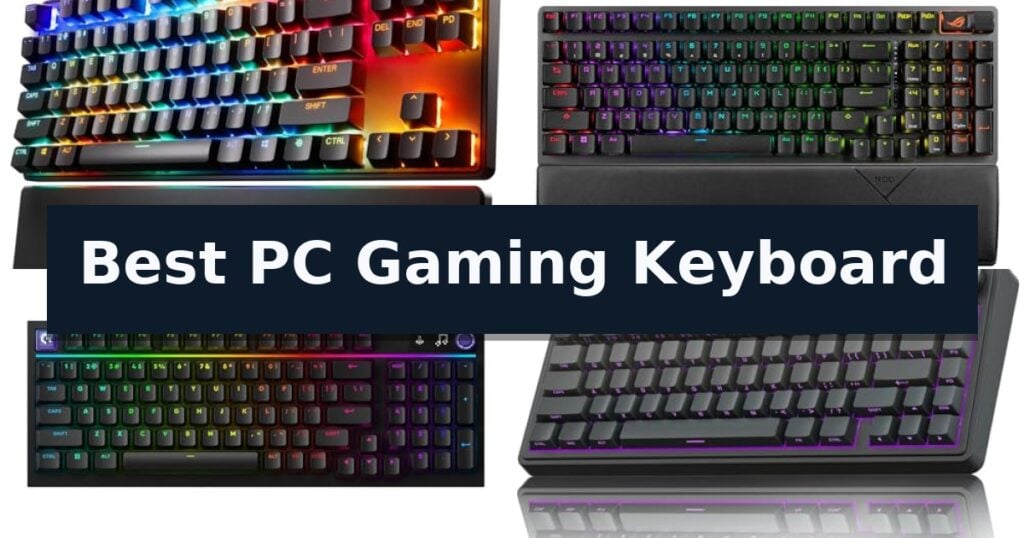
10 Best PC Gaming Keyboard in 2026 Reviews
Quick Comparison
| Product | Best For | Key Strength | Score |
|---|---|---|---|
| SteelSeries Apex Pro TKL Gen 3 | Best Overall | OmniPoint 3.0 analog switches with adjustable actuation from 0.1mm to 4.0mm. | 4.9 |
| ASUS ROG Strix Scope II 96 | Compact Wireless With Full Functionality | Space-saving 96% layout that retains full-size functionality and a number pad. | 4.9 |
| Logitech G316 X 98 | Elite 8kHz Polling Performance | 8 kHz report rate for elite signal transmission speed. | 4.7 |
| AULA F75 Pro Mechanical Keyboard | Creamy Sound With Tri-Mode Connectivity | Tri-mode connectivity allows for flexible use across five simultaneous devices. | 4.9 |
| Womier SK80 75% Keyboard | Interactive Display For Custom Settings | Integrated multimedia display for real-time system monitoring and GIF customization. | 4.7 |
| Razer Tartarus V2 Keypad | Ergonomic Control For Left-Handed Gamers | 32 fully programmable keys for extensive macro and hotkey customization. | 4.6 |
| Razer BlackWidow V4 X | Silent Linear Switches For Speed | Yellow Mechanical Linear Switches provide a fast 1.2mm actuation point. | 4.4 |
| SteelSeries Apex 5 Hybrid | Tactile Click With Durable Frame | Hybrid blue mechanical switches provide a tactile click with membrane-like smoothness. | 4.6 |
| Redragon K580 Mechanical Keyboard | Dedicated Macro Keys For MMOs | On-the-fly macro recording eliminates the need for background software. | 4.7 |
| SteelSeries Apex 3 Gaming Keyboard | Spill-Resistant Whisper Quiet Design | IP32 water resistance protects against accidental liquid spills. | 4.3 |
How We Chose
When evaluating the best PC gaming keyboard, we focus on performance metrics that directly influence competitive play and daily typing comfort. An experienced reviewer prioritizes consistent switch response, reliable connectivity, and the physical ergonomics of the layout to ensure the hardware enhances rather than hinders the user experience across various gaming genres.
- Switch Technology: Evaluating the difference between magnetic, mechanical, and hybrid switches regarding actuation speed and tactile feedback.
- Connectivity Options: Assessing the reliability and latency of wired versus wireless 2.4GHz and Bluetooth connections.
- Layout and Form Factor: Comparing full-size, 96%, and TKL designs to determine how much desk space is preserved without sacrificing essential keys.
- Customization Features: Reviewing the utility of onboard displays, dedicated macro keys, and hot-swappable PCB support.
- Build Quality and Acoustics: Considering frame materials, sound-dampening foam, and keycap durability for long-term use.
1 SteelSeries Apex Pro TKL Gen 3 — Fastest Adjustable Magnetic Switches
Precision is the hallmark of the SteelSeries Apex Pro TKL Gen 3, a keyboard defined by its proprietary OmniPoint 3.0 analog magnetic switches. These Hall Effect switches allow for 40 levels of adjustable actuation, ranging from 0.1mm to 4.0mm, providing a level of physical customization that standard mechanical switches cannot match.
The keyboard introduces a suite of performance-oriented features branded as the 'Triple Threat.' This includes Rapid Trigger, which resets the key the moment it is released for faster repeated inputs, and Rapid Tap, which prioritizes the latest key press to enhance strafing maneuvers. Additionally, the patent-pending Protection Mode is designed to mitigate accidental inputs on adjacent keys, helping to prevent misfires during intense gameplay.
Usability is enhanced through the integrated OLED Smart Display, which allows for on-the-fly configuration changes without the need to exit your game. The onboard memory ensures these settings are saved directly to the device. For those who prefer streamlined setup, the QuickSet auto-presets automatically load optimized configurations when specific games are launched.
Built with a focus on high-performance gaming, the SteelSeries Apex Pro TKL Gen 3 features a compact TKL form factor and durable PBT keycaps. While the magnetic switch technology offers significant advantages for competitive play, users should note that the specialized software features and analog capabilities are designed specifically for high-frequency gaming environments.
Best for: Competitive gamers who require ultra-fast response times and deep customization of actuation points for specific game mechanics.
Skip if: Users who prefer a full-sized keyboard with a dedicated number pad or those who do not require advanced analog switch technology for their daily tasks.
- OmniPoint 3.0 analog switches with adjustable actuation from 0.1mm to 4.0mm.
- Rapid Trigger and Rapid Tap technology for faster input execution.
- OLED Smart Display for direct onboard configuration management.
- Protection Mode to reduce accidental keypresses.
- TKL form factor lacks a dedicated number pad.
- Advanced features are optimized primarily for gaming rather than general productivity.
2 ASUS ROG Strix Scope II 96 — Compact Wireless With Full Functionality
The ASUS ROG Strix Scope II 96 provides a space-saving solution for users who require a full-size layout, including a dedicated number pad, within a compact footprint that is only 1 cm wider than a standard 80 percent keyboard. This 96 percent design is engineered to maintain essential functionality without sacrificing desk real estate, making it a versatile choice for gaming, streaming, and professional workflows.
Connectivity is handled through a versatile tri-mode system, allowing users to switch between low-latency 2.4GHz wireless using ROG SpeedNova technology, Bluetooth for up to three paired devices, or a stable USB wired connection. The keyboard is compatible with both PC and Mac, and it features an impressive battery life of up to 1,500 hours when operating in 2.4GHz wireless mode.
The typing experience is defined by hot-swappable, pre-lubed ROG NX Snow linear switches, which are factory-lubricated to ensure smooth keystrokes and improved acoustic stability. To further refine the sound profile, the chassis includes integrated sound-dampening foam and switch-dampening pads that effectively absorb pinging noises and echoes during rapid typing or gaming sessions.
For enhanced utility, the keyboard includes pre-programmed hotkeys (F1-F5) for Xbox Game Bar and recording control, alongside a multi-function wheel for intuitive media and lighting adjustments. The ASUS ROG Strix Scope II 96 also prioritizes comfort with three adjustable tilt positions and an included detachable wrist rest, ensuring ergonomic support during extended use.
Best for: Users who need a full-size layout with a number pad but have limited desk space for their gaming or workstation setup.
Skip if: Users who prefer a traditional full-size keyboard layout with dedicated spacing between the navigation cluster and the number pad.
- Space-saving 96% layout that retains full-size functionality and a number pad.
- Tri-mode connectivity including low-latency 2.4GHz, Bluetooth, and USB wired options.
- Hot-swappable switches allow for easy customization without soldering.
- Integrated sound-dampening foam provides a refined, quiet acoustic profile.
- Compact key arrangement may require an adjustment period for users accustomed to standard full-size spacing.
3 Logitech G316 X 98 — Elite 8kHz Polling Performance
The Logitech G316 X 98 leverages an elite 8 kHz report rate to deliver near-instantaneous signal transmission, providing a distinct advantage for users requiring precise, game-ready response times. This mechanical keyboard integrates a gasket-mounted structure with sound-dampening silicone and foam layers, resulting in a refined, quiet typing experience that maintains satisfying tactile feedback during intense sessions.
Designed with a space-saving 98% layout, this model retains full-size functionality, including a dedicated numpad, while maintaining a compact footprint that maximizes desk space for mouse movement. The inclusion of hot-swappable switches and double-shot PBT keycaps allows for extensive customization of both the mechanical feel and the aesthetic durability, effectively resisting shine over time.
Interactive control is managed through an onboard LED dot-matrix display and a dedicated dial, enabling real-time adjustments to report rates, volume, brightness, and media playback without requiring the user to exit their game. The integrated LIGHTSYNC RGB lighting system features 30 customizable zones and an interactive light bar that reacts to system adjustments, all managed via G HUB software.
Built for longevity, the keyboard features a high-quality construction with translucent accents. The G HUB software suite provides comprehensive control over macro creation, game mode key assignments, and per-key lighting configurations, ensuring the hardware can be tailored to specific user workflows and gaming environments.
Best for: Competitive gamers and power users who require high-speed polling, a compact 98% form factor, and deep customization options.
Skip if: Users who prefer a traditional full-size 100% layout or those who do not require advanced features like hot-swappable switches and high-frequency polling.
- 8 kHz report rate for elite signal transmission speed.
- Hot-swappable switches allow for personalized mechanical feel.
- Gasket-mounted design provides a quiet and refined typing experience.
- Space-saving 98% layout maximizes desk real estate.
- Complex feature set may be excessive for casual users.
- Software-dependent for full utilization of advanced features.
4 AULA F75 Pro Mechanical Keyboard — Creamy Sound With Tri-Mode Connectivity
The AULA F75 Pro Mechanical Keyboard distinguishes itself with a specialized internal architecture featuring an extended integrated silicone pad and PCB single key slotting, which optimizes resilience and provides a soft, elastic typing feel. This 75% layout keyboard is engineered to minimize cavity noise through five layers of internal silencer filling, ensuring a solid acoustic profile during use.
Connectivity is a primary focus, as the device offers tri-mode functionality including Bluetooth 5.0, 2.4GHz wireless, and USB-C wired connections. It supports simultaneous pairing with up to five devices, allowing for seamless switching between PCs, laptops, tablets, and gaming consoles. The unit is powered by a 4000mAh rechargeable battery designed for extended operational life.
Customization and control are central to its design, featuring a hot-swappable base that accommodates 3-pin or 5-pin switches without requiring soldering. The inclusion of a multi-function knob allows users to toggle between gaming and office modes, providing tactile control over RGB lighting brightness, effects, volume, and media playback.
The aesthetic and functional build includes side-printed PBT keycaps created via double injection molding and heat sublimation for increased durability and sweat resistance. The 16.8 million color RGB system supports 16 pre-set lighting effects and 10 music-rhythm modes, all manageable through dedicated driver software for macro programming and key customization.
Best for: Gamers and typists who require a compact, customizable 75% layout with versatile wireless connectivity and a dampened acoustic typing experience.
Skip if: Users who require a full-sized keyboard with a dedicated number pad for data entry or those who prefer a wired-only connection for absolute latency avoidance.
- Tri-mode connectivity allows for flexible use across five simultaneous devices.
- Hot-swappable PCB supports easy switch customization without soldering.
- Advanced sound-dampening structure with five layers of filling reduces cavity noise.
- Multi-function control knob provides intuitive adjustments for media and lighting.
- 75% compact layout lacks a dedicated number pad, which may limit productivity for some users.
- Requires driver software to access full macro programming and advanced lighting rhythm features.
5 Womier SK80 75% Keyboard — Interactive Display For Custom Settings
The Womier SK80 75% Keyboard distinguishes itself with a vibrant, integrated multimedia display screen positioned at an 11-degree oblique angle. This display allows users to visualize custom GIF images, system status, and RGB settings directly on the hardware, providing a functional interface that aligns with natural visual habits. The 75% layout is complemented by a gasket-mounted design, which utilizes an EVA positioning plate and bottom filling to minimize typing noise while fostering a soft, responsive feel during extended gaming sessions.
Engineered for high-level customization, the Womier SK80 75% Keyboard features a hot-swappable PCB compatible with both 3-pin and 5-pin switches. It arrives with pre-lubed linear switches that incorporate south-facing light diffusers, ensuring consistent illumination and a clean typing sound out of the box. Users can further refine their experience through dedicated software, which enables macro programming, GIF display management, and a 'Music Syncing' mode that synchronizes lighting patterns with audio output.
The aesthetic is defined by its Black Kanagawa theme and cherry profile keycaps, balancing a distinct visual style with ergonomic comfort. Connectivity is handled via a detachable Type-C cable, ensuring compatibility across Mac and Windows systems. With 19 built-in lighting effects and 9 color modes, the keyboard offers significant flexibility for both gaming environments and daily productivity tasks. The trade-off for this compact, feature-rich design is the lack of a dedicated number pad and a wired-only connection, which may limit desk setup flexibility for users who prioritize wireless freedom or heavy numerical data entry.
Best for: Gamers and enthusiasts seeking a compact 75% layout with high levels of visual customization and tactile feedback.
Skip if: Users who require a full-sized keyboard with a dedicated number pad or those who prefer wireless connectivity options.
- Integrated multimedia display for real-time system monitoring and GIF customization.
- Hot-swappable PCB supports 3-pin and 5-pin switches for easy customization.
- Gasket-mounted design improves stability and provides a softer typing experience.
- Comprehensive software support for macro programming and RGB lighting control.
- Wired-only connection limits desk setup flexibility compared to wireless models.
- 75% form factor lacks a dedicated number pad, which may impact specific productivity workflows.
6 Razer Tartarus V2 Keypad — Ergonomic Control For Left-Handed Gamers
The Razer Tartarus V2 Left-Handed Gaming Keypad offers a specialized approach to input by replacing a standard keyboard layout with a compact, ergonomic form factor designed for single-handed use. It features 32 fully programmable keys that allow users to map hotkeys, macros, and complex commands directly to their fingertips, making it a distinct tool for both gaming and creative workflows.
At the core of its performance are the high-performance mecha-membrane switches. This hybrid design combines the tactile feedback associated with mechanical switches with the soft, cushioned touch of a membrane rubber dome, providing a unique feel during extended sessions. The inclusion of an 8-way directional thumbpad further enhances control, offering a more natural movement interface for players accustomed to console-style navigation.
Customization is a central component of the device, supported by Razer Chroma RGB lighting. This system provides access to 16.8 million colors and integrates with a wide ecosystem of hardware and software partners for synchronized lighting effects. Users can leverage Razer Hypershift to effectively double the available inputs by remapping key combinations, ensuring that even with its smaller footprint, the keypad maintains high functionality.
Measuring approximately 6.02 by 7.98 by 2.36 inches, the keypad is built for desktop efficiency. It includes a two-year warranty, reflecting its construction as a dedicated peripheral for users who prioritize specialized, ergonomic control over the traditional full-size keyboard layout.
Best for: Gamers and creative professionals who require a compact, ergonomic, and highly programmable single-handed input device.
Skip if: Users who require a full-sized keyboard for typing tasks or those who prefer traditional mechanical switches over a hybrid mecha-membrane design.
- 32 fully programmable keys for extensive macro and hotkey customization.
- 8-way directional thumbpad for improved movement and ergonomic control.
- Mecha-membrane switches offer a tactile, cushioned typing experience.
- Razer Chroma RGB integration for deep personalization and lighting synchronization.
- Single-handed design is not suitable for standard typing or general computer use.
- Hybrid mecha-membrane switches may not satisfy users who exclusively prefer traditional mechanical switch feedback.
7 Razer BlackWidow V4 X — Silent Linear Switches For Speed
The Razer BlackWidow V4 X prioritizes rapid-fire inputs through its specialized Yellow Mechanical Linear Switches, which feature a short 1.2mm actuation distance and a light 45g force requirement. These switches are engineered with integrated sound dampeners to maintain a quiet typing environment, making the board suitable for focused gaming sessions where precision and noise control are both prioritized.
Beyond the switches, the keyboard integrates 6 dedicated macro keys that allow users to map complex commands directly to the hardware. This layout is complemented by a multi-function roller and secondary media keys, providing tactile control over volume, brightness, and playback without requiring software navigation. The internal construction includes a layer of sound-dampening foam and lubricated stabilizers to refine the acoustic profile.
Durability and aesthetic customization are central to the design, utilizing doubleshot ABS keycaps with thick walls to prevent label wear over time. The Chroma RGB per-key lighting is built into a switch housing designed for even light distribution, supporting over 16.8 million colors and dynamic effects that sync with supported titles.
Measuring 18.36 inches in length, the keyboard offers a full-sized footprint that accommodates the additional macro and media controls. The unit is backed by a 2-year manufacturer warranty, ensuring support for the hardware components during extended use.
Best for: Gamers who require dedicated macro keys for complex inputs and prefer a quiet, linear switch feel.
Skip if: Users who prefer a compact or tenkeyless form factor will find the 18.36-inch length of this keyboard too large for limited desk spaces.
- Yellow Mechanical Linear Switches provide a fast 1.2mm actuation point.
- 6 dedicated macro keys allow for expanded command mapping.
- Improved keyboard acoustics via internal foam and lubricated stabilizers.
- Doubleshot ABS keycaps ensure long-term label legibility.
- Full-sized footprint may be too wide for compact gaming setups.
8 SteelSeries Apex 5 Hybrid — Tactile Click With Durable Frame
The SteelSeries Apex 5 Hybrid distinguishes itself by bridging the gap between mechanical precision and membrane comfort through its unique hybrid blue mechanical switches. These switches are engineered to deliver the tactile click characteristic of mechanical hardware while maintaining the smooth travel associated with membrane technology, rated for 20 million keypresses.
Beyond its switch architecture, the keyboard features an OLED smart display that allows for real-time customization, including the ability to display GIFs, game information, or Discord notifications. The chassis is constructed from an aircraft-grade aluminum alloy frame, providing a rigid and stable foundation designed for long-term use.
Lighting enthusiasts can utilize the dynamic per-key RGB illumination to create complex color schemes and reactive effects. For ergonomic support during extended sessions, the package includes a premium magnetic wrist rest that attaches securely to the base, offering full palm support.
Measuring 17.52 inches in width and 5.51 inches in length, the SteelSeries Apex 5 Hybrid occupies a standard footprint on most desk setups. It is a wired USB device, ensuring a consistent connection without the need for battery management, and it is backed by a 1-year warranty.
Best for: Gamers who want the tactile feedback of mechanical switches combined with the softer feel of a membrane keyboard and integrated status displays.
Skip if: Users who require a wireless connection or those who prefer the distinct, uniform performance of a pure mechanical switch setup.
- Hybrid blue mechanical switches provide a tactile click with membrane-like smoothness.
- OLED smart display offers customizable visual feedback and system information.
- Aircraft-grade aluminum alloy frame ensures a sturdy and durable build quality.
- Magnetic wrist rest enhances comfort during prolonged typing or gaming sessions.
- Wired-only connectivity limits placement flexibility compared to wireless models.
9 Redragon K580 Mechanical Keyboard — Dedicated Macro Keys For MMOs
The Redragon K580 Mechanical Keyboard distinguishes itself with five dedicated macro keys (G1-G5) that allow users to record complex combos on the fly without needing software. This full-size board is built for high-intensity use, featuring a chassis rated for 50 million keystrokes and double-shot keycaps designed to resist fading over time.
Performance is driven by classic tactile Blue switches, which provide distinct audible click feedback and a physical bump on every actuation. The keyboard utilizes an upgraded socket design that allows for hot-swapping switches without soldering, offering flexibility if you prefer a different typing feel. For fast-paced gaming, the board includes full anti-ghosting, ensuring that all 104 keys register accurately during rapid multi-key inputs.
Usability is enhanced by dedicated media controls, including a volume wheel and playback buttons for quick adjustments. While the keyboard functions fully without external drivers, power users can install optional software to customize RGB lighting effects and manage more complex macro profiles. The unit measures approximately 15.75 inches in height and 5.9 inches in width, providing a stable footprint for desktop setups.
This model balances mechanical performance with practical utility for gamers who prioritize on-board customization. By keeping core functionality hardware-based, it remains a reliable tool for those who prefer a plug-and-play experience while retaining the option for deeper software-driven configuration.
Best for: Gamers who require dedicated on-board macro keys and tactile feedback for MMO or MOBA titles.
Skip if: Users who prefer a compact tenkeyless design or a silent typing experience, as the Blue switches are inherently clicky.
- On-the-fly macro recording eliminates the need for background software.
- Hot-swappable switch sockets allow for easy customization without soldering.
- Dedicated media controls and volume wheel for quick adjustments.
- Full anti-ghosting ensures accurate input during intense gaming sessions.
- Clicky Blue switches may be too loud for shared office or quiet environments.
- Full-size footprint occupies significant desk space compared to compact layouts.
10 SteelSeries Apex 3 Gaming Keyboard — Spill-Resistant Whisper Quiet Design
The SteelSeries Apex 3 Gaming Keyboard prioritizes resilience and quiet operation through its IP32 water-resistant construction, which helps protect internal components from accidental liquid spills. This design choice ensures the keyboard remains functional even in environments where beverages are frequently present, providing a layer of security for your hardware.
Engineered for a low-noise experience, the keyboard utilizes whisper quiet gaming switches designed to last for up to 20 million keypresses. These switches offer a low-friction feel, making them suitable for users who prefer a subtle tactile response without the audible click associated with mechanical alternatives.
Customization and comfort are central to the user experience, featuring 10-zone RGB illumination that supports various color schemes and reactive lighting effects. To support extended sessions, the included premium magnetic wrist rest provides full palm support, attaching securely to the base to reduce strain during prolonged use.
Functionality is further enhanced by dedicated multimedia controls, allowing for immediate adjustments to volume and media settings without exiting active applications. The keyboard maintains broad compatibility, functioning seamlessly across Windows, Mac OS X, and gaming consoles including the Xbox Series S, Xbox Series X, PS4, and PS5.
Best for: Gamers who require a quiet, spill-resistant keyboard with integrated wrist support for long sessions.
Skip if: Users who specifically prefer the distinct tactile feedback and audible click of mechanical switches.
- IP32 water resistance protects against accidental liquid spills.
- Whisper quiet switches provide nearly silent operation for low-friction typing.
- Premium magnetic wrist rest offers ergonomic support for extended use.
- Dedicated multimedia controls allow for quick, on-the-fly adjustments.
- Non-mechanical switch design may not satisfy users seeking traditional tactile feedback.
Best PC Gaming Keyboard Buying Guide
Understanding Switch Types
Mechanical switches remain the standard for many, offering distinct tactile or linear feedback that helps with precision. These switches rely on physical contact points to register a keystroke, providing a reliable and consistent feel that many enthusiasts prefer for long-term durability.
Magnetic switches represent a newer evolution, utilizing Hall Effect sensors to detect key movement without physical contact. This technology allows for adjustable actuation points and rapid trigger features, enabling the keyboard to reset the key press the moment you release it, which is ideal for high-speed movement in shooters.
Choosing the Right Layout
The physical size of your keyboard significantly impacts your desk ergonomics. Full-size boards provide every key imaginable, including a dedicated number pad, but they occupy a large footprint that can limit mouse movement space during intense gaming sessions.
Compact layouts like 75% or TKL (Tenkeyless) remove the number pad to reclaim desk space. For those who still need productivity features, 96% layouts offer a clever compromise, squeezing a number pad into a frame only slightly wider than a TKL board.
Connectivity and Latency
Wired connections remain the gold standard for competitive gaming, offering the lowest possible latency and eliminating the need for battery management. USB-C connectivity is standard on most modern boards, ensuring a secure and fast data transfer rate.
Wireless technology has advanced significantly, with 2.4GHz dongles now providing performance nearly indistinguishable from wired setups. Bluetooth remains a convenient secondary option for connecting to tablets or laptops, though it is generally not recommended for high-stakes competitive gaming due to potential latency.
Customization and Macros
Many modern gaming keyboards include software suites that allow for deep customization of RGB lighting, key remapping, and macro recording. These features are essential for MMO or MOBA players who need to execute complex ability rotations with a single key press.
Onboard displays, such as OLED screens or dot-matrix LEDs, add a layer of convenience by allowing you to adjust settings, monitor system stats, or change profiles directly from the keyboard. This prevents the need to alt-tab out of a game to tweak your configuration.
Acoustics and Build Quality
The sound of a keyboard is often overlooked but contributes heavily to the overall experience. Boards with integrated sound-dampening foam and pre-lubed stabilizers significantly reduce the hollow pinging or rattling sounds often found in cheaper plastic-cased models.
Build materials like aircraft-grade aluminum alloy provide a rigid, premium feel that resists flex during aggressive typing. Combined with durable PBT keycaps, these features ensure the keyboard remains stable and retains its aesthetic appeal even after years of heavy use.
Frequently Asked Questions
What is the benefit of a hot-swappable keyboard?
A hot-swappable PCB allows you to pull out and replace mechanical switches without soldering. This is ideal if you want to experiment with different switch feels or if a single switch fails over time.
Does the polling rate matter for gaming?
Yes, a higher polling rate, such as 8kHz, means the keyboard sends data to your PC more frequently. This can reduce input latency, providing a more responsive feel in fast-paced competitive games.
Are magnetic switches better than mechanical ones?
Magnetic switches offer unique features like adjustable actuation and rapid trigger, which are generally superior for competitive shooters. However, traditional mechanical switches are often preferred for their specific tactile or clicky feedback profiles.
What does a 75% layout mean?
A 75% layout is a compact form factor that retains the arrow keys and a function row while removing the number pad. It is a popular choice for gamers who want more space for their mouse.
Is a wrist rest necessary?
While not strictly necessary, a wrist rest can improve ergonomics during long sessions by keeping your wrists in a neutral position, potentially reducing strain and fatigue.
Conclusion: Our Top Pick
Our top pick is SteelSeries Apex Pro TKL Gen 3. Choosing the right gaming keyboard comes down to balancing your specific performance needs with your available desk space. Whether you prioritize the cutting-edge speed of magnetic switches or the versatility of a wireless compact board, the right choice will enhance your control and comfort.
By focusing on build quality, switch type, and layout, you can find a reliable tool that supports your gaming style for years to come. Take the time to consider which features truly matter to your daily routine before making your final selection.