Redragon K671 Mechanical Gaming Keyboard is our pick for the Best PC Keyboards for Programming because its hot-swappable switches and macro-editing software allow developers to customize key functions for efficient coding workflows.
When selecting a keyboard for development, the priority shifts from aesthetic lighting to tactile feedback and input reliability. Mechanical switches provide the consistent actuation required for long hours of typing, while programmable layers help manage complex IDE shortcuts or repetitive terminal commands.
For those who prioritize physical comfort over mechanical clickiness, split-frame designs or low-profile scissor-switch layouts offer significant relief during extended sessions. Balancing these ergonomic needs with the requirement for dedicated media or macro keys ensures your hardware supports your specific development environment.
For a broader look at peripheral options beyond specialized coding tools, our guide to the Best PC Keyboards provides additional context on general typing performance. If your workspace doubles as a gaming station, you may also find our recommendations for the Best PC Keyboards for Gaming helpful for comparing dual-purpose hardware.
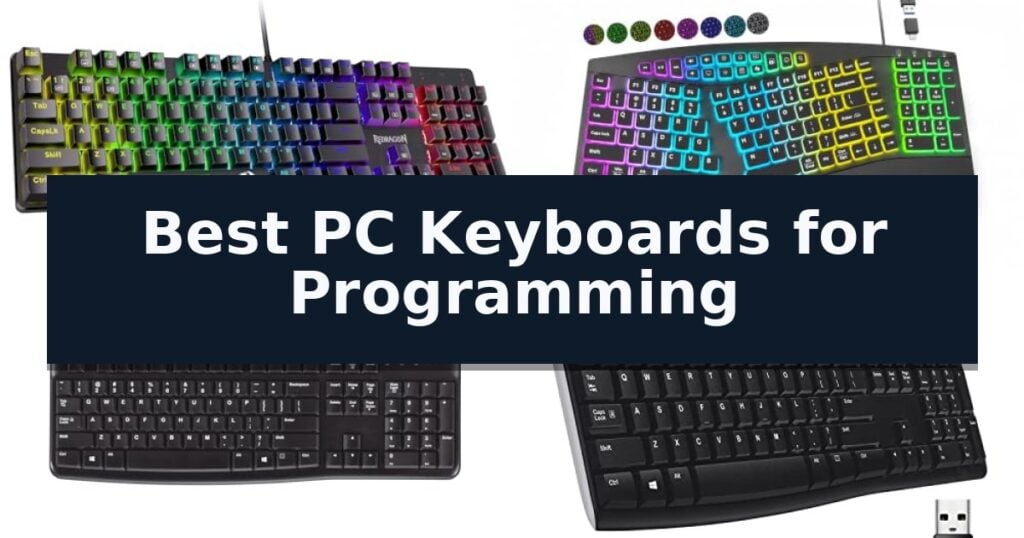
10 Best PC Keyboards for Programming in 2026 Reviews
Quick Comparison
| Product | Best For | Key Strength | Score |
|---|---|---|---|
| Redragon K671 Mechanical Gaming Keyboard | Best Overall | Hot-swappable switches for easy customization and repair | 4.9 |
| Frixalox Wired Ergonomic Split Keyboard | Split design reduces wrist strain | Split-frame ergonomic design with integrated wrist rest reduces strain. | 4.5 |
| Logitech K120 Wired Keyboard | Reliable standard for daily coding | Spill-resistant design for increased longevity. | 4.5 |
| Logitech K270 Wireless Keyboard | Wireless freedom for clean desks | 24-month battery life reduces the need for frequent maintenance. | 4.6 |
| Arteck Backlit USB Wired Keyboard | Slim profile with quiet keys | Quiet typing via Scissors X structure | 4.8 |
| GEODMAER 65% Gaming Keyboard | Compact layout saves desk space | 65% compact footprint saves significant desk space. | 4.9 |
| VSDINSIDE M18 Macro Pad | Visual keys for complex workflows | 15 customizable LCD keys for visual function identification | 4.6 |
| aikeec 6-Key Mechanical Keypad | Customizable macros for shortcuts | Onboard storage saves macros directly to the device for portability. | 4.8 |
| LICHIFIT 5-Key Macro Keypad | Compact programmable input device | Onboard storage saves settings directly to the device for seamless plug-and-play use across different … | 4.8 |
| Yoqanr Programming Macro Keyboard | Dedicated button for rapid execution | High sensitivity and low latency for rapid command execution. | 4.8 |
How We Chose
Selecting the best PC keyboards for programming requires evaluating how hardware translates into daily efficiency. An experienced reviewer focuses on switch responsiveness, the depth of software-based key remapping, and long-term ergonomic comfort. These criteria help distinguish professional-grade tools from standard peripherals that lack the customization necessary for complex software development tasks.
- Switch type and tactile feedback consistency
- Programmability and macro support for IDE shortcuts
- Ergonomic design and wrist support features
- Build quality and keycap durability
- Connectivity stability and input latency
1 Redragon K671 Mechanical Gaming Keyboard — Hot-swappable switches for custom feel
The Redragon K671 Mechanical Gaming Keyboard distinguishes itself through its hot-swappable linear red switches, which allow for quick maintenance and a smoother, lighter keystroke experience. This design choice provides a tactile advantage for users who prioritize speed and ease of input during long programming sessions or intensive typing tasks.
Beyond its switch architecture, the keyboard features full-key anti-ghosting to ensure every input is registered accurately, even during rapid command sequences. The inclusion of 12 multimedia shortcuts streamlines workflow by providing immediate access to volume, media, and system tools, while the macro editing support allows for custom key remapping to optimize repetitive coding functions.
The build incorporates double-shot PBT keycaps designed for durability and clarity, ensuring the 11 programmable backlit modes remain visible and precise. Users can adjust the brightness and speed of the illumination across five levels to suit different lighting environments, from dim late-night setups to bright office spaces.
This wired peripheral is engineered for reliability, backed by a 24-month warranty. With its combination of customizable macros and a responsive mechanical feel, the Redragon K671 Mechanical Gaming Keyboard offers a practical foundation for developers seeking a balance between functional utility and adjustable aesthetics.
Best for: Programmers and gamers who want a customizable, hot-swappable mechanical board with programmable macros for efficient workflow.
Skip if: Users who require a wireless connection or prefer a specific tactile or clicky switch feel instead of the included linear red switches.
- Hot-swappable switches for easy customization and repair
- Macro editing support for remapping keys and shortcuts
- Full-key anti-ghosting for reliable input registration
- Durable double-shot PBT keycaps for long-term clarity
- Wired-only connection limits desk placement flexibility
- Fixed color backlighting cannot be changed despite adjustable effects
2 Frixalox Wired Ergonomic Split Keyboard — Split design reduces wrist strain
The Frixalox Wired Ergonomic Split Keyboard prioritizes physical comfort during extended coding sessions through its integrated wrist rest and a split-frame design. This layout aims to provide a more natural hand position, supported by two pairs of adjustable kickstands that allow for three distinct typing angles to suit individual preferences.
Engineered for reliability, this keyboard utilizes a 5.6FT wired USB-A connection to ensure a stable, plug-and-play experience without the need for batteries, drivers, or charging. The inclusion of a USB-C adapter expands its compatibility to modern laptops and desktops, while the 10-million-keystroke lifespan provides a baseline for long-term use.
The device features an RGB backlight system with 17 customizable lighting effects, including 10 dynamic rainbow modes and 7 solid colors. Five brightness levels ensure visibility across various lighting environments, from bright offices to dim, late-night workspaces. The hard plastic palm rest is designed for easy cleaning, maintaining a professional appearance over time.
Functionality is enhanced by a full-size layout that includes a dedicated number pad and 17 multimedia shortcut keys. These shortcuts provide one-tap access to essential tasks like volume control, screen brightness, and system search, helping to streamline daily workflows in environments like Windows, macOS, Chrome OS, and Linux.
Best for: Programmers and office professionals seeking a full-size, wired ergonomic keyboard with integrated wrist support and customizable lighting.
Skip if: Users who require a wireless connection or those who intend to use the keyboard with gaming consoles like the PS5 or Xbox.
- Split-frame ergonomic design with integrated wrist rest reduces strain.
- Stable wired connection eliminates input lag and battery maintenance.
- 17 multimedia shortcuts streamline common computer tasks.
- Adjustable typing angles via two pairs of kickstands.
- Wired-only connection limits desk placement flexibility.
- Not compatible with gaming consoles.
3 Logitech K120 Wired Keyboard — Reliable standard for daily coding
The Logitech K120 Wired Keyboard offers a straightforward, reliable interface for developers who prioritize a consistent typing experience without the complexity of software-driven peripherals. Its full-size layout includes dedicated F-keys and a number pad, providing the necessary input space for complex coding environments and data entry tasks.
Engineered for daily utility, this keyboard features deep-profile keys designed for tactile feedback and comfort during extended programming sessions. The construction includes a spill-resistant design, which helps protect the internal components from accidental liquid exposure, while the sturdy tilt legs allow users to adjust the typing angle to their preference.
Installation is simplified through a standard USB plug-and-play connection, ensuring immediate compatibility with Windows systems without requiring additional drivers or software configuration. The anti-fade keys are built to maintain legibility over long-term use, and the inclusion of a curved space bar supports a more natural hand position while typing.
Sustainability is integrated into the manufacturing process, with the plastic components containing 51% certified post-consumer recycled plastic. This model serves as a functional, no-nonsense tool for professional workstations where reliability and simplicity are the primary requirements.
Best for: Programmers who require a reliable, full-size, plug-and-play keyboard that emphasizes durability and a standard layout.
Skip if: Users who prefer mechanical switches, wireless connectivity, or programmable macro keys for specialized development workflows.
- Spill-resistant design for increased longevity.
- USB plug-and-play setup requires no software installation.
- Full-size layout includes a dedicated number pad and F-keys.
- Constructed with 51% certified post-consumer recycled plastic.
- Wired-only connection limits desk placement flexibility.
- Lacks backlit keys for low-light programming environments.
4 Logitech K270 Wireless Keyboard — Wireless freedom for clean desks
The Logitech K270 Wireless Keyboard simplifies desk management by utilizing a single, compact USB-A receiver that maintains a reliable wireless connection up to 33 feet away. This full-size layout includes a dedicated number pad and a full row of F-keys, providing a familiar typing experience for developers who require consistent input across long coding sessions.
Designed for longevity and resilience, the keyboard features a spill-proof design and durable print characters that withstand daily office or home use. The hardware is engineered for efficiency, offering an impressive 24-month battery life that minimizes maintenance requirements. Additionally, the construction incorporates 38% certified post-consumer recycled plastic.
Integrated multimedia keys provide instant access to essential functions like volume control, email, and internet navigation, keeping common tasks within reach. The plug-and-play setup requires no software installation, allowing for immediate compatibility with Windows 7, 8, 10, or later versions.
For users managing multiple peripherals, the Logitech Unifying receiver allows for the addition of compatible devices through a single port. While it offers a robust, standard typing feel, it lacks the mechanical switches often preferred by developers seeking specific tactile feedback or programmable macro layers.
Best for: Programmers and office professionals who prioritize a reliable, clutter-free wireless workspace with long battery life.
Skip if: Users who require mechanical switches, per-key RGB backlighting, or advanced macro-programmability for complex development workflows.
- 24-month battery life reduces the need for frequent maintenance.
- Spill-proof design enhances durability against accidental liquid exposure.
- Strong wireless connection with a 33-foot range for flexible desk placement.
- Plug-and-play setup via a single USB receiver for immediate use.
- Lacks mechanical switches and tactile customization options.
- No backlighting for low-light coding environments.
5 Arteck Backlit USB Wired Keyboard — Slim profile with quiet keys
A clean workspace often begins with the right hardware, and the Arteck Backlit USB Wired Full Size Keyboard with Media Hotkey for PC and Laptop offers a streamlined solution for programmers who prefer a low-profile, quiet typing experience. Its Scissors X structure is engineered to provide tactile feedback while maintaining a minimal noise footprint, making it suitable for shared office environments or focused late-night coding sessions.
Designed with efficiency in mind, this keyboard features a full-size layout that includes a dedicated number pad and arrow keys, all housed within an ultra-thin and light chassis measuring just 0.24 inches in height. The 1.8-meter (6-foot) USB cable ensures a reliable, plug-and-play connection, allowing for immediate setup without the need for drivers or battery management.
Visual customization is supported through 7 unique backlight colors with three adjustable brightness levels, which can assist in low-light conditions. The inclusion of integrated media hotkeys provides quick access to essential system functions, enhancing workflow speed during development tasks.
While the device is built for compatibility with standard PC and laptop systems, it is important to note that it is not intended for use with Apple devices. The unit is backed by a 24-month warranty, providing long-term support for its functional design.
Best for: Programmers seeking a quiet, slim, and full-sized wired keyboard with customizable backlighting for standard PC environments.
Skip if: Users who require Apple device compatibility or those who prefer mechanical switches with deep key travel.
- Quiet typing via Scissors X structure
- 7-color LED backlighting with brightness controls
- Full-size layout including a number pad
- Plug-and-play wired USB connectivity
- Not compatible with Apple devices
- Low-profile keys may lack the tactile depth preferred by some mechanical keyboard enthusiasts
6 GEODMAER 65% Gaming Keyboard — Compact layout saves desk space
The GEODMAER 65% Gaming Keyboard prioritizes desk real estate through its 65% compact design, which eliminates the number pad while retaining dedicated arrow keys. This layout is specifically engineered for users who require a functional, portable typing surface that fits easily into a backpack, making it a viable candidate for those seeking the Best PC Keyboards for Programming in minimalist workspaces.
Connectivity is managed via a detachable Type-C cable, which ensures a stable connection and minimizes input latency. The keyboard features 26-key anti-ghosting technology to prevent input conflicts during rapid typing sessions. For added convenience, the FN+Win lockable key function helps prevent accidental interruptions during intensive coding or gaming sessions.
Durability and visibility are addressed through two-color injection molding keycaps that allow for transparent, luminous characters. The integrated LED backlighting offers adjustable brightness and breathing modes, ensuring visibility in low-light environments. Each key is rated for a lifespan exceeding 10,000,000 keystrokes and features a UV coating to resist fading over time.
Designed with ergonomics in mind, the keycap height is intended to maintain comfort during extended use. While it utilizes membrane technology, the keyboard is engineered to provide a mechanical-like tactile response, offering a quieter alternative to traditional mechanical switches without sacrificing the desired feedback for long-form typing tasks.
Best for: Programmers and users with limited desk space who prioritize a compact, portable, and quiet typing experience.
Skip if: Users who require a dedicated number pad for data entry or those who strictly prefer the distinct tactile and auditory feedback of genuine mechanical switches.
- 65% compact footprint saves significant desk space.
- Detachable Type-C cable enhances portability and connection stability.
- Transparent luminous keycaps improve visibility in dark environments.
- Quiet membrane technology provides a mechanical-like feel without excessive noise.
- Lacks a dedicated number pad, which may hinder specific data-heavy workflows.
- Membrane-based switches do not offer the same performance as true mechanical hardware.
7 VSDINSIDE M18 Macro Pad — Visual keys for complex workflows
Managing complex workflows and multi-step digital tasks requires precision, and the VSDINSIDE M18 Macro Pad provides a dedicated interface to streamline these operations. Featuring 15 customizable LCD keys and 3 physical buttons, this device allows users to trigger single-tap commands or complex multi-step sequences across various applications.
The VSDINSIDE M18 Macro Pad is designed for high-utility environments, supporting custom JPG, PNG, or GIF imagery on each LCD key to provide clear visual markers for specific functions. This visual feedback system is particularly useful for managing OBS scenes, launching applications, or controlling media playback, ensuring that complex shortcuts remain intuitive during fast-paced sessions.
Beyond its primary input capabilities, the unit includes an adjustable RGB surround light ring that offers customizable tones, making it suitable for low-light streaming or night-time production environments. The device connects via a USB-C cable and is compatible with Windows 11 and macOS 11.0 or newer, integrating directly with software like Photoshop, Excel, and Discord.
For those who require more than just simple key bindings, the VSDINSIDE M18 Macro Pad features built-in plugins for utility tasks, including a clock, stopwatch, and weather module. While it lacks native Linux support, the inclusion of SDK development documents allows for secondary development, providing a flexible solution for users needing specialized control over their desktop environment.
Best for: Content creators, gamers, and professionals who need to trigger complex, multi-step macros and shortcuts with a single tap.
Skip if: Users who require native Linux support or those who prefer a traditional keyboard layout without the need for visual LCD key feedback.
- 15 customizable LCD keys for visual function identification
- Multi-shortcut macro programming for complex workflows
- Adjustable RGB surround light ring for low-light visibility
- Wide software compatibility with major production applications
- No native Linux support out of the box
- Requires SDK development for advanced custom secondary integration
8 aikeec 6-Key Mechanical Keypad — Customizable macros for shortcuts
Streamlining complex coding workflows often requires more than a standard layout, and the aikeec 6-Key Mechanical Keypad provides a dedicated hardware solution for managing repetitive tasks. This compact device features six fully programmable keys that allow developers to map custom macros, significantly reducing the time spent on frequent keystrokes or complex command sequences.
The keypad utilizes a USB interface and follows the HID standard, ensuring it functions as a plug-and-play device on most systems without requiring specialized drivers for basic operation. For advanced customization, the unit includes a specialized setting program that allows users to define individual button functions. These configurations are stored directly on the device via onboard storage, meaning your custom macros remain intact even when moving the keypad between different workstations.
Design-wise, the unit incorporates RGB LED backlighting that can be adjusted to suit your environment. Users can toggle the light on or off or select from different display modes to visualize key press actions. While the device is highly versatile, Mac users should note that initial configuration must be performed on a Windows-based system to save the settings to the onboard memory before the keypad can be utilized on a macOS environment.
Built with an upgraded Cherry shaft for mechanical tactile feedback, this keypad is engineered for reliability during intensive programming sessions. If you encounter issues with the setting software, the manufacturer provides a specific runtime installation package to ensure the configuration utility runs correctly on your system.
Best for: Developers who need to offload repetitive commands and macros to a dedicated, programmable mechanical interface.
Skip if: Users who require a full-sized keyboard layout or those who exclusively use macOS and lack access to a Windows machine for initial configuration.
- Onboard storage saves macros directly to the device for portability.
- Fully programmable keys allow for custom macro mapping.
- Mechanical Cherry shaft construction provides tactile feedback.
- Plug and play HID standard compatibility.
- Windows-only configuration required for initial setup.
- Limited to six keys, which may not suffice for complex multi-layer workflows.
9 LICHIFIT 5-Key Macro Keypad — Compact programmable input device
The LICHIFIT 5-Key Macro Keypad offers a specialized approach to input management by allowing users to assign unique function modes to each individual button. Designed for those who require a compact, dedicated interface for repetitive tasks, this device ensures that each key operates independently without interference from others.
This keypad streamlines complex workflows through a dedicated setting program that enables users to customize button functions to their specific needs. The configuration process is repeatable, providing flexibility for different programming environments or software shortcuts. Because it features onboard storage, your custom mappings are saved directly to the hardware, eliminating the need for reconfiguration when switching between different workstations or devices.
The physical build includes the essential mechanical components, such as the shaft and keycaps, alongside non-slip pads to maintain stability during use. Its broad compatibility makes it a versatile addition to various setups, as it supports Windows, Linux, MacOS, Android, and Raspberry Pi systems. This wide-ranging support ensures that it integrates into diverse development environments without requiring specialized drivers for each platform.
While it provides significant utility for macro-heavy tasks, the device is limited by its five-key layout, which may not be sufficient for users requiring extensive hotkey arrays. However, for developers or power users looking to offload specific commands to a dedicated, portable peripheral, this unit offers a straightforward, hardware-based solution for input optimization.
Best for: Programmers and power users who need a compact, portable device for executing custom macro commands and shortcuts across multiple operating systems.
Skip if: Users who require a full-sized keyboard layout or a high number of programmable keys for complex software environments will find this five-key device too limited.
- Onboard storage saves settings directly to the device for seamless plug-and-play use across different computers.
- Independent function modes allow each of the five buttons to be configured for unique tasks without conflict.
- Broad compatibility with Windows, Linux, MacOS, Android, and Raspberry Pi.
- Includes non-slip pads for stable operation on desk surfaces.
- Limited to five keys, which may restrict the number of macros available compared to larger programmable pads.
- Requires the use of a special setting program to configure button assignments.
10 Yoqanr Programming Macro Keyboard — Dedicated button for rapid execution
The Yoqanr Programming Macro Keyboard functions as a dedicated, single-button interface designed to streamline complex digital workflows through a simple, high-sensitivity trigger. Measuring 3.54 inches in diameter and 1.77 inches in height, this analog input device provides a tactile, one-handed solution for users needing to execute repetitive commands with minimal latency.
Engineered for versatility, this unit arrives pre-configured as an 'Enter' key, allowing for immediate plug-and-play functionality via a standard USB connection. The included USB flash drive contains the necessary software and instructions to re-program the button, enabling it to serve as a specialized control for mechanical equipment, audio and video editing shortcuts, or even as a competition transponder.
Constructed from high-quality plastic, the device is built for longevity and consistent performance in demanding environments. Its design focuses on reducing the number of keystrokes required for frequent tasks, effectively serving as a strategic decision-making button that simplifies complex software operations.
While this macro keyboard excels at rapid, single-action execution, it is a specialized tool rather than a replacement for a full-sized typing interface. Users should verify their specific software compatibility with the provided programming tools to ensure the button maps correctly to their unique workflow requirements.
Best for: Users who need a dedicated, high-sensitivity physical button to trigger repetitive software commands or macro functions quickly.
Skip if: Users who require a full-sized keyboard for standard typing or those who need multiple programmable keys in a single compact chassis.
- High sensitivity and low latency for rapid command execution.
- Plug-and-play functionality with a pre-set 'Enter' key configuration.
- Programmable design via included software for custom workflow integration.
- Durable construction using high-quality plastic for long service life.
- Single-button limitation restricts the number of simultaneous macros available.
- Requires external software for re-programming the default key function.
Best PC Keyboards for Programming Buying Guide
Mechanical vs. Membrane Switches
Mechanical switches, such as the linear red switches found in the Redragon K671, offer a distinct advantage for programmers due to their durability and consistent actuation force. They reduce the effort required for rapid typing, which can minimize fatigue during long coding sessions.
Membrane keyboards like the Logitech K120 provide a quieter, lower-profile typing experience that may be preferred in shared office environments. While they lack the tactile feedback of mechanical boards, they remain a reliable and cost-effective solution for standard text entry and script writing.
The Importance of Programmability
Advanced programming often involves complex IDE shortcuts and terminal commands. Keyboards that support macro editing allow developers to remap keys or combine multiple functions into a single keystroke, significantly streamlining repetitive workflows.
Dedicated macro pads, such as the VSDINSIDE M18 or aikeec 6-Key keypad, serve as excellent auxiliary devices. These allow you to offload specific tasks like build commands or system monitoring to a separate controller, keeping your main keyboard uncluttered.
Ergonomics for Long-Term Comfort
Extended hours at the computer can lead to wrist strain, making ergonomic features essential for professional developers. Split-frame designs, such as the Frixalox Wired Ergonomic Split Keyboard, encourage a more natural hand position that reduces tension in the forearms.
Integrated wrist rests and adjustable kickstands provide additional support, allowing you to fine-tune the typing angle to match your desk setup. Prioritizing these physical adjustments can prevent repetitive strain injuries and improve overall productivity.
Connectivity and Desk Space
Wired connections are generally preferred by programmers for their stability and lack of input lag. A detachable USB-C cable, found on many modern compact boards, adds convenience for cable management and portability.
Wireless options like the Logitech K270 offer a clean, cable-free desk environment, which can be beneficial for those who prefer a minimalist workspace. However, users should consider battery life and potential latency when choosing wireless peripherals for high-intensity coding.
Layout and Compactness
Compact layouts, such as 65% designs, save valuable desk space for additional monitors or reference materials. By removing the number pad, these keyboards bring the mouse closer to the center, which can improve posture and reduce shoulder strain.
Full-size keyboards remain the standard for developers who frequently work with data entry or spreadsheets. If your workflow relies heavily on the number pad, a full-size board ensures you have all necessary keys immediately accessible without needing to toggle layers.
Frequently Asked Questions
Are mechanical keyboards better for programming than membrane keyboards?
Mechanical keyboards are generally preferred for their durability, tactile feedback, and consistent actuation, which can improve typing speed and reduce errors over long periods.
Can I use a gaming keyboard for programming?
Yes, many gaming keyboards are excellent for programming because they often feature high-quality mechanical switches, anti-ghosting technology, and robust software for macro customization.
What is a macro pad and do I need one?
A macro pad is a small, programmable keypad used to trigger specific shortcuts or commands. It is highly useful for developers who want to offload complex IDE or streaming commands to a dedicated device.
Is a split keyboard worth the investment?
If you experience wrist or forearm pain during long coding sessions, a split keyboard can be a valuable investment as it allows for a more natural, ergonomic hand and shoulder alignment.
Does keyboard connectivity affect coding performance?
Wired connections offer the most stable performance with zero latency. While modern wireless keyboards are very reliable, wired options eliminate any concerns regarding battery life or signal interference.
Conclusion: Our Top Pick
Our top pick is Redragon K671 Mechanical Gaming Keyboard. Choosing the right keyboard for programming depends on balancing your need for tactile feedback, desk space, and shortcut customization. Mechanical options offer the best performance for heavy typing, while ergonomic or compact layouts cater to specific physical comfort and workspace requirements.
By evaluating your daily workflow—whether you need complex macro support or a reliable, quiet typing experience—you can select a keyboard that serves as a long-term asset to your development environment.