Synology DS223 NAS is our top choice for the Best 2-Bay NAS for Mac, offering seamless Time Machine integration and reliable automated backup protection for your Apple ecosystem. For users prioritizing high-speed performance for creative workflows, the QNAP TS-264 NAS provides dual 2.5GbE ports, while the UGREEN DXP2800 NAS serves as a powerful alternative for those needing advanced media server capabilities and M.2 NVMe caching.
Selecting a network-attached storage device for a macOS environment requires more than just raw capacity; it demands native support for Apple protocols and stable background operation. The most effective systems act as a set-and-forget hub that consolidates scattered files from your MacBook, iMac, or external drives into a single, secure location.
Beyond simple storage, the right NAS should handle version control and file sharing without the recurring costs associated with cloud subscriptions. Whether you are managing a growing library of RAW photos or simply need a robust destination for your system backups, the following options prioritize data ownership and cross-device accessibility.
For those exploring broader options, our guide on the Best 2 Bay NAS provides a comprehensive look at various multi-bay configurations. If you already have drives ready, you might find our analysis of the Best 2-Bay Diskless NAS helpful for selecting the right enclosure.
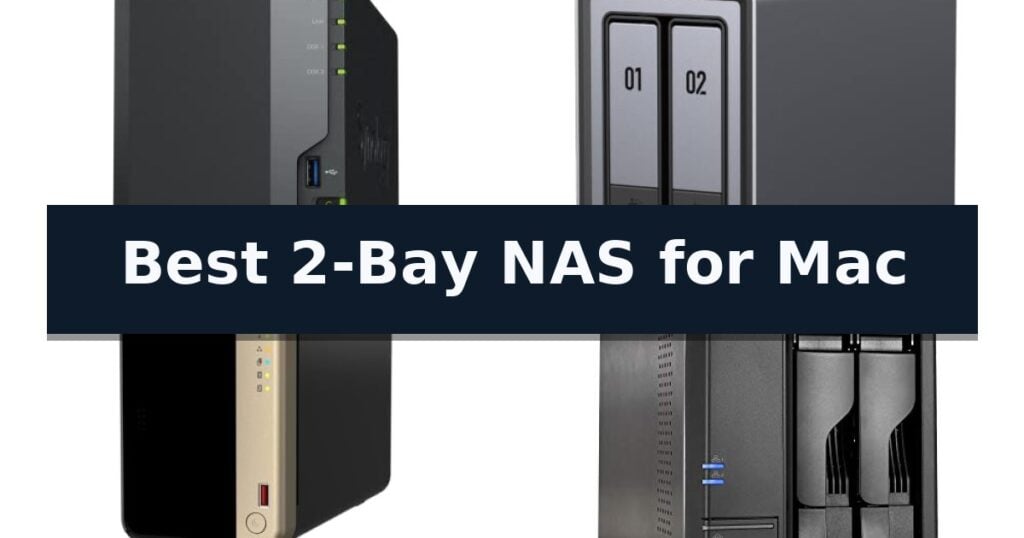
9 Best 2-Bay NAS for Mac in 2026 Reviews
Quick Comparison
| Product | Best For | Key Strength | Score |
|---|---|---|---|
| Synology DS223 NAS | Best Overall | 100% data ownership with no recurring subscription fees. | 4.9 |
| UGREEN DXP2800 NAS | Powerful Hub for Creators | High-performance hardware featuring an Intel N100 processor and 8GB DDR5 RAM. | 4.4 |
| QNAP TS-264 NAS | High Performance for Professionals | Dual 2.5GbE ports for high-speed network file transfers. | 4.9 |
| Asustor Lockerstor 2 Gen2 NAS | Fastest Multi-Tasking Performance | Dual 2.5GbE ports for high-speed network throughput. | 4.7 |
| UGREEN DH2300 NAS | Easiest Setup for Beginners | One-time purchase eliminates recurring monthly cloud storage fees. | 4.4 |
| Yxk Zero1 NAS | Simple Private Cloud Storage | 2.5GbE connectivity for fast file transfers and 4K streaming. | 4.8 |
| TERRAMASTER F2-212 NAS | Affordable Home Media Server | 4K video hardware decoding for efficient media streaming. | 4.7 |
| QNAP TS-233 NAS | Budget Friendly Backup Solution | Seamless integration with Mac Time Machine for automated backups. | 4.6 |
| Asustor Drivestor 2 Gen 2 NAS | Compact Pick for Home Users | 2.5GbE connectivity for faster network data transfers. | 4.3 |
How We Chose
When evaluating the best 2-bay NAS options for Mac users, we focus on how well each device integrates into the Apple ecosystem. An experienced reviewer looks beyond raw specifications to ensure that file management, backup automation, and network performance align with the specific demands of macOS workflows and long-term data security requirements.
- macOS Compatibility: Verification of native Time Machine support and AFP/SMB protocol stability.
- Transfer Speeds: Evaluation of network interface capabilities, specifically 1GbE versus 2.5GbE throughput.
- Ease of Setup: Assessment of the initial configuration process and user interface intuitiveness for non-technical users.
- Data Protection: Analysis of RAID support and automated backup features for local and cloud-based redundancy.
- Hardware Versatility: Consideration of drive bay capacity, M.2 SSD cache options, and expansion potential.
1 Synology DS223 NAS — Best for Mac Time Machine
Managing digital assets across multiple devices often leads to fragmented storage, making the Synology DS223 Home & Office Backup Hub a practical solution for consolidating files into a single, accessible location. This 2-bay diskless NAS is engineered to provide users with 100% ownership of their data, eliminating the recurring costs associated with third-party cloud storage subscriptions.
For Mac users, the device excels as a centralized destination for automated backup protection, supporting seamless integration for set-and-forget workflows. Beyond simple storage, it functions as a versatile hub for professional file collaboration, allowing teams to sync documents and maintain version control across various projects without relying on external hosting services.
The hardware also offers utility beyond file management by acting as a DIY surveillance system. By connecting IP cameras, users can utilize the NAS to manage motion alerts, recording schedules, and remote viewing, effectively repurposing the unit for property monitoring.
Designed with a compact footprint, the unit measures approximately 9.17 inches in height and 4.25 inches in width, making it suitable for home or office desks. It is backed by a 2-year warranty and receives ongoing software updates, ensuring the system remains current and supported over its operational lifespan.
Best for: Users seeking a centralized, private backup solution for Mac Time Machine and multi-device file management.
Skip if: Users requiring high-speed multi-gigabit networking or more than two drive bays for advanced RAID configurations.
- 100% data ownership with no recurring subscription fees.
- Integrated automated backup support for Mac and PC environments.
- Versatile DIY surveillance capabilities for IP camera management.
- Reliable 2-year warranty with consistent software updates.
- Diskless design requires separate purchase of compatible hard drives.
- Limited to two drive bays, restricting total storage expansion.
2 UGREEN DXP2800 NAS — Powerful Hub for Creators
Centralizing a digital workflow requires a reliable hub that keeps files accessible across macOS, Windows, and mobile devices without the fragmentation of multiple cloud accounts. The UGREEN DXP2800 NAS addresses this by providing a dedicated, high-performance environment for managing 4K media, RAW photography, and system backups in one location.
Driven by an Intel N100 Quad-Core CPU and 8GB of DDR5 RAM, this unit is engineered for demanding tasks, including running Docker containers, virtual machines, and media server applications like Plex. The inclusion of 2.5GbE networking ensures faster file transfers, while the dual M.2 NVMe slots allow for high-speed caching or storage expansion to support heavy creative workloads.
The UGREEN DXP2800 NAS offers significant scalability, supporting up to 80TB of total storage when utilizing both the two HDD bays and the two M.2 NVMe SSD slots. Beyond file storage, the system features AI-powered photo management that automatically organizes libraries through face, object, and scene recognition, alongside local surveillance capabilities that support people and pet detection.
Designed for versatility, the device includes a 4K HDMI output for direct media playback, making it a functional home media center. While the unit provides a robust foundation for data management, users should note that it is a diskless system, meaning HDDs and SSDs must be purchased separately to complete the setup.
Best for: Advanced home users and creators who require a high-speed, centralized hub for media streaming, virtual machines, and large-scale file backups across multiple devices.
Skip if: Users seeking a plug-and-play solution with pre-installed drives will need to look elsewhere, as this model requires separate purchase and installation of storage media.
- High-performance hardware featuring an Intel N100 processor and 8GB DDR5 RAM.
- Versatile storage options with two HDD bays and two M.2 NVMe slots for up to 80TB capacity.
- Advanced media and AI features including Plex compatibility, 4K HDMI output, and AI-powered photo/surveillance organization.
- Fast connectivity via 2.5GbE networking for efficient large file transfers.
- Diskless design requires the user to source and install compatible drives separately.
- Advanced configuration may present a steeper learning curve for users unfamiliar with NAS software or Docker environments.
3 QNAP TS-264 NAS — High Performance for Professionals
Managing large media libraries or professional creative projects requires reliable, high-speed storage that integrates seamlessly into a macOS workflow. The QNAP TS-264-8G-US provides a robust foundation for these tasks, anchored by an Intel Quad-core CPU capable of bursting up to 2.9 GHz and paired with 8GB of RAM to ensure responsive multitasking during file transfers or background indexing.
Connectivity is a primary strength of this unit, featuring dual 2.5GbE ports that significantly accelerate data throughput compared to standard Gigabit connections. This allows teams or individual users to streamline large file transfers across a network. For those requiring even greater speed, the dual M.2 PCIe Gen3x2 NVMe SSD slots support cache acceleration or high-speed storage pools, effectively reducing latency when accessing frequently used assets.
The hardware design focuses on versatility and longevity. With multiple USB 3.2 Gen 2 ports offering transfer speeds up to 10Gb/s, the system remains compatible with modern external drives and high-speed expansion enclosures. This architecture makes it a practical choice for organizing personal media or professional project files, backed by a 3-year warranty.
While the QNAP TS-264-8G-US offers significant performance headroom, users should ensure their existing network infrastructure supports 2.5GbE to fully realize the potential of the hardware. It is a specialized tool designed for those who prioritize data throughput and expansion capabilities over simple, plug-and-play consumer storage.
Best for: Creative professionals and power users who need high-speed network storage and cache acceleration for large media files.
Skip if: Home users who only require basic file backup and lack a 2.5GbE network infrastructure may find this level of performance and complexity unnecessary.
- Dual 2.5GbE ports for high-speed network file transfers.
- Dual M.2 NVMe SSD slots for cache acceleration or fast storage pools.
- Intel Quad-core processor with 8GB RAM for smooth multitasking.
- USB 3.2 Gen 2 connectivity for rapid external data movement.
- Requires 2.5GbE network hardware to utilize the fastest connection speeds.
- Higher performance complexity may be overkill for simple, single-user file backups.
4 Asustor Lockerstor 2 Gen2 NAS — Fastest Multi-Tasking Performance
Managing high-speed data workflows requires a storage solution that keeps pace with modern creative demands. The Asustor Lockerstor 2 Gen2 AS6702T is engineered for users who need consistent throughput, featuring an Intel Celeron N5105 quad-core processor that supports demanding tasks like virtualization and multimedia streaming.
This unit excels in connectivity and speed, utilizing dual 2.5GbE ports to provide high-bandwidth access for multi-user environments. For those working with large files, the NAS includes four M.2 NVMe SSD slots, allowing for dedicated cache acceleration or high-speed storage pools to significantly reduce latency during intensive read and write operations.
Designed with the creator in mind, the device supports 4K hardware transcoding, making it a capable media server for Plex or direct streaming to smart devices. The system is flexible, shipping with 4GB of DDR4 memory that can be expanded up to 16GB to accommodate heavier multitasking or complex project management.
Physical usability is addressed through a tool-free drive installation process, simplifying setup for those who frequently swap or upgrade drives. The chassis features an optimized airflow design to maintain stable temperatures, ensuring that the hardware remains reliable during long-term operation.
Best for: Content creators and power users who require high-speed 2.5GbE connectivity and NVMe caching for intensive file management or 4K media streaming.
Skip if: Users who require a high-capacity multi-bay array for massive archival storage will find the two-bay limitation restrictive compared to larger NAS models.
- Dual 2.5GbE ports for high-speed network throughput.
- Four M.2 NVMe SSD slots for advanced cache acceleration.
- Expandable DDR4 memory up to 16GB for multitasking.
- Tool-free installation for simplified drive management.
- Two-bay capacity limits total storage volume for large-scale data sets.
5 UGREEN DH2300 NAS — Easiest Setup for Beginners
Managing scattered files across multiple devices often leads to storage clutter, but the UGREEN DH2300 NAS offers a centralized, private solution for users seeking to consolidate their digital life. This 2-bay entry-level storage hub is designed for those transitioning away from recurring cloud storage fees, providing a one-time purchase model that supports a massive capacity of up to 64TB for photos, videos, and documents.
Equipped with a high-performance processor and 4GB of onboard RAM, the device facilitates efficient file transfers reaching speeds up to 125MB/s. It is built for ease of use, featuring AI-powered photo organization that automatically tags faces, locations, and objects to simplify media management. The system is compatible with Windows, iOS, Android, and macOS, ensuring seamless integration into multi-device households.
Data security is a primary focus, with the unit incorporating RAID modes, two-factor authentication, and encrypted transfers. It holds a TÜV SÜD certification for meeting the ETSI EN 303 645 standard, ensuring robust protection for stored data. The enclosure connects via a wired Ethernet port, prioritizing stable, high-speed performance over wireless connectivity.
While powerful for personal entertainment and backups, the UGREEN DH2300 NAS is strictly an entry-level solution. It does not support Docker, virtual machines, or SAN Manager, making it unsuitable for advanced server applications or complex technical environments. It is a straightforward, secure choice for individuals and content creators who prioritize privacy and simplicity.
Best for: Beginners and personal users looking for a simple, private, and subscription-free way to back up and organize media across multiple devices.
Skip if: Users who require advanced server capabilities like Docker, virtual machine support, or enterprise-grade networking features.
- One-time purchase eliminates recurring monthly cloud storage fees.
- AI-powered tagging automatically organizes photos by face, object, and location.
- TÜV SÜD certified security features including encrypted transfers and two-factor authentication.
- 4GB RAM provides responsive performance for personal file management and media streaming.
- No support for Docker, virtual machines, or advanced server-side applications.
- Wired-only connection requires an external USB adapter for Wi-Fi functionality.
6 Yxk Zero1 NAS — Simple Private Cloud Storage
Managing digital assets across multiple devices often leads to fragmented storage, but the Yxk Zero1 2-Bay NAS simplifies this by centralizing your photos, videos, and documents into one secure, private home hub. Designed for those who want to move away from recurring cloud subscriptions, this unit offers a one-time investment in your own data infrastructure.
The Yxk Zero1 2-Bay NAS features a high-speed 2.5GbE connection, which provides significantly faster data transfer rates compared to standard 1GbE setups, ensuring smooth 4K streaming and rapid file backups. With 4GB of RAM and integrated Docker support, it offers enough technical flexibility for users looking to expand their home server capabilities beyond basic file storage.
Usability is a core focus, as the system allows for remote access via mobile apps and desktop clients across Windows, macOS, iOS, and Android. It includes flexible RAID modes and automated snapshot recovery to protect against drive failure, all housed within a compact, whisper-quiet chassis that utilizes intelligent thermal control to maintain performance without excessive noise.
Privacy remains a priority, with the device offering advanced encryption and granular permission controls. This allows you to create dedicated user spaces, ensuring that family members or friends can access shared files while keeping personal data strictly private. Note that this is a diskless model, meaning you must supply your own hard drives to begin operation.
Best for: Home users seeking a private, subscription-free storage hub with high-speed 2.5GbE connectivity and Docker support.
Skip if: Users requiring a pre-populated storage solution or those who prefer a plug-and-play cloud service without managing their own hard drives.
- 2.5GbE connectivity for fast file transfers and 4K streaming.
- Docker support enables advanced customization and app hosting.
- No recurring subscription fees for private cloud access.
- Granular permission controls for secure multi-user environments.
- Hard drives must be purchased separately as the unit is diskless.
- Requires manual setup of drives and RAID configurations.
7 TERRAMASTER F2-212 NAS — Affordable Home Media Server
Managing digital assets across a Mac-centric workflow requires reliable, centralized storage that integrates seamlessly with macOS file services. The TERRAMASTER F2-212 NAS offers a dedicated solution for home and SOHO users, providing a robust hardware foundation designed to handle file management and multimedia streaming without the complexity of enterprise-grade servers.
At the core of this 2-bay NAS is an ARM v8 quad-core 1.7GHz CPU paired with 1GB of DDR4 RAM. This configuration is specifically optimized for the TOS 7 operating system, which simplifies the initial setup process through a dedicated Default mode. For users looking to centralize their media, the device includes 4K video hardware decoding and supports uPnP/DLNA protocols, allowing it to function as a capable home multimedia center.
Compatibility is a primary strength of the TERRAMASTER F2-212 NAS, as it supports a wide range of 3.5-inch and 2.5-inch SATA HDDs and SSDs. Each bay accommodates drives up to 24TB, enabling a total raw capacity of 64TB in RAID 0. To ensure data integrity, the system supports multiple backup applications, including Duple Backup, TFM Backup, and CloudSync, providing automated protection for critical files.
The device excels in cross-platform environments by supporting a comprehensive suite of file services, including SMB, NFS, SFTP/FTP, AFP, iSCSI, and WebDAV. This ensures that macOS users can easily mount network drives and manage permissions for users, groups, and folders directly through the visual interface, making it a versatile choice for those needing a stable, private cloud storage solution.
Best for: Home and SOHO users seeking an affordable, centralized storage solution for multimedia streaming and cross-platform file backups.
Skip if: Users requiring high-performance virtualization, heavy multitasking, or memory-intensive applications will find the non-upgradeable 1GB RAM a significant constraint.
- 4K video hardware decoding for efficient media streaming.
- Supports diverse file protocols including AFP and SMB for Mac compatibility.
- Flexible drive support for both 3.5-inch and 2.5-inch SATA storage.
- Integrated robust backup solutions like Duple Backup and CloudSync.
- 1GB RAM is non-upgradeable, limiting performance for advanced tasks.
- Requires NAS-specific hard drives for optimal reliability.
8 QNAP TS-233 NAS — Budget Friendly Backup Solution
Managing digital assets on a Mac requires a reliable, centralized hub that integrates seamlessly with existing workflows. The QNAP TS-233-US 2 Bay Affordable Desktop NAS is engineered to serve as a dedicated repository for personal or family media, offering a streamlined approach to file storage and multimedia streaming.
At the core of this device is an ARM Cortex-A55 quad-core 2.0GHz processor paired with 2 GB of DDR4 RAM, providing the necessary overhead for consistent data management. The unit is designed to simplify the backup process, featuring native compatibility with Time Machine for Mac users, ensuring that system-wide backups are handled efficiently without complex configurations.
Security and organization are central to the design, with the inclusion of storage snapshot technology to help mitigate the threat of ransomware. This feature allows users to revert to previous states, adding a layer of protection for stored photos, music, and videos. The compact desktop form factor ensures it fits unobtrusively into a home office or media setup.
While this model provides a robust foundation for home storage, it is a diskless unit, meaning users must procure their own hard drives to complete the setup. Its focus remains on providing a budget-friendly, high-utility storage solution for those who prioritize ease of use and reliable backup integration over high-end enterprise features.
Best for: Home users seeking a dedicated, budget-friendly backup solution that integrates seamlessly with Apple's Time Machine.
Skip if: Users requiring high-performance hardware for intensive virtualization or those who prefer a pre-populated storage system with included drives.
- Seamless integration with Mac Time Machine for automated backups.
- Efficient ARM Cortex-A55 quad-core processor for home media tasks.
- Enhanced data security via storage snapshot technology.
- Compact and budget-friendly desktop design.
- Sold as a diskless unit, requiring separate hard drive purchases.
- Fixed 2 GB DDR4 RAM cannot be upgraded for heavier workloads.
9 Asustor Drivestor 2 Gen 2 NAS — Compact Pick for Home Users
Managing a digital library or backup routine on a Mac requires reliable hardware that balances throughput with a compact footprint. The Asustor Drivestor 2 Gen 2 NAS addresses this by integrating a Realtek RTD1619B quad-core 1.7GHz processor and 1GB of DDR4 memory, providing a stable foundation for personal cloud storage and automated file backups.
Connectivity is a primary advantage for users looking to maximize their network bandwidth. This unit features a 2.5-Gigabit Ethernet port, which offers a significant speed increase over standard Gigabit connections, facilitating faster data transfers for large media files or extensive photo archives. It functions effectively as a 4K media server, allowing for centralized access to high-resolution content across your home network.
Usability is prioritized through a tool-free drive installation design, which simplifies the process of mounting hard drives or SSDs without the need for screws. This makes the initial setup accessible for those who prefer a straightforward hardware configuration. The device is housed in a compact chassis measuring approximately 4 inches in all dimensions, ensuring it fits easily on a desk or shelf.
By establishing your own private cloud, you retain full ownership of your data while enabling secure remote access via mobile applications. This approach provides a practical alternative to subscription-based cloud services, giving you direct control over your storage environment and file management.
Best for: Home users seeking a compact, high-speed storage solution for personal backups and media streaming.
Skip if: Users requiring advanced multi-gigabit link aggregation or more than two drive bays for large-scale RAID configurations.
- 2.5GbE connectivity for faster network data transfers.
- Tool-free drive installation for quick and easy setup.
- Quad-core processor provides stable performance for daily tasks.
- Compact design suitable for small workspaces.
- Limited to two drive bays, restricting total storage expansion.
- 1GB DDR4 memory may be a bottleneck for heavy multitasking.
Best 2-Bay NAS for Mac Buying Guide
Time Machine Integration
The primary requirement for any Mac-focused NAS is reliable Time Machine support. This ensures your computer can perform incremental, automated backups over the network without requiring a physical connection to an external drive.
Look for devices that offer dedicated setup wizards for Apple devices. This simplifies the process of creating a secure, partitioned space on your NAS specifically reserved for your Mac's system images and file history.
Network Throughput and Speed
While standard Gigabit Ethernet is sufficient for basic document storage, creative professionals working with large video files or high-resolution images benefit from 2.5GbE connectivity. This higher bandwidth reduces wait times during large file transfers.
Ensure your router and Mac's network adapter are compatible with the NAS port speeds to avoid bottlenecks. If you plan to use the NAS for active editing, the network connection is just as critical as the drives installed inside.
Drive Management and RAID
A 2-bay NAS typically relies on RAID 1 for data redundancy, which mirrors your data across both drives. This protects your files if one drive fails, though it limits your total usable storage to the capacity of a single drive.
Some models allow for RAID 0, which stripes data across both drives for increased speed and total capacity but offers no protection against drive failure. Choose your configuration based on whether your priority is performance or data safety.
Software and Ecosystem Features
The operating system running on your NAS determines how easy it is to manage your files and remote access. Look for intuitive web-based interfaces that allow you to manage user permissions, folder structures, and external cloud syncing.
Advanced users may want to look for support for Docker or virtual machines, which can turn a simple storage box into a versatile server for media streaming, home automation, or private cloud hosting.
Physical Design and Maintenance
Consider the physical footprint of the NAS, especially if it will sit on a desk or in a home office. Tool-free drive bays can make the initial installation and future drive upgrades significantly faster and easier.
Thermal management is also important for long-term reliability. Look for units with active cooling fans and optimized airflow designs to ensure your hard drives operate within safe temperature ranges during heavy, sustained workloads.
Frequently Asked Questions
Do I need to buy hard drives separately?
Most 2-bay NAS units are sold as diskless enclosures. You will need to purchase compatible 3.5-inch or 2.5-inch SATA hard drives or SSDs separately based on your storage needs.
Can I access my files on the NAS when I am away from home?
Yes, most modern NAS operating systems provide secure remote access features, allowing you to connect to your files via a web browser or mobile app from anywhere with an internet connection.
Is a NAS better than an external USB drive for Mac backups?
A NAS offers the advantage of network-wide access and automated, wireless backups for multiple devices. External USB drives are faster for direct, single-device transfers but lack the multi-user and remote access capabilities of a NAS.
What happens if one of the two drives in my NAS fails?
If you are using a RAID 1 configuration, your data remains safe on the second drive. You can simply replace the failed drive with a new one, and the NAS will rebuild the data onto the replacement.
Are these NAS devices compatible with the latest macOS versions?
Yes, these devices use standard network protocols like SMB, which are fully supported by current versions of macOS for file sharing and Time Machine backups.
Conclusion: Our Top Pick
Our top pick is Synology DS223 NAS. Choosing the right 2-bay NAS involves balancing your need for backup reliability against your requirements for speed and advanced features. For most Mac users, the focus should remain on stable Time Machine performance and a user-friendly interface that simplifies data management.
By selecting a model that matches your specific workflow—whether that is simple file storage or high-demand media serving—you can effectively replace recurring cloud costs with a secure, private, and high-performance local storage solution.