UGREEN DXP2800 2-Bay NAS is our top choice for the Best 2-Bay NAS with NVR, offering robust AI-powered surveillance features alongside high-performance data management. For those prioritizing a dedicated, professional-grade monitoring ecosystem, the Synology DS223 2-Bay NAS serves as a reliable alternative, while the Yxk Zero1 2-Bay NAS provides a simplified, budget-conscious entry point for users new to private cloud storage.
Selecting a network-attached storage device that doubles as a surveillance hub requires balancing processing power with software compatibility. While many units offer basic file storage, models with dedicated NVR capabilities must handle constant write streams from multiple IP cameras without compromising the performance of other applications like media streaming or automated backups.
Advanced users should look for hardware that supports efficient video decoding and AI-driven object detection to maximize the utility of their security footage. By consolidating your surveillance recordings and personal digital libraries into one device, you reduce the need for multiple subscriptions and fragmented hardware, ensuring your data remains under your direct control.
For a broader overview of hardware options, our guide on the Best 2 Bay NAS covers various configurations that may suit your specific storage needs. If media performance is your primary concern, you can also explore the Best 2-Bay NAS for Plex to see how these units handle high-definition transcoding.
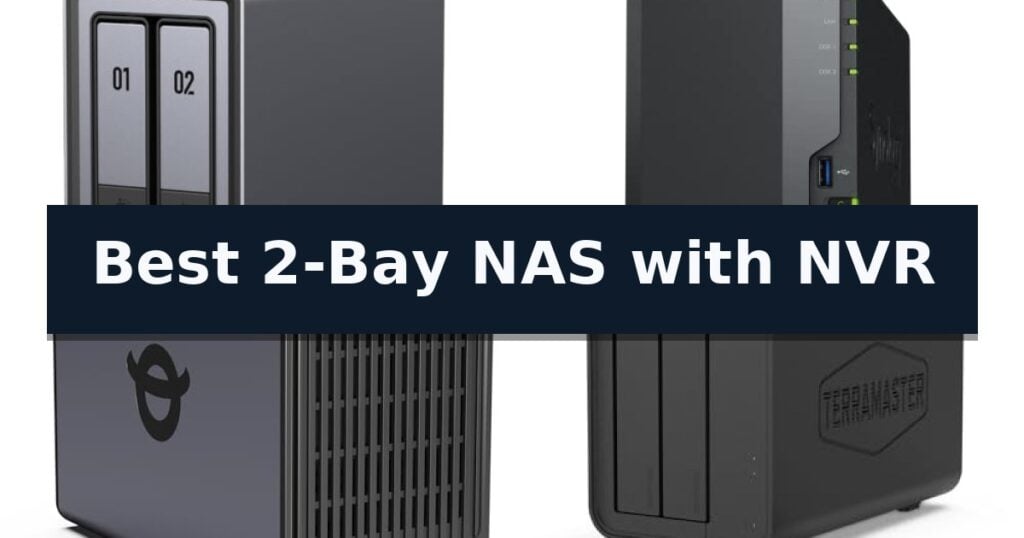
5 Best 2-Bay NAS with NVR in 2026 Reviews
Quick Comparison
| Product | Best For | Key Strength | Score |
|---|---|---|---|
| UGREEN DXP2800 2-Bay NAS | Best Overall | High-performance Intel N100 processor and 8GB DDR5 RAM for demanding applications. | 4.9 |
| Synology DS223 2-Bay NAS | Professional Monitoring Solution | Centralized data management for multiple devices | 4.5 |
| Yxk Zero1 2-Bay NAS | Simple Private Storage Hub | 2.5GbE high-speed connectivity for faster file transfers and 4K streaming. | 4.4 |
| TERRAMASTER F2-212 2-Bay NAS | Affordable Multimedia Center | Powerful 4K video hardware decoding for multimedia streaming. | 4.7 |
| Asustor Drivestor 2 Gen 2 NAS | Fast 2.5GbE Data Management | 2.5GbE network port for faster data transfer speeds. | 4.9 |
How We Chose
Evaluating the best 2-Bay NAS with NVR requires a focus on sustained write performance and software integration. We assess these devices by analyzing how effectively they balance intensive surveillance recording tasks with standard file management and media streaming, ensuring the hardware can support multiple concurrent workloads without compromising data integrity or system responsiveness.
- NVR Performance: Ability to handle continuous write streams from multiple IP cameras without system lag.
- Processor Efficiency: CPU capability to manage background tasks like AI detection while maintaining file server speeds.
- Software Ecosystem: Availability of intuitive, feature-rich surveillance management applications.
- Storage Scalability: Support for high-capacity HDDs and NVMe caching to optimize data throughput.
- Network Connectivity: Presence of 2.5GbE ports to prevent bottlenecks during simultaneous media streaming and surveillance recording.
1 UGREEN DXP2800 2-Bay NAS — AI-Powered Home Surveillance
Centralizing home surveillance and data management requires a robust foundation, and the UGREEN DXP2800 2-Bay NAS offers a specialized approach for advanced users. By integrating AI-powered home surveillance with a high-performance Intel N100 Quad-Core CPU, this device serves as a dual-purpose hub for both security monitoring and heavy-duty media storage.
The system is built for versatility, featuring 8GB DDR5 RAM and 2.5GbE networking to ensure fast file transfers and smooth operation when running Docker or virtual machines. For those managing large digital libraries, it supports up to 80TB of storage across its two HDD bays and two dedicated M.2 NVMe SSD slots, allowing for tiered storage configurations that prioritize speed for active projects.
Beyond raw storage, the UGREEN DXP2800 2-Bay NAS simplifies organization through AI-powered photo management, which automatically handles object, scene, and face recognition. This intelligence extends to its surveillance capabilities, where users can configure people and pet detection to review important events more efficiently within a single, unified interface.
Designed for cross-platform compatibility, the unit acts as a central data center for Windows, macOS, Android, and iOS devices. While it provides a powerful platform for Plex media server applications, users should note that this is a diskless NAS, meaning all HDDs and SSDs must be purchased separately to meet specific capacity requirements.
Best for: Advanced home users and creators who require a unified hub for high-speed file storage, Plex media streaming, and AI-enhanced local surveillance.
Skip if: Users seeking a plug-and-play solution with pre-installed drives or those who do not require virtualization and advanced AI surveillance features.
- High-performance Intel N100 processor and 8GB DDR5 RAM for demanding applications.
- Dual M.2 NVMe slots allow for high-speed caching or storage tiers.
- AI-powered surveillance and photo management features for automated organization.
- 2.5GbE connectivity provides faster data transfer speeds than standard gigabit ports.
- Diskless design requires separate purchase and installation of HDDs and SSDs.
- Advanced feature set may present a steeper learning curve for users unfamiliar with NAS environments.
2 Synology DS223 2-Bay NAS — Professional Monitoring Solution
Managing digital assets and home security requires a reliable foundation, and the Synology DS223 2-Bay NAS offers a centralized hub designed to consolidate files from multiple computers, phones, and external drives. By providing 100% ownership of your data, this device eliminates the need for recurring cloud storage fees while ensuring your information remains accessible in one secure location.
Beyond simple file storage, the Synology DS223 2-Bay NAS functions as a versatile DIY surveillance system. It allows users to transform existing IP cameras into a professional monitoring solution, complete with motion alerts, customizable recording schedules, and convenient remote viewing capabilities to keep an eye on your property from anywhere.
For collaborative environments, this NAS supports professional file collaboration, enabling teams to sync documents and share projects with ease. It maintains strict version control, ensuring that all contributors are working with the most current data without the overhead costs associated with third-party file-sharing platforms.
Maintenance is simplified through automated backup protection, which supports set-and-forget routines for PCs, Macs, and mobile devices. With a 2-year warranty and ongoing software updates, the hardware is built to provide reliable, long-term service for both home and office environments.
Best for: Home and office users who need a centralized file storage hub that doubles as a DIY surveillance system for IP cameras.
Skip if: Users requiring high-capacity enterprise-grade storage or those who do not own IP cameras and only need basic cloud storage.
- Centralized data management for multiple devices
- Integrated DIY surveillance system with remote viewing
- Efficient professional file collaboration tools
- Automated backup protection for various operating systems
- Diskless design requires separate purchase of hard drives
- Limited to 2-bay capacity for storage expansion
3 Yxk Zero1 2-Bay NAS — Simple Private Storage Hub
Managing digital assets and surveillance footage requires a reliable, centralized hub that eliminates the recurring costs of cloud subscriptions. The Yxk Zero1 2-Bay NAS serves as a private storage solution designed for users who want to consolidate photos, videos, and files into one secure location without needing advanced technical expertise.
This system features 2.5GbE connectivity, providing data transfer speeds significantly faster than standard 1GbE connections, which facilitates smooth 4K streaming and rapid file backups. The unit includes 4GB of RAM and supports Docker, offering flexibility for those who wish to expand their home server capabilities beyond basic file storage. Its digitally optimized airflow and intelligent thermal control ensure the device remains cool and quiet during operation.
Data security is handled through advanced encryption and granular permission controls, allowing users to create dedicated spaces for different individuals while maintaining privacy. The Yxk Zero1 2-Bay NAS is built with a compact, 2kg frame that fits easily into home environments. It also includes real-time health monitoring to track drive status and alert users to potential issues before they impact data integrity.
Because the system is diskless, it functions as a one-time investment where users choose and install their own hard drives. This design allows for storage expansion as collections grow, avoiding the limitations of fixed-capacity cloud tiers. Remote access is supported across Windows, macOS, iOS, and Android, ensuring files remain accessible from any location via the dedicated app or web browser.
Best for: Home users seeking a private, subscription-free storage hub for photo backups and media streaming with the flexibility of Docker support.
Skip if: Users requiring a pre-populated storage solution or those who need a high-bay count NAS for enterprise-level RAID configurations.
- 2.5GbE high-speed connectivity for faster file transfers and 4K streaming.
- Docker support enables expanded functionality for home server applications.
- Subscription-free private cloud storage with granular user permissions.
- Whisper-quiet operation with intelligent thermal management.
- Diskless design requires the separate purchase and installation of hard drives.
- Limited to a 2-bay configuration, which restricts total storage capacity compared to larger units.
4 TERRAMASTER F2-212 2-Bay NAS — Affordable Multimedia Center
Managing home security footage alongside centralized data storage requires a balance of processing power and reliable file management. The TERRAMASTER F2-212 2-Bay NAS addresses this by combining a quad-core processor with a versatile operating system, providing a dedicated environment for both personal cloud storage and surveillance recording.
At the heart of this unit is an ARM v8 quad-core 1.7GHz CPU paired with 1GB of RAM. This hardware configuration is specifically tuned for 4K video hardware decoding, which is essential for users intending to stream media or monitor high-definition camera feeds. The system runs on the TOS 7 operating system, which simplifies the management of various network services including SMB, NFS, and iSCSI, ensuring broad compatibility across different operating systems.
For those prioritizing data safety, the device offers rich backup solutions through integrated applications like Duple Backup and CloudSync. The 2-bay design allows for flexible storage configurations, supporting up to 24TB per bay for a maximum raw capacity of 64TB in RAID 0. Installation is streamlined via a Default mode that optimizes settings for home environments, reducing the technical barrier for initial setup.
While the hardware is capable of handling multimedia and file serving, users should note that the 1GB RAM is not upgradeable. This limitation defines the scope of the device, positioning it as a high-performance solution for home and SOHO users rather than an enterprise-grade server. The unit remains a compact, efficient choice for those who need a reliable, always-on storage hub that integrates seamlessly into a home network.
Best for: Home and SOHO users seeking a compact, high-performance network storage solution with integrated multimedia and backup capabilities.
Skip if: Users requiring advanced virtualization, memory-intensive applications, or future hardware expansion, as the RAM is fixed and non-upgradeable.
- Powerful 4K video hardware decoding for multimedia streaming.
- Broad file service support including SMB, NFS, and iSCSI.
- Flexible storage capacity supporting up to 64TB total in RAID 0.
- Simplified installation with a dedicated home-optimized configuration mode.
- Non-upgradeable 1GB RAM limits multitasking potential.
- Fixed memory configuration may restrict performance in complex, multi-user environments.
5 Asustor Drivestor 2 Gen 2 NAS — Fast 2.5GbE Data Management
Managing home surveillance and file backups requires a reliable foundation, and the Asustor Drivestor 2 Gen 2 NAS is engineered to handle these dual roles efficiently. Built around a Realtek RTD1619B quad-core 1.7GHz processor, this unit provides the necessary computational power to manage continuous data streams for personal cloud storage and network-attached surveillance recording.
The integration of a 2.5-Gigabit Ethernet port significantly enhances data throughput compared to standard Gigabit connections, which is essential for maintaining smooth video feeds and rapid file transfers. With 1GB of DDR4 memory, the system maintains stability during background tasks, ensuring that your surveillance recordings and automated backups do not conflict with one another.
Usability is a primary focus of the hardware design, featuring a tool-free drive installation process that allows users to mount hard drives or SSDs without the need for additional hardware. This streamlined approach makes the setup accessible for those who need a functional, private cloud solution without navigating complex assembly requirements.
By centralizing your data, this device offers full ownership of your files, providing secure remote access via mobile applications. While it serves as a robust personal cloud, its performance is optimized for daily tasks and home-based media serving, making it a practical choice for users seeking a balance between storage capacity and network speed.
Best for: Home users who need a high-speed, tool-free storage solution that can simultaneously manage personal cloud backups and surveillance video recording.
Skip if: Users requiring enterprise-grade redundancy, massive multi-bay storage arrays, or advanced virtualization capabilities beyond basic file management.
- 2.5GbE network port for faster data transfer speeds.
- Tool-free drive installation simplifies initial setup.
- Quad-core processor provides stable performance for multitasking.
- Private cloud functionality ensures full data ownership.
- 1GB DDR4 memory may limit heavy concurrent background services.
- 2-bay capacity restricts total storage expansion options.
Best 2-Bay NAS with NVR Buying Guide
Understanding NVR Integration
A 2-bay NAS with NVR capabilities acts as a centralized brain for your home security. Unlike standard external drives, these units use specialized software to interface with IP cameras, allowing for scheduled recording, motion-triggered alerts, and remote viewing.
When choosing a model, verify the number of camera licenses included. Some manufacturers charge per camera, which can significantly impact the long-term cost of your surveillance setup compared to a one-time hardware investment.
The Importance of Processor Power
Surveillance recording is a demanding task that requires constant CPU cycles. An Intel N100 or similar quad-core processor ensures that your NAS can handle real-time AI object detection, such as person or pet recognition, without slowing down your file transfers.
If you plan to use your NAS for more than just security, such as running virtual machines or Plex media servers, a more powerful processor is essential to prevent system bottlenecks during peak usage.
Storage and RAID Configurations
With only two bays, your storage strategy is critical. RAID 1 is the standard recommendation for NVR setups, as it mirrors your data across both drives, ensuring that if one drive fails, your security footage remains intact.
Consider using NAS-specific hard drives designed for 24/7 operation. These drives are built to withstand the constant vibration and heat generated by continuous surveillance recording, offering better longevity than standard desktop drives.
Network Throughput and Connectivity
A 2.5GbE connection is becoming the new standard for home NAS devices. This increased bandwidth is particularly beneficial when you are simultaneously streaming 4K media and recording high-definition security footage, preventing the network lag common with older 1GbE ports.
Ensure your home network switch and router can support these higher speeds to take full advantage of your NAS performance. A bottleneck at the router level can negate the benefits of a high-speed NAS.
Software and Remote Access
The quality of the mobile and desktop apps provided by the manufacturer determines how useful your NVR will be. Look for platforms that offer seamless remote access, allowing you to check live feeds and review recorded events from anywhere in the world.
Security features such as two-factor authentication and granular user permissions are non-negotiable. Since your NAS contains both personal files and private security footage, robust access control is vital to protect your data from unauthorized entry.
Frequently Asked Questions
Can I use any IP camera with a 2-bay NAS NVR?
Most NAS manufacturers support the ONVIF standard, which allows for compatibility with a wide range of IP cameras. However, it is always recommended to check the manufacturer's compatibility list before purchasing specific camera models.
Do I need to buy hard drives separately?
Most 2-bay NAS units are sold as diskless enclosures, meaning you must purchase compatible 3.5-inch or 2.5-inch drives separately. Always check the manufacturer's drive compatibility list to ensure optimal performance.
How much storage do I need for surveillance?
Storage requirements depend on the number of cameras, resolution, frame rate, and how long you wish to keep recordings. For most home users, two 4TB or 8TB drives in a RAID 1 configuration provide a good balance of capacity and redundancy.
Can a 2-bay NAS handle 4K streaming and NVR at the same time?
Yes, provided the NAS has a capable processor and sufficient RAM. Models with modern quad-core CPUs and 2.5GbE networking are generally well-equipped to handle simultaneous media streaming and background surveillance recording.
Is it difficult to set up a NAS as an NVR?
Modern NAS operating systems have become very user-friendly. Most offer guided installation wizards that walk you through drive initialization, network setup, and camera configuration, often requiring no advanced technical skills.
Conclusion: Our Top Pick
Our top pick is UGREEN DXP2800 2-Bay NAS. Choosing the right 2-bay NAS with NVR capabilities transforms your home network into a comprehensive security and media hub. By prioritizing hardware that supports both high-speed data transfer and intelligent video management, you ensure your system remains reliable and scalable as your needs grow.
Whether you are a creator needing fast file access or a homeowner focused on security, the current market offers powerful, diskless solutions that provide full data ownership. Evaluate your specific camera count and media streaming habits to select the model that best fits your home environment.