Logitech H390 USB Headset is our pick for the Best PC USB Headset because it offers a reliable, plug-and-play experience with a noise-canceling microphone that excels in daily office tasks.
When selecting a headset for your computer, the primary considerations involve how the device integrates with your existing workflow. USB-A connectivity provides a consistent digital audio signal, bypassing the potential interference or driver issues sometimes associated with 3.5mm analog jacks. For professionals and students, the ability to mute calls quickly and maintain comfort during long meetings is often more critical than high-end gaming features.
Our evaluation focuses on the practical balance between audio clarity and physical ergonomics. We prioritize headsets that feature adjustable headbands and breathable ear cushions, as these elements directly impact your ability to wear the device for extended periods. By focusing on these core functional requirements, you can ensure your chosen hardware supports your daily communication needs without unnecessary complexity.
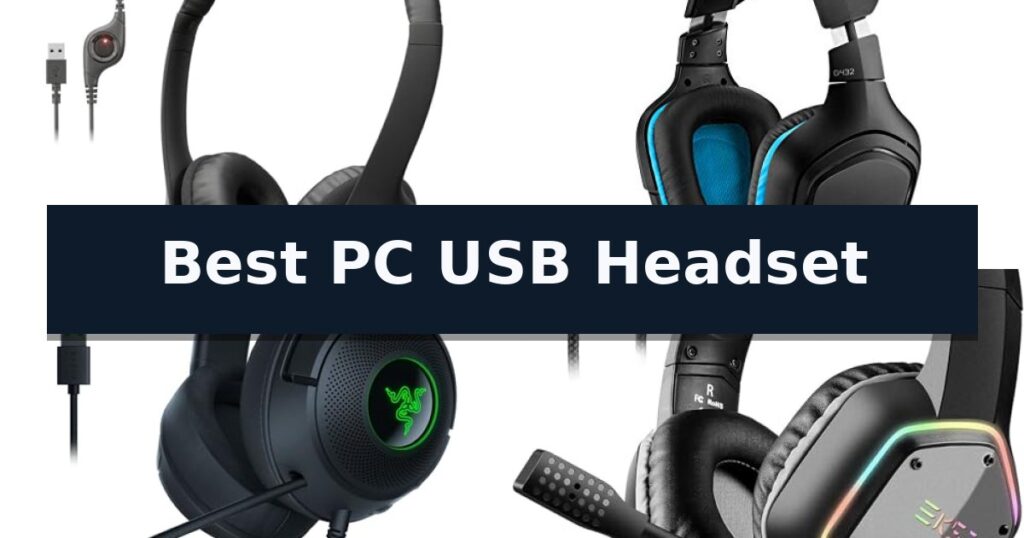
10 Best PC USB Headset in 2026 Reviews
Quick Comparison
| Product | Best For | Key Strength | Score |
|---|---|---|---|
| Logitech H390 USB Headset | Best Overall | Plug-and-play USB-A connectivity requires no software installation. | 4.9 |
| Logitech G432 Gaming Headset | Immersive Surround Sound for Gaming | DTS Headphone:X 2.0 surround sound for positional audio. | 4.6 |
| Razer Kraken V3 X Headset | Lightweight Build for Long Sessions | 285g lightweight design for reduced fatigue during long sessions. | 4.3 |
| EKSA E1000 Gaming Headset | Instant Driver-Free Surround Audio | Driver-free 7.1 surround sound for immediate setup. | 4.4 |
| Lenovo USB-A Stereo Headset | AI-Enhanced Clarity for Meetings | AI-enhanced noise cancellation for improved call clarity. | 4.4 |
| HyperX Cloud III Gaming Headset | Durable Frame with Premium Comfort | Angled 53mm drivers tuned for dynamic gaming audio. | 4.7 |
| Jabra Evolve 10 USB Headset | Minimalist Design for Daily Calls | Plug-and-play USB-A connectivity for instant setup. | 4.6 |
| FIFINE H9 Gaming Headset | Versatile Connectivity for All Platforms | Dual connectivity options via USB and 3.5mm jack. | 4.6 |
| LEVN USB Headset | Focused Audio for Busy Offices | Plug-and-play USB connectivity for rapid setup. | 4.9 |
| AIAUXAI USB Earbuds | Compact Alternative to Over-Ear | Plug-and-play USB-A connectivity requires no drivers or software installation. | 4.9 |
How We Chose
Selecting the right PC USB headset requires evaluating how hardware handles voice clarity and physical comfort during extended use. An experienced reviewer looks beyond marketing specifications to assess how the microphone isolates speech from background noise, how the ear cups distribute pressure, and whether the integrated controls offer a seamless experience for daily digital communication.
- Microphone noise-cancellation effectiveness for clear voice transmission in busy environments.
- Ergonomic design, including headband adjustability and ear cushion material for long-term comfort.
- Ease of connectivity, focusing on plug-and-play USB-A compatibility across common operating systems.
- In-line control functionality for intuitive volume and mute management during active calls.
- Build quality and cable durability to withstand daily wear and tear in office or home settings.
1 Logitech H390 USB Headset — Reliable Plug-and-Play Office Standard
The Logitech H390 Wired USB-A Headset provides a straightforward, plug-and-play solution for individuals seeking consistent audio performance without the complexity of software drivers. By utilizing a standard USB-A connection, this headset integrates immediately with a wide range of computers, including those certified for Chromebook use, making it a reliable tool for professional communication and daily media consumption.
Engineered for sustained comfort, the device features an adjustable headband and swivel-mounted, leatherette ear cushions. These materials are designed to be easy to clean, supporting long-term usability during extended meetings or study sessions. The inclusion of a rotating, noise-canceling microphone boom arm allows users to position the mic for optimal voice capture or tuck it away when not in use, providing a clean aesthetic when the microphone is inactive.
Practicality is further enhanced by integrated in-line controls, which allow for immediate volume adjustments and call muting without requiring navigation through on-screen menus. The 6.23-foot cable provides sufficient reach to allow for movement, while the fine-tuned drivers deliver clear digital stereo sound. This combination of features ensures that the headset remains a functional choice for those prioritizing a wired, stable connection over wireless alternatives.
Reflecting a commitment to sustainable manufacturing, the product is shipped in FSC-certified packaging. This headset serves as a dependable, no-nonsense audio peripheral for office or home environments where a direct, wired connection is preferred for its reliability and ease of use.
Best for: Users requiring a reliable, plug-and-play wired headset for video meetings and general computer audio.
Skip if: Users who prefer wireless mobility or require specialized high-fidelity audio features beyond standard digital stereo output.
- Plug-and-play USB-A connectivity requires no software installation.
- Rotating noise-canceling microphone minimizes background noise.
- In-line controls allow for quick volume and mute adjustments.
- Adjustable headband and swivel ear cushions support extended comfort.
- Wired connection limits mobility compared to wireless alternatives.
- USB-A connector may require an adapter for modern devices lacking legacy ports.
2 Logitech G432 Gaming Headset — Immersive Surround Sound for Gaming
The Logitech G432 Wired Gaming Headset is engineered to prioritize immersive audio through its large 50 mm audio drivers, which are designed to produce a wide, cinematic soundstage for diverse gaming environments. By integrating DTS Headphone:X 2.0 surround sound, the headset provides precise positional audio cues, allowing users to better identify the direction of in-game sounds. This three-dimensional audio capability requires the use of Logitech G HUB Software to fully realize its potential for competitive or atmospheric gameplay.
Versatility is a core component of this headset's design, offering dual-connection options to suit various setups. Users can connect via the included USB DAC for a digital connection on PC and Mac, or utilize the standard 3.5 mm cable for broad compatibility with mobile devices, PlayStation 5, PlayStation 4, and docked Nintendo Switch consoles. This flexibility ensures that the headset can transition between different gaming platforms without requiring multiple audio devices.
Long-term comfort is addressed through the use of deluxe lightweight leatherette ear cups and a matching headband, which are specifically shaped to minimize pressure during extended gaming sessions. The ear cups feature a 90-degree rotation capability, a practical design choice that allows the headset to sit flat when resting around the neck or to be stored more easily in tight spaces.
Clear communication is managed by a 6 mm boom microphone that incorporates a convenient flip-to-mute function. This physical control provides an immediate and tactile way to manage audio input, ensuring the microphone is only active when necessary. By flipping the boom arm up, users can quickly silence their broadcast, offering a reliable solution for managing voice chat during intense matches.
Best for: Gamers who require a versatile, multi-platform headset with surround sound capabilities and a convenient flip-to-mute microphone.
Skip if: Users who strictly require a wireless connection, as this model relies on a wired USB or 3.5 mm interface.
- DTS Headphone:X 2.0 surround sound for positional audio.
- Dual connectivity via USB DAC or 3.5 mm jack.
- Flip-to-mute 6 mm boom microphone.
- Lightweight leatherette construction for comfort.
- Wired-only connection limits mobility.
- Software dependency for full DTS Headphone:X 2.0 functionality.
3 Razer Kraken V3 X Headset — Lightweight Build for Long Sessions
The Razer Kraken V3 X Wired USB Gaming Headset prioritizes long-term comfort through a 285g lightweight build, allowing for extended gaming sessions without the fatigue often associated with heavier peripherals. This headset is engineered specifically for PC users, utilizing a wired USB-A connection to deliver consistent audio performance.
At the heart of the audio experience are the TriForce 40mm drivers, which feature a proprietary design that separates the driver into three distinct parts. This allows for the individual tuning of highs, mids, and lows, resulting in clearer, brighter sound profiles. For competitive environments, the headset supports 7.1 Surround Sound, which provides positional audio cues to help pinpoint sound sources, though this feature is exclusive to Windows 10 64-bit systems.
Communication is handled by the HyperClear Cardioid Mic, which utilizes an improved pickup pattern to isolate voice input while reducing background noise. The microphone is designed with a bendable arm, making it simple to position the sweet spot directly at the mouth. To ensure comfort during extended use, the ear cushions are constructed from a blend of breathable fabric and plush leatherette over memory foam.
Aesthetic customization is provided by Razer Chroma RGB lighting, which offers access to 16.8 million colors and various lighting effects that can be managed via software. As a PC-focused device, it maintains a streamlined profile by excluding 3.5mm jacks or wireless components, ensuring a dedicated connection for Windows desktops and laptops.
Best for: PC gamers seeking a lightweight, wired headset with customizable RGB lighting and positional audio support.
Skip if: Users who require multi-platform compatibility, such as console or mobile device support, or those who prefer wireless connectivity.
- 285g lightweight design for reduced fatigue during long sessions.
- TriForce 40mm drivers allow for precise tuning of audio frequencies.
- HyperClear Cardioid Mic features a bendable design for optimal voice capture.
- Hybrid fabric and memory foam ear cushions provide lasting comfort.
- PC-only wired compatibility limits use with consoles or mobile devices.
- 7.1 Surround Sound is restricted to Windows 10 64-bit systems only.
4 EKSA E1000 Gaming Headset — Instant Driver-Free Surround Audio
Achieving clear communication and immersive audio during gaming sessions often requires equipment that balances simplicity with performance. The EKSA E1000 Gaming Headset is engineered for users who prioritize a straightforward, plug-and-play experience, utilizing a dedicated USB connection to deliver its features without the need for additional software or driver installations.
At the core of this headset is a built-in USB audio sound chip that powers the 7.1 surround sound system. This setup works in tandem with 50mm magnetic neodymium drivers to create a distinct sound field. For communication, the device features an omnidirectional noise-cancelling microphone that is adjustable up to 120 degrees, designed to isolate the user's voice from ambient background noise.
Comfort is addressed through an ergonomic design featuring soft memory protein earmuffs and an adjustable headband intended to distribute weight evenly and reduce clamping force during extended use. The headset includes a 2.2m durable cable, providing sufficient length for various desktop or console setups. It is compatible with PC, PS4, and PS5 consoles, as well as laptops equipped with a USB audio port.
The unit is built with a focus on reliability and ease of maintenance, backed by a 2-year warranty. By integrating the sound processing directly into the USB hardware, the EKSA E1000 Gaming Headset minimizes the technical overhead often associated with surround sound configurations, making it a practical choice for those seeking an immediate, consistent audio upgrade.
Best for: Gamers and professionals who require a plug-and-play USB headset with integrated surround sound and noise-cancelling capabilities for PC or console use.
Skip if: Users who rely on 3.5mm analog connections or game controllers, as this headset is exclusively designed for USB audio ports.
- Driver-free 7.1 surround sound for immediate setup.
- Noise-cancelling microphone with 120-degree adjustability.
- Ergonomic memory protein earmuffs for comfort during long sessions.
- 2-year warranty included.
- USB-only connectivity limits use with devices lacking a standard USB audio port.
- Not compatible with standard game controllers.
5 Lenovo USB-A Stereo Headset — AI-Enhanced Clarity for Meetings
Maintaining clear communication during professional calls requires reliable hardware that minimizes background distractions. The Lenovo USB-A Wired Stereo Headset addresses this need by integrating AI-driven noise cancellation, which is managed through the Lenovo Accessories and Device Manager (LADM) software to maintain audio clarity in busy work environments. This software integration ensures that your voice remains the focus, filtering out ambient noise that can often disrupt virtual meetings.
Designed for extended use, the headset features a 140g lightweight construction that prioritizes user comfort during long shifts. The earcups are thoughtfully designed and replaceable, ensuring that the hardware remains functional and comfortable even after prolonged wear during back-to-back meetings. This focus on ergonomics helps reduce physical fatigue, allowing professionals to stay focused on their tasks rather than their equipment.
Usability is enhanced through an intuitive in-line control box, which provides direct access to volume, mute, and call functions. This design choice eliminates the need to navigate software menus during active calls, allowing for seamless transitions between tasks. The inclusion of a double-sided boom mic further improves voice capture, ensuring that your input is consistently clear to all participants.
Connectivity is straightforward with a USB-A Plug & Play interface, ensuring compatibility with major communication platforms including Teams, Zoom, Google Meet, and Slack. This headset serves as a dedicated tool for professionals who require a dependable, wired connection for consistent voice performance without the latency or battery concerns associated with wireless alternatives.
Best for: Professionals who require a lightweight, reliable wired headset for frequent video conferencing and voice calls on PC platforms.
Skip if: Users who require wireless freedom or those who need a 3.5mm jack for direct mobile device compatibility.
- AI-enhanced noise cancellation for improved call clarity.
- Lightweight 140g design for extended wearing comfort.
- Intuitive in-line controls for quick call management.
- Broad software compatibility with major meeting platforms.
- Wired USB-A connection limits mobility and device versatility.
6 HyperX Cloud III Gaming Headset — Durable Frame with Premium Comfort
Achieving consistent audio clarity during intense gaming sessions requires hardware that balances comfort with precise sound reproduction. The HyperX Cloud III Wired Gaming Headset addresses this through its signature memory foam construction and a specialized acoustic design, ensuring that long-duration use does not compromise the user's focus or immersion.
At the core of the HyperX Cloud III Wired Gaming Headset are angled 53mm drivers, which have been specifically tuned by audio engineers to accentuate the dynamic range required for modern gaming environments. This hardware setup is complemented by a robust, flexible aluminum frame designed to withstand the rigors of frequent travel and the physical demands of high-stakes play.
Communication is handled by an upgraded, noise-cancelling microphone featuring a built-in mesh filter to minimize background interference. The inclusion of an LED mic mute indicator provides immediate visual confirmation of status, while the versatile connectivity options—supporting USB-C, USB-A, and 3.5mm interfaces—ensure compatibility across a wide range of platforms including PC, PS5, PS4, and Xbox Series X|S.
While the headset is engineered for durability, users should note the physical dimensions and weight of the unit, which is built with a sturdy metal frame. This construction choice prioritizes longevity and structural integrity over a lightweight, minimalist aesthetic, making it a reliable choice for those who value build quality in their peripheral setup.
Best for: Gamers who require a durable, multi-platform headset with a focus on long-term comfort and clear voice communication.
Skip if: Users who prefer an ultra-lightweight, minimalist design or those who do not require a wired connection for their gaming setup.
- Angled 53mm drivers tuned for dynamic gaming audio.
- Durable aluminum frame designed for long-term resilience.
- Versatile connectivity including USB-C, USB-A, and 3.5mm options.
- Noise-cancelling microphone with a built-in mesh filter and LED mute indicator.
- Sturdy metal frame construction results in a heavier build compared to plastic alternatives.
7 Jabra Evolve 10 USB Headset — Minimalist Design for Daily Calls
Reliable communication during remote work often hinges on the simplicity of your audio hardware. The Jabra Evolve 10 Wired USB Headset prioritizes a streamlined experience by utilizing a direct USB-A connection, which eliminates the need for complex software installations or driver configurations. This plug-and-play approach ensures that users can transition immediately into meetings without technical friction.
Designed with a focus on long-duration wear, the Jabra Evolve 10 USB Headset features a lightweight, minimalist frame that minimizes physical fatigue during back-to-back calls. The headset incorporates a noise-cancelling microphone, which is engineered to maintain vocal clarity by reducing background distractions in busy environments. For added versatility, the adjustable boom arm allows the microphone to be positioned on either the left or right side, accommodating individual user preferences.
Sustainability is integrated into the build of this device, as it is TCO certified and constructed using more than 50% recycled plastic. The inclusion of inline controls provides an accessible way to manage call volume and mute status without needing to navigate through on-screen menus. This combination of eco-conscious manufacturing and practical interface design makes it a functional tool for daily professional communication.
Best for: Professionals seeking a lightweight, plug-and-play audio solution for daily online meetings and calls.
Skip if: Users who require wireless freedom or advanced software-based audio customization features.
- Plug-and-play USB-A connectivity for instant setup.
- Noise-cancelling microphone to improve vocal clarity in noisy settings.
- Adjustable boom arm for flexible left or right-side wear.
- Eco-friendly construction using over 50% recycled materials.
- Wired-only design limits mobility compared to wireless alternatives.
8 FIFINE H9 Gaming Headset — Versatile Connectivity for All Platforms
Equipped with a dedicated USB control box, the FIFINE H9 Gaming Headset allows for immediate adjustments to microphone and headphone levels without requiring additional software. This tactile interface includes a convenient mute switch, ensuring you remain focused on your gameplay while managing audio settings on the fly.
The headset features large 50mm drivers designed to deliver 7.1 surround sound, providing an immersive audio environment that helps track environmental cues like gunfire and footsteps. This sound profile is engineered to assist in maintaining accuracy during fast-paced FPS and ARPG titles.
Designed for extended use, the FIFINE H9 Gaming Headset utilizes a lightweight construction with soft ear cushions and an adjustable headband. The design incorporates passive noise cancellation to minimize ambient distractions, while the breathable materials help maintain comfort during long sessions.
Versatility is a core component, as the headset includes both 3.5mm and USB connectivity. This allows for plug-and-play functionality across a wide range of hardware, including PS4, PS5, and Switch in docked mode via USB, or Xbox controllers and mobile devices using the 3.5mm jack. The included detachable boom microphone features a sensitivity of -42dB for clear communication with teammates.
Best for: Gamers who require a versatile headset that transitions seamlessly between PC, console, and mobile platforms using both USB and 3.5mm connections.
Skip if: Users who prefer a wireless audio experience or those who require advanced, software-based audio customization suites.
- Dual connectivity options via USB and 3.5mm jack.
- Integrated USB control box for quick audio adjustments.
- Lightweight design with breathable ear cushions for comfort.
- Detachable boom microphone for clear strategic communication.
- Wired-only operation limits mobility compared to wireless alternatives.
9 LEVN USB Headset — Focused Audio for Busy Offices
The LEVN USB Headset is engineered to streamline professional audio workflows through a rotatable microphone and advanced audio processing, ensuring clear communication for both home offices and busy corporate environments. By utilizing a standard USB connection, this peripheral offers a reliable, plug-and-play experience that bypasses the complexities of wireless pairing or battery maintenance, making it a dependable choice for users who require consistent, uninterrupted connectivity during long-duration tasks.
Designed with user comfort in mind, the headset features soft leather earpads that provide a stable, ergonomic fit suitable for extended conference calls or marathon audio sessions. The inclusion of an extra-long cable further enhances this utility, providing the physical freedom to move within a workspace without the signal stability concerns often associated with wireless alternatives. This wired design choice ensures that the audio stream remains constant throughout critical meetings.
Functionality is managed through integrated control buttons and status indicators located directly on the cable. These controls allow users to toggle muting and manage work status notifications, which helps minimize external interruptions and fosters a more focused professional environment. By providing immediate tactile feedback, the device allows for quick adjustments without navigating through software menus.
Broad software compatibility is a core strength of this model, as it functions seamlessly with common communication platforms such as Skype, Zoom, and Teams. To support long-term utility, the manufacturer provides an 18-month warranty, establishing a structured path for technical assistance should any operational issues arise during the product's lifespan.
Best for: Professionals requiring a reliable, corded audio solution for frequent conference calls and extended periods of office communication.
Skip if: Users who prioritize wireless mobility or require a 3.5mm analog connection for use with mobile devices or specialized audio interfaces.
- Plug-and-play USB connectivity for rapid setup.
- Integrated mute control with status indicators.
- Ergonomic leather earpads for sustained comfort.
- 18-month warranty coverage.
- Wired-only design limits physical mobility compared to wireless alternatives.
10 AIAUXAI USB Earbuds — Compact Alternative to Over-Ear
The AIAUXAI USB Earbuds offer a departure from bulky over-ear designs by integrating a specialized DAC digital decoder chip directly into the hardware. This internal component is engineered to deliver clear audio output while providing effective noise isolation, making the unit a practical choice for office environments, virtual meetings, and focused work sessions.
Designed for extended use, these earphones feature a lightweight, semi-in-ear construction intended to minimize ear fatigue during long periods of wear. The form factor is specifically shaped to maintain a comfortable fit while allowing for airflow, which can help keep the ear canal clean and reduce the pressure often associated with traditional sealed-ear designs.
Functionality is centralized through an integrated in-line control module. This interface allows users to manage volume, play and pause media, and mute the microphone without needing to navigate software settings on the host computer. The inclusion of a 7.5-foot (2.3M) cable provides significant reach, ensuring the headset can connect to desktop USB ports located under desks or behind workstations without restricting user movement.
Compatibility is straightforward, as the device utilizes a standard USB-A connection that functions across a wide range of systems, including Windows, Mac OS, Chrome OS, and Linux. Because the hardware is designed for plug-and-play operation, it eliminates the need for external drivers or additional adapters, facilitating immediate connectivity with laptops, desktop PCs, and various gaming consoles.
Best for: Office professionals and remote workers who require a lightweight, plug-and-play audio solution with extended cable reach for desktop setups.
Skip if: Users who require a 3.5mm analog connection or those who prefer the physical isolation and sound profile of over-ear, closed-back headphones.
- Plug-and-play USB-A connectivity requires no drivers or software installation.
- Integrated DAC chip provides digital audio processing for improved clarity.
- 7.5-foot cable offers extensive range for desktop and office configurations.
- Lightweight, semi-in-ear design reduces pressure for long-duration comfort.
- USB-A only interface limits compatibility with devices lacking standard USB ports.
- Wired-only connection restricts mobility compared to wireless alternatives.
Best PC USB Headset Buying Guide
The Importance of Digital Connectivity
USB headsets offer a distinct advantage over traditional analog options by utilizing a built-in digital-to-analog converter. This ensures that your audio quality remains consistent regardless of the sound card inside your computer, providing a stable baseline for both listening and speaking.
Because these devices are recognized as independent audio hardware, they often bypass common driver conflicts. This plug-and-play nature is essential for users who frequently switch between different workstations or need a reliable setup that works immediately upon connection.
Microphone Quality and Noise Isolation
In a professional or academic setting, the clarity of your voice is paramount. Headsets featuring noise-canceling boom microphones are designed to filter out ambient room sounds, such as keyboard typing or background chatter, ensuring your message remains the focus.
Consider the placement and adjustability of the boom arm. A rotating or flexible arm allows you to position the microphone closer to your mouth for optimal pickup, or tuck it away when you are only using the headset for listening to media.
Ergonomics for Extended Use
If you spend hours in virtual meetings, the physical design of the headset is just as important as the audio performance. Look for lightweight frames and adjustable headbands that distribute weight evenly across the crown of your head.
Ear cushion materials, such as leatherette or breathable fabric, play a significant role in comfort. Leatherette is generally easier to clean and provides better passive noise isolation, while fabric options may offer better ventilation during warmer conditions.
Integrated Controls and Workflow
In-line controls provide a convenient way to manage your audio without needing to navigate software menus. Being able to adjust volume or toggle your mute status with a physical button is a major benefit during fast-paced calls.
Check that the control box is positioned at a reachable point on the cable. A well-placed controller allows you to maintain focus on your screen while making quick adjustments to your audio environment.
Durability and Cable Management
A headset is a tool that will likely see daily use, so the quality of the cable and the frame is vital. Braided cables often provide better resistance to tangling and fraying compared to standard plastic-coated wires.
Consider the length of the cable relative to your desk setup. A cable that is too short can restrict your movement, while one that is excessively long may become a clutter hazard. Most standard office headsets provide enough length to reach a PC tower located under a desk.
Frequently Asked Questions
Do I need to install special software for a USB headset?
Most USB headsets are designed for plug-and-play operation and do not require specific software to function for basic audio and microphone tasks.
Can I use a USB headset with a console like a PlayStation or Xbox?
Compatibility varies by model. While some USB headsets are designed for cross-platform use, others are strictly limited to PC or laptop environments. Always check the manufacturer's specifications for your specific device.
Is a noise-canceling microphone the same as active noise cancellation?
No. A noise-canceling microphone is designed to reduce background noise for the person listening to you, whereas active noise cancellation (ANC) reduces the ambient noise you hear in your own ears.
How do I clean the ear cushions on my headset?
For leatherette cushions, a gentle wipe with a damp cloth and mild soap is usually sufficient. Avoid using harsh chemicals that could degrade the material over time.
What is the benefit of a boom microphone over an integrated mic?
A boom microphone places the sensor closer to your mouth, which generally results in better voice clarity and less pickup of ambient room noise compared to microphones embedded directly into the ear cup.
Conclusion: Our Top Pick
Our top pick is Logitech H390 USB Headset. Choosing the right PC USB headset comes down to prioritizing the features that match your daily routine. Whether you need a simple, reliable tool for office meetings or a more immersive experience for gaming, focusing on comfort and microphone quality will ensure your investment serves you well.
By understanding the trade-offs between different designs—such as the durability of leatherette versus the breathability of fabric—you can select a headset that remains comfortable through long sessions. A well-chosen USB headset simplifies your digital interactions and provides consistent, clear audio every time you plug it in.