Dell KM720 Wireless Keyboard is our top choice for the Best Premium Computer Keyboards, offering a refined titan gray finish and reliable multi-device connectivity for demanding professionals.
Selecting a high-end keyboard requires evaluating how well the device integrates into your existing workflow. Factors such as wireless stability, key travel, and the ability to switch between multiple operating systems define the difference between a standard peripheral and a premium tool.
Beyond aesthetic appeal, the most effective keyboards provide tactile feedback that reduces fatigue during long typing sessions. We prioritize models that offer seamless device switching and robust build materials, ensuring your investment supports long-term productivity and comfort.
Once you have selected a reliable keyboard, pairing it with the Best Precision Computer Mouse can further enhance your desktop navigation and overall workflow efficiency.
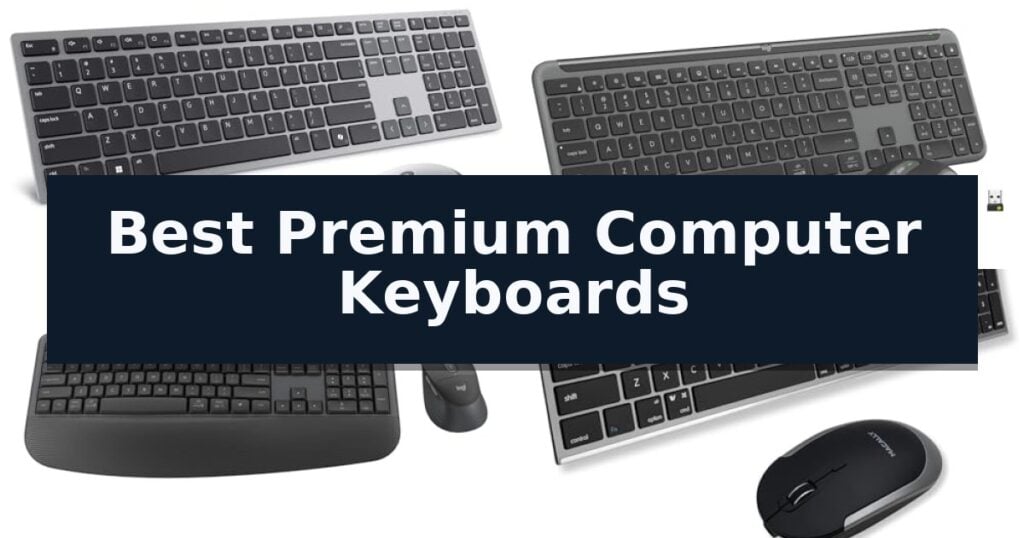
10 Best Premium Computer Keyboards in 2026 Reviews
Quick Comparison
| Product | Best For | Key Strength | Score |
|---|---|---|---|
| Dell KM720 Wireless Keyboard | Best Overall | Dual-mode connectivity via RF 2.4 GHz and Bluetooth 5.0. | 4.9 |
| Logitech Signature Slim K950 Keyboard | Seamless multi-platform switching | Seamless multi-device switching between three devices. | 4.7 |
| Logitech Signature Comfort Plus MK880 | Advanced ergonomic palm support | Curved dual-foam palmrest provides significant ergonomic support for all-day typing. | 4.9 |
| Macally Premium Bluetooth Keyboard | Refined aesthetic for Mac users | Multi-device Bluetooth switching between up to three devices. | 4.9 |
| SteelSeries Apex 3 Gaming Keyboard | Silent switches with premium feel | IP32 water resistance protects against accidental spills. | 4.3 |
| Amazon Basics Ultra Premium Keyboard | Sleek rechargeable wireless design | Rechargeable built-in battery eliminates the need for disposable batteries. | 4.9 |
| Logitech MK540 Advanced Keyboard | Reliable comfort for daily tasks | Extended battery life of up to 36 months for the keyboard. | 4.6 |
| Redragon K521 Gaming Keyboard | Dazzling visual mechanical feel | 19-key anti-ghosting for accurate input during complex gaming maneuvers. | 4.7 |
| KOPJIPPOM Large Print Backlit Keyboard | High-visibility illuminated keys | 4X larger font size for enhanced character visibility. | 4.3 |
| X9 Large Print Backlit Keyboard | Accessible design with color options | Large, bold print on keycaps for superior readability. | 4.7 |
How We Chose
When evaluating the best premium computer keyboards, we focus on the intersection of build quality, ergonomic design, and technical integration. An experienced reviewer looks past marketing claims to assess how these devices perform in real-world office environments, prioritizing consistent connectivity and the tactile experience that directly impacts daily output.
- Connectivity Versatility: Evaluating the reliability of dual-mode RF and Bluetooth switching across multiple devices.
- Ergonomic Support: Assessing the inclusion of palm rests, tilt adjustability, and key layout comfort.
- Build Quality and Materials: Reviewing the chassis construction, finish, and overall durability for daily office use.
- Software Customization: Checking for programmable keys and management software that enhances workflow efficiency.
- Battery Longevity: Comparing the power efficiency and rechargeability options to minimize maintenance interruptions.
1 Dell KM720 Wireless Keyboard — Premium multi-device connectivity
The Dell KM720 Wireless Keyboard distinguishes itself through a versatile dual-mode connectivity system that allows users to toggle between RF 2.4 GHz and Bluetooth 5.0 connections. This capability, managed via a dedicated connection-mode key, enables seamless multi-tasking across different devices without requiring constant re-pairing.
Designed with a focus on both aesthetics and utility, the keyboard features a slim profile with a titan gray finish. It includes 12 programmable F1-F12 keys, providing users with customizable shortcuts for improved workflow efficiency. The accompanying mouse is equally equipped for precision, offering seven buttons and adjustable DPI settings at 1000, 1600, 2400, or 4000.
Maintenance is simplified by the unit's power efficiency, which supports up to 36 months of battery life. The system is integrated with Dell Peripheral Manager (DPM) software, which facilitates the management of input devices and DPI adjustments. Note that the software functionality is supported exclusively on Windows operating systems.
This keyboard and mouse combo is engineered for those who prioritize a clean, quiet workspace. While it offers a premium feel and robust connectivity options, users should verify their operating system compatibility to ensure full access to the programmable features and management software.
Best for: Professionals who need to switch between multiple devices frequently and prefer a quiet, low-profile workspace setup.
Skip if: Users who rely on macOS or Linux operating systems, as the Dell Peripheral Manager software required for full customization is Windows-only.
- Dual-mode connectivity via RF 2.4 GHz and Bluetooth 5.0.
- Long battery life rated for up to 36 months.
- 12 programmable keys for customized workflow shortcuts.
- Adjustable DPI settings up to 4000 for mouse precision.
- Software-dependent features are limited to Windows OS.
- Non-mechanical switches may not suit users seeking tactile feedback.
2 Logitech Signature Slim K950 Keyboard — Seamless multi-platform switching
The Logitech Signature Slim K950 Keyboard offers a streamlined solution for users managing multiple computing environments. This full-size wireless keyboard features a familiar laptop-style typing experience, designed to integrate seamlessly into both home and office setups.
Efficiency is central to the design, with the ability to switch between three connected devices using a single tap. Users can pair the device via Bluetooth or the included Logi Bolt receiver, ensuring compatibility across a wide range of platforms including Windows, macOS, Chrome OS, Linux, iPadOS, iOS, and Android.
The included M750 L Signature Plus mouse complements the keyboard with SilentTouch technology, which is engineered to reduce click noise by 90%. The mouse also features the SmartWheel for precise line-by-line scrolling or rapid navigation through long documents, and it is contoured to accommodate larger hands.
Customization is handled through the Logi Options+ App, allowing users to assign shortcuts and customize keys to suit specific workflows on Windows and macOS. The hardware is constructed with a focus on materials, incorporating a minimum of 48% post-consumer recycled plastic for the keyboard and 25% for the mouse.
This combo provides a robust, multi-device typing and navigation experience. While it is fully compatible with Windows 11 and other modern operating systems, users should verify their specific device connectivity requirements to ensure optimal pairing via Bluetooth or the provided USB receiver.
Best for: Users who need to switch frequently between multiple computers, tablets, and phones using a single, quiet input set.
Skip if: Users who require a mechanical keyboard with tactile switches or those who prefer a compact, tenkeyless layout.
- Seamless multi-device switching between three devices.
- SilentTouch technology for quiet typing and clicking.
- Customizable shortcuts via the Logi Options+ App.
- Broad compatibility across major desktop and mobile operating systems.
- Full-size layout may be too large for minimalist desk setups.
- Laptop-style typing feel lacks the tactile feedback of mechanical alternatives.
3 Logitech Signature Comfort Plus MK880 — Advanced ergonomic palm support
The Logitech Signature Comfort Plus MK880 prioritizes ergonomic longevity through its curved dual-foam palmrest and adjustable tilt legs, which are engineered to support a natural typing posture during extended work sessions. This full-size keyboard is designed to minimize physical strain, making it a functional choice for users who spend significant hours at their desk.
Beyond its physical design, the combo integrates advanced productivity tools directly into the hardware. The keyboard features dedicated meeting control keys and an instant AI launch key, allowing for rapid management of virtual calls and digital workflows. Users can connect via Bluetooth or a Logi Bolt USB receiver, with the ability to switch between up to three devices using the Easy-Switch functionality.
The included right-handed mouse complements the keyboard with a sculpted design featuring an innovative built-in palm cushion and textured side grips. It utilizes a SmartWheel for versatile scrolling, allowing for both line-by-line precision and rapid page navigation. The mouse is engineered with silent click technology to reduce ambient noise in shared or home office environments.
Customization is managed through the Logi Options+ app, which enables users to reassign button functions, adjust DPI levels, and tailor the hardware to specific software tasks. The system is built for endurance, offering battery life of up to 36 months for the keyboard and 24 months for the mouse. Furthermore, the construction incorporates a minimum of 49% post-consumer recycled plastic.
Best for: Office professionals seeking a full-size, ergonomic keyboard and mouse combo with integrated meeting controls and multi-device connectivity.
Skip if: Users who require a compact, tenkeyless design or those who prefer mechanical switches for tactile feedback will find this membrane-based, full-size layout less suitable.
- Curved dual-foam palmrest provides significant ergonomic support for all-day typing.
- Long-lasting battery life of up to 36 months for the keyboard reduces maintenance frequency.
- Easy-Switch connectivity allows seamless toggling between three distinct devices.
- Dedicated meeting and AI keys streamline common digital communication tasks.
- Full-size footprint occupies more desk space than compact or tenkeyless alternatives.
- Logi Bolt receiver is not included in the package, requiring separate purchase if Bluetooth is not preferred.
4 Macally Premium Bluetooth Keyboard — Refined aesthetic for Mac users
The Macally Premium Bluetooth Keyboard and Mouse offers a refined aesthetic for Mac users, featuring a space gray finish designed to complement modern workspaces. This combo provides a cohesive desktop experience by pairing a full-sized wireless keyboard with a matching silent mouse, both engineered to integrate seamlessly into Apple-centric environments.
The keyboard is equipped with 110 scissor-switch keys and 20 dedicated shortcut keys, providing tactile feedback and quick access to common system functions. For versatility, the system supports multi-device Bluetooth connectivity, allowing users to pair and switch between three different devices, including iOS, PC, and Android platforms, with ease.
Efficiency is supported through built-in rechargeable batteries, with an 800mAh capacity for the keyboard and 300mAh for the mouse, ensuring extended runtime between charges. The included silent mouse features 3 DPI modes for adjustable cursor sensitivity, catering to different workflow requirements without the distraction of clicking noise.
This hardware solution balances form and function with a slim profile measuring approximately 17.3 inches in length. Users receive a comprehensive package that includes a charging cable and a 2-year warranty, providing long-term support for the included peripherals.
Best for: Mac users seeking a cohesive, multi-device wireless keyboard and mouse combo with a slim, professional aesthetic.
Skip if: Users who prefer mechanical switches or require a wired connection for zero-latency gaming or high-precision professional tasks.
- Multi-device Bluetooth switching between up to three devices.
- Rechargeable batteries for both keyboard and mouse.
- Silent mouse operation with adjustable DPI settings.
- 20 dedicated shortcut keys optimized for Mac workflows.
- Non-mechanical scissor-switch design may not suit all typing preferences.
- Wireless-only connectivity lacks a wired backup option.
5 SteelSeries Apex 3 Gaming Keyboard — Silent switches with premium feel
The SteelSeries Apex 3 Gaming Keyboard distinguishes itself with an IP32 water-resistant rating, providing a layer of protection against accidental liquid spills during intense sessions. This focus on durability is paired with whisper quiet gaming switches, engineered to provide a soft, near-silent typing experience while maintaining a lifespan of 20 million low-friction keypresses.
Beyond its structural resilience, the keyboard features 10-zone RGB illumination, allowing for customizable color schemes and reactive lighting effects that respond to in-game actions. The inclusion of a premium magnetic wrist rest offers full palm support, designed to reduce strain during extended use by providing a comfortable, ergonomic surface.
Usability is enhanced through dedicated multimedia controls, which allow users to adjust volume and playback settings on the fly without exiting their current application. The device is broadly compatible with Windows, Mac OS X, and gaming consoles including the Xbox Series S, Xbox Series X, PS4, and PS5, making it a versatile peripheral for various hardware setups.
Measuring 17.52 inches in width and weighing approximately 2.8 pounds, the keyboard provides a stable footprint on any desk. While it offers a robust set of features for gamers and typists alike, users should note that it utilizes membrane-style switches rather than mechanical ones, which may influence the tactile feedback preference of some enthusiasts.
Best for: Gamers and typists who prioritize a quiet, spill-resistant workspace with customizable lighting.
Skip if: Users who specifically require the distinct tactile and audible feedback of mechanical switches.
- IP32 water resistance protects against accidental spills.
- Whisper quiet switches ensure near-silent operation.
- Premium magnetic wrist rest enhances ergonomic comfort.
- Dedicated multimedia controls allow for quick setting adjustments.
- Membrane switch design lacks the tactile feedback of mechanical alternatives.
6 Amazon Basics Ultra Premium Keyboard — Sleek rechargeable wireless design
A clean, efficient workspace often begins with the right peripherals, and the Amazon Basics Ultra Premium Wireless Keyboard and Mouse Combo is engineered to minimize clutter while maintaining a professional aesthetic. This full-size set features a durable stainless steel frame that provides a low-profile, sleek look, making it a suitable addition to any modern desk setup. By integrating a dedicated number pad, the keyboard ensures full functionality for data entry tasks without sacrificing its compact, slim footprint.
Connectivity is handled through a unified 2.4GHz USB receiver, which allows both the keyboard and mouse to operate simultaneously from a single port. This plug-and-play design simplifies the setup process significantly, as the receiver can be stored directly within the keyboard base when not in use. The system supports a stable wireless connection at a range of up to 33 feet, which helps reduce signal drop-outs and input delays during daily use.
To address the ongoing maintenance of wireless peripherals, this bundle incorporates a built-in lithium-ion battery system. This rechargeable design eliminates the need for disposable batteries, offering a more cost-effective and environmentally conscious power solution. Users should note that this requires periodic recharging via a cable, so maintaining access to a compatible USB port is necessary to keep both devices operational.
The typing experience is defined by low-profile keys specifically tuned for quiet operation. This focus on noise reduction makes the combo an ideal choice for shared office environments or home workspaces where minimizing sound is a priority. While the shared receiver is a space-saving benefit, it does mean that users must ensure they have one available USB port to facilitate the connection for both devices.
Best for: Users seeking a clutter-free, rechargeable, and quiet input solution for a professional or home office workspace.
Skip if: Users who require a mechanical key feel or prefer dedicated individual receivers for their keyboard and mouse.
- Rechargeable built-in battery eliminates the need for disposable batteries.
- Unified 2.4GHz USB receiver simplifies connectivity for both devices.
- Durable stainless steel housing provides a sturdy and sleek build.
- Quiet low-profile keys ensure a comfortable and unobtrusive typing experience.
- Shared USB receiver requires a single available port for both devices.
- Integrated battery requires periodic recharging via cable.
7 Logitech MK540 Advanced Keyboard — Reliable comfort for daily tasks
The Logitech MK540 Advanced Keyboard provides a stable, full-size typing foundation designed for long-term productivity. Its integrated palm rest and adjustable tilt legs are engineered to support natural wrist positioning, which is essential for maintaining comfort during extended work sessions. The keys themselves are designed for quiet operation, minimizing the audible distraction often associated with mechanical alternatives, making this an ideal choice for shared office spaces or quiet home environments.
Connectivity is streamlined through a single mini Logitech Unifying USB receiver. This plug-and-play approach simplifies the setup process by pairing both the keyboard and the included ambidextrous mouse to one port, maintaining a reliable wireless connection at distances up to 33 feet. By consolidating hardware, users can effectively reduce cable clutter while ensuring consistent performance across Windows and Chrome OS platforms.
Efficiency is further supported by a suite of dedicated hotkeys that offer immediate access to media controls, calculator functions, and battery status indicators. The accompanying mouse features soft rubber side grips and precise tracking, which complements the keyboard's layout to facilitate smooth navigation and data entry. This integration ensures that essential tools are always within reach, reducing the need for repetitive menu navigation.
Longevity is a primary design consideration, with the keyboard rated for up to 36 months of battery life and the mouse for up to 18 months. This extended autonomy significantly reduces the frequency of maintenance, allowing for reliable, consistent use over long periods. Additionally, the spill-resistant design adds a layer of durability, protecting the internal components against accidental liquid exposure in busy workspaces.
Best for: Users seeking a reliable, full-size wireless peripheral set with long battery life for standard office or home productivity.
Skip if: Users who require multi-device switching capabilities or Bluetooth connectivity, as this model relies exclusively on a USB-A receiver.
- Extended battery life of up to 36 months for the keyboard.
- Integrated palm rest and adjustable tilt legs for ergonomic support.
- Spill-resistant design for added durability in busy workspaces.
- Dedicated hotkeys for quick access to essential media and system functions.
- USB-A receiver dependency lacks the versatility of modern Bluetooth-enabled devices.
- Single-device connectivity limits use across multiple computers simultaneously.
8 Redragon K521 Gaming Keyboard — Dazzling visual mechanical feel
The Redragon K521 Gaming Keyboard distinguishes itself with an upgraded LED backlight design that provides increased light penetration for a more immersive visual experience. This wired mechanical-feeling keyboard is built to handle intensive sessions, offering a balance of responsiveness and aesthetic customization for various gaming setups.
Designed for performance, the board features 19-key anti-ghosting technology, which ensures that complex key combinations are registered accurately during gameplay. The keys are engineered to provide a distinct mechanical feel, allowing for fast tapping and precise skill execution. Users can further customize their environment using the three-position adjustable breathing mode and four-position adjustable brightness settings, all managed through a convenient one-touch lighting button.
Efficiency is a core focus, as the keyboard includes 12 multimedia combination keys that streamline control over media and system functions. The device is designed for broad compatibility, supporting Windows, macOS, PS4/5, and Xbox systems without requiring additional drivers. Its plug-and-play functionality ensures that it is ready for use immediately upon connection.
While this keyboard offers a robust feature set for gamers, it is a wired device, which may be a consideration for those prioritizing a cable-free workspace. The construction is optimized for a balance of tactile feedback and durability, providing a reliable input solution for both gaming and general office tasks.
Best for: Gamers and typists looking for a responsive, backlit mechanical-feeling keyboard with broad console and PC compatibility.
Skip if: Users who require a wireless connection or a low-profile, silent membrane keyboard for a strictly professional or minimalist office environment.
- 19-key anti-ghosting for accurate input during complex gaming maneuvers.
- 12 multimedia combination keys to improve workflow and gaming efficiency.
- Broad compatibility with PC, Mac, and major gaming consoles.
- Customizable lighting with adjustable brightness and breathing modes.
- Wired-only connection limits desk placement flexibility.
- Mechanical-feeling switches may not provide the exact tactile experience of true mechanical switches.
9 KOPJIPPOM Large Print Backlit Keyboard — High-visibility illuminated keys
The KOPJIPPOM Large Print Backlit Keyboard features a high-visibility layout with fonts 4X larger than standard keyboards, specifically designed to assist users with visual impairments. This full-size, 104-key QWERTY layout includes a dedicated numeric keypad, ensuring that users can maintain their existing typing habits while benefiting from increased character legibility.
For environments with limited ambient light, the integrated White LED Backlight provides even illumination across all keys. Users can toggle the backlight on or off and adjust brightness levels to suit their workspace, making it a practical choice for offices or studios. The keyboard is built with a spill-resistant design, offering protection against accidental liquid exposure and supporting a key lifespan exceeding 50 million cycles.
Ergonomics are addressed through adjustable feet on the underside, which allow for an angled typing position to help reduce hand fatigue during extended use. The Plug and Play USB connectivity eliminates the need for batteries or charging, and the device is compatible with Windows systems, Raspberry Pi, and Mac OS, though multimedia key functionality may vary on non-Windows platforms.
This keyboard offers a balance between accessibility features and standard desktop utility. By combining high-contrast, large-print keys with a durable, wired connection, it serves as a reliable input device for users who prioritize readability and consistent performance without the complexity of driver installations.
Best for: Individuals with visual impairments or those who prefer high-contrast, large-font keys for improved readability.
Skip if: Users who require a wireless connection or advanced programmable macro keys for specialized gaming or professional workflows.
- 4X larger font size for enhanced character visibility.
- Adjustable white LED backlight for low-light environments.
- Spill-resistant design for increased durability.
- Plug and Play USB connectivity requires no drivers.
- Wired connection limits placement flexibility compared to wireless models.
- Multimedia keys may have limited compatibility with Mac OS systems.
10 X9 Large Print Backlit Keyboard — Accessible design with color options
The X9 Large Print Backlit Computer Keyboard is engineered to address visibility challenges through its high-contrast, large-font keycaps. This full-size 107-key layout integrates a dedicated number pad and 12 shortcut keys, providing a familiar and efficient interface for users who require enhanced legibility during daily computing tasks. By utilizing oversized characters, the design reduces eye strain, making it a practical choice for students, seniors, or anyone working in environments where quick character identification is necessary.
Designed for versatility in varying lighting conditions, the keyboard features an adjustable 7-color backlight system with four distinct brightness levels. This illumination ensures that characters remain clearly visible in dim environments, such as late-night study sessions or low-light office spaces, without requiring additional desk lighting. The ability to cycle through colors and intensity levels allows users to customize the visual output to match their specific ambient light conditions, ensuring consistent readability throughout the day.
Connectivity is handled via a straightforward plug-and-play USB wired interface. This design eliminates the need for software installation or battery management, ensuring immediate compatibility with PCs, Chromebooks, and laptops. Because it relies on a physical connection, users avoid the latency or power-cycling issues often associated with wireless peripherals, providing a stable input method for long-term use.
Measuring 17.31 inches in length and 6.15 inches in width, this peripheral maintains a standard footprint while prioritizing accessibility. The inclusion of a 2-year warranty underscores the manufacturer's commitment to the long-term dependability of this input device. While its membrane-style switches offer a quiet typing experience, users should note that the wired connection requires a permanent desk placement, which may limit mobility compared to compact wireless alternatives.
Best for: Users requiring high-visibility keycaps and adjustable backlighting for improved accessibility and comfort.
Skip if: Users who prefer a wireless, compact, or mechanical-switch typing experience will find this wired, membrane-style keyboard less suitable for their needs.
- Large, bold print on keycaps for superior readability.
- 7-color backlight with four brightness levels for use in any light.
- Plug-and-play USB connectivity requires no software.
- Full-size layout includes a number pad and shortcut keys.
- Wired-only connection limits desk placement flexibility.
- Membrane key switches may not satisfy users seeking mechanical tactile feedback.
Best Premium Computer Keyboards Buying Guide
Connectivity and Multi-Device Support
Modern professional environments often require switching between a desktop, a laptop, and a tablet. Premium keyboards facilitate this by offering dedicated buttons or software-based switching that maintains a stable connection without the need for constant re-pairing.
Reliability is paramount when working across different operating systems. Look for keyboards that support both Bluetooth and dedicated USB receivers, as this provides a fail-safe connection method if wireless interference occurs in your workspace.
Ergonomics and Typing Comfort
The physical shape of a keyboard significantly influences long-term comfort. Features such as integrated palm rests and adjustable tilt legs help maintain a neutral wrist position, which is essential for preventing strain during extended typing tasks.
Key switch technology also plays a vital role in the typing experience. While some users prefer the tactile click of mechanical switches, others favor the quiet, low-profile keys found in slim, premium designs that prioritize noise reduction in shared office settings.
Customization and Workflow Efficiency
Programmable keys allow users to map complex shortcuts to a single button press, drastically reducing repetitive tasks. Advanced software suites often accompany these keyboards, enabling deep customization of function keys to match specific software requirements.
Beyond standard shortcuts, some models include dedicated media controls or AI-launch keys. These additions can streamline meeting management and navigation, provided the software interface is intuitive and compatible with your primary operating system.
Build Materials and Aesthetic Design
Premium keyboards are distinguished by their use of high-quality materials, such as reinforced plastics or metal housing. These materials not only provide a more substantial feel on the desk but also contribute to the overall longevity of the device.
A sleek, low-profile design often complements a modern workspace aesthetic. However, ensure that the design does not sacrifice stability; a keyboard that flexes or slides during use can be a significant distraction during high-speed typing.
Power Management and Sustainability
Battery life is a critical consideration for wireless peripherals. Many top-tier models now offer multi-year battery performance or convenient rechargeable lithium-ion systems, which reduce the environmental impact and the inconvenience of frequent battery swaps.
Sustainability is increasingly reflected in manufacturing, with many brands incorporating post-consumer recycled plastics into their chassis. Choosing a model that balances high performance with eco-conscious materials is a practical way to support responsible product design.
Frequently Asked Questions
What is the main advantage of a premium keyboard over a standard model?
Premium keyboards typically offer superior build materials, more reliable multi-device connectivity, and advanced software customization options that standard models lack.
Are mechanical keyboards better for office work?
Mechanical keyboards provide excellent tactile feedback, but they can be louder than membrane or scissor-switch keyboards. For shared offices, look for 'silent' or 'whisper-quiet' mechanical switches.
How do I know if a keyboard is compatible with my computer?
Most modern wireless keyboards are compatible with Windows, macOS, and mobile operating systems via Bluetooth. Always check the manufacturer's specifications for specific software compatibility.
Do I need special software to use the programmable keys?
Yes, most manufacturers provide a proprietary app to customize key functions. While the keyboard will work as a basic input device without it, the software is necessary to unlock advanced features.
Is a wired or wireless keyboard better for a premium setup?
Wireless keyboards offer a cleaner desk aesthetic and greater flexibility. Modern wireless technology is highly reliable, making the choice largely a matter of personal preference regarding desk clutter.
Conclusion: Our Top Pick
Our top pick is Dell KM720 Wireless Keyboard. Investing in a premium computer keyboard is a practical step toward improving your daily workflow and physical comfort. By prioritizing connectivity, build quality, and ergonomic features, you ensure that your primary input device remains a reliable asset for years to come.
Consider your specific needs, such as the number of devices you manage or your preference for key feel, when making your final selection. The right keyboard should disappear into your routine, providing a seamless and responsive experience that enhances your productivity.