SteelSeries Apex Pro TKL Gen 3 earns our recommendation for the Best Premium Keyboards thanks to its advanced magnetic switch technology that offers highly adjustable actuation and rapid trigger performance for demanding users.
Selecting a high-end keyboard requires balancing tactile preference with functional utility. Whether you prioritize the rapid response of Hall Effect sensors for competitive gaming or the refined, ergonomic typing experience of a premium wireless board, the right choice depends on your specific workflow and desk environment.
Modern premium boards often feature gasket-mounted structures and sound-dampening foam to refine acoustics, alongside versatile connectivity options. We evaluate these models by focusing on build materials, switch customization, and the practical integration of software and hardware features that justify a higher investment.
For those looking to expand their setup beyond just the input device, our guide on Best Premium Computer Keyboards provides additional context on how these peripherals integrate into a high-end workspace.
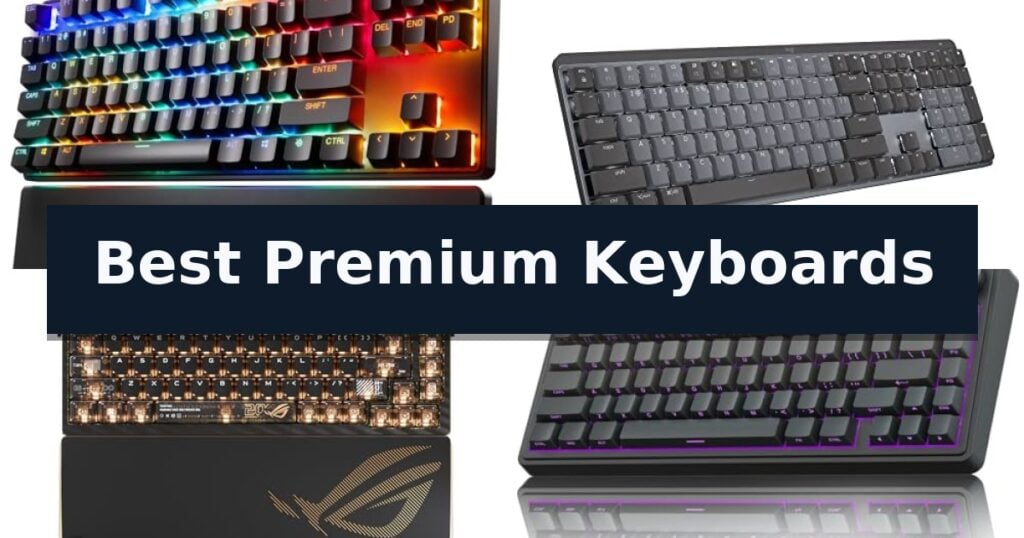
10 Best Premium Keyboards in 2026 Reviews
Quick Comparison
| Product | Best For | Key Strength | Score |
|---|---|---|---|
| SteelSeries Apex Pro TKL Gen 3 | Best Overall | OmniPoint 3.0 switches with 40 levels of adjustable actuation. | 4.9 |
| Logitech MX Mechanical Wireless Keyboard | Low-Profile Tactile Performance | Low-profile mechanical switches offer a balance of tactile feedback and ergonomic comfort. | 4.4 |
| ASUS ROG Azoth Extreme Keyboard | Luxury Aluminum Gaming Build | Premium build quality featuring an aluminum alloy chassis and 24K gold elements. | 4.5 |
| AULA F75 Pro Mechanical Keyboard | Creamy Sound Custom Experience | Tri-mode connectivity for multi-device support. | 4.5 |
| EPOMAKER X Aula F75 Max Keyboard | Smart Display Productivity Booster | TFT smart display for convenient system monitoring and customization. | 4.5 |
| GravaStar Mercury K1 Lite Keyboard | Aesthetic Open-Frame Design | Tri-mode connectivity allows for seamless switching between wired, 2.4GHz, and Bluetooth devices. | 4.9 |
| SOLAKAKA A99 Pro Mechanical Keyboard | Visual LCD Screen Control | Tri-mode connectivity supporting up to 5 devices. | 4.6 |
| Keychron K10 HE Mechanical Keyboard | Full-Size Hall Effect Precision | Adjustable actuation range from 0.2mm to 3.8mm for customized responsiveness. | 4.9 |
| Logitech MX Keys S Combo | Fluid Typing Performance Set | Fluid, quiet typing experience with a laptop-like profile. | 4.9 |
| Dell Premier Collaboration Keyboard | Zoom-Certified Meeting Controls | Zoom-certified touch controls for streamlined meeting management. | 4.6 |
How We Chose
Evaluating the best premium keyboards requires a deep dive into the mechanical architecture and user-facing features that distinguish luxury peripherals from standard office equipment. We assess how switch types, chassis construction, and connectivity options translate into a superior typing or gaming experience, focusing on the tangible benefits of premium materials and advanced customization.
- Switch technology and actuation customization
- Build quality, chassis material, and acoustic dampening
- Connectivity versatility including 2.4GHz, Bluetooth, and wired modes
- Software integration for macro programming and lighting control
- Ergonomic features and layout efficiency
1 SteelSeries Apex Pro TKL Gen 3 — Advanced Adjustable Magnetic Switches
Precision control defines the SteelSeries Apex Pro TKL Gen 3, a keyboard engineered for competitive responsiveness through its OmniPoint 3.0 Analog Magnetic Switches. These switches utilize Hall Effect technology to provide 40 levels of adjustable actuation, ranging from a hair-trigger 0.1mm to a standard 4.0mm, allowing users to tailor the physical feel and input sensitivity of every key.
The device introduces a suite of performance-oriented features branded as the 'Triple Threat,' which includes Rapid Trigger, Rapid Tap, and Protection Mode. Rapid Trigger resets the switch the moment it is released, enabling faster repeated inputs, while Rapid Tap prioritizes the most recent key press to facilitate quicker strafing maneuvers. For those prone to accidental inputs, Protection Mode actively reduces the sensitivity of keys surrounding the one currently being pressed.
Usability is enhanced by an integrated OLED Smart Display, which allows for real-time configuration adjustments directly on the hardware without needing to exit active applications. This onboard memory ensures that custom profiles remain saved, while QuickSet auto-presets automatically load optimized configurations when specific games are launched. The unit is constructed with a compact TKL form factor and features durable PBT keycaps for longevity.
While the keyboard offers extensive customization, users should note that the specialized magnetic switch technology and advanced software features are primarily optimized for high-speed gaming environments. The USB-C connectivity ensures modern compatibility, and the 45g bottom-out force provides a consistent tactile experience across the board.
Best for: Competitive gamers who require highly customizable actuation points and rapid input reset capabilities.
Skip if: Users who prefer a full-sized layout with a dedicated number pad or those who do not require advanced analog switch adjustments.
- OmniPoint 3.0 switches with 40 levels of adjustable actuation.
- Rapid Trigger technology for near-instant input resets.
- OLED Smart Display for on-the-fly settings management.
- Protection Mode to minimize accidental key presses.
- TKL form factor lacks a dedicated number pad.
- Advanced features are highly specialized for gaming, which may exceed the needs of casual typists.
2 Logitech MX Mechanical Wireless Keyboard — Low-Profile Tactile Performance
The Logitech MX Mechanical Wireless Keyboard distinguishes itself with low-profile mechanical switches that provide a tactile, audible response while maintaining a slim, ergonomic profile. This full-size keyboard is engineered for precision, offering a familiar mechanical feel without the bulk typically associated with traditional high-profile mechanical boards.
Designed for versatility, the device features smart illumination that detects hand proximity, automatically adjusting backlighting based on ambient light conditions. This feature helps manage power consumption, allowing the keyboard to operate for up to 15 days on a single charge with backlighting enabled, or up to 10 months with it turned off.
Connectivity is handled through Bluetooth Low Energy or the included Logi Bolt receiver, supporting pairing with up to three devices across multiple operating systems. Users can leverage the Logi Options+ software to customize function keys, manage backlighting effects, and enable Flow cross-computer control for a more streamlined workflow.
Built with sustainability in mind, the graphite model incorporates 45% certified post-consumer recycled plastic. The unit measures 17.8 inches in length and 5.9 inches in width, providing a stable, full-size layout that balances desk footprint with functional key spacing.
Best for: Professionals who require a tactile, full-size mechanical typing experience across multiple devices and operating systems.
Skip if: Users who prefer a compact tenkeyless layout or those who require a silent typing experience, as the clicky switches are designed for audible feedback.
- Low-profile mechanical switches offer a balance of tactile feedback and ergonomic comfort.
- Multi-device connectivity allows seamless switching between up to three devices via Bluetooth or Logi Bolt.
- Smart backlighting automatically adjusts to ambient light to optimize battery life.
- USB-C quick charging provides extended usage times of up to 15 days with lights on.
- Full-size form factor may be too large for users with limited desk space.
- Audible click from the switches may be unsuitable for quiet office environments.
3 ASUS ROG Azoth Extreme Keyboard — Luxury Aluminum Gaming Build
The ASUS ROG 20th Edition Azoth Extreme marks a significant milestone in peripheral design, blending high-end materials with a striking gold-on-black aesthetic to celebrate two decades of ROG. This 75% TKL mechanical keyboard is engineered for enthusiasts who prioritize both visual impact and structural integrity, featuring a crafted aluminum alloy chassis and genuine 24K gold elements that distinguish it from standard gaming hardware.
Performance is anchored by the ROG NX Snow V2 linear switches, which provide a consistent typing experience. To optimize acoustics and tactile feedback, the keyboard incorporates a carbon fiber positioning plate, a design choice that effectively reduces keystroke vibrations. This foundation ensures that the board remains stable during intensive use while delivering a refined, crisp sound profile.
Beyond its structural build, the keyboard integrates modern utility through a color OLED screen for system monitoring and customization. The visual experience is further enhanced by translucent black keycaps, which allow for a diffused lighting effect that complements the premium metallic frame. Despite its robust construction, the unit maintains top-tier wireless performance, offering a balance of connectivity and desktop aesthetics.
Measuring 12.9 inches in length and weighing 3.3 pounds, the ASUS ROG 20th Edition Azoth Extreme is a substantial piece of hardware. Its compact 75% layout saves desk space without sacrificing essential functionality, making it a sophisticated choice for those who demand a high-performance, collectible-grade typing tool.
Best for: Collectors and enthusiasts seeking a high-performance, premium-built mechanical keyboard with a distinct aesthetic.
Skip if: Users who prefer a full-sized layout with a dedicated number pad or those seeking a lightweight, budget-friendly plastic keyboard.
- Premium build quality featuring an aluminum alloy chassis and 24K gold elements.
- Carbon fiber positioning plate for improved acoustics and reduced vibration.
- Customizable color OLED screen for real-time system feedback.
- Refined lighting through unique translucent black keycaps.
- Heavier footprint compared to standard plastic keyboards due to the metal frame.
- Premium pricing associated with commemorative 20th-anniversary materials.
4 AULA F75 Pro Mechanical Keyboard — Creamy Sound Custom Experience
The AULA F75 Pro Wireless Mechanical Keyboard distinguishes itself with a sophisticated internal structure featuring an extended integrated silicone pad and PCB single key slotting, which optimizes resilience for a softer, more elastic typing feel. This 75% layout keyboard incorporates five layers of filling silencer to effectively counteract cavity noise, ensuring a solid acoustic profile during use.
Designed for versatility, the keyboard supports tri-mode connectivity, allowing users to switch between Bluetooth 5.0, 2.4GHz wireless, and USB-C wired connections across up to five devices simultaneously. It is powered by a 4000mAh high-capacity battery, providing the endurance needed for extended gaming or work sessions without frequent recharging.
The hot-swappable base accommodates both 3-pin and 5-pin switches, enabling users to customize their typing experience without soldering. Out of the box, the unit comes equipped with pre-lubricated stabilizers and LEOBOG Reaper switches, which are engineered to deliver a smooth, creamy mechanical sound and fast response times suitable for competitive gaming.
A standout functional element is the multi-function control knob, which allows for seamless switching between gaming and office modes. In gaming mode, it adjusts lighting brightness and effects, while in office mode, it manages volume and media playback. The side-printed PBT keycaps utilize double injection molding and heat sublimation, offering a durable, sweat-proof surface that allows RGB backlighting to shine through the fonts.
Best for: Gamers and typists who want a compact, highly customizable, and quiet mechanical keyboard with versatile connectivity options.
Skip if: Users who require a full-sized keyboard with a dedicated number pad for data entry or professional spreadsheet tasks.
- Tri-mode connectivity for multi-device support.
- Hot-swappable PCB for easy switch customization.
- Pre-lubed switches and stabilizers for a premium sound.
- Multi-function knob for intuitive media and lighting control.
- Compact 75% layout lacks a dedicated number pad.
5 EPOMAKER X Aula F75 Max Keyboard — Smart Display Productivity Booster
The EPOMAKER X Aula F75 Max Wireless Mechanical Keyboard distinguishes itself with a built-in TFT smart display that provides real-time connectivity status, battery monitoring, and customizable GIF animations. This 75% layout keyboard integrates a dedicated volume knob and a high-function core, making it a versatile tool for both gaming and office productivity.
Designed for comfort, the keyboard features a Gasket-Mount structure that isolates the PCB from the shell to reduce harsh bottom-out impacts. The flex-cut PC plate enhances the typing experience by providing a soft, cushioned feel. With a 2cm-low front height and a 2-stage adjustable kickstand, users can fine-tune the typing angle to suit their ergonomic preferences.
The acoustic profile is carefully tuned through a combination of factory-lubed stabilizers and linear switches, complemented by internal foams and silicone layers that eliminate echo. The inclusion of an IXPE switch pad and PET pad further refines the sound, resulting in a consistent, mellow keystroke. The hot-swappable PCB supports 3/5-pin mechanical switches, allowing for extensive customization of both the tactile feel and the sound signature.
Connectivity is handled via Bluetooth, 2.4Ghz wireless, or wired USB modes, with a 1000Hz polling rate in wired and 2.4G modes for responsive performance. The keyboard supports NKRO (N-Key Rollover), ensuring accurate input during intensive gaming sessions. Additionally, the south-facing per-key RGB LEDs provide vibrant backlighting, which can be adjusted through software, the onboard screen, or keyboard shortcuts.
Best for: Users who prioritize a customizable mechanical typing experience with integrated status monitoring and versatile wireless connectivity options.
Skip if: Users who require a full-sized keyboard with a dedicated number pad or those who prefer a low-profile, ultra-slim design.
- TFT smart display for convenient system monitoring and customization.
- Gasket-Mount structure with flex-cut plate for a soft, comfortable typing feel.
- Hot-swappable PCB compatible with 3/5-pin switches for easy personalization.
- Triple-mode connectivity including 2.4Ghz, Bluetooth, and wired USB.
- 75% compact layout lacks a dedicated number pad.
- Plate-mount stabilizers may require replacement if users prefer screw-in alternatives.
6 GravaStar Mercury K1 Lite Keyboard — Aesthetic Open-Frame Design
The GravaStar Mercury K1 Lite Keyboard distinguishes itself with a striking open-frame skeletal design that promotes airflow while creating a futuristic aesthetic. This 75% layout keyboard is built for enthusiasts who prioritize both visual impact and a refined typing experience, utilizing a five-layer gasket mount system to deliver a consistent, responsive feel.
Performance is driven by custom linear switches featuring a 40gf actuation force and 3.6mm total travel, engineered to provide a smooth, effortless keystroke. The inclusion of PORON foam within the acoustic structure ensures a deep, satisfying sound profile right out of the box, while the hot-swappable PCB allows for future customization of switches to suit individual preferences.
Versatility is a core strength, thanks to its tri-mode connectivity. Users can toggle between 2.4GHz wireless, Bluetooth 5.0, and USB-C wired modes, with the ability to pair up to three devices simultaneously. The 4000mAh battery is designed to support weeks of usage on a single charge, ensuring reliability for both gaming sessions and professional workflows.
The Crystal Aurora colorway serves as a centerpiece for any desk, featuring a gradient of lavender and mint that diffuses RGB lighting through translucent keycaps. This combination of structural durability and artistic design makes the GravaStar Mercury K1 Lite Keyboard a functional statement piece for minimalist or creator-focused workspaces.
Best for: Gamers and creative professionals who want a high-performance, gasket-mounted mechanical keyboard with a unique, aesthetic open-frame design.
Skip if: Users who require a full-sized keyboard with a dedicated number pad or those who prefer a traditional, enclosed chassis design.
- Tri-mode connectivity allows for seamless switching between wired, 2.4GHz, and Bluetooth devices.
- Five-layer gasket mount and PORON foam provide a premium, thocky acoustic profile.
- Hot-swappable switches offer flexibility for future tactile or sound modifications.
- 4000mAh battery supports extended wireless usage without frequent recharging.
- 75% layout lacks a dedicated number pad, which may limit productivity for data-heavy tasks.
- Open-frame construction may require more frequent cleaning to prevent dust accumulation inside the chassis.
7 SOLAKAKA A99 Pro Mechanical Keyboard — Visual LCD Screen Control
The SOLAKAKA A99 Pro Mechanical Keyboard integrates a dedicated LCD screen and a multifunctional metal knob, allowing users to monitor battery levels, connection modes, and system settings at a glance. This high-end peripheral is designed to bridge the gap between aesthetic customization and functional utility, providing a tactile interface for adjusting lighting, volume, and system configurations without relying solely on software.
Built with a superior gasket structure and five layers of cushioning pads, this keyboard is engineered to deliver a soft typing feel and a signature 'creamy' sound profile. The inclusion of a PCB single-key slotting process and noise-dampening cotton pads effectively minimizes internal cavity resonance, making it a robust choice for both professional environments and gaming setups.
Connectivity is handled via a tri-mode system, supporting Bluetooth 5.0, 2.4GHz wireless, and USB-C wired connections. It can pair with up to five devices simultaneously and is compatible across Windows, macOS, iOS, and Android platforms. The board features a 96% layout, which retains essential keys like the numeric keypad while maintaining a space-saving footprint.
For enthusiasts who prioritize personalization, the full hot-swappable PCB supports both 3-pin and 5-pin switches, allowing for easy customization without soldering. The keyboard comes equipped with pre-lubricated stabilizers and LEOBOG star vector switches, paired with durable, sweat-resistant double-shot PBT keycaps in an OEM profile designed to reduce fatigue during extended use.
The integrated 8000mAh rechargeable battery provides significant longevity, offering approximately 61 hours of operation with RGB lighting active or up to 170 hours with the backlighting disabled. Users can further refine their experience using the web-based driver to map keys, record macros, and upload custom GIF images to the onboard LCD screen.
Best for: Users who want a highly customizable, gasket-mounted mechanical keyboard with advanced features like an LCD screen and tri-mode wireless connectivity.
Skip if: Users who prefer a minimalist, ultra-compact 60% layout or those who do not require an LCD screen and knob-based controls.
- Tri-mode connectivity supporting up to 5 devices.
- Full hot-swappable PCB for 3/5-pin switches.
- Premium gasket structure with noise-dampening layers.
- High-capacity 8000mAh battery for long-term wireless use.
- Web driver access requires a wired connection for setup.
- 96% layout may be larger than ultra-compact alternatives.
8 Keychron K10 HE Mechanical Keyboard — Full-Size Hall Effect Precision
The Keychron K10 HE Mechanical Keyboard distinguishes itself by integrating advanced Hall Effect magnetic switches into a full-size 100% layout, offering users precise control over key actuation. By utilizing magnetic sensors instead of traditional physical contacts, this keyboard provides an adjustable actuation range from 0.2mm to 3.8mm, catering to both rapid-fire gaming and deliberate typing tasks.
Connectivity is handled through a versatile tri-mode system, allowing users to switch between Bluetooth 5.2, 2.4 GHz wireless, and USB-C wired modes. This flexibility ensures stable performance across multiple devices, whether you are managing a complex workstation or a mobile setup. The inclusion of dedicated media keys and cross-system compatibility for macOS, Windows, and Linux further enhances its utility in professional environments.
Customization is centralized through the Keychron Launcher web configurator, which enables users to remap keys, create macros, and fine-tune features like rapid trigger and snap action. This software-based approach simplifies the adjustment of technical parameters without requiring complex firmware updates, making the keyboard highly adaptable to individual workflows.
The physical design emphasizes both durability and aesthetics, featuring OSA-profile double-shot PBT keycaps that resist shine over time. The chassis is accented with natural wood sidings, providing a distinct visual profile. Because the switches are hot-swappable, users can maintain or modify the board without the need for soldering, ensuring long-term serviceability.
Best for: Users who require a full-size layout with the precision of adjustable magnetic actuation for both high-speed gaming and professional productivity.
Skip if: Users who prefer a compact, minimalist desk footprint or those who do not require the specific benefits of Hall Effect magnetic switch technology.
- Adjustable actuation range from 0.2mm to 3.8mm for customized responsiveness.
- Tri-mode connectivity supporting Bluetooth, 2.4 GHz, and wired USB-C.
- Hot-swappable magnetic switches allow for easy maintenance without soldering.
- Full-size layout with dedicated media keys for comprehensive control.
- Large physical footprint may not suit smaller desk configurations.
- Web-based configurator requires clearing browser data for optimal performance.
9 Logitech MX Keys S Combo — Fluid Typing Performance Set
The Logitech MX Keys S Combo streamlines professional workflows by pairing a high-precision wireless keyboard with the advanced MX Master 3S mouse. This set is engineered for users who prioritize a fluid, quiet typing experience alongside high-performance navigation, featuring a laptop-like key profile with spherically-dished keys designed to match the natural shape of your fingertips.
Performance is driven by the included MX Master 3S mouse, which utilizes an 8K DPI sensor capable of tracking on virtually any surface, including glass. The mouse integrates a MagSpeed scroll wheel that allows for scrolling up to 1,000 lines per second, providing both speed and precision. The keyboard enhances productivity through smart illumination that adjusts to ambient light and detects hand proximity to activate backlighting.
Customization and multi-device management are central to the experience. Users can connect up to three devices simultaneously across Windows, macOS, or Linux platforms using either Bluetooth Low Energy or the included Logi Bolt USB receiver. The Logi Options+ app enables the creation of Smart Actions, allowing users to automate repetitive tasks with a single keystroke.
Designed for long-term comfort, the hardware maintains an optimum typing angle and a sculpted mouse shape to support better wrist posture. The system is also constructed with sustainability in mind, incorporating certified post-consumer recycled plastic into both the keyboard and mouse components.
Best for: Professionals and power users who require a high-precision, multi-device input solution for complex, repetitive workflows.
Skip if: Users who prefer mechanical switches with deep key travel or those who require a compact, tenkeyless form factor for limited desk space.
- Fluid, quiet typing experience with a laptop-like profile.
- MagSpeed scroll wheel capable of 1,000 lines per second.
- Multi-device connectivity for up to three devices via Bluetooth or Logi Bolt.
- Smart Actions automation via the Logi Options+ app.
- Fixed, non-mechanical key switches may not suit users seeking tactile mechanical feedback.
- Full-size layout occupies significant desk real estate.
10 Dell Premier Collaboration Keyboard — Zoom-Certified Meeting Controls
Modern professional environments require tools that streamline communication, and the Dell Premier Collaboration Wireless Keyboard KB900 addresses this by integrating dedicated touch controls for video conferencing. As the world's first Zoom-certified keyboard, it allows users to mute or unmute the microphone, toggle video, share screens, and access chat panels directly through intuitive icons on the device.
Beyond its meeting-specific capabilities, the keyboard features intelligent illumination with hand-proximity detection, which activates backlighting as you approach and adjusts based on ambient light to preserve battery life. The scissor-switch key design is engineered for ultra-quiet typing, providing a tactile feel that remains unobtrusive in shared workspaces or during active calls.
Connectivity is handled through a dual-mode system, supporting Bluetooth 5.1 and a 2.4 GHz RF USB receiver, allowing for seamless switching between up to three devices. The internal battery is designed for longevity, offering up to twenty days of use on a full charge, with a rapid-charging feature that provides a full day of power from just one minute of USB-C charging.
Ergonomics and management are also prioritized, with durable, rubber-padded tilt legs that maintain a stable typing angle. IT departments can utilize the Dell Device Management Console to manage peripheral fleets at scale, while individual users can leverage the Dell Display and Peripheral Manager to program custom shortcuts for frequently used applications, optimizing their specific workflow.
Best for: Professionals who frequently host or participate in Zoom meetings and require a dedicated, integrated control interface for video conferencing.
Skip if: Users who prefer mechanical switches with high-profile travel or those who do not utilize Zoom for their primary professional communication.
- Zoom-certified touch controls for streamlined meeting management.
- Intelligent backlighting that adjusts to proximity and ambient light.
- Dual-mode connectivity supporting up to three devices.
- Rapid USB-C charging providing a full day of use from one minute of charge.
- Non-mechanical scissor-switch design may not suit users preferring tactile mechanical feedback.
Best Premium Keyboards Buying Guide
Mechanical Switch Technology
Premium keyboards often utilize advanced switch types, such as Hall Effect magnetic switches or high-end mechanical linears. These technologies allow for adjustable actuation points, meaning you can decide exactly how deep a keypress must go before it registers, providing a tailored feel for both typing and gaming.
Magnetic switches also enable features like rapid trigger, which resets the key instantly upon release. This is a significant advantage for users who require high-speed inputs, as it eliminates the physical reset delay found in traditional mechanical switches.
Chassis and Acoustic Design
The physical construction of a keyboard significantly impacts its sound and feel. Premium models frequently employ gasket-mounted plates, which isolate the PCB from the outer case to provide a softer, more flexible typing experience that reduces finger fatigue.
Internal sound-dampening materials, such as PORON foam or silicone layers, are used to eliminate hollow cavity noises. This results in a deeper, more satisfying 'thocky' sound profile that is highly sought after by enthusiasts and professionals alike.
Connectivity and Multi-Device Support
Modern high-end keyboards prioritize versatility by offering tri-mode connectivity. This allows users to switch seamlessly between a low-latency 2.4GHz wireless connection for gaming, Bluetooth for mobile devices, and a wired USB-C connection for charging or maximum stability.
The ability to pair with multiple devices simultaneously is essential for power users. High-quality boards often include dedicated hardware or software shortcuts to toggle between connected systems, streamlining workflows across different operating environments.
Customization and Software
A premium keyboard should offer robust software support for remapping keys, creating macros, and managing RGB lighting. Advanced drivers allow users to save these configurations directly to the keyboard's onboard memory, ensuring settings persist even when moving between different computers.
Some models include integrated OLED screens or multi-function knobs, which provide real-time feedback or quick access to system controls like volume and lighting brightness. These features reduce the need to exit full-screen applications to adjust settings.
Ergonomics and Layout
Layout choice is a personal preference that dictates desk space and utility. While full-size keyboards provide a dedicated number pad for data entry, 75% or TKL layouts are often preferred for gaming because they provide more room for mouse movement.
Ergonomic considerations, such as adjustable tilt legs and low-profile keycap options, help maintain a natural wrist position. Premium boards often use PBT keycaps, which are more durable and resistant to the shine that develops on cheaper ABS plastic over time.
Frequently Asked Questions
What makes a keyboard 'premium' compared to standard models?
Premium keyboards typically feature superior build materials like aluminum or high-grade PBT plastic, advanced gasket-mounted internal structures for better acoustics, and high-performance switches that offer customization options like adjustable actuation.
Are magnetic switches better than traditional mechanical switches?
Magnetic switches offer unique advantages like rapid trigger and adjustable actuation points, making them superior for competitive gaming. However, traditional mechanical switches may still be preferred by some for their specific tactile or clicky feedback profiles.
Do I need software to use the advanced features of these keyboards?
While software is often required for deep customization like macro programming or complex lighting effects, many premium keyboards save these settings to onboard memory, allowing you to use them on other devices without needing the software installed.
How do I choose between a 75% layout and a full-size keyboard?
Choose a 75% layout if you want to save desk space and prioritize mouse movement for gaming. Choose a full-size keyboard if you frequently use the numeric keypad for productivity tasks like data entry or accounting.
What is the benefit of a gasket-mounted keyboard?
A gasket-mounted structure separates the keyboard's plate and PCB from the outer case using soft gaskets. This provides a cushioned, slightly flexible typing feel and helps dampen harsh vibrations, resulting in a more pleasant sound and feel.
Conclusion: Our Top Pick
Our top pick is SteelSeries Apex Pro TKL Gen 3. Investing in a premium keyboard significantly enhances both productivity and gaming performance through superior build quality and advanced customization. By selecting a model that aligns with your specific needs—whether that is the rapid response of magnetic switches or the acoustic satisfaction of a gasket-mounted design—you ensure a more comfortable and efficient computing experience.
Consider your primary use case and desk layout when making your final decision. With the right choice, a high-end keyboard serves as a reliable, long-term tool that adapts to your evolving workflow and gaming requirements.