Logitech M510 Wireless Mouse is our top choice for the Best Professional Computer Mouse, offering a contoured design and programmable buttons that provide reliable support for long work sessions.
Selecting a professional-grade mouse requires balancing physical comfort with functional utility. For those who prioritize high-speed responsiveness and gaming-grade sensors, the Logitech G305 LIGHTSPEED Wireless Mouse serves as a capable alternative. Conversely, users requiring a quiet, wired connection for office environments may find the Logitech Signature Wired M520 L a more suitable fit for their specific desk setup.
Professional users often face the trade-off between wireless convenience and the consistent, battery-free reliability of a wired connection. Our selection process focuses on how these input devices integrate into a daily workflow, ensuring that features like DPI adjustment, button placement, and ergonomic support translate into tangible productivity gains.
Once you have selected your input device, pairing it with the Best Professional Computer Keyboards can create a more cohesive and efficient workspace. Additionally, ensuring your desk setup includes the Best Professional Computer Monitors will further enhance your overall visual workflow and comfort.
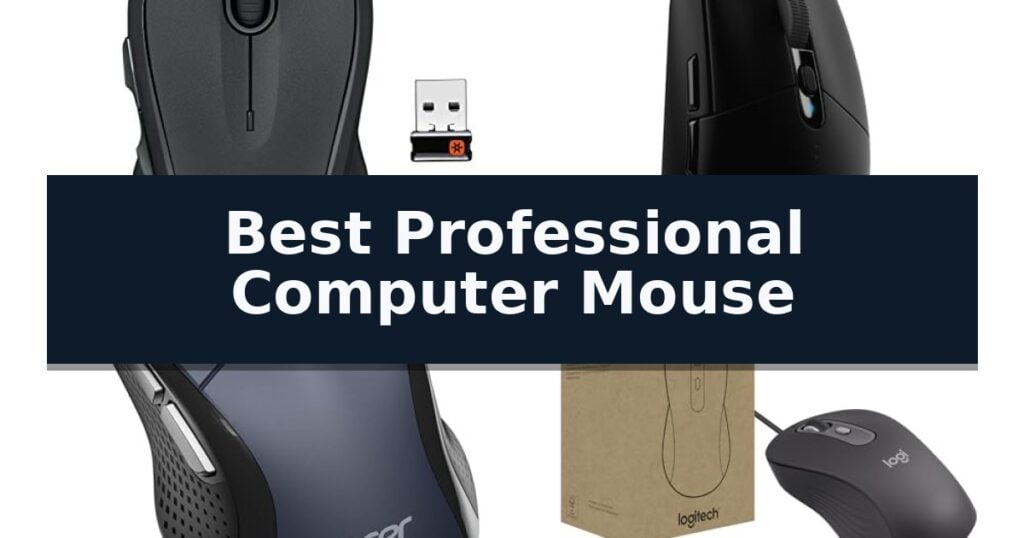
10 Best Professional Computer Mouse in 2026 Reviews
Quick Comparison
| Product | Best For | Key Strength | Score |
|---|---|---|---|
| Logitech M510 Wireless Mouse | Best Overall | Ergonomic contoured design with soft rubber grips for extended comfort. | 4.9 |
| Logitech G305 LIGHTSPEED Wireless Mouse | High-Precision Sensor Performance | LIGHTSPEED wireless technology ensures a 1 ms report rate for lag-free performance. | 4.4 |
| Acer Wireless Mouse | Adjustable DPI for Detailed Work | 5 adjustable DPI levels for precise sensitivity control. | 4.3 |
| Logitech Signature Wired M520 L | Quiet Clicks for Focused Work | Silent Touch technology reduces clicking noise by 90% for a quieter workspace. | 4.5 |
| HP X3000 G3 Wireless Mouse | Reliable Multi-Surface Tracking | 15-month battery life on a single AA battery reduces maintenance frequency. | 4.7 |
| Logitech B100 Wired Mouse | Simple Plug-and-Play Reliability | Ambidextrous design ensures comfort for all users. | 4.7 |
| Logitech M185 Wireless Mouse | Compact Design for Busy Desktops | Ambidextrous, contoured design for comfortable use in either hand. | 4.4 |
| wegear Wireless Mouse | Extended Battery Life Efficiency | 5-level adjustable DPI up to 4000 for tailored cursor sensitivity. | 4.6 |
| Acer Wireless Mouse for Laptop | Streamlined Navigation for Productivity | Stable 2.4GHz wireless connectivity with a 32ft range. | 4.3 |
| VssoPlor Wireless Mouse | Slim Profile for Easy Travel | Intelligent sleep mode significantly extends battery life by powering down during inactivity. | 4.7 |
How We Chose
Evaluating the best professional computer mouse requires a focus on how hardware specifications influence daily output. We analyze build quality, sensor accuracy, and interface options to determine which models provide the most consistent performance. Our criteria prioritize long-term usability and the practical integration of features that streamline complex professional tasks.
- Ergonomic design and hand support
- Connectivity stability and wireless range
- Customization options and programmable buttons
- Sensor precision and surface tracking capability
- Battery efficiency and power management features
1 Logitech M510 Wireless Mouse — Ergonomic Comfort for Long Days
Maintaining a comfortable workspace requires tools that minimize strain during extended sessions, and the Logitech M510 Wireless Mouse addresses this with an ergonomic contoured shape. Featuring soft rubber grips and a broad palm area, this device is built to provide consistent support for users spending long hours at their desks.
Beyond its physical design, the mouse offers significant control enhancements. It includes three standard buttons supplemented by Back/Forward buttons that can be programmed to switch applications or toggle full-screen modes. Productivity is further bolstered by a tilt-to-scroll function, which enables horizontal and vertical navigation through spreadsheets, maps, and media libraries.
Efficiency is a core component of this model, highlighted by an impressive 2-year battery life. The inclusion of an On/Off switch and a smart sleep mode helps conserve energy, while an integrated indicator light provides timely alerts before power depletion. The device connects via a tiny Logitech Unifying receiver, which allows for a clutter-free workspace by supporting additional compatible peripherals on a single USB-A port.
Compatibility is broad, as the mouse functions across Windows, Mac, and Linux environments, and is certified for Chrome. While it provides a robust set of features for professional tasks, users should note that advanced customization of the side buttons and scrolling capabilities requires the installation of Logitech SetPoint or Logitech Control Center software.
Best for: Professionals seeking a full-sized, ergonomic mouse with programmable buttons and long-term battery reliability.
Skip if: Users who require a high-precision gaming sensor or a multi-device Bluetooth connection will find this 2.4 GHz-only model limiting.
- Ergonomic contoured design with soft rubber grips for extended comfort.
- Programmable buttons and tilt-to-scroll functionality for efficient navigation.
- 2-year battery life significantly reduces maintenance frequency.
- Logitech Unifying receiver allows for a consolidated wireless setup.
- Requires software installation to unlock full button and scroll customization.
- 2.4 GHz USB-A connectivity lacks the versatility of Bluetooth for modern thin-profile laptops.
2 Logitech G305 LIGHTSPEED Wireless Mouse — High-Precision Sensor Performance
Precision and responsiveness define the Logitech G305 LIGHTSPEED Wireless Gaming Mouse, a device engineered to eliminate the latency typically associated with wireless peripherals. By utilizing proprietary LIGHTSPEED wireless technology, this mouse achieves a 1 ms report rate, providing the consistent, lag-free input required for high-stakes professional environments.
At the core of its performance is the HERO optical sensor, which delivers up to 12,000 DPI sensitivity and 400 IPS precision. This sensor is designed for power efficiency, allowing the mouse to operate for up to 250 hours of continuous use on a single AA battery. Users can further extend this longevity to nine months by toggling the Endurance mode via the Logitech G HUB software.
The physical construction prioritizes both maneuverability and utility. Weighing only 3.4 oz, the mouse features an efficient mechanical design that reduces fatigue during extended work sessions. It includes six programmable buttons and on-board memory, enabling users to save custom configurations directly to the device for consistent performance across different workstations.
Designed for versatility, the Logitech G305 LIGHTSPEED Wireless Gaming Mouse incorporates a compact form factor with integrated storage for its nano receiver. This makes it a practical solution for professionals who require a high-performance input device that transitions easily between a stationary desktop setup and a mobile laptop environment.
Best for: Professionals and gamers who require a lightweight, highly responsive wireless mouse with long battery life and portable storage capabilities.
Skip if: Users who prefer a larger, ergonomically contoured mouse or those who require more than six programmable buttons for complex productivity workflows.
- LIGHTSPEED wireless technology ensures a 1 ms report rate for lag-free performance.
- HERO optical sensor provides high-precision tracking up to 12,000 DPI.
- Extended battery life offers up to 250 hours of continuous use on one AA battery.
- Lightweight 3.4 oz design enhances maneuverability and reduces fatigue.
- Limited button count may not satisfy users requiring extensive macro support.
- AA battery requirement adds weight compared to integrated rechargeable lithium-ion alternatives.
3 Acer Wireless Mouse — Adjustable DPI for Detailed Work
Precision and comfort define the Acer Wireless Mouse, a peripheral engineered to accommodate medium to large sized hands for extended professional use. This device integrates a high-performance optical sensor that offers 5 adjustable DPI levels, ranging from 800 to 4000, allowing users to fine-tune cursor sensitivity for tasks ranging from general document navigation to detailed design work.
Connectivity is managed via a reliable 2.4GHz USB-A receiver, which provides a stable, interference-free link up to 33 feet away. The mouse is designed for efficiency, featuring 6 buttons including dedicated forward and backward navigation keys that streamline workflow in web browsers and file explorers. A visible indicator light serves a dual purpose, displaying the current DPI setting and providing a low battery warning when power drops below 10%.
To maximize battery longevity, the unit includes an intelligent click-to-wake power-saving feature that enters standby mode after 10 minutes of inactivity. The build quality is rated for up to 10 million clicks, ensuring long-term durability for high-volume office environments. Setup is straightforward with a plug-and-play interface, though users should note that the required AA battery is not included in the package.
The ergonomic design focuses on all-day comfort, making it a practical choice for professional workstations where input reliability is paramount. By combining adjustable sensitivity with a robust button layout, this mouse provides a versatile solution for users who require both precision and navigational speed in their daily computing tasks.
Best for: Professionals with medium to large hands who require adjustable DPI sensitivity and dedicated navigation buttons for office workflows.
Skip if: Users who require a Bluetooth-only connection or those who prefer a compact, low-profile mouse design.
- 5 adjustable DPI levels for precise sensitivity control.
- 6-button layout including dedicated forward and backward navigation.
- Long-term durability rated for up to 10 million clicks.
- Visual indicator light for DPI status and battery alerts.
- AA battery not included in the package.
- Requires USB-A port for the wireless receiver.
4 Logitech Signature Wired M520 L — Quiet Clicks for Focused Work
Maintaining a quiet and efficient workspace is essential for professional productivity, and the Logitech Signature Wired M520 L addresses this with its specialized Silent Touch technology. By reducing clicking noise by 90%, this mouse is engineered to minimize distractions in shared office environments or open-plan workspaces where focus is paramount.
Beyond its acoustic performance, the mouse features a versatile SmartWheel scrolling system that allows users to toggle between high-speed scrolling for long documents and precise, line-by-line navigation. This adaptability is complemented by a customizable DPI button, which lets professionals adjust cursor speed on the fly or program specific shortcuts using the Logi Options+ or Logi Tune software.
The Logitech Signature Wired M520 L utilizes a reliable USB-C wired connection, ensuring consistent performance without the need for batteries or wireless pairing, which is particularly beneficial for industries like banking and healthcare. Its ambidextrous design features a contoured shape that accommodates both left- and right-handed users comfortably during extended work sessions.
Sustainability and efficiency are integrated into the hardware design, as the device is constructed with at least 73% post-consumer recycled plastic. Furthermore, the mouse incorporates a power-saving model that consumes 68% less energy, making it a practical choice for organizations prioritizing energy-efficient hardware deployment across Windows, macOS, ChromeOS, and Linux environments.
Best for: Professionals in quiet or regulated office environments who require a reliable, wired, and ambidextrous mouse with customizable controls.
Skip if: Users who prioritize a wireless workspace or require advanced multi-button configurations beyond standard productivity shortcuts.
- Silent Touch technology reduces clicking noise by 90% for a quieter workspace.
- SmartWheel scrolling enables both rapid and precise navigation.
- USB-C wired connectivity ensures a stable, battery-free connection for professional use.
- Ambidextrous design provides ergonomic comfort for all users.
- Wired-only connection limits mobility compared to wireless alternatives.
5 HP X3000 G3 Wireless Mouse — Reliable Multi-Surface Tracking
A professional workspace requires equipment that balances precision with long-term reliability, and the HP X3000 G3 Wireless Mouse addresses this through its high-performance 1600 DPI optical sensor. Designed to maintain consistent tracking across various surfaces, this peripheral ensures that your cursor movements remain fluid and accurate throughout the workday.
The HP X3000 G3 Wireless Mouse features a contoured, ambidextrous shape that accommodates all-day use, supported by integrated side grips for improved control. Its 3-button navigation and scroll wheel provide a straightforward interface for standard productivity tasks, while the multi-OS compatibility ensures it functions seamlessly across Windows, Mac, and Chromebook environments.
Connectivity is managed via a 2.4 GHz USB-A nano receiver, which offers a stable wireless range of up to 30 feet. For professionals who travel, the receiver stores conveniently inside the mouse chassis, minimizing the risk of loss during transit. Furthermore, the device is engineered for longevity, boasting up to 15 months of operation on a single AA battery.
By utilizing LED multi-surface technology, this mouse maintains lag-free performance on surfaces where standard optical sensors might struggle. While it lacks the programmable side buttons found on some specialized gaming or high-end productivity mice, its focus remains on providing a dependable, low-maintenance input solution for daily professional demands.
Best for: Professionals and students who require a reliable, ambidextrous, and long-lasting wireless mouse for daily productivity across multiple operating systems.
Skip if: Users who require advanced customization, such as programmable side buttons or high-speed polling rates for gaming and specialized creative workflows.
- 15-month battery life on a single AA battery reduces maintenance frequency.
- 1600 DPI optical sensor provides reliable and accurate tracking.
- Multi-surface LED technology ensures consistent performance on various desk materials.
- Ambidextrous, contoured design supports comfortable use for both left- and right-handed users.
- Limited to 3-button navigation, which may not be sufficient for users needing macro-programmable buttons.
- USB-A connectivity requires a traditional port or adapter, which may be a limitation for some modern ultra-thin laptops.
6 Logitech B100 Wired Mouse — Simple Plug-and-Play Reliability
Efficiency in a professional workspace often relies on the reliability of your peripheral tools, and the Logitech B100 Ambidextrous Wired Mouse is engineered to provide exactly that. Featuring a straightforward, ambidextrous shape, this mouse is designed to accommodate both left and right-handed users comfortably throughout the workday, ensuring a consistent grip regardless of your dominant hand.
Performance is driven by an 800 dpi optical sensor, which delivers the precise cursor control necessary for efficient document editing and web navigation. The device also includes side-to-side scrolling and zoom capabilities, allowing you to move through complex spreadsheets or presentations with greater ease. These features translate to a more fluid workflow when managing data-heavy tasks.
Setup is entirely seamless due to its plug-and-play USB connectivity, which requires no additional software or configuration to function immediately upon connection. The hardware is built with durability in mind, reflecting the design standards of a manufacturer that has produced over a billion mice, providing a stable, corded connection that eliminates the need for battery replacements.
Sustainability is also integrated into the build, as the plastic components of the Logitech B100 Ambidextrous Wired Mouse contain significant amounts of certified post-consumer recycled plastic, specifically 72% for the black model. This model serves as a practical, no-nonsense solution for professionals who prioritize consistent performance and ergonomic utility in a compact, 0.24-pound form factor.
Best for: Office professionals and students who require a reliable, ambidextrous, and simple plug-and-play mouse for daily productivity tasks.
Skip if: Users who require advanced programmable buttons, wireless freedom, or high-DPI sensors for specialized tasks like graphic design or gaming.
- Ambidextrous design ensures comfort for all users.
- Plug-and-play USB connectivity for zero-setup installation.
- Integrated side-to-side scrolling and zoom functionality.
- Constructed with certified post-consumer recycled plastic.
- Fixed 800 dpi sensitivity may be too slow for high-resolution multi-monitor setups.
- Wired connection limits desk mobility compared to wireless alternatives.
7 Logitech M185 Wireless Mouse — Compact Design for Busy Desktops
Navigating a busy desktop or a cramped workspace often highlights the limitations of standard laptop touchpads, which is where the Logitech M185 Compact Ambidextrous 2.4 GHz Wireless Mouse offers a more efficient alternative. By providing a dedicated input device, this mouse allows for more precise cursor control, which can significantly improve workflow speed and overall productivity during long professional sessions.
The Logitech M185 Compact Ambidextrous 2.4 GHz Wireless Mouse is engineered for simplicity and reliability. It utilizes a 2.4 GHz USB-A nano receiver to establish a stable wireless connection up to 33 feet away, ensuring that your input remains responsive without the clutter of cables. The plug-and-play design means you can start working immediately upon connection, and the included AA battery supports up to 12 months of battery life, aided by an integrated smart sleep mode.
Designed with a contoured, ambidextrous shape, this mouse accommodates both left- and right-handed users comfortably. Its compact dimensions make it an ideal choice for those who need a portable solution that fits easily into a laptop bag. Furthermore, the construction incorporates certified post-consumer recycled plastic, reflecting a focus on sustainable material choices without compromising the durability required for daily professional use.
Compatibility is a core strength of this device, as it functions seamlessly across Windows PCs, Macs, and various laptop models. Whether you are managing spreadsheets, navigating web browsers, or handling general office tasks, the line-by-line scroll wheel and optical tracking provide consistent, smooth performance that is far superior to the limited precision of a standard touchpad.
Best for: Professionals and students who require a portable, reliable, and ambidextrous wireless mouse for daily productivity in tight or mobile workspaces.
Skip if: Users who require advanced ergonomic support, programmable side buttons, or high-DPI sensors for specialized tasks like graphic design or gaming.
- Ambidextrous, contoured design for comfortable use in either hand.
- Plug-and-play simplicity with a reliable 2.4 GHz wireless connection.
- Long battery life of up to 12 months with smart sleep mode.
- Compact and portable form factor suitable for busy desktops.
- Limited to basic navigation without additional programmable buttons.
- USB-A receiver may require an adapter for laptops equipped only with USB-C ports.
8 wegear Wireless Mouse — Extended Battery Life Efficiency
Reliable input control is essential for any professional workstation, and the wegear Wireless Mouse offers a versatile solution with its 5-level adjustable DPI settings. Ranging from 800 to 4000 DPI, this optical sensor allows users to calibrate cursor precision to match specific tasks, whether navigating complex design software or managing everyday document workflows.
Designed for sustained use, the device features a contoured ergonomic shape intended to minimize hand strain during long work sessions. It is built for longevity, having undergone 5,000,000 click durability testing, ensuring the internal switches can withstand the rigors of a professional environment.
The mouse enhances efficiency through its 6-button layout, which includes dedicated forward and backward side buttons for faster navigation through web pages and documents. Connectivity is handled via a stable 2.4GHz wireless receiver, providing a reliable connection range of up to 33 feet without the need for additional drivers.
Power management is a key focus, as the unit is engineered for a 24-month battery life on a single AA battery. To maximize longevity, it incorporates an automatic sleep mode that triggers after 8 minutes of inactivity, with a red LED indicator to alert the user when the battery level is low.
Best for: Professionals seeking a high-precision, ergonomic wireless mouse with long-lasting battery performance for standard office and design tasks.
Skip if: Users who require native forward/backward button functionality on macOS or those who prefer a Bluetooth-only connection without a USB receiver.
- 5-level adjustable DPI up to 4000 for tailored cursor sensitivity.
- 24-month battery life with energy-saving automatic sleep mode.
- Ergonomic contoured design built for extended comfort.
- Plug & Play connectivity via a stable 2.4GHz USB receiver.
- Side buttons are not recognized for navigation on macOS systems.
- USB receiver required for operation, which may occupy a port.
9 Acer Wireless Mouse for Laptop — Streamlined Navigation for Productivity
The Acer Wireless Mouse for Laptop provides a reliable, interference-free connection through its 2.4GHz wireless technology, offering a range of up to 32 feet. Designed specifically for users with medium to large sized hands, this peripheral prioritizes ergonomic comfort for extended daily use in office or home environments.
Efficiency is central to its design, featuring 3 adjustable DPI settings (800, 1200, 1600) that allow for customized sensitivity depending on the task at hand. A visible indicator light provides clear feedback on the current DPI level and alerts the user when the battery drops below 10%, ensuring you are never caught off guard during critical work.
Workflow navigation is streamlined via dedicated forward and backward buttons, which simplify movement through web pages and file directories. The device is built for longevity, with buttons and the scroll wheel tested for 10 million clicks to ensure consistent performance over time.
To maximize battery life, the mouse incorporates a smart sleep mode that engages after 10 minutes of inactivity. It is designed for simple, driver-free operation; users need only plug the included USB-A receiver into their computer to begin. Note that the device requires AAA batteries, which are not included in the package.
Best for: Users with medium to large hands seeking a reliable, plug-and-play wireless mouse for general office productivity and web navigation.
Skip if: Mac users who require full functionality of the side navigation buttons, as these are not supported on that operating system.
- Stable 2.4GHz wireless connectivity with a 32ft range.
- Adjustable 1600 DPI settings for precision control.
- Smart sleep mode for extended battery efficiency.
- Durable construction tested for 10 million clicks.
- Side buttons are not functional on Mac systems.
- AAA batteries are not included with the purchase.
10 VssoPlor Wireless Mouse — Slim Profile for Easy Travel
Precision and portability define the VssoPlor Wireless Mouse, a device engineered for professionals who require a reliable interface for their mobile workstations. Its slim, lightweight profile is specifically designed to fit into crowded laptop bags, while the inclusion of a storable USB-A nano receiver ensures you are always ready to connect without managing loose components.
Performance is anchored by a 2.4 GHz wireless connection, which offers robust anti-interference capabilities and a stable link up to 10 meters away. The optical sensor is tuned for smooth tracking across most surfaces, providing the responsiveness needed for daily office tasks and navigation. To maximize efficiency during extended work sessions, the device features intelligent sleep mode, which automatically engages after 5 minutes of inactivity to conserve battery power.
The design prioritizes a quiet environment, utilizing whisper-quiet clicking mechanisms that allow for focused work without the distraction of audible mechanical noise. The frosted surface finish provides a tactile, comfortable grip, while the plug-and-play functionality ensures immediate compatibility with Windows and Mac systems equipped with a standard USB-A port.
While this mouse offers significant convenience, users should verify their hardware connectivity before purchase. Because it relies on a USB-A receiver, it is not compatible with modern Mac devices or ultrabooks that exclusively feature USB-C ports. This makes it an ideal companion for legacy hardware or standard office laptops that retain traditional connectivity.
Best for: Professionals and students who need a quiet, portable, and reliable wireless mouse for standard laptops equipped with USB-A ports.
Skip if: Users who rely exclusively on USB-C or Thunderbolt ports on their laptops, as this device requires a USB-A connection.
- Intelligent sleep mode significantly extends battery life by powering down during inactivity.
- Whisper-quiet clicking ensures a distraction-free environment in shared workspaces.
- Compact, lightweight design allows for effortless storage and travel.
- 2.4 GHz wireless technology provides a stable, interference-resistant connection.
- USB-A dependency limits compatibility with modern laptops that only feature USB-C ports.
Best Professional Computer Mouse Buying Guide
Ergonomics and Long-Term Comfort
The physical shape of a mouse is the most critical factor for professionals who spend eight or more hours at a desk. Contoured designs with rubberized grips help reduce wrist strain by promoting a natural hand position throughout the day.
When evaluating ergonomics, consider the size of your hand relative to the mouse dimensions. A device that is too small or too large can lead to cramping, so look for models that offer broad palm support and accessible button placement.
Connectivity and Workspace Integration
Wireless mice offer a clean, cable-free workspace, but they rely on stable 2.4 GHz receivers or Bluetooth connections. A reliable receiver that can be stored inside the mouse is essential for those who frequently move between offices or travel.
Wired mice remain a staple for environments where battery management is a concern or where consistent, zero-latency input is required. Ensure the cable length and connector type match your computer's available ports to avoid the need for additional adapters.
Sensor Precision and Tracking
DPI (dots per inch) settings determine how fast the cursor moves across the screen relative to your physical movement. Higher DPI settings are beneficial for multi-monitor setups or detailed design work, while lower settings offer better control for precise document editing.
Look for optical sensors that perform well on various surfaces, including wood, glass, or fabric. A high-quality sensor ensures that your cursor movements are smooth and free from jitter, which is vital for maintaining focus during detailed tasks.
Programmable Buttons and Workflow Efficiency
Many professional mice include extra side buttons that can be mapped to specific functions like switching applications, navigating web pages, or executing shortcuts. These features can significantly reduce the time spent on repetitive tasks.
Before purchasing, check if the mouse software is compatible with your operating system. Some advanced features, such as custom button mapping, may require specific drivers that are only supported on Windows or macOS.
Battery Life and Power Management
For wireless models, battery longevity is a major convenience factor. Mice with smart sleep modes and physical on/off switches can extend battery life to months or even years, reducing the frequency of maintenance.
Indicator lights are a useful feature for monitoring battery levels, providing a warning before the device loses power. This prevents interruptions during critical work and helps you plan battery replacements effectively.
Frequently Asked Questions
Do I need a high DPI mouse for office work?
Not necessarily. While high DPI is useful for graphic design or large monitor setups, standard office tasks like word processing and browsing work perfectly fine with a moderate DPI range.
Are wireless mice as reliable as wired ones?
Modern 2.4 GHz wireless technology is highly reliable and provides a lag-free experience comparable to wired connections for most professional applications.
Can I use a gaming mouse for professional work?
Yes, gaming mice often feature superior sensors and build quality, which can be an advantage for professional tasks, provided the design is comfortable for long-term use.
What is the benefit of a tilt-to-scroll wheel?
A tilt-to-scroll wheel allows for horizontal scrolling, which is particularly helpful when working with wide spreadsheets, large images, or complex timelines.
How do I know if a mouse will fit my hand size?
Check the manufacturer's dimensions against your current mouse. If you find your current mouse causes hand fatigue, look for one with a different height or width profile to change your grip style.
Conclusion: Our Top Pick
Our top pick is Logitech M510 Wireless Mouse. Choosing the right professional mouse depends on your specific daily requirements, whether that involves extensive document navigation or precise creative work. Prioritizing ergonomics and reliable connectivity will ensure your chosen device supports your productivity rather than hindering it.
By evaluating how features like DPI adjustment and programmable buttons align with your workflow, you can select a tool that provides long-term comfort and efficiency. Focus on the balance between physical design and technical performance to find the best fit for your professional environment.