Logitech G PRO X3 SUPERSTRIKE Gaming Mouse is our top choice for the Best Professional Gaming Mice, offering a specialized electromagnetic haptic trigger system for elite-level click speed and consistency. The Razer Basilisk V3 Pro 35K provides a versatile multi-function trigger for complex macro management, while the Razer Viper V4 Pro delivers an ultra-lightweight 49g chassis for rapid, agile movement in high-stakes esports.
Selecting a mouse for professional play requires balancing sensor accuracy, switch reliability, and physical weight. Competitive players prioritize consistent tracking and minimal latency to ensure every movement translates precisely to the screen, while button layout and ergonomics determine how effectively a player can execute complex commands during intense matches.
For those seeking a broader range of options, our guide on the Best Professional Computer Mouse covers additional models suited for various professional environments beyond competitive gaming.
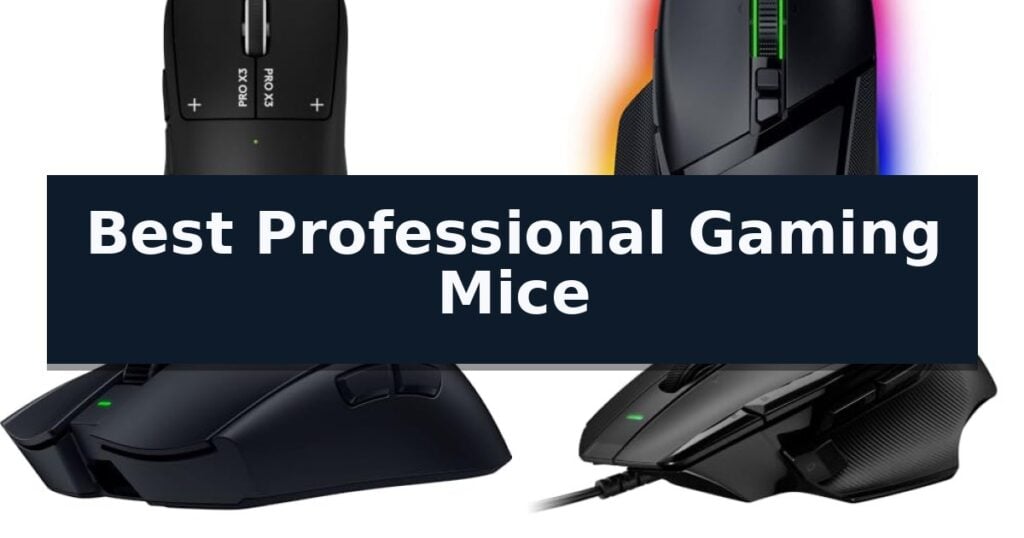
10 Best Professional Gaming Mice in 2026 Reviews
Quick Comparison
| Product | Best For | Key Strength | Score |
|---|---|---|---|
| Logitech G PRO X3 SUPERSTRIKE Gaming Mouse | Best Overall | Haptic Inductive Trigger system provides advanced electromagnetic actuation and reset customization. | 4.9 |
| Razer Basilisk V3 Pro 35K Gaming Mouse | Advanced Multi-Surface Tracking | Razer Focus Pro 35K Optical Sensor enables tracking on glass and granular 1-DPI adjustments. | 4.8 |
| Razer Viper V4 Pro Gaming Mouse | Ultra-Lightweight Esports Design | 49g ultra-lightweight construction for agile control | 4.3 |
| Logitech G502 X Gaming Mouse | Hybrid Optical-Mechanical Switches | LIGHTFORCE hybrid optical-mechanical switches for reliable, crisp actuation. | 4.8 |
| Razer Basilisk V3 Gaming Mouse | Versatile Customizable Controls | 11 programmable buttons for extensive macro and function mapping. | 4.9 |
| Logitech G305 LIGHTSPEED Gaming Mouse | Compact Wireless Portability | LIGHTSPEED wireless technology provides a reliable 1 ms report rate. | 4.5 |
| Corsair SCIMITAR RGB ELITE Gaming Mouse | Best for MMO Macros | 17 fully programmable buttons for complex macro execution. | 4.3 |
| Corsair M65 RGB ULTRA Gaming Mouse | Precision Gyro-Based Aiming | 8,000Hz hyper-polling for reduced input latency. | 4.7 |
| Logitech G703 LIGHTSPEED Gaming Mouse | Ergonomic Performance Shape | HERO 25K sensor provides high-accuracy, 1:1 tracking. | 4.7 |
| Corsair NIGHTSWORD RGB Gaming Mouse | Tunable Weight Balance | Smart Tunable Weight System for real-time balance adjustment. | 4.8 |
How We Chose
Evaluating the best professional gaming mice requires a focus on technical performance metrics that directly impact competitive integrity. We analyze sensor precision, switch actuation mechanisms, and wireless connectivity stability to distinguish high-performance tools from standard peripherals, ensuring that each recommendation provides the reliable, low-latency input necessary for professional-grade gaming environments.
- Sensor tracking accuracy and DPI consistency
- Switch actuation speed and durability
- Weight-to-performance ratio
- Wireless latency and polling rate stability
- Programmable button accessibility and software integration
1 Logitech G PRO X3 SUPERSTRIKE Gaming Mouse — Fastest Click Response
The Logitech G PRO X3 SUPERSTRIKE Gaming Mouse introduces a specialized Haptic Inductive Trigger system that replaces traditional mechanical switches with an electromagnetic field. This design breakthrough provides 10 distinct actuation points and 5 reset points, offering a level of tactile customization engineered specifically for high-stakes esports environments.
Performance is driven by the HERO 2 sensor, which tracks at over 930 IPS and 90 G, supporting a maximum resolution of 48,000 DPI. To maintain a competitive edge, the mouse utilizes LIGHTSPEED wireless technology capable of 8 kHz polling rates, ensuring a tournament-grade, low-latency connection when paired with compatible PC hardware and the Logitech G HUB software.
Physical construction prioritizes speed and endurance, featuring a 0.7 mm thin-wall case that keeps the device ultra-lightweight. The base is equipped with extra-large UHMWPE feet to facilitate smooth, consistent gliding across surfaces. For extended play, the internal battery provides up to 135 hours of operation on a single charge, with convenient recharging options via USB-C or integration with the POWERPLAY mouse pad system.
While this mouse offers advanced technical specifications, users should note that peak polling rates and advanced customization require the installation of Logitech G HUB software. The focus on a lightweight, pro-grade chassis makes it a highly specialized tool for competitive gaming rather than a general-purpose peripheral.
Best for: Competitive esports athletes and PC gamers who require ultra-low latency, high-DPI precision, and customizable electromagnetic trigger actuation.
Skip if: Casual users or those who prefer a heavier, multi-button mouse with a traditional mechanical click feel may find the specialized trigger system and ultra-lightweight design unnecessary.
- Haptic Inductive Trigger system provides advanced electromagnetic actuation and reset customization.
- HERO 2 sensor delivers high-precision tracking up to 48,000 DPI.
- 8 kHz polling rate via LIGHTSPEED wireless technology ensures minimal input lag.
- 135-hour battery life supports long-duration gaming sessions without frequent recharging.
- Advanced features are dependent on Logitech G HUB software for full functionality.
- Ultra-lightweight design may not suit users who prefer a heavier, more substantial mouse chassis.
2 Razer Basilisk V3 Pro 35K Gaming Mouse — Advanced Multi-Surface Tracking
Precision tracking on unconventional surfaces is a hallmark of the Razer Basilisk V3 Pro 35K Wireless Gaming Mouse, which utilizes the Razer Focus Pro 35K Optical Sensor Gen-2. This sensor allows for granular 1-DPI step adjustments, ensuring that users can fine-tune their aim across a wide variety of materials, including glass, to maintain consistent performance during high-stakes gameplay.
The mouse is built for versatility and endurance, featuring the Configurable HyperScroll Tilt Wheel. This design lets users toggle between tactile cycling and a free-spin mode, with a Smart-Reel mode that automatically switches based on scroll speed. With 13 customizable controls, including a dedicated multi-function trigger, players can map complex macros and essential commands directly to the device for rapid access.
Reliability is addressed through the integration of Razer Optical Mouse Switches Gen-3, which offer a 90-million click lifecycle and a rapid 0.2 ms actuation speed without the risk of double-clicking issues. For extended sessions, the mouse provides up to 140 hours of battery life when using Razer HyperSpeed Wireless, ensuring long-lasting performance.
Aesthetics and immersion are enhanced by 13-zone Chroma lighting that features full underglow. This system supports over 16.8 million colors and integrates dynamically with more than 200 games. To achieve maximum responsiveness, the device supports an 8000 Hz polling rate when paired with the Razer Mouse Dock Pro or HyperPolling Wireless Dongle, both available separately.
Best for: Competitive gamers who require high-precision tracking on diverse surfaces and extensive macro customization.
Skip if: Users who prefer a lightweight, minimalist mouse design may find the 13-button layout and feature-heavy construction excessive for their needs.
- Razer Focus Pro 35K Optical Sensor enables tracking on glass and granular 1-DPI adjustments.
- Configurable HyperScroll Tilt Wheel offers flexible tactile or free-spin scrolling modes.
- Optical Mouse Switches Gen-3 provide a 90-million click lifecycle and 0.2 ms actuation.
- 13 customizable controls allow for extensive macro and command mapping.
- 8000 Hz polling rate requires additional hardware purchases like the Mouse Dock Pro or HyperPolling Dongle.
- Feature-rich design results in a heavier build compared to ultra-lightweight gaming mice.
3 Razer Viper V4 Pro Gaming Mouse — Ultra-Lightweight Esports Design
The Razer Viper V4 Pro Wireless Esports Gaming Mouse is engineered for competitive precision, weighing just 49 grams to facilitate rapid, agile movements. By utilizing Razer HyperSpeed Wireless Gen-2 technology, this mouse achieves industry-leading responsiveness with true 8000 Hz polling and significantly reduced latency, ensuring that every input is registered with high fidelity during intense gameplay.
Equipped with the Focus Pro 50K DPI Optical Sensor Gen-3, the device tracks up to 930 IPS and 90 G acceleration. The integration of Frame Sync technology aligns sensor data with the PC to minimize input lag, providing the consistent tracking accuracy required for high-level esports. The inclusion of Gen-4 Optical Switches further enhances reliability, offering a tactile click feel rated for a 100-million-click lifespan.
Design considerations extend to the optical scroll wheel, which replaces mechanical parts to improve durability and consistency. For extended gaming sessions, the mouse offers flexible power management, delivering up to 180 hours of battery life at 1000 Hz or 45 hours at the maximum 8000 Hz polling rate. Users can further refine performance via Razer Synapse 4, which allows for precise 1-DPI step adjustments and customized sensor rotation.
The package includes essential accessories such as mouse grip tape, a wireless dongle, and a USB-C cable for wired operation. This setup ensures that the mouse is ready for immediate deployment, whether in a wireless configuration for freedom of movement or a wired connection for continuous power.
Best for: Competitive esports players who require an ultra-lightweight design, high-polling rate responsiveness, and customizable sensor precision.
Skip if: Users who prefer a heavier mouse with a high-profile ergonomic shape or those who do not require ultra-low latency features for their specific playstyle.
- 49g ultra-lightweight construction for agile control
- 8000 Hz polling rate for minimal input latency
- 180-hour battery life at standard polling settings
- Gen-4 optical switches with 100-million-click durability
- Higher power consumption when operating at the maximum 8000 Hz polling rate
4 Logitech G502 X Gaming Mouse — Hybrid Optical-Mechanical Switches
Precision and tactile feedback define the Logitech G502 X Wired Gaming Mouse, which centers its design around the innovative LIGHTFORCE hybrid optical-mechanical switches. By combining the speed of optical actuation with the crisp, mechanical click feel, this mouse aims to provide consistent performance for high-intensity gaming sessions.
At the core of its tracking capability is the HERO 25K gaming sensor, engineered to deliver sub-micron precision without the interference of smoothing, filtering, or acceleration. This sensor ensures that every movement is translated accurately, maintaining high-performance standards regardless of the complexity of the digital environment.
The chassis has been meticulously refined, utilizing a thin-wall exoskeleton to achieve a weight of just 89 grams while maintaining structural rigidity. This weight reduction is complemented by a redesigned hyperfast scroll wheel that allows users to toggle between a free-spin mode and a precise ratcheting mode, with the added utility of left and right tilt inputs for extra control.
Customization remains a primary focus, highlighted by a reversible and removable DPI-shift button that adapts to various grip styles and user preferences. With a total of 13 programmable buttons, the mouse offers extensive mapping possibilities, ensuring that essential commands are always within reach during gameplay.
Best for: Competitive gamers who prioritize high-precision sensors, customizable button layouts, and a lightweight, ergonomic design.
Skip if: Users who prefer a wireless setup or those who require a significantly heavier mouse for specific tactile feedback preferences.
- LIGHTFORCE hybrid optical-mechanical switches for reliable, crisp actuation.
- HERO 25K sensor provides high-precision tracking with zero smoothing.
- Weight-optimized 89g design improves maneuverability.
- 13 programmable buttons including a versatile DPI-shift toggle.
- Wired-only connectivity may not suit users seeking a cable-free desktop environment.
5 Razer Basilisk V3 Gaming Mouse — Versatile Customizable Controls
Precision and customization define the Razer Basilisk V3 Gaming Mouse, a wired peripheral engineered for users who demand granular control over their input devices. At its core, the mouse features a Focus+ 26K DPI Optical Sensor that delivers high-fidelity tracking without smoothing, ensuring that every movement translates directly to on-screen accuracy.
The hardware is built around an iconic ergonomic design featuring a dedicated thumb rest, which provides sustained support during extended sessions. With 11 programmable buttons, users can map complex macros or secondary functions, such as push-to-talk or specific skill triggers, directly to the mouse for faster execution.
A standout mechanical feature is the HyperScroll Tilt Wheel, which allows for seamless transitions between a free-spin mode for rapid scrolling and a tactile mode for precise, stepped feedback. This versatility is complemented by Optical Mouse Switches Gen 2, which are rated for up to 70 million clicks and offer a rapid 0.2ms actuation speed to eliminate unintended misclicks.
Aesthetic and functional customization is managed through 11 Razer Chroma RGB lighting zones, which offer over 16.8 million colors and reactive effects integrated with more than 150 games. Performance can be further refined via the Razer Synapse App, allowing users to calibrate the sensor and optimize settings for their specific gaming environment.
Best for: Competitive gamers who require a highly customizable, ergonomic wired mouse with advanced sensor precision and programmable macro support.
Skip if: Users who prioritize a lightweight, minimalist design or require the freedom of wireless connectivity will find this wired, feature-heavy model less suitable.
- 11 programmable buttons for extensive macro and function mapping.
- HyperScroll Tilt Wheel offers both free-spin and tactile modes.
- Focus+ 26K DPI sensor provides high-precision, zero-smoothing tracking.
- Optical Mouse Switches Gen 2 ensure rapid 0.2ms actuation.
- Wired connection limits movement range compared to wireless alternatives.
- Feature-rich design results in a heavier footprint than ultra-lightweight competitive mice.
6 Logitech G305 LIGHTSPEED Gaming Mouse — Compact Wireless Portability
Precision and wireless freedom define the Logitech G305 LIGHTSPEED Gaming Mouse, a device engineered to eliminate the tether of traditional wired peripherals without sacrificing responsiveness. By utilizing LIGHTSPEED wireless technology, this mouse achieves a 1 ms report rate, ensuring that input latency is virtually non-existent during competitive play.
At the core of its performance is the HERO optical sensor, which offers a sensitivity range up to 12,000 DPI and 400 IPS precision. This sensor is designed for high power efficiency, allowing the device to operate for up to 250 hours of continuous gameplay on a single AA battery. Users can further extend this longevity to nine months by toggling the Endurance mode via the Logitech G HUB software.
The physical construction focuses on maneuverability, weighing only 3.4 oz. Despite its lightweight profile, the mouse includes 6 programmable buttons and integrated on-board memory to save custom configurations. The inclusion of a built-in nano receiver storage slot enhances its utility, making it a viable option for those who transition between desktop setups and mobile gaming environments.
While the design prioritizes performance, the reliance on a single AA battery means the weight is fixed rather than adjustable. The compact, durable chassis is built for longevity, though users with larger hands may find the dimensions more suited to specific grip styles compared to larger, ergonomic-focused alternatives.
Best for: Competitive gamers and professionals seeking a lag-free, portable wireless mouse with long battery life.
Skip if: Users who prefer an ultra-lightweight mouse with an internal rechargeable battery or those requiring a larger, contoured ergonomic shape for specific palm grips.
- LIGHTSPEED wireless technology provides a reliable 1 ms report rate.
- HERO sensor delivers high-precision tracking up to 12,000 DPI.
- Efficient power management allows for 250 hours of gameplay on one AA battery.
- Compact, lightweight design includes convenient nano receiver storage.
- Fixed weight profile due to reliance on a replaceable AA battery.
- Compact dimensions may not accommodate all hand sizes or grip preferences.
7 Corsair SCIMITAR RGB ELITE Gaming Mouse — Best for MMO Macros
Executing complex ability rotations in MMOs and MOBAs requires a level of input control that standard peripherals often lack. The Corsair SCIMITAR RGB ELITE Wired MMO MOBA PC Gaming Mouse addresses this by integrating a 12-button side panel into its design, allowing for rapid access to frequent actions and macros.
At the core of this device is a native 18,000 DPI optical sensor, which utilizes a custom PixArt PMW3391 sensor to provide high-resolution tracking. Users can adjust sensitivity in 1 DPI resolution steps, ensuring the cursor movement matches specific gameplay requirements. The mouse is built for longevity, featuring 50 million click-rated Omron switches and a sturdy scroll wheel housed within an ultra-durable construction.
Ergonomics play a significant role in long-duration sessions. The mouse features a comfortable contoured shape designed to accommodate various hand sizes and grip styles, complemented by a dedicated right-side finger rest. To further refine the user experience, the patented Key Slider control system allows the side button cluster to be repositioned, ensuring the layout aligns with the user's natural thumb placement.
Connectivity is managed via a braided cable, which adds to the overall durability of the unit. The device is compatible with iCUE software, enabling users to manage button programming and lighting configurations across PC, Mac, PS5, PS4, and Xbox platforms.
Best for: Gamers who require extensive macro management and button customization for MMO or MOBA titles.
Skip if: Users who prefer a lightweight, minimalist mouse for fast-paced FPS games may find the side-button array and overall footprint unnecessary.
- 17 fully programmable buttons for complex macro execution.
- Patented Key Slider system for customizable side-button positioning.
- 18,000 DPI optical sensor with 1 DPI adjustment increments.
- 50 million click-rated Omron switches for extended durability.
- Heavier footprint compared to standard FPS-focused gaming mice.
- Wired-only connectivity may limit cable management preferences.
8 Corsair M65 RGB ULTRA Gaming Mouse — Precision Gyro-Based Aiming
Achieving precise control during high-stakes gaming requires hardware that minimizes latency and maximizes tracking accuracy. The Corsair M65 RGB ULTRA Gaming Mouse addresses this need by integrating CORSAIR AXON Hyper-Processing Technology, which enables a native 8,000Hz polling rate to register inputs up to 8x faster than standard gaming peripherals.
At the heart of its performance is the CORSAIR MARKSMAN 26,000 DPI Optical Sensor. This sensor delivers high-fidelity tracking with 650 IPS capability, ensuring that rapid flick shots and subtle adjustments are captured with consistency. The inclusion of optical switches for the primary clicks provides a tactile, hyper-fast response that is engineered for longevity under heavy use.
The mouse features a unique Sensor Fusion Control system, which utilizes a built-in six-axis gyro and accelerometer. This technology allows for an ultra-low lift-off distance, maintaining tracking accuracy even when the mouse is repositioned during intense gameplay. These internal components are housed within an iconic anodized aluminum frame, providing a rigid, durable structure that maintains a familiar ergonomic shape.
Designed for customization, the Corsair M65 RGB ULTRA Gaming Mouse is fully iCUE compatible, allowing users to fine-tune settings and lighting profiles. The adjustable weight system further allows for a tailored feel, ensuring the device can be balanced to match specific grip styles and movement preferences.
Best for: Competitive FPS players who require ultra-low latency, high-DPI precision, and a durable aluminum-frame design.
Skip if: Users who prefer an ultra-lightweight, wireless, or ambidextrous mouse design will find the wired, weight-adjustable aluminum construction of this model less suitable.
- 8,000Hz hyper-polling for reduced input latency.
- 26,000 DPI optical sensor for high-precision tracking.
- Anodized aluminum frame provides a durable, premium build.
- Sensor fusion technology enables ultra-low lift-off distance.
- Wired connection may be a limitation for those prioritizing cable-free setups.
- Aluminum construction results in a heavier feel compared to ultra-lightweight plastic mice.
9 Logitech G703 LIGHTSPEED Gaming Mouse — Ergonomic Performance Shape
The Logitech G703 LIGHTSPEED Gaming Mouse prioritizes high-performance wireless connectivity through its proprietary LIGHTSPEED technology, ensuring pro-level responsiveness during intense gameplay. This mouse is engineered for gamers who require a reliable, low-latency connection without the physical constraints of a traditional wired setup.
At the core of its precision is the HERO 25K Sensor, which provides 1:1 tracking up to 25,600 DPI. This sensor is designed to operate without smoothing, filtering, or acceleration, maintaining consistency across a wide range of sensitivity settings. The inclusion of metal-spring button tensioning further enhances the experience by keeping the primary buttons poised for immediate, consistent actuation with minimal force.
Designed with ergonomics in mind, the mouse features rubber side grips and a balanced 95g weight, which can be adjusted with an optional 10g weight to suit personal preference. The device includes six programmable buttons that allow for custom configurations, catering to various gaming styles and requirements.
For long-term utility, the Logitech G703 LIGHTSPEED Gaming Mouse supports the POWERPLAY wireless charging system, which keeps the device charged during both rest and active play. When used independently, the internal battery provides up to 35 hours of continuous gameplay with the default LIGHTSYNC RGB lighting enabled.
Best for: Competitive gamers who prioritize ergonomic comfort and require a high-precision sensor with the convenience of wireless charging.
Skip if: Users who prefer an ultra-lightweight mouse under 90g or those who do not require the advanced wireless charging ecosystem.
- HERO 25K sensor provides high-accuracy, 1:1 tracking.
- LIGHTSPEED wireless technology ensures pro-level responsiveness.
- POWERPLAY compatibility allows for continuous wireless charging.
- Metal-spring button tensioning improves click consistency.
- Battery life is limited to 35 hours with default lighting.
- POWERPLAY system must be purchased separately to enable wireless charging.
10 Corsair NIGHTSWORD RGB Gaming Mouse — Tunable Weight Balance
The CORSAIR NIGHTSWORD RGB Adjustable Weight FPS MOBA PC Gaming Mouse distinguishes itself with a Smart Tunable Weight System that utilizes software to detect the mouse's center of gravity in real time. This feature allows users to adjust the weight between 119g and 141g, providing a high degree of physical customization to match specific grip styles and balance preferences.
Equipped with a custom Pixart PMW3391 native 18,000 DPI optical sensor, this mouse offers sensitivity adjustments in 1 DPI resolution steps for precise tracking. The hardware is designed for professional comfort, featuring a contoured shape and high-performance rubber grips that draw inspiration from professional sports equipment to support extended gaming sessions.
Functionality is further expanded through ten fully programmable buttons, which enable the use of complex macros and key remaps for competitive advantages in FPS and MOBA titles. The device supports precise weight calibration through two sets of included weights and six mounting locations, offering a total of 120 different configuration options to ensure the device feels balanced for the user.
As a wired peripheral, the CORSAIR NIGHTSWORD RGB integrates with iCUE software for comprehensive customization of its settings and lighting. Its physical dimensions of 5.08 inches in length and 3.38 inches in width provide a substantial footprint, while the 2-year manufacturer warranty covers the hardware components.
Best for: Competitive gamers who require granular control over weight distribution and sensitivity settings for FPS and MOBA genres.
Skip if: Users who prefer a lightweight, minimalist, or wireless design will find the weight-tuning system and wired connection unnecessary.
- Smart Tunable Weight System for real-time balance adjustment.
- 18,000 DPI optical sensor with 1 DPI resolution steps.
- Ten fully programmable buttons for macro customization.
- 120 weight and balance configurations via six mounting locations.
- Wired-only connection limits cable-free desk setups.
- Heavier base weight compared to ultra-lightweight gaming mice.
Best Professional Gaming Mice Buying Guide
Sensor Precision and Tracking
Professional gaming demands sensors that offer 1:1 tracking without smoothing, filtering, or acceleration. High-end optical sensors, such as the HERO 2 or Focus Pro series, provide the sub-micron accuracy required for pixel-perfect aiming in fast-paced shooters.
When evaluating sensors, consider the maximum DPI and IPS ratings, but prioritize the sensor's ability to maintain consistency across various surfaces. Advanced sensors often include intelligent features like lift-off distance calibration to ensure tracking remains stable during rapid mouse repositioning.
Switch Responsiveness and Reliability
The transition from mechanical to optical switches has significantly reduced debounce delays, allowing for near-instantaneous click registration. Optical switches also eliminate the risk of double-clicking issues common in older mechanical designs, increasing the lifespan of the device.
Look for switches that provide a distinct tactile feel, which helps confirm each input during high-pressure situations. The integration of electromagnetic or hybrid optical-mechanical systems can further refine the actuation point, offering a competitive edge in games requiring rapid-fire inputs.
Weight and Ergonomic Design
Ultra-lightweight designs, often under 60 grams, reduce fatigue during long practice sessions and allow for faster flick shots. Manufacturers achieve this through thin-wall construction and optimized internal components without sacrificing structural integrity.
Ergonomics remain subjective, but the shape should support your preferred grip style—whether palm, claw, or fingertip. Features like rubberized side grips or modular thumb rests can enhance control, provided they do not add unnecessary weight or complicate the mouse's balance.
Wireless Connectivity and Polling Rates
Modern wireless technology has effectively closed the latency gap compared to wired connections. Technologies like LIGHTSPEED or HyperSpeed ensure a stable, lag-free link, which is essential for maintaining tournament-grade performance.
High polling rates, such as 8000 Hz, provide more frequent data updates to the PC, resulting in smoother cursor movement. While this can increase CPU load, it offers a measurable reduction in input latency for players using high-refresh-rate monitors.
Customization and Software Integration
Programmable buttons allow players to map essential macros, push-to-talk, or inventory management directly to the mouse. The ability to save these profiles to on-board memory is vital for players who move between different tournament setups.
Software suites like G HUB or Synapse provide granular control over sensitivity, button remapping, and lighting. Ensure the software is intuitive and allows for precise adjustments, such as 1-DPI step increments, to fine-tune the mouse to your specific playstyle.
Frequently Asked Questions
Do I need an 8000 Hz polling rate for competitive gaming?
An 8000 Hz polling rate reduces input latency by sending more frequent updates to your PC. While beneficial for high-refresh-rate displays, it is most effective when paired with a high-performance CPU to handle the increased data processing.
Are wireless gaming mice as reliable as wired ones?
Yes, modern wireless technologies like LIGHTSPEED and HyperSpeed provide performance that is indistinguishable from wired connections in terms of latency and stability, while offering greater freedom of movement.
How do optical switches differ from mechanical ones?
Optical switches use a light beam to register clicks, which is faster and more durable than the physical contact points used in mechanical switches. They also prevent the double-clicking issues that can occur as mechanical switches age.
What is the benefit of an ultra-lightweight mouse?
An ultra-lightweight mouse reduces physical resistance, allowing for faster, more precise movements and reduced wrist fatigue during extended gaming sessions.
Can I use my gaming mouse on different surfaces?
Most modern professional gaming sensors are designed to track accurately on various surfaces, including cloth pads and hard mats. Some sensors, like the Razer Focus Pro, are specifically optimized for tracking on glass and other difficult surfaces.
Conclusion: Our Top Pick
Our top pick is Logitech G PRO X3 SUPERSTRIKE Gaming Mouse. Choosing the right professional gaming mouse depends on your specific game genre and physical preferences. Whether you prioritize the extreme speed and low weight of an esports-focused design or the versatility of a multi-button layout, the current market offers high-performance options that cater to every competitive need.
Ultimately, the best mouse is one that feels like an extension of your hand, providing consistent, reliable input that allows you to focus entirely on your gameplay. By focusing on sensor quality, switch technology, and ergonomic fit, you can select a tool that will reliably support your performance for years to come.