Logitech MX Master 4 Wireless Mouse earns our recommendation for the Best Professional Mouse because it integrates advanced haptic feedback and a customizable actions ring that directly enhances productivity for complex software workflows.
Selecting a high-performance input device requires balancing ergonomic support with functional versatility. Professionals often prioritize seamless multi-device switching and precise tracking, especially when working across diverse surfaces or high-resolution displays where standard sensors might falter.
Beyond basic navigation, the most effective tools offer programmable shortcuts that adapt to specific applications. We evaluate these devices based on their ability to reduce physical strain over long hours while providing the tactile reliability necessary for demanding daily tasks.
For those seeking a broader range of options, our guide to the Best Professional Computer Mouse provides additional insights into selecting the right hardware for your specific desk environment.
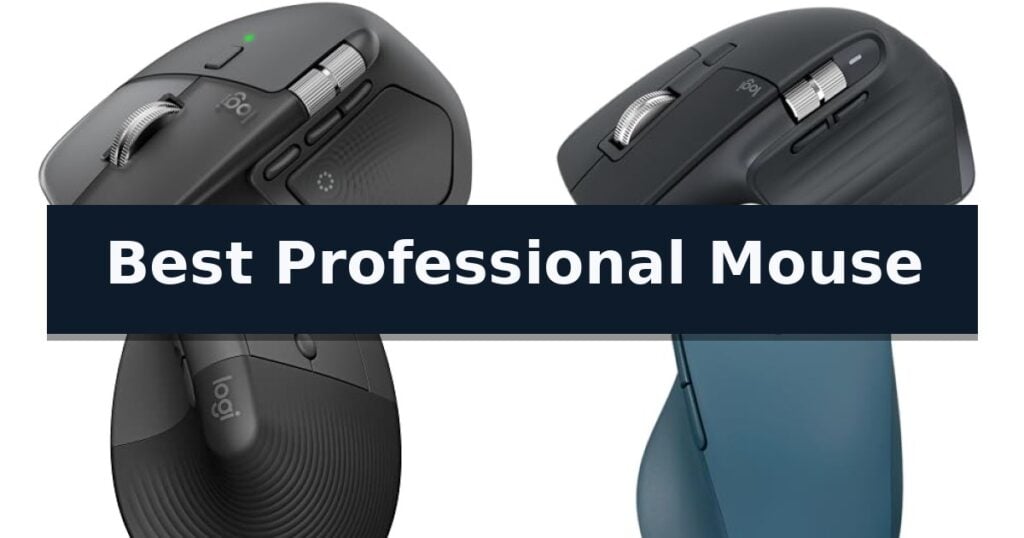
10 Best Professional Mouse in 2026 Reviews
Quick Comparison
| Product | Best For | Key Strength | Score |
|---|---|---|---|
| Logitech MX Master 4 Wireless Mouse | Best Overall | Haptic Sense Panel provides physical feedback for enhanced productivity. | 4.9 |
| Logitech MX Master 3S Wireless Mouse | Quiet Precision on Any Surface | 8000 DPI sensor provides precise tracking on nearly any surface including glass. | 4.7 |
| Logitech Lift Vertical Ergonomic Mouse | Natural Posture for Daily Comfort | 57-degree vertical tilt promotes a natural, ergonomic forearm posture. | 4.9 |
| Lenovo Yoga Pro Wireless Mouse | Symmetrical Design for Balanced Workflow | Dual-mode Bluetooth 5.1 connectivity for seamless switching between two devices. | 4.8 |
| TECKNET Wireless Side Scroll Mouse | Efficient Multi-Device Horizontal Navigation | Dedicated side scroll wheel for efficient horizontal navigation. | 4.3 |
| ProtoArc EM11 NL Vertical Mouse | Compact Fit for Wrist Relief | 58° vertical design promotes a natural, strain-reducing wrist posture. | 4.9 |
| Logitech M705 Marathon Wireless Mouse | Extended Battery Life for Professionals | Three-year battery life significantly reduces maintenance frequency. | 4.5 |
| Logitech M510 Wireless Mouse | Ambidextrous Design with Programmable Buttons | Extended 2-year battery life reduces maintenance frequency. | 4.4 |
| Logitech G502 HERO Wired Mouse | Customizable Weight and Precision Tracking | HERO 25K sensor for high-precision, zero-smoothing tracking. | 4.8 |
| Logitech G502 X Plus Wireless Mouse | Hybrid Switches for Rapid Response | LIGHTFORCE hybrid switches for reliable, crisp actuation. | 4.9 |
How We Chose
To identify the best professional mouse, we evaluate how each device handles the specific demands of modern office and creative environments. We focus on the physical comfort provided by the chassis, the reliability of the wireless connection, and the depth of software-based customization, ensuring that each tool effectively streamlines complex digital workflows.
- Ergonomic design and wrist support
- Sensor precision and surface compatibility
- Customizable button mapping and software integration
- Multi-device connectivity and switching speed
- Battery longevity and charging convenience
1 Logitech MX Master 4 Wireless Mouse — Advanced Haptic Productivity Control
The Logitech MX Master 4 Wireless Mouse introduces a tactile dimension to digital workflows through its Haptic Sense Panel, which provides customizable feedback for shortcuts, notifications, and specific actions. This integration allows professionals to feel the response of their software commands, turning standard inputs into a more responsive and sensory experience.
Beyond its haptic capabilities, the device features the MagSpeed scroll wheel, engineered to scroll up to 1,000 lines per second while maintaining pixel-level precision. The mouse is designed with a natural tilt and an integrated thumb scroll wheel to promote ergonomic comfort during extended use, while Quiet Clicks technology reduces operational noise by 90% to minimize distractions in focused environments.
Connectivity is handled through a high-performance USB-C dongle featuring an optimized antenna for reliable signal strength, alongside standard Bluetooth support. The Actions Ring provides a dynamic, customizable overlay that adapts to the specific application in use, ensuring that frequently accessed filters and adjustments remain accessible directly at the cursor position.
Sustainability and longevity are core to its construction, utilizing recycled plastic in its chassis and a battery containing 100% recycled cobalt. The mouse is built with improved stain resistance and is fully compatible with Googlebook laptops, providing a consistent professional interface across various operating systems.
Best for: Professionals requiring high-precision navigation, tactile feedback, and customizable shortcuts for complex software workflows.
Skip if: Users who prefer a lightweight, ambidextrous, or symmetrical mouse design will find the ergonomic, right-handed tilt of this model unsuitable.
- Haptic Sense Panel provides physical feedback for enhanced productivity.
- MagSpeed scroll wheel allows for rapid, precise navigation.
- Quiet Clicks technology significantly reduces noise output.
- Customizable Actions Ring adapts to specific software tools.
- Right-handed ergonomic design limits usability for left-handed users.
- Advanced haptic features may require a learning curve for full optimization.
2 Logitech MX Master 3S Wireless Mouse — Quiet Precision on Any Surface
Precision and workflow efficiency define the Logitech MX Master 3S Wireless Mouse, a tool engineered for professionals who demand high-performance tracking and quiet operation. Its standout feature is the 8000 DPI sensor, which enables accurate cursor movement across virtually any surface, including glass, ensuring reliability in diverse office environments.
The device prioritizes a distraction-free workspace through its Quiet Clicks technology, which maintains a tactile, satisfying response while reducing click noise by 90%. Complementing this is the MagSpeed scrolling system, designed to provide both speed and precision, allowing users to scroll through long documents or codebases with near-silent operation.
Ergonomics remain central to the design, featuring a sculpted silhouette that promotes a more natural wrist posture during extended use. The mouse includes optimally placed thumb controls and is fully compatible with the Logi Options+ app, enabling users to create app-specific profiles to streamline repetitive tasks.
For multi-device power users, the Logitech MX Master 3S Wireless Mouse supports FLOW cross-computer control, facilitating seamless text and file transfers between Windows and macOS systems. It connects via Bluetooth to up to three devices, offering versatility for complex digital setups without the need for additional USB receivers.
Best for: Professionals and power users who require high-precision tracking, multi-device workflow integration, and a quiet working environment.
Skip if: Users who prefer a lightweight, ambidextrous mouse or those who specifically require a wired connection or a dedicated USB receiver included in the box.
- 8000 DPI sensor provides precise tracking on nearly any surface including glass.
- Quiet Clicks mechanism reduces noise by 90% without sacrificing tactile feedback.
- MagSpeed scrolling offers high-speed, precise, and near-silent navigation.
- FLOW technology enables seamless file and text transfer across multiple computers.
- Bluetooth-only connectivity means no USB receiver or charging cable is included in the package.
- Ergonomic right-handed design is not suitable for left-handed users.
3 Logitech Lift Vertical Ergonomic Mouse — Natural Posture for Daily Comfort
The Logitech Lift Vertical Ergonomic Wireless Mouse addresses the physical strain of prolonged desk work by utilizing a unique 57-degree vertical tilt. This design choice promotes a more natural forearm posture, effectively reducing the wrist pressure often associated with standard horizontal mice. By positioning the hand in a natural handshake position, it minimizes muscle activity in the forearm, which can be a significant benefit for users who spend their entire workday navigating digital interfaces.
Beyond its shape, the device is built for focused productivity, featuring whisper-quiet clicks and a SmartWheel designed for seamless, fluid scrolling. Users can assign custom functions to four of the six available buttons, allowing for a tailored workflow that minimizes repetitive movements. This customization is particularly useful for professionals who rely on specific shortcuts for software applications, as it reduces the need to reach for the keyboard during intensive tasks.
Connectivity is handled through either Bluetooth Low Energy or the included Logi Bolt USB-A receiver, ensuring compatibility across Windows, macOS, iPadOS, Chrome OS, and Linux. The unit is powered by a battery that lasts up to two years, reducing the frequency of maintenance interruptions. This dual-connectivity approach provides flexibility for users operating in diverse hardware environments, including those switching between multiple devices.
Constructed with sustainability in mind, the graphite model incorporates 70% certified post-consumer recycled plastic. This ergo-certified tool is specifically engineered for small to medium-sized right hands, providing a compact footprint that fits easily into most professional workspaces. While the vertical orientation is a significant ergonomic advantage, users should note that the design is strictly right-handed, which is a necessary trade-off for the specific contouring required to support the thumb and palm effectively.
Best for: Professionals with small to medium-sized hands seeking to improve wrist posture and reduce strain during long periods of computer use.
Skip if: Users with large hands or those who prefer a traditional, low-profile mouse shape will likely find the vertical orientation uncomfortable or difficult to grip.
- 57-degree vertical tilt promotes a natural, ergonomic forearm posture.
- Whisper-quiet clicks and SmartWheel scrolling for a distraction-free environment.
- Customizable buttons allow for personalized workflow efficiency.
- Dual connectivity options via Bluetooth or Logi Bolt USB receiver.
- Right-hand specific design limits usability for left-handed individuals.
- Size constraints make it unsuitable for users with large hands.
4 Lenovo Yoga Pro Wireless Mouse — Symmetrical Design for Balanced Workflow
The Lenovo Yoga Pro Wireless Mouse distinguishes itself through a symmetrical, full-sized chassis that integrates soft-touch side materials and deliberate thumb rest placement to prioritize balance during extended use. This peripheral is engineered to provide a refined tactile experience for professionals who require a stable, ergonomic foundation for their daily computing tasks.
Performance is driven by a versatile blue optical sensor capable of tracking on a wide variety of surfaces, ensuring consistent cursor movement. Users can manage sensitivity through three on-the-fly DPI stages, which are software-configurable up to 4000 DPI. The device includes programmable side and top buttons alongside silent primary clickers, allowing for a customized workflow that adapts to specific application requirements.
Connectivity centers on dual-mode Bluetooth 5.1, featuring quick-pairing and swift-pair capabilities for seamless transitions between two host devices. The integrated rechargeable battery is designed for efficiency, requiring less than two hours for a full charge that sustains operation for two to three months. A 2-way metal scroll wheel adds a durable, tactile element to the navigation experience.
This mouse is built for those who value a clean, minimalist aesthetic combined with functional adaptability. While it offers significant customization through its programmable inputs and adjustable sensor settings, the symmetrical design is specifically optimized for right-handed users seeking a comfortable, full-sized grip.
Best for: Professionals who require a multi-device, rechargeable mouse with customizable DPI settings and programmable buttons for a balanced, ergonomic workflow.
Skip if: Users who prefer a left-handed or ambidextrous-specific design, as this model is optimized for a right-handed grip.
- Dual-mode Bluetooth 5.1 connectivity for seamless switching between two devices.
- Programmable buttons and configurable DPI settings up to 4000 for workflow adaptability.
- Long-lasting rechargeable battery providing 2-3 months of use on a single sub-2-hour charge.
- Ergonomic full-sized design with soft-touch side grips and a dedicated thumb rest.
- Right-handed design limits ergonomic benefits for left-handed users.
- No wired connection option provided for users who prefer a direct USB link.
5 TECKNET Wireless Side Scroll Mouse — Efficient Multi-Device Horizontal Navigation
The TECKNET Wireless Side Scroll Mouse distinguishes itself with a dedicated side-mounted scroll wheel, specifically engineered to facilitate horizontal navigation through spreadsheets, web pages, and design canvases. This design choice aims to reduce wrist strain during extended work sessions by minimizing the need for repetitive manual view adjustments.
Equipped with a high-performance sensor, the mouse offers six adjustable DPI levels ranging from 800 to 4800, with an LED indicator providing visual confirmation of the current setting. The device supports multi-device workflows through its seamless 3-device switching capability, utilizing two Bluetooth 5.3/5.0 connections alongside a 2.4GHz USB-A receiver. Users can toggle between connected devices using a single button, facilitating efficient multitasking across different hardware.
The construction features a precision metal scroll wheel, which provides a distinct tactile sensation compared to standard plastic alternatives. Designed for quiet environments, the mouse utilizes silent click switches to minimize noise during operation. It is powered by an internal rechargeable battery, which the manufacturer states can last up to three months based on two hours of daily use, with a full recharge cycle taking approximately 1.5 to 2 hours.
Compatibility extends across Windows, macOS, Chrome, and Linux platforms, though users should note that the side buttons are not supported on macOS. To conserve energy, the unit features an automatic sleep mode triggered after 10 minutes of inactivity. The device is non-programmable, ensuring straightforward operation without the need for additional software installation.
Best for: Professionals who frequently navigate wide spreadsheets or design documents and require a multi-device setup.
Skip if: Users who require programmable buttons for custom macros or those operating exclusively on macOS who rely on side-button functionality.
- Dedicated side scroll wheel for efficient horizontal navigation.
- Multi-device connectivity supporting up to three devices simultaneously.
- 6-level adjustable DPI for precise control.
- Silent click switches for quiet operation.
- Non-programmable buttons limit custom input options.
- Side buttons lack support on macOS systems.
6 ProtoArc EM11 NL Vertical Mouse — Compact Fit for Wrist Relief
Maintaining a neutral wrist position during long hours at the desk is essential for comfort, and the ProtoArc EM11 NL Wireless Ergonomic Vertical Mouse addresses this with a 58° vertical design. By encouraging a more natural handshake grip, this device aims to reduce forearm and wrist strain compared to traditional flat mice, making it a specialized tool for those seeking ergonomic adjustments in their daily workflow.
Designed specifically for users with hand lengths under 7.5 inches, the ProtoArc EM11 NL offers a tailored fit for small to medium hands. It features dual Bluetooth connectivity alongside a 2.4G USB-A receiver, allowing for seamless switching between up to three devices. This versatility is supported by a 500mAh rechargeable battery, which utilizes a Type-C charging port for convenient power management.
Performance is managed through adjustable DPI settings of 1000, 1600, and 2400, providing varied sensitivity for different tasks. Navigation is aided by dedicated back and forward buttons, though users should note these are not programmable and lack compatibility with Mac OS systems. To maintain a quiet environment, the left and right buttons are engineered for silent clicking, while the scroll wheel and navigation buttons retain standard audible feedback.
Adapting to a vertical orientation requires a brief adjustment period, with a recommended learning curve of one to two weeks for optimal comfort. Because the device is shaped to align with a natural grip, it is best suited for those who prioritize wrist health and have verified their hand size against the manufacturer's specifications. It serves as a dedicated productivity tool for multi-device setups where quiet operation and ergonomic alignment are priorities.
Best for: Small to medium-handed professionals seeking a vertical ergonomic design to reduce wrist strain while managing multiple devices.
Skip if: Users with large hands or those requiring fully programmable buttons and Mac-compatible navigation side buttons.
- 58° vertical design promotes a natural, strain-reducing wrist posture.
- Multi-device connectivity supports up to three simultaneous connections via Bluetooth and 2.4G.
- Silent click buttons for the left and right switches minimize workplace noise.
- Rechargeable 500mAh battery eliminates the need for disposable batteries.
- Non-programmable buttons limit customization options for power users.
- Forward and back buttons are not compatible with Mac OS systems.
- Specific size constraint requires hand lengths under 7.5 inches for the intended fit.
7 Logitech M705 Marathon Wireless Mouse — Extended Battery Life for Professionals
Efficiency in a workspace often hinges on minimizing interruptions, and the Logitech M705 Marathon Wireless Mouse addresses this by offering an exceptional battery life that can last up to three full years between changes. This longevity allows professionals to focus on their tasks without the constant need for maintenance or power management.
Beyond its power efficiency, the device features a hyper-fast scroll wheel that enables rapid navigation through lengthy documents and websites with a single, nearly frictionless spin. This mechanical design choice is complemented by a sculpted, right-hand shape that promotes a natural grip, reducing strain during extended periods of use.
Connectivity is managed via the Logitech Unifying receiver, a compact USB-A nano component that remains plugged into a laptop, minimizing the risk of loss or damage. The receiver also supports the addition of other compatible wireless peripherals, streamlining the number of ports occupied on a workstation.
For precision, the mouse utilizes laser-grade tracking, which maintains responsiveness on challenging surfaces like polished wood or grain-heavy tables where standard optical sensors often struggle. With five customizable buttons, including two thumb-operated controls, users can tailor the input to their specific workflow requirements.
Best for: Professionals who prioritize long-term battery reliability and need precise tracking on varied desk surfaces.
Skip if: Users who require a left-handed ergonomic design or a mouse with a higher button count for complex macro-heavy workflows.
- Three-year battery life significantly reduces maintenance frequency.
- Hyper-fast scroll wheel allows for rapid navigation of long documents.
- Laser-grade tracking provides precision on difficult surfaces.
- Unifying receiver simplifies connectivity for multiple devices.
- Right-handed ergonomic shape limits use for left-handed individuals.
- USB-A receiver may require an adapter for modern laptops lacking legacy ports.
8 Logitech M510 Wireless Mouse — Ambidextrous Design with Programmable Buttons
The Logitech M510 Wireless Mouse is engineered with a contoured shape and soft rubber grips, providing a broad palm area designed to support the hand during extended periods of use. This full-size, ambidextrous device prioritizes physical comfort while integrating functional controls to streamline daily navigation.
Performance is driven by a 2.4 GHz wireless connection facilitated by a tiny USB-A Nano receiver. The mouse features a tilt-to-scroll function that enables horizontal and vertical movement through documents or media libraries, alongside programmable Back/Forward buttons. These buttons allow users to switch applications or toggle full-screen modes, provided the necessary Logitech software is installed on the host system.
Power management is a core design focus, with the device rated for a 2-year battery life. This longevity is supported by an integrated On/Off switch and a smart sleep mode, complemented by an indicator light that alerts the user to battery status. The included Unifying receiver allows for the connection of multiple compatible Logitech peripherals to a single port, reducing clutter.
Measuring 5.16 inches in height and 2.83 inches in length, the mouse offers a substantial footprint for those who prefer a full-sized grip. It is compatible with Windows, Mac, and Linux operating systems and carries certification for Chrome, ensuring broad utility across various computing environments.
Best for: Users seeking a full-sized, ergonomic wireless mouse with programmable buttons and long battery life for general office or home productivity.
Skip if: Users who require a compact, travel-sized mouse or those who prefer a high-precision gaming sensor for specialized tasks.
- Extended 2-year battery life reduces maintenance frequency.
- Programmable buttons allow for customized application control.
- Ergonomic contoured shape with rubber grips supports comfortable hand positioning.
- Unifying receiver technology enables multiple device connections through one USB port.
- Requires specific software for full button and scroll functionality.
- Full-size design may be less portable than smaller, travel-oriented models.
9 Logitech G502 HERO Wired Mouse — Customizable Weight and Precision Tracking
Precision and physical customization define the Logitech G502 HERO Wired Gaming Mouse, a device engineered for users who require granular control over their input hardware. At its core, the HERO 25K sensor provides tracking capabilities up to 25,600 DPI, operating without smoothing, filtering, or acceleration to maintain consistent input accuracy.
The chassis design prioritizes modularity through an adjustable weight system, allowing users to fine-tune the balance of the mouse by arranging up to five 3.6g weights. This physical configuration is complemented by 11 programmable buttons and a dual-mode hyper-fast scroll wheel, providing extensive mapping options for complex workflows or gaming macros.
Durability and tactile feedback are addressed via mechanical switch button tensioning, which utilizes a metal spring system and pivot hinges to ensure a crisp, consistent click feel. Additionally, the device features LIGHTSYNC technology, enabling customizable RGB lighting that can be synchronized with other software-supported activities.
With its on-board memory, the mouse retains custom configurations, ensuring settings remain consistent across different workstations. The wired connection ensures a reliable, latency-free interface, making it a robust choice for professional environments where input precision and button availability are critical.
Best for: Users who require high-precision tracking and extensive button customization for demanding professional or gaming workflows.
Skip if: Users who prioritize a minimalist aesthetic or require a wireless, portable design for travel.
- HERO 25K sensor for high-precision, zero-smoothing tracking.
- Adjustable weight system for personalized balance and feel.
- 11 programmable buttons for extensive command mapping.
- Mechanical switch tensioning for consistent, crisp click feedback.
- Wired-only connection limits portability and desk cable management.
- Complex button layout may require a learning curve for non-gaming applications.
10 Logitech G502 X Plus Wireless Mouse — Hybrid Switches for Rapid Response
Precision and responsiveness define the Logitech G502 X Plus Wireless RGB Gaming Mouse, a device engineered for high-performance input. At its core, the mouse utilizes LIGHTFORCE switches, a hybrid optical-mechanical technology designed to provide rapid, crisp actuation while maintaining the reliability required for intensive use.
The hardware is built around the HERO 25K gaming sensor, which offers sub-micron precision without the need for smoothing, filtering, or acceleration. This sensor ensures consistent tracking accuracy, making it a capable tool for tasks requiring exact cursor placement. Connectivity is managed via LIGHTSPEED wireless, an updated protocol that delivers a 68 percent faster response rate compared to previous generations, ensuring stable performance.
Designed with versatility in mind, the mouse features 13 programmable buttons and an infinite scroll toggle, allowing for extensive customization of workflows. The chassis includes LIGHTSYNC RGB lighting with 8 customizable LEDs, which can be adjusted to suit personal preferences or integrated with power-saving modes that detect active play to optimize battery life.
The Logitech G502 X Plus Wireless RGB Gaming Mouse is built for longevity, offering up to 130 hours of battery life and support for wireless charging. Its design balances ergonomic utility with advanced internal components, providing a robust solution for users who demand high-fidelity input and reliable wireless connectivity in a professional environment.
Best for: Users requiring a highly customizable, multi-button interface with high-precision tracking and low-latency wireless connectivity.
Skip if: Users who prefer a lightweight, minimalist design or those who do not require extra programmable buttons and RGB lighting features.
- LIGHTFORCE hybrid switches for reliable, crisp actuation.
- HERO 25K sensor provides sub-micron precision.
- LIGHTSPEED wireless connectivity with low latency.
- 13 programmable buttons for extensive workflow customization.
- Heavier build compared to minimalist or ultra-lightweight mice.
- Complex feature set may be excessive for basic office tasks.
Best Professional Mouse Buying Guide
Prioritizing Ergonomic Alignment
The physical shape of a mouse dictates how your hand and wrist rest during extended periods of use. Models with a vertical orientation or a sculpted thumb rest help maintain a more natural forearm posture, which is essential for preventing strain during long work sessions.
When choosing between a traditional horizontal design and a vertical model, consider your existing desk setup and hand size. A vertical mouse often requires a brief adjustment period, but it can provide significant relief for users who experience discomfort with standard, flatter designs.
Sensor Accuracy and Surface Versatility
Professional tasks often require high-DPI sensors that can track accurately on challenging surfaces, including glass or polished wood. A high-resolution sensor ensures that your cursor movements remain fluid and predictable, which is critical for precision tasks like photo editing or CAD work.
Look for mice that offer adjustable DPI settings, allowing you to toggle between high sensitivity for rapid navigation and lower sensitivity for fine-tuned control. This flexibility ensures the device remains useful across different software applications and screen resolutions.
Workflow Customization and Programmability
The ability to map specific application shortcuts to mouse buttons can drastically reduce the time spent navigating menus. Advanced software suites often allow for profile-based customization, meaning your buttons can perform different functions depending on whether you are using a web browser or a creative suite.
Consider how many buttons are accessible without shifting your grip. A well-placed thumb wheel or side button can become an indispensable part of your workflow, provided the software interface is intuitive and allows for easy configuration.
Connectivity and Multi-Device Management
Modern professional environments frequently involve working across multiple computers or tablets simultaneously. A mouse that supports multi-device pairing via Bluetooth or a dedicated USB receiver allows you to switch between systems with the press of a button.
Check for seamless cross-computer functionality, which can enable the transfer of files or text between different operating systems. This feature is particularly valuable for users who manage a primary workstation alongside a secondary laptop or tablet.
Battery Life and Charging Efficiency
A reliable professional mouse should minimize downtime associated with battery maintenance. Rechargeable models with USB-C connectivity are generally preferred for their convenience, as they allow for quick top-ups during the workday.
If you prefer not to manage charging cables, look for models with exceptionally long battery life that can last for months on a single charge. Always verify the charging method and whether the device remains functional while plugged in, as this can affect your productivity during critical moments.
Frequently Asked Questions
Do I need special software to customize my mouse buttons?
Most advanced professional mice require specific manufacturer software to unlock full button programmability and app-specific profiles. While basic functions work out of the box, installing the software is recommended for a tailored experience.
Are vertical mice better for everyone?
Vertical mice are designed to reduce wrist pronation, which can help alleviate discomfort for some users. However, they involve a learning curve and may not be the right fit for every hand size or personal preference.
Can I use a professional mouse on a glass desk?
Many high-end mice feature advanced optical sensors capable of tracking on glass and other high-gloss surfaces. Check the specific sensor specifications of the model to ensure it meets your surface requirements.
How do I know if a mouse is compatible with my operating system?
Most modern wireless mice are compatible with Windows, macOS, and Linux via Bluetooth. Always check the manufacturer's compatibility list, especially if you rely on specific software features that might be OS-dependent.
What is the benefit of a thumb scroll wheel?
A thumb scroll wheel allows for horizontal scrolling, which is highly efficient for navigating wide spreadsheets, video editing timelines, or large design canvases without needing to move the entire mouse.
Conclusion: Our Top Pick
Our top pick is Logitech MX Master 4 Wireless Mouse. Choosing the right professional mouse depends on your specific daily tasks, whether you prioritize ergonomic comfort, advanced button customization, or multi-device versatility. By focusing on these core performance areas, you can select a tool that actively supports your workflow rather than just facilitating basic navigation.
Investing in a high-quality input device is a practical way to improve long-term comfort and efficiency. Evaluate your current desk setup and identify which features—such as haptic feedback, horizontal scrolling, or vertical posture support—will provide the most significant benefit to your productivity.