VSD M18 Macro Pad is our pick for the Best Programmable Keyboards because its combination of 15 customizable LCD visual keys and three physical buttons offers unmatched versatility for complex macro sequences.
Selecting a programmable keyboard requires balancing your specific input needs against the device's software flexibility. Whether you are a content creator managing OBS scenes or a gamer needing rapid-fire combos, the interface and layer-switching capabilities determine how effectively the hardware integrates into your existing daily routine.
Beyond simple key mapping, consider how physical form factors like knobs or dedicated macro rows influence your ergonomics. A compact macro pad might save desk space, while a full-sized mechanical keyboard with extra G-keys provides a more traditional typing experience alongside your specialized shortcuts.
When you are ready to refine your setup, our guide to Best Programmable Keyboards for Editing provides deeper insights into optimizing your creative software shortcuts.
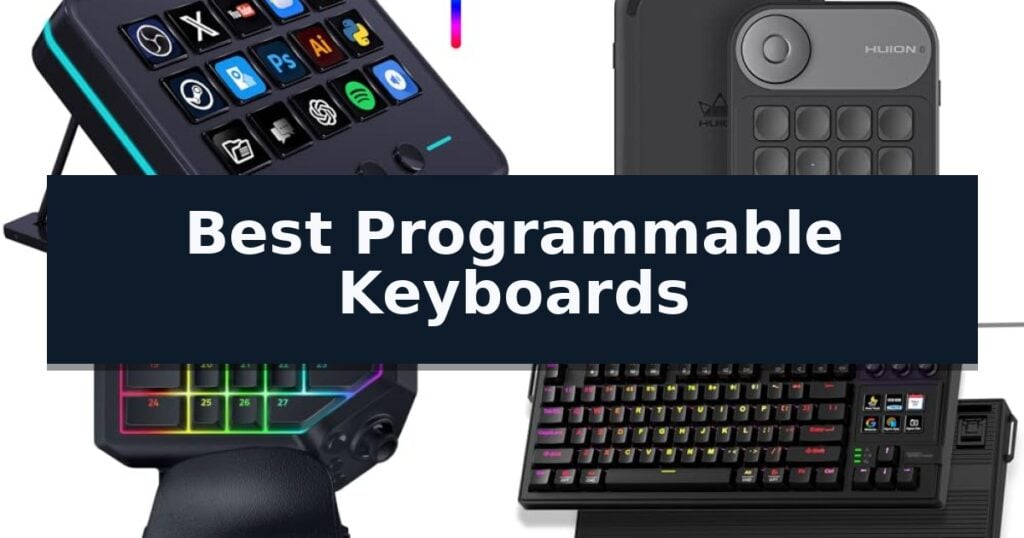
10 Best Programmable Keyboards in 2026 Reviews
Quick Comparison
| Product | Best For | Key Strength | Score |
|---|---|---|---|
| VSD M18 Macro Pad | Best Overall | 15 customizable LCD keys for clear visual function identification. | 4.9 |
| HUION Keydial Mini | Dial Control for Creative Work | Bluetooth 5.0 wireless connectivity for a clutter-free workspace. | 4.8 |
| Razer Tartarus V2 | Ergonomic One-Handed Control | Mecha-Membrane switches offer a hybrid tactile feel. | 4.8 |
| VSD K1 Pro Macro Keyboard | Hybrid Screen and Knob Interface | Hybrid LCD and knob interface for advanced macro and media control. | 4.7 |
| Razer BlackWidow V4 X | Dedicated Macro Keys for Gamers | 6 dedicated macro keys for customizable command expansion. | 4.4 |
| Doohoeek Tri-Mode Macro Keypad | Versatile Wireless Productivity | Tri-mode connectivity allows seamless switching between three devices. | 4.7 |
| Koolertron Macro Keypad | Multi-Layered Macro Customization | 16 programmable keys with support for long macro strings up to 500 characters. | 4.4 |
| Vaydeer One-Handed Keyboard | Floating Window Key Mapping | 9 fully programmable keys with NKRO support for simultaneous input. | 4.7 |
| Redragon K550 Gaming Keyboard | Full-Size with Dedicated G-Keys | 12 dedicated onboard macro keys for quick command execution. | 4.9 |
| SAYODEVICE 8-Key Macro Keyboard | Compact Rhythm Game Essential | Hotswappable mechanical switches allow for easy customization of tactile feel. | 4.5 |
How We Chose
Evaluating programmable keyboards involves assessing how seamlessly hardware inputs translate into software actions. We prioritize devices that offer intuitive configuration software, robust onboard storage for multiple profiles, and physical durability. By focusing on these criteria, we identify which controllers provide the most reliable performance for demanding professional and gaming workflows.
- Software configuration interface and ease of macro recording
- Onboard memory capacity for storing profiles and layers
- Physical build quality and switch type responsiveness
- Integration capabilities with common creative and streaming software
- Ergonomic layout and accessibility of programmable keys
1 VSD M18 Macro Pad — LCD Keys for Visual Control
Streamlining complex workflows requires more than just standard hotkeys; it demands a dedicated interface that provides immediate visual feedback. The VSD M18 Macro Pad addresses this by integrating 15 customizable LCD keys that accept JPG, PNG, and GIF images, allowing users to assign distinct icons to every macro, app launch, or media control command.
Beyond its visual interface, this controller features three additional physical buttons and an adjustable RGB surround light ring that provides ambient illumination for dim environments. The device supports multi-shortcut macro programming, enabling users to execute complex sequences or simultaneous actions with a single tap, which is particularly useful for managing OBS scenes, video editing, or game combos.
Designed for versatility, the VSD M18 Macro Pad includes built-in functional plugins such as a schedule reminder, clock, stopwatch, weather, and calendar, turning the device into a comprehensive desktop assistant. It connects via a standard USB-C cable and maintains compatibility with Windows 11 and macOS 11.0 or newer.
While the unit is built with sturdy materials for long-term use, potential users should note that it lacks native Linux support, though the manufacturer provides SDK documentation for custom development. This macro pad offers a balance of visual customization and functional control for creators and gamers looking to simplify their daily production tasks.
Best for: Content creators and gamers who require a visual, multi-shortcut interface to manage complex streaming or production workflows.
Skip if: Users who rely on native Linux operating systems or those who prefer a traditional mechanical macro pad without LCD visual feedback.
- 15 customizable LCD keys for clear visual function identification.
- Supports multi-step macro sequences for complex task automation.
- Includes built-in productivity plugins like clocks and weather modules.
- Features an adjustable RGB light ring for workspace ambiance.
- No native Linux support out of the box.
- Requires SDK development for advanced custom integration.
2 HUION Keydial Mini — Dial Control for Creative Work
Streamlining creative workflows often requires more than just a standard keyboard, and the HUION Keydial Mini addresses this by integrating a dedicated dial controller alongside 18 customizable keys. This compact device is designed to act as a specialized shortcut interface for digital artists, video editors, and designers who need quick access to brush sizes, timeline navigation, and complex macro commands.
The HUION Keydial Mini features Bluetooth 5.0 connectivity, providing a wireless workspace free from cable clutter with a reliable range of up to 10 meters. Its portable design is complemented by a 70-hour battery life, ensuring it can handle extended editing sessions without frequent recharging. The device is built with a thin, lightweight frame that accommodates both right-handed and left-handed users effectively.
Functionality is centered on its 18 programmable keys and the multi-function dial, which can be configured for up to three distinct operations. To simplify the learning curve, the Setting Preview function allows users to trigger a popup display that shows the current mapping for every button and the dial, eliminating the need to memorize custom configurations. The keypad also incorporates anti-ghosting technology for up to 5 keys, ensuring accurate input during rapid-fire shortcut execution.
Compatibility is broad, supporting Windows and Mac OS environments, including integration with various graphics tablets and professional creative software like Photoshop, Premiere Pro, and DaVinci Resolve. While the hardware provides the interface, users should note that specific shortcut functionality remains dependent on the support provided by the host creative application.
Best for: Digital artists and video editors who require a portable, wireless macro pad to manage complex software shortcuts and brush adjustments.
Skip if: Users who require a full-sized typing keyboard or those whose primary creative software does not support custom macro mapping.
- Bluetooth 5.0 wireless connectivity for a clutter-free workspace.
- Multi-function dial controller for precise adjustments in creative apps.
- Setting Preview function to easily track custom button assignments.
- 70-hour battery life supports long-term portability.
- Software-dependent functionality requires specific application support for custom shortcuts.
- Driver installation is necessary to configure the programmable keys.
3 Razer Tartarus V2 — Ergonomic One-Handed Control
The Razer Tartarus V2 streamlines complex inputs by consolidating 32 programmable keys into a single-handed interface designed for rapid command execution. By utilizing Mecha-Membrane key switches, this device combines the soft, cushioned touch of a membrane rubber dome with the distinct tactile click of a mechanical switch, providing a unique feel for both gaming and creative workflows.
Ergonomics remain a primary focus, highlighted by an 8-way directional thumbpad that enables more natural movement controls compared to standard keyboard layouts. This thumbpad allows console-oriented users to integrate familiar navigation styles into their desktop environment, while the overall form factor is engineered to reduce hand strain during extended sessions.
Customization is handled through Razer Hypershift, which allows users to remap every key and keypress combination to trigger complex macros. This level of programmability ensures that users can tailor the keypad to specific software requirements, effectively expanding the available hotkeys beyond the physical key count.
Visual feedback and aesthetic integration are provided by Razer Chroma RGB lighting. This system supports 16.8 million colors and offers deep integration with popular games, hardware, and third-party ecosystems like Philips Hue, allowing for a cohesive lighting setup across a workspace.
Best for: Gamers and creative professionals who require a compact, programmable interface for complex macro execution and improved ergonomic control.
Skip if: Users who require a full-sized keyboard for typing or those who prefer a traditional two-handed layout for standard desktop navigation.
- Mecha-Membrane switches offer a hybrid tactile feel.
- 32 fully programmable keys allow for extensive macro customization.
- 8-way directional thumbpad provides intuitive navigation.
- Razer Chroma RGB supports wide-ranging lighting synchronization.
- Single-handed design necessitates a secondary keyboard for standard typing tasks.
4 VSD K1 Pro Macro Keyboard — Hybrid Screen and Knob Interface
The VSD K1 Pro Macro Keyboard distinguishes itself through a hybrid interface that integrates 6 customizable LCD keys and 3 multi-function knobs directly into an 87-key TKL mechanical layout. This design allows users to assign complex macro sequences, media controls, or application shortcuts to a dedicated stream controller deck, providing granular workflow management beyond standard typing.
Engineered for both performance and tactile feedback, this keyboard features a hot-swappable PCB compatible with 3-pin or 5-pin switches, allowing for personalized switch selection without soldering. The internal construction utilizes a gasket mount and a 5-layer sound-dampening structure to minimize cavity noise, resulting in a consistent, elastic typing feel supported by pre-lubed stabilizers.
The integrated TFT color display serves as an interactive hub for real-time system monitoring and customization. Users can upload custom GIFs, PNGs, or JPGs to the LCD keys via the VSD Craf software, facilitating visual recognition of assigned macros. The software also enables deep configuration of the RGB lighting, which supports over 16.8 million colors across multiple dynamic modes.
Designed for ergonomic comfort and durability, the chassis includes adjustable stands offering 3°, 6°, and 13° angles to reduce wrist strain. The unit is built with a sturdy ABS case and rated for 50 million keystrokes, ensuring longevity for intensive gaming or professional editing environments. Connectivity is maintained via a wired USB-A to USB-C interface for stable, low-latency performance.
Best for: Content creators and gamers who require a compact TKL layout combined with advanced macro-management tools and visual feedback.
Skip if: Users who prioritize a wireless setup or require a full-sized keyboard with a dedicated number pad will find this wired TKL model limiting.
- Hybrid LCD and knob interface for advanced macro and media control.
- Hot-swappable PCB allows for easy switch customization.
- Gasket-mounted structure provides a refined, dampened typing experience.
- Full-key programmability via dedicated software.
- Wired-only connectivity limits desk placement options.
- Software dependency required for screen image and macro customization.
5 Razer BlackWidow V4 X — Dedicated Macro Keys for Gamers
The Razer BlackWidow V4 X is engineered for users who demand high-frequency input precision, featuring yellow mechanical linear switches that provide a 1.2mm actuation point and a 45g force requirement. This design choice eliminates the distance between actuation and reset, allowing for rapid-fire inputs that are essential for competitive gaming scenarios. To balance this performance with a quiet environment, the keyboard includes built-in sound dampeners and a layer of specialized foam beneath the circuit board, which effectively absorbs internal vibrations.
Beyond its switch performance, the keyboard prioritizes tactile control and longevity. It features six dedicated macro keys that allow for custom command mapping, providing a significant advantage for complex playstyles that require quick access to specific functions. The chassis is equipped with a multi-function roller and secondary media keys, enabling users to adjust volume, brightness, and playback settings without leaving their active application. This integration ensures that essential system controls remain accessible during intense sessions.
Durability is a core component of the build, evidenced by the use of doubleshot ABS keycaps. This molding process creates extra-thick walls that resist wear, ensuring that key labels remain legible even after extensive use. The keyboard also utilizes lubricated stabilizers to reduce rattle and noise, contributing to a consistent typing feel across the full-sized 18.36-inch layout. For visual customization, the per-key Chroma RGB lighting offers a spectrum of 16.8 million colors, with dynamic effects that synchronize with hundreds of supported games.
While the full-sized form factor provides a comprehensive suite of controls, it represents a trade-off for users with limited desk space. The inclusion of dedicated macro keys and a media roller increases the overall footprint compared to tenkeyless or compact alternatives. This design is specifically tailored for those who prioritize a consistent, full-featured mechanical experience over a minimalist aesthetic, ensuring that every command is within reach without sacrificing structural integrity.
Best for: Gamers who require dedicated macro keys and rapid, silent mechanical switch performance.
Skip if: Users who prefer a compact, tenkeyless, or wireless form factor for their desk setup.
- 6 dedicated macro keys for customizable command expansion.
- Yellow mechanical linear switches with silent, rapid-fire actuation.
- Multi-function roller and media controls for convenient adjustments.
- Doubleshot ABS keycaps designed for long-term labeling durability.
- Full-sized footprint may be too large for smaller desk configurations.
6 Doohoeek Tri-Mode Macro Keypad — Versatile Wireless Productivity
Streamlining complex workflows often requires more than a standard keyboard, and the Doohoeek Tri-Mode Macro Keypad offers a specialized solution by providing 25 fully programmable keys. This device allows users to assign macros, text snippets, or application-specific shortcuts directly to its interface, effectively turning repetitive tasks into single-click actions.
Connectivity is a primary strength of this unit, featuring tri-mode versatility that includes Bluetooth 5.0, 2.4GHz wireless via a dongle, and a wired connection. It supports up to three devices simultaneously, allowing for quick switching between a desktop, laptop, or tablet without the need for constant re-pairing. For those working in varied environments, the 7-color dynamic backlighting includes adjustable brightness levels to ensure visibility in low-light conditions.
The keypad is designed with onboard memory, which stores up to four distinct virtual keyboard layouts. This enables users to toggle between specific configurations—such as video editing, spreadsheet management, or general productivity—using a dedicated mode key. While the unit offers wireless freedom, all initial programming must be performed via a wired connection to ensure stable configuration and secure data saving.
Setup is straightforward, though users should note that the configuration software minimizes to the Windows system tray upon installation. If the window does not appear immediately, it can be accessed by double-clicking the icon near the taskbar clock. The package includes customizable shortcut stickers, allowing for clear labeling of key assignments to help maintain an organized and efficient workspace.
Best for: Windows users looking to enhance productivity through custom macro assignments and multi-device workflow management.
Skip if: Users who require macOS or Linux compatibility, as this device is designed exclusively for Windows operating systems.
- Tri-mode connectivity allows seamless switching between three devices.
- 25 fully programmable keys support complex macros and shortcuts.
- Onboard memory stores four distinct layouts for different software environments.
- Dynamic 7-color backlighting improves visibility in dim workspaces.
- Wired-only programming requirement for initial configuration.
- Windows-exclusive compatibility limits use on other operating systems.
7 Koolertron Macro Keypad — Multi-Layered Macro Customization
Efficiency in professional workflows often hinges on reducing repetitive keystrokes, a task the Koolertron Macro Programmable Keypad addresses through its highly customizable interface. Featuring 16 programmable keys and three physical knobs, this device allows users to assign specific commands or complex shortcuts to a single action, streamlining both creative software and gaming environments.
The hardware is built for versatility, offering 6 layers of user settings stored directly on the device. This onboard storage ensures that your custom configurations remain intact without requiring constant software intervention. Users can manage these layers via web-based configuration or dedicated software, which supports Windows and Mac OS systems.
Designed with a hot-swappable mechanical switch architecture, the keypad offers tactile feedback and the flexibility to change switches without soldering. Its compact footprint makes it an unobtrusive addition to a desk, leaving ample room for primary peripherals while providing dedicated control for macros.
Each of the 16 macros supports up to 500 characters, providing substantial capacity for complex automation tasks. By offloading repetitive input sequences to this dedicated controller, users can maintain focus on their primary tasks, whether managing intricate software tools or executing rapid-fire game commands.
Best for: Users who need to automate complex, repetitive keystroke sequences for professional software or gaming in a compact form factor.
Skip if: Users who require Linux operating system compatibility or those who prefer a full-sized keyboard layout for primary typing tasks.
- 16 programmable keys with support for long macro strings up to 500 characters.
- Hot-swappable switches allow for easy customization and maintenance.
- 6 layers of onboard storage for saving multiple distinct command profiles.
- Compact design saves valuable desk space.
- Not compatible with Linux operating systems.
- Software configuration is limited to Windows and Mac OS.
8 Vaydeer One-Handed Keyboard — Floating Window Key Mapping
The Vaydeer One-Handed Mechanical Keyboard offers a specialized input solution for users who require rapid access to custom commands through its 9 fully programmable, non-conflict keys. Designed with a focus on workflow efficiency, this compact keypad features a floating window interface that provides real-time visual feedback on key functions, ensuring users maintain control over complex macros and hotkeys without losing track of their current configuration.
Engineered for versatility, the device supports 6 customizable functional layers, allowing for seamless transitions between different applications such as gaming, design, or office productivity. Users can switch layers manually via mouse interaction or configure the system to change automatically based on the active application. The unit supports various macro modes, including single-press, hold-to-repeat, and sequence triggers, which can be easily managed through the provided software interface.
Setup is streamlined through a straightforward drag-and-drop interface where users assign multimedia controls, system shortcuts, or custom macros to specific keys. Once configured, the settings are saved to the device, and the Vaydeer One-Handed Mechanical Keyboard supports OTA firmware upgrades to ensure long-term functionality. The device is built for portability with a small 2.83-inch by 2.83-inch footprint, making it a practical addition to any workspace.
While this keypad excels at specialized task management, it is a dedicated macro controller rather than a full-sized typing keyboard. It is intended to complement an existing setup by offloading repetitive tasks, such as one-click copy, paste, or complex game combos, rather than replacing a standard input device for general text entry.
Best for: Gamers, designers, and office professionals looking to streamline complex workflows with custom macro keys and application-specific layers.
Skip if: Users seeking a primary, full-sized keyboard for standard typing tasks will find this one-handed device insufficient for their needs.
- 9 fully programmable keys with NKRO support for simultaneous input.
- 6 customizable functional layers that can switch automatically based on the active application.
- Real-time floating window interface for clear visual confirmation of key assignments.
- Compact, ergonomic design measuring just 2.83 inches square for easy portability.
- Single-handed form factor limits its utility as a primary keyboard replacement.
- Software-dependent setup requires initial configuration to utilize advanced macro features.
9 Redragon K550 Gaming Keyboard — Full-Size with Dedicated G-Keys
The Redragon K550 Gaming Keyboard distinguishes itself with 12 dedicated, programmable G-keys that function on the fly without requiring software installation. This full-size mechanical keyboard is built on a solid aluminum top plate with a brushed finish, providing a stable and rigid typing surface for intensive use.
Engineered with proprietary custom purple switches, the keyboard features a 55g actuation force and a 1.1mm pretravel distance, designed to deliver a distinct tactile response and audible feedback. The layout includes dedicated media controls and a convenient volume scroll bar, allowing for quick adjustments without exiting full-screen applications.
For peripheral management, the unit includes an integrated USB pass-through port, which helps maintain a cleaner desk setup by providing a direct connection point for mice or wireless receivers. Users can further customize their experience through the available pro software, which allows for the creation of unique lighting modes, effects, and complex macro assignments.
Measuring approximately 18.11 inches in length, this keyboard offers a comprehensive layout that includes a wrist rest for ergonomic support during extended sessions. While the aluminum construction provides a premium feel, the board's footprint is substantial, making it a stationary centerpiece for a dedicated workstation.
Best for: Gamers and power users who require dedicated, on-the-fly macro keys and a robust, full-sized mechanical build.
Skip if: Users with limited desk space or those who prefer a compact, tenkeyless, or wireless keyboard configuration.
- 12 dedicated onboard macro keys for quick command execution.
- Solid aluminum top plate provides a stable and durable typing base.
- Integrated USB pass-through port for simplified cable management.
- Custom purple switches offer a strong tactile feel and audible feedback.
- Large physical footprint may not suit smaller desk environments.
- Wired-only connection limits placement flexibility compared to wireless models.
10 SAYODEVICE 8-Key Macro Keyboard — Compact Rhythm Game Essential
The SAYODEVICE 8-Key Macro Keyboard provides a dedicated, compact interface for users who require rapid access to custom commands and macros. Featuring eight hotswappable mechanical switches, this device is designed to streamline workflows for office tasks or provide precise inputs for rhythm-based gaming.
Customization is handled through the SayoDevice web interface, where users can map any key combination to the device. The keyboard supports a wide range of functions, including media controls like play, pause, and volume adjustment, as well as complex custom scripts. This flexibility allows the unit to serve as a specialized controller for repetitive tasks or as a supplementary input device for creative software.
The hardware includes a 5-foot USB data cable and eight replacement keycaps, ensuring the unit is ready for immediate setup. It is compatible with both Windows and Mac OS environments, offering broad utility across different operating systems. Additionally, the integrated RGB lighting can be configured via the same web portal used for key mapping, allowing for visual personalization of the keypad.
While the device excels at providing additional programmable inputs, its small form factor is specifically optimized for targeted macro use rather than general typing. The inclusion of hotswappable switches offers a level of hardware modularity that allows users to tailor the tactile feel of the keys to their preference.
Best for: Users needing a dedicated, programmable macro pad for rhythm games or repetitive office shortcut workflows.
Skip if: Users requiring a full-sized keyboard for standard typing or those who prefer a wireless connection.
- Hotswappable mechanical switches allow for easy customization of tactile feel.
- Web-based configuration simplifies macro and RGB lighting setup.
- Compact 8-key layout saves desk space while adding dedicated functionality.
- Wired-only connectivity limits placement options compared to wireless alternatives.
- Limited key count may not be sufficient for users requiring extensive macro banks.
Best Programmable Keyboards Buying Guide
Software and Macro Versatility
The core of any programmable keyboard is its configuration software. Look for platforms that allow you to record multi-step macros, assign text strings, or trigger specific application launches with a single tap. A robust software suite should also support layer switching, enabling you to toggle between different sets of commands for various applications.
Some devices offer web-based configuration, which can be convenient for quick adjustments without installing heavy drivers. However, ensure that your chosen device saves these configurations to onboard memory so your shortcuts remain functional even when you move the keyboard to a different computer.
Physical Interface and Controls
Programmable keyboards come in various physical formats, from dedicated macro pads to full-sized mechanical boards. If you frequently adjust volume, brush sizes, or timeline navigation, look for models featuring rotary knobs or rollers. These physical controls provide tactile feedback that is often more precise than standard key presses.
Consider the switch type used under the keys. Mechanical switches offer distinct tactile or linear feedback, which is beneficial for high-frequency inputs. If you prefer a quieter environment, look for silent linear switches or membrane-based alternatives that still provide satisfying actuation.
Ergonomics and Desk Space
Your available desk space and primary use case should dictate the form factor. Dedicated macro pads are ideal for users who want to keep their primary typing keyboard separate from their shortcut controller. These small devices can be positioned anywhere on the desk for optimal reach.
For users who prefer an all-in-one solution, full-sized mechanical keyboards with dedicated macro columns provide a unified experience. While these take up more space, they eliminate the need for an extra device and keep all your essential keys within a single reach zone.
Connectivity and Compatibility
Wired connections are generally the standard for programmable keyboards to ensure zero latency and stable power for RGB lighting or LCD screens. However, some modern options offer Bluetooth or 2.4GHz wireless connectivity, which can reduce cable clutter on your desk.
Always verify the operating system compatibility before purchasing. While many devices support both Windows and macOS, some specialized macro software may be limited to one platform. Check if the manufacturer provides SDK documentation if you require advanced customization beyond the standard software interface.
Visual Feedback and Customization
Devices with LCD keys or built-in displays offer a significant advantage by allowing you to assign custom icons or GIFs to each button. This visual feedback makes it much easier to remember complex shortcuts, especially when you are using multiple layers or profiles.
RGB lighting is another feature that can aid in organization. By color-coding your keys or zones, you can quickly identify different function groups at a glance. Look for software that allows for per-key lighting customization to match your specific workflow needs.
Frequently Asked Questions
Do I need to keep the software running for my macros to work?
Most modern programmable keyboards store your macro configurations on the device's onboard memory. Once you have programmed the keys, the device will typically retain those settings even if the software is closed or the keyboard is plugged into a different computer.
Can I use a macro pad with any software?
Yes, programmable keyboards send standard keyboard signals, meaning they can trigger shortcuts in almost any application. As long as the software accepts keyboard input, you can map your macro pad to perform those actions.
What is the benefit of a macro pad with LCD keys?
LCD keys allow you to display custom images or animations on each button. This provides immediate visual confirmation of what each key does, which is particularly helpful when you have dozens of shortcuts mapped across multiple layers.
Are wireless programmable keyboards reliable?
Wireless models are reliable for most office and creative tasks, provided they use modern Bluetooth or 2.4GHz technology. However, if you require absolute zero-latency performance for competitive gaming, a wired connection remains the gold standard.
Can I use these keyboards on both Windows and Mac?
Compatibility varies by model. While many support both operating systems, some manufacturers restrict their configuration software to Windows. Always check the product specifications to ensure your OS is supported for both basic input and advanced programming.
Conclusion: Our Top Pick
Our top pick is VSD M18 Macro Pad. Choosing the right programmable keyboard depends on how much you value dedicated hardware versus software-driven flexibility. For most users, a device with onboard memory and intuitive macro recording will provide the best balance of efficiency and ease of use.
Consider your specific workflow requirements, such as the need for physical knobs or visual key feedback, to narrow down your options. By focusing on these practical features, you can significantly improve your productivity and gaming performance with a tool tailored to your habits.