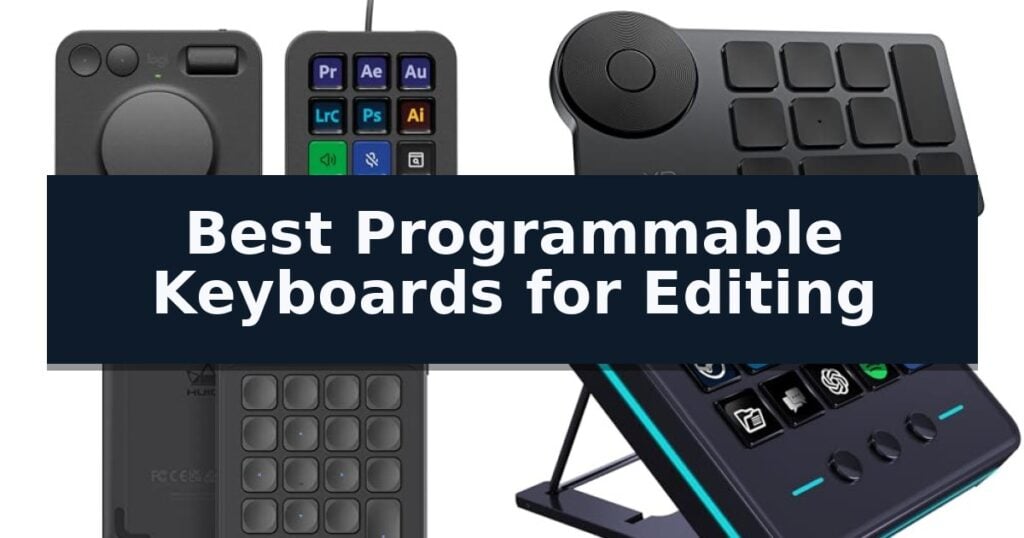
The Logitech MX Creative Console is our top choice for the Best Programmable Keyboards for Editing, offering a dedicated analog dial and roller for precise adjustments in professional creative software. The XP-Pen Mini Keydial provides a portable, wireless solution for artists needing shortcut mobility, while the HUION Keydial Mini serves as a cost-effective choice for those requiring a dial-equipped macro pad.
Selecting the right controller for creative tasks requires balancing physical layout with software integration. While some devices focus on high-density key counts for complex macro sequences, others prioritize tactile feedback through physical dials or rollers that mimic analog editing tools. Understanding your specific software needs, such as timeline navigation in video editors or brush control in design suites, is essential for choosing a device that genuinely improves your efficiency.
Beyond the hardware, the software driver experience dictates how easily you can switch between different application profiles. A device that supports automatic profile switching or provides visual feedback on key assignments can significantly reduce the cognitive load during long editing sessions. We prioritize models that offer stable, customizable interfaces to ensure your hardware remains a seamless extension of your creative process.
If you are looking for a broader range of input devices, our guide to Best Programmable Keyboards covers various form factors that can help optimize your entire desktop setup.
10 Best Programmable Keyboards for Editing in 2026 Reviews
Quick Comparison
| Product | Best For | Key Strength | Score |
|---|---|---|---|
| Logitech MX Creative Console | Best Overall | Tactile analog control via a low-friction dial and roller for precise adjustments. | 4.9 |
| XP-Pen Mini Keydial | Compact Wireless Shortcut Control | Three-way connectivity including Bluetooth 5.0, wireless dongle, and USB. | 4.8 |
| HUION Keydial Mini | Dial-Equipped Macro Workflow Pad | Integrated Dial Controller for precise timeline and brush adjustments. | 4.9 |
| VSD M18 Macro Pad | Visual LCD Key Customization | 15 customizable LCD keys for clear visual function mapping. | 4.4 |
| MOSHOU Knob Macro Pad | Dual-Knob Editing Control | Dual knob control for precise, tactile editing adjustments. | 4.9 |
| KEEBMONKEY Megalodon Macro Pad | Triple Knob Design Interface | Three clickable knobs allow for precise, tactile control over editing parameters. | 4.7 |
| Doohoeek 25-Key Macro Keypad | High-Capacity Shortcut Layout | 25 fully programmable keys for custom macro and shortcut mapping. | 4.4 |
| Koolertron One Handed Keyboard | Extensive 45-Key Macro Support | Fully programmable 45-key layout for extensive customization. | 4.6 |
| BTXETUEL Sayodevice 12-Key Keypad | Hot-Swappable Mechanical Shortcuts | 12 fully programmable keys for custom macros and shortcuts. | 4.9 |
| MOSHOU 2-Key Macro Pad | Minimalist Copy-Paste Controller | Hot-swappable mechanical switches for customizable tactile feedback. | 4.6 |
How We Chose
To identify the best programmable keyboards for editing, we evaluate how effectively each device bridges the gap between complex software commands and physical input. We focus on the responsiveness of tactile controls, the depth of macro customization, and the reliability of the driver software in managing multi-application workflows for professional creative environments.
- Software Integration and Profile Switching Capability
- Physical Tactile Controls (Dials, Rollers, and Knobs)
- Programmable Key Density and Layout Ergonomics
- Connectivity Options (Wired vs. Wireless Stability)
- Build Quality and Desktop Footprint
1 Logitech MX Creative Console — Precision Dial for Creative Apps
The Logitech MX Creative Console streamlines complex digital workflows by providing a dedicated interface for precise control over creative applications. This compact system combines a programmable keypad with a tactile analog dial and roller, allowing users to map specific tools and actions directly to their hardware.
Designed for deep integration with software such as Adobe Photoshop, Premiere Pro, and Figma, the console features customizable LCD display keys. These keys allow for visual organization of shortcuts, while the low-friction control dial and roller provide granular adjustments for timeline navigation or brush settings. The included stand ensures flexible placement on your desk, keeping essential controls within reach.
Beyond its primary creative functions, the console supports integrations with productivity and media apps like Zoom and Spotify. Users can assign tools across up to 15 keypad pages per profile, enabling a tailored experience that adapts to the active application. The unit also includes a 3-month Adobe Creative Cloud membership, bridging the hardware with industry-standard software.
With a footprint of approximately 10.79 by 5.28 inches, the device is designed to sit alongside your existing keyboard. It operates with a focus on tactile feedback and rapid access, reducing the need to navigate through nested software menus during intensive editing sessions.
Best for: Creative professionals and editors who require rapid, tactile access to specific tools within Adobe Creative Cloud and other productivity software.
Skip if: Users who prefer a minimalist desk setup or those who do not utilize the specific creative applications supported by the console's integration profiles.
- Tactile analog control via a low-friction dial and roller for precise adjustments.
- Customizable LCD keys that allow for visual mapping of shortcuts and tools.
- Deep integration with major creative software like Adobe Premiere Pro and Photoshop.
- Flexible placement options provided by the included stand.
- Application-specific design may offer limited utility for users outside of the supported creative software ecosystem.
- Additional desk footprint required to accommodate the console alongside a standard keyboard.
2 XP-Pen Mini Keydial — Compact Wireless Shortcut Control
Efficiency in creative workflows often hinges on reducing repetitive keystrokes, and the XPPen Mini Keydial ACK05 addresses this with a compact, highly customizable interface. Designed for creators who need quick access to tools, this device features ten programmable keys and a physical dial, allowing for seamless adjustments like brush size or canvas rotation.
The XPPen Mini Keydial ACK05 offers three distinct connection methods: Bluetooth 5.0, a wireless dongle, or a wired USB connection. This flexibility ensures a stable link across various setups, while the 1000 mAh battery provides up to 300 hours of continuous operation on a single charge. Its slim, 75g profile is engineered for one-handed use, making it an unobtrusive addition to any desk.
Customization is central to its utility, as users can configure up to forty shortcuts across four sets, switching between them with a single key press. The inclusion of anti-ghosting technology ensures that complex multi-key commands are registered accurately. For tactile feedback, the dial clicks every 1/24th of a turn, providing precise control during detailed editing tasks.
To unlock the full potential of the XPPen Mini Keydial ACK05, users must install the required driver software. While it functions as a standard shortcut device out of the box, the driver is essential for mapping specific commands to the keys. It is compatible with major operating systems including Windows, macOS, and Linux, and supports a wide range of creative software like Photoshop and Illustrator.
Best for: Digital artists and video editors who require a portable, highly customizable shortcut controller to streamline their creative software workflow.
Skip if: Users who prefer a full-sized mechanical keyboard or those who do not wish to manage driver software for key customization.
- Three-way connectivity including Bluetooth 5.0, wireless dongle, and USB.
- High-capacity 1000 mAh battery offering up to 300 hours of use.
- Customizable dial with tactile click feedback for precise adjustments.
- Anti-ghosting support for reliable multi-key inputs.
- Driver installation required to access full programming and customization features.
- Specific charging limit of 5V-2A requires careful selection of power adapters.
3 HUION Keydial Mini — Dial-Equipped Macro Workflow Pad
Streamlining complex creative workflows often requires more than just a standard keyboard, and the HUION Keydial Mini addresses this by integrating a dedicated Dial Controller for intuitive adjustments. This compact device allows editors to map up to three distinct functions to the dial, such as brush size modification or timeline navigation, providing tactile control that mouse-based clicking simply cannot replicate.
Beyond the dial, the HUION Keydial Mini features 18 programmable keys that can be customized via the Huion driver to execute specific shortcuts across software like Photoshop, Premiere Pro, and DaVinci Resolve. The inclusion of an anti-ghosting mechanism supporting up to 5 keys ensures that simultaneous inputs are registered accurately, which is essential for complex macro commands during fast-paced editing sessions.
Designed for portability and workspace efficiency, this Bluetooth 5.0 enabled keypad offers a cable-free experience with a range of up to 10 meters. Its thin, lightweight frame is complemented by a 70-hour battery life, making it a practical addition for both studio setups and mobile workstations. The device also includes a convenient Setting Preview Function, which displays current button assignments on-screen to eliminate the need for memorizing custom layouts.
While the keypad is highly versatile, users should note that deep customization relies on the specific support provided by the creative software in use. The HUION Keydial Mini is compatible with both Mac and Windows operating systems, serving as a dedicated macro tool that bridges the gap between standard input devices and professional-grade editing hardware.
Best for: Digital artists and video editors seeking a portable, tactile macro pad with a customizable dial for software-specific shortcuts.
Skip if: Users who require a full-sized mechanical keyboard or those whose primary creative software does not support custom macro mapping.
- Integrated Dial Controller for precise timeline and brush adjustments.
- 18 fully programmable keys for custom shortcut mapping.
- Bluetooth 5.0 wireless connectivity with a 70-hour battery life.
- Setting Preview Function to visualize button assignments.
- Software-dependent functionality requires the host application to support custom shortcuts.
- Driver installation is necessary to configure the programmable buttons.
4 VSD M18 Macro Pad — Visual LCD Key Customization
Streamlining complex workflows requires precise control over multi-step sequences, a task simplified by the VSD M18 Macro Pad. This compact controller features 15 customizable LCD visual keys that allow users to assign unique JPG, PNG, or GIF icons to specific functions, ensuring clear visual identification of every macro or shortcut.
Designed for versatility, the device integrates three additional physical buttons alongside its primary LCD grid. The VSD M18 Macro Pad supports single-tap commands for media playback, text input, or launching applications, while its Operation Follow function enables multi-step macro execution in a specific or simultaneous order. This makes it a practical tool for video editing, music production, and managing live streaming scenes in software like OBS.
The hardware includes an adjustable RGB surround light ring with an auto-color cycle mode, providing necessary visual feedback in dim environments. Measuring just 4.6 by 4.1 inches, the unit maintains a small footprint on a desk, connecting via a standard USB-C cable for immediate integration with Windows 11 and macOS 11.0 or newer systems.
Beyond its primary input capabilities, the device offers built-in functional plugins including a clock, stopwatch, calendar, and weather module. While native Linux support is not available, the manufacturer provides SDK development documents for users interested in secondary development, ensuring the hardware remains adaptable for specialized production environments.
Best for: Content creators and professionals requiring a compact, visually customizable interface to trigger multi-step macros and application shortcuts.
Skip if: Users operating on Linux systems or those who require a larger physical keyboard layout for primary typing tasks.
- 15 customizable LCD keys for clear visual function mapping.
- Multi-shortcut macro programming with simultaneous execution capability.
- Adjustable RGB lighting for improved visibility in low-light setups.
- Compact, space-saving design suitable for crowded desktop workstations.
- No native Linux support for plug-and-play operation.
- Limited to 18 total keys, which may be insufficient for complex professional workflows requiring extensive hotkey arrays.
5 MOSHOU Knob Macro Pad — Dual-Knob Editing Control
The MOSHOU Knob Macro Pad simplifies complex editing workflows through its dual knob control, allowing for tactile adjustments of zoom, timeline navigation, brush size, and volume. This compact controller is designed to integrate directly into creative software environments like Premiere Pro, DaVinci Resolve, and Photoshop.
Built with an aluminum alloy body, the device provides a stable, professional feel on the desktop. It features a 3-layer programmable architecture, enabling users to store distinct shortcut groups for different tasks, such as video editing, streaming, or general productivity, which can be toggled to reduce screen clutter.
Connectivity is handled via a tri-mode design, supporting Bluetooth, 2.4G wireless, and wired Type-C connections. While the wired mode offers the highest priority and is required for initial configuration, the wireless options provide flexibility for various workstation layouts. The integrated RGB lighting serves both as a visual aesthetic and a functional indicator during operation.
Compatibility extends across Windows, macOS, iOS, and Android systems. While initial setup requires a Windows or Mac computer to save custom settings, the device remains functional across mobile and desktop platforms once configured. This makes it a versatile tool for creators who frequently switch between different editing stations or mobile setups.
Best for: Editors and creative professionals who need tactile, programmable control over software shortcuts and timeline navigation across multiple workflows.
Skip if: Users who require a fully wireless setup without ever using a wired connection for initial configuration or those who prefer a full-sized keyboard layout.
- Dual knob control for precise, tactile editing adjustments.
- 3-layer programmable memory for versatile shortcut management.
- Tri-mode connectivity including Bluetooth, 2.4G, and wired options.
- Aluminum alloy build for a stable and durable desktop presence.
- Wired mode required for initial configuration and saving custom settings.
6 KEEBMONKEY Megalodon Macro Pad — Triple Knob Design Interface
The KEEBMONKEY Megalodon Triple Knob Macro Pad differentiates itself through a highly tactile interface, featuring three dedicated clickable knobs alongside 16 hot-swappable keys. This setup provides a compact, hardware-centric solution for users who need granular control over editing software, allowing for precise adjustments that are often cumbersome with standard mouse-and-keyboard workflows.
Built with a durable aluminum alloy and acrylic body, this macro pad is designed to sit firmly on a desk while providing a clear visual status via its integrated 0.91-inch OLED screen. The device supports VIA compatibility, which simplifies the process of remapping keys and customizing layers to suit specific creative applications. With four programmable layers, users can switch between different sets of commands for various editing tasks without needing to reconfigure the entire board.
Connectivity is handled via a wired Type-C interface, ensuring a stable and responsive connection during intensive editing sessions. The aesthetic is enhanced by vibrant RGB lighting effects, powered by 16 individual WS2812 LEDs, which can be adjusted to match a workstation's existing color scheme. The hot-swappable keys offer the flexibility to change switch types, allowing for a customized typing feel that aligns with personal preference or noise requirements.
While the unit is feature-rich, it is important to note that the small physical footprint is optimized for specific macro-heavy workflows rather than general typing. The inclusion of the OLED display and layered architecture makes it a specialized tool for those who prioritize efficiency and hardware-based shortcuts in their professional editing environment.
Best for: Editors and creators who require dedicated physical knobs and programmable keys to streamline complex software workflows.
Skip if: Users who need a full-sized keyboard for standard typing or those who prefer a wireless setup for their workspace.
- Three clickable knobs allow for precise, tactile control over editing parameters.
- Hot-swappable keys provide flexibility to customize switch feel.
- VIA compatibility enables intuitive and deep customization of macros and layers.
- Integrated 0.91-inch OLED screen provides real-time visual feedback.
- Wired-only connectivity may not suit users looking for a cable-free desk setup.
- Small form factor is not intended for standard typing tasks.
7 Doohoeek 25-Key Macro Keypad — High-Capacity Shortcut Layout
Streamlining complex editing workflows often requires more than a standard keyboard, and the Doohoeek 25-Key Macro Keypad offers a dedicated hardware solution for managing repetitive tasks. By providing 25 fully programmable keys, it allows users to map intricate macros, text snippets, and software-specific shortcuts directly to a physical interface, turning multi-step processes into single-click actions.
This device features tri-mode connectivity, supporting Bluetooth 5.0, 2.4GHz wireless, and wired connections. It allows for seamless switching between up to three devices, such as a desktop, laptop, and tablet, without the need for constant re-pairing. For users managing multiple software environments, the keypad supports four virtual layers, enabling instant transitions between distinct layouts for applications like Premiere Pro, Excel, or general web browsing.
Setup is handled through dedicated configuration software, which requires a wired connection to ensure stable and secure macro programming. Once configured, the settings are stored on the device's onboard memory, allowing the keypad to function across wireless modes without needing the software to remain active. The unit also includes 7-color dynamic backlighting with adjustable brightness levels, ensuring visibility in low-light editing environments.
Designed exclusively for Windows, the keypad includes customizable shortcut stickers to help users keep track of their specific key assignments. The Doohoeek 25-Key Macro Keypad is a practical tool for those looking to offload keyboard-heavy tasks to a dedicated, programmable peripheral.
Best for: Windows users who need to manage complex, multi-layered shortcuts and macros for video editing or productivity software.
Skip if: Users who require macOS or Linux compatibility, or those who prefer a single-layer input device without the need for software-based configuration.
- 25 fully programmable keys for custom macro and shortcut mapping.
- Tri-mode connectivity allows switching between three devices.
- Four virtual layers stored on onboard memory for task-specific layouts.
- 7-color dynamic backlighting for improved visibility.
- Windows-only compatibility limits use on other operating systems.
- Wired-only programming required for initial setup.
8 Koolertron One Handed Keyboard — Extensive 45-Key Macro Support
The Koolertron One Handed Mechanical Gaming Keyboard distinguishes itself with a versatile, fully programmable knob that allows for infinite rotation and press-down functionality, enabling users to map complex tasks like volume control, light brightness adjustment, or webpage navigation directly to their fingertips.
Designed for high-efficiency workflows, this device features 45 programmable keys that support a wide range of inputs, including standard keyboard buttons, multimedia shortcuts, and web navigation. The inclusion of an internal MCU ensures that your custom configurations are stored directly on the hardware, maintaining your settings even when moving between different computer systems.
For power users, the keyboard offers 24 macro function buttons—split between advanced and quick macros—capable of executing complex series of up to 792 commands. This capability is particularly useful for streamlining repetitive tasks in professional software like CAD, Photoshop, or video editing suites, where specific sequences of keystrokes are frequently required.
The unit supports 4-layer custom configurations, allowing editors to switch between different profiles to suit various software environments. With its customizable RGB backlight and compact form factor, it provides a clear, illuminated workspace that integrates seamlessly alongside a standard 104-key keyboard without interference.
Best for: Editors and power users who need a compact, dedicated macro pad to streamline complex software shortcuts and multi-layer workflows.
Skip if: Users who require a full-sized keyboard layout for standard typing or those who prefer a wireless connection, as this unit is a wired, one-handed peripheral.
- Fully programmable 45-key layout for extensive customization.
- Versatile programmable knob for intuitive control of volume, brightness, or navigation.
- Onboard MCU storage saves up to 4 layers of configurations internally.
- Advanced macro support capable of executing up to 792 commands in series.
- Wired-only connection limits placement flexibility compared to wireless alternatives.
- One-handed design is not intended for standard typing tasks.
9 BTXETUEL Sayodevice 12-Key Keypad — Hot-Swappable Mechanical Shortcuts
Optimizing complex digital workflows often requires more than a standard keyboard, and the BTXETUEL Sayodevice 12-Key Keypad provides a dedicated, compact interface for rapid access to custom commands. This device utilizes 12 Otuemu Red Speed Switches, which are engineered to deliver a consistent mechanical tactile response suitable for high-frequency input tasks, such as triggering macros or executing repetitive editing shortcuts.
Functionality is managed through a HID Standard Keyboard interface, enabling plug-and-play operation without the need for proprietary drivers. This design choice ensures broad compatibility across diverse environments, including Windows, Linux, MacOS, Android, and Raspberry Pi systems. Because the device functions as a standard input peripheral, it integrates into existing setups without requiring complex software configuration, making it a portable solution for users who move between different workstations.
The keypad is designed for high versatility, allowing users to assign shortcut keys, multi-step operations, and multi-key macros to individual buttons. Whether performing routine tasks like copy and paste, or executing complex custom scripts for video or audio editing, each button operates independently with its own function mode. This independence ensures that a single keypad can manage a wide array of distinct commands simultaneously.
Measuring a compact 4.6 inches by 1.7 inches, the unit maintains a minimal footprint on a crowded desk. Its hotswappable design allows for switch maintenance or customization, ensuring the hardware remains adaptable to specific tactile preferences over time. A notable trade-off for this compact, specialized form factor is the wired-only USB connection, which limits placement flexibility compared to wireless alternatives, though it eliminates the need for battery management.
Best for: Editors and power users who need a compact, programmable macro pad to execute complex shortcuts and multi-step commands efficiently.
Skip if: Users who require a full-sized keyboard layout or those who prefer a wireless connection, as this device is strictly a wired USB peripheral.
- 12 fully programmable keys for custom macros and shortcuts.
- Plug-and-play compatibility across multiple operating systems.
- Hotswappable mechanical switches for tactile customization.
- Compact footprint that saves valuable desk space.
- Wired-only USB connection limits placement flexibility.
10 MOSHOU 2-Key Macro Pad — Minimalist Copy-Paste Controller
The MOSHOU 2-Key Programmable Macro Pad offers a streamlined approach to desktop efficiency by condensing repetitive sequences into a single physical press. This ultra-compact device is designed to sit alongside your primary input tools, providing dedicated hardware for frequently used shortcuts, macros, or specific gaming commands.
Engineered for versatility, this keypad features hot-swappable mechanical switches, allowing users to customize the tactile feel of their inputs without replacing the hardware. The unit is fully programmable, enabling you to map custom commands for creative editing suites, office productivity software, or coding environments to match your specific workflow requirements.
The device includes an adjustable-color backlight that provides clear visual feedback and maintains a clean aesthetic on your workspace. Its minimalist 2-key footprint is specifically intended to minimize desk clutter while ensuring that essential functions—such as copy and paste—remain instantly accessible during intensive tasks.
By offloading repetitive keystrokes to a dedicated peripheral, this macro pad helps maintain focus during complex editing sessions or rhythm-based gaming. The design prioritizes quick, dedicated input, making it a practical addition for users who need to reduce clicking fatigue and improve their overall operational speed.
Best for: Users who need a dedicated, space-saving hardware solution for executing repetitive shortcuts or macros during editing and productivity tasks.
Skip if: Users who require a high number of programmable keys or a full-sized keyboard layout for complex multi-layer macro configurations.
- Hot-swappable mechanical switches for customizable tactile feedback.
- Ultra-compact 2-key design that minimizes desk space usage.
- Fully programmable functionality for custom macros and shortcuts.
- Adjustable-color backlight for visual clarity and aesthetic integration.
- Limited to two keys, which may not be sufficient for advanced macro-heavy workflows.
Best Programmable Keyboards for Editing Buying Guide
The Role of Tactile Controls
Physical dials and rollers are often more effective than static keys for tasks involving continuous adjustment, such as scrubbing through video timelines or changing brush sizes. These analog inputs allow for granular control that keyboard shortcuts cannot replicate.
When choosing a device, consider the resistance and feedback of the dial. A notched dial provides clear physical confirmation of each increment, which is crucial for precision work where you need to feel the adjustment without looking at the screen.
Macro Complexity and Layering
Programmable keyboards often use layers to multiply the number of available shortcuts without increasing the physical size of the device. This allows you to assign different sets of commands for various software applications or specific editing tasks.
Evaluate whether the device supports onboard memory. Storing configurations directly on the hardware ensures that your custom shortcuts remain active even if you move the device between different workstations or computers.
Connectivity and Workspace Integration
Wired connections offer the most stable performance and eliminate the need for battery management, which is ideal for stationary editing desks. However, wireless options provide a cleaner workspace and greater flexibility for those who use drawing tablets or move their equipment frequently.
If you opt for a wireless model, verify the latency and the ease of switching between devices. Reliable Bluetooth or 2.4GHz connectivity is essential to ensure that your commands register instantly during fast-paced editing sessions.
Driver Software and Customization
The software interface is the most critical factor in how much value you get from your programmable keyboard. An intuitive driver that allows for easy macro recording, icon customization, and profile management is vital for long-term usability.
Look for devices that offer visual feedback, such as LCD keys or on-screen overlays. These features help you keep track of your assigned shortcuts, preventing the need to memorize complex key maps for every different project.
Ergonomics and Build Quality
Since these devices are intended for repetitive use, the physical design should minimize strain. A compact, one-handed layout allows you to keep the controller close to your mouse or drawing pen, reducing the distance your hand needs to travel.
Sturdy construction, such as aluminum alloy frames or high-quality mechanical switches, ensures the device can withstand daily use. Hot-swappable switches are a bonus, as they allow you to customize the typing feel or replace worn-out components easily.
Frequently Asked Questions
Do I need to keep the software open to use my custom shortcuts?
Most modern programmable keyboards store your configurations in onboard memory. Once you have programmed the keys using the software in wired mode, the device will retain those settings even if the software is closed or the device is moved to another computer.
Can I use these keyboards with software not explicitly listed?
Yes, most of these devices function as standard HID (Human Interface Device) keyboards. You can map any key to standard keyboard shortcuts (like Ctrl+C or Alt+Tab) that your specific software recognizes, making them compatible with almost any application.
Are wireless programmable keyboards reliable for professional work?
Wireless models using Bluetooth 5.0 or 2.4GHz dongles are generally very reliable for editing tasks. However, if you require zero-latency performance for high-stakes work, a wired connection remains the safest choice to avoid any potential interference.
What is the benefit of having a dial on my macro pad?
A dial allows for variable input, which is perfect for tasks like zooming, scrolling, adjusting volume, or changing brush opacity. It provides a more natural, analog feel compared to the binary on/off nature of standard keys.
How do I know if a macro pad is compatible with my operating system?
Most macro pads are compatible with Windows and macOS. However, always check the manufacturer's requirements, as some devices require specific software that may only be available on Windows for the initial configuration phase.
Conclusion: Our Top Pick
Our top pick is Logitech MX Creative Console. Choosing the right programmable keyboard for editing depends on whether you prioritize tactile analog controls or high-density key layouts. Devices with dials and rollers offer superior precision for creative adjustments, while high-key-count pads are better suited for complex macro workflows.
Ultimately, the best device is one that integrates seamlessly into your existing software environment. By focusing on driver stability and the physical input methods that match your specific editing style, you can significantly reduce repetitive tasks and improve your overall creative output.