YHOKKBD Corne 4×6 Split Mechanical Keyboard is our top choice for the Best Programmer Keyboards, offering an ergonomic split layout that significantly reduces wrist and arm fatigue during long coding sessions.
For developers prioritizing a balance of compact design and wireless versatility, the Kisnt KN85 Wireless Mechanical Keyboard provides a 75% layout that preserves essential function keys while freeing up desk space. Those requiring specialized workflow control may prefer the VSD K1 Pro Macro Keyboard, which integrates dedicated LCD keys and knobs to streamline complex development tasks and media management.
Selecting a keyboard for programming requires balancing physical comfort with functional customization. Experienced developers often look for layouts that minimize reach, switches that provide consistent tactile feedback, and firmware support that allows for deep key remapping to suit specific IDE workflows.
When refining your workspace, exploring Best PC Keyboards for Programming can provide additional insights into hardware that specifically addresses the needs of software developers. If you are specifically concerned about repetitive strain, our guide on Best Programmable Ergonomic Keyboards offers deeper analysis into designs that prioritize long-term comfort.
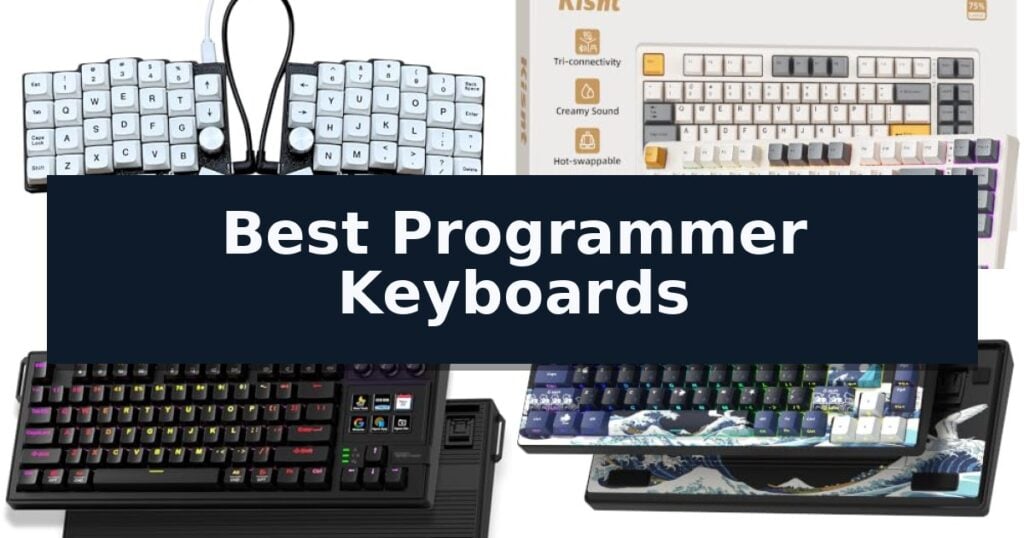
10 Best Programmer Keyboards in 2026 Reviews
Quick Comparison
| Product | Best For | Key Strength | Score |
|---|---|---|---|
| YHOKKBD Corne 4×6 Split Mechanical Keyboard | Best Overall | Ergonomic split design reduces wrist and arm fatigue. | 4.9 |
| Kisnt KN85 Wireless Mechanical Keyboard | Compact Layout for Minimalists | 75% compact layout saves significant desk space. | 4.6 |
| VSD K1 Pro Macro Keyboard | Customizable Workflow Control | Hot-swappable PCB for easy switch customization. | 4.5 |
| Womier SK80 75% Mechanical Keyboard | Customizable Multimedia Display | Integrated multimedia display for real-time system monitoring and customization. | 4.5 |
| Cherry KW X ULP Mechanical Keyboard | Ultra-Low Profile Mechanical Feel | CHERRY MX ULTRA LOW PROFILE switches provide a mechanical feel in a thin, aesthetic frame. | 4.4 |
| EPOMAKER Aula MINI60 HE Keyboard | Adjustable Rapid Trigger Switches | Fully adjustable actuation from 0.1mm to 3.4mm. | 4.9 |
| Redragon K580 PRO Wireless Keyboard | Dedicated Macro Keys | Five dedicated macro keys for on-the-fly combo recording. | 4.5 |
| SAYODEVICE Mini 8-Key Keyboard | Programmable Shortcut Pad | Hotswappable mechanical switches for tactile customization. | 4.6 |
| Fogruaden BlueSamurai 75% Keyboard | Quiet Office-Friendly Typing | Hot-swappable sockets allow for easy switch customization without soldering. | 4.9 |
| Waveshare 3-Key Shortcut Keyboard | Dedicated Development Macro Keys | Programmable custom key functions allow for tailored workflow automation. | 4.3 |
How We Chose
Evaluating the best programmer keyboards requires a focus on long-term comfort and functional efficiency. We assess these peripherals based on their ability to minimize repetitive strain, the depth of their programmable firmware, and the tactile quality of their switches, ensuring that each model supports the precise, high-volume input demands of professional software development.
- Ergonomic layout and physical footprint
- Firmware compatibility for key remapping and macros
- Switch type and hot-swap capability
- Connectivity options and multi-device support
- Build quality and sound dampening features
1 YHOKKBD Corne 4×6 Split Mechanical Keyboard — Ergonomic Split for Comfort
The YHOKKBD Corne 4×6 Split Mechanical Keyboard prioritizes physical comfort through an ergonomic split layout, specifically engineered to reduce strain on the wrists and arms during extended typing sessions. This 60% compact board is designed for users who require a high degree of customization and a smaller desktop footprint without sacrificing essential functionality.
Performance is driven by a wired USB connection, which ensures stable, low-latency input for gaming and programming tasks. The board features a hot-swappable MX axle seat design, allowing users to exchange mechanical switches to suit personal tactile preferences without the need for soldering. This flexibility is complemented by an integrated RGB backlight system that offers multiple lighting effects.
A standout feature is the inclusion of dual metal knobs, one on each side, which can be configured for rapid adjustments such as volume control or scrolling. The keyboard is fully compatible with Vial open-source firmware, providing a graphical interface that allows for real-time button remapping and macro creation to streamline complex workflows.
Measuring 11 inches in length and 4.65 inches in width, the device maintains a slim profile while housing a 4×6 key arrangement. By utilizing the Kailh Whale Fall switch, the unit provides a distinct mechanical feel out of the box, though the hot-swap capability ensures the hardware can evolve alongside the user's typing habits.
Best for: Programmers and gamers seeking a highly customizable, ergonomic split keyboard that saves desk space.
Skip if: Users who require a traditional full-sized layout with a dedicated number pad or those who prefer a wireless connection.
- Ergonomic split design reduces wrist and arm fatigue.
- Vial programmable firmware allows for real-time button customization.
- Hot-swappable MX axle seats enable easy switch replacement without soldering.
- Dual metal knobs provide quick access to volume or custom controls.
- Wired-only connection limits desk placement flexibility.
- 60% compact layout lacks a dedicated number pad.
2 Kisnt KN85 Wireless Mechanical Keyboard — Compact Layout for Minimalists
The Kisnt KN85 Wireless Mechanical Keyboard prioritizes desk efficiency with a 75% space-saving layout, retaining essential keys like F1–F12 and arrows while omitting the number pad to reclaim 25% of your workspace. This compact 85-key design is engineered for minimalists and hybrid workers who require a streamlined setup without sacrificing functional navigation.
Performance is defined by its tri-mode connectivity, allowing seamless switching between USB-C, 2.4GHz wireless, and Bluetooth 5.0 across multiple devices. The 4000mAh rechargeable battery supports stable wireless operation, while the gasket mount architecture is specifically tuned to deliver a creamy, marbly thock sound profile, minimizing the hollow echoes often found in standard mechanical boards.
Customization remains at the forefront with hot-swappable PCB support, compatible with both 3-pin and 5-pin switches. The board arrives with pre-lubed Bsun linear switches featuring a 45-50gf actuation force for a consistent, buttery response. Users can further tailor their experience using the companion software on Windows to remap keys and configure macros.
A warm ambient RGB backlight illuminates the PBT keycaps, offering adjustable brightness and hues for late-night productivity. To ensure longevity, the manufacturer includes a 2-year warranty and 24/7 support, providing a reliable foundation for both gaming and professional typing tasks.
Best for: Minimalists and hybrid workers who need a compact, hot-swappable keyboard with versatile connectivity options.
Skip if: Users who require a dedicated number pad for frequent data entry should consider a full-size layout instead.
- 75% compact layout saves significant desk space.
- Tri-mode connectivity supports PC, tablet, and smartphone workflows.
- Hot-swappable PCB allows for easy switch customization without soldering.
- Gasket mount design produces a refined, dampened typing sound.
- Windows-only driver limits macro and remapping functionality for Mac users.
- Animated RGB effects significantly reduce battery life compared to static lighting.
3 VSD K1 Pro Macro Keyboard — Customizable Workflow Control
The VSD K1 Pro Macro Keyboard distinguishes itself by integrating a high-definition TFT color display directly into the chassis, allowing for real-time monitoring and custom visual feedback. This 87-key TKL mechanical keyboard is engineered for users who require granular control over their digital workspace, offering six dedicated LCD keys and three multi-function knobs that can be fully programmed for complex workflows.
Performance is anchored by a hot-swappable PCB that supports both 3-pin and 5-pin switches, providing flexibility for users to tailor their typing experience without soldering. The internal construction utilizes a gasket-mount design paired with a 5-layer sound-dampening structure, which works to minimize cavity noise and provide a consistent, elastic feel during extended use.
Customization is managed through the VSD Craf software, which enables the creation of unlimited switchable pages. Each LCD key can be personalized with static images or animations in JPG, PNG, or GIF formats, facilitating easier identification of assigned macros or application shortcuts. The hardware also features adjustable 3°–6°–13° stands to support ergonomic positioning.
While the device offers extensive software-driven functionality, it requires a wired connection to a Windows or macOS system for full configuration, including GIF uploads and date/time calibration. The keyboard is built with a sturdy ABS case and is rated for 50 million keystrokes, ensuring it remains a reliable component of a professional or gaming setup.
Best for: Power users, streamers, and video editors who need a highly customizable interface with tactile macro controls and visual feedback.
Skip if: Users who require a wireless connection or those who prefer a full-sized keyboard layout with a dedicated number pad.
- Hot-swappable PCB for easy switch customization.
- Integrated TFT color display with programmable LCD keys.
- Advanced 5-layer dampening structure for reduced noise.
- Three multi-function knobs for precise volume and workflow control.
- Wired-only connection limits placement flexibility.
- Software dependency required for screen customization and macro setup.
4 Womier SK80 75% Mechanical Keyboard — Customizable Multimedia Display
The Womier SK80 75% Mechanical Keyboard distinguishes itself with a vibrant, integrated multimedia display screen positioned at an 11-degree oblique angle in the upper right corner. This display allows users to visualize custom GIFs, monitor system status, track connection modes, and adjust settings like RGB brightness, volume, and language directly from the hardware.
Built with a 75% layout, this keyboard features a gasket-mounted design that incorporates an EVA positioning plate and bottom filling to provide a soft, responsive typing feel while reducing noise. The unit comes equipped with pre-lubed linear switches and south-facing transparent light diffusers, ensuring a clean typing sound and consistent illumination across the keycaps.
Customization is a core focus, as the hot-swappable PCB supports both 3-pin and 5-pin switches, allowing for easy switch replacement without soldering. Users can further tailor their experience using the dedicated software to manage macro settings, GIF displays, and RGB lighting effects, which include 19 distinct modes and 9 color options.
Designed for versatility, the keyboard is compatible with both Mac and Windows systems and utilizes a detachable Type-C connection for flexible integration into various setups. The inclusion of cherry profile art theme keycaps completes the aesthetic, making it a functional choice for both gaming and daily productivity tasks.
Best for: Users who prioritize a highly customizable desk aesthetic with integrated hardware monitoring and a soft, gasket-mounted typing experience.
Skip if: Users who require a full-sized keyboard with a dedicated number pad or those who prefer a wireless connection, as this model is wired-only.
- Integrated multimedia display for real-time system monitoring and customization.
- Gasket-mounted design for improved typing feel and reduced acoustic resonance.
- Hot-swappable PCB compatible with 3-pin and 5-pin switches.
- Extensive RGB lighting with 19 effects and software-driven customization.
- Wired-only connection limits desk placement flexibility.
- 75% compact layout lacks a dedicated number pad.
5 Cherry KW X ULP Mechanical Keyboard — Ultra-Low Profile Mechanical Feel
The Cherry KW X ULP Mechanical Keyboard distinguishes itself by integrating genuine mechanical switches into an ultra-flat form factor, bridging the gap between slim office peripherals and high-performance typing hardware. This full-size keyboard utilizes CHERRY MX ULTRA LOW PROFILE switches, manufactured in Germany, which are engineered to provide absolute precision and a consistent feel over a rated lifespan of up to 50 million keystrokes.
Designed for versatility in professional environments, the device supports multi-device connectivity for up to four distinct sources. Users can toggle between two Bluetooth 5.2 channels, one 2.4 GHz wireless connection, and a wired mode via the included USB-A to USB-C cable. Each wireless channel is protected by AES-128 encryption to maintain data security during operation.
The keyboard features a refined aesthetic with tasteful white key illumination and dedicated colored LEDs for status indicators. The CHERRY key includes an integrated RGB LED that functions as a charge level display, ensuring users can monitor battery status at a glance. The unit is fully rechargeable, allowing for continued use while connected via the detachable cable.
With its low-profile design, this model is suited for frequent typists and programmers who prefer a shorter travel distance without sacrificing the tactile feedback of a mechanical system. The combination of wireless flexibility and a robust, thin construction makes it a functional choice for multi-device workstations.
Best for: Programmers and frequent typists who require a slim, mechanical typing experience across multiple wireless and wired devices.
Skip if: Users who prefer a high-profile mechanical keyboard with deep key travel or those who require hot-swappable switch functionality.
- CHERRY MX ULTRA LOW PROFILE switches provide a mechanical feel in a thin, aesthetic frame.
- Multi-device support allows switching between four devices via Bluetooth, 2.4 GHz, or wired connections.
- Secure AES-128 encryption on all wireless channels.
- Rechargeable battery with the ability to operate while charging via USB-C.
- Ultra-low profile design offers significantly less key travel than traditional mechanical keyboards.
- Fixed switch type limits customization options for users who prefer specific tactile or linear profiles.
6 EPOMAKER Aula MINI60 HE Keyboard — Adjustable Rapid Trigger Switches
The EPOMAKER Aula MINI60 HE Keyboard distinguishes itself with advanced Hall effect magnetic switches that allow for fully adjustable actuation points between 0.1mm and 3.4mm, providing precise control for both gaming and typing tasks. This 60% ultra-compact layout integrates 61 keys into a space-saving design, prioritizing desk real estate for improved ergonomics and mouse maneuverability.
Engineered for high-performance input, the keyboard features an 8000Hz polling rate and 128K per-key scan rates to minimize latency. The inclusion of Snap Tap technology prioritizes the latest input between two keys for rapid directional changes, while Dynamic Keystroke functionality enables up to four distinct actions within a single keypress, facilitating complex macros.
Connectivity options include tri-mode wireless capabilities, supported by a power-saving chip that provides up to 44 hours of battery life with the backlight disabled. Users can manage settings, including sensitivity adjustments and key remapping, through a Chrome-based web driver that offers real-time visual feedback for configuration.
Durability and aesthetic appeal are addressed through double-shot injection-molded PBT keycaps, which are designed to resist legend fading over time. The unit is built for versatility, supporting both Windows and Mac operating systems, and includes a specific wake-up mode to prevent accidental activation during sleep cycles.
Best for: Competitive gamers and programmers who require ultra-low latency, rapid trigger sensitivity, and a compact, customizable workspace.
Skip if: Users who rely on a dedicated number pad, arrow key cluster, or function row for their daily workflow will find the 60% layout restrictive.
- Fully adjustable actuation from 0.1mm to 3.4mm.
- 8000Hz polling rate for ultra-low latency input.
- Snap Tap and Dynamic Keystroke features for advanced macro execution.
- Durable PBT keycaps with fade-resistant legends.
- 60% layout lacks dedicated navigation and function keys.
- Battery life is limited to 44 hours with backlighting off.
7 Redragon K580 PRO Wireless Keyboard — Dedicated Macro Keys
The Redragon K580 PRO Wireless RGB Gaming Keyboard streamlines complex inputs for power users through five dedicated macro keys (G1-G5) that allow for on-the-fly combo recording without the need for external software. This full-size mechanical keyboard is engineered for versatility, featuring a tri-mode connectivity system that enables seamless switching between USB-C, Bluetooth, and 2.4GHz wireless connections.
Designed with a focus on customization and responsiveness, the keyboard includes a hot-swappable socket that supports both 3-pin and 5-pin switches, providing the flexibility to modify the typing feel without soldering. The inclusion of a dedicated media wheel allows for immediate control over volume and playback, while full anti-ghosting technology ensures that every input is registered accurately during high-speed gaming or intensive typing sessions.
For users seeking deeper personalization, the companion software offers advanced control over RGB lighting effects and specific keybindings. The unit maintains a low profile with a height of 0.98 inches and a footprint of 15.75 by 5.91 inches, balancing a full-sized layout with a functional design that fits into various workspace configurations.
The Redragon K580 PRO Wireless Keyboard serves as a robust tool for those who prioritize programmable macro functionality and connectivity options. While the software provides additional depth, the hardware-based macro recording ensures that essential workflows remain accessible even when software installation is not preferred or possible.
Best for: Users who require dedicated macro keys and multi-device wireless connectivity for gaming or productivity workflows.
Skip if: Users who prefer a compact or tenkeyless form factor, as this is a full-size keyboard.
- Five dedicated macro keys for on-the-fly combo recording.
- Hot-swappable sockets compatible with 3-pin and 5-pin switches.
- Tri-mode connectivity including USB-C, Bluetooth, and 2.4GHz wireless.
- Full anti-ghosting support for accurate input registration.
- Full-size footprint may be too large for minimalist desk setups.
8 SAYODEVICE Mini 8-Key Keyboard — Programmable Shortcut Pad
Efficiency in digital workflows often comes down to how quickly you can trigger repetitive tasks, and the SAYODEVICE Mini 8-Key Keyboard offers a dedicated hardware solution for mapping these actions. This compact input device provides eight mechanical keys that can be fully customized for macros, shortcuts, or media controls, streamlining complex operations into single-press commands.
The device is built for flexibility, featuring hotswappable mechanical switches that allow for tactile customization. Users configure the keypad through the web-based interface at SayoDevice.com, where they can assign specific key combinations, custom scripts, or media functions like volume adjustment and song switching. This web-based utility also manages the integrated RGB lighting settings, allowing for visual differentiation between key profiles.
Designed for broad utility, the unit connects via a 5-foot USB data cable, ensuring sufficient reach for most desktop setups. It is compatible with both Windows and Mac OS, making it a versatile addition to various computing environments. The package includes the keypad itself and eight replacement keycaps, providing the essential components for immediate setup.
While the device excels at macro execution, users should note its specific form factor. It is a dedicated auxiliary controller rather than a replacement for a standard typing keyboard. Those seeking a full-sized typing experience or integrated touchpads will find this specialized tool serves a different purpose, focusing strictly on shortcut efficiency and macro-driven productivity.
Best for: Users who need a dedicated, programmable macro pad to trigger complex shortcuts and media controls for office work or gaming.
Skip if: Users who require a full-sized keyboard for standard typing tasks or those who prefer software-based macro solutions without additional hardware.
- Hotswappable mechanical switches for tactile customization.
- Web-based configuration for easy macro and RGB mapping.
- Compact 8-key design ideal for dedicated shortcut workflows.
- Broad compatibility with Windows and Mac OS systems.
- Specialized form factor limited to macro and shortcut use.
- Requires external web-based configuration for setup.
9 Fogruaden BlueSamurai 75% Keyboard — Quiet Office-Friendly Typing
The BlueSamurai 75% Wired Mechanical Gaming Keyboard – Hot Swappable, Red Switch, RGB Backlit 82 Keys TKL Mechanical Keyboard with Volume Control Knob distinguishes itself through a specialized PC material positioning board and an integrated bottom silent sponge. This combination is engineered to dampen key vibration and reduce acoustic output, providing a quieter typing experience that is well-suited for shared office environments or professional workspaces where minimizing noise is a functional requirement.
Designed for long-term utility, this keyboard features hot-swappable sockets compatible with both 3-pin and 5-pin mechanical switches. This design choice allows users to modify the typing feel or replace individual switches without the need for soldering, offering a level of hardware longevity and customization rarely found in standard office peripherals. The included linear red switches provide a smooth, consistent keystroke with minimal resistance, facilitating rapid data entry and reducing finger fatigue during extended coding or writing sessions.
The 82-key compact 75% layout is a strategic space-saving solution that preserves essential keys while maximizing desk real estate for mouse movement. To support intensive workflows, the board includes N-Key Rollover functionality, ensuring that every keystroke is registered accurately even when multiple keys are pressed simultaneously. This reliability is complemented by broad compatibility with Windows and Mac operating systems, ensuring a seamless plug-and-play integration for diverse computing environments.
Visual and functional customization is managed through 18 RGB backlight modes and 8 monochrome options, which are controlled directly on the hardware. While the keyboard is limited to a wired-only connection, this ensures a stable, latency-free input stream, which is a common preference for professional tasks where connection reliability is paramount. The inclusion of a volume control knob further streamlines media management, allowing for quick adjustments without navigating software menus.
Best for: Office professionals and programmers who need a quiet, space-efficient mechanical keyboard with the flexibility to customize switches.
Skip if: Users who require a wireless connection or those who prefer the audible, tactile click of blue or brown mechanical switches.
- Hot-swappable sockets allow for easy switch customization without soldering.
- Silent typing design utilizing a PC plate and bottom sponge to reduce noise.
- Compact 75% layout optimizes desk space for improved ergonomics.
- N-Key Rollover ensures accurate input during high-speed typing.
- Linear red switches lack the tactile bump preferred by some typists.
- Wired-only connection restricts desk cable management options.
10 Waveshare 3-Key Shortcut Keyboard — Dedicated Development Macro Keys
The Waveshare 3-Key Shortcut Keyboard is a specialized input device designed for developers who need to streamline repetitive tasks through dedicated macro keys. Built around the RP2040 microcontroller, this compact board features a dual-core Arm Cortex M0+ processor capable of clock speeds up to 133 MHz, providing a responsive foundation for custom key assignments.
Out of the box, the device is configured for "Ctrl"+"C/V" shortcuts, but its primary utility lies in its programmable custom key functions. The hardware includes dual-layer black keycaps, which allow users to insert custom labels or stickers between the layers for clear identification of mapped macros. This design choice caters to users who frequently switch between different development environments or complex command sequences.
The physical build features a CNC metal case and utilizes hot-swappable technology, allowing for the replacement of switches to suit individual tactile preferences. For connectivity, the board offers dual Type-C ports, providing flexible cable routing options. The device is plug and play and driver-free, which simplifies integration into existing workstation setups.
To enhance visual feedback, the keyboard includes customizable RGB lighting effects. Users can adjust the LED backlight to match their workspace aesthetics or to indicate different macro profiles. Its small footprint and portable design make it a practical addition for programmers looking to reduce keystroke fatigue during long coding sessions.
Best for: Programmers and power users who require a compact, programmable macro pad for repetitive command sequences and shortcuts.
Skip if: Users who require a full-sized keyboard or those who need a high volume of dedicated keys beyond the three provided.
- Programmable custom key functions allow for tailored workflow automation.
- Hot-swappable switches enable easy customization of tactile feel.
- Dual Type-C ports offer flexible and convenient connectivity.
- CNC metal case provides a durable and stable build quality.
- Limited to three keys, which may not be sufficient for complex macro-heavy workflows.
Best Programmer Keyboards Buying Guide
Ergonomics and Layout
The physical layout of a keyboard is the most critical factor for programmers who spend hours typing daily. Split designs, like the Corne 4×6, allow for a more natural shoulder width, reducing the strain associated with traditional, cramped layouts.
Compact form factors, such as 60% or 75% boards, are also highly favored. These designs bring the mouse closer to the home row, which helps maintain a more neutral posture and reduces the need for excessive reaching during development.
Programmability and Firmware
Modern programming workflows often benefit from custom macros and layer-based key mapping. Keyboards that support open-source firmware like Vial or QMK offer the most flexibility, allowing users to define complex shortcuts that trigger specific IDE commands.
Dedicated macro pads or keyboards with integrated knobs provide additional layers of control. These features allow developers to manage volume, scroll through code, or execute multi-step scripts without leaving the keyboard, significantly boosting efficiency.
Switch Selection and Customization
The feel of a switch directly impacts typing speed and accuracy. Linear switches are often preferred for their smooth, consistent travel, while tactile switches provide a subtle bump that confirms a keypress, which can help reduce bottoming out.
Hot-swappable sockets are an essential feature for long-term ownership. They allow users to replace switches without soldering, enabling them to experiment with different weights and feels as their preferences evolve or as they move between different work environments.
Connectivity and Multi-Device Use
Programmers often work across multiple machines, including personal laptops and work desktops. Keyboards with tri-mode connectivity—Bluetooth, 2.4GHz wireless, and wired USB-C—offer the versatility needed to switch between devices seamlessly.
Wired connections remain the standard for absolute stability and zero latency. However, high-quality wireless implementations now offer performance that is virtually indistinguishable from wired, provided the battery management and signal stability are robust.
Build Quality and Acoustics
A keyboard's construction affects both its longevity and the sound profile of the typing experience. Gasket-mounted designs and sound-dampening foam layers help eliminate hollow echoes and metallic pinging, resulting in a more pleasant, muted sound.
Materials like PBT keycaps offer superior durability and resistance to shine compared to standard ABS plastic. Investing in a well-built chassis ensures the device can withstand the rigors of daily professional use over several years.
Frequently Asked Questions
Why choose a split keyboard for programming?
Split keyboards allow you to position each half at shoulder width, which promotes a more natural posture and helps prevent wrist and shoulder strain during extended coding sessions.
What is the benefit of hot-swappable switches?
Hot-swappable sockets allow you to change your mechanical switches without soldering. This makes it easy to replace a faulty switch or customize the typing feel of your board without buying a new one.
Do I need dedicated macro keys?
Dedicated macro keys are useful if you frequently use complex key combinations in your IDE or build tools. However, many programmable keyboards allow you to create layers, which can achieve similar results on a standard layout.
Is wireless connectivity reliable for professional work?
Modern 2.4GHz wireless and Bluetooth 5.0 implementations are highly reliable. For most programming tasks, the latency is imperceptible, though wired mode is still recommended for users who prioritize absolute connection stability.
What is the advantage of a 75% layout over a full-size board?
A 75% layout retains the function row and arrow keys while removing the number pad. This saves significant desk space and allows for a more ergonomic mouse position without sacrificing the keys most developers use daily.
Conclusion: Our Top Pick
Our top pick is YHOKKBD Corne 4×6 Split Mechanical Keyboard. Choosing the right keyboard for programming is an investment in both your productivity and your physical well-being. By prioritizing ergonomic layouts, customizable firmware, and high-quality switch options, you can create a setup that feels tailored to your specific development workflow.
Whether you opt for the ergonomic benefits of a split design or the space-saving efficiency of a compact 75% board, the best choice is one that minimizes physical strain while providing the tactile feedback and programmability necessary for your daily tasks.