ASUS TUF Gaming VG27UQ1A Monitor earns our recommendation for the Best PS5 Gaming Monitor because it balances 4K resolution with the high-speed 120Hz refresh rate required for modern console performance.
Selecting a display for a console requires prioritizing HDMI 2.1 support to ensure full bandwidth for 4K at 120Hz, which prevents the chroma subsampling issues common on older standards. While high refresh rates are vital for competitive shooters, color accuracy and HDR performance remain equally important for immersive single-player titles.
Beyond raw specs, ergonomic flexibility and panel technology influence long-term comfort. Whether you prefer the deep contrast of OLED panels or the consistent clarity of high-end IPS screens, matching your monitor to your specific gaming environment is essential for a premium experience.
Once you have selected your display, pairing it with the Best PS5 Gaming Headset will complete your immersive setup.
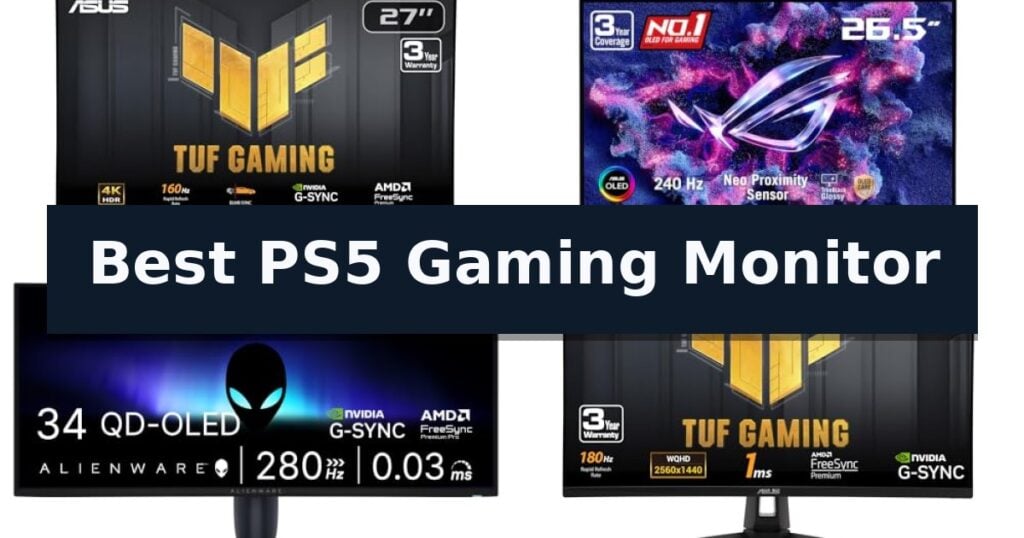
10 Best PS5 Gaming Monitor in 2026 Reviews
Quick Comparison
| Product | Best For | Key Strength | Score |
|---|---|---|---|
| ASUS TUF Gaming VG27UQ1A Monitor | Best Overall | HDMI 2.1 support for 4K 120Hz console gaming without chroma subsampling. | 4.9 |
| ASUS ROG XG27AQDMGR OLED Monitor | Premium Glossy OLED Visuals | 0.03ms response time for exceptional motion clarity. | 4.9 |
| Alienware 34 Gaming Monitor | Ultrawide QD-OLED Immersion | QD-OLED Penta Tandem technology for superior color and contrast. | 4.9 |
| ASUS TUF Gaming VG27AQ3A Monitor | Fast IPS for Competitive Play | 180Hz refresh rate for fluid motion | 4.6 |
| Samsung Odyssey G5 Gaming Monitor | Sharp QHD Detail | 180Hz refresh rate for ultra-smooth motion | 4.4 |
| LG Ultragear 32-inch Curved Monitor | Steep Curve for Deep Immersion | 1000R curvature provides a deeply immersive viewing experience. | 4.8 |
| Samsung 32-inch Odyssey G5 Monitor | Large Screen QHD Performance | 180Hz refresh rate and 1ms response time for fluid motion. | 4.4 |
| SANSUI 27-inch Curved Gaming Monitor | High Refresh Rate Value | High refresh rate capability up to 280Hz for fluid motion. | 4.5 |
| ARMORR GamersBox Portable Monitor | Rugged Design for Travel | Rugged IP65-rated hard shell provides significant protection against dust, water, and impact. | 4.3 |
| Sceptre 24-inch Curved Gaming Monitor | Compact Curved Display | 1800R curvature for an immersive viewing experience | 4.5 |
How We Chose
Evaluating a gaming monitor for a console requires a focus on specific technical standards that directly impact visual fidelity and input responsiveness. We prioritize displays that support the full capabilities of modern hardware, ensuring that resolution, frame rate, and color depth are optimized for a seamless, high-performance gaming experience.
- HDMI 2.1 bandwidth support for 4K 120Hz output
- Panel technology (IPS vs. OLED) for color and contrast
- Response time and motion blur reduction features
- Ergonomic adjustability and stand stability
- HDR certification and color gamut coverage
1 ASUS TUF Gaming VG27UQ1A Monitor — 4K Clarity for Console Gaming
The ASUS TUF Gaming VG27UQ1A is engineered to bridge the gap between high-resolution desktop gaming and console performance, featuring a 27-inch 4K Ultra HD display that supports 4K 120Hz output via HDMI 2.1. This specific connectivity allows for high-fidelity visuals without chroma subsampling, ensuring that console users can leverage the full graphical potential of their hardware.
Beyond its resolution, the monitor utilizes a Fast IPS panel with a 1ms response time, designed to maintain clarity during fast-paced movement. To further refine the visual experience, ELMB Sync technology enables the simultaneous use of variable-refresh-rate features and motion blur reduction. This combination works to mitigate ghosting and tearing, providing a more stable image during intense gameplay.
Color accuracy is supported by a 95% DCI-P3 color gamut and HDR technology, which aim to deliver vibrant and precise visuals. The monitor also includes NVIDIA G-SYNC Compatible and AMD FreeSync Premium certifications, ensuring broad compatibility with various hardware setups. For management, the DisplayWidget Center software provides a centralized interface to adjust settings without navigating through physical monitor buttons.
The unit includes a 3-year warranty with advanced replacement and repair services, offering a long-term support structure for the hardware. It comes equipped with a DisplayPort cable and an L-shaped screwdriver for assembly, facilitating a straightforward setup process out of the box.
Best for: Console gamers seeking a 4K 120Hz experience with high color accuracy and motion clarity.
Skip if: Users who prioritize a higher refresh rate over 4K resolution may find 1440p monitors more suitable for their specific performance needs.
- HDMI 2.1 support for 4K 120Hz console gaming without chroma subsampling.
- Fast IPS panel with a 1ms response time for reduced motion blur.
- ELMB Sync allows for simultaneous VRR and motion blur reduction.
- 95% DCI-P3 color gamut for professional-grade color performance.
- 4K resolution may be more demanding on hardware than lower-resolution alternatives.
2 ASUS ROG XG27AQDMGR OLED Monitor — Premium Glossy OLED Visuals
Experience deep, vibrant visuals with the ASUS ROG XG27AQDMGR OLED Monitor, a 26.5-inch display that leverages TrueBlack Glossy WOLED technology to deliver high-contrast imagery. This monitor is engineered for competitive gaming, featuring a 240 Hz refresh rate and an ultra-fast 0.03ms gray-to-gray response time that minimizes motion blur and ghosting during intense sequences.
The monitor prioritizes longevity and visual fidelity through ASUS OLED Care Pro technology. This system includes a Neo Proximity Sensor that detects user presence, automatically dimming or switching to a black screen when you step away to mitigate the risk of burn-in. Users can manage these protective features and calibrate display settings directly through the ASUS DisplayWidget Center software using a mouse.
Color accuracy is a standout attribute, with the panel achieving 99% DCI-P3 gamut coverage and true 10-bit color depth. It is VESA DisplayHDR 400 True Black compliant, ensuring deep blacks and bright highlights that enhance the presentation of modern console games. The integration of ROG Gaming A.I. features further optimizes the experience by providing intelligent enhancements tailored for gaming environments.
Designed for durability and peace of mind, the unit includes a 3-year warranty that specifically covers burn-in issues. The package also provides a complimentary 3-month Adobe Creative Cloud subscription, adding utility for creative tasks beyond gaming. With its QHD resolution and specialized cooling and protection mechanisms, this monitor serves as a robust solution for those seeking high-end OLED performance.
Best for: Gamers seeking high-contrast, ultra-responsive OLED visuals with built-in burn-in protection for long-term reliability.
Skip if: Users who require a 4K resolution display or those who prefer a matte screen finish over a glossy panel.
- 0.03ms response time for exceptional motion clarity.
- OLED Care Pro with proximity sensing to prevent burn-in.
- TrueBlack Glossy WOLED panel for superior contrast and color depth.
- 3-year warranty including specific burn-in coverage.
- Glossy screen surface may be prone to reflections in brightly lit rooms.
3 Alienware 34 Gaming Monitor — Ultrawide QD-OLED Immersion
The Alienware 34 Gaming Monitor (AW3426DW) centers its performance around a 21:9 ultrawide QD-OLED Penta Tandem panel, designed to provide a deeply immersive field of view through its 1800R curve. This display is engineered for high-performance gaming, utilizing a rapid 280Hz refresh rate and a 0.03ms response time. These specifications are critical for competitive gaming, as they minimize motion blur and input lag, ensuring that fast-paced action remains fluid and responsive during intense sessions.
Visual fidelity is a primary focus, supported by VESA DisplayHDR True Black 500 certification and Dolby Vision. These technologies work in tandem to deliver an infinite contrast ratio, allowing for deep blacks and vibrant highlights that enhance the depth of game environments. The monitor covers 99% of the DCI-P3 color gamut, ensuring accurate and rich color reproduction. Furthermore, the implementation of a new RGB stripe subpixel layout addresses a common historical critique of OLED panels by significantly improving text clarity, making the monitor a viable choice for desktop productivity tasks alongside gaming.
Connectivity and synchronization are managed through two HDMI 2.1 ports and a DisplayPort 1.4, providing compatibility with modern consoles and high-end PCs. To maintain visual integrity, the monitor supports NVIDIA G-SYNC Compatible and AMD FreeSync Premium Pro technologies, which synchronize the display's refresh rate with the GPU to eliminate screen tearing. The chassis design includes AlienFX lighting and 360-degree ventilation, which are essential for managing the thermal output of the high-performance panel during extended use.
Longevity is addressed through an enhanced anti-burn-in AI algorithm and an integrated anti-burn-in graphite sheet. These hardware and software protections are backed by a 3-year warranty that explicitly includes coverage for OLED burn-in. This provides a significant trade-off advantage, as it mitigates the primary concern associated with OLED technology, offering long-term assurance for the display's health and performance.
Best for: Gamers seeking an immersive, high-refresh-rate ultrawide experience with advanced OLED burn-in protection.
Skip if: Users requiring a standard 16:9 aspect ratio or those who prefer a flat display panel over an 1800R curve.
- QD-OLED Penta Tandem technology for superior color and contrast.
- 280Hz refresh rate and 0.03ms response time for ultra-smooth gaming.
- Comprehensive 3-year warranty including OLED burn-in coverage.
- RGB stripe subpixel layout for improved text clarity.
- Ultrawide 21:9 aspect ratio may not be supported by all console games.
- 1800R curve is a specific design choice that may not suit all desk setups.
4 ASUS TUF Gaming VG27AQ3A Monitor — Fast IPS for Competitive Play
Achieving fluid, high-frame-rate visuals on a console requires hardware that can keep pace with modern titles. The ASUS TUF Gaming VG27AQ3A Monitor addresses this with a 27-inch QHD display capable of a 180Hz refresh rate, ensuring that high-speed motion remains crisp during intense gameplay sessions.
Engineered for competitive performance, this monitor utilizes a Fast IPS panel that delivers a 1ms response time, minimizing ghosting. The integration of ELMB Sync allows users to enable both motion blur reduction and variable refresh rate technologies simultaneously, providing a stable, tear-free experience when paired with a PS5.
Beyond raw speed, the display is designed for visual fidelity with 130% sRGB color gamut coverage and HDR10 support, which enhances contrast in both bright and dark scenes. The inclusion of built-in speakers offers a convenient audio solution for setups where external hardware is not immediately available.
The monitor includes practical accessories such as a DisplayPort cable and an L-shaped screwdriver for assembly. With its 3-year warranty and a complimentary 3-month Adobe Creative Cloud subscription, it provides a comprehensive package for users looking to upgrade their gaming environment.
Best for: Competitive console gamers seeking a high-refresh-rate QHD display with integrated motion-blur reduction.
Skip if: Users who require a 4K resolution display or an ergonomic stand with height and swivel adjustments.
- 180Hz refresh rate for fluid motion
- ELMB Sync eliminates ghosting and tearing
- Fast IPS panel provides wide viewing angles and color accuracy
- HDR10 support improves visual depth
- Integrated speakers may lack the fidelity of dedicated audio systems
- Standard stand design lacks advanced ergonomic adjustments
5 Samsung Odyssey G5 Gaming Monitor — Sharp QHD Detail
Achieving a competitive edge in fast-paced gaming requires hardware that can keep up with rapid inputs and high frame rates. The Samsung 27" Odyssey G5 (G51F) Series QHD Gaming Monitor addresses this with a high 180Hz refresh rate and a 1ms response time, ensuring that on-screen action remains fluid and responsive during intense sessions.
Beyond its speed, the monitor utilizes a QHD resolution (2560 x 1440), which provides significantly higher pixel density than standard Full HD displays. This clarity is complemented by HDR10 support, which enhances the depth of shadows and highlights to create a more vivid visual experience. For players who need to maintain visibility in darker game environments, the integrated Black Equalizer allows for manual adjustments to shadow detail.
To maintain visual stability, the display features AMD FreeSync technology, which works to minimize screen tearing and stuttering during complex, high-motion sequences. The physical design prioritizes user comfort with an ergonomic stand that supports tilt, pivot, and height adjustments, allowing for a customized viewing angle.
The monitor also includes practical utility features such as Auto Source Switch+ for seamless connectivity management and a Virtual Aim Point to assist with targeting precision. These additions, combined with the high-resolution panel, make it a versatile choice for those looking to upgrade their gaming setup.
Best for: Gamers seeking a balance of high-speed performance and detailed QHD resolution for an immersive visual experience.
Skip if: Users who require a 4K display or a larger screen size for professional creative work or ultra-high-resolution media consumption.
- 180Hz refresh rate for ultra-smooth motion
- QHD resolution provides sharp, detailed imagery
- Ergonomic stand supports flexible positioning
- Black Equalizer improves visibility in dark scenes
- 1440p resolution may not satisfy users requiring 4K fidelity
6 LG Ultragear 32-inch Curved Monitor — Steep Curve for Deep Immersion
The LG 32GS60QC-B Ultragear 32-inch Curved Gaming Monitor centers its design around a dramatic 1000R curved screen, which is engineered to wrap the display around your field of vision for increased immersion. This monitor is built to handle high-speed gaming, utilizing a 180Hz refresh rate and a 1ms GtG response time to minimize motion blur during fast-paced sequences.
For visual fidelity, the display covers a 99% sRGB color gamut and supports HDR10, ensuring that colors remain vibrant and contrast is enhanced. The inclusion of AMD FreeSync technology helps maintain fluid, tear-free visuals by synchronizing the monitor's refresh rate with your console's output, which is essential for maintaining consistent performance during intense gameplay.
Usability is prioritized through a gamer-centric design that features a three-side virtually borderless frame to maximize your desk space. The monitor includes an enhanced gaming GUI that allows you to toggle between specific modes like FPS or RTS, while tools such as the Black Stabilizer help brighten dark environments, and the FPS counter provides real-time data on your performance.
Connectivity is managed via two HDMI ports and a DisplayPort, allowing for flexible setup options. The stand is tilt-adjustable, providing basic ergonomic control to help you find the optimal viewing angle for your specific battlestation configuration.
Best for: Gamers seeking an immersive, curved display experience with high refresh rates for fast-paced console gaming.
Skip if: Users who require a flat screen for professional color-critical creative work or those with limited desk space who prefer a smaller monitor footprint.
- 1000R curvature provides a deeply immersive viewing experience.
- 180Hz refresh rate and 1ms GtG response time support smooth, responsive gameplay.
- 99% sRGB color gamut and HDR10 support deliver vibrant, high-quality visuals.
- AMD FreeSync integration ensures a fluid, tear-free gaming experience.
- Large 32-inch footprint may be restrictive for smaller desk setups.
- Tilt-only stand offers limited ergonomic adjustment compared to height-adjustable models.
7 Samsung 32-inch Odyssey G5 Monitor — Large Screen QHD Performance
The Samsung 32-inch Odyssey G5 Monitor leverages a high-performance Fast IPS panel to bridge the gap between immersive screen real estate and competitive gaming requirements. By combining a large 32-inch display with a sharp QHD resolution (2560 x 1440), this monitor ensures that fine details remain crisp while providing a wide 178° viewing angle for consistent color accuracy across the entire panel.
Engineered for speed, the display features a 180Hz refresh rate and a rapid 1ms (GtG) response time, which are essential for maintaining fluid motion during fast-paced sequences. To further enhance visual stability, the monitor is NVIDIA G-Sync compatible and supports AMD FreeSync, effectively minimizing screen tearing and input lag for a smoother connection between the console and the display.
The monitor includes specialized tools designed to assist in gameplay, such as the Black Equalizer for improved visibility in dark environments and a Virtual Aim Point for enhanced targeting precision. HDR10 support adds depth to the image by expanding the range of brightness and shadow detail, ensuring that high-contrast scenes appear more nuanced.
Usability is prioritized through the Auto Source Switch+ feature, which detects and switches to active devices instantly. The included height-adjustable Ergonomic Stand allows for extensive customization, including tilt, swivel, and pivot adjustments, ensuring the display can be positioned to suit various desk setups and seating preferences.
Best for: Gamers who prioritize a large, high-resolution display with fast refresh rates for immersive console gaming.
Skip if: Users who require 4K resolution or a curved display panel for their specific visual preferences.
- 180Hz refresh rate and 1ms response time for fluid motion.
- Fast IPS panel provides consistent colors and wide viewing angles.
- Height-adjustable ergonomic stand offers versatile positioning.
- G-Sync and FreeSync compatibility reduces screen tearing.
- QHD resolution may not satisfy users specifically seeking 4K output.
- Large 32-inch footprint requires significant desk space.
8 SANSUI 27-inch Curved Gaming Monitor — High Refresh Rate Value
The SANSUI 27-inch Curved Gaming Monitor offers a high-performance visual experience for console gaming, featuring a 1500R curvature that enhances immersion during extended play sessions. This display is engineered to support a 240Hz refresh rate, which can be pushed up to 280Hz for fluid motion, ensuring that fast-paced gameplay remains sharp and responsive.
Designed with a focus on color accuracy and contrast, the monitor utilizes a 130% sRGB and 95% DCI-P3 color gamut to deliver vibrant visuals. With a 4000:1 contrast ratio and HDR support, it provides deep blacks and distinct shadow detail, further assisted by a dedicated Black Level adjustment (shadow booster) feature to help players spot targets in darker environments.
For connectivity and setup, the unit includes HDMI 2.0 and DP 1.4 ports, allowing for straightforward integration with various gaming hardware. The plug-and-play design is complemented by a durable metal stand that offers tilt adjustments from -5° to 15°, and the chassis is VESA 100x100mm compatible for users who prefer wall or arm mounting.
While the monitor is packed with gaming-centric tools like FreeSync, a 1ms MPRT response time, and built-in crosshair presets, it maintains a clean aesthetic. It is important to note that this model does not feature built-in speakers, so external audio solutions will be required for sound output.
Best for: Gamers seeking high refresh rates and immersive curved display aesthetics for competitive and cinematic console play.
Skip if: Users who require built-in speakers or a flat-panel display for professional color-critical graphic design work.
- High refresh rate capability up to 280Hz for fluid motion.
- 1500R curvature provides an immersive field of view.
- Wide color gamut coverage with 130% sRGB for vivid imagery.
- Durable metal stand with adjustable tilt functionality.
- No built-in speakers included in the design.
- Curved panel may not be ideal for all non-gaming productivity tasks.
9 ARMORR GamersBox Portable Monitor — Rugged Design for Travel
The ARMORR GamersBox Portable Gaming Monitor is built for those who require a secure, all-in-one mobile gaming station. Featuring a rugged IP65 dust- and water-resistant hard shell, this unit is designed to protect your console and display from the rigors of travel, offering 200lb load resistance and 2ft drop-height resistance.
At the heart of the system is a 21.5-inch FHD IPS display with a resolution of 1980x1080p. It supports a refresh rate of 48~75Hz and includes FreeSync technology to manage frame delivery. The screen provides 178-degree wide viewing angles and 250 nits of brightness, ensuring consistent visuals for various gaming environments.
Usability is enhanced by a single-cable power solution that manages both the monitor and your console simultaneously. The interior is organized with dedicated console controller bays, fastening straps, and a foam screen protector to prevent damage during transit. For added convenience, the package includes a travel-friendly wheeled trolley and a detachable stand with 100x100mm VESA mounting compatibility.
This system is compatible with a wide range of hardware, including the PlayStation 5 Pro, Slim, Disc, and Digital editions, as well as the Xbox Series S and Xbox One X. While it provides a robust protective shell, users should note that the console itself is not included, and the unit requires a stable surface for the trolley or VESA stand setup.
Best for: Travelers and mobile gamers who need a rugged, protective, all-in-one transport solution for their console and display.
Skip if: Users who already own a high-performance gaming monitor and only require a standard carrying bag rather than a heavy-duty, integrated hard-shell station.
- Rugged IP65-rated hard shell provides significant protection against dust, water, and impact.
- Integrated single-cable power system simplifies setup for both the monitor and console.
- Comprehensive travel kit includes a wheeled trolley, controller bays, and VESA-compatible stand.
- Broad compatibility with major current and previous-generation consoles.
- Heavy-duty design adds significant weight and bulk compared to standard portable monitors.
- Fixed 1080p resolution may not satisfy users seeking 4K gaming performance.
10 Sceptre 24-inch Curved Gaming Monitor — Compact Curved Display
The Sceptre 24-inch Curved Gaming Monitor centers its design around a distinct 1800R screen curvature, which creates an immersive visual field by wrapping the display around the user's line of sight. This compact form factor is specifically engineered to provide a focused viewing experience for desk-based gaming setups.
Equipped with a 75Hz refresh rate, this monitor offers a step up from standard office displays for smoother motion handling. The panel features a 1080p resolution and a 98% sRGB color gamut, ensuring that colors remain vibrant and accurate during gameplay. Its brightness is rated at 250 cd/m², providing sufficient illumination for most indoor lighting environments.
Connectivity is handled through dual HDMI ports and a VGA input, allowing users to switch between multiple devices such as consoles and PCs without constant cable swapping. The monitor also includes integrated speakers, which helps keep a gaming station clutter-free by eliminating the need for external audio hardware.
For those looking to optimize their workspace, the unit is VESA wall mount ready, offering flexibility for users who prefer to clear their desk surface. With a rated lamp life of 30,000+ hours, this display is built for long-term reliability, while its compatibility with Windows 10 ensures seamless integration with modern PC systems.
Best for: Gamers seeking an immersive, space-saving curved display for 1080p gaming setups.
Skip if: Users requiring high-refresh-rate competitive gaming performance or 4K resolution capabilities.
- 1800R curvature for an immersive viewing experience
- Dual HDMI ports for easy device switching
- VESA wall mount compatibility for flexible placement
- Integrated speakers to reduce desk clutter
- 75Hz refresh rate may be limiting for high-speed competitive gaming
- 1080p resolution is standard rather than high-definition for larger screens
Best PS5 Gaming Monitor Buying Guide
The Importance of HDMI 2.1
The most critical factor for a console-focused display is the presence of HDMI 2.1 ports. This standard provides the necessary bandwidth to support 4K resolution at 120Hz without compromising image quality through chroma subsampling.
Without this connection, you may be forced to choose between lower resolutions or reduced frame rates. Always verify that the monitor explicitly supports the full 48Gbps bandwidth to ensure your console can output its maximum potential.
Panel Technology: IPS vs. OLED
IPS panels are widely favored for their consistent color reproduction and wide viewing angles, making them a reliable choice for most gaming setups. They offer a great balance of speed and clarity without the risk of image retention.
OLED technology, by contrast, provides near-infinite contrast ratios and instantaneous response times. While these displays offer superior depth in dark scenes, they often come at a higher price point and require careful management to prevent burn-in over time.
Refresh Rates and Motion Clarity
While many monitors advertise extremely high refresh rates, console gaming is currently capped at 120Hz. A monitor that supports 120Hz or higher ensures you are not bottlenecked by your display during fast-paced action sequences.
Features like motion blur reduction or variable refresh rate (VRR) compatibility further enhance smoothness. These technologies work to eliminate screen tearing and ghosting, keeping the action sharp even during rapid camera movements.
Color Accuracy and HDR Performance
High Dynamic Range (HDR) support allows for more vibrant colors and deeper shadows, which significantly impacts the atmosphere of modern games. Look for monitors with high DCI-P3 color gamut coverage to ensure the display can render a wide spectrum of hues accurately.
Not all HDR implementations are equal; prioritize displays that meet established brightness and contrast standards. A monitor with a high peak brightness will provide a more convincing HDR experience than one that simply accepts an HDR signal.
Ergonomics and Setup
The physical design of your monitor affects your posture and comfort during long sessions. A stand that offers height, tilt, and swivel adjustments allows you to position the screen at eye level, reducing neck strain.
Consider the footprint of the stand on your desk and the availability of VESA mounting options if you prefer a monitor arm. A clean, organized setup not only looks better but also creates a more focused environment for gaming.
Frequently Asked Questions
Do I need a 4K monitor for my console?
While 1440p monitors are supported, a 4K monitor allows you to take full advantage of the console's maximum resolution output, resulting in sharper textures and more detailed environments.
What is the difference between G-SYNC and FreeSync?
Both are variable refresh rate technologies that sync the monitor's refresh rate with the console's output to prevent screen tearing. Most modern gaming monitors are compatible with both, ensuring a smooth experience regardless of the console.
Does response time matter for console gaming?
Yes, lower response times reduce ghosting and smearing during fast motion. A monitor with a 1ms response time is ideal for competitive games where split-second reactions are necessary.
Can I use a PC monitor for my console?
Absolutely. As long as the monitor has the correct input (HDMI 2.1) and supports the required resolution and refresh rate, it will function perfectly with your console.
What is the benefit of a curved monitor?
A curved screen can provide a more immersive experience by wrapping the display slightly around your field of view, which is particularly effective on larger, ultrawide monitors.
Conclusion: Our Top Pick
Our top pick is ASUS TUF Gaming VG27UQ1A Monitor. Choosing the right display depends on balancing your budget with the specific visual and performance features that matter most to your playstyle. Whether you prioritize the high-resolution clarity of a 4K IPS panel or the deep, cinematic contrast of an OLED display, the current market offers robust options for every setup.
By focusing on HDMI 2.1 connectivity and motion-handling capabilities, you ensure your hardware remains relevant for years to come. Take the time to evaluate your desk space and viewing distance to select a monitor that enhances your immersion and comfort.