Logitech Signature M650 L Wireless Mouse is our pick for the Best Quality Computer Mouse because its combination of silent click technology and customizable side buttons offers a refined, distraction-free experience for daily office tasks.
Selecting a reliable peripheral requires balancing physical comfort with technical reliability. A high-quality mouse should provide consistent tracking across various surfaces while maintaining a battery life that minimizes maintenance interruptions.
For users prioritizing specialized needs, the Logitech G305 LIGHTSPEED Wireless Gaming Mouse delivers high-speed, lag-free performance for competitive scenarios, while the Logitech M510 Wireless Mouse provides an ambidextrous, ergonomic shape suitable for users who prefer a more traditional, full-sized grip.
For those who need a specialized input device, our guide on the Best Quiet Click Gaming Mouse provides additional insights into balancing performance with noise reduction.
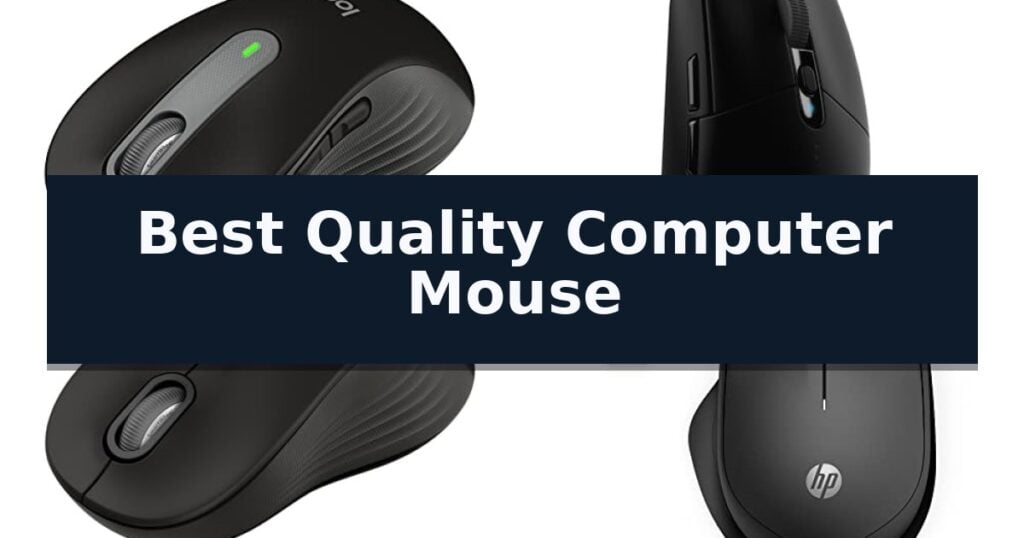
10 Best Quality Computer Mouse in 2026 Reviews
Quick Comparison
| Product | Best For | Key Strength | Score |
|---|---|---|---|
| Logitech Signature M650 L Wireless Mouse | Best Overall | SmartWheel scrolling allows for both precision and speed. | 4.9 |
| Logitech G305 LIGHTSPEED Wireless Gaming Mouse | Lag-Free Performance for Gamers | LIGHTSPEED wireless technology for lag-free, 1 ms report rate performance. | 4.4 |
| Logitech Signature M550 L Wireless Mouse | Optimal Fit for Larger Hands | Ergonomic full-size design tailored for larger hands. | 4.8 |
| HP 280 Silent Wireless Mouse | Quiet Clicks for Focused Work | 90% noise reduction on primary buttons for quiet operation | 4.3 |
| Logitech M510 Wireless Mouse | Ergonomic Support for All-Day Use | Ergonomic contoured shape with soft rubber grips for all-day comfort. | 4.8 |
| Logitech Signature Wired M520 L Mouse | Reliable Wired Connectivity | Silent Touch technology significantly reduces clicking noise. | 4.6 |
| Acer Wireless Mouse | Adjustable Sensitivity for Precision | 3 adjustable DPI settings for customized precision | 4.4 |
| wegear Wireless Mouse | High DPI for Detailed Tasks | 5-level adjustable DPI up to 4000 for precise cursor control. | 4.3 |
| Logitech M185 Wireless Mouse | Compact Design for Travel | Ambidextrous contoured shape for comfortable use in either hand. | 4.3 |
| Logitech B100 Wired Mouse | Simple Plug-and-Play Reliability | Ambidextrous design ensures comfort for both left- and right-handed users. | 4.7 |
How We Chose
When evaluating the best quality computer mouse, we focus on how physical design impacts long-term comfort and how technical features like sensor precision and connectivity influence daily workflow. An experienced reviewer prioritizes consistent performance, ease of setup, and the durability of components to ensure the device remains a reliable tool for professional or personal computing environments.
- Ergonomic design and hand-size compatibility
- Connectivity stability via Bluetooth or dedicated USB receivers
- Battery efficiency and replacement cycle
- Sensor tracking accuracy and surface versatility
- Customization options for productivity shortcuts
1 Logitech Signature M650 L Wireless Mouse — Customizable Buttons for Productivity
Precision control over your workspace begins with the Logitech Signature M650 L Wireless Mouse, which features a specialized SmartWheel for seamless transitions between line-by-line document navigation and high-speed scrolling. Designed specifically for those with larger hands, this full-size peripheral prioritizes ergonomics through its contoured shape, soft thumb area, and textured rubber side grips.
Performance is defined by its versatile connectivity options, allowing users to pair via Bluetooth Low Energy or the included Logi Bolt USB receiver. The device is engineered for quiet operation, utilizing SilentTouch technology to reduce click noise by 90 percent, making it a suitable choice for shared office environments or focused home setups.
Customization and longevity are central to its design. Through the Logitech Options+ software, users can map the side buttons to specific shortcuts like copy/paste or back/forward navigation. Furthermore, the mouse is built for efficiency, boasting a 24-month battery life from a single AA battery, and it maintains broad compatibility across Windows, macOS, Linux, ChromeOS, iPadOS, and Android platforms.
Constructed with sustainability in mind, the Logitech Signature M650 L Wireless Mouse incorporates certified post-consumer recycled plastic, with the graphite and black models containing at least 65 percent recycled content. This combination of comfort-focused design, quiet functionality, and multi-platform support makes it a practical tool for daily computing tasks.
Best for: Users with larger hands seeking a quiet, customizable, and long-lasting wireless mouse for multi-platform office or home productivity.
Skip if: Users who require a high-performance gaming mouse with adjustable DPI settings or those who prefer a compact, travel-sized form factor.
- SmartWheel scrolling allows for both precision and speed.
- SilentTouch technology significantly reduces click noise.
- Customizable side buttons enhance workflow efficiency.
- 24-month battery life minimizes maintenance needs.
- Large-sized design may be cumbersome for users with smaller hands.
- Requires software installation to enable button customization.
2 Logitech G305 LIGHTSPEED Wireless Gaming Mouse — Lag-Free Performance for Gamers
The Logitech G305 LIGHTSPEED Wireless Gaming Mouse distinguishes itself through the integration of LIGHTSPEED wireless technology, which provides a 1 ms report rate designed to deliver a lag-free experience comparable to wired alternatives. This responsiveness is paired with the HERO optical sensor, offering up to 12,000 DPI and 400 IPS precision while maintaining high power efficiency.
Engineered for both performance and portability, this lightweight gaming mouse weighs only 3.4 oz. The design includes 6 programmable buttons and on-board memory, allowing users to save settings directly to the device. Its compact form factor features built-in nano receiver storage, making it a practical choice for users who frequently travel with a laptop.
Power management is a core strength of the Logitech G305 LIGHTSPEED Wireless Gaming Mouse, which operates on a single AA battery. It provides up to 250 hours of continuous gameplay, with an optional Endurance mode accessible via Logitech G HUB software that can extend battery life to approximately 9 months for non-gaming tasks.
This device balances high-end sensor performance with a durable, efficient mechanical build. While it offers significant maneuverability, users should note that it relies on a replaceable battery rather than an internal rechargeable cell, which influences the overall weight and maintenance routine.
Best for: Gamers and professionals who require a high-precision, portable wireless mouse with long battery life and a lightweight design.
Skip if: Users who prefer a rechargeable internal battery or those who require a larger, ergonomic shape for specific palm-grip preferences.
- LIGHTSPEED wireless technology for lag-free, 1 ms report rate performance.
- HERO 12K sensor provides high precision and power efficiency.
- Long battery life of up to 250 hours or 9 months in Endurance mode.
- Lightweight, compact design with integrated nano receiver storage.
- Requires AA battery replacement rather than internal recharging.
- Compact size may not suit all hand grips or larger hand sizes.
3 Logitech Signature M550 L Wireless Mouse — Optimal Fit for Larger Hands
Finding a peripheral that balances ergonomic support with modern connectivity is essential for a productive workspace. The Logitech Signature M550 L Wireless Mouse is engineered specifically for larger hands, featuring a contoured shape and rubber side grips that provide a secure, comfortable hold during extended use.
Performance is driven by the SmartWheel scrolling system, which allows users to toggle between line-by-line precision for detailed documents and super-fast scrolling for navigating lengthy web pages. To maintain a quiet environment, the mouse utilizes SilentTouch technology, which is designed to reduce click noise by 90 percent compared to standard models.
Versatility is a core component of this device, offering dual connectivity options via Bluetooth Low Energy or the included Logi Bolt USB receiver. It is compatible with a wide range of operating systems, including Windows, macOS, Linux, Chrome OS, iPadOS, and Android, ensuring seamless integration into various computing setups.
Maintenance is simplified by the impressive 24-month battery life provided by a single AA battery. Furthermore, the construction reflects a commitment to sustainability, as the plastic components in the graphite model consist of 66 percent certified post-consumer recycled plastic, while the blue version contains 58 percent.
Best for: Users with larger hands who require a comfortable, quiet, and multi-platform compatible mouse for daily office or home tasks.
Skip if: Users who prefer a compact, travel-sized mouse or those who require high-performance gaming sensors and additional programmable side buttons.
- Ergonomic full-size design tailored for larger hands.
- SmartWheel scrolling for versatile navigation speeds.
- SilentTouch technology for significantly reduced click noise.
- Multi-device connectivity via Bluetooth or Logi Bolt receiver.
- Large physical footprint may not be ideal for users with smaller hands or limited desk space.
- Lacks advanced gaming-grade sensors or extensive button customization.
4 HP 280 Silent Wireless Mouse — Quiet Clicks for Focused Work
Maintaining a quiet workspace is essential for productivity, and the HP 280 Silent Wireless Mouse addresses this by incorporating buttons engineered for up to 90% noise reduction. This design choice ensures a satisfying tactile click without the disruptive sound, making it a practical solution for shared offices or late-night work sessions.
Beyond its acoustic performance, this mouse features an ergonomic right-handed design that supports comfortable, all-day use. Navigation is handled through a standard 3-button layout paired with an integrated scroll wheel, providing a familiar and efficient interface for daily computing tasks.
The device utilizes a 2.4GHz USB-A wireless connection with a nano receiver that stores directly inside the mouse, facilitating easy transport. It is built for versatility, featuring multi-surface technology that allows for smooth, lag-free tracking on almost any surface, eliminating the strict requirement for a dedicated mouse pad.
Precision is managed by a 1600 DPI optical sensor, which offers reliable tracking and speed that can be adjusted to suit individual preferences. With a power system designed for efficiency, the mouse provides up to 18 months of battery life from a single AA battery, minimizing the frequency of maintenance.
Best for: Office professionals and students who require a quiet, ergonomic, and reliable wireless mouse for daily productivity tasks.
Skip if: Users who require a left-handed form factor or advanced programmable side buttons for gaming or specialized software workflows.
- 90% noise reduction on primary buttons for quiet operation
- Multi-surface tracking capability eliminates the need for a mouse pad
- 18-month battery life reduces maintenance frequency
- Compact, storable USB nano receiver for enhanced portability
- Right-handed ergonomic shape is not suitable for left-handed users
- Limited to 3-button navigation without additional programmable side keys
5 Logitech M510 Wireless Mouse — Ergonomic Support for All-Day Use
The Logitech M510 Wireless Mouse is engineered for extended use, featuring a contoured shape with soft rubber grips and a broad palm area designed to provide consistent support during long sessions. This full-size, ambidextrous device prioritizes physical comfort, aiming to reduce strain through its ergonomic geometry.
Beyond its physical design, the mouse includes a tilt-to-scroll function and side-to-side scrolling capabilities, allowing users to navigate horizontally and vertically through documents or spreadsheets with ease. For those who prefer customized controls, the device offers three standard buttons plus programmable Back/Forward buttons, which can be configured to switch applications or toggle full-screen modes using the required Logitech software.
Power efficiency is a core component of this model, with a rated 2-year battery life supported by an integrated On/Off switch and a smart sleep mode. An indicator light is included to provide status updates, helping to prevent unexpected power loss during operation.
Connectivity is managed via the Logitech Unifying receiver, a compact USB-A nano receiver that can remain plugged into a laptop port. This receiver also supports the addition of other compatible wireless mice and keyboards, streamlining the workspace by using a single connection point for multiple peripherals.
Best for: Users seeking a full-size, ergonomic wireless mouse with programmable buttons and long-term battery efficiency for daily productivity.
Skip if: Users who require a compact, travel-specific mouse or those who prefer a high-precision gaming sensor with adjustable DPI settings.
- Ergonomic contoured shape with soft rubber grips for all-day comfort.
- Programmable buttons allow for customized application switching and navigation.
- Long battery life rated for up to two years with smart power-saving features.
- Logitech Unifying receiver supports multiple compatible wireless devices on one USB port.
- Requires specific software (Logitech SetPoint or Control Center) to enable advanced button programming and tilt-scroll features.
- USB-A receiver may require an adapter for laptops equipped exclusively with USB-C ports.
6 Logitech Signature Wired M520 L Mouse — Reliable Wired Connectivity
Maintaining focus in professional environments often hinges on minimizing auditory distractions, a task the Logitech Signature Wired M520 L Optical Mouse addresses through its integrated Silent Touch technology. By reducing clicking noise by 90%, this peripheral is engineered to support quiet productivity in shared workspaces, banking, or medical settings where concentration is paramount.
Beyond its acoustic profile, the mouse features a SmartWheel that provides versatile scrolling capabilities. Users can toggle between high-speed navigation for long documents and precise, line-by-line control with a simple flick, ensuring efficiency across various tasks. The ambidextrous, contoured design accommodates both left- and right-handed users, promoting comfort during extended periods of use.
Technical flexibility is a core component of this model, which includes a customizable DPI button for adjusting cursor speed. Through the Logi Tune or Logi Options+ software, users can reassign this button to execute specific shortcuts, tailoring the device to their unique workflow. The mouse is multi-OS compatible, supporting Windows, macOS, ChromeOS, and Linux, making it a straightforward choice for diverse IT environments.
Designed with organizational sustainability and efficiency in mind, the Logitech Signature Wired M520 L Optical Mouse incorporates at least 73% post-consumer recycled plastic in its construction. Furthermore, the device utilizes a power-saving model that consumes 68% less energy than standard alternatives. Its USB-C wired connection ensures a reliable, plug-and-play experience without the need for battery management.
Best for: Professional environments and open offices that require a quiet, reliable, and sustainable wired input device.
Skip if: Users who require wireless connectivity or a specialized ergonomic shape for specific medical or comfort needs will find this standard ambidextrous design insufficient.
- Silent Touch technology significantly reduces clicking noise.
- SmartWheel scrolling offers both speed and precision.
- Ambidextrous design fits a wide range of users.
- Sustainable construction using 73% recycled plastic.
- Wired-only connection limits mobility compared to wireless models.
- Standard ambidextrous shape lacks advanced ergonomic features.
7 Acer Wireless Mouse — Adjustable Sensitivity for Precision
Precision control and ergonomic comfort define the Acer Wireless Mouse, a peripheral engineered specifically for users who require a reliable interface for extended office or design tasks. By utilizing a 2.4GHz wireless connection, this device maintains a stable link up to 32 feet away, eliminating the clutter of traditional wired setups while ensuring consistent input responsiveness.
The mouse is designed to accommodate medium to large sized hands, providing a substantial grip that supports all-day usage. Its functionality is bolstered by 3 adjustable DPI levels (800, 1200, 1600), which users can toggle to match the sensitivity requirements of different applications, from general web browsing to detailed design work. A visible indicator light provides immediate feedback on the current DPI setting and alerts the user when battery levels drop below 10%.
Workflow efficiency is a core focus, evidenced by the inclusion of dedicated forward and backward buttons that simplify navigation through files and web pages. To maximize longevity, the device incorporates a smart sleep mode that activates after 10 minutes of inactivity, requiring only a few clicks to wake. This power-saving architecture is complemented by a durable build, with buttons and the scroll wheel tested for 10 million clicks.
Installation is straightforward with a plug and play design that requires no additional drivers. The USB-A receiver is housed within the battery compartment, which also serves as the storage location when the mouse is not in use. Users should note that the side navigation buttons are not functional on Mac operating systems, and the device requires external AAA batteries for operation.
Best for: Users with medium to large hands seeking a customizable, plug-and-play wireless mouse for office productivity and design tasks.
Skip if: Mac users who require functional side navigation buttons or those who prefer a motion-wake mouse over a click-to-wake design.
- 3 adjustable DPI settings for customized precision
- Smart sleep mode for extended battery life
- Durable construction rated for 10 million clicks
- Stable 2.4GHz connection with 32ft range
- Side buttons are incompatible with Mac systems
- AAA batteries are not included
8 wegear Wireless Mouse — High DPI for Detailed Tasks
Precision and comfort define the wegear Wireless Mouse, a peripheral engineered to adapt to diverse computing environments through its 5-level adjustable DPI settings. Ranging from 800 to 4000 DPI, this optical sensor allows users to calibrate cursor sensitivity for tasks varying from intricate design work to standard document navigation.
Connectivity is managed via a 2.4GHz wireless receiver that provides a stable link up to 33 feet away. The device utilizes a plug-and-play design, eliminating the need for driver installations. For workflow efficiency, the mouse features 6 buttons, including dedicated forward and backward side controls that assist in rapid web and document browsing.
Power management is a core focus, with the unit capable of operating for up to 24 months on a single AA battery. To maximize longevity, the mouse enters an automatic sleep mode after 8 minutes of inactivity, reactivating instantly upon a click. A built-in red LED indicator provides a visual alert when battery levels are low.
The chassis features an ergonomic, contoured design intended to minimize hand strain during extended sessions. Durability is supported by a 5,000,000 click rating, ensuring the switches maintain responsiveness over time. The device maintains broad compatibility across Windows and macOS systems, though users should note that side button functionality is limited on Mac platforms.
Best for: Users seeking a high-DPI, long-battery-life wireless mouse for general productivity and office tasks.
Skip if: Mac users who specifically require functional forward/backward side buttons, as these are not supported on macOS.
- 5-level adjustable DPI up to 4000 for precise cursor control.
- Extended 24-month battery life with automatic sleep mode.
- Ergonomic contoured shape designed for comfort during long sessions.
- Reliable 2.4GHz wireless connectivity with a 33ft range.
- Side buttons are not recognized when used with macOS systems.
- Requires a USB-A port or adapter for connectivity.
9 Logitech M185 Wireless Mouse — Compact Design for Travel
The Logitech M185 Compact Ambidextrous 2.4 GHz Wireless Mouse simplifies navigation by replacing the standard laptop touchpad with a more precise, contoured interface. Designed for both left- and right-handed users, this peripheral offers a reliable connection through a tiny nano USB receiver that stores conveniently within the device.
Engineered for efficiency, this mouse utilizes optical tracking to provide smooth cursor control. The hardware includes a line-by-line scroll wheel and is powered by a single AA battery, which can last up to 12 months thanks to an integrated smart sleep mode. The setup process is entirely plug-and-play, requiring no additional software for Windows or Mac computers.
Portability is a core feature of the Logitech M185, which measures approximately 3.89 inches in width and 2.36 inches in height. The wireless connection remains stable up to a distance of 33 feet (10 meters), ensuring consistent performance whether you are working at a desk or presenting from across a room.
This device is backed by a 3-year limited hardware warranty, reflecting its focus on long-term reliability. By choosing this mouse over a traditional touchpad, users can benefit from improved productivity and faster navigation speeds during daily computing tasks.
Best for: Users seeking a compact, reliable, and ambidextrous wireless mouse for laptop or desktop navigation.
Skip if: Users who require advanced programmable buttons, high-DPI gaming sensors, or Bluetooth connectivity.
- Ambidextrous contoured shape for comfortable use in either hand.
- Plug-and-play simplicity with a reliable 2.4 GHz nano USB receiver.
- Extended 12-month battery life with smart sleep mode.
- Universal compatibility across Windows and Mac operating systems.
- Lacks Bluetooth connectivity, requiring a dedicated USB-A port.
- Basic feature set without additional programmable side buttons.
10 Logitech B100 Wired Mouse — Simple Plug-and-Play Reliability
Reliability in a workspace often comes down to the simplest tools that function without friction. The Logitech B100 Ambidextrous Wired Mouse is engineered for straightforward, immediate operation, featuring a zero setup design that connects directly to USB or PS/2 ports to work right out of the box. By eliminating the need for software installation, it provides a consistent experience across different computer systems, making it a dependable choice for office environments where hardware standardization is prioritized.
Designed with a focus on ergonomics, this mouse utilizes an ambidextrous shape that accommodates both left- and right-handed users. This symmetrical design helps reduce wrist strain during extended periods of document editing or web navigation. The 800 dpi sensitivity provides precise cursor control, ensuring that movements remain accurate for daily productivity tasks without requiring the complex adjustments found in high-DPI gaming sensors.
Beyond basic navigation, the device enhances workflow efficiency through side-to-side scrolling plus zoom capabilities. This feature allows for instant zooming and horizontal or vertical scrolling, which is particularly useful when managing complex spreadsheets or detailed presentations. This functionality transforms a standard peripheral into a more versatile tool for data-heavy applications, offering a practical trade-off by providing advanced navigation features in a compact, wired form factor.
Logitech emphasizes sustainability in this model, incorporating certified post-consumer recycled plastic—72% in the black version—into its construction. This commitment to materials does not compromise the build quality, as the unit is designed to withstand daily use. With a minimal environmental footprint of 1.73 kg CO2e, the mouse balances functional longevity with responsible manufacturing practices, backed by the manufacturer's extensive experience in engineering over a billion mice.
Best for: Users seeking a reliable, plug-and-play wired mouse that works comfortably in either hand for general office and productivity tasks.
Skip if: Users who require advanced programmable buttons, high-DPI gaming sensors, or the freedom of a wireless connection.
- Ambidextrous design ensures comfort for both left- and right-handed users.
- Plug-and-play connectivity requires no software installation.
- Integrated side-to-side scrolling and zoom functionality for efficient document management.
- Sustainable construction using certified post-consumer recycled plastic.
- Wired connection limits movement range compared to wireless alternatives.
- Fixed 800 dpi sensitivity may not meet the needs of specialized gaming or precision design work.
Best Quality Computer Mouse Buying Guide
Ergonomics and Hand Fit
The physical shape of a mouse is the most critical factor for comfort during extended use. Models designed for larger hands often feature contoured sides and rubberized grips to reduce strain on the wrist and fingers.
Ambidextrous designs offer versatility for both left- and right-handed users, though they may lack the specialized thumb rests found on dedicated right-handed models. Choosing the right size ensures that your palm is properly supported, preventing fatigue.
Connectivity Options
Wireless connectivity is standard for modern setups, typically utilizing either Bluetooth Low Energy or a dedicated USB-A receiver. Bluetooth offers convenience for laptops and tablets, while USB receivers often provide a more stable, plug-and-play connection for desktop workstations.
Wired mice remain a viable alternative for users who work in environments where wireless interference is common or who prefer not to manage battery replacements. These models offer a permanent, reliable connection without the need for pairing.
Sensor Precision and Tracking
The optical sensor determines how accurately the cursor follows your hand movements. Higher DPI settings allow for faster cursor speed, which is beneficial for multi-monitor setups or high-resolution displays where covering more screen real estate quickly is necessary.
Multi-surface tracking technology allows a mouse to function effectively on glass, wood, or fabric surfaces without requiring a dedicated mouse pad. This is particularly useful for mobile professionals who work in varied environments.
Battery Life and Power Management
Modern wireless mice are remarkably efficient, with many models offering up to two years of battery life on a single AA battery. Smart sleep modes automatically conserve power during periods of inactivity, significantly extending the time between battery changes.
When selecting a wireless device, consider the ease of battery access and the presence of low-battery indicators. These features prevent unexpected downtime during critical tasks, ensuring your workflow remains uninterrupted.
Customizable Productivity Buttons
Programmable side buttons allow users to map frequently used commands, such as copy/paste or back/forward navigation, directly to the mouse. This reduces the need to reach for the keyboard, streamlining repetitive tasks in browsers and document editors.
Software compatibility is essential for utilizing these features, as most customization requires specific drivers or configuration tools. Ensure that the mouse software is supported by your operating system to take full advantage of these productivity enhancements.
Frequently Asked Questions
What is the benefit of a silent click mouse?
Silent click mice use internal dampening technology to reduce noise by up to 90 percent, making them ideal for shared workspaces, libraries, or quiet home environments.
Do I need special software to use a wireless mouse?
Most wireless mice are plug-and-play, meaning they work immediately via a USB receiver or Bluetooth. However, manufacturer software is often required to customize button functions or adjust DPI sensitivity.
How does DPI affect my mouse performance?
DPI (dots per inch) measures sensitivity. A higher DPI allows the cursor to move further on the screen with smaller physical movements, which is useful for high-resolution monitors.
Can I use a gaming mouse for office work?
Yes, gaming mice often feature high-precision sensors and extra buttons that can be programmed for productivity shortcuts, making them highly effective for office tasks.
What should I look for if I have large hands?
Look for models explicitly labeled as 'full size' or 'large,' which feature longer chassis and deeper contours to ensure your entire palm is supported during use.
Conclusion: Our Top Pick
Our top pick is Logitech Signature M650 L Wireless Mouse. Selecting the right computer mouse depends on your specific workspace requirements, whether you prioritize silent operation for an office or high-precision tracking for detailed tasks. By focusing on ergonomics and connectivity, you can find a device that enhances your daily productivity.
Ultimately, the best choice is one that fits your hand comfortably and integrates seamlessly with your existing hardware. Investing in a quality peripheral ensures long-term reliability and a more efficient computing experience.