Logitech Signature Slim K950 Wireless Keyboard is our top choice for the Best Quiet Bluetooth Keyboard, offering a refined typing experience that balances tactile feedback with near-silent operation for shared office environments.
Selecting a keyboard that minimizes noise while maintaining reliable wireless connectivity requires balancing switch technology with build quality. We prioritize models that offer stable multi-device switching and consistent key travel, ensuring that your workflow remains uninterrupted whether you are moving between a laptop, tablet, or desktop.
For those seeking different form factors, the Logitech Pebble Keys 2 K380s provides a compact, portable solution for mobile setups, while the ProtoArc K310 Pro utilizes low-profile mechanical switches to deliver a quiet, tactile experience for users who prefer a more substantial feel.
If you are exploring broader options for your office, our guide on Best Quiet Keyboards provides additional insights into noise-dampening features. For users who specifically prefer a tactile experience, we also cover Best Quiet Mechanical Keyboards to help you find the right balance of sound and feel.
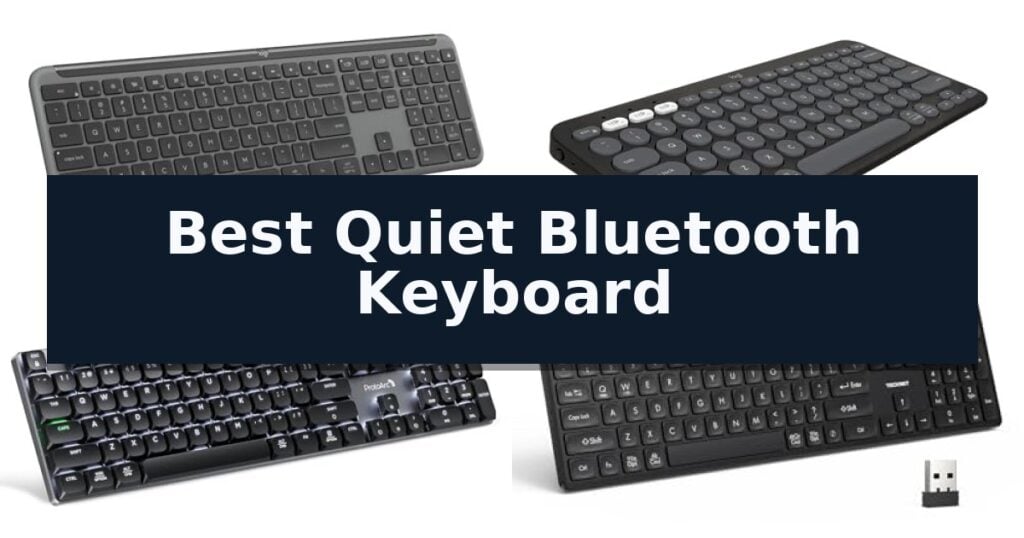
10 Best Quiet Bluetooth Keyboard in 2026 Reviews
Quick Comparison
| Product | Best For | Key Strength | Score |
|---|---|---|---|
| Logitech Signature Slim K950 Wireless Keyboard | Best Overall | Quiet typing mechanism for reduced noise in shared spaces. | 4.9 |
| Logitech Pebble Keys 2 K380s Keyboard | Slim Portable Design | Quiet typing experience with scooped, comfortable keys. | 4.8 |
| ProtoArc K310 Pro Mechanical Keyboard | Linear Switches for Silent Clicks | Linear red switches provide a quiet, smooth typing experience suitable for shared environments. | 4.3 |
| TECKNET Rechargeable Bluetooth Keyboard | Rechargeable Power for Long Sessions | Ultra-quiet membrane keys for reduced noise. | 4.5 |
| iClever BK10 SE Bluetooth Keyboard | Ultra-Slim Metal Build | Quiet scissor-switch keys for low-noise typing. | 4.9 |
| TECKNET Multi-Device Bluetooth Keyboard | Seamless Four-Device Switching | Four-device connectivity via 3x Bluetooth and 1x 2.4G wireless receiver. | 4.5 |
| Logitech MX Keys S Wireless Keyboard | Fluid Low-Profile Typing | Quiet, fluid typing experience with low-profile, spherically-dished keys. | 4.6 |
| seenda Wireless Bluetooth Keyboard Combo | Dual OS Layout Ready | Triple device connectivity for seamless multitasking. | 4.5 |
| Logitech POP ICON Keys Wireless Keyboard | Customizable Action Keys | Customizable Action Keys for rapid access to apps and tools. | 4.7 |
| Logitech K780 Multi-Device Wireless Keyboard | Integrated Phone and Tablet Stand | Integrated cradle holds smartphones and tablets at a convenient viewing angle. | 4.5 |
How We Chose
When evaluating keyboards in this category, we focus on the intersection of acoustic performance and connectivity reliability. An experienced reviewer assesses how these devices integrate into a multi-platform workflow, prioritizing consistent key actuation and the practical utility of switching between devices without sacrificing the quiet operation essential for modern shared workspaces.
- Switch mechanism type and noise output levels
- Multi-device pairing stability and switching speed
- Battery life and charging convenience
- Layout ergonomics and key travel depth
- Compatibility across Windows, macOS, and mobile operating systems
1 Logitech Signature Slim K950 Wireless Keyboard — Quiet Typing for Focused Work
Maintaining a quiet workspace requires tools that minimize acoustic distraction, and the Logitech Signature Slim K950 Wireless Keyboard is engineered specifically for this purpose. Featuring specialized quiet typing mechanics, this full-size keyboard allows for discreet data entry, making it an effective solution for shared office environments or home setups where noise reduction is a priority.
Beyond its silent operation, the Logitech Signature Slim K950 Wireless Keyboard offers a familiar laptop-style typing experience within a sleek, full-size chassis that includes a dedicated number pad. The device is designed for versatility, supporting multi-OS compatibility across Windows, macOS, Chrome OS, Linux, iPadOS, iOS, and Android, ensuring seamless integration into diverse digital workflows.
Productivity is enhanced through the Logi Options+ App, which enables users to customize keys for specific shortcuts, such as volume control, muting, or accessing the snipping tool. The keyboard facilitates efficient multitasking by allowing users to switch between three paired devices with a single tap, utilizing either Bluetooth or the included Logi Bolt receiver.
Constructed with sustainability in mind, the keyboard incorporates a minimum of 48% certified post-consumer recycled plastic. Its robust, slim profile is built to enhance desktop aesthetics while providing a reliable, worry-free wireless connection across nearly any modern computing platform.
Best for: Professionals and students who require a quiet, full-size keyboard with multi-device switching capabilities for diverse operating systems.
Skip if: Users who prefer the tactile feedback and audible click of mechanical switches or those who require a compact, tenkeyless layout for limited desk space.
- Quiet typing mechanism for reduced noise in shared spaces.
- Multi-device switching allows toggling between three devices with one tap.
- Customizable keys via the Logi Options+ App for personalized shortcuts.
- Broad compatibility across Windows, macOS, Chrome OS, and mobile operating systems.
- Full-size layout occupies more desk space than compact or tenkeyless alternatives.
- Laptop-style keys may not satisfy users seeking the distinct travel of mechanical switches.
2 Logitech Pebble Keys 2 K380s Keyboard — Slim Portable Design
Maintaining a quiet workspace often begins with the tools you use daily, and the Logitech Pebble Keys 2 K380s Wireless Bluetooth Keyboard is engineered specifically to minimize auditory distractions. Featuring a slim, compact profile, this keyboard utilizes scooped round keys designed to provide a familiar, laptop-like typing experience that prioritizes comfort and reduced noise during operation.
Beyond its quiet performance, the keyboard offers versatile connectivity options for modern multi-device setups. You can easily pair it with up to three wireless devices across various operating systems, including Windows, macOS, iPadOS, and ChromeOS. Switching between these devices is handled via dedicated Easy-Switch buttons, allowing for a seamless transition with a single click.
Efficiency is further enhanced through customizable Fn shortcut keys. Users can access essential functions like screen capture, search, and the emoji menu instantly, or personalize the 10 Fn keys using the Logi Options+ app to better suit their specific workflow. This level of customization ensures that frequently used tasks are always within reach.
Portability and sustainability are central to the design of the Logitech Pebble Keys 2 K380s Wireless Bluetooth Keyboard. Constructed with a minimum of 49% certified post-consumer recycled plastic, it is built to be easily transported. The device also emphasizes longevity, featuring an auto-sleep power-saving mode that contributes to a 3-year battery life, ensuring reliable performance without frequent maintenance.
Best for: Users who require a quiet, portable, and multi-device compatible keyboard for a streamlined workspace.
Skip if: Users who prefer a full-sized keyboard layout with a dedicated number pad or those who require a mechanical typing feel.
- Quiet typing experience with scooped, comfortable keys.
- Easy-Switch buttons for seamless toggling between 3 devices.
- Long battery life of up to 3 years with auto-sleep functionality.
- Compact and portable design made with recycled materials.
- Lack of a dedicated number pad due to the slim, compact form factor.
3 ProtoArc K310 Pro Mechanical Keyboard — Linear Switches for Silent Clicks
Typing in a shared workspace requires a balance between tactile feedback and acoustic discretion. The ProtoArc K310 Pro Mechanical Keyboard addresses this by utilizing low-profile linear red switches, which are engineered to provide a smooth, consistent keystroke while maintaining minimal noise output.
Designed for versatility, this full-size 108-key keyboard features an aluminum top case that adds structural rigidity and a modern aesthetic to any desk setup. Users can connect up to three devices simultaneously using Bluetooth or a 2.4G USB receiver, allowing for quick transitions between Windows, Mac, iOS, and Android platforms with single-button controls.
Productivity is supported by USB-C rechargeable batteries, which offer up to 150 days of standby time on a single 6-8 hour charge. The layout includes 10 adjustable backlight effects that allow for customization of lighting speed and intensity, helping to maintain visibility in various lighting conditions.
For those who require specialized workflows, the ProtoArc K310 Pro Mechanical Keyboard supports macro customization for key functions and lighting effects, though this feature is restricted to 2.4G USB connections. Ergonomic comfort is further enhanced by 2-level adjustable tilt legs, ensuring a more natural wrist position during extended typing sessions.
Best for: Office professionals and multi-device users who require a quiet, full-size mechanical typing experience with seamless switching capabilities.
Skip if: Users who require macro functionality over Bluetooth or those who specifically need a compact, tenkeyless form factor for limited desk space.
- Linear red switches provide a quiet, smooth typing experience suitable for shared environments.
- Multi-device connectivity supports up to three devices via Bluetooth and 2.4G wireless.
- USB-C rechargeable battery offers long-lasting standby time of up to 150 days.
- Aluminum top case construction offers a durable and sophisticated design.
- Macro customization is limited to 2.4G USB connections and is not available via Bluetooth.
- Compatibility limitations include lack of support for multi-port hubs and Safari browsers.
4 TECKNET Rechargeable Bluetooth Keyboard — Rechargeable Power for Long Sessions
Maintaining a quiet workspace often begins with minimizing peripheral noise, and the TECKNET Rechargeable Bluetooth Keyboard addresses this by utilizing soft membrane keys with an optimized rebound structure. This design choice specifically targets keystroke noise reduction, making it a functional addition to open offices or shared home environments where maintaining a low acoustic profile is a priority.
Beyond its silent operation, the keyboard offers versatile connectivity through a 2.4GHz wireless receiver and dual Bluetooth 5.3 modes. This allows users to pair and switch between up to three devices, such as tablets, laptops, and smartphones, within a 10-meter range. The inclusion of a 300mAh rechargeable battery supports up to 90 days of usage based on two hours of daily activity, with an automatic sleep mode that triggers after 20 minutes of inactivity to conserve power.
The full-size layout includes a dedicated numeric keypad and 13 multimedia shortcut keys for streamlined control over volume, playback, and email functions. For physical comfort, the unit features adjustable tilt legs to help modify the typing angle. Additionally, the chassis is designed to be spill-resistant, providing a layer of protection against minor liquid accidents like coffee or water splashes.
Compatibility extends across Windows, Android, iOS, and macOS 10.15, though it is important to note that iPhone support is not included. While the keyboard is built for durability in daily use, it is not waterproof and should be kept away from high-moisture conditions or liquid immersion.
Best for: Users who need a quiet, full-size keyboard capable of switching between multiple devices in a shared or office workspace.
Skip if: Users who require a waterproof device or those specifically looking for a keyboard compatible with iPhones.
- Ultra-quiet membrane keys for reduced noise.
- Multi-device connectivity via 2.4GHz and dual Bluetooth 5.3.
- Long-lasting rechargeable battery with up to 90 days of use.
- Spill-resistant design for protection against minor accidents.
- Not compatible with iPhones.
- Not waterproof, requiring caution around liquids.
5 iClever BK10 SE Bluetooth Keyboard — Ultra-Slim Metal Build
Maintaining a quiet workspace requires hardware that minimizes audible distractions, and the iClever BK10 SE Bluetooth Keyboard addresses this with its low-profile scissor-switch keys. This design choice ensures that every keystroke remains smooth and quiet, preventing the sharp clicking sounds often associated with traditional mechanical or high-profile keyboards.
Beyond its acoustic profile, the iClever BK10 SE Bluetooth Keyboard features a full-size layout that includes a dedicated numeric keypad, providing a familiar typing experience without the bulk of larger peripherals. Its ultra-slim profile, measuring just 0.16 inches at its thinnest edge, is constructed from a combination of premium stainless steel and durable ABS, offering a balance of structural rigidity and a modern aesthetic.
Connectivity is handled through a versatile Bluetooth system that allows for multi-device pairing with up to 3 devices. The keyboard automatically detects the connected operating system—whether Windows, MacOS, iOS, or Android—and adjusts key mapping accordingly. A perforated base design ensures that the metal construction does not interfere with signal stability, maintaining a reliable connection throughout the day.
Power management is optimized by an advanced Nordic chipset, which supports up to 180 days of use on a single charge via USB-C. To further extend battery life, the device enters an automatic sleep mode after two hours of inactivity, waking instantly upon the next keystroke. This combination of efficient power usage and a compact, travel-friendly design makes it a practical solution for varied professional environments.
Best for: Users requiring a quiet, multi-device keyboard that maintains a slim, full-size layout for both Windows and Mac environments.
Skip if: Users who prefer the tactile, audible feedback of mechanical switches or require a specialized ergonomic layout.
- Quiet scissor-switch keys for low-noise typing.
- Multi-device Bluetooth switching for up to 3 devices.
- Long-lasting battery life of up to 180 days per charge.
- Slim stainless steel construction for a durable, modern profile.
- Integrated navigation keys within the number pad may require an adjustment period for users accustomed to dedicated clusters.
6 TECKNET Multi-Device Bluetooth Keyboard — Seamless Four-Device Switching
The TECKNET Multi-Device Bluetooth Keyboard offers a versatile solution for users managing multiple workstations, featuring four distinct connection modes including three Bluetooth channels and one 2.4G wireless option. This flexibility allows for seamless switching between desktops, laptops, tablets, and smart TVs within a 15-meter range, ensuring a clutter-free workspace.
Designed for sustained productivity, this full-size wireless keyboard incorporates a 500mAh rechargeable battery that provides up to 180 days of operation based on typical daily usage. To conserve power, it features an automatic sleep mode that triggers after 30 minutes of inactivity, with an instant wake-up function that ensures the device is ready for input without delay.
The typing experience is defined by 110 scissor-switch keys that offer a 2mm travel distance, balancing responsiveness with a quiet operation suitable for shared environments. The chassis is built with a spill-resistant design to protect internal components, while the finger-fit key caps are engineered to reduce fatigue during extended typing sessions.
Ergonomics and stability are addressed through an adjustable support stand that allows for a tilt angle between 3° and 7°, complemented by five non-slip pads on the base. The keyboard is compatible with Windows, iOS, macOS, and Android, and includes 12 dedicated hot keys for quick access to system functions, making it a comprehensive tool for diverse computing needs.
Best for: Users who need to control multiple devices, such as a PC, tablet, and smart TV, from a single, quiet, and rechargeable input station.
Skip if: Users who require a mechanical key feel or a ultra-compact, tenkeyless footprint for limited desk space.
- Four-device connectivity via 3x Bluetooth and 1x 2.4G wireless receiver.
- Long-lasting 500mAh battery providing up to 180 days of use on a single charge.
- Spill-resistant construction to protect against accidental liquid damage.
- Adjustable tilt angles (3°–7°) to customize typing ergonomics.
- Full-size layout may be too large for users prioritizing portability or minimal desk footprints.
7 Logitech MX Keys S Wireless Keyboard — Fluid Low-Profile Typing
Achieving a quiet workspace requires hardware that minimizes audible feedback during intensive typing sessions. The Logitech MX Keys S Wireless Keyboard addresses this by utilizing a low-profile, laptop-style architecture with spherically-dished keys designed to provide a fluid, precise, and notably quieter typing experience compared to traditional mechanical alternatives.
This keyboard is engineered for productivity, featuring smart illumination that detects your hands as they approach, automatically adjusting brightness to suit your environment. The Logitech MX Keys S Wireless Keyboard also supports the Logi Options+ app, allowing users to automate repetitive tasks through Smart Actions shortcuts, which trigger multiple commands with a single keystroke.
Connectivity is handled via Bluetooth Low Energy or the included Logi Bolt USB receiver, enabling seamless pairing with up to three devices across Windows, macOS, Linux, and Googlebook OS. The device is USB-C rechargeable, offering up to 10 days of battery life with backlighting enabled, or up to 5 months when the lighting is turned off.
Designed for long-term comfort, the keyboard features a solid build with an optimum typing angle that promotes better wrist posture. Furthermore, the construction incorporates certified post-consumer recycled plastic, with 26% recycled content in the Graphite model, reflecting a focus on material efficiency without compromising the device's low-profile aesthetic.
Best for: Professionals requiring a quiet, multi-device typing experience with customizable automation features.
Skip if: Users who prefer the tactile, audible feedback of mechanical switches or those who require a full-sized numeric keypad in a more compact footprint.
- Quiet, fluid typing experience with low-profile, spherically-dished keys.
- Smart illumination that adapts to ambient lighting conditions.
- Multi-device connectivity across three platforms via Bluetooth or Logi Bolt.
- Automated workflows supported by the Logi Options+ app.
- Battery life varies significantly depending on backlighting usage.
- Non-mechanical key switches may not satisfy users seeking traditional tactile feedback.
8 seenda Wireless Bluetooth Keyboard Combo — Dual OS Layout Ready
Maintaining a clutter-free workspace while managing multiple devices is a common challenge for modern professionals. The seenda SKM64-3 Wireless Bluetooth Keyboard Combo addresses this by offering triple device connectivity, allowing users to switch seamlessly between a USB-A connection and two distinct Bluetooth channels.
This full-size slim set features a dual OS layout, making it compatible with Windows, macOS, iOS, and Android systems without requiring complex reconfiguration. The keyboard is constructed with a slim and durable metal build using stainless steel, measuring only 0.12 inches in thickness, which enhances portability for those who work in various environments.
Typing comfort and noise reduction are prioritized through the inclusion of scissor-switch keys and an ergonomic stand. Complementing the keyboard is a silent and precise mouse that features adjustable DPI settings of 1000, 1600, and 2400, ensuring quiet operation suitable for shared office spaces or late-night study sessions.
For power management, the combo utilizes Type-C fast rechargeability. The built-in battery provides up to 200 hours of use on a single three-hour charge, supported by an auto-sleep function and a dedicated on/off switch to maximize efficiency during extended periods of inactivity.
Best for: Multitaskers and hybrid workers who need a quiet, portable, and multi-device peripheral solution for both Windows and Apple ecosystems.
Skip if: Users who require a mechanical keyboard feel or those who exclusively use devices without Bluetooth 4.0 or higher connectivity.
- Triple device connectivity for seamless multitasking.
- Silent operation via scissor-switch keys and noiseless mouse clicks.
- Dual OS layout support for Windows, Mac, iOS, and Android.
- Type-C fast rechargeability with long battery life.
- 2.4G USB mode is restricted to Windows systems only.
- Requires Bluetooth 4.0 or above for wireless functionality.
9 Logitech POP ICON Keys Wireless Keyboard — Customizable Action Keys
The Logitech POP ICON Keys Wireless Bluetooth Keyboard distinguishes itself with a bold, transparent frame aesthetic and four dedicated, customizable Action Keys designed for rapid workflow transitions. This compact peripheral is engineered to provide a familiar, laptop-like typing experience through its contoured, low-profile keys, ensuring quiet operation suitable for shared workspaces.
Functionality is centered on efficiency and multi-device integration. Users can pair the keyboard with up to three devices across various operating systems—including Windows, macOS, and iPadOS—using the Easy-Switch buttons. Connectivity is handled via Bluetooth, providing a seamless link for those who frequently switch between different computing environments.
Customization is managed through the Logi Options+ App, which allows users to program the Action keys to trigger specific modes or tools in under one second. The device is built with sustainability in mind, incorporating between 37% and 70% recycled plastic depending on the chosen colorway, and features an auto-sleep power-efficient mode to maximize its 3-year battery life.
While the keyboard offers significant versatility for mobile and desktop users, its compact form factor lacks a dedicated number pad, which may be a consideration for those performing heavy data entry. The unit is lightweight at 1.16 pounds, making it a portable solution for users who prioritize desk space and a distinct visual style.
Best for: Users who require a compact, multi-device keyboard with customizable shortcuts for efficient application switching.
Skip if: Users who require a full-sized keyboard layout with a dedicated number pad for intensive numerical data entry.
- Customizable Action Keys for rapid access to apps and tools.
- Multi-device connectivity via Bluetooth for up to 3 devices.
- Long battery life rated for up to 3 years with auto-sleep efficiency.
- Compact, low-profile design for quiet and comfortable typing.
- No dedicated number pad due to the compact form factor.
- Requires software installation (Logi Options+) to fully utilize custom key features.
10 Logitech K780 Multi-Device Wireless Keyboard — Integrated Phone and Tablet Stand
The Logitech K780 Multi-Device Wireless Keyboard features an integrated cradle designed to hold both a smartphone and a large tablet at an optimal viewing angle while you work. This design choice allows for a streamlined workspace, keeping your mobile devices accessible and upright directly in front of you.
This multi-device wireless keyboard offers versatile connectivity options, supporting both Bluetooth smart wireless and USB receiver connections. It is engineered for broad compatibility, functioning seamlessly across Windows, Mac, Chrome OS, iOS, and Android operating systems. The inclusion of a full-size layout with a dedicated Number pad ensures that data entry remains efficient and comfortable.
A standout capability is the ability to pair with up to three devices simultaneously. Users can switch between these connected devices instantly using the dedicated easy-switch buttons. The keys are designed to be large and quiet, prioritizing a comfortable typing experience during extended sessions.
Measuring 14.9 inches in height and 6.2 inches in width, this keyboard provides a stable platform for various device configurations. The Logitech K780 Multi-Device Wireless Keyboard includes a one-year limited warranty, reflecting its standard manufacturing support.
Best for: Users who frequently switch between computers, tablets, and smartphones and require a dedicated stand to keep their mobile devices organized.
Skip if: Users who require a mechanical keyboard feel or those who need a highly portable, ultra-lightweight keyboard for travel.
- Integrated cradle holds smartphones and tablets at a convenient viewing angle.
- Multi-device switching allows toggling between three paired devices via dedicated buttons.
- Broad compatibility across major desktop and mobile operating systems.
- Full-size layout includes a dedicated number pad for efficient data entry.
- Larger footprint compared to compact mobile-only keyboards.
- Non-mechanical key switches may not satisfy users preferring tactile mechanical feedback.
Best Quiet Bluetooth Keyboard Buying Guide
Switch Technology and Noise Reduction
Most quiet keyboards utilize scissor-switch mechanisms, which provide a low-profile, stable key press that generates significantly less noise than traditional mechanical switches. These designs are ideal for office settings where minimizing distractions is a priority.
Some mechanical options now feature specialized linear switches designed to dampen sound. While these offer a more distinct tactile feel, they require careful engineering to ensure the acoustic signature remains low enough for quiet environments.
Multi-Device Connectivity
Modern wireless keyboards often support multiple connection profiles, allowing you to toggle between a primary computer, a tablet, and a smartphone. Look for dedicated hardware buttons or software shortcuts that facilitate this transition instantly.
Bluetooth stability is critical for a seamless experience. High-quality keyboards maintain a persistent connection, preventing the lag or wake-up delays that can disrupt productivity during rapid device switching.
Ergonomics and Layout
Full-size keyboards include a dedicated numeric keypad, which is essential for data-heavy tasks. However, compact layouts save valuable desk space and are easier to transport for hybrid workers who move between locations.
Adjustable tilt legs allow you to customize the typing angle, which can reduce wrist strain during extended sessions. Always consider whether the key spacing matches your natural hand position to maintain accuracy.
Battery Management
Rechargeable batteries are increasingly standard, offering the convenience of USB-C charging and eliminating the need for disposable cells. These models often include power-saving modes that automatically trigger after periods of inactivity.
For users who prefer not to manage cables, some keyboards utilize efficient power management to achieve multi-year battery life on standard alkaline cells. This is a practical trade-off for those who prioritize a low-maintenance setup.
Compatibility and Customization
Ensure the keyboard layout is compatible with your primary operating system, particularly regarding modifier keys like Command or Windows. Many modern keyboards automatically detect the OS and remap keys accordingly.
Software integration allows for customizable function keys, enabling you to map shortcuts for common tasks like screen capture or media control. This level of personalization can significantly enhance efficiency for specialized workflows.
Frequently Asked Questions
Are all quiet Bluetooth keyboards mechanical?
No, most quiet keyboards use membrane or scissor-switch technology. While some mechanical keyboards are designed to be quiet, they are distinct from the standard low-profile scissor-switch models.
Can I use a Bluetooth keyboard with a desktop that lacks Bluetooth?
Many Bluetooth keyboards include a dedicated USB receiver that provides a 2.4GHz wireless connection, which is an excellent alternative if your desktop does not have built-in Bluetooth.
How do I know if a keyboard will work with my Mac and Windows PC?
Look for keyboards labeled as multi-OS compatible. These devices typically have dual-labeled keys or software that automatically adjusts the layout based on the connected device.
Do quiet keyboards feel 'mushy' when typing?
Some membrane-based quiet keyboards may feel softer than mechanical ones. However, high-quality scissor-switch keyboards are engineered to provide a snappy, responsive feel despite their quiet operation.
How often will I need to charge a rechargeable Bluetooth keyboard?
Battery life varies significantly based on usage and backlighting. Many modern rechargeable keyboards can last several months on a single charge, especially if backlighting is disabled.
Conclusion: Our Top Pick
Our top pick is Logitech Signature Slim K950 Wireless Keyboard. Choosing the right quiet Bluetooth keyboard depends on your specific balance of desk space, typing feel, and multi-device requirements. Prioritizing reliable connectivity and a comfortable layout will ensure your choice serves your workflow effectively.
Consider your primary environment when selecting between full-size and compact models. A well-chosen keyboard not only reduces noise but also enhances your daily productivity through better ergonomics and efficient device management.