Logitech MX Mechanical Wireless Keyboard is our top choice for the Best Quiet Mechanical Keyboards, offering a refined tactile experience with low-profile switches that minimize noise for professional environments.
The SOLAKAKA KI99 Pro Mechanical Keyboard provides a specialized gasket-mounted structure for those prioritizing maximum acoustic dampening, while the Redragon K771 Wireless Mechanical Keyboard appeals to users seeking a full-size layout with extensive five-layer sound insulation.
Selecting a quiet mechanical board requires balancing the physical feel of the switch against the acoustic profile of the chassis. While standard mechanical boards often prioritize loud, clicky feedback, these models utilize pre-lubed switches and internal dampening materials to maintain a professional sound signature without sacrificing the precision of a mechanical mechanism.
For those exploring the broader market, our guide to Best Quiet Keyboards provides additional context on noise reduction across various switch technologies.
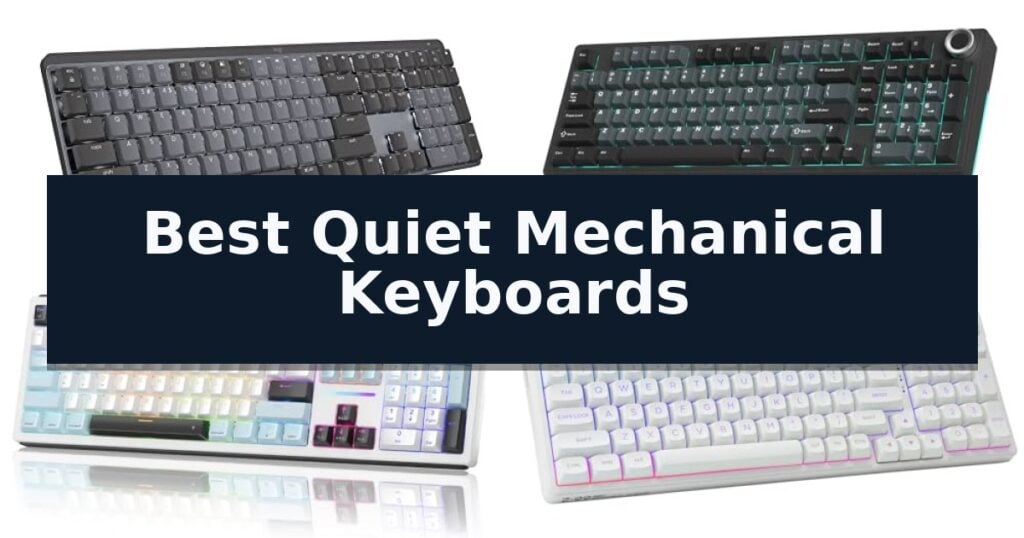
10 Best Quiet Mechanical Keyboards in 2026 Reviews
Quick Comparison
| Product | Best For | Key Strength | Score |
|---|---|---|---|
| Logitech MX Mechanical Wireless Keyboard | Best Overall | Tactile Quiet mechanical switches provide satisfying feedback with reduced noise output. | 4.9 |
| SOLAKAKA KI99 Pro Mechanical Keyboard | Gasket structure for silent typing | Advanced gasket structure with five noise-reducing layers for quiet operation. | 4.5 |
| Redragon K771 Wireless Mechanical Keyboard | Five-layer noise dampening design | Gasket mount design with five layers of sound dampening for ultra-quiet acoustics. | 4.5 |
| HUO JI E-Yooso Creamy Mechanical Keyboard | Satisfyingly quiet thocky acoustics | Gasket structure with multi-layer foam significantly reduces hollow noise. | 4.3 |
| ProtoArc K310 Pro Mechanical Keyboard | Linear switches for office environments | Linear red switches provide a quiet typing experience suitable for office use. | 4.7 |
| Keychron K2 Wireless Mechanical Keyboard | Pre-lubed silent switch performance | Pre-lubed Silent K Pro Red switches for quiet operation. | 4.3 |
| Keychron K8 Wireless Mechanical Keyboard | Compact TKL for quiet workspaces | Factory pre-lubed Silent K Pro Red switches for reduced typing noise. | 4.6 |
| Keychron K10 Wireless Mechanical Keyboard | Full-size layout with silent switches | Silent K Pro Red switches feature factory-lubed, sound-dampening components for quiet operation. | 4.3 |
| AULA F75 Wireless Mechanical Keyboard | Creamy sound with gasket mount | Gasket-mounted structure with five layers of silencer material for a quiet, creamy sound. | 4.7 |
| X9 Slim Wireless Mechanical Keyboard | Laptop-style quiet mechanical feel | Triple-mode connectivity allows switching between four devices instantly. | 4.4 |
How We Chose
Evaluating the best quiet mechanical keyboards requires a focus on how internal components interact to suppress noise. An experienced reviewer examines the synergy between switch lubrication, case foam, and mounting styles to determine which boards effectively eliminate hollow resonance and high-pitched clatter while maintaining the satisfying tactile response expected from mechanical hardware.
- Switch type and noise profile
- Chassis construction and sound dampening
- Connectivity options and multi-device support
- Layout efficiency and ergonomic features
- Battery life and power management
1 Logitech MX Mechanical Wireless Keyboard — Tactile feel with minimal noise
The Logitech MX Mechanical Wireless Keyboard prioritizes a refined typing experience through its low-profile mechanical switches, which provide a distinct tactile bump while maintaining a significantly quieter sound profile than traditional mechanical boards. This design choice ensures that users receive precise, reactive feedback without creating excessive noise in shared workspaces or home offices.
Engineered for versatility, the keyboard features a full-size form factor that balances comfort with a streamlined layout. The smart illumination system is a standout utility, as the backlighting automatically activates when hands approach the keys and adjusts intensity based on ambient light conditions, effectively extending battery life.
Connectivity and workflow integration are central to this model's functionality. Users can pair the device with up to three systems simultaneously via Bluetooth Low Energy or the included Logi Bolt receiver, supporting seamless transitions across different operating systems. Furthermore, the Logi Options+ software allows for extensive customization of function keys and cross-computer control.
Power management is handled through a USB-C quick-charging interface, offering up to 15 days of use with backlighting enabled, or an impressive 10 months with the lighting turned off. Constructed with a focus on sustainability, the graphite model incorporates 45% post-consumer recycled plastic, making it a practical choice for those seeking a balance of performance and environmental consideration.
Best for: Professionals and typists who require a quiet, tactile mechanical typing experience across multiple devices and operating systems.
Skip if: Users who prefer a compact tenkeyless layout or those who require a highly audible, classic mechanical click for gaming or personal preference.
- Tactile Quiet mechanical switches provide satisfying feedback with reduced noise output.
- Smart backlighting adjusts automatically to ambient light to optimize battery life.
- Multi-device connectivity supports up to three devices via Bluetooth or Logi Bolt.
- USB-C rechargeable battery offers long-lasting performance up to 10 months with backlighting off.
- Full-size form factor may be too large for users with limited desk space.
- Low-profile key design offers a different feel that may not suit fans of deep-travel mechanical switches.
2 SOLAKAKA KI99 Pro Mechanical Keyboard — Gasket structure for silent typing
The SOLAKAKA KI99 Pro Mechanical Keyboard prioritizes a quiet typing experience through an advanced gasket structure integrated with five noise-reducing layers and silent switches. This design choice aims to minimize acoustic output, making it a suitable option for shared workspaces or environments where noise sensitivity is a priority.
Beyond its acoustic profile, the keyboard features a 96% layout that balances functionality with a compact footprint, complemented by an innovative control knob for quick adjustments to media, volume, and lighting. Connectivity is handled via a triple-mode system, supporting Bluetooth 5.0, 2.4G wireless, and Type-C wired connections, powered by a substantial 10,000mAh battery to support extended usage cycles.
Customization is a core component of this model, which includes full hot-swappable support for 3/5-pin switches on a 1.2mm flex-cut PCB. Users can further tailor the device using dedicated software to program keys, manage macros, and adjust the full-key RGB lighting and side light bars, which offer 16.8 million color options.
Durability and comfort are addressed through the inclusion of PBT keycaps, which are designed to resist wear and fading while providing a non-slip finish. The combination of these features creates a versatile platform for both gaming and professional tasks, allowing for hardware-level personalization without sacrificing the core silent typing performance.
Best for: Users who require a quiet typing environment and a compact, highly customizable mechanical keyboard for both professional and gaming use.
Skip if: Users who prefer a full-sized 100% layout with a dedicated number pad or those who do not require hot-swappable switch functionality.
- Advanced gasket structure with five noise-reducing layers for quiet operation.
- Triple-mode connectivity including Bluetooth, 2.4G, and Type-C.
- 10,000mAh battery capacity for long-lasting performance.
- Full hot-swappable keys for easy switch customization.
- 96% layout may require an adjustment period for users accustomed to standard full-sized keyboards.
3 Redragon K771 Wireless Mechanical Keyboard — Five-layer noise dampening design
The Redragon K771 Wireless Mechanical Keyboard prioritizes a distraction-free typing environment through its sophisticated gasket mount design. By replacing traditional rigid screw connections with flexible, cushioned feedback and five integrated layers of foam and silicone padding, this keyboard effectively absorbs hollow noise and case ping to maintain a quiet workspace.
Beyond its acoustic engineering, the Redragon K771 Wireless Mechanical Keyboard offers significant versatility for both gaming and productivity. It features a tri-mode connection system that supports 2.4GHz wireless, Bluetooth 5.0/3.0, and USB-C wired modes, allowing users to pair up to five devices simultaneously. A robust 8000mAh rechargeable battery ensures extended operation, reducing the frequency of charging sessions.
The full-size 108-key layout includes four dedicated hotkeys for Mute, Calculator, Lock Screen, and Show Desktop, streamlining common workflow tasks. The keyboard utilizes pre-lubed linear switches to provide a smooth, consistent feel while minimizing scratchiness. For those who prefer specific tactile or acoustic profiles, the hot-swappable socket supports most 3-pin and 5-pin switches, enabling customization without the need for soldering.
Aesthetic and software integration round out the package. The Redragon K771 Wireless Mechanical Keyboard features per-key RGB lighting that can be fully customized via dedicated software, which also allows for macro programming and key remapping. The distinct blue, white, and black colorway provides a unique visual identity, while the overall construction emphasizes a balance between high-performance gaming features and a refined, quiet typing experience.
Best for: Users who require a quiet, full-sized mechanical keyboard with extensive wireless connectivity and hot-swappable switch options.
Skip if: Users who prefer a compact tenkeyless or 60% form factor to save desk space.
- Gasket mount design with five layers of sound dampening for ultra-quiet acoustics.
- Tri-mode connectivity supporting up to five devices.
- 8000mAh battery for long-lasting wireless performance.
- Hot-swappable sockets for easy switch customization.
- Full-size 108-key layout occupies significant desk real estate.
4 HUO JI E-Yooso Creamy Mechanical Keyboard — Satisfyingly quiet thocky acoustics
Achieving a quiet typing environment often requires specialized internal construction, and the HUO JI E-Yooso Creamy Mechanical Keyboard addresses this through a sophisticated Gasket structure paired with five layers of sound-absorbing foam. This design choice specifically targets the hollow resonance often found in standard mechanical boards, aiming to produce a dampened, creamy acoustic profile that remains unobtrusive during extended use.
Beyond its acoustic engineering, the keyboard features a 96% layout that packs 99 keys into a compact 39×13.5x4cm footprint. This configuration maintains full functionality while preserving valuable desk space. The inclusion of pre-lubed linear switches ensures a smooth travel distance, while the hot-swappable PCB provides the flexibility to replace 3-pin or 5-pin switches without the need for soldering, allowing for future customization of both feel and sound.
Reliability and aesthetics are integrated through 100% anti-ghosting and N-key rollover, ensuring accurate input registration during rapid typing or gaming sessions. The board is finished with double-shot injection PBT keycaps designed to resist wear, complemented by an RGB lighting system that offers 15 distinct effects and adjustable brightness levels to suit various workspace environments.
While the HUO JI E-Yooso Creamy Mechanical Keyboard excels at noise reduction, users should note that its wired-only connectivity via a 5.25-foot USB-C to USB-A cable necessitates a direct connection to a PC or Mac. This design prioritizes consistent power and latency-free performance, making it a stable choice for stationary setups where wireless freedom is not a primary requirement.
Best for: Users seeking a compact, quiet mechanical keyboard with a pre-dampened acoustic profile for office or shared-space environments.
Skip if: Users who require wireless connectivity or Bluetooth functionality for multi-device switching or a cable-free desk setup.
- Gasket structure with multi-layer foam significantly reduces hollow noise.
- Hot-swappable PCB allows for easy switch customization without soldering.
- 96% layout provides full functionality in a space-saving footprint.
- Pre-lubed linear switches offer a smooth, consistent typing experience.
- Wired-only connection limits placement flexibility compared to wireless models.
5 ProtoArc K310 Pro Mechanical Keyboard — Linear switches for office environments
The ProtoArc K310 Pro Backlit Bluetooth Mechanical Keyboard is engineered for those who require a professional typing experience without the disruptive noise often associated with mechanical switches. By utilizing low-profile linear red switches, this keyboard provides a smooth, consistent keystroke that maintains an authentic mechanical feel while keeping acoustic output minimal, making it a suitable choice for shared office environments.
Beyond its quiet operation, the keyboard offers versatile connectivity options, allowing users to pair up to three devices simultaneously via Bluetooth or a 2.4G USB receiver. Transitioning between Windows, Mac, iOS, and Android platforms is handled through single-button controls, ensuring a streamlined workflow across multiple devices. The inclusion of a USB-C rechargeable battery supports extended usage, with a standby time reaching up to 150 days after a full 6-8 hour charge.
The physical design features a full-size 108-key layout housed in a modern aluminum top case, providing a stable and sophisticated aesthetic. For ergonomic support, the unit includes 2-level adjustable tilt legs, allowing users to customize the typing angle for improved comfort during long sessions. Additionally, the keyboard features 10 adjustable backlight effects, with customizable speed and brightness levels to suit individual workspace preferences.
Advanced users can take advantage of macro customization to tailor key functions and lighting effects, though this feature is restricted to 2.4G USB connections. The keyboard is compatible with a wide range of operating systems, including Windows 8/10, Mac OS X 10.12, and Android 4.4 or higher, ensuring broad integration into existing technology setups.
Best for: Office professionals and multi-device users who need a quiet, full-size mechanical keyboard with seamless switching capabilities.
Skip if: Users who require advanced macro programming over Bluetooth or those who rely on multi-port USB hubs for their primary connection.
- Linear red switches provide a quiet typing experience suitable for office use.
- Multi-device connectivity supports up to three devices via Bluetooth and 2.4G.
- USB-C rechargeable battery offers up to 150 days of standby time.
- Sleek aluminum design with 2-level adjustable tilt legs for ergonomic comfort.
- Macro customization is limited to 2.4G USB connections only.
- Compatibility limitations include lack of support for multi-port hubs and Safari.
6 Keychron K2 Wireless Mechanical Keyboard — Pre-lubed silent switch performance
The Keychron K2 Wireless Mechanical Keyboard is engineered for environments where noise discipline is paramount, utilizing pre-lubed Silent K Pro Red switches to dampen the audible click typically associated with mechanical boards. This linear switch design provides a smooth, consistent keystroke that minimizes impact noise, making it a practical choice for shared workspaces or late-night computing sessions where maintaining a quiet atmosphere is essential.
Designed with a compact 75% layout, this keyboard retains 84 keys, effectively balancing a smaller footprint with the full functionality of a standard board. By omitting the dedicated number pad, it reclaims significant desk space, allowing for a more ergonomic mouse position. This space-saving design does not compromise input accuracy, as the board features anti-ghosting and N-key rollover to ensure every command is registered correctly during rapid typing or gaming.
Versatility is a core component of the hardware, offering dual-mode connectivity. Users can pair the keyboard with up to three devices simultaneously via Bluetooth 5.1 for seamless multitasking, or utilize the wired USB-C mode for a stable connection. When operating in wired mode, the keyboard supports a 1000 Hz polling rate, which provides the low-latency input registration often required for high-demand tasks or competitive gaming.
The board is optimized for cross-platform compatibility, featuring native media keys for macOS while including additional keycaps for Windows users. Visibility is maintained through a white LED backlight paired with shine-through keycaps, ensuring the legends are clearly legible in low-light environments. A notable trade-off for this compact form factor is the absence of a dedicated number pad, which may require users who frequently perform data entry to adjust their workflow or utilize an external numeric peripheral.
Best for: Users in shared workspaces or home offices who require a compact, quiet typing experience with multi-device wireless connectivity.
Skip if: Users who require a dedicated number pad for frequent data entry or those who prefer the tactile and audible feedback of clicky mechanical switches.
- Pre-lubed Silent K Pro Red switches for quiet operation.
- Compact 75% layout saves significant desk space.
- Multi-device connectivity via Bluetooth 5.1.
- Dual-mode functionality with wired USB-C and wireless options.
- Lacks a dedicated number pad due to the compact 75% form factor.
7 Keychron K8 Wireless Mechanical Keyboard — Compact TKL for quiet workspaces
The Keychron K8 Wireless Mechanical Keyboard prioritizes a quiet typing experience through its factory pre-lubed Silent K Pro Red switches, making it a functional choice for shared office environments or late-night gaming sessions. This tenkeyless (TKL) model balances a compact footprint with the tactile feedback expected from a mechanical board, ensuring that productivity remains high without the disruptive noise often associated with mechanical switches.
Designed for versatility, the keyboard offers dual connectivity options. Users can pair up to three devices simultaneously using Bluetooth 5.1 for a clean, wireless desk setup, or utilize the USB-C wired mode which features a 1000 Hz polling rate for responsive performance. The inclusion of white LED backlighting and shine-through keycaps ensures that the layout remains visible in low-light conditions, maintaining utility throughout the day.
Compatibility is a core strength, as the keyboard comes optimized for macOS with native multimedia keys and includes additional keycaps to support Windows layouts. This allows users to switch between operating systems without remapping or losing functionality. The TKL 87-key design provides a standard typing experience while saving desk space, fitting into various workstation configurations.
Measuring 14.1 inches in length and 4.84 inches in width, the board is built to be stable yet accessible. While the silent switches reduce acoustic output, the mechanical nature of the board still provides the consistent actuation required for typing-heavy tasks. The combination of wired and wireless modes, alongside its cross-platform support, makes it a practical tool for users managing multiple devices.
Best for: Users who require a quiet, compact mechanical keyboard that can seamlessly switch between multiple devices and operating systems.
Skip if: Users who require a full-sized keyboard with a dedicated number pad for data entry or those who prefer the audible click of non-silent mechanical switches.
- Factory pre-lubed Silent K Pro Red switches for reduced typing noise.
- Dual connectivity supporting Bluetooth 5.1 for three devices and USB-C wired mode.
- Native macOS and Windows support with dedicated multimedia keys.
- TKL layout provides a compact design without sacrificing essential keys.
- Lacks a dedicated number pad, which may limit efficiency for specific data entry tasks.
- TKL form factor is larger than 60% or 65% keyboards, occupying more desk space.
8 Keychron K10 Wireless Mechanical Keyboard — Full-size layout with silent switches
Maintaining a quiet workspace often begins with the hardware under your fingertips, and the Keychron K10 Wireless Mechanical Keyboard is engineered specifically to address noise concerns through its specialized Keychron Silent K Pro Red Switch technology. These factory pre-lubed linear switches incorporate sound-dampening materials to ensure a smooth, quiet typing experience with a light 45±10 gf operating force.
Designed for versatility, this full size 104-key layout retains the essential number pad and function row, making it a practical choice for data entry and professional workflows. The keyboard offers flexible connectivity, allowing users to pair with up to three devices via Bluetooth or maintain a stable, high-performance connection using the Type-C wired mode with a 1000 Hz polling rate.
The Keychron K10 Wireless Mechanical Keyboard caters to both macOS and Windows users, featuring a dedicated Mac layout with multimedia keys and including extra keycaps for Windows compatibility. For those who prioritize customization, the board supports QMK and Keychron Launcher, a web-based interface that enables users to remap keys, create macros, and adjust firmware settings directly through a browser.
Power management is handled by a large 4000 mAh rechargeable battery, which provides up to 240 hours of usage when the white LED backlight is disabled. The shine-through keycaps and adjustable white LED lighting ensure visibility in various environments, providing a balanced solution for users who require a quiet, full-sized input device without the complexity of RGB lighting.
Best for: Professionals and typists who require a full-sized layout with a quiet, dampened typing feel for shared or noise-sensitive environments.
Skip if: Users who require RGB backlighting or a compact, tenkeyless form factor for limited desk space will find this model unsuitable.
- Silent K Pro Red switches feature factory-lubed, sound-dampening components for quiet operation.
- Full-size 104-key layout includes a dedicated number pad for efficient data entry.
- QMK and Keychron Launcher support allows for extensive key remapping and macro creation.
- Versatile connectivity options include Bluetooth for three devices and a stable Type-C wired mode.
- White LED backlight only, lacking the customization options of RGB lighting.
- Large footprint due to the full-size layout may not suit smaller desk setups.
9 AULA F75 Wireless Mechanical Keyboard — Creamy sound with gasket mount
Achieving a satisfying typing experience often requires balancing tactile feedback with acoustic output. The AULA F75 Wireless Mechanical Keyboard addresses this by utilizing an advanced gasket-mounted structure paired with five layers of internal sound-dampening materials to minimize cavity noise.
This 75% layout keyboard features PCB single key slotting and an extended integrated silicone pad, which work together to optimize resilience and provide a softer, more elastic feel during extended use. The inclusion of pre-lubricated linear switches and stabilizers ensures smooth operation right out of the box, catering to users who prioritize a consistent, creamy sound profile.
Connectivity is handled through a versatile tri-mode system, allowing for seamless switching between Bluetooth 5.0, 2.4GHz wireless, and USB wired connections. With a 4000mAh large-capacity battery, the unit supports long-lasting usage across multiple devices, including PCs, tablets, and gaming consoles.
The AULA F75 Wireless Mechanical Keyboard is designed for customization, featuring a hot-swappable base that accommodates both 3-pin and 5-pin switches without requiring soldering. A multi-function knob provides intuitive control over volume, media playback, and lighting effects, while the driver software enables full-key macro programming for enhanced efficiency.
Best for: Users seeking a compact, gasket-mounted keyboard that offers a refined, dampened typing sound and extensive connectivity options.
Skip if: Users who require a full-sized layout with a dedicated number pad for data entry or heavy spreadsheet work.
- Gasket-mounted structure with five layers of silencer material for a quiet, creamy sound.
- Hot-swappable PCB allows for easy switch customization without soldering.
- Tri-mode connectivity supports up to five devices simultaneously.
- 4000mAh battery provides extended wireless usage time.
- 75% compact layout lacks a dedicated number pad.
- 6-month warranty period is relatively short compared to some competitors.
10 X9 Slim Wireless Mechanical Keyboard — Laptop-style quiet mechanical feel
The X9 Slim Wireless Mechanical Keyboard features a specialized low-profile design that mimics the tactile feel of a premium laptop while providing the consistent, linear actuation of mechanical switches. This configuration is engineered for users who require a quiet typing environment without sacrificing the precision or responsiveness of a mechanical board.
Connectivity is handled through a versatile triple-mode system, allowing users to toggle between two Bluetooth devices, a 2.4GHz wireless connection, and a wired USB-A/C interface. This multi-device capability enables seamless transitions between different workstations or operating systems without the need for re-pairing or external adapters.
Designed for high-output productivity, the 107-key layout integrates a dedicated number pad, 15 shortcut keys, and a built-in volume knob. The chassis is constructed with a solid aluminum top case to minimize deck flex during intensive typing sessions, complemented by white backlighting with three adjustable brightness levels for visibility in low-light conditions.
Power management is supported by a 2000mAh rechargeable battery, which eliminates the need for disposable cells and supports extended periods of wireless operation. The combination of its slim profile, quiet mechanical switches, and comprehensive layout makes it a functional tool for office or home-office environments where noise reduction is a priority.
Best for: Professionals and data entry specialists who require a quiet, full-sized mechanical typing experience across multiple devices.
Skip if: Users who prefer deep-travel mechanical switches or those who require a compact, tenkeyless form factor for limited desk space.
- Triple-mode connectivity allows switching between four devices instantly.
- Low-profile red switches provide a quiet, linear typing experience.
- Solid aluminum top case ensures a stable, wobble-free typing surface.
- Integrated volume knob and dedicated shortcut keys enhance workflow efficiency.
- Full-size 107-key layout occupies significant desk space compared to compact alternatives.
- Fixed low-profile switches do not offer the customization of hot-swappable mechanical boards.
Best Quiet Mechanical Keyboards Buying Guide
Understanding Switch Acoustics
Mechanical keyboards are traditionally known for their audible feedback, but quiet variants use specific linear or tactile switches that are factory-lubricated to reduce friction and noise. These switches are designed to dampen the sound of the stem hitting the housing, resulting in a smoother, more muted keystroke.
When shopping, look for terms like silent red or tactile quiet. These switches are engineered to provide the same actuation force as standard versions but with internal padding that absorbs the impact, making them suitable for shared office spaces or late-night work sessions.
The Role of Gasket Mounting
Gasket mounting is a premium design feature where the keyboard plate is suspended by soft gaskets rather than being screwed directly into the case. This isolation prevents vibrations from traveling through the frame, significantly reducing the hollow pinging sound often found in cheaper plastic boards.
Combined with sound-dampening foam layers, a gasket-mounted keyboard produces a deeper, more thocky sound profile. This construction is ideal for users who want a high-end typing feel that is both physically soft and acoustically unobtrusive.
Layout and Form Factor Considerations
The physical size of your keyboard impacts both desk space and functionality. Full-size layouts include a dedicated number pad, which is essential for data entry, while 75% or TKL layouts remove redundant keys to provide more room for your mouse.
Choosing the right layout depends on your specific workflow. If you frequently use spreadsheets, a full-size board is necessary. However, if you prioritize ergonomics and mouse movement, a compact layout often allows for a more natural arm position.
Connectivity and Multi-Device Workflow
Modern mechanical keyboards often support multiple connection methods, including Bluetooth, 2.4GHz wireless, and wired USB-C. The ability to pair with up to three devices simultaneously allows for seamless switching between a laptop, desktop, and tablet.
For a clean desk setup, wireless connectivity is preferred. Ensure the keyboard supports a stable 2.4GHz connection if you are gaming or require low latency, as Bluetooth can occasionally introduce minor input delays in high-performance scenarios.
Customization and Longevity
Hot-swappable sockets are a valuable feature that allows you to replace individual switches without soldering. This extends the life of your keyboard, as you can easily swap out a faulty switch or experiment with different feel profiles over time.
Look for boards that offer software support for remapping keys and customizing backlighting. These tools allow you to tailor the keyboard to your specific needs, ensuring that your hardware remains functional and efficient as your requirements evolve.
Frequently Asked Questions
Are all mechanical keyboards loud?
No, many mechanical keyboards are specifically engineered to be quiet. By using pre-lubed silent switches and sound-dampening materials like silicone or foam, manufacturers can significantly reduce the noise output compared to traditional clicky switches.
What is a hot-swappable keyboard?
A hot-swappable keyboard features sockets that allow you to pull out and replace mechanical switches without needing to solder them to the circuit board. This makes it easy to customize the typing feel or repair individual keys.
Does a gasket mount make a keyboard quieter?
Yes, gasket mounting helps isolate the typing plate from the case, which reduces the vibration and hollow resonance that contribute to typing noise. It generally results in a deeper, more dampened sound compared to tray-mounted boards.
Can I use a wireless mechanical keyboard for gaming?
Yes, many modern wireless mechanical keyboards offer a 2.4GHz connection mode, which provides a fast, stable response time comparable to a wired connection, making them suitable for gaming.
How do I choose between linear and tactile switches?
Linear switches offer a smooth, consistent keystroke from top to bottom, which is often preferred for gaming. Tactile switches provide a small bump during the press, which many typists prefer for the added feedback it provides.
Conclusion: Our Top Pick
Our top pick is Logitech MX Mechanical Wireless Keyboard. Finding the right quiet mechanical keyboard involves prioritizing the specific acoustic and ergonomic features that match your daily workflow. Whether you require the low-profile comfort of the Logitech MX Mechanical or the deep, dampened sound of a gasket-mounted board like the AULA F75, there are excellent options available that do not compromise on performance.
By focusing on switch type, mounting structure, and connectivity, you can build a workspace that is both productive and quiet. Consider your primary use case—whether it is intensive data entry or long-form writing—to select the model that best supports your needs.