Elgato 4K S Capture Card is our pick for the Best 1440p Capture Cards because it balances high-refresh rate passthrough with reliable USB-C connectivity for modern console setups.
Selecting a capture card for 1440p gaming requires balancing high-resolution recording with the need for smooth, high-refresh rate passthrough. Gamers should prioritize devices that support 1440p120 or 1440p144 passthrough to ensure their competitive gameplay remains responsive while the card handles the encoding load.
Beyond raw resolution, connectivity and audio integration are critical. Experienced streamers often look for dedicated 3.5mm ports for chat mixing and UVC/UAC compliance to ensure plug-and-play compatibility across Windows, macOS, and Linux without the need for proprietary driver installations.
If you are currently upgrading your hardware to support higher frame rates, our guide on Best 1440p 144Hz GPU can help you choose a graphics card that pairs perfectly with these capture solutions.
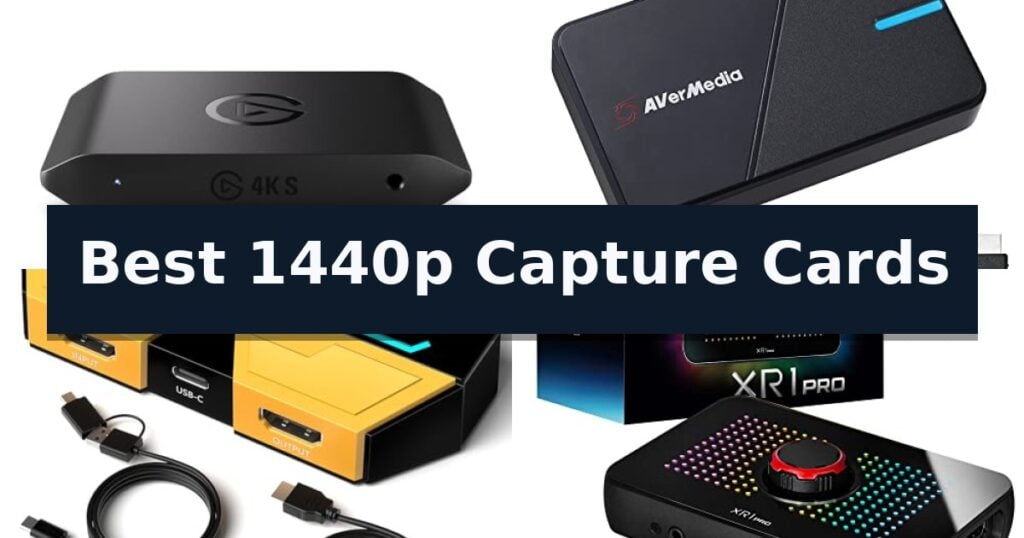
10 Best 1440p Capture Cards in 2026 Reviews
Quick Comparison
| Product | Best For | Key Strength | Score |
|---|---|---|---|
| Elgato 4K S Capture Card | Best Overall | High-refresh passthrough supports 1440p120 and 1080p240. | 4.9 |
| AVerMedia Live Gamer Extreme 3 | Smooth VRR Gaming Support | 4K60 HDR pass-through for high-quality visual monitoring | 4.4 |
| BlueAVS 4K60 HDMI Capture Card | Ultrawide Monitor Compatible | Supports 1440P at 144Hz and 1080P at 240Hz passthrough. | 4.6 |
| EVGA XR1 Pro Capture Card | Integrated Audio Control Dial | True 1440p at 144Hz HDR pass-through support | 4.6 |
| AVerMedia Live Gamer ULTRA S | Full-Color RGB24 Capture | Supports 4K60, 1440p144, and 1080p240 capture and passthrough. | 4.4 |
| Elgato 4K Pro Internal Card | Future-Proof 8K Passthrough | 8K60 passthrough support for high-end display setups. | 4.7 |
| AVerMedia Live Gamer 4K | Internal PCIe Performance | Zero-lag pass-through for uninterrupted gameplay. | 4.7 |
| Portta DX20R Capture Card | Real-Time Parameter Display | Supports 4K 60Hz and 2K 144Hz passthrough for high-resolution gaming. | 4.7 |
| Guermok 4K60 HDMI Capture Card | High-Motion VR Capture | Supports 4K@60Hz and 2K@120FPS for high-fidelity recording. | 4.8 |
| NearStream CCD10 Capture Card | Dual Audio Input Ports | Supports high-frame-rate passthrough up to 1440p120 and 1080p240. | 4.9 |
How We Chose
To identify the best 1440p capture cards, we evaluate each device based on its ability to maintain high-refresh rate passthrough without compromising visual fidelity. We prioritize units that offer seamless integration with standard streaming software, reliable low-latency performance, and flexible audio input options that simplify the workflow for both console and PC-based content creators.
- Passthrough Resolution and Refresh Rate Support
- Recording Latency and Encoding Efficiency
- Audio Input and Mixing Capabilities
- System Compatibility and Driver Requirements
- Build Quality and Connection Interface
1 Elgato 4K S Capture Card — High-Refresh 1440p Passthrough
High-refresh gaming requires hardware that can keep pace with modern display standards, and the Elgato 4K S Capture Card addresses this by enabling 1440p120 or 1080p240 passthrough. This design choice ensures that gamers can maintain their competitive frame rates on consoles like the PS5, Xbox Series X/S, or Switch 2 while simultaneously recording their gameplay without introducing visual stutter or input lag.
Beyond its passthrough capabilities, the card supports 4K60 capture, allowing for high-fidelity recording with crisp detail and vivid color reproduction. For users operating on Windows, the inclusion of HDR10 support with tone mapping ensures that color accuracy and dynamic range are preserved during the recording process, providing a professional-grade look for content creators who prioritize visual fidelity.
The hardware is built for versatility, featuring cross-platform compatibility with current-generation consoles. It also includes an analog audio input via a 3.5mm jack, which provides a direct way to integrate in-game chat or external commentary into your stream or recording setup. This hardware-level integration simplifies the workflow by removing the need for complex software routing, which can often introduce audio sync issues.
Connectivity is handled via USB-C, facilitating a straightforward connection to your PC. With its near-zero latency design, the card minimizes the delay between the console output and the monitor, maintaining the responsiveness necessary for fast-paced gaming sessions. Measuring 4.4 x 2.8 x 0.7 inches, the compact form factor allows for easy placement in various desktop configurations, and it is backed by a 2-year manufacturer warranty.
Best for: Gamers who need to record high-refresh-rate gameplay at 1440p or 1080p without sacrificing their monitor's performance.
Skip if: Users who require internal PCIe card installation or those who do not need high-refresh passthrough capabilities.
- High-refresh passthrough supports 1440p120 and 1080p240.
- 4K60 capture capability for high-quality recording.
- Analog audio input for easy commentary or chat integration.
- Near-zero latency ensures responsive gameplay.
- HDR10 tone mapping is limited to Windows environments.
2 AVerMedia Live Gamer Extreme 3 — Smooth VRR Gaming Support
Capturing high-fidelity gameplay requires hardware that balances resolution with frame rate, and the AVerMedia Live Gamer Extreme 3 is designed to handle these demands through its 4K60 HDR pass-through capability. This device allows users to record at 4K30 while simultaneously outputting high-refresh-rate signals to their monitor, ensuring that the gaming experience remains fluid without sacrificing capture quality.
The unit excels in versatility by supporting Variable Refresh Rate (VRR) at 1440p120 or 1080p120, a critical feature for modern console gaming on systems like the PS5 or Xbox Series X/S. By maintaining near-instant responsiveness, it minimizes the latency often associated with external capture cards, keeping audio and video perfectly synced during intensive streaming sessions.
Setting up the AVerMedia Live Gamer Extreme 3 is straightforward thanks to its plug-and-play design, which eliminates the need for external power supplies or complex driver installations. It is fully compatible with major streaming software like OBS and Twitch, and it supports a wide range of operating systems including Windows, Mac, and iPadOS.
For content creators who prioritize audio control, the inclusion of 3.5mm audio in and out ports allows for direct headset or microphone integration. This hardware-level connection simplifies the process of capturing game chat and commentary without relying on additional software routing, making it a robust choice for live production environments.
Best for: Gamers and streamers who require high-refresh-rate VRR pass-through and simple, driver-free connectivity for 1440p capture.
Skip if: Users who specifically require internal PCIe card installation or those needing capture resolutions higher than 4K30.
- 4K60 HDR pass-through for high-quality visual monitoring
- VRR support at 1440p120 for smooth, tear-free gaming
- Plug-and-play simplicity with no external power required
- Integrated 3.5mm audio ports for direct mic and headset input
- 4K30 capture limit for recorded footage
- External USB-based design occupies a port on the host system
3 BlueAVS 4K60 HDMI Capture Card — Ultrawide Monitor Compatible
High-refresh gaming setups require hardware that can handle demanding resolutions without compromising frame rates. The BlueAVS 4K60 HDMI Video Capture Card addresses this by supporting 1440P at 144Hz and 1080P at 240Hz passthrough, ensuring that competitive gamers can maintain their preferred visual settings while streaming or recording.
Designed for versatility, this external device utilizes UVC/UAC plug-and-play compatibility, meaning it functions across Windows, macOS, and Linux systems without needing extra drivers. The unit handles a variety of video formats including MJPEG, YUY2, NV12, P010, and RGB, providing the flexibility needed for different professional streaming workflows.
Audio management is integrated through a dedicated 3.5mm audio port, which supports both line-in sources and headset audio for voice chat. This allows for streamlined sound mixing directly within the capture hardware, reducing the need for complex external routing.
The device is built for high-performance throughput, supporting HDR and VRR while maintaining a 4K60 output resolution. Users should note that to achieve the highest performance, the card requires a USB 5Gbps or higher port; connecting to a USB 2.0 port will limit the resolution to 1080P.
Best for: Competitive gamers and streamers who need to capture high-refresh-rate gameplay at 1440P or 1080P without losing visual fidelity.
Skip if: Users who only have access to USB 2.0 ports, as this will restrict the device to 1080P resolution and negate the high-refresh-rate benefits.
- Supports 1440P at 144Hz and 1080P at 240Hz passthrough.
- UVC/UAC plug-and-play for driverless setup.
- Dedicated 3.5mm audio port for flexible sound mixing.
- Supports HDR and VRR for high-quality visual output.
- Requires a USB 5Gbps or higher port for full resolution support.
- USB 2.0 connectivity limits performance to 1080P.
4 EVGA XR1 Pro Capture Card — Integrated Audio Control Dial
Managing high-resolution gameplay and professional streaming requires hardware that keeps pace with modern display standards. The EVGA XR1 Pro Capture Card distinguishes itself by offering true 1440p at 144Hz HDR pass-through, ensuring that your monitor maintains its native refresh rate while you record or broadcast your sessions.
Designed for seamless integration into existing workflows, this device supports 4K at 30fps recording and 4K at 60Hz HDR pass-through. The inclusion of an integrated audio control dial provides immediate, tactile adjustments to your audio mix without needing to navigate complex software menus during a live stream.
Setup is straightforward due to its plug and play design, which eliminates the need for manual driver installation. The unit is certified for OBS, providing confidence that it will interface reliably with the industry-standard software used by most content creators.
Beyond its technical capabilities, the device features customizable RGB LEDs for aesthetic integration into a gaming setup. It is compatible with a wide range of platforms, including PC, PS5, PS4, Xbox Series X/S, Xbox One, and Nintendo Switch, making it a versatile choice for multi-console users.
While the device offers robust feature sets, users should ensure their system meets the requirements for USB 3.1 connectivity to maintain performance. The 2-year limited warranty provides a layer of support for this hardware investment.
Best for: Gamers and streamers who require high-refresh-rate 1440p pass-through and integrated audio mixing controls.
Skip if: Users who do not require 144Hz pass-through or those who prefer software-based audio mixing over physical dial controls.
- True 1440p at 144Hz HDR pass-through support
- Integrated audio mixer with physical control dial
- Certified for OBS for reliable software compatibility
- Plug and play setup with no driver installation required
- Requires USB 3.1 for optimal performance
5 AVerMedia Live Gamer ULTRA S — Full-Color RGB24 Capture
Achieving high-fidelity gameplay recording requires hardware that keeps pace with modern display outputs. The AVerMedia Live Gamer ULTRA S distinguishes itself by offering 4K60 HDR and VRR passthrough, allowing gamers to maintain high-performance visuals on their monitors while simultaneously capturing content.
This capture card is engineered for versatility across platforms, supporting 1440p144 and 1080p240 capture resolutions. It integrates seamlessly into professional streaming workflows, providing RGB24 full-color support on Windows and compatibility with popular software like OBS Studio and Streamlabs. For those utilizing ultrawide monitors, the device supports input resolutions up to 3440×1440.
Connectivity is managed via a USB 3.2 Gen 1 Type-C interface, which facilitates the capture of 5.1-channel audio on Windows systems. The hardware is designed to work with a wide range of sources, including the PS5, Xbox Series X/S, and PC, while also offering support for macOS and iPadOS, ensuring a broad range of application for content creators.
While the card provides robust technical specifications for high-refresh-rate gaming, users should ensure their host system meets the necessary USB bandwidth requirements to fully utilize the uncompressed capture capabilities. With a 3-year manufacturer warranty, it serves as a reliable component for dedicated streaming setups.
Best for: Content creators and gamers who require high-refresh-rate 1440p capture with VRR and HDR passthrough support.
Skip if: Users who do not have a USB 3.2 Gen 1-capable host system or those who primarily stream from consoles that do not support unencrypted HDMI output.
- Supports 4K60, 1440p144, and 1080p240 capture and passthrough.
- Includes VRR and HDR passthrough for uninterrupted gaming visuals.
- Offers RGB24 full-color support for high-quality video reproduction.
- Broad compatibility with PC, Mac, and iPadOS.
- Requires USB 3.2 Gen 1 connectivity for optimal performance.
- Limited to unencrypted HDMI source signals.
6 Elgato 4K Pro Internal Card — Future-Proof 8K Passthrough
Capturing high-fidelity gameplay requires hardware that keeps pace with modern display standards, and the Elgato 4K Pro Internal Capture Card addresses this by supporting 8K60 passthrough for uncompromised visual fidelity. Designed for internal installation, this card provides a robust solution for streamers and content creators who require high-resolution monitoring without sacrificing capture quality.
The card leverages HDMI 2.1 connectivity to facilitate advanced gaming workflows, including the ability to record at up to 1080p240 for ultra-smooth motion capture. By incorporating Variable Refresh Rate (VRR) passthrough, the device ensures that gameplay remains free of screen tearing, maintaining a seamless experience between the console or PC and the display.
For those managing complex production environments, the Elgato 4K Pro Internal Capture Card is built for dual PC setup compatibility and integrates with major broadcasting software like OBS, Streamlabs, and Twitch Studio. Its ultra-low latency architecture is engineered to maintain precise synchronization between the live broadcast and the actual gameplay, ensuring that viewers see the action exactly as it happens.
This internal card balances high-end performance with versatile application support, making it a capable tool for creators streaming to platforms like YouTube, Discord, or Facebook Gaming. Its compact form factor is designed to fit into standard PC builds, providing a reliable interface for high-frame-rate capture and professional-grade streaming setups.
Best for: Content creators and competitive gamers who need to stream or record gameplay while maintaining high-resolution 8K passthrough and high-frame-rate 1080p capture.
Skip if: Users who require a portable, external capture solution or those who do not have an available PCIe slot for internal hardware installation.
- 8K60 passthrough support for high-end display setups.
- HDMI 2.1 connectivity enables high-frame-rate recording up to 240fps.
- VRR passthrough ensures smooth, tear-free visuals during gameplay.
- Ultra-low latency design for precise broadcast synchronization.
- Internal PCIe installation requires an open slot and desktop PC compatibility.
- Fixed internal design lacks the portability of external USB capture devices.
7 AVerMedia Live Gamer 4K — Internal PCIe Performance
High-fidelity streaming and recording require hardware that can handle demanding resolutions without compromising system stability. The AVerMedia GC573 Live Gamer 4K is an internal PCIe capture card engineered to manage 4K60 HDR10 video formats while maintaining zero-lag pass-through, ensuring that your gameplay remains fluid on your monitor while the card handles the heavy lifting of broadcast or recording.
Designed for modern gaming setups, this card supports high-frame-rate capture of up to 240 fps, making it a capable tool for competitive players who prioritize smoothness. The integration with the AVerMedia Gaming Utility allows for granular control over preview and recording resolutions, providing the flexibility needed to tailor output to specific streaming platforms like Twitch or YouTube.
The hardware aesthetic includes three preset modes of RGB lighting, allowing the card to integrate visually into a custom PC build. Its internal PCI-Express Gen 2 x4 interface ensures a high-bandwidth connection, which is essential for processing high-resolution data streams with minimal latency.
Compatibility is a primary focus, as the AVerMedia Live Gamer 4K works seamlessly with popular broadcasting software such as OBS, Streamlabs, and XSplit. Whether you are using a PS5, Xbox Series X/S, or Xbox One X, this card provides a dedicated solution for capturing next-gen console output without relying on external USB bottlenecks.
Best for: Content creators and competitive gamers using high-end consoles or PCs who require 4K60 HDR10 capture with minimal latency.
Skip if: Users who require a portable solution or those who do not have an available PCIe slot in their computer chassis.
- Zero-lag pass-through for uninterrupted gameplay.
- Supports 4K60 HDR10 recording and streaming.
- High-frame-rate capture up to 240 fps.
- Customizable RGB lighting presets.
- Requires an open PCIe slot for installation.
- Limited to internal desktop use only.
8 Portta DX20R Capture Card — Real-Time Parameter Display
Capturing high-fidelity gameplay requires hardware capable of handling modern resolutions and refresh rates without introducing lag. The Portta DX20R Capture Card differentiates itself by offering a real-time parameter display and a dedicated smart switch, allowing users to manage display settings and ring lights directly from the device with a simple 2-3 second press.
Designed for high-performance setups, this unit supports capture and passthrough at 4K 60Hz, 2K 144Hz, and 1080p 240Hz. It integrates advanced VRR (Variable Refresh Rate) and HDR (High Dynamic Range) technology to ensure visual fidelity remains consistent during fast-paced gaming sessions. The device handles multiple color formats including YUY2, NV12, and RGB24 to maintain color accuracy for professional-grade streaming.
Compatibility is streamlined through a plug-and-play interface that works across Windows, macOS, and Linux without needing external drivers. For users requiring deeper customization, the PORTTA CapHub Utility provides a centralized interface to adjust audio mixing, manage EDID settings, and perform firmware updates. This software-hardware synergy allows for precise control over the capture environment.
The hardware is built for efficiency, featuring a compact form factor that measures approximately 3.78 inches in width and length. With a two-year warranty included, the device provides a reliable solution for streamers looking to maintain high-resolution output while utilizing popular software like OBS.
Best for: Streamers and content creators who require high-refresh-rate passthrough for 1440p gaming while needing granular control over capture parameters.
Skip if: Users who do not require HDR or VRR passthrough and prefer a more basic, lower-cost capture device without utility software integration.
- Supports 4K 60Hz and 2K 144Hz passthrough for high-resolution gaming.
- Includes real-time parameter display and smart control switching.
- Broad compatibility with Windows, macOS, and Linux via plug-and-play.
- Dedicated CapHub Utility for advanced audio and EDID management.
- Requires software installation for full feature customization.
- Advanced features like VRR and HDR rely on compatible source and display hardware.
9 Guermok 4K60 HDMI Capture Card — High-Motion VR Capture
The Guermok 4K60 HDMI Capture Card provides a streamlined solution for high-resolution streaming and recording, supporting up to 4K@60Hz input and output via a USB 3.0 interface. This device is engineered for versatility, allowing creators to capture high-motion gameplay, VR content, or tablet displays with ultra-low latency.
Designed for broad compatibility, the unit functions as a plug-and-play device across Windows, macOS, Linux, and iPadOS without requiring external drivers or power. It supports a wide range of resolutions and formats, including MJPEG, YUY2, and NV12, with the ability to handle 2K at 120FPS for smoother high-frame-rate capture when the source allows.
The hardware includes a USB-A to USB-C adapter, ensuring flexible connectivity for modern laptops and tablets. It integrates seamlessly with industry-standard software such as OBS Studio, Zoom, and Twitch, making it suitable for diverse workflows ranging from professional studio production and online teaching to casual gaming broadcasts.
To maintain optimal performance, the device requires a USB 3.0 or higher port to achieve full resolution and bandwidth. Users should note that the capture card performs one-way transmission from HDMI to USB-C and requires HDCP to be disabled on consoles like the PS5 to prevent signal issues, ensuring a stable and reliable capture experience.
Best for: Content creators and gamers who need a portable, driver-free solution for capturing high-frame-rate 1440p or 4K video streams.
Skip if: Users requiring direct screen casting to a monitor or those limited to USB 2.0 ports, which restrict output resolution to 1080p.
- Supports 4K@60Hz and 2K@120FPS for high-fidelity recording.
- Plug-and-play compatibility with major operating systems and streaming software.
- Includes a USB-A to USB-C adapter for versatile hardware connection.
- No external power or drivers required for operation.
- USB 2.0 connectivity limits resolution to 1080p.
- Requires HDCP to be disabled on specific consoles to avoid signal loss.
10 NearStream CCD10 Capture Card — Dual Audio Input Ports
The NearStream CCD10 Capture Card provides a versatile solution for streamers and creators by offering high-bandwidth passthrough capabilities, including support for 4K60Hz, 1440p120Hz, and 1080p240Hz. This design allows users to maintain high-frame-rate gameplay on their primary display while simultaneously capturing content.
Engineered for broad compatibility, the device functions with Windows, macOS, and Linux systems, facilitating a straightforward plug-and-play setup for various consoles, computers, and DSLR cameras. Its USB-C 3.0 interface is designed to deliver stable, low-latency performance during 1080p60 video capture, ensuring that live streams and recordings remain synchronized.
Audio management is handled through integrated dual 3.5mm ports. The unit features a 3-pole TRS mic input for external microphones and a 4-pole TRRS headset jack that supports both headset microphones and headphone output. When both ports are utilized, the headset jack is dedicated to headphone output, providing flexible monitoring options for different recording configurations.
The compact form factor, measuring approximately 4.57 by 2.20 inches, makes it a portable addition to any desktop or mobile streaming setup. By balancing high-resolution passthrough with reliable capture performance, this device serves as a functional bridge between gaming hardware and broadcasting software.
Best for: Gamers and content creators who require high-frame-rate passthrough, such as 1440p120, while streaming or recording at 1080p60.
Skip if: Users who require native 4K capture or recording, as this device is limited to 1080p60 for the actual capture output.
- Supports high-frame-rate passthrough up to 1440p120 and 1080p240.
- Includes dual 3.5mm audio ports for flexible mic and headset integration.
- Features plug-and-play compatibility across Windows, Mac, and Linux.
- Provides low-latency performance via USB-C 3.0 connectivity.
- Capture resolution is capped at 1080p60 regardless of higher passthrough settings.
- Audio port functionality is dependent on specific connection combinations.
Best 1440p Capture Cards Buying Guide
Understanding Passthrough vs. Capture Resolution
Passthrough resolution refers to the signal sent from your console or PC to your monitor, while capture resolution is what your streaming software records. A card that supports 1440p120 passthrough allows you to play at high frame rates while simultaneously recording at a different resolution or frame rate.
Ensure your capture card matches the native resolution of your gaming monitor. If you play on a 1440p display, a card that forces a downscale to 1080p for passthrough will negate the visual benefits of your monitor, making high-refresh support a non-negotiable feature.
The Importance of Low Latency
Latency is the delay between your input and the action appearing on your screen. While internal PCIe cards typically offer the lowest latency, modern USB 3.0 or USB-C external cards have significantly closed this gap, providing near-zero latency for most users.
For competitive gaming, even a few milliseconds of delay can impact performance. Always verify that your chosen card supports high-speed data transfer protocols, as using a USB 2.0 connection will often throttle your resolution and increase input lag.
Audio Mixing and Connectivity
Many capture cards include 3.5mm audio ports, which are essential for capturing game chat or adding external microphone commentary directly into the stream. This reduces the need for complex software-based audio routing and potential sync issues.
Consider whether you need a card that supports headset audio or line-in audio. Some models offer dual ports, allowing you to mix multiple sound sources before the signal reaches your computer, which is a significant advantage for live commentary.
Software Compatibility and UVC Standards
UVC (USB Video Class) compliance is a standard that allows a device to be recognized as a webcam by your computer without needing specific drivers. This makes the setup process much faster and ensures compatibility with OBS, Zoom, and other streaming applications.
While some manufacturers provide proprietary software for advanced settings, the core functionality should work natively within your preferred broadcasting software. Avoid cards that require obscure, unstable drivers to function correctly.
Internal vs. External Form Factors
Internal PCIe capture cards are generally more stable and offer the lowest possible latency, but they require an open slot on your motherboard. They are ideal for dedicated streaming PCs or permanent desktop setups where portability is not a concern.
External capture cards provide superior flexibility, allowing you to move between a laptop and a desktop easily. They are perfect for creators who travel or those who do not want to open their PC case to install hardware.
Frequently Asked Questions
Do I need a 4K capture card if I only play at 1440p?
Many cards marketed as 4K capture cards are actually the most capable devices for 1440p gaming. They often support 1440p120 or 1440p144 passthrough, which is exactly what you need for high-refresh gaming.
Will a USB-C capture card work on a USB-A port?
Yes, provided the capture card and the cable support USB 3.0 or higher speeds. However, you must ensure your computer's port is also USB 3.0 capable to maintain the bandwidth required for high-resolution, high-frame-rate capture.
Does my capture card need to support VRR?
If you use a console like the PS5 or Xbox Series X that utilizes Variable Refresh Rate (VRR) to prevent screen tearing, choosing a capture card with VRR passthrough is highly recommended to maintain a smooth visual experience.
Can I use a capture card to record gameplay from a laptop?
Yes, you can connect the HDMI output of a gaming laptop to the input of a capture card connected to a second computer. This is a common setup for dual-PC streaming.
Is HDR support necessary for 1440p streaming?
HDR support is beneficial if you want to capture and record gameplay with a wider color gamut and better contrast. If you play games that utilize HDR, ensure your card supports HDR passthrough so your monitor doesn't lose that functionality.
Conclusion: Our Top Pick
Our top pick is Elgato 4K S Capture Card. Choosing the right capture card depends on your specific gaming resolution and whether you prioritize portability or the absolute lowest latency. For most users, a modern USB-C card provides the best balance of performance and ease of use.
Before purchasing, verify your console or PC output settings against the card's specifications to ensure full support for your desired refresh rate. Investing in a card with robust audio mixing and VRR support will future-proof your streaming setup for years to come.