ASUS ROG Strix Z790-E Gaming WiFi is our top recommendation for the Best 14th Gen Z790 Motherboard, offering a robust 18+1 power stage design that ensures stable performance for high-end processors. The MSI PRO Z790-A WiFi II serves as a reliable foundation for productivity-focused builds with its efficient 80A power system, while the ASRock Z790 Riptide WiFi provides specialized support for high-speed memory overclocking enthusiasts.
Selecting a motherboard for the latest Intel processors requires balancing power delivery capacity with your specific expansion needs. Enthusiasts prioritizing extreme overclocking should look for boards with high-phase counts and advanced thermal solutions to prevent throttling under heavy multi-core loads.
Connectivity remains a critical factor for modern desktop setups. Beyond basic CPU support, consider the number of M.2 slots for NVMe storage, the presence of PCIe 5.0 for future-proofing graphics cards, and the integration of high-speed networking standards like Wi-Fi 6E or 7.
For broader compatibility needs, our guide on the Best 14th Gen Motherboard covers a wider range of chipset options.
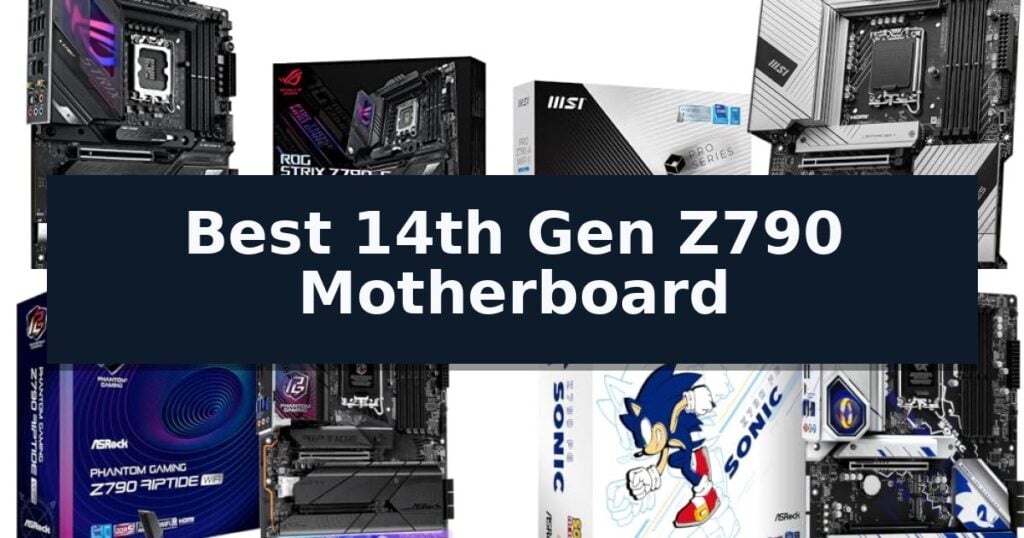
8 Best 14th Gen Z790 Motherboard in 2026 Reviews
Quick Comparison
| Product | Best For | Key Strength | Score |
|---|---|---|---|
| ASUS ROG Strix Z790-E Gaming WiFi | Best Overall | 18+1 90A power stages for stable power delivery. | 4.9 |
| MSI PRO Z790-A WiFi II | Reliable foundation for productivity | 16 Duet Rail Power System with 80A SPS for stable power delivery. | 4.6 |
| ASRock Z790 Riptide WiFi | High-speed memory overclocking support | DDR5 8000+ (OC) memory support for high-speed performance | 4.8 |
| ASRock Z790 PG Sonic | Unique aesthetic for themed builds | Officially licensed Sonic the Hedgehog aesthetic and custom UEFI BIOS. | 4.6 |
| GIGABYTE Z790 Eagle AX | Budget-friendly entry to Z790 | Twin 12+1+1 Phases Digital VRM for stable power delivery | 4.6 |
| ASUS Prime Z790M-Plus | Compact choice for smaller cases | Compact microATX form factor suitable for smaller PC cases. | 4.3 |
| ASRock Z790 Lightning WiFi | Stable power for daily tasks | 16+1+1 phase power design for stable overclocking | 4.8 |
| MSI PRO Z790-P WiFi | Essential connectivity for modern systems | Broad Processor Compatibility supporting 12th, 13th, and 14th Gen Intel CPUs. | 4.5 |
How We Chose
When evaluating the Best 14th Gen Z790 Motherboard, we focus on the practical demands of modern computing. An experienced reviewer prioritizes the stability of the power delivery system and the effectiveness of thermal dissipation, as these factors directly dictate how well a motherboard handles the thermal output of high-performance CPUs during sustained workloads.
- Power Delivery Architecture: Evaluating the number and amperage of power stages to ensure stable voltage regulation for high-TDP processors.
- Thermal Management: Assessing the size and efficiency of VRM heatsinks, M.2 shields, and overall board cooling design.
- Expansion and Storage: Counting available PCIe 5.0 slots and M.2 Gen4/Gen5 connectors for high-speed peripherals and storage.
- Memory Compatibility: Verifying support for high-frequency DDR5 memory profiles and overclocking headroom.
- Networking and I/O: Checking for integrated Wi-Fi standards, Ethernet speeds, and the variety of rear-panel USB connectivity.
1 ASUS ROG Strix Z790-E Gaming WiFi — Premium features for enthusiast builds
Building a high-performance system around Intel's latest processors requires a foundation capable of handling significant thermal and power demands. The ASUS ROG Strix Z790-E Gaming WiFi addresses this with a robust 18+1 90A power stage architecture, designed to provide stable current to multi-core configurations while maintaining efficiency under load.
Beyond raw power delivery, this board integrates advanced thermal management through an optimized thermal design. This includes a dedicated VRM heatsink, a PCH fanless heatsink, and double-sided M.2 heatsinks to ensure components remain within operational limits during intensive tasks. The inclusion of the Fan Xpert 4 utility and hybrid fan headers allows for granular control over system airflow.
Connectivity and ease of use are central to the board's design. It features on-board WiFi 6E and Intel 2.5 Gb Ethernet for high-speed networking, alongside support for PCIe 5.0 and DDR5 memory. The board also incorporates AI-driven features, including AI Overclocking, AI Cooling II, and AI noise cancellation, which automate system tuning to balance performance and acoustics.
The ASUS ROG Strix Z790-E Gaming WiFi is built for those who require a reliable, feature-rich platform for modern computing. With its comprehensive I/O, including Thunderbolt 4 and multiple M.2 slots, it provides the necessary expansion capabilities for high-end gaming or productivity workstations.
Best for: Enthusiasts and power users building high-performance systems who require advanced thermal management and extensive connectivity options.
Skip if: Users who do not require the advanced power delivery or PCIe 5.0 expansion capabilities and would prefer a more budget-oriented motherboard.
- 18+1 90A power stages for stable power delivery.
- Comprehensive AI-assisted tuning for cooling and overclocking.
- Integrated WiFi 6E and 2.5 Gb Ethernet for fast networking.
- Advanced thermal design with double-sided M.2 heatsinks.
- Premium feature set may exceed the requirements of basic builds.
- Larger ATX form factor requires sufficient case clearance.
2 MSI PRO Z790-A WiFi II — Reliable foundation for productivity
The MSI PRO Z790-A WiFi II provides a robust foundation for high-performance computing, centered around a 16 Duet Rail Power System with 80A SPS VRMs. Designed to support Intel Core 14th, 13th, and 12th Gen processors, this ATX motherboard integrates advanced thermal solutions including 7W/mK MOSFET thermal pads and an extended heatsink to maintain stability under load.
Engineered for speed and connectivity, the board features four DDR5 DIMM slots capable of reaching 7800+ MT/s via Memory Boost technology. The primary PCIe 5.0 x16 slot is reinforced with Steel Armor to support high-end graphics hardware, while the inclusion of four M.2 Gen4 x4 slots, each equipped with Shield Frozr, ensures rapid storage access without thermal throttling.
Networking and peripheral support are handled by an integrated Wi-Fi 6E module, Bluetooth 5.3, and a 2.5Gbps LAN controller. The rear I/O panel offers versatile connectivity, including USB 20Gbps Type-C, HDMI 2.1, and DP 1.4, complemented by Audio Boost 5 for 7.1 channel high-performance audio output.
Built on a 6-layer server-grade PCB with 2 oz. thickened copper, this motherboard prioritizes durability and signal integrity. The addition of a dedicated pump-fan header simplifies liquid cooling integration, making it a practical choice for users building systems that require consistent power delivery and efficient thermal management.
Best for: Users building a high-performance system with Intel 14th Gen processors who require fast DDR5 memory support and multiple Gen4 M.2 storage slots.
Skip if: Users who require more than one PCIe 5.0 expansion slot or those who prefer a smaller form factor than standard ATX.
- 16 Duet Rail Power System with 80A SPS for stable power delivery.
- DDR5 Memory Boost supporting speeds of 7800+ MT/s.
- Quadruple M.2 Gen4 slots with dedicated Shield Frozr cooling.
- PCIe 5.0 x16 slot with Steel Armor reinforcement.
- Standard ATX footprint may not fit in compact PC cases.
- Single PCIe 5.0 slot limits future expansion for multiple PCIe 5.0 add-in cards.
3 ASRock Z790 Riptide WiFi — High-speed memory overclocking support
High-frequency memory stability is a primary focus for the ASRock Z790 Riptide WiFi, which supports DDR5 speeds of 8000+ (OC) for users looking to push their system memory beyond standard specifications. This LGA1700 motherboard is engineered to accommodate 14th, 13th, and 12th Gen Intel processors, providing a versatile foundation for current high-performance builds.
The board features a robust 16+1+1 power phase design, aimed at maintaining stable power delivery during intensive computing tasks. Connectivity is a major highlight, with the inclusion of WiFi 7 for next-generation wireless networking and a Killer 2.5G LAN port for wired stability. Expansion and storage needs are met through PCIe 5.0 support and an extensive array of 8 SATA ports, allowing for significant drive configurations.
Measuring 11.811 inches in both height and length, this ATX motherboard follows standard form factor dimensions, ensuring compatibility with most mid-tower and full-tower cases. The inclusion of a 3-year manufacturer warranty provides a baseline of support for the hardware components.
Choosing this board involves balancing its high-speed overclocking capabilities and extensive storage connectivity against the specific requirements of your CPU and case. It serves as a comprehensive platform for users who prioritize memory performance and multi-drive setups in their desktop configuration.
Best for: Users building a high-performance desktop who require extensive storage connectivity and support for high-frequency DDR5 memory overclocking.
Skip if: Users who do not require more than a standard number of SATA ports or those using older CPU generations not supported by the LGA1700 socket.
- DDR5 8000+ (OC) memory support for high-speed performance
- WiFi 7 integration for advanced wireless connectivity
- 16+1+1 power phase design for stable power delivery
- 8 SATA ports providing extensive storage expansion options
- Large ATX footprint may limit installation in smaller compact cases
4 ASRock Z790 PG Sonic — Unique aesthetic for themed builds
The ASRock Z790 PG Sonic distinguishes itself with a unique, officially licensed Sonic the Hedgehog aesthetic integrated directly into the heatsink and UEFI BIOS. Beyond its thematic design, this ATX motherboard provides a robust foundation for high-performance builds, supporting 14th, 13th, and 12th Gen Intel Core processors via the LGA1700 socket.
Power delivery is managed by a 14+1+1 phase design utilizing 50A Dr.MOS components, ensuring stable operation for demanding tasks. Memory enthusiasts can utilize four DIMM slots that support DDR5 7200+ (OC) speeds, with Intel XMP 3.0 profiles simplifying the overclocking process. For connectivity, the board is PCIe 5.0 ready, featuring an SMT-designed x16 slot for modern graphics hardware.
Storage flexibility is a primary strength, offering one Blazing M.2 PCIe Gen5x4 socket alongside four Hyper M.2 PCIe Gen4x4 sockets and eight SATA3 ports. Networking is handled by the Killer E3100G 2.5 Gigabit LAN, which includes software for intelligent bandwidth prioritization. The rear I/O panel is pre-installed and includes a variety of USB 3.2 Gen2 and Gen1 ports, including Type-C options, to accommodate diverse peripherals.
The board includes practical DIY features such as the ASRock Auto Driver Installer and dedicated Lightning Gaming Ports. Users should verify chassis and CPU cooler clearance before installation, as the ATX form factor measures 12.0 inches by 9.6 inches. With its combination of specialized branding and comprehensive technical specifications, this motherboard serves as a distinct option for those building a high-capacity Intel-based system.
Best for: Enthusiasts seeking a high-performance Z790 motherboard with a unique, themed aesthetic and extensive storage connectivity.
Skip if: Users who prefer a minimalist or professional-grade aesthetic, or those who do not require the specific Sonic-themed branding.
- Officially licensed Sonic the Hedgehog aesthetic and custom UEFI BIOS.
- Extensive storage support with five M.2 sockets and eight SATA3 ports.
- High-speed memory support up to DDR5 7200+ (OC).
- Robust power delivery with a 14+1+1 phase Dr.MOS design.
- Themed design may not appeal to all build styles.
- Requires chassis verification due to the specific ATX dimensions.
5 GIGABYTE Z790 Eagle AX — Budget-friendly entry to Z790
Building a high-performance PC around Intel's latest silicon requires a foundation that balances power delivery with modern connectivity. The GIGABYTE Z790 Eagle AX is engineered to support Intel Core 14th, 13th, and 12th Gen processors, providing a stable platform for users who prioritize efficient thermal management and high-speed data transfer.
At the heart of this motherboard is a Twin 12+1+1 Phases Digital VRM Solution, which ensures consistent power delivery to the CPU under varied workloads. To maintain stability during intensive tasks, the board features an advanced thermal design incorporating enlarged MOSFET heatsinks and an integrated M.2 Thermal Guard to prevent throttling on high-speed storage drives.
The GIGABYTE Z790 Eagle AX is built for the current generation of hardware, offering DDR5 compatibility across four DIMM slots to take advantage of faster memory bandwidth. For expansion and peripheral needs, the board includes PCIe 4.0 support and a USB 3.2 Gen 2×2 Type-C port, ensuring that modern external drives and expansion cards operate at their intended speeds.
Installation and maintenance are streamlined through GIGABYTE's design choices, such as the EZ-Latch mechanism for simplified component removal and Q-Flash for straightforward BIOS updates. With its integrated Wi-Fi 6E and 2.5GbE networking, this motherboard provides a comprehensive connectivity suite for both wired and wireless environments.
Best for: Users seeking a reliable, feature-rich Z790 platform that supports DDR5 memory and modern high-speed connectivity for Intel 14th Gen processors.
Skip if: Users who require specific legacy port support or those who prefer a smaller form factor, as this is a standard ATX motherboard.
- Twin 12+1+1 Phases Digital VRM for stable power delivery
- DDR5 memory support for increased system bandwidth
- Comprehensive thermal management with M.2 Thermal Guard
- Modern connectivity including Wi-Fi 6E and USB 3.2 Gen 2×2
- Standard ATX footprint may not fit compact PC cases
- Lacks PCIe 5.0 expansion slot for future-proofing high-end GPUs
6 ASUS Prime Z790M-Plus — Compact choice for smaller cases
Building a high-performance system around Intel's latest processors requires a foundation that balances modern connectivity with efficient power delivery. The ASUS Prime Z790M-Plus is a microATX motherboard designed to accommodate 14th, 13th, and 12th Gen Intel processors, offering a compact footprint without sacrificing essential expansion capabilities.
At the core of its design is an enhanced power solution featuring 10+1 DrMOS stages, a 6-layer PCB, and durable capacitors. This configuration is engineered to maintain stable power delivery, which is critical for system reliability under varying workloads. The board also incorporates ASUS OptiMem II technology, which utilizes careful trace routing and ground layer optimizations to preserve signal integrity, specifically aimed at improving memory overclocking potential.
Connectivity is a primary focus for this model, providing support for PCIe 5.0 and high-speed DDR5 memory. For peripheral integration, the board includes a USB 3.2 Gen 2×2 Type-C port, front panel USB 3.2 Gen 1 Type-C support, and a dedicated header for Thunderbolt (USB4). Networking is handled via Intel 1 Gb Ethernet, ensuring standard wired connectivity for desktop environments.
Thermal management is addressed through a comprehensive cooling suite. The motherboard features a large VRM heatsink and a dedicated PCH heatsink to dissipate heat from critical components. Users can manage airflow and temperatures using hybrid fan headers and the Fan Xpert 4 utility, which includes AI Cooling II for automated adjustment of fan speeds based on real-time system loads.
Best for: Builders looking for a compact microATX foundation that supports modern DDR5 memory and PCIe 5.0 for Intel 14th Gen processors.
Skip if: Users who require integrated Wi-Fi connectivity or a full-size ATX layout for multi-GPU configurations will need to consider alternative models.
- Compact microATX form factor suitable for smaller PC cases.
- Robust power delivery with 10+1 DrMOS stages.
- Future-ready connectivity including PCIe 5.0 and Thunderbolt support.
- Optimized memory routing via ASUS OptiMem II.
- Lacks integrated Wi-Fi, requiring an add-in card for wireless networking.
- Limited to 1 Gb Ethernet, which may be a bottleneck for high-speed local networks.
7 ASRock Z790 Lightning WiFi — Stable power for daily tasks
Building a high-performance PC around Intel's latest processors requires a foundation capable of handling significant power delivery and thermal output. The ASRock Z790 Lightning WiFi addresses these demands with a robust 16+1+1 phase power architecture paired with an 8-layer PCB, providing the necessary stability for overclocking and sustained heavy workloads.
Designed for modern connectivity, this motherboard features a PCIe 5.0 x16 slot, ensuring compatibility with future graphics cards that require increased bandwidth. Memory performance is equally prioritized, with four DDR5 DIMM slots supporting speeds of 7600+ (OC), allowing users to leverage high-frequency RAM for improved system responsiveness.
Thermal management and storage expandability are integrated through a toolless multi-layer M.2 heatsink and three Hyper M.2 PCIe 4.0 x4 slots. For networking, the board utilizes the Killer Networking Suite, which includes Intel Killer 2.5G LAN and Killer WiFi 6E to minimize latency during data-intensive tasks.
The board also includes a USB 3.2 Gen2x2 Type-C port for high-speed peripheral connectivity and the Realtek ALC897 7.1 CH HD Audio Codec for integrated sound. Users should verify CPU compatibility and ensure their chassis provides adequate airflow to support the thermal requirements of high-speed DDR5 memory configurations.
Best for: Users building a high-performance PC who require robust power delivery and high-speed memory support for Intel 14th Gen processors.
Skip if: Users who require a brand-new retail package with all original accessories, as this specific unit is sold as a used or like-new item.
- 16+1+1 phase power design for stable overclocking
- Support for high-frequency DDR5 7600+ (OC) memory
- Future-ready PCIe 5.0 x16 connectivity
- Integrated Killer WiFi 6E and 2.5G LAN for low-latency networking
- Used/Like-new condition may result in missing original accessories
- Requires careful thermal management for high-speed memory overclocking
8 MSI PRO Z790-P WiFi — Essential connectivity for modern systems
The MSI PRO Z790-P WiFi provides a robust foundation for high-performance computing by supporting the latest 12th, 13th, and 14th Gen Intel processors on the LGA 1700 socket. This motherboard is engineered to handle data-intensive tasks through its support for up to 128GB of DDR5 memory across four dedicated slots, ensuring significant multitasking capacity for modern workflows.
Connectivity is a primary focus of this board, featuring the high-speed PCIe 5.0 interface to accommodate next-generation hardware. For networking and peripheral integration, it includes integrated Wi-Fi 6E and Bluetooth 5.3 for low-latency wireless communication, alongside a 2.5Gbps LAN port for stable wired data transfers. The rear I/O panel is equipped with USB 3.2 Gen2 ports, HDMI, and DisplayPort outputs to support versatile display configurations.
Designed in a standard ATX form factor, the board balances essential features with a layout intended for efficient system building. While it offers comprehensive connectivity, users should verify that their existing chassis supports the ATX footprint and that their power supply unit provides the necessary connectors for this configuration. This model serves as a practical choice for those requiring a reliable, feature-rich platform for the latest Intel architecture.
Best for: Users building a high-performance desktop system who require support for the latest 14th Gen Intel processors and high-speed DDR5 memory.
Skip if: Users who require a smaller form factor like Micro-ATX or Mini-ITX, as this board is strictly an ATX design.
- Broad Processor Compatibility supporting 12th, 13th, and 14th Gen Intel CPUs.
- Future-proof PCIe 5.0 interface for high-speed data transfer.
- Advanced Wireless Connectivity featuring Wi-Fi 6E and Bluetooth 5.3.
- High-Capacity Memory support for up to 128GB of DDR5 RAM.
- ATX Form Factor may be too large for compact PC builds.
- Limited Warranty period of 90 days as a renewed product.
Best 14th Gen Z790 Motherboard Buying Guide
Power Delivery and Stability
The power delivery system, or VRM, is the heart of your motherboard. A higher number of power stages generally allows for smoother power delivery, which is essential when pushing 14th Gen processors to their limits.
Look for boards that utilize high-amperage stages and durable capacitors. These components reduce electrical noise and heat, contributing to a more stable system during intensive tasks like video rendering or gaming.
Thermal Management Solutions
Effective cooling is non-negotiable for Z790 motherboards. Extended heatsinks over the VRMs and dedicated thermal guards for M.2 drives prevent performance degradation caused by thermal throttling.
Check for boards that include high-quality thermal pads and fan headers that allow for precise control over your case airflow. A well-cooled board lasts longer and maintains peak performance under load.
Future-Proofing with PCIe 5.0
PCIe 5.0 is the current standard for high-speed expansion. While current graphics cards may not fully saturate this bandwidth, having a PCIe 5.0 x16 slot ensures your system remains relevant as newer, faster hardware is released.
Consider how many PCIe lanes are available for other devices. Some boards share bandwidth between slots, so verify the configuration if you plan to use multiple high-speed storage drives or expansion cards.
Memory Support and Overclocking
DDR5 memory is standard for the Z790 chipset, but the maximum supported frequency varies by board design. If you intend to use high-speed RAM kits, ensure your chosen motherboard explicitly supports those speeds through XMP profiles.
Advanced memory routing and signal integrity optimizations are often found on enthusiast-grade boards. These features minimize interference, allowing for more stable operation at higher clock speeds.
Connectivity and Networking
Modern workflows demand fast, reliable connectivity. Wi-Fi 6E or 7 provides low-latency wireless performance, while 2.5Gb Ethernet is quickly becoming the baseline for wired networking in home and office environments.
Examine the rear I/O panel for the number and type of USB ports. Having a mix of high-speed USB-C and USB-A ports ensures compatibility with a wide range of external devices, from high-speed storage to peripherals.
Frequently Asked Questions
Do all Z790 motherboards support 14th Gen Intel processors?
Most Z790 motherboards support 14th Gen processors, but you may need to update the BIOS to the latest version before the CPU will be recognized.
Is DDR5 memory required for Z790 boards?
Yes, the Z790 chipset is designed specifically for DDR5 memory, which offers higher bandwidth and improved power efficiency compared to previous DDR4 standards.
What is the benefit of a higher-end Z790 motherboard?
Higher-end models typically offer better VRM cooling, more M.2 slots, advanced overclocking features, and superior integrated audio and networking components.
Can I use a 14th Gen CPU on a Z690 motherboard?
Yes, many Z690 motherboards are compatible with 14th Gen processors, provided you perform a BIOS update, though Z790 boards often feature better out-of-the-box optimization.
Do I need Wi-Fi 7 for gaming?
Wi-Fi 7 offers faster speeds and lower latency than previous standards, but Wi-Fi 6E is currently more than sufficient for most gaming and streaming needs.
Conclusion: Our Top Pick
Choosing the right motherboard depends on your specific performance goals and budget. For those seeking a balance of premium features and stability, the ASUS ROG Strix Z790-E Gaming WiFi remains a top-tier choice for most users.
If your needs are more specialized, such as high-speed memory overclocking or a budget-conscious build, options like the ASRock Z790 Riptide or MSI PRO series provide excellent alternatives that still deliver the essential benefits of the Z790 platform.