Samsung T7 Portable SSD is our top choice for the Best 1TB Portable Hard Drives for Windows, offering a reliable balance of high-speed NVMe performance and a durable, shock-resistant aluminum body that suits both creative professionals and students.
When selecting external storage for a Windows environment, the primary distinction lies between solid-state drives (SSDs) and traditional hard disk drives (HDDs). SSDs provide significantly faster read and write speeds, which are essential for active project files, gaming, and rapid data transfers. Conversely, HDDs remain a cost-effective solution for long-term backups and archiving large datasets where instantaneous access is less critical.
Experienced buyers should prioritize the connection interface and physical build quality. Modern drives utilizing USB 3.2 Gen 2 or higher ensure you are not bottlenecked by older hardware, while features like thermal management and drop protection safeguard your data during daily transport. Compatibility with Windows is standard, but users should verify if the drive requires specific formatting or software for advanced features like password protection.
If you are looking for more options, our guide to the Best 1TB Portable External Hard Drive provides additional insights into selecting the right model for your specific needs.
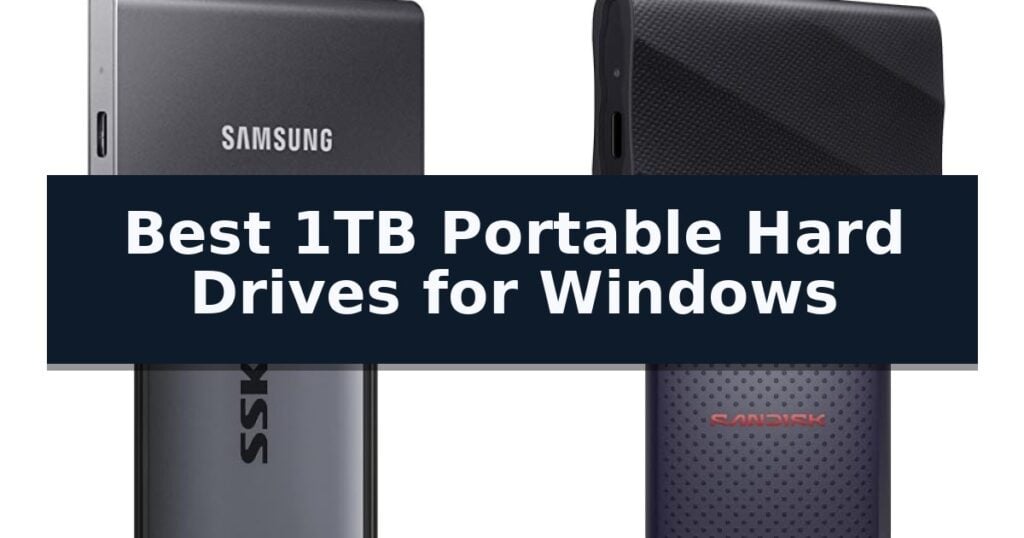
10 Best 1TB Portable Hard Drives for Windows in 2026 Reviews
Quick Comparison
| Product | Best For | Key Strength | Score |
|---|---|---|---|
| Samsung T7 Portable SSD | Best Overall | High-speed PCIe NVMe performance with read/write speeds up to 1,050/1,000 MB/s. | 4.9 |
| Samsung T9 Portable SSD | High-Performance Sustained Transfers | Sustained 2,000MB/s read and write speeds for efficient file handling. | 4.6 |
| SSK Portable SSD | Compact Aluminum Design | High-speed 1050MB/s read performance for rapid file access. | 4.5 |
| SanDisk Portable SSD | Durable Pocket-Sized Storage | High-speed performance with read speeds up to 1000 MB/s. | 4.3 |
| Seagate Portable External Hard Drive | Simple Drag-and-Drop Backups | Plug-and-play simplicity with no software installation required. | 4.3 |
| WD Elements Portable External Hard Drive | Reliable Basic Storage | Broad compatibility with both USB 3.0 and USB 2.0 ports. | 4.6 |
| Toshiba Canvio Basics External Hard Drive | Smudge-Resistant Matte Finish | Plug & Play functionality requires no software installation. | 4.6 |
| Toshiba Canvio Advance External Hard Drive | Includes Automatic Backup Software | Integrated password protection software for enhanced data security. | 4.3 |
| GAZELLE Portable External Hard Drive | Dual USB-C and USB 3.0 | Dual Interface with included Type-C adapter for broad hardware compatibility. | 4.7 |
| Kosbees Portable External Hard Drive | Budget-Friendly Expansion | Plug-and-play functionality requires no software setup. | 4.3 |
How We Chose
Selecting the right storage for a Windows PC requires evaluating how a drive handles real-world file management. We assess these 1TB portable hard drives by prioritizing sustained transfer speeds, build integrity, and the reliability of the connection interface. These criteria ensure that your chosen drive provides consistent performance for both daily backups and high-demand tasks.
- Transfer speed benchmarks and interface compatibility
- Physical durability and shock resistance ratings
- Thermal management during sustained write operations
- Form factor, weight, and portability
- In-box cable compatibility and device versatility
1 Samsung T7 Portable SSD — Fast Speeds for Creative Work
The Samsung T7 Portable SSD distinguishes itself with high-speed PCIe NVMe technology, enabling read and write speeds of up to 1,050/1,000 MB/s. This performance profile is designed to support demanding tasks such as 4K 60fps video recording and large file transfers, making it a capable tool for users who require rapid data access.
Engineered for durability, the drive features a solid aluminum unibody construction that provides shock resistance and fall protection for drops up to 6 feet. Its compact form factor—measuring 3.3 by 2.2 by 0.3 inches and weighing only 0.13 pounds—ensures portability without sacrificing the 1TB capacity needed for extensive file storage.
Compatibility is a core design focus, allowing the drive to function across various platforms, including PCs and mobile devices. This versatility supports workflows ranging from professional video editing to mobile content creation, such as recording ProRes 4K video directly from compatible smartphones.
Backed by a 3-year limited warranty, the Samsung T7 Portable SSD utilizes in-house produced DRAM and NAND components. This integrated manufacturing approach is intended to provide consistent quality and reliability for users managing heavy-duty applications or frequent backups.
Best for: Professionals and creators who require fast transfer speeds and a rugged, compact design for mobile storage and high-resolution video workflows.
Skip if: Users who require extreme environmental sealing or specialized ruggedization beyond standard shock resistance may need to consider drives with higher IP ratings.
- High-speed PCIe NVMe performance with read/write speeds up to 1,050/1,000 MB/s.
- Durable aluminum unibody construction with 6-foot fall protection.
- Extensive compatibility across PCs and mobile devices for versatile usage.
- Compact and lightweight design for easy transport.
- No IP-rated water or dust resistance specified for extreme outdoor conditions.
2 Samsung T9 Portable SSD — High-Performance Sustained Transfers
Managing large file transfers and demanding creative projects requires hardware that keeps pace without thermal throttling. The Samsung T9 Portable SSD addresses this by utilizing a USB 3.2 Gen 2×2 interface to achieve sustained read and write speeds of up to 2,000MB/s, ensuring that high-resolution assets move quickly between devices.
Designed for versatility, this drive functions across desktops, cameras, and gaming consoles. It features an advanced Dynamic Thermal Guard to manage heat during extended operations, maintaining consistent performance levels. The compact unit measures approximately 3.46 by 2.36 inches, making it a portable solution for professionals and students who need reliable storage on the go.
Integration with Samsung Magician Software provides users with tools for firmware updates, drive health monitoring, and extra encryption options. The drive is built to support modern workflows, including iPhone 15 Pro ProRes 4K recording at 60fps, provided the recommended cable is used.
With a focus on longevity, the Samsung T9 Portable SSD is engineered to withstand heavy-duty usage. Samsung produces its own DRAM and NAND components in-house, backing the drive with a 5 Year Limited Warranty to provide assurance for long-term data storage needs.
Best for: Professionals and creators who require sustained high-speed data transfers for 4K video editing and large project files.
Skip if: Users who do not have a USB 3.2 Gen 2×2 compatible port will not be able to reach the maximum advertised transfer speeds.
- Sustained 2,000MB/s read and write speeds for efficient file handling.
- Dynamic Thermal Guard technology prevents overheating during heavy use.
- Extensive compatibility with gaming consoles, cameras, and mobile devices.
- Comprehensive management via Samsung Magician Software.
- Requires USB 3.2 Gen 2×2 hardware to achieve peak performance.
- Specific cable requirements for optimal performance with mobile devices like the iPhone 15 Pro.
3 SSK Portable SSD — Compact Aluminum Design
Efficiently managing high-resolution video workflows or large file transfers requires hardware that balances rapid data throughput with consistent thermal management. The SSK Portable SSD addresses these demands through a 2mm thick aluminum alloy case, which is engineered to provide superior heat dissipation and maintain peak operating temperatures at 105.58°F. This thermal efficiency is critical for maintaining performance during sustained read and write operations, preventing the performance throttling often associated with compact storage devices.
Performance is driven by an integrated SLC caching system that allocates 25% of the available capacity to maintain steady 10Gbps transfer speeds. With rated read speeds up to 1050MB/s and write speeds up to 1000MB/s, this drive is capable of supporting demanding tasks such as 4K60Hz ProRes HDR video capture directly from compatible mobile devices. The drive operates with a power consumption of less than 2.4 Watts, ensuring it remains compatible with various mobile platforms without placing excessive strain on the host device's battery.
Versatility is a core component of this design, highlighted by the inclusion of both USB-C and USB-A cables that utilize the USB 3.2 Gen2 interface. Measuring just 2.6 x 1.5 x 0.5 inches and weighing only 36.6g, the drive offers a highly portable form factor for professionals who need high-speed storage on the go. To support long-term reliability and data integrity, the unit incorporates S.M.A.R.T. health diagnostics and adaptive TRIM technology, which work together to optimize data block management and maintain consistent write performance over the life of the drive.
Buyers should note that the 1TB capacity may display as approximately 931GB on Windows systems due to differences in binary calculation, which is a standard characteristic of storage hardware and does not affect actual physical capacity. While the drive offers impressive speeds, the maximum performance is optimized for transfers that fall within the allocated SLC cache capacity. This trade-off is typical for portable SSDs in this class, prioritizing burst performance for common file-transfer scenarios.
Best for: Content creators and mobile professionals requiring high-speed, thermal-efficient 1TB storage for 4K video workflows and cross-platform file transfers.
Skip if: Users who require massive multi-terabyte storage arrays or those who prefer a ruggedized, rubberized exterior over a slim aluminum design.
- High-speed 1050MB/s read performance for rapid file access.
- Aluminum alloy casing provides effective heat dissipation.
- Compact and lightweight design at only 36.6g.
- Includes both USB-C and USB-A cables for broad device compatibility.
- Capacity display variance on Windows systems may show 931GB instead of 1TB due to binary calculation differences.
- SLC cache limitation means maximum speeds are optimized for transfers within the allocated cache capacity.
4 SanDisk Portable SSD — Durable Pocket-Sized Storage
The SanDisk Portable SSD provides a high-performance storage solution for users who need to manage large digital assets efficiently. By utilizing solid-state technology, this drive achieves read speeds up to 1000 MB/s, which translates to significantly faster data transfers compared to traditional mechanical hard drives. This speed is particularly beneficial for professionals or hobbyists working with high-resolution photos, 4K video files, and complex project folders that require quick access times.
Engineered for the realities of mobile workflows, the SanDisk Portable SSD features a robust, durable design that lacks moving parts. This internal architecture contributes to a drop protection rating of up to 2 meters, offering peace of mind when moving between workspaces or traveling. Its compact, pocket-sized form factor ensures it remains unobtrusive, fitting easily into laptop sleeves or small pockets without adding unnecessary weight or bulk to your gear.
Connectivity is streamlined through a native USB-C interface, allowing for true plug-and-play functionality across modern laptops and tablets. Because the drive requires no additional drivers or complex configuration, it is an accessible tool for users who need to expand their storage capacity instantly. This simplicity makes it a practical choice for those who frequently switch between different computing environments and require a reliable, consistent storage medium.
While the drive offers impressive performance, users should consider the trade-off regarding its fixed 1TB capacity and interface limitations. Because it relies exclusively on USB-C, those working with older hardware may need to source compatible adapters to ensure a proper connection. Additionally, while 1TB is sufficient for many active projects, it may not accommodate users who require massive, multi-terabyte archival storage for long-term data retention.
Best for: Users who prioritize high-speed file transfers and physical durability in a compact, pocket-friendly storage device.
Skip if: Users who require massive multi-terabyte capacities or specific legacy port connections not supported by the USB-C interface.
- High-speed performance with read speeds up to 1000 MB/s.
- Durable design featuring drop protection up to 2 meters.
- Compact, pocket-sized form factor for easy portability.
- Plug-and-play USB-C connectivity with no driver requirements.
- Limited to USB-C connectivity, which may require adapters for older systems.
- Fixed 1TB capacity may not suit users with extremely large archival storage needs.
5 Seagate Portable External Hard Drive — Simple Drag-and-Drop Backups
Managing digital files across multiple devices requires a reliable storage solution that prioritizes simplicity and immediate access. The Seagate Portable External Hard Drive addresses this need by offering a straightforward, plug-and-play experience that eliminates the requirement for complex software installations or manual configurations.
Designed with a focus on efficiency, this 1TB external hard drive utilizes a USB 3.0 interface to facilitate quick file transfers. The included 18-inch USB 3.0 cable ensures that users can connect the drive to their Windows or Mac computers immediately upon unboxing. For those who prefer a streamlined workflow, the drive supports a simple drag-and-drop method for backing up personal content.
The physical design emphasizes portability, measuring approximately 4.6 inches in length and 3.15 inches in width, making it a compact addition to a laptop bag or workstation. While the drive is pre-configured for Windows, it remains compatible with Mac systems, though users should note that reformatting may be necessary for full Mac integration. The inclusion of a 1-year Rescue Service adds a layer of support for the hardware.
This drive serves as a functional tool for users who need a dedicated space for personal files, photos, or documents without the overhead of cloud-based subscriptions. By focusing on essential connectivity and hardware-based storage, it provides a consistent, predictable experience for routine data management tasks.
Best for: Users seeking a simple, plug-and-play storage solution for personal file backups and data transfers on Windows systems.
Skip if: Users requiring high-speed solid-state drive (SSD) performance or native compatibility with non-Windows file systems without the need for reformatting.
- Plug-and-play simplicity with no software installation required.
- Includes an 18-inch USB 3.0 cable for immediate connectivity.
- Compact and portable design suitable for on-the-go use.
- Supports easy drag-and-drop file management.
- Reformatting may be required for optimal use on Mac computers.
- Available storage capacity may vary from the nominal 1TB.
6 WD Elements Portable External Hard Drive — Reliable Basic Storage
Managing digital files requires reliable hardware that balances capacity with portability. The WD 1TB Elements Portable External Hard Drive provides a straightforward solution for users needing to expand their storage for photos, videos, music, and documents without complex setup requirements.
This drive features a 1TB storage capacity in a compact form factor, measuring approximately 4.35 inches in length and 3.23 inches in height. It is engineered for broad compatibility, supporting both USB 3.0 and USB 2.0 interfaces, which allows it to function across a variety of hardware configurations. The inclusion of USB 3.0 support facilitates faster data transfer rates compared to older standards, provided the host computer also supports the higher-speed interface.
Designed primarily for Windows environments, the unit comes pre-formatted for Windows 8, 7, Vista, and XP. While it is natively ready for these systems, it can be easily reformatted for use with Mac operating systems if your workflow requires cross-platform flexibility. This reformatting process is a necessary trade-off for users who need to move between different operating systems, as the drive's native file system is optimized for Windows compatibility out of the box.
The WD 1TB Elements Portable External Hard Drive emphasizes a minimalist design, focusing on core functionality and the brand's established quality standards. Its lightweight build, weighing just 0.29 pounds, makes it a practical choice for users who need to transport their data frequently. Because this is a standard hard disk drive (HDD), it offers a cost-effective way to store large volumes of data, though it does not provide the same high-speed performance characteristics as a solid-state drive (SSD).
Best for: Users needing a simple, plug-and-play external storage solution for backing up or transferring files on Windows-based systems.
Skip if: Users requiring specialized features like hardware-level encryption, ruggedized shock protection, or high-speed SSD performance for intensive professional video editing.
- Broad compatibility with both USB 3.0 and USB 2.0 ports.
- Compact and lightweight design for easy portability.
- Pre-formatted for Windows for immediate out-of-the-box use.
- 1TB capacity provides substantial space for media and documents.
- Standard HDD speeds which are slower than modern solid-state drives.
- Requires reformatting if you intend to switch between Windows and Mac environments.
7 Toshiba Canvio Basics External Hard Drive — Smudge-Resistant Matte Finish
Managing digital files requires reliable hardware that balances capacity with physical convenience. The Toshiba Canvio Basics 1TB Portable External Hard Drive offers a streamlined solution for users needing to expand their storage footprint without complex setup requirements. Its 1TB capacity provides a practical amount of space for backing up documents, media, and system files without unnecessary technical overhead.
Designed with a sleek profile and a matte, smudge-resistant finish, this drive prioritizes a clean aesthetic while remaining functional for daily transport. Measuring 4.3 inches in length and 3.1 inches in width with a slim 0.55-inch height, the unit is built for portability, making it easy to slip into a laptop bag or pocket. The Plug & Play interface eliminates the need for software installation or external AC power cords, as the drive draws power directly through the USB connection.
Compatibility is a primary focus, featuring USB 3.0 and USB 2.0 support to ensure the drive works across various hardware configurations. The unit comes pre-formatted in NTFS specifically for Windows environments, allowing for immediate integration into existing workflows. This pre-formatting means the drive is ready to accept files the moment it is plugged into a Windows PC, though it serves as a trade-off for users who might need to reformat the drive for use with other operating systems.
By relying on a standard USB connection for both data and power, this drive removes the clutter of extra cables. This design choice emphasizes practicality and ease of use for those who frequently move between different workstations or need a simple, reliable backup method for their primary computer.
Best for: Users seeking a straightforward, plug-and-play storage expansion for Windows-based computers.
Skip if: Users who require native compatibility with macOS without the need for reformatting the drive.
- Plug & Play functionality requires no software installation.
- Sleek, smudge-resistant matte exterior design.
- USB 3.0 and 2.0 compatible for versatile connectivity.
- No external AC power cord needed for operation.
- Pre-formatted NTFS requires reformatting for use with Mac computers.
8 Toshiba Canvio Advance External Hard Drive — Includes Automatic Backup Software
Managing digital files requires a balance of reliability and security, and the Toshiba Canvio Advance 1TB Portable External Hard Drive addresses this with an integrated suite of software tools. Designed for users who prioritize data protection, this drive includes dedicated utilities for both automatic backups and password-based access control, ensuring your documents remain secure and recoverable.
The physical design of the Toshiba Canvio Advance focuses on portability and aesthetic appeal, featuring a compact, textured finish that fits easily into a bag or workspace. Measuring just 0.55 inches in height and weighing only 0.33 pounds, it is built for users who need to transport their data frequently without adding significant bulk to their setup.
Connectivity is handled through a standard interface that is USB 3.0 and USB 2.0 compatible, allowing for broad integration with various Windows PC configurations. While the drive is pre-formatted for Windows, the inclusion of free downloadable software for automatic backup and password protection provides a streamlined experience for managing your digital assets directly out of the box.
When selecting a storage solution, consider that this model is specifically engineered for Windows environments. Its combination of a lightweight form factor and included security software makes it a practical choice for individuals who need a dedicated, secure space for personal or professional file management.
Best for: Windows users who require a portable, secure storage solution with integrated backup and password protection software.
Skip if: Users who require a drive formatted for macOS or those who need higher-speed interfaces like USB-C or Thunderbolt.
- Integrated password protection software for enhanced data security.
- Automatic backup software included for simplified file management.
- Compact and lightweight design for easy portability.
- USB 3.0 and 2.0 compatibility for broad connectivity.
- Software features are limited to Windows PC environments.
- No USB-C connectivity included for newer hardware.
9 GAZELLE Portable External Hard Drive — Dual USB-C and USB 3.0
Managing data across multiple devices requires a flexible storage solution that adapts to different hardware standards. The GAZELLE High-Speed 1TB Ultra Slim Portable External Hard Drive addresses this by incorporating a Dual Interface design, featuring both USB 3.0 and Type-C connectivity. This approach allows users to transition between modern laptops, tablets, and older desktop systems without needing multiple drives.
Designed for portability, the drive measures approximately 12 x 7.7 x 1.3 cm and weighs about 150g. This Ultra-Slim & Lightweight profile is intended for users who need to carry their files in a pocket or laptop bag. The inclusion of a USB 3.0 cable and Type-C adapter ensures that the drive is ready for use with various devices right out of the box.
Functionality is centered on a Plug & Play architecture, which eliminates the need for software installation. Once connected, an integrated LED Indicator Light provides visual feedback regarding power and data transfer status. This feature is particularly useful when connecting the drive to gaming consoles like the PS4 or Xbox, or when managing media files on a TV.
The drive offers broad compatibility across major operating systems, including Windows, macOS, Linux, and Android. By supporting a wide range of hardware—from iPads and mobile phones to desktop PCs—the GAZELLE Portable External Hard Drive serves as a versatile tool for consolidating digital storage across a diverse ecosystem of personal electronics.
Best for: Users who frequently switch between devices with different port types, such as USB-C tablets and USB-A desktop computers.
Skip if: Users who require specialized high-speed NVMe performance for intensive video editing or professional-grade data throughput.
- Dual Interface with included Type-C adapter for broad hardware compatibility.
- Plug & Play design requires no software setup.
- Ultra-Slim & Lightweight form factor for easy transport.
- LED Indicator Light provides clear status updates during operation.
- No specific speed rating provided for high-bandwidth data transfers.
- Physical size is optimized for portability rather than ruggedized protection.
10 Kosbees Portable External Hard Drive — Budget-Friendly Expansion
Managing digital storage for multiple devices requires a versatile solution that bridges the gap between desktop workstations and gaming consoles. The Kosbees 1 TB External Hard Drive offers a streamlined approach to data management, featuring a plug-and-play design that eliminates the need for complex software installations on Windows systems.
Engineered for efficiency, the drive utilizes a USB 3.0 interface to facilitate rapid data transfers. Users can expect theoretical read speeds between 110MB/s and 133MB/s, with write speeds reaching up to 103MB/s. This performance profile makes it suitable for handling large multimedia files and routine system backups.
The physical design prioritizes portability, housing a 1TB capacity within a compact, lightweight enclosure that weighs approximately 0.6 lbs. Its slim profile allows for easy transport, while the robust build quality is backed by a 2-year after-sales warranty to address potential quality concerns.
Compatibility extends across various platforms, including Windows, Linux, Mac, PS4, and Xbox One. While the drive functions seamlessly for storing and playing last-gen console games, it serves primarily as a library expansion for current-gen consoles like the PS5 or Xbox Series X|S, where games must be transferred to internal SSDs for active play.
Best for: Users needing a portable, plug-and-play storage expansion for Windows PCs, laptops, and last-gen gaming consoles.
Skip if: Users requiring high-speed internal SSD performance for running current-gen console games directly from the external drive.
- Plug-and-play functionality requires no software setup.
- USB 3.0 connectivity supports fast data transfer rates.
- Wide compatibility across multiple operating systems and gaming consoles.
- Ultra-slim, lightweight design enhances portability.
- Cannot run current-gen console games directly from the drive.
- Binary vs. decimal capacity calculation results in a lower visible storage capacity in Windows.
Best 1TB Portable Hard Drives for Windows Buying Guide
SSD vs. HDD Performance
Solid-state drives (SSDs) utilize flash memory to deliver rapid data access, making them the superior choice for running applications, editing video, or storing active game libraries. Their lack of moving parts also makes them inherently more resistant to physical damage from drops or vibrations.
Hard disk drives (HDDs) rely on spinning magnetic platters, which are slower and more fragile than their SSD counterparts. However, they offer a lower cost per gigabyte, making them ideal for users who need massive, static storage for cold backups rather than high-speed performance.
Interface and Connectivity
The speed of your drive is largely determined by the USB standard it supports. USB 3.2 Gen 2 drives, such as the Samsung T7, allow for speeds up to 1,050MB/s, which is a significant upgrade over older USB 3.0 or 2.0 interfaces found on budget HDDs.
Ensure your Windows PC has a compatible port to take full advantage of these speeds. While most modern drives are backward compatible, connecting a high-speed SSD to an older USB 2.0 port will severely limit its performance to the speed of the older connection.
Durability and Thermal Design
Portable drives are frequently moved, making physical construction a key factor. Look for aluminum unibody designs or reinforced casings that offer shock resistance, as these protect the internal components from accidental drops during travel.
High-performance SSDs can generate significant heat during large file transfers. Drives with integrated thermal management systems, such as Dynamic Thermal Guard, prevent the drive from throttling its speed, ensuring consistent performance even during extended use.
Software and Data Security
Many portable drives include proprietary software for features like automatic backups or password-protected encryption. While these tools can be helpful for Windows users, they are often optional and not required for the drive to function as basic storage.
If you plan to use your drive across multiple operating systems, be aware that some pre-installed software is optimized specifically for Windows. You may need to reformat the drive to a universal file system like exFAT to ensure seamless compatibility between different platforms.
Capacity and File System Considerations
It is common for a 1TB drive to show slightly less capacity in Windows, typically around 931GB. This discrepancy arises because manufacturers calculate capacity using decimal (base 10) math, while Windows uses binary (base 2) math to report storage.
For most users, the default NTFS file system is perfect for Windows-only setups. If you need to share files with macOS users, consider reformatting the drive to exFAT, which allows both operating systems to read and write data without additional drivers.
Frequently Asked Questions
Why does my 1TB drive show less space in Windows?
Windows reports storage using binary calculations, while manufacturers use decimal. This results in a 1TB drive appearing as approximately 931GB in the Windows file explorer.
Can I use these drives for gaming consoles?
Yes, most of these drives are compatible with consoles like the PS4 or Xbox. However, for current-gen consoles like the PS5 or Xbox Series X|S, you can only store and play older games directly from the drive; new games must be moved to the console's internal SSD.
Do I need to install the included software?
No, the included software is typically optional. The drives will function as standard plug-and-play storage devices on Windows without any additional drivers or software installations.
What is the difference between USB 3.0 and USB 3.2?
USB 3.2 Gen 2 offers significantly higher bandwidth, allowing for faster data transfer speeds compared to the older USB 3.0 standard. To achieve these speeds, both the drive and your computer's port must support the higher standard.
Is it safe to unplug the drive while it is connected?
You should always use the 'Safely Remove Hardware' feature in Windows before disconnecting your drive. This ensures that all data transfers are complete and prevents potential file corruption.
Conclusion: Our Top Pick
Our top pick is Samsung T7 Portable SSD. Choosing the right portable drive for Windows depends on your specific balance of speed and storage capacity. For users prioritizing performance for creative work or gaming, an SSD like the Samsung T7 or T9 provides the best experience, while budget-conscious users needing simple backup storage will find reliable utility in traditional HDDs.
Always consider your primary use case before purchasing. By matching your drive's interface capabilities with your computer's ports and selecting a build that suits your travel needs, you can ensure your data remains accessible and secure for years to come.