UGREEN DXP2800 NAS is our top choice for the Best 2-Bay NAS for 4K thanks to its robust Intel N100 processor and dual M.2 NVMe slots that ensure smooth media streaming and high-speed data handling. For users prioritizing specialized hardware transcoding, the Synology DS225+ offers a reliable alternative, while the TERRAMASTER F2-425 provides a high-performance option for those seeking efficient 4K H.265 decoding.
Selecting a NAS for high-resolution media requires balancing raw processing power with efficient storage management. While entry-level models handle basic file backups, 4K-capable units must possess the CPU architecture necessary to transcode high-bitrate video on the fly, ensuring your media library remains accessible across various devices without buffering or playback errors.
Beyond raw transcoding, consider how your chosen unit integrates into your existing home network. Features like 2.5GbE connectivity significantly reduce transfer times for large 4K files, while dedicated AI-powered photo management and Docker support allow these devices to function as comprehensive home servers rather than simple storage enclosures.
For those just starting their research, our guide to the Best 2 Bay NAS provides a broader overview of entry-level options. If you already have drives ready to install, check our recommendations for the Best 2-Bay Diskless NAS to find the right enclosure. Users specifically building a home theater should consult our Best 2-Bay NAS for Plex for specialized media server advice.
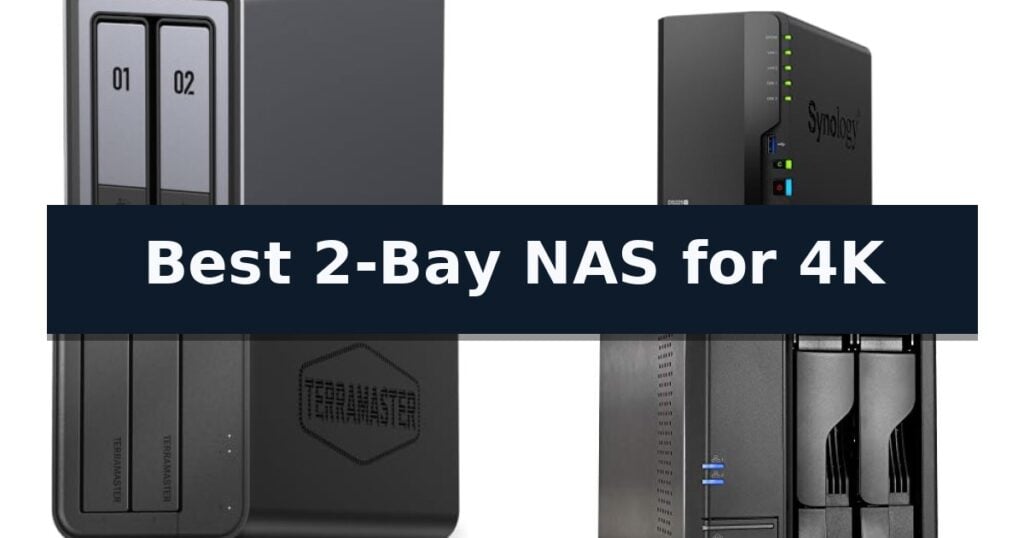
7 Best 2-Bay NAS for 4K in 2026 Reviews
Quick Comparison
| Product | Best For | Key Strength | Score |
|---|---|---|---|
| UGREEN DXP2800 NAS | Best Overall | Intel N100 Quad-Core CPU provides efficient processing for 4K media and multitasking. | 4.9 |
| Synology DS225+ NAS | Reliable Personal Streaming Server | Hardware transcoding support for smooth 4K media streaming. | 4.3 |
| TERRAMASTER F2-425 NAS | Smooth 4K Hardware Decoding | Hardware-level 4K H.265 decoding for smooth media streaming. | 4.9 |
| Asustor Lockerstor 2 Gen2 NAS | High-Performance 4K Transcoding | Intel Celeron N5105 quad-core processor provides efficient 4K hardware transcoding. | 4.3 |
| Yxk Zero1 NAS | Budget-Friendly 4K Streaming | 2.5GbE connectivity for high-speed file transfers and buffer-free 4K streaming. | 4.3 |
| TERRAMASTER F2-212 NAS | Affordable Home Multimedia Hub | Dedicated 4K video hardware decoding for smooth media streaming. | 4.7 |
| UGREEN DH2300 NAS | Simple Personal Media Storage | AI-powered photo organization for effortless searching and tagging. | 4.6 |
How We Chose
To identify the best 2-Bay NAS for 4K, we evaluate hardware specifications against the demands of high-resolution media streaming. Our review process prioritizes units with dedicated transcoding engines, high-speed networking, and robust software support, ensuring that each recommendation provides a stable, high-performance foundation for your personal digital media library.
- Hardware Transcoding Capability: Ability of the CPU to process 4K video formats like H.265 for smooth playback on diverse client devices.
- Network Throughput: Presence of 2.5GbE ports to support high-bandwidth streaming and rapid file transfers.
- Storage Flexibility: Support for high-capacity HDDs and M.2 NVMe SSD caching to improve system responsiveness.
- Software Ecosystem: Compatibility with popular media server applications such as Plex, Jellyfin, and Emby.
- System Expandability: Availability of RAM upgrades and virtual machine support for advanced home media management.
1 UGREEN DXP2800 NAS — Best for Advanced Media Users
Managing a high-resolution media library requires more than just basic storage; it demands a robust processor and high-speed connectivity to ensure seamless playback. The UGREEN DXP2800 NAS addresses this by integrating an Intel N100 Quad-Core CPU paired with 8GB of DDR5 RAM, providing the necessary overhead for demanding tasks like 4K video streaming and real-time media transcoding.
Designed as a versatile data center, this 2-bay unit supports up to 80TB of total storage. It features two dedicated M.2 NVMe SSD slots, which can be utilized for caching to accelerate file access speeds or as high-speed storage volumes. With 2.5GbE networking, the device facilitates rapid data transfers across your home network, minimizing bottlenecks when moving large RAW photo files or high-bitrate video projects.
Beyond simple file storage, the system is built for advanced utility, supporting Docker and virtual machines. For media enthusiasts, it is compatible with Plex, allowing for centralized management of personal libraries. The inclusion of a 4K HDMI port offers a direct output option for local media playback, while AI-powered features provide intelligent organization for photo collections, including face and object recognition.
The UGREEN DXP2800 NAS also functions as a localized surveillance hub. By connecting network cameras, users can store footage directly on the device, leveraging built-in AI for people and pet detection. This consolidation of media, backup, and security tasks into a single, compact chassis makes it a practical solution for those looking to move away from fragmented cloud storage accounts.
Best for: Advanced home users and content creators who require a high-performance, centralized hub for 4K media streaming, Docker applications, and local surveillance storage.
Skip if: Users who only require basic file backup without the need for media transcoding, virtual machine support, or high-speed 2.5GbE networking will find this model over-specified for their needs.
- Intel N100 Quad-Core CPU provides efficient processing for 4K media and multitasking.
- Dual M.2 NVMe slots allow for high-speed SSD caching or storage expansion.
- 2.5GbE networking ensures fast data transfer rates for large media files.
- AI-powered photo and surveillance management simplifies organization and security monitoring.
- Diskless design requires the separate purchase of HDDs and SSDs before the unit can be used.
- 2-bay limitation may restrict total storage capacity compared to larger multi-bay enclosures.
2 Synology DS225+ NAS — Reliable Personal Streaming Server
Managing a high-resolution media library requires hardware capable of handling intensive tasks without stuttering. The Synology DS225+ Private Cloud Media Server addresses this by integrating an Intel CPU specifically engineered for hardware transcoding, allowing users to stream 4K movies, shows, and photos to various devices seamlessly.
Beyond its streaming capabilities, this 2-bay NAS functions as a centralized hub for your digital life. It enables users to create a private cloud, providing access to stored photo, video, and music collections from anywhere with transfer speeds reaching up to 282 MB/s. This performance ensures that large media files remain accessible without significant latency.
Data integrity remains a priority for this system, which offers a creator-grade backup solution. It supports multi-layered protection by combining RAID redundancy, automated backups, and snapshot technology to guard against data loss. For those integrating the unit into a broader home ecosystem, it also provides smart home surveillance support for up to 30 IP cameras, featuring AI detection and secure remote monitoring.
Designed for long-term reliability, the unit includes a 3-year warranty, reflecting a focus on continuous access to stored content. Its compact footprint—measuring 6.5 inches in height and 4.25 inches in width—allows it to fit into most home office setups while maintaining the power necessary for demanding media and backup tasks.
Best for: Users seeking a dedicated, reliable 2-bay private cloud server for 4K media streaming and automated data backups.
Skip if: Users requiring high-capacity storage arrays beyond two drives or those who do not need hardware-accelerated transcoding capabilities.
- Hardware transcoding support for smooth 4K media streaming.
- Fast 282 MB/s transfer speeds for efficient file access.
- Comprehensive multi-layered data protection including RAID and snapshots.
- Integrated smart home surveillance support for up to 30 cameras.
- Two-bay limitation restricts total storage capacity compared to larger NAS units.
- Diskless design requires a separate purchase of compatible hard drives.
3 TERRAMASTER F2-425 NAS — Smooth 4K Hardware Decoding
Managing high-resolution media libraries requires a reliable backend, and the TERRAMASTER F2-425 NAS is engineered specifically to handle intensive tasks like 4K transcoding. By utilizing an Intel x86 quad-core processor paired with 4GB of RAM, this unit provides the necessary computational overhead to stream high-definition content smoothly across home networks.
The device serves as a comprehensive multimedia hub, supporting hardware-level 4K H.265 decoding. It is compatible with popular media platforms such as Plex, Emby, and Jellyfin, allowing for seamless integration into existing home theater setups. For those managing large photo collections, the integrated Photos app utilizes AI to organize images automatically, simplifying library management.
Connectivity and ease of use are central to its design, featuring a 2.5GbE port that facilitates rapid file transfers and supports concurrent multi-user access. The system is notably quiet, operating at just 19dB(A), which makes it suitable for placement in living areas or bedrooms. Installation is streamlined through a tool-free Push-Lock design that allows for drive mounting in approximately 10 seconds.
Data integrity and storage flexibility are supported through the use of TRAID arrays, which offer efficient space utilization compared to traditional RAID configurations. The system supports a maximum capacity of 60TB and includes robust security features like the SPC security module, alongside synchronization options for cloud services and local devices via TerraSync.
Best for: Home users requiring a quiet, high-performance media server capable of hardware-accelerated 4K transcoding and rapid file transfers.
Skip if: Users who require more than two drive bays for advanced RAID configurations or enterprise-grade storage redundancy.
- Hardware-level 4K H.265 decoding for smooth media streaming.
- 2.5GbE LAN port for high-speed data transfers.
- Tool-free Push-Lock HDD trays for rapid installation.
- Ultra-quiet operation at 19dB(A).
- Limited to 2-bay capacity, restricting total storage expansion compared to larger units.
4 Asustor Lockerstor 2 Gen2 NAS — High-Performance 4K Transcoding
High-resolution media streaming requires a robust backend, and the Asustor Lockerstor 2 Gen2 NAS is engineered specifically to handle the demands of 4K content. By utilizing an Intel Celeron N5105 quad-core processor, this unit provides the necessary computational overhead for smooth 4K hardware transcoding and media server applications, such as Plex, ensuring your video files stream without stutter or buffering.
Beyond its processing power, the device is built for speed and responsiveness. It features dual 2.5GbE network ports to maximize bandwidth, preventing network bottlenecks during high-bitrate playback. For users who require rapid access to large media libraries, the inclusion of four M.2 NVMe SSD slots allows for dedicated cache acceleration, which significantly improves system IOPS and overall responsiveness compared to traditional hard-drive-only configurations.
The Asustor Lockerstor 2 Gen2 NAS emphasizes both performance and convenience. It supports expandable DDR4 memory up to 16GB, providing headroom for multitasking or running additional virtualization tasks alongside your media server. The chassis is designed with an optimized airflow system to maintain stable temperatures during intensive transcoding sessions, and the tool-free drive installation simplifies the setup process for new storage configurations.
While this unit is a powerhouse for media, it remains a compact 2-bay solution. It is an ideal choice for creators and home theater enthusiasts who prioritize high-speed connectivity and SSD caching to support their 4K workflows, provided they do not require the higher drive-count capacity found in larger enterprise-grade towers.
Best for: Home theater enthusiasts and content creators who need high-speed 2.5GbE connectivity and SSD caching for smooth 4K media streaming.
Skip if: Users who require more than two drive bays for massive long-term storage expansion should consider a 4-bay or 6-bay model instead.
- Intel Celeron N5105 quad-core processor provides efficient 4K hardware transcoding.
- Dual 2.5GbE ports offer high-speed network throughput.
- Four M.2 NVMe SSD slots enable high-performance cache acceleration.
- Tool-free drive installation allows for quick and easy hardware setup.
- Limited to two drive bays, which restricts total storage capacity compared to larger NAS units.
5 Yxk Zero1 NAS — Budget-Friendly 4K Streaming
Managing high-resolution media libraries requires a reliable central hub that balances speed with accessibility. The Yxk Zero1 NAS addresses this by integrating 2.5GbE connectivity, which provides significantly faster data transfer rates than standard 1GbE connections, ensuring that 4K streaming remains smooth and free from buffering issues.
Designed for users who prefer a one-time purchase over recurring cloud subscriptions, this 2-bay NAS serves as a private, secure home hub for photos, videos, and general file storage. It features 4GB of RAM and supports Docker, providing enough flexibility for both beginners and those looking to expand their home server capabilities. The unit is built to be compact and quiet, weighing just 2kg with intelligent thermal control to maintain performance without excessive noise.
Data security and privacy are central to the Yxk Zero1 NAS architecture. It offers advanced encryption and granular permission controls, allowing users to create dedicated spaces for different family members while keeping sensitive files private. Remote access is simplified through a dedicated phone app and desktop client, ensuring your files remain reachable from any web browser on Windows, macOS, iOS, or Android.
Installation and maintenance are streamlined to accommodate those without extensive technical backgrounds. The system includes real-time health monitoring for drives and automated backup features, including snapshot recovery, to protect against accidental data loss. Note that the hard drives must be purchased separately, allowing you to scale your storage capacity according to your specific collection size and budget.
Best for: Home users seeking a private, subscription-free storage solution for 4K media streaming and automated photo backups.
Skip if: Users requiring high-capacity enterprise-grade RAID arrays or those who prefer a pre-populated NAS with included hard drives.
- 2.5GbE connectivity for high-speed file transfers and buffer-free 4K streaming.
- Docker support enables expanded functionality beyond basic file storage.
- One-time purchase model eliminates ongoing cloud subscription fees.
- Compact, whisper-quiet design suitable for placement in living areas.
- Hard drives must be purchased separately, increasing the initial setup effort.
- Diskless configuration requires the user to handle drive installation and RAID setup.
6 TERRAMASTER F2-212 NAS — Affordable Home Multimedia Hub
Managing a home media library requires hardware that can handle high-bitrate files without stuttering. The TERRAMASTER F2-212 NAS serves this purpose by integrating a quad-core 1.7GHz processor specifically optimized for 4K video hardware decoding. This capability allows it to function as a dedicated multimedia center for home users who need reliable streaming performance.
Beyond its media capabilities, the TERRAMASTER F2-212 NAS operates on the TOS 7 operating system, which simplifies the configuration process. The system includes a Default mode designed for quick setup, allowing users to get the unit running in minutes. It supports a wide range of file services including SMB, NFS, and iSCSI, ensuring compatibility across various operating systems and network environments.
Data protection is handled through comprehensive backup tools. The device integrates with Duple Backup, TFM Backup, and CloudSync, providing multiple ways to secure information. With two bays supporting up to 24TB per drive, the unit offers a total capacity of 64TB in RAID 0, making it a scalable solution for growing digital collections.
While the hardware is efficient, users should note that the 1GB DDR4 RAM is not upgradeable. This design choice prioritizes a compact, affordable footprint for SOHO environments but limits heavy multitasking compared to enterprise-grade servers. The unit remains a focused tool for those prioritizing media serving and localized file storage.
Best for: Home users seeking a dedicated, easy-to-configure multimedia server with hardware-accelerated 4K video decoding.
Skip if: Users requiring extensive multitasking capabilities or memory-intensive applications that necessitate upgradeable RAM.
- Dedicated 4K video hardware decoding for smooth media streaming.
- Simple system installation with a dedicated Default mode for home users.
- Supports up to 64TB total capacity in RAID 0 configuration.
- Wide compatibility with SMB, NFS, and iSCSI file services.
- The 1GB DDR4 RAM is not upgradeable, limiting performance for heavy multitasking.
7 UGREEN DH2300 NAS — Simple Personal Media Storage
Managing a growing collection of high-resolution media requires a reliable, centralized hub that simplifies data organization without the complexity of enterprise-grade hardware. The UGREEN DH2300 NAS is an entry-level, 2-bay storage solution designed specifically for personal users who want to transition away from scattered files across multiple devices or recurring cloud storage subscriptions.
Equipped with a high-performance processor and 4GB of RAM, this unit provides a responsive experience for file management and backups. It supports a massive storage capacity of up to 64TB, allowing users to consolidate millions of photos, songs, or documents into one private, secure location. The system is optimized for speed, achieving file transfer rates of up to 125MB/s over its 1GbE wired connection.
Beyond basic storage, the device integrates AI-powered organization to automatically tag faces, locations, and objects within your photo library, making it simple to locate specific memories in seconds. It also features automated tools to identify and remove duplicate images, ensuring your storage remains efficient. The interface is designed to be intuitive for beginners, supporting automatic backups across Windows, macOS, iOS, and Android platforms.
Security remains a priority, with the enclosure offering end-to-end protection through RAID modes, two-factor authentication, and encrypted transfers. It is the first NAS certified by TÜV SÜD to meet the ETSI EN 303 645 standard, providing peace of mind that your data remains private. Please note that this is a consumer-focused device; it does not support Docker, virtual machines, or Plex, and requires a wired Ethernet connection for optimal performance.
Best for: Beginners and personal users seeking a simple, secure, and private way to consolidate photos and files from multiple devices.
Skip if: Users requiring advanced server capabilities such as Docker, virtual machine support, or Plex media server hosting.
- AI-powered photo organization for effortless searching and tagging.
- One-time purchase cost eliminates recurring monthly cloud storage fees.
- TÜV SÜD certified security ensures robust data privacy and protection.
- Supports up to 64TB of total storage capacity.
- No support for Docker, virtual machines, or Plex applications.
- Wired Ethernet only; does not feature built-in Wi-Fi connectivity.
- Limited performance unsuitable for enterprise or heavy server-grade workloads.
Best 2-Bay NAS for 4K Buying Guide
Understanding Hardware Transcoding
Hardware transcoding is the process where the NAS uses its internal processor to convert video files into a format compatible with your playback device in real-time. This is essential when streaming 4K content to devices that do not natively support high-bitrate codecs.
When selecting a unit, look for processors capable of handling H.265 or HEVC decoding. Without this hardware acceleration, the NAS may struggle to keep up with the demands of 4K video, leading to frequent buffering or the need to pre-transcode your entire library.
The Importance of 2.5GbE Networking
Standard 1GbE connections can become a bottleneck when multiple users access 4K media simultaneously or when transferring massive RAW photo and video files. A 2.5GbE port provides the necessary bandwidth to prevent network congestion.
Ensure your router and network switches are compatible with 2.5GbE standards to fully realize these speed benefits. This upgrade is particularly valuable for creators who move large project files between their workstation and the NAS daily.
SSD Caching and Performance
Many modern 2-bay NAS units now include M.2 NVMe slots specifically for SSD caching. By storing frequently accessed metadata or small files on an SSD, the system can significantly reduce load times for your media library interface.
While not strictly necessary for simple file storage, SSD caching provides a noticeable improvement in responsiveness when browsing large collections of 4K thumbnails or running multiple background applications like Docker containers.
Software and Media Server Compatibility
The software environment determines how easily you can organize and stream your content. Look for native support for Plex, Jellyfin, or Emby, which provide user-friendly interfaces for managing your 4K movies and television shows.
Check if the NAS operating system supports advanced features like AI-powered photo tagging or automated backup routines. A well-supported software ecosystem ensures your device remains secure and functional as your media collection grows over time.
Storage Capacity and RAID Redundancy
A 2-bay NAS is limited by the physical capacity of two drives. To maximize your storage, consider using high-capacity enterprise-grade HDDs, but always factor in the space required for RAID 1 redundancy to protect your data against a single drive failure.
If you require more than the capacity of two large drives, you may eventually need to look at expansion units or higher-bay models. However, for most home users, a 2-bay configuration with efficient RAID management offers the best balance of cost and data safety.
Frequently Asked Questions
Do I need a powerful CPU for 4K streaming?
Yes, if you plan to transcode 4K video to lower resolutions or different formats. If you only stream directly to devices that support 4K natively, the CPU load is significantly lower.
Can I use any hard drive in these NAS units?
While most SATA drives are physically compatible, it is highly recommended to use NAS-specific drives designed for 24/7 operation and vibration resistance.
What is the benefit of M.2 NVMe slots in a 2-bay NAS?
These slots are primarily used for SSD caching, which speeds up system responsiveness, file indexing, and the loading of media library interfaces.
Is a 2.5GbE connection necessary for home use?
It is not strictly necessary for basic file storage, but it is highly recommended for 4K media streaming and large file transfers to avoid network bottlenecks.
Can I run Plex on all these 2-bay NAS models?
Most models support Plex, but performance varies based on the CPU. Ensure the specific model you choose is listed as compatible with the Plex Media Server package for your NAS OS.
Conclusion: Our Top Pick
Our top pick is UGREEN DXP2800 NAS. Choosing the right 2-bay NAS for 4K involves prioritizing hardware that can handle the intensive demands of high-bitrate video transcoding and high-speed data transfer. By focusing on models with capable processors and modern networking, you ensure a smooth media experience.
Ultimately, the best choice depends on your specific needs for software flexibility and storage capacity. Evaluate your current media library size and your requirements for remote access to select the unit that best fits your home digital environment.