Synology DiskStation DS225+ is our top choice for the Best 2-Bay Synology NAS, offering a robust Intel CPU that excels at hardware transcoding for media-heavy households. For those prioritizing a straightforward backup hub, the Synology DiskStation DS223 provides a reliable, user-friendly experience for centralizing files. If you are looking for a budget-friendly entry point into private cloud storage, the Synology DiskStation DS223j delivers essential file sharing and protection features at a more accessible price point.
Selecting a network-attached storage device requires balancing your specific data needs against the hardware's processing capabilities. While entry-level models are sufficient for basic file backups and simple document sharing, higher-tier units with more powerful processors and expandable storage options are necessary for users planning to run intensive applications like 4K media streaming or multi-camera surveillance systems.
When evaluating these units, consider how your storage requirements might evolve over the next few years. Investing in a model that supports expansion or offers faster networking ports can save you from needing a complete system replacement as your digital library grows. Focus on the balance between initial hardware investment and the long-term utility of features like automated snapshots and remote access.
If you are specifically looking for a device to handle your media collection, the Best 2-Bay NAS for Plex guide provides additional insights into hardware requirements for smooth streaming. For users focused primarily on personal data management, our Best 2-Bay NAS for Home article covers essential setup tips for domestic environments.
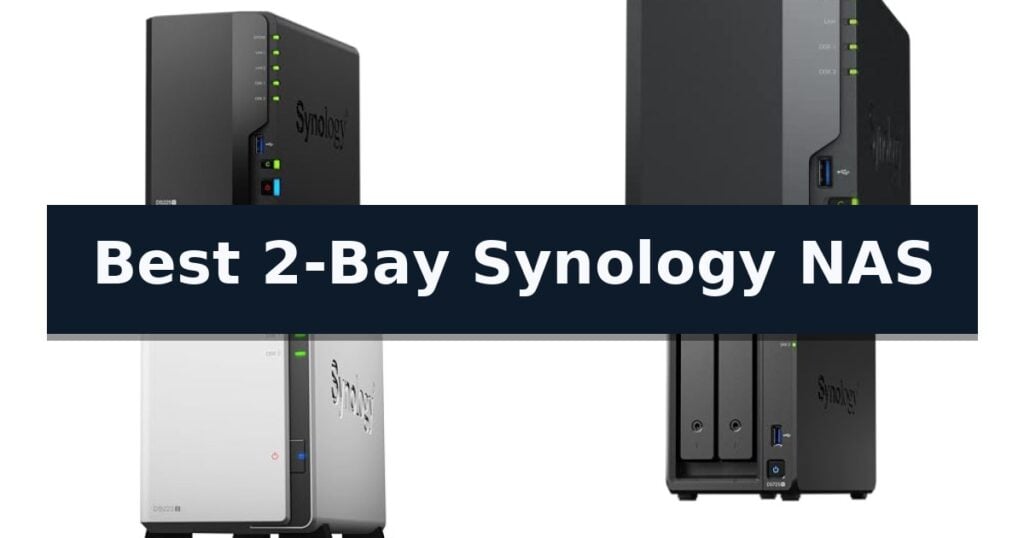
5 Best 2-Bay Synology NAS in 2026 Reviews
Quick Comparison
| Product | Best For | Key Strength | Score |
|---|---|---|---|
| Synology DiskStation DS225+ | Best Overall | Hardware transcoding for efficient 4K media streaming. | 4.9 |
| Synology DiskStation DS223 | Reliable home backup hub | Centralized data management for multiple devices | 4.3 |
| Synology DiskStation DS223j | Budget-friendly private cloud | 100% data ownership with secure private cloud access. | 4.4 |
| Synology DiskStation DS725+ | Expandable for growing storage | Scalable storage up to 140TB via DX525 expansion unit. | 4.6 |
| Synology DiskStation DS725neo+ | Compact professional storage | Built-in 2.5GbE port for fast, reliable network connectivity. | 4.9 |
How We Chose
To identify the most capable 2-bay network-attached storage devices, we evaluate each unit based on its hardware architecture, software versatility, and long-term scalability. An experienced reviewer looks beyond raw specifications to determine how effectively a NAS handles concurrent tasks, such as automated backups, media streaming, and security monitoring, ensuring the device remains a reliable asset as your data needs increase.
- Processor performance for media transcoding and application responsiveness
- Expandability options for future storage capacity growth
- Network connectivity speeds and port configurations
- Surveillance station support and camera capacity
- Ease of file management and remote access software integration
1 Synology DiskStation DS225+ — High-performance media streaming
Centralizing your digital life requires a reliable foundation, and the Synology DS225+ Private Cloud Media Server offers a dedicated solution for managing media libraries and data backups without recurring subscription fees. Designed to handle intensive tasks, this 2-bay NAS features an Intel CPU capable of hardware transcoding, allowing users to stream 4K content directly to various devices.
Beyond media consumption, the unit serves as a robust private cloud for storing photo, video, and music collections. With reported transfer speeds reaching 282 MB/s, it provides fast access to your files from anywhere. The system emphasizes data integrity through multi-layered protection, which integrates RAID redundancy, automated backup scheduling, and snapshot technology to guard against accidental data loss.
For those integrating smart home features, the device supports up to 30 IP cameras with AI detection and secure remote monitoring capabilities. This makes it a versatile tool for both personal entertainment and home security management. Reliability is further supported by a 3-year warranty, ensuring long-term hardware backing for users maintaining continuous data access.
While the Synology DS225+ is a powerful tool for home media and storage, it is a diskless system, meaning users must purchase and install their own hard drives to begin operation. Its 2-bay configuration is optimized for users who prioritize data redundancy and media streaming over massive, multi-drive storage arrays.
Best for: Home users seeking a centralized media server and secure private cloud storage with hardware transcoding capabilities.
Skip if: Users requiring high-capacity storage arrays beyond two drives or those who prefer a pre-populated NAS solution with included hard drives.
- Hardware transcoding for efficient 4K media streaming.
- Fast 282 MB/s transfer speeds for quick file access.
- Integrated AI-powered surveillance support for up to 30 cameras.
- Multi-layered data protection including snapshot technology.
- Diskless design requires separate purchase and installation of hard drives.
- 2-bay limit restricts total storage expansion compared to larger units.
2 Synology DiskStation DS223 — Reliable home backup hub
Managing digital assets across multiple devices often leads to fragmented storage and security concerns. The Synology DiskStation DS223 addresses this by serving as a centralized hub that consolidates files from PCs, mobile devices, and external drives into one accessible location, ensuring users maintain 100% ownership of their data. This 2-bay diskless NAS system provides a reliable, user-managed environment for both home and office backup requirements, backed by a 2-year warranty and ongoing software updates.
Beyond simple storage, the device facilitates professional file collaboration, allowing teams to sync documents and share projects with clients while maintaining version control. This functionality provides a practical alternative to subscription-based cloud services, potentially eliminating recurring fees for document management. By hosting your own data, you avoid the limitations and privacy trade-offs often associated with third-party cloud hosting providers.
Data protection is handled through automated backup features, which support set-and-forget schedules for various platforms. Additionally, the unit can function as a DIY surveillance system by integrating with IP cameras, offering features like motion alerts, recording schedules, and remote viewing capabilities to monitor property. This dual-purpose design allows the hardware to serve as both a data repository and a security monitoring station.
The Synology DiskStation DS223 is designed for users who prioritize data sovereignty and local control. While it provides robust features for its size, the 2-bay storage limit means users must carefully consider their total capacity needs, as it cannot scale to the massive multi-drive arrays found in enterprise-level equipment. It remains a highly efficient choice for those seeking to consolidate their digital life without the complexity of larger server systems.
Best for: Home and office users seeking a centralized, private backup and file-sharing hub with integrated surveillance capabilities.
Skip if: Users requiring high-performance multi-bay arrays for enterprise-level virtualization or massive data throughput will likely find the 2-bay limitation insufficient.
- Centralized data management for multiple devices
- Integrated DIY surveillance system support
- Automated set-and-forget backup functionality
- Professional-grade file collaboration and version control
- 2-bay storage limit restricts total capacity compared to larger NAS models
- Requires separate purchase of hard drives as a diskless system
3 Synology DiskStation DS223j — Budget-friendly private cloud
Managing digital assets requires a reliable foundation, and the Synology 2-Bay DiskStation DS223j (Diskless) offers a streamlined approach to creating a secure private cloud. Designed for users who prioritize 100% data ownership, this unit provides a central hub for storage, allowing for multi-platform access from any location.
The Synology DiskStation DS223j simplifies file management through easy sharing and syncing capabilities, ensuring that collaborators and colleagues remain synchronized. Beyond basic storage, the device supports automated backup protection, enabling users to schedule set-and-forget backups for Macs, PCs, and mobile devices to various destinations, including cloud services and external drives.
For those interested in home monitoring, the system functions as a home security system with support for multiple IP cameras and remote viewing. The hardware is backed by a 2-year warranty and receives ongoing software updates, ensuring the platform remains current. Setup and maintenance are supported by the official Synology knowledge center and video resources.
Measuring approximately 8.9 inches in height and 3.94 inches in width, this 2-bay model is compact enough for home or small office environments. As a diskless unit, it offers flexibility for users to select their preferred drives, though it requires an initial investment in storage media to become operational.
Best for: Home users and small offices seeking a centralized, secure private cloud for automated backups and basic file sharing.
Skip if: Users requiring high-performance processing for intensive virtualization or heavy-duty enterprise-grade data throughput.
- 100% data ownership with secure private cloud access.
- Automated backup protection for multiple device types.
- Integrated home security system support for IP cameras.
- Comprehensive 2-year warranty and ongoing software support.
- Diskless design requires separate purchase of hard drives.
- 2-bay capacity limits total storage expansion compared to larger units.
4 Synology DiskStation DS725+ — Expandable for growing storage
Managing data growth requires a storage solution that balances initial footprint with future capacity. The Synology DiskStation DS725+ addresses this by offering a compact 2-bay design that can scale to a massive 140TB total capacity when paired with the DX525 expansion unit. This flexibility allows home and small business users to begin with a modest setup and expand as their media libraries or data archives grow.
Beyond simple storage, the device focuses on robust data integrity through multi-layered data protection. By combining RAID redundancy, automated backup routines, and snapshot technology, the system provides a comprehensive defense against potential data loss. These features are designed to ensure that critical files remain accessible and secure under various operational conditions.
For those managing physical security, the unit doubles as a professional surveillance system. It supports up to 30 IP cameras, offering advanced analytics, motion detection, and secure remote access. This capability makes it a versatile tool for monitoring residential or commercial environments without requiring a separate dedicated NVR.
Reliability is central to the hardware design, backed by a 3-year warranty. This commitment to hardware quality supports users who require continuous, dependable access to their private cloud. Its dimensions of 166 mm x 106 mm x 223 mm ensure it fits easily into most office or home environments while maintaining its core functionality as a high-performance NAS.
Best for: Home and small business users who need a compact starting point with the ability to scale storage capacity significantly over time.
Skip if: Users who require a high-bay count out of the box or those who do not intend to purchase additional expansion hardware for future growth.
- Scalable storage up to 140TB via DX525 expansion unit.
- Multi-layered data protection including RAID and snapshots.
- Professional surveillance support for up to 30 IP cameras.
- 3-year warranty for long-term hardware reliability.
- Requires separate expansion unit to reach maximum storage capacity.
- 2-bay limit restricts initial drive redundancy options compared to larger units.
5 Synology DiskStation DS725neo+ — Compact professional storage
Managing professional-grade data storage in a compact footprint requires hardware that balances speed with future-proof scalability. The Synology 2-Bay DiskStation DS725neo+ addresses this by integrating a high-speed 2.5GbE port directly into its chassis, ensuring rapid data throughput for demanding workflows right out of the box.
Performance is a core strength of this unit, delivering sequential read/write speeds of up to 283/224 MB/s. These metrics provide a stable foundation for consistent data transfers, whether you are managing local file backups or utilizing the device for integrated photo management and surveillance solutions.
For users anticipating growth, the system offers significant expansion potential. By connecting a single DX525 expansion unit, you can add five additional drive bays, pushing the total storage capacity up to 168 TB. This modular approach allows the hardware to evolve alongside your increasing data requirements without necessitating a complete system replacement.
Reliability is supported by a 3-year limited hardware warranty, which is extendable to 5 years in select markets, providing long-term peace of mind for critical data environments. The Synology 2-Bay DiskStation DS725neo+ serves as a robust, professional-grade solution for those who prioritize high-speed connectivity and flexible storage expansion in a space-efficient design.
Best for: Professionals and small offices requiring high-speed 2.5GbE connectivity with a clear path for future storage expansion.
Skip if: Users who require a high-density rackmount solution or those who do not anticipate needing more than two drive bays.
- Built-in 2.5GbE port for fast, reliable network connectivity.
- Expandable storage up to 168 TB via the DX525 unit.
- High sequential performance reaching up to 283/224 MB/s.
- Extendable warranty options up to 5 years.
- Limited to 2 bays in the base configuration.
- Requires additional hardware (DX525) to reach maximum storage capacity.
Best 2-Bay Synology NAS Buying Guide
Processor and Performance
The central processing unit determines how well your NAS handles intensive tasks. Models equipped with Intel CPUs are generally better suited for real-time hardware transcoding, which is essential if you plan to stream high-resolution media to various devices without stuttering.
For basic file storage and automated backups, lower-power processors are perfectly adequate and often more energy-efficient. Assess whether your primary use case involves simple data protection or active media consumption to avoid overspending on processing power you may not utilize.
Storage Scalability
A 2-bay NAS is inherently limited by its two drive slots, but some models offer the ability to attach expansion units. This feature allows you to increase your total storage capacity significantly without replacing the main unit, providing a clear path for growth.
If you anticipate your photo, video, or document collections will exceed the capacity of two high-density hard drives, prioritizing an expandable model is a prudent long-term strategy. Always verify the maximum supported volume size for each specific unit.
Network Connectivity
The speed of your network connection dictates how quickly you can transfer large files to and from your NAS. While standard Gigabit Ethernet is common, newer models are increasingly incorporating 2.5GbE ports to reduce bottlenecks during large data transfers.
Ensure your existing network infrastructure, including your router and switches, can support the speeds offered by your chosen NAS. A faster port is only beneficial if the rest of your home or office network can handle the increased throughput.
Surveillance and Security
Many Synology units double as powerful NVR systems for home or business security. Check the number of supported IP cameras and the availability of AI-driven detection features to ensure the device meets your monitoring requirements.
Data protection goes beyond hardware; look for built-in software features like snapshot technology and automated cloud backups. These tools are critical for recovering from accidental file deletion or potential ransomware threats.
Software Ecosystem
Synology's DiskStation Manager is a significant advantage, providing a user-friendly interface for managing your data. The availability of various packages allows you to customize your NAS to act as a media server, a collaboration hub, or a private cloud.
Before purchasing, explore the software features relevant to your needs, such as mobile app support for remote file access. A well-supported software ecosystem ensures your device remains secure and functional through regular updates.
Frequently Asked Questions
Can I use any hard drive in a 2-bay NAS?
While most SATA hard drives are physically compatible, it is highly recommended to use drives specifically designed for NAS environments, as they are built to handle the vibration and 24/7 operation typical of network storage.
What is the benefit of RAID 1 in a 2-bay system?
RAID 1 mirrors your data across both drives. If one drive fails, your data remains accessible on the other, providing a vital layer of redundancy against hardware failure.
Do I need a powerful CPU for basic file backups?
No, a basic processor is sufficient for simple file storage and automated backups. You only need a more powerful CPU if you plan to perform hardware transcoding for media or run multiple resource-heavy applications simultaneously.
Can I access my files from outside my home?
Yes, Synology provides software tools that allow you to securely access your files remotely from anywhere with an internet connection, effectively creating your own private cloud.
What happens if I run out of space?
If your model supports expansion units, you can add more bays. Otherwise, you would need to replace your existing drives with higher-capacity models, which is a straightforward process thanks to the RAID management software.
Conclusion: Our Top Pick
Our top pick is Synology DiskStation DS225+. Choosing the right 2-bay NAS depends on balancing your current storage needs with the potential for future growth. Models like the DS225+ offer the performance required for demanding media tasks, while the DS223 and DS223j provide reliable, cost-effective solutions for standard file management and backup duties.
By focusing on processor capabilities, expansion options, and the software ecosystem, you can select a device that serves your needs today while remaining relevant as your digital requirements evolve. Evaluate your specific use case to ensure you invest in the features that matter most to your workflow.