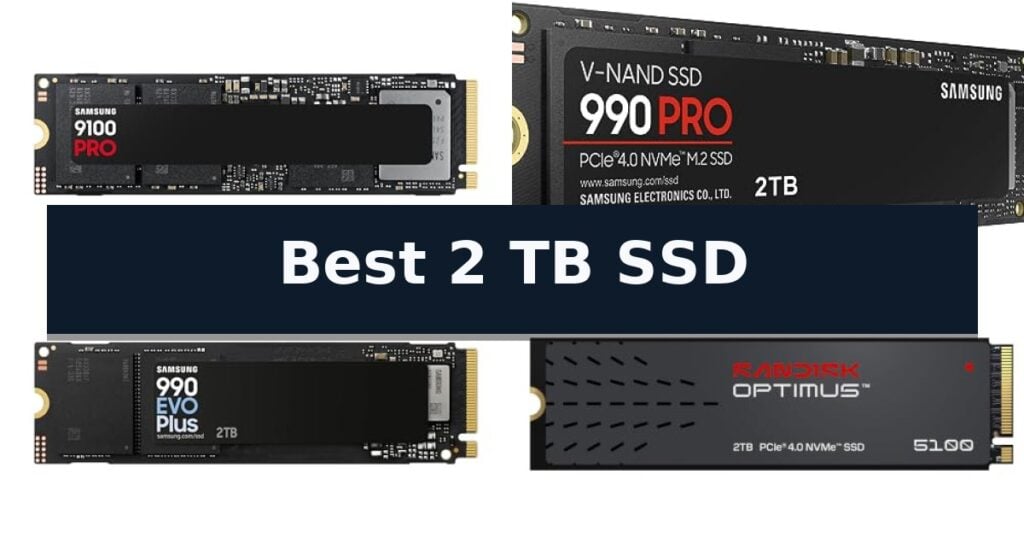
Samsung 9100 PRO SSD is our pick for the Best 2 TB SSD because it delivers industry-leading PCIe 5.0 speeds that significantly reduce load times for heavy-duty workstations and AI applications. For those prioritizing high-end Gen4 performance, the Samsung 990 PRO SSD remains a reliable standard, while the Sandisk Optimus 5100 SSD offers a robust alternative tailored for creator-focused workflows.
Selecting the right drive requires balancing your system's interface capabilities with your primary use case. While PCIe 5.0 drives offer the highest theoretical throughput, they require compatible hardware to reach their full potential. Users should consider whether their motherboard supports the latest Gen5 standards or if a high-performance Gen4 drive provides a more practical upgrade for their current setup.
Beyond raw speed, thermal management and power efficiency are critical for maintaining long-term drive health, especially in compact builds or laptops. Drives with advanced controllers and efficient NAND architecture ensure consistent performance under sustained loads. Matching the drive's form factor and interface to your device's specific slots is the most important step to ensure seamless integration and optimal data transfer rates.
If you are specifically looking for a drive for your desktop, you may also want to explore the Best 2.5 Inch SSD for Gaming for alternative form factor options. For those comparing storage density, our guide on the Best 2 Terabyte Hard Drive offers a look at how SSDs compare to traditional spinning disks.
10 Best 2 TB SSD in 2026 Reviews
Quick Comparison
| Product | Best For | Key Strength | Score |
|---|---|---|---|
| Samsung 9100 PRO SSD | Best Overall | PCIe 5.0 interface delivering industry-leading sequential speeds. | 4.9 |
| Samsung 990 PRO SSD | High-Performance PCIe 4.0 Standard | High-speed PCIe 4.0 performance with read speeds up to 7,450 MB/s. | 4.3 |
| Samsung 990 EVO Plus SSD | Efficient Gen 4 Upgrade | High-speed performance with read/write speeds up to 7,250/6,300 MB/s. | 4.3 |
| Sandisk Optimus 5100 SSD | Reliable Creator Workflow | High-speed PCIe 4.0 performance with read speeds up to 7,100MB/s. | 4.9 |
| Western Digital Green SN350 SSD | Budget-Friendly Daily Computing | Fast NVMe performance reaching up to 3,200 MB/s. | 4.4 |
| Samsung T7 Portable SSD | Compact External File Storage | High-speed data transfer up to 1,050 MB/s via USB 3.2 Gen 2. | 4.4 |
| Sandisk Extreme Portable SSD | Ruggedized Field Durability | High-speed NVMe performance with up to 1050MB/s read speeds. | 4.9 |
| Sandisk Portable SSD | Mobile Lifestyle Convenience | Up to 800MB/s read speeds for efficient file access. | 4.6 |
| Silicon Power A55 SSD | Slim SATA Compatibility | 7mm slim profile fits easily into ultra-slim notebooks and Ultrabooks. | 4.3 |
| Crucial BX500 SSD | Energy-Efficient System Boost | Significant speed improvements compared to traditional mechanical hard drives. | 4.8 |
How We Chose
Evaluating the best 2 TB SSD requires a technical assessment of how a drive interacts with your existing system architecture. We analyze sequential speeds, controller efficiency, and thermal design to determine which models provide the most reliable performance for gaming, creative work, or daily computing tasks, ensuring your storage upgrade aligns with your hardware's capabilities.
- Interface Compatibility (PCIe 5.0, 4.0, or SATA)
- Sequential Read/Write Throughput
- Thermal Management and Controller Efficiency
- IOPS Performance for Multitasking
- Form Factor and Device Fitment
1 Samsung 9100 PRO SSD — Next-Gen PCIe 5.0 Speed
The Samsung 9100 PRO SSD introduces a significant leap in storage technology by leveraging PCIe 5.0 architecture to achieve sequential read and write speeds of up to 14,700 MB/s and 13,400 MB/s, respectively. This drive is engineered to handle intensive data demands, making it a high-performance solution for users engaged in AI computing, heavy-duty workstations, and gaming.
Beyond raw speed, this internal NVMe drive features a 5nm controller designed to enhance power efficiency by up to 49% compared to previous generations. This efficiency, paired with advanced thermal management, helps maintain consistent performance during sustained workloads. The drive is compatible with laptops, desktop PCs, and PS5 consoles when paired with appropriate heatsink solutions.
For users managing large media libraries or expansive game collections, the Samsung 9100 PRO SSD supports capacities up to 8TB. The drive integrates with Samsung Magician Software, which provides a centralized interface for firmware updates, drive health monitoring, and security encryption, ensuring the hardware remains optimized over its lifespan.
Built with in-house DRAM and NAND components, this drive reflects the manufacturer's long-standing focus on flash memory production. It is designed to provide a balance of high-throughput performance and reliable operation for demanding creative and technical applications.
Best for: Users requiring extreme data transfer speeds for AI development, professional video editing, and high-end gaming.
Skip if: Users with older systems lacking PCIe 5.0 support or those who do not require the specific speed advantages of this high-end interface.
- PCIe 5.0 interface delivering industry-leading sequential speeds.
- 5nm controller for improved power efficiency.
- Comprehensive drive management via Magician Software.
- Available in high-capacity options up to 8TB.
- Requires PCIe 5.0 compatibility to reach advertised performance limits.
- Heatsink not included for all device configurations.
2 Samsung 990 PRO SSD — High-Performance PCIe 4.0 Standard
Maximizing system responsiveness requires storage that keeps pace with high-end computing demands. The Samsung 990 PRO SSD utilizes a PCIe 4.0 interface to deliver rapid data transfer, positioning it as a capable solution for intensive tasks like gaming, video editing, and complex data analysis. By leveraging the latest NVMe technology, this drive provides the high-performance bandwidth necessary to reduce loading times across demanding applications.
Engineered for efficiency, this drive provides significant performance gains over its predecessor, the 980 PRO. It features a notable improvement in random performance—boasting more than 55% improvement—and offers up to 50% better performance per watt. This design choice allows for high-speed operation while managing power consumption effectively, which is a critical trade-off for users balancing raw speed with thermal and energy constraints in compact workstations.
With read and write speeds reaching up to 7,450 MB/s and 6,900 MB/s respectively, the drive is designed to reach near-maximum performance limits of the PCIe 4.0 standard. It is available in capacities up to 4TB, providing ample space for large project files and extensive software libraries. The M.2 2280 form factor ensures compatibility with a wide range of modern workstations and gaming rigs, making it a versatile upgrade for those looking to eliminate storage bottlenecks.
Backed by a 5-year manufacturer warranty, this internal solid-state drive is built to maintain consistent throughput for users requiring reliable, high-bandwidth storage. While the drive is optimized for the latest hardware, its reliance on the PCIe 4.0 interface means that users on legacy systems will not be able to access the full speed potential of the hardware, representing a clear hardware-dependent trade-off.
Best for: Hardcore gamers and power users who require maximum PCIe 4.0 bandwidth for heavy-duty computing tasks.
Skip if: Users with older systems lacking PCIe 4.0 support will not be able to utilize the full speed potential of this drive.
- High-speed PCIe 4.0 performance with read speeds up to 7,450 MB/s.
- Improved power efficiency offering up to 50% better performance per watt.
- Significant random performance boost compared to previous generations.
- Versatile capacity options ranging from 1TB to 4TB.
- Requires PCIe 4.0 interface to achieve advertised maximum speeds.
- Premium positioning may exceed the budget for basic storage needs.
3 Samsung 990 EVO Plus SSD — Efficient Gen 4 Upgrade
Upgrading your storage capacity requires a balance of speed and thermal efficiency, and the Samsung 990 EVO Plus SSD addresses this by utilizing the latest NAND memory technology. This drive is engineered to handle demanding tasks, offering sequential read and write speeds reaching up to 7,250 MB/s and 6,300 MB/s respectively.
The drive is designed for versatility, supporting both PCIe 4.0 x4 and PCIe 5.0 x2 interfaces. This optimization allows for higher bandwidth and improved data processing capabilities compared to previous generations. To maintain consistent performance during heavy workloads, it features an efficiency-boosting nickel-coated controller that manages heat effectively without sacrificing speed.
Integration into your existing system is supported by the Samsung Magician Software, which provides a centralized hub for firmware updates, drive health monitoring, and security encryption. This ensures the hardware remains current and performs reliably over time, backed by a 5-year manufacturer warranty.
For those managing large files, the drive incorporates Intelligent TurboWrite 2.0 technology, which is specifically tuned to enhance performance during sustained write operations. Its compact M.2 2280 form factor ensures compatibility with a wide range of modern PCs and laptops, making it a straightforward upgrade for users seeking a boost in responsiveness.
Best for: Users looking to upgrade their PC or laptop storage with a high-speed, thermally efficient drive that supports both PCIe 4.0 and 5.0 interfaces.
Skip if: Users whose hardware does not support M.2 2280 form factor drives or those requiring storage capacities beyond the available options.
- High-speed performance with read/write speeds up to 7,250/6,300 MB/s.
- Versatile interface support for both PCIe 4.0 x4 and PCIe 5.0 x2.
- Advanced thermal control via a nickel-coated controller.
- Comprehensive management through Samsung Magician Software.
- Interface limitation to PCIe 5.0 x2 rather than full x4 bandwidth.
4 Sandisk Optimus 5100 SSD — Reliable Creator Workflow
Modern creative workflows demand high-performance storage capable of keeping pace with intensive data tasks. The Sandisk Optimus 5100 2TB NVMe SSD is engineered to meet these requirements, leveraging the PCIe 4.0 interface to achieve rapid read speeds up to 7,100MB/s and write speeds up to 6,700MB/s. These specifications translate into tangible improvements for professionals, such as significantly faster application launch times and more efficient management of large-scale project files.
At the core of this drive is the 8th generation SANDISK BiCS QLC 3D CBA NAND, which provides a dense and reliable storage foundation for demanding assets like 4K video files and high-resolution imagery. The M.2 2280 form factor ensures broad compatibility with current motherboards and laptops, while the power-efficient design is specifically tuned to maintain high performance without excessive energy draw, making it a practical choice for mobile workstations.
Beyond raw speed, the drive emphasizes long-term utility through its endurance rating and integrated management tools. Users can actively monitor drive health, check for firmware updates, and manage performance settings using the downloadable SANDISK Dashboard application. This proactive approach to maintenance, combined with a 5-year limited warranty, provides a stable and reliable storage environment for professionals who rely on consistent access to their digital media libraries.
While the drive offers significant speed advantages, it is important to note the trade-offs inherent in its architecture. The QLC NAND technology is optimized for high-capacity storage and efficient performance, but it may be less suitable for extreme, constant write-heavy enterprise workloads compared to TLC-based alternatives. For most creative professionals, however, the balance of speed, capacity, and power efficiency makes it a highly capable component for high-performance computing.
Best for: Content creators and professionals who require high-speed NVMe storage for managing large 4K video files and high-resolution media projects.
Skip if: Users with older motherboards that do not support the PCIe 4.0 interface, as they will not be able to utilize the drive's maximum rated speeds.
- High-speed PCIe 4.0 performance with read speeds up to 7,100MB/s.
- Power-efficient design optimized for mobile productivity.
- Includes access to the SANDISK Dashboard application for drive monitoring.
- Backed by a 5-year limited warranty.
- QLC NAND architecture may be less suitable for extreme, constant write-heavy enterprise workloads compared to TLC alternatives.
5 Western Digital Green SN350 SSD — Budget-Friendly Daily Computing
Upgrading your computer's storage with the Western Digital 2TB WD Green SN350 NVMe Internal SSD provides a significant boost for daily computing tasks. This drive utilizes a high-speed NVMe interface to deliver data transfer rates of up to 3,200 MB/s, ensuring that applications load quickly and system responsiveness remains sharp.
Designed with a slim M.2 2280 form factor, this SSD is engineered to fit seamlessly into modern computers equipped with an NVMe slot. Beyond its compact physical profile, the drive features shock-resistance, providing a layer of protection against accidental bumps and drops that can occur in mobile or desktop environments.
Maintenance and monitoring are simplified through the Western Digital SSD Dashboard. This downloadable software allows users to track drive health and usage patterns, helping you stay informed about your storage performance over time. The drive is backed by a 3-year limited warranty, offering peace of mind for your data storage investment.
While this drive is an efficient choice for general productivity and daily use, it is built using QLC (Quad-Level Cell) NAND technology. This architecture is optimized for cost-effective, high-capacity storage rather than the sustained, heavy-duty write endurance required for professional-grade video editing or enterprise server workloads.
Best for: Users looking to improve system responsiveness and expand storage capacity for daily computing tasks.
Skip if: Professional users requiring high-endurance storage for heavy, sustained write workloads like 4K video production.
- Fast NVMe performance reaching up to 3,200 MB/s.
- Slim M.2 2280 form factor for easy installation in compatible slots.
- Shock-resistant design for added hardware protection.
- Western Digital SSD Dashboard for convenient health monitoring.
- QLC NAND architecture is less suited for extreme, sustained write-intensive tasks.
6 Samsung T7 Portable SSD — Compact External File Storage
The Samsung T7 Portable SSD distinguishes itself with a robust solid aluminum unibody construction designed to withstand drops from up to 6 feet. This compact drive serves as a high-speed repository for demanding workflows, utilizing PCIe NVMe technology to reach read speeds of up to 1,050 MB/s and write speeds of 1,000 MB/s.
Engineered for versatility, this drive supports Ultra High Resolution 4K 60fps video recording directly from compatible cameras and mobile devices, including the iPhone 15 Pro. Its small form factor, measuring just 3.3 by 2.2 inches, ensures it remains a portable solution for professionals who need to manage large working files or game data on the go.
Compatibility is a core focus, as the Samsung T7 Portable SSD is designed to function seamlessly across a variety of hardware, from standard PCs to mobile phones. The device relies on in-house production for its DRAM and NAND components, reflecting the manufacturer's integrated approach to hardware reliability.
While the drive offers significant performance gains over older storage standards, users should note that the maximum transfer speeds are dependent on the host device's interface and cable configuration. The unit includes a 3-year limited warranty, providing a baseline of support for the internal firmware and physical build.
Best for: Content creators and professionals requiring high-speed, durable external storage for 4K video recording and large file transfers.
Skip if: Users who do not require high-speed NVMe performance or those who prefer a larger, desktop-bound storage solution with integrated power supplies.
- High-speed data transfer up to 1,050 MB/s via USB 3.2 Gen 2.
- Shock-resistant design with aluminum unibody construction for 6-foot fall protection.
- Extensive compatibility with PCs, mobile phones, and professional cameras.
- Compact, lightweight form factor for easy portability.
- Performance limited by the host device's connection capabilities.
- Smaller physical size may be easier to misplace compared to larger desktop drives.
7 Sandisk Extreme Portable SSD — Ruggedized Field Durability
When your workflow demands both high-speed data transfers and rugged reliability in the field, the SANDISK 2TB Extreme Portable SSD provides a robust solution. This drive is built for demanding environments, featuring an IP65 water and dust resistance rating and up to 3-meter drop protection, ensuring your data remains secure even when subjected to accidental impacts or harsh conditions.
Performance is driven by NVMe solid state technology, which delivers impressive up to 1050MB/s read and 1000MB/s write speeds. This high-speed capability allows for rapid file transfers, making it a practical choice for photographers, videographers, or professionals who need to move large media files quickly between devices using its USB-C 3.2 Gen 2 interface.
Beyond its physical durability and speed, the drive prioritizes data security with 256-bit AES hardware encryption. This integrated password protection helps keep sensitive content private. For added convenience, the unit includes a carabiner loop for secure attachment to backpacks or gear, and it is compatible with the SanDisk Memory Zone app to assist with file management and storage optimization.
With a compact profile measuring roughly 4 inches in length and weighing only 0.11 pounds, the SANDISK 2TB Extreme Portable SSD is designed for portability without sacrificing capacity. It is backed by a 5-year limited manufacturer warranty, providing long-term peace of mind for users who rely on their storage hardware for critical projects.
Best for: Professionals and creators who require a high-speed, ruggedized storage solution for use in outdoor or mobile environments.
Skip if: Users who do not require extreme drop or water resistance and prefer a more budget-friendly, standard desktop-grade external drive.
- High-speed NVMe performance with up to 1050MB/s read speeds.
- Ruggedized design featuring IP65 water/dust resistance and 3-meter drop protection.
- Integrated 256-bit AES hardware encryption for enhanced data privacy.
- Compact, lightweight form factor with a built-in carabiner loop for portability.
- Premium pricing compared to standard non-ruggedized external SSDs.
- Performance may vary based on the host device and connection limitations.
8 Sandisk Portable SSD — Mobile Lifestyle Convenience
The Sandisk Portable SSD is engineered for users who require reliable, high-capacity storage that can withstand the rigors of a mobile lifestyle. With a capacity of 2 TB, this drive provides ample space for backing up content and memories, while its USB 3.2 Gen 2 interface facilitates efficient data transfer.
Performance is a key highlight, as this drive delivers up to 800MB/s read speeds, ensuring that large files can be accessed or moved quickly. The design prioritizes both utility and durability, featuring a compact form factor that measures less than four inches in length, making it easy to carry in a laptop bag or pocket.
Durability is integrated directly into the hardware, with the drive offering up to two-meter drop protection to safeguard your data during accidental impacts. For added convenience, the unit includes a tough rubber hook, allowing you to secure the drive to a backpack or belt loop while on the move.
Compatibility is broad, as the drive is designed to work seamlessly with laptops and tablets. It comes with a USB-C to USB-A cable, ensuring it can connect to a variety of host devices. Backed by a 3-year limited manufacturer warranty, this storage solution is built to offer peace of mind for those who need to take their data on assignments or adventures.
Best for: Users needing a durable, high-capacity portable storage solution for backing up files while traveling or working on the go.
Skip if: Users who require extreme high-speed performance beyond 800MB/s or those who prefer a metal-cased drive over this model's ruggedized plastic and rubber design.
- Up to 800MB/s read speeds for efficient file access.
- Two-meter drop protection for enhanced physical durability.
- Integrated rubber hook for secure attachment to bags or gear.
- Compact and lightweight design for maximum portability.
- Performance may vary based on host device and interface limitations.
- Plastic and rubber construction may not appeal to those seeking a premium metallic aesthetic.
9 Silicon Power A55 SSD — Slim SATA Compatibility
Upgrading your storage capacity requires a balance of speed and physical compatibility, and the Silicon Power 2TB SSD 3D NAND A55 is engineered to address these needs in a compact form factor. By utilizing 3D NAND flash technology, this drive is designed to deliver high transfer speeds that facilitate faster system boot times and improved overall responsiveness for your computer.
The drive incorporates advanced SLC Cache Technology, which provides a performance boost during data operations while contributing to a longer lifespan for the drive. This feature is particularly relevant for users looking to revitalize older systems or expand storage without sacrificing the efficiency of their daily computing tasks.
Physical installation is simplified by the 7mm slim design, making this SSD a suitable choice for Ultrabooks and ultra-slim notebooks that have limited internal space. Its standard SATA III interface ensures broad compatibility with a wide range of existing hardware configurations.
To support long-term usage, the manufacturer includes a 3-year limited warranty. Users are encouraged to register their product via the official SP website to access the full scope of manufacturer warranty services and technical support.
Best for: Users needing a high-capacity 2TB storage upgrade for slim laptops or desktops with limited internal drive space.
Skip if: Users who require the extreme data transfer speeds offered by NVMe M.2 drives, as this is a SATA III interface device.
- 7mm slim profile fits easily into ultra-slim notebooks and Ultrabooks.
- SLC Cache Technology enhances performance and drive longevity.
- 3D NAND flash architecture supports high-speed data transfers.
- Includes a 3-year limited warranty for added peace of mind.
- SATA III interface is slower than modern NVMe alternatives.
10 Crucial BX500 SSD — Energy-Efficient System Boost
Upgrading an aging computer often begins with storage, and the Crucial BX500 2TB 3D NAND SATA 2.5-Inch Internal SSD offers a direct path to improved system responsiveness. By replacing a traditional mechanical hard drive with this solid-state solution, users can expect faster boot times and quicker file loading, effectively reducing the wait times associated with standard spinning media.
Engineered with Micron 3D NAND technology, this drive leverages decades of memory development to provide reliable storage. Beyond speed, the drive is designed for efficiency; it is rated as 45x more energy efficient than a typical hard drive, which can contribute to improved battery life in portable computing systems.
The Crucial BX500 SSD features a standard 2.5-inch form factor, making it compatible with a wide range of desktop and laptop systems that support SATA connections. With a total capacity of 2TB, it provides ample space for large file libraries and applications while maintaining a lightweight profile of approximately 0.077 pounds.
To provide peace of mind, the drive is backed by a 3-year limited warranty. This support, combined with the performance gains over legacy storage, positions the drive as a practical component for those looking to extend the utility of their current hardware without a complete system replacement.
Best for: Users looking to improve system responsiveness and energy efficiency by replacing a traditional hard drive in a compatible 2.5-inch SATA slot.
Skip if: Users requiring the high-speed performance of NVMe M.2 drives or those whose systems lack a 2.5-inch SATA interface.
- Significant speed improvements compared to traditional mechanical hard drives.
- High energy efficiency that can extend battery life in laptops.
- Large 2TB capacity for extensive storage needs.
- 3-year limited warranty for added support.
- SATA interface limitations compared to modern NVMe standards.
- 2.5-inch form factor may not fit systems requiring M.2 storage.
Best 2 TB SSD Buying Guide
Understanding Interface Generations
The interface generation, such as PCIe 5.0 or 4.0, dictates the maximum speed at which your drive can communicate with your processor. PCIe 5.0 drives represent the current performance ceiling, offering massive throughput for demanding tasks like 4K video rendering and AI model training.
However, these speeds are only accessible if your motherboard and CPU support the corresponding PCIe generation. If your system is limited to PCIe 4.0, installing a Gen5 drive will result in the drive operating at the slower Gen4 speed, making it an unnecessary expense.
Thermal Management in High-Speed Drives
High-performance NVMe drives generate significant heat during sustained data transfers. Advanced controllers and integrated heat spreaders are essential to prevent thermal throttling, which can cause the drive to slow down significantly to protect its components.
When installing a high-speed SSD in a desktop, ensure your motherboard's M.2 heatsink is properly seated. For laptops or compact builds with limited airflow, prioritize drives that emphasize power efficiency and lower operating temperatures.
IOPS and Real-World Responsiveness
Sequential speeds often grab headlines, but Input/Output Operations Per Second (IOPS) are frequently more indicative of daily system responsiveness. High IOPS performance ensures that your operating system and applications launch quickly and handle multitasking without stuttering.
For users who frequently switch between heavy applications or manage large libraries of small files, a drive with strong random read/write performance will feel faster in daily use than one that only excels at large file transfers.
Form Factor and Physical Compatibility
Most modern internal SSDs use the M.2 2280 form factor, which is standard for current motherboards and laptops. Always verify that your device has an available M.2 slot and sufficient physical clearance for the drive's thickness.
If you are upgrading an older system, you may need a 2.5-inch SATA SSD instead. While these are significantly slower than NVMe drives, they remain a cost-effective way to revitalize aging hardware that lacks modern M.2 connectivity.
Endurance and Drive Health
Total Bytes Written (TBW) is a key metric for understanding a drive's expected lifespan. This rating tells you how much data can be written to the drive before the flash memory cells begin to degrade.
For professional creators or users who frequently move massive datasets, choosing a drive with a higher TBW rating provides peace of mind. Regular monitoring via manufacturer-provided software can also help you track drive health and perform necessary firmware updates.
Frequently Asked Questions
Can I use a PCIe 5.0 SSD in a PCIe 4.0 slot?
Yes, PCIe interfaces are backward compatible. The drive will function, but it will be limited to the maximum speed of the PCIe 4.0 slot.
Do I need a heatsink for my 2 TB SSD?
For high-performance Gen4 and Gen5 drives, a heatsink is highly recommended to prevent thermal throttling during heavy workloads.
What is the difference between NVMe and SATA SSDs?
NVMe drives use the PCIe bus for much faster data transfer speeds, while SATA drives are limited by the older, slower SATA interface.
How do I migrate my OS to a new 2 TB SSD?
Most manufacturers provide migration software that allows you to clone your existing drive's contents directly to the new SSD.
Is 2 TB enough for modern gaming?
With many modern games exceeding 100GB, 2 TB is a sweet spot that provides ample room for a large game library without needing to delete titles frequently.
Conclusion: Our Top Pick
Our top pick is Samsung 9100 PRO SSD. Choosing the right 2 TB SSD depends heavily on your system's interface and your specific performance requirements. For those with the latest hardware, a PCIe 5.0 drive offers the best future-proofing, while high-end Gen4 drives continue to provide excellent value and speed for most users.
Always verify your motherboard's compatibility before purchasing to ensure you are getting the performance you pay for. By focusing on thermal efficiency and interface support, you can select a drive that will reliably serve your storage needs for years to come.