Samsung 990 PRO SSD is our top choice for the Best 2TB Laptop SSDs, offering high-end performance and power efficiency for demanding computing tasks. For those prioritizing a balance of speed and thermal efficiency, the Samsung 990 EVO Plus SSD serves as a capable alternative, while the Crucial P310 SSD provides a versatile option for users seeking reliable Gen4 performance across various devices.
Upgrading your laptop storage requires balancing interface compatibility with your specific performance requirements. While high-speed PCIe 4.0 and 5.0 drives provide significant advantages for heavy workloads like video editing or gaming, standard Gen4 or even SATA drives may suffice for general productivity and media storage, often at a more accessible price point.
When selecting an internal drive, consider the physical form factor and the interface supported by your laptop's motherboard. Ensuring your system can accommodate the specific M.2 or 2.5-inch drive ensures a seamless installation and prevents potential compatibility issues that could limit your drive's speed or prevent it from being recognized by your operating system.
For users specifically targeting the fastest interface speeds, our guide on Best 2TB NVMe SSD offers a deeper look at high-performance storage solutions. If you are comparing broader storage options, our Best 2TB Internal SSD article provides additional context on choosing the right drive for your specific hardware.
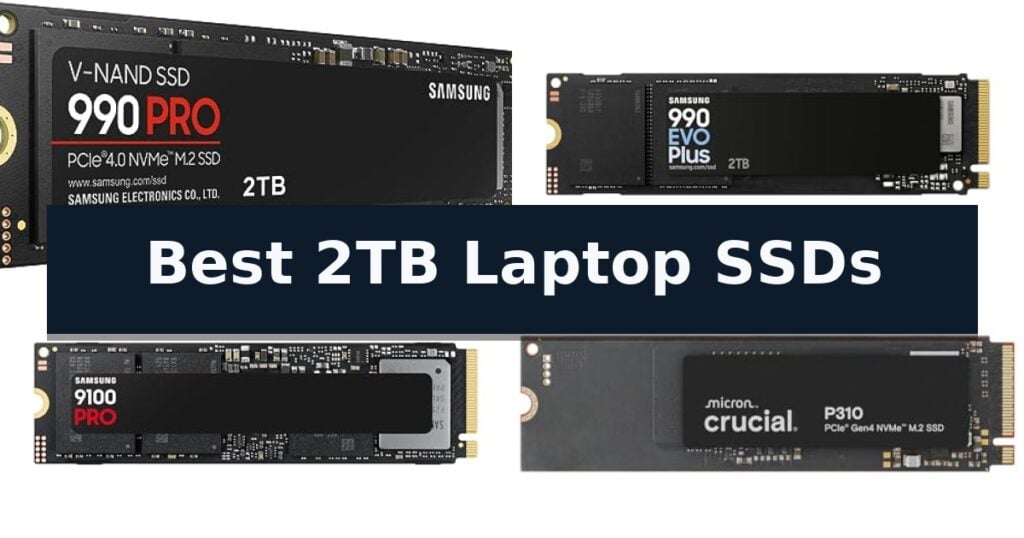
10 Best 2TB Laptop SSDs in 2026 Reviews
Quick Comparison
| Product | Best For | Key Strength | Score |
|---|---|---|---|
| Samsung 990 PRO SSD | Best Overall | High-speed PCIe 4.0 performance with read/write speeds up to 7,450/6,900 MB/s. | 4.9 |
| Samsung 990 EVO Plus SSD | Efficient Gen4 Performance | High-speed sequential performance up to 7,250 MB/s. | 4.3 |
| Samsung 9100 PRO SSD | Blazing PCIe 5.0 Power | Blazing PCIe 5.0 speeds reaching up to 14,700 MB/s. | 4.8 |
| Crucial P310 SSD | Versatile Gen4 Upgrade | High-speed PCIe 4.0 performance reaching up to 7,100 MB/s. | 4.5 |
| Crucial E100 SSD | Reliable Gen4 Value | High-speed Gen4 performance reaching up to 5,000MB/s. | 4.3 |
| Silicon Power P34A60 SSD | Budget Gen3 Choice | High 2TB capacity for extensive file storage. | 4.9 |
| Kingston NV3 SSD | High-Speed Gen4 Storage | High-speed PCIe 4.0 Gen 4×4 performance for rapid data access. | 4.7 |
| Sandisk Optimus 5100 SSD | Creator-Focused Gen4 | High-speed PCIe 4.0 performance with read speeds up to 7,100MB/s. | 4.5 |
| PNY CS900 SATA SSD | Classic SATA Upgrade | Significant performance boost over traditional mechanical hard drives. | 4.3 |
| Crucial BX500 SATA SSD | Efficient SATA Replacement | 45x more energy efficient than typical hard drives to help preserve battery life. | 4.8 |
How We Chose
Selecting the right storage for a laptop requires a technical assessment of interface standards and performance metrics. We evaluate these drives based on their ability to maintain consistent speeds under load, their power consumption profiles, and their physical compatibility with common laptop chassis, ensuring that each recommendation provides a tangible upgrade in system responsiveness.
- Interface Compatibility (PCIe Gen 3, 4, 5, or SATA)
- Sequential Read and Write Speeds
- Power Efficiency and Thermal Performance
- Form Factor and Physical Dimensions
- Manufacturer Warranty and Reliability Ratings
1 Samsung 990 PRO SSD — Peak Gen4 Speed
Maximizing data throughput in high-end workstations requires a drive capable of sustaining extreme bandwidth, and the Samsung 990 PRO SSD is engineered specifically for these demanding environments. By utilizing the PCIe 4.0 interface, this drive delivers rapid data transfer speeds that cater to heavy-duty computing, data analysis, and professional video editing workflows.
The Samsung 990 PRO SSD achieves read and write speeds of up to 7,450 MB/s and 6,900 MB/s, respectively. This performance represents a significant leap in efficiency, offering up to a 55% improvement in random performance compared to its predecessor. Such gains are critical for users who need to reduce loading times and handle large, complex files without system bottlenecks.
Beyond raw speed, this drive emphasizes power efficiency, delivering up to 50% improved performance per watt. This design choice allows the drive to maintain high-performance levels while consuming less power, which is an essential consideration for maintaining system stability during extended, intensive tasks. The drive is available in capacities ranging from 1TB to 4TB, providing flexible storage options for diverse professional requirements.
With a standard M.2 2280 form factor, the drive is compatible with a wide range of modern laptops and desktop motherboards. It is backed by a 5-year manufacturer warranty, providing long-term assurance for critical data storage. Users should ensure their system supports the PCIe 4.0 standard to fully leverage the drive's capabilities, as older interfaces will limit its maximum potential.
Best for: Professional users and gamers who require high-speed data transfer and power efficiency for intensive computing tasks.
Skip if: Users with older laptops that only support PCIe 3.0 interfaces, as they will not be able to utilize the drive's full performance potential.
- High-speed PCIe 4.0 performance with read/write speeds up to 7,450/6,900 MB/s.
- Improved power efficiency offering up to 50% better performance per watt.
- Significant 55% improvement in random performance over previous generations.
- Backed by a 5-year manufacturer warranty.
- Requires PCIe 4.0 compatibility to achieve advertised maximum speeds.
2 Samsung 990 EVO Plus SSD — Efficient Gen4 Performance
Upgrading your laptop storage requires a balance of speed and efficiency, and the Samsung 990 EVO Plus SSD addresses this by utilizing the latest NAND memory to achieve sequential read and write speeds of up to 7,250 MB/s and 6,300 MB/s, respectively. This drive is designed to handle intensive file transfers and demanding tasks, ensuring your system remains responsive during heavy workloads. The inclusion of Intelligent TurboWrite 2.0 technology further enhances performance during large-file operations, making it a robust choice for users who frequently move high-definition media or large project files.
The drive features a nickel-coated controller that provides exceptional thermal control, allowing the hardware to maintain performance levels while consuming less power. This efficiency is particularly beneficial for laptop users concerned about battery life and thermal management during extended use, as it reduces the power draw compared to less efficient storage solutions. By balancing high-speed data throughput with lower power requirements, the drive helps maintain system stability without excessive heat buildup.
Compatibility is a core strength of this model, as it is optimized to support both PCIe 4.0 x4 and PCIe 5.0 x2 interfaces. This flexibility ensures that users can leverage higher bandwidth and improved data processing capabilities across a variety of modern hardware configurations. Whether you are working with an existing PCIe 4.0 system or moving toward newer standards, the drive adapts to provide the necessary bandwidth for modern computing demands.
Maintenance is simplified through the Samsung Magician Software, which provides a centralized interface for firmware updates, drive health monitoring, and enhanced security encryption. This tool ensures the drive continues to perform reliably throughout its service life by keeping the firmware current and providing real-time diagnostics. This proactive approach to drive management helps protect your data and ensures the hardware operates at its peak potential for the duration of its 5-year manufacturer warranty.
Best for: Users seeking a high-speed, power-efficient storage upgrade for modern laptops that support PCIe 4.0 or 5.0 interfaces.
Skip if: Users with older laptops limited to PCIe 3.0 or SATA interfaces, as they will not be able to utilize the full performance potential of this drive.
- High-speed sequential performance up to 7,250 MB/s.
- Efficient power consumption via nickel-coated controller.
- Dual-interface compatibility with PCIe 4.0 and 5.0.
- Comprehensive drive management with Magician Software.
- Performance limited by the host system's PCIe interface generation.
3 Samsung 9100 PRO SSD — Blazing PCIe 5.0 Power
The Samsung 9100 PRO SSD introduces a significant leap in storage technology by utilizing the PCIe 5.0 interface, enabling sequential read and write speeds of up to 14,700/13,400 MB/s. This drive is designed to handle high-demand environments, including AI computing, intensive gaming, and professional workstations, by leveraging a 5nm controller that improves power efficiency by up to 49% compared to previous generations.
Beyond raw speed, this 2TB drive focuses on thermal management and consistent performance. Its advanced thermal control systems are engineered to maintain stability during heavy workloads, while the included Magician Software provides users with tools for firmware updates, drive health monitoring, and data encryption. These features ensure that the drive remains reliable for users managing large datasets or complex creative projects.
Compatibility is a core design consideration, as the Samsung 9100 PRO SSD is built to integrate into various systems, from high-performance laptops and desktop PCs to gaming consoles like the PS5, provided a compatible heatsink is utilized. With storage options reaching up to 8TB, it offers a scalable solution for users who require extensive space for game libraries or media production without sacrificing speed.
As a product from a long-standing manufacturer in the flash memory industry, the drive benefits from in-house production of its DRAM and NAND components. This vertical integration is intended to support consistent quality and performance, making it a robust option for those looking to upgrade their internal storage to the latest Gen5 standards.
Best for: Users requiring high-speed data transfer for AI applications, professional video editing, and high-end gaming.
Skip if: Users with older systems that do not support PCIe 5.0 or those who cannot accommodate the necessary heatsink requirements for optimal thermal performance.
- Blazing PCIe 5.0 speeds reaching up to 14,700 MB/s.
- High power efficiency via a 5nm controller.
- Comprehensive management through Samsung Magician Software.
- Robust compatibility across PCs, laptops, and consoles.
- Requires specific heatsink for optimal performance in certain devices.
- Advanced PCIe 5.0 interface may be limited by older hardware compatibility.
4 Crucial P310 SSD — Versatile Gen4 Upgrade
Upgrading to the Crucial P310 2TB SSD provides a significant boost for laptops and handheld gaming consoles, leveraging PCIe 4.0 performance to achieve read speeds up to 7,100 MB/s. This M.2 2280 drive is engineered to accelerate system boot times and application loading, offering a practical solution for users looking to improve overall system responsiveness.
Designed with advanced G8 NAND and integrated thermal control, this drive ensures consistent operation during demanding tasks. The 2TB capacity offers ample storage for large media libraries, AAA games, and professional software, while the inclusion of Acronis Data Recovery Software adds a layer of utility for managing and protecting stored data.
Compatibility is a primary strength, as the Crucial P310 2TB SSD functions seamlessly across various platforms, including popular handheld devices like the ROG Ally X and Lenovo Legion Go. Its backward compatibility with PCIe Gen3 systems makes it a versatile choice for older hardware upgrades, allowing users to transition to newer storage technology without replacing their entire machine.
The drive is built for efficiency, delivering up to 2x faster speeds compared to previous Gen3 generations. This performance increase is particularly noticeable when running resource-intensive applications such as Adobe Photoshop or Microsoft Excel, making it a well-rounded upgrade for both casual users and those focused on productivity.
Best for: Users seeking a high-capacity, versatile Gen4 NVMe storage upgrade for laptops, desktops, and handheld gaming consoles.
Skip if: Users requiring specialized high-end heatsinks for extreme thermal environments or those with devices that do not support M.2 2280 form factor drives.
- High-speed PCIe 4.0 performance reaching up to 7,100 MB/s.
- Broad compatibility with modern handheld gaming consoles and legacy Gen3 systems.
- Spacious 2TB capacity suitable for large gaming and media collections.
- Includes Acronis Data Recovery Software for enhanced data management.
- Performance limited to the capabilities of the host device's interface if not using a Gen4 slot.
5 Crucial E100 SSD — Reliable Gen4 Value
Upgrading your storage capacity to 2TB provides significant headroom for high-resolution media libraries and large software installations. The Crucial E100 2TB M.2 NVMe PCIe Gen4 Internal SSD is engineered to replace aging storage solutions, offering a substantial leap in data transfer speeds compared to legacy hardware.
This drive utilizes Gen4 performance to reach speeds up to 5,000MB/s. This technical capability is designed to be 8x faster than SATA alternatives and significantly more responsive than traditional hard disk drives. By moving to this NVMe architecture, users can expect reduced latency when accessing large files or loading applications.
Beyond raw speed, the Crucial E100 SSD is built to improve system efficiency. It operates with less noise and heat than mechanical hard drives, contributing to a more stable internal environment for your laptop or desktop. The drive includes step-by-step instructions to simplify the cloning and installation process, making it accessible for those performing their own hardware upgrades.
With a 3-year limited warranty, this drive offers a reliable path to expanding your digital workspace. Its compact M.2 form factor ensures compatibility with a wide range of modern computing devices, providing a straightforward solution for users who need to store more photos, videos, and professional assets without compromising on performance.
Best for: Users looking to significantly increase storage capacity and system responsiveness through a high-speed Gen4 NVMe upgrade.
Skip if: Users with older laptops that lack an M.2 NVMe PCIe slot or those requiring specialized high-end workstation drives with extreme endurance ratings.
- High-speed Gen4 performance reaching up to 5,000MB/s.
- 2TB capacity provides ample space for large media libraries.
- Improved durability and quieter operation compared to traditional HDDs.
- Simplified installation process with included cloning instructions.
- Limited to PCIe Gen4 speeds, which may not utilize the full potential of newer Gen5-capable systems.
6 Silicon Power P34A60 SSD — Budget Gen3 Choice
Upgrading your laptop storage requires a balance of speed and longevity, and the Silicon Power 2TB NVMe M.2 PCIe Gen3x4 2280 SSD provides a reliable foundation for data-intensive tasks. This drive utilizes a PCIe Gen 3×4 interface, delivering read speeds up to 2,200MB/s and write speeds up to 1,600MB/s, which significantly improves boot times and file transfer efficiency compared to traditional mechanical drives.
Designed for durability, the Silicon Power P34A60 SSD features a TBW (Total Bytes Written) rating of 1200, indicating a robust capacity for long-term data writing. The drive is backed by a 5-year limited warranty, where terms are determined by whichever threshold—time or data limit—is reached first. This makes it a practical choice for users seeking a balance between high capacity and sustained reliability.
Installation requires specific hardware compatibility, as the drive is designed for systems featuring an M.2 connector with an M key. Because the Silicon Power P34A60 SSD lacks a B-notch, it will not fit into slots requiring a B-key configuration. Users should verify their laptop's internal M.2 slot specifications before purchase to ensure a proper physical fit.
Silicon Power provides dedicated support for common setup hurdles, such as formatting errors or recognition issues, through their U.S.-based technical team. This support framework adds a layer of security for users who may be performing their first internal storage upgrade, ensuring that technical assistance is accessible if the drive is not immediately recognized by the operating system.
Best for: Users looking for a high-capacity, cost-effective storage upgrade for laptops compatible with PCIe Gen 3×4 M.2 M-key slots.
Skip if: Users with laptops requiring a B-key M.2 connector or those needing the extreme speeds of PCIe Gen 4 or Gen 5 NVMe drives.
- High 2TB capacity for extensive file storage.
- Solid 1200 TBW rating for long-term endurance.
- Backed by a 5-year limited warranty.
- Includes access to U.S.-based technical support.
- Limited to PCIe Gen 3×4 speeds.
- Requires M-key M.2 slot compatibility.
7 Kingston NV3 SSD — High-Speed Gen4 Storage
Upgrading your laptop storage to a 2TB capacity provides significant headroom for high-resolution media, large software libraries, and demanding file management tasks. The Kingston NV3 2TB M.2 2280 NVMe SSD is designed to address these needs by leveraging PCIe 4.0 Gen 4×4 architecture to deliver high-speed data transfers.
This drive is engineered for efficiency, offering read speeds of up to 6,000MB/s and write speeds reaching 5,000MB/s. These metrics ensure that system boot times, application loading, and large file transfers remain responsive, making it a practical choice for users seeking to improve overall system throughput without excessive power consumption.
Beyond raw performance, the Kingston NV3 2TB M.2 2280 NVMe SSD includes Acronis cloning software, which simplifies the migration process when replacing an existing drive. Its compact M.2 2280 form factor ensures compatibility with a wide range of modern laptops that support NVMe storage, while the inclusion of a 5-year limited warranty provides long-term support for your storage investment.
When selecting an SSD, consider that performance gains are dependent on your laptop's specific interface support. While this drive is optimized for Gen 4×4 slots, it is essential to verify your device's hardware specifications to ensure it can accommodate the M.2 2280 form factor and take full advantage of the available bandwidth.
Best for: Users looking to expand laptop storage capacity while benefiting from the high-speed data transfer rates of PCIe 4.0 technology.
Skip if: Users with older laptops that lack an M.2 2280 slot or support for NVMe PCIe 4.0 storage protocols.
- High-speed PCIe 4.0 Gen 4×4 performance for rapid data access.
- Includes Acronis cloning software for easier data migration.
- 5-year limited warranty for long-term reliability.
- Efficient design suitable for low power storage requirements.
- Hardware compatibility requires an M.2 2280 slot with NVMe support.
- Performance is limited by the host device's PCIe interface generation.
8 Sandisk Optimus 5100 SSD — Creator-Focused Gen4
High-performance storage is essential for modern content creation, and the Sandisk Optimus 5100 SSD is engineered to handle demanding workflows with its robust PCIe 4.0 interface. This drive provides significant speed advantages for professionals, offering read speeds up to 7,100MB/s and write speeds reaching 6,700MB/s, ensuring that large files and creator applications launch with minimal delay.
Built with 8th generation SANDISK BiCS QLC 3D CBA NAND, this 2TB drive is designed to balance high-capacity storage with efficient power consumption. Its power-efficient architecture is particularly beneficial for mobile creators, allowing for sustained performance without excessive energy draw, which helps extend productivity when working away from a power source.
Reliability remains a core focus for this model, which features an endurance rating of up to 1,200 TBW on the 4TB model, providing peace of mind for users who frequently write large volumes of data. To keep the hardware optimized, users can utilize the downloadable SANDISK Dashboard application to monitor drive health and manage firmware updates directly.
The Sandisk Optimus 5100 SSD utilizes a standard M.2 2280 form factor, making it a versatile choice for compatible laptop upgrades. While it excels in speed and efficiency, users should verify their system's M.2 slot supports the PCIe 4.0 standard to fully leverage the drive's maximum throughput capabilities.
Best for: Content creators and professionals who require high-speed storage for large 4K video files and resource-heavy applications.
Skip if: Users with older laptops that only support PCIe 3.0 or SATA interfaces, as they will not be able to utilize the drive's maximum speed potential.
- High-speed PCIe 4.0 performance with read speeds up to 7,100MB/s.
- Power-efficient design ideal for mobile computing environments.
- Reliable endurance suitable for heavy creative workloads.
- Dedicated dashboard software for easy performance monitoring.
- Requires PCIe 4.0 compatibility to achieve advertised maximum speeds.
9 PNY CS900 SATA SSD — Classic SATA Upgrade
When your laptop or desktop computer begins to struggle with modern application demands, a storage upgrade is often the most effective path to restoring responsiveness. The PNY CS900 2TB 2.5" SATA III Internal SSD serves as a direct replacement for traditional mechanical hard drives, offering a significant boost in system performance without requiring a complete hardware overhaul.
Engineered for everyday users, creators, and gamers, this drive delivers sequential read speeds up to 550MB/s and sequential write speeds up to 530MB/s. By replacing a standard HDD with this solid-state solution, users can experience substantially faster OS boot times and reduced application loading delays, effectively modernizing older computing hardware.
The drive features an ultra-low power consumption design, which is particularly beneficial for laptop users looking to maintain battery efficiency. Its compact 2.5-inch form factor ensures broad compatibility with standard drive bays, while the inclusion of a 3-year warranty and access to 24/7 US-based technical support provides long-term peace of mind for your data storage.
While this drive provides a substantial performance leap over spinning disks, it is important to note that it utilizes the SATA III interface. Users seeking the absolute maximum throughput available in modern high-end workstations may still prefer NVMe-based alternatives, though the PNY CS900 2TB remains a highly practical choice for general-purpose upgrades and capacity expansion.
Best for: Users looking to revitalize an aging laptop or desktop with a reliable, high-capacity storage upgrade that improves boot and load times.
Skip if: Users who require the extreme data transfer speeds provided by NVMe M.2 drives for professional-grade video editing or high-performance computing tasks.
- Significant performance boost over traditional mechanical hard drives.
- Fast sequential read/write speeds up to 550/530MB/s.
- Ultra-low power consumption helps preserve laptop battery life.
- Includes a 3-year warranty with dedicated technical support.
- SATA III interface limits maximum speeds compared to newer NVMe standards.
10 Crucial BX500 SATA SSD — Efficient SATA Replacement
Upgrading an aging laptop often begins with storage, and the Crucial BX500 2TB 3D NAND SATA 2.5-Inch Internal SSD offers a direct path to improved system responsiveness. By replacing a traditional mechanical hard drive, this drive leverages Micron 3D NAND technology to facilitate faster boot times and quicker file loading.
Beyond raw speed, this drive is engineered for efficiency. It is rated as 45x more energy efficient than a typical hard drive, which can contribute to improved battery life for mobile users. The drive is designed to be 300% faster than standard mechanical storage, providing a noticeable performance uplift for daily computing tasks.
The Crucial BX500 SATA SSD utilizes a standard 2.5-inch form factor, making it compatible with a wide range of laptops that support SATA connectivity. It is backed by a 3-year limited warranty, providing a level of support for your storage investment.
While this drive delivers significant speed improvements over mechanical disks, it is important to verify that your specific laptop has an available 2.5-inch SATA drive bay. This model is a practical choice for users looking to extend the life of their existing hardware through a reliable storage upgrade.
Best for: Users looking to improve system responsiveness and energy efficiency by replacing a traditional mechanical hard drive with a high-capacity 2TB SATA SSD.
Skip if: Users whose laptops require an M.2 NVMe drive or those who need the higher data transfer speeds that NVMe technology provides over the SATA interface.
- 45x more energy efficient than typical hard drives to help preserve battery life.
- 300% faster performance compared to traditional mechanical storage.
- Utilizes reliable Micron 3D NAND technology.
- Includes a 3-year limited warranty.
- SATA interface limits maximum transfer speeds compared to modern NVMe alternatives.
Best 2TB Laptop SSDs Buying Guide
Understanding Interface Standards
The interface standard, such as PCIe Gen4 or Gen5, dictates the maximum theoretical bandwidth of your SSD. It is essential to verify your laptop's M.2 slot specifications, as installing a faster drive into a slot limited to an older generation will result in the drive operating at the slower speed.
While backward compatibility is common, it does not provide a performance benefit. Always match the drive's generation to your laptop's capabilities to ensure you are not paying for bandwidth that your hardware cannot utilize.
Form Factor Considerations
Most modern laptops utilize the M.2 2280 form factor, which is standard for the drives listed. However, some ultra-thin laptops or handheld gaming consoles may have specific clearance requirements regarding the thickness of the drive, especially if it includes a pre-installed heatsink.
For older laptops, a 2.5-inch SATA SSD might be the only upgrade path available. These drives are physically larger and slower than NVMe alternatives but remain a cost-effective way to revitalize aging hardware.
Performance vs. Power Efficiency
High-performance drives often consume more power and generate more heat, which can impact battery life and thermal management in compact laptop chassis. If your primary use case is mobile productivity, look for drives that emphasize power efficiency per watt.
Conversely, if your laptop is primarily used as a desktop replacement for gaming or content creation, the thermal output is less of a concern, and you should prioritize the highest sequential read and write speeds available for your interface.
Storage Capacity and Longevity
A 2TB capacity offers a substantial buffer for modern operating systems, large game libraries, and high-resolution media files. When evaluating longevity, consider the Total Bytes Written (TBW) rating, which provides an estimate of how much data can be written to the drive before it reaches its wear limit.
For most users, standard TBW ratings are more than sufficient for several years of heavy use. Only professional users with constant, massive file transfers need to be hyper-focused on endurance metrics.
Installation and Software Support
Most SSD manufacturers provide proprietary software, such as Samsung Magician or Crucial's data recovery tools, to manage firmware updates and monitor drive health. Utilizing these tools is recommended to keep your drive performing optimally throughout its lifespan.
Before installation, ensure you have a reliable method for cloning your existing drive or backing up your data. Many drives include cloning software, which simplifies the process of migrating your operating system to the new storage.
Frequently Asked Questions
Can I use a PCIe 5.0 SSD in a PCIe 4.0 slot?
Yes, PCIe 5.0 drives are generally backward compatible with PCIe 4.0 slots, but the drive will be limited to the maximum speed of the 4.0 interface.
Do I need a heatsink for my laptop SSD?
Most laptops are designed to provide passive cooling for M.2 drives. Unless your laptop specifically has space for a heatsink, it is usually better to choose a drive with efficient power management.
How do I know if my laptop supports NVMe?
Check your laptop's manual or manufacturer specifications for M.2 slot details. If the slot supports PCIe or NVMe, you can use an NVMe SSD.
Is a 2TB SSD overkill for a standard office laptop?
While 2TB provides significant headroom, it is not overkill if you store large amounts of local data, high-resolution media, or multiple large applications.
What is the difference between SATA and NVMe SSDs?
NVMe SSDs use the PCIe bus for significantly faster data transfer speeds, whereas SATA SSDs are limited by the older, slower SATA interface.
Conclusion: Our Top Pick
Our top pick is Samsung 990 PRO SSD. Choosing the right 2TB SSD depends on matching your laptop's specific interface capabilities with your performance needs. High-end PCIe 4.0 and 5.0 drives are ideal for demanding workloads, while efficient Gen4 and SATA options provide reliable upgrades for general use.
By verifying your laptop's M.2 or SATA compatibility and considering factors like power efficiency and endurance, you can ensure a successful upgrade that improves system responsiveness for years to come.