The Logitech MX Keys S Combo is our top choice for the Best Mouse and Keyboard because it offers a premium, high-precision typing and tracking experience for power users. The Logitech MK295 Silent Combo is an ideal alternative for those prioritizing a quiet office environment, while the ULSOU Wave Ergonomic Combo serves users who need specialized wrist support for long-term comfort.
Selecting the right peripheral set involves balancing your specific workflow needs against desk space and connectivity requirements. Whether you are upgrading a home office or outfitting a professional workstation, the primary goal is to minimize physical strain while maximizing input efficiency through reliable hardware.
If you are looking for specific advice on office setups, our guide to the Best Mouse and Keyboard for General Use provides additional insights for standard productivity tasks. For those who require higher performance for gaming, see our Best Mouse and Keyboard for Gaming for specialized hardware recommendations.
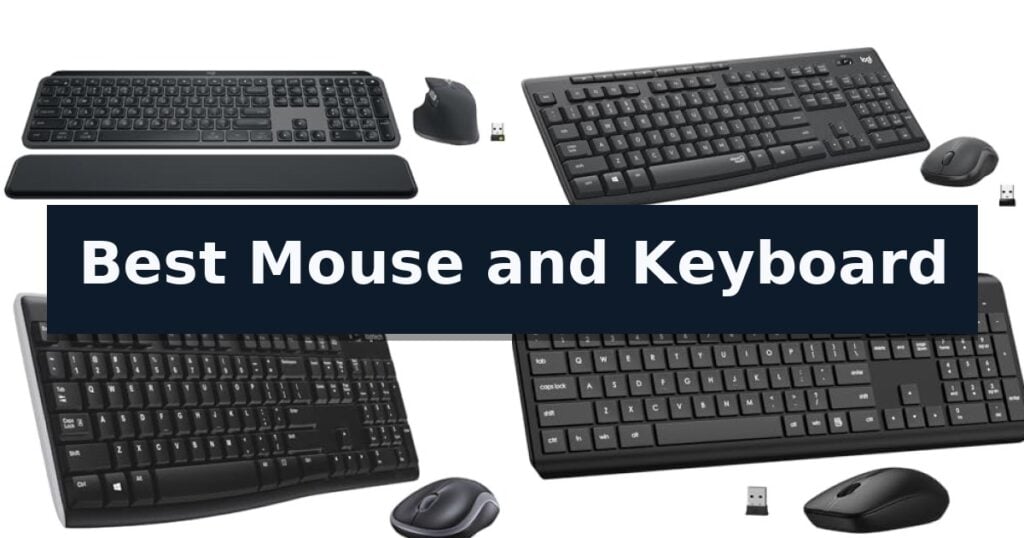
10 Best Mouse and Keyboard in 2026 Reviews
Quick Comparison
| Product | Best For | Key Strength | Score |
|---|---|---|---|
| Logitech MX Keys S Combo | Best Overall | MagSpeed scroll wheel allows for extremely fast and precise navigation. | 4.9 |
| Logitech MK295 Silent Combo | Whisper-Quiet Typing and Clicking | SilentTouch technology significantly reduces typing and clicking noise. | 4.8 |
| Logitech MK270 Wireless Combo | Reliable Everyday Office Essential | Long battery life with 36 months for the keyboard and 12 months for the mouse. | 4.5 |
| EDJO Wireless Keyboard Mouse Combo | Budget-Friendly Silent Productivity | Silent operation with membrane keys and micro-motion mouse clicks. | 4.5 |
| ULSOU Wave Ergonomic Combo | Comfort-Focused Wave Design | Wave key layout and wrist rest for improved ergonomic comfort. | 4.8 |
| Lovaky Wireless Keyboard Mouse Combo | Ergonomic Comfort for Long Days | Shared 2.4GHz USB receiver for simplified connectivity. | 4.7 |
| Redragon S101M-KS Gaming Combo | Versatile Tri-Mode Gaming Performance | Tri-mode connectivity for versatile wired and wireless usage. | 4.3 |
| BlueFinger RGB Gaming Combo | Vibrant Backlit Gaming Setup | All-in-one bundle includes keyboard, mouse, and mouse pad. | 4.6 |
| AULA Gaming Keyboard and Mouse | Durable Metal-Panel Gaming Gear | Aluminum alloy brushed panel for increased durability. | 4.9 |
| GEODMAER 65% Gaming Combo | Compact Pick for Tight Spaces | 65% compact footprint saves significant desktop space. | 4.6 |
How We Chose
When evaluating the best mouse and keyboard sets, we focus on how these peripherals integrate into a daily workflow. An experienced reviewer prioritizes consistent connectivity, ergonomic comfort, and the tactile quality of the keys and sensors to ensure that the hardware enhances productivity rather than causing fatigue during extended use.
- Connectivity and multi-device switching capabilities
- Ergonomic design and wrist support features
- Typing feel and key switch responsiveness
- Sensor precision and scroll wheel functionality
- Build quality and material sustainability
1 Logitech MX Keys S Combo — Premium Performance for Power Users
The Logitech MX Keys S Combo streamlines professional workflows by pairing a high-precision wireless keyboard with a performance-oriented mouse, both engineered for speed and ergonomic comfort. The keyboard features a laptop-like profile with spherically-dished keys designed to match the shape of your fingertips, ensuring a fluid and quiet typing experience throughout the workday.
Performance is driven by the included mouse, which utilizes an 8K DPI sensor capable of tracking on virtually any surface, including glass. It incorporates the MagSpeed scroll wheel, allowing users to navigate through 1,000 lines of content per second with high precision. For those managing complex tasks, the Logi Options+ app enables the creation of Smart Actions, automating repetitive sequences with a single keystroke.
Designed for multi-device environments, the combo supports connectivity with up to three devices across Windows, macOS, and Linux. Users can switch between systems using either Bluetooth Low Energy or the included Logi Bolt USB receiver. The keyboard also features smart illumination that detects hand proximity, automatically adjusting backlighting to suit the ambient environment.
The hardware is built with a focus on long-term use, featuring a stable keyboard angle and a mouse sculpted to promote better wrist posture. Sustainability is integrated into the design, with both components containing certified post-consumer recycled plastic. This setup offers a comprehensive solution for power users seeking a unified, high-performance input system.
Best for: Power users and professionals who require a multi-device, high-precision input solution for complex, repetitive workflows.
Skip if: Users who prefer a mechanical keyboard with deep key travel or those who do not require advanced automation and multi-device switching capabilities.
- MagSpeed scroll wheel allows for extremely fast and precise navigation.
- Smart Actions in the Logi Options+ app automate repetitive multi-step tasks.
- Multi-device connectivity supports up to three systems via Bluetooth or Logi Bolt.
- Spherically-dished keys provide a comfortable, fluid typing experience.
- Non-mechanical key switches may not satisfy users who prefer tactile mechanical feedback.
- Requires software installation to unlock the full potential of Smart Actions and customization.
2 Logitech MK295 Silent Combo — Whisper-Quiet Typing and Clicking
Noise reduction is often the primary concern for shared workspaces or late-night computing, and the Logitech MK295 Full Size Silent Wireless Keyboard Mouse Combo addresses this with its proprietary SilentTouch technology. This feature is engineered to provide the familiar tactile feedback of standard keys and mouse buttons while reducing clicking and typing noise by 90%.
The keyboard features a full-size layout including a dedicated number pad, which is essential for efficient data entry and navigation. Users gain quick control over their media environment through 8 convenient shortcuts that offer one-touch access to volume, mute, and internet browsing. The hardware is built for longevity and reliability, featuring a spill-resistant design and sturdy tilt legs that allow for adjustable typing angles.
Connectivity is managed via a tiny 2.4 GHz USB receiver that facilitates a stable wireless link up to 10 meters away. The setup process is designed for simplicity, utilizing a plug-and-play approach that works seamlessly with Windows 11 and Chrome OS. To minimize maintenance, the system is highly power-efficient, boasting a 36-month battery life for the keyboard and an 18-month battery life for the mouse.
The included ambidextrous mouse is shaped for portability and comfort, maintaining the same quiet operation as the keyboard. Furthermore, the construction reflects a commitment to sustainability, as the Graphite model incorporates certified post-consumer recycled plastic—specifically 49% in the mouse and 71% in the keyboard—making it a practical choice for those prioritizing both performance and material sourcing.
Best for: Users who require a quiet, full-sized input solution for office or home environments with a focus on long battery life.
Skip if: Users who prefer mechanical switches with high-audible feedback or those who require advanced programmable macro keys.
- SilentTouch technology significantly reduces typing and clicking noise.
- Long battery life of up to 36 months for the keyboard.
- Full-size layout with dedicated number pad and media shortcuts.
- Spill-resistant construction for increased durability.
- Limited connectivity options as it relies solely on a 2.4 GHz USB receiver.
3 Logitech MK270 Wireless Combo — Reliable Everyday Office Essential
The Logitech MK270 Wireless Combo simplifies desktop organization by pairing a full-size keyboard and a compact mouse through a single, shared USB-A Nano Receiver. This plug-and-play setup provides a wireless connection range of up to 33 feet, allowing for a clutter-free workspace without the need for multiple dongles.
Designed for daily productivity, the keyboard features a standard layout that includes a full number pad, arrow keys, and dedicated F-keys. It is built with a spill-resistant design and sturdy, adjustable tilt legs to accommodate different typing preferences. The keys are low-profile and quiet, aimed at reducing noise during extended typing sessions.
The included ambidextrous mouse is engineered for comfort, featuring a compact shape suitable for both left- and right-handed users. It offers smooth cursor control across most surfaces, making it a versatile tool for general navigation. Both devices are equipped with physical on/off switches to help manage power consumption effectively.
Efficiency is a core focus of this combo, which boasts a 36-month battery life for the keyboard and 12 months for the mouse. To further streamline tasks, the keyboard incorporates 8 dedicated multimedia hotkeys that provide instant access to volume controls, email, and playback functions. The construction utilizes sustainable materials, with 49% recycled plastic in the mouse and 54% in the keyboard.
Best for: Users seeking a reliable, long-battery-life wireless peripheral set for standard office tasks and home computing.
Skip if: Users who require advanced ergonomic features, customizable mechanical switches, or a multi-device pairing capability that supports Bluetooth.
- Long battery life with 36 months for the keyboard and 12 months for the mouse.
- Single USB-A Nano Receiver simplifies connectivity for both devices.
- Spill-resistant design adds durability for everyday office environments.
- Eight multimedia hotkeys provide quick access to essential functions.
- Lacks Bluetooth connectivity, requiring an available USB-A port.
- Basic ergonomic design compared to premium models with palm rests or scooped keys.
4 EDJO Wireless Keyboard Mouse Combo — Budget-Friendly Silent Productivity
Maintaining a quiet and organized workspace often begins with the right peripherals, and the EDJO Wireless Keyboard Mouse Combo offers a streamlined solution for those seeking to reduce desk clutter. This set features a full-size keyboard equipped with adjustable height tilt legs to support ergonomic comfort during extended typing sessions, alongside a contoured optical mouse designed for natural hand positioning.
Performance is driven by a reliable 2.4 GHz wireless connection that operates up to 33 feet away, utilizing a single shared USB receiver for both devices. The keyboard includes a dedicated numeric keypad and 12 multimedia shortcut keys, allowing for quick access to volume control and playback functions without navigating through software menus.
Designed for shared environments, the combo prioritizes low-noise operation. The keyboard utilizes soft membrane keys for a tactile yet quiet typing experience, while the mouse incorporates silent micro-motion technology to minimize clicking sounds. This focus on acoustics makes it a practical choice for office settings where maintaining a quiet atmosphere is essential.
Efficiency is further supported by an intelligent power management system. The devices enter automatic sleep mode after 10 minutes of inactivity, contributing to a battery life that can reach up to 365 days. With broad compatibility across Windows, Mac OS, Chrome OS, and Linux, this plug-and-play set integrates easily into most modern computing environments.
Best for: Home and office users who prioritize a quiet, clutter-free workspace and long battery life.
Skip if: Users who require advanced mechanical switches or specialized gaming-grade responsiveness.
- Silent operation with membrane keys and micro-motion mouse clicks.
- Long battery life of up to 365 days with automatic sleep mode.
- Ergonomic design featuring adjustable tilt legs and a contoured mouse shape.
- Plug-and-play setup with a shared 2.4G USB receiver.
- Requires separate batteries (one AAA for keyboard, one AA for mouse).
- Shared USB receiver means the loss of the dongle affects both devices.
5 ULSOU Wave Ergonomic Combo — Comfort-Focused Wave Design
The ULSOU Wave Ergonomic Combo centers its design around a distinctive wave-shaped key layout and an integrated wrist rest, engineered to align with the natural positioning of your hands to help reduce strain during extended typing sessions. This full-size keyboard features an adjustable stand, allowing you to modify the typing angle for improved comfort, while the accompanying optical mouse utilizes a contoured, right-handed shape to keep controls within easy reach.
Connectivity is handled via a single 2.4 GHz USB receiver, which provides a reliable wireless signal up to 33 feet without requiring additional software. The system is designed for efficiency, incorporating an automatic power-saving function that puts the keyboard into sleep mode after 30 seconds of inactivity and the mouse after 15 minutes, which helps extend the life of the required AA batteries.
Versatility is a core component of this setup, as it offers broad compatibility with Windows and macOS, including a dedicated function to switch between system layouts using simple key commands. The mouse further enhances productivity with integrated forward and back navigation buttons, making it a functional choice for both desktop and laptop users seeking a streamlined, plug-and-play workspace solution.
Best for: Users seeking an ergonomic, full-size keyboard and mouse setup that supports both Windows and Mac environments with a simple plug-and-play connection.
Skip if: Left-handed users, as the mouse is specifically contoured for the right hand, or those who require a Bluetooth-only connection.
- Wave key layout and wrist rest for improved ergonomic comfort.
- Plug-and-play 2.4G wireless connectivity with a single USB receiver.
- Automatic power-saving mode to conserve battery life.
- Dual-system compatibility with easy switching between Windows and Mac layouts.
- Batteries not included with the purchase.
- Right-handed contoured design limits usability for left-handed users.
6 Lovaky Wireless Keyboard Mouse Combo — Ergonomic Comfort for Long Days
The Lovaky Wireless Keyboard Mouse Combo streamlines your workspace with a single 2.4GHz USB receiver that connects both devices simultaneously, eliminating the need for multiple ports. This plug-and-play set is designed for efficiency, featuring a full-size 104-key layout that ensures all necessary functions are readily available for various operating systems, including Windows, Mac, and Chrome OS.
Designed for sustained productivity, the keyboard includes adjustable tilt legs to help achieve a comfortable typing angle, while the symmetrical, ultra-slim mouse is shaped for both left- and right-handed users. The hardware emphasizes a quiet environment, utilizing low-noise keys and silent mouse clicks to minimize distractions in shared spaces like offices or libraries.
Power management is integrated through an auto-sleep function and a dedicated battery level indicator, which provides alerts before power runs low. The system requires one AAA battery for the keyboard and one AA battery for the mouse, supporting a reliable, lag-free wireless connection up to 10 meters.
Precision and durability are central to the design, with the mouse offering 1600 DPI for responsive tracking. The entire set is backed by a 2-year warranty, providing long-term support for users who require a consistent and reliable input solution for their daily computing tasks.
Best for: Users seeking a quiet, space-saving wireless input solution compatible with multiple operating systems.
Skip if: Users who require a mechanical keyboard with tactile switches or a mouse with additional programmable side buttons for advanced gaming.
- Shared 2.4GHz USB receiver for simplified connectivity.
- Whisper-quiet operation suitable for shared workspaces.
- Ergonomic design with adjustable tilt legs for comfort.
- Universal compatibility across major operating systems.
- Requires separate batteries for the keyboard and mouse.
- Fixed DPI settings may not suit specialized precision tasks.
7 Redragon S101M-KS Gaming Combo — Versatile Tri-Mode Gaming Performance
The Redragon S101M-KS Gaming Combo offers a versatile, cable-free setup by utilizing tri-mode connectivity, allowing users to switch between wired, Bluetooth, and 2.4G wireless modes. This flexibility ensures a stable connection for various gaming environments while eliminating the clutter of traditional wired peripherals.
Designed for performance, the included gaming mouse features 5 adjustable DPI levels reaching up to 4800, which can be monitored via indicator light flashes. Users can further refine their experience through dedicated software, which allows for remapping of the 7 mouse buttons and adjustment of the polling rate between 125Hz and 1000Hz.
The keyboard enhances the gaming atmosphere with RGB backlighting featuring 8 distinct patterns, with adjustable speed and brightness. It is built for longevity, boasting a battery life of up to 300 hours with the RGB lighting turned off, and includes a convenient battery indicator to track power status.
Functionality is prioritized with 10 independent multimedia keys and 12 combination keys for rapid control during gameplay. The unit also includes practical features such as splash resistance and a Windows lock function, all housed in an ergonomic design that supports extended gaming sessions.
Compatibility is straightforward with a plug-and-play setup across Windows, PC, and laptop systems. The package includes a 6-foot detachable USB-C cable for wired use and charging, backed by a 36-month warranty and 24/7 technical support.
Best for: Gamers who require a flexible, clutter-free desk setup with the ability to switch between wireless and wired connectivity.
Skip if: Users who prefer a mechanical keyboard with specific tactile switch types or those who require a larger, full-sized mouse with more than 7 programmable buttons.
- Tri-mode connectivity for versatile wired and wireless usage.
- Long battery life of up to 300 hours with RGB off.
- Customizable DPI and polling rate via dedicated software.
- Splash-resistant design for added durability.
- Software dependency required for advanced button remapping and DPI customization.
- RGB lighting reduces battery life significantly when in use.
8 BlueFinger RGB Gaming Combo — Vibrant Backlit Gaming Setup
The BlueFinger RGB Gaming Keyboard and Backlit Mouse Combo simplifies your desktop setup by bundling a full-sized 104-key keyboard, an ergonomic mouse, and a dedicated 11.8 x 9.8 inch mouse pad into a single plug-and-play solution. Designed for immediate use, the system requires no drivers and connects via USB to provide instant functionality for PC, laptop, and console gaming environments.
The keyboard features rainbow RGB backlighting that illuminates the letters through the keys, enhancing visibility in low-light conditions. It is built with a durable steel plate construction to resist impact and includes 19 non-conflict keys, allowing for simultaneous inputs during intensive use. The connection is managed through a 61-inch braided USB cable for added longevity.
Complementing the keyboard, the included mouse offers adjustable DPI settings ranging from 800 to 2000, allowing users to toggle sensitivity based on their requirements. It features automatic LED breathing lights and a 59-inch braided cable. The package is rounded out by a high-quality cloth-surface mouse pad with a non-slip rubber base to ensure stability during rapid movements.
This combo is compatible with a wide range of operating systems, including Windows XP through Windows 10 and Mac OS. While the lighting effects provide a distinct aesthetic, the keyboard's backlight can be toggled on or off using the Scroll Lock key, and the mouse lighting can be controlled via the forward and DPI buttons, offering a degree of customization for different work or play environments.
Best for: Users seeking an all-in-one, plug-and-play peripheral set that includes a keyboard, mouse, and mouse pad for immediate use with PCs or consoles.
Skip if: Users who require advanced software-based macro programming or mechanical switches, as this is a membrane-style combo designed for general gaming and office tasks.
- All-in-one bundle includes keyboard, mouse, and mouse pad.
- 19 non-conflict keys support simultaneous keystrokes.
- Durable steel plate keyboard construction.
- Plug-and-play USB connectivity requires no driver installation.
- Fixed rainbow lighting does not support individual per-key color customization.
- Wired-only connection limits desk cable management options.
9 AULA Gaming Keyboard and Mouse — Durable Metal-Panel Gaming Gear
The AULA Gaming Keyboard and Mouse features a robust aluminum alloy brushed panel that provides a stable, durable foundation for both gaming and professional tasks. Designed with a 7° ergonomic angle, this combo aims to reduce hand fatigue during extended sessions, while the 2.0mm keystroke depth is engineered for fast trigger response and rebound.
This full-size 104-key setup includes a dedicated phone and pen bracket, integrating utility directly into the workspace. The floating keycaps are designed for easy maintenance, allowing users to remove them with the included puller for cleaning. The plug-and-play interface ensures immediate connectivity without the need for additional software or firmware installations.
Lighting customization is a core feature, with the keyboard offering three illumination modes and three brightness levels. Users can toggle between constant light, breathing, and heartbeat effects using simple function key combinations. The accompanying mouse features four adjustable DPI settings, ranging from 1200 to 7200, to accommodate different precision requirements.
Functionality is further enhanced by 12 multimedia keys and anti-ghosting support for up to 26 keys pressed simultaneously. To prevent interruptions during use, the system includes a lockable Windows key. The set is compatible with a range of Windows operating systems and includes an automatic sleep mode that triggers after five minutes of inactivity to conserve power.
Best for: Users seeking an affordable, durable, and feature-rich wired input combo with integrated phone storage and customizable RGB lighting.
Skip if: Users who require a wireless, compact, or mechanical-switch keyboard will find the wired, membrane-based design of this model less suitable for their needs.
- Aluminum alloy brushed panel for increased durability.
- Integrated phone and pen holder for workspace organization.
- Adjustable DPI settings up to 7200 on the mouse.
- Anti-ghosting support for up to 26 simultaneous key presses.
- Wired-only connection limits desk placement flexibility.
- Membrane key switches may not provide the tactile feedback preferred by some users.
10 GEODMAER 65% Gaming Combo — Compact Pick for Tight Spaces
The GEODMAER 65% Gaming Combo prioritizes desktop efficiency by utilizing a 65% compact layout that eliminates the number pad while retaining dedicated arrow keys. This design choice makes it a practical solution for users with limited workspace or those who require a portable setup that fits easily into a backpack. By condensing the form factor, the keyboard maintains essential functionality for both gaming and office tasks without the bulk of a full-sized peripheral.
Equipped with 16.8 million colors RGB backlighting, the keyboard features two-color injection-molded keycaps that ensure character visibility in low-light environments. It utilizes imitation mechanical technology to provide a tactile typing experience that mimics mechanical switches while maintaining the quieter operation associated with membrane keyboards. This offers a middle-ground solution for users who want the feel of mechanical gear without the high noise levels or the premium price point of authentic mechanical switches.
The included gaming mouse supports up to 7200 DPI, with six preset levels ranging from 400 to 3200 DPI adjustable via driver software. The mouse features a streamlined, ergonomic shape intended to support the wrist during extended sessions, complemented by the keyboard's specific keycap height. Both components connect via 1.8-meter braided cables, providing sufficient length for various desktop configurations and ensuring a reliable wired connection.
This set is backed by a 3-year manufacturer warranty, providing long-term support for the hardware. While the compact layout is a benefit for space-saving, it does necessitate the use of function keys for certain inputs that a full-sized keyboard would offer natively. This trade-off is central to the product's design, favoring portability and desk real estate over the dedicated number pad found on larger alternatives.
Best for: Users needing a space-saving, portable input solution for gaming and general office tasks.
Skip if: Users who require a dedicated number pad for data entry or prefer the specific tactile response of authentic mechanical switches.
- 65% compact footprint saves significant desktop space.
- 7200 DPI adjustable mouse allows for customizable sensitivity.
- 1.8-meter braided cables provide flexible connection reach.
- Quiet membrane technology offers a mechanical-like feel without high noise levels.
- Lacks a dedicated number pad, which may limit productivity for some users.
- Imitation mechanical switches do not provide the exact tactile response of true mechanical keyboards.
Best Mouse and Keyboard Buying Guide
Connectivity and Multi-Device Support
Modern workspaces often require switching between multiple devices, such as a desktop, laptop, and tablet. Look for combos that offer both Bluetooth and a dedicated USB receiver to ensure a stable connection across different operating systems.
High-end models often include software that allows you to copy and paste text or files between connected computers. This feature is particularly useful for professionals who manage multiple screens or workstations simultaneously.
Ergonomics and Physical Comfort
Ergonomic design is critical for preventing strain during long work sessions. Keyboards with adjustable tilt legs or wave-shaped layouts help maintain a natural wrist position, while mice with contoured shapes reduce tension in the palm and fingers.
If you spend hours typing or navigating, prioritize models that include integrated or detachable wrist rests. These additions provide essential support that can significantly reduce the risk of discomfort over time.
Tactile Feedback and Typing Experience
The typing experience is defined by key travel, actuation force, and noise levels. Laptop-like, low-profile keys often provide a fast, fluid experience, while membrane switches are generally quieter and better suited for shared office environments.
For those who value silence, look for specific 'silent' technology that reduces click and keystroke noise by a significant percentage. This ensures your workflow remains unobtrusive in quiet settings.
Sensor Precision and Navigation
Mouse sensor quality determines how accurately you can navigate on various surfaces, including glass or polished wood. High DPI sensors allow for faster, more precise cursor movement, which is essential for detailed tasks like graphic design.
Advanced scroll wheels, such as those with electromagnetic or mag-speed technology, allow for rapid scrolling through long documents. This feature saves time and reduces the physical effort required to navigate large datasets.
Durability and Power Management
Battery life is a major factor for wireless setups, with some models offering up to 36 months of operation on a single set of batteries. Always check if the device includes an auto-sleep function to conserve power during periods of inactivity.
Durable construction, such as spill-resistant designs and high-quality plastics, ensures your investment lasts. Many modern combos also incorporate recycled materials, offering a more sustainable choice for environmentally conscious buyers.
Frequently Asked Questions
Can I use one USB receiver for both the keyboard and mouse?
Yes, most modern wireless combos use a single shared USB receiver to connect both devices, which helps keep your desk clutter-free and saves USB ports on your computer.
Are these keyboards compatible with both Windows and macOS?
Most of the listed combos are compatible with both Windows and macOS. Some models feature dual-system layouts or software that allows you to toggle between operating systems easily.
How do I know if a keyboard is ergonomic?
An ergonomic keyboard typically features a design that promotes a more natural wrist and hand position, such as a wave layout, adjustable tilt legs, or an integrated wrist rest to reduce strain.
Do I need special software to use these combos?
Many combos are plug-and-play, meaning they work immediately without extra software. However, some advanced models offer companion apps that allow you to customize shortcuts and button functions.
What is the benefit of a high DPI mouse?
A high DPI (dots per inch) mouse offers greater sensitivity and precision. This is particularly beneficial for tasks requiring fine cursor control, such as photo editing or detailed design work.
Conclusion: Our Top Pick
Our top pick is Logitech MX Keys S Combo. Choosing the right mouse and keyboard combo depends on your specific daily tasks and comfort preferences. Whether you need the high-performance features of a premium set or the quiet, reliable functionality of an everyday office tool, there is a configuration that fits your needs.
By focusing on connectivity, ergonomic support, and build quality, you can create a workspace that supports long-term productivity. Evaluate your desk space and device requirements to select the option that best aligns with your professional or personal goals.