The Logitech MX Master 4 Mouse is our top choice for the Best Mouse for Business Professionals, offering advanced MagSpeed scrolling and a high-precision 8K DPI sensor for demanding office workflows.
For those prioritizing physical well-being, the Logitech Lift Vertical Mouse provides a natural 57-degree ergonomic angle to reduce forearm strain during long workdays. Alternatively, the Logitech Signature M650 Mouse delivers a secure, reliable wireless connection tailored for enterprise environments where data protection is a primary concern.
Selecting the right peripheral for a professional setting requires balancing hardware security, ergonomic support, and workflow efficiency. While basic wired models offer plug-and-play simplicity, advanced wireless options integrate encrypted connectivity and customizable software to streamline complex tasks.
For a broader look at how these peripherals integrate into your office, our guide on Best Mouse for Business provides additional context on selecting the right tools for your specific role.
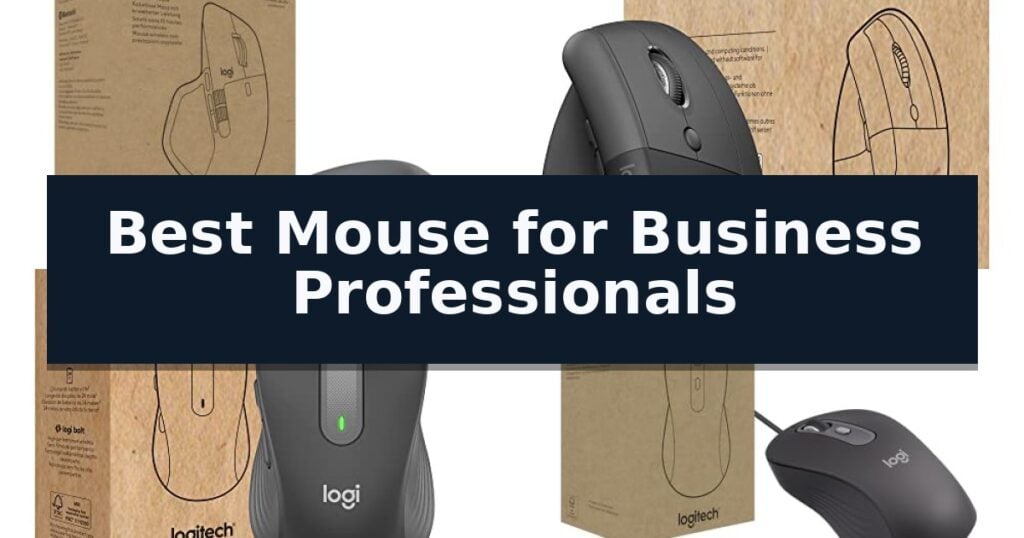
10 Best Mouse for Business Professionals in 2026 Reviews
Quick Comparison
| Product | Best For | Key Strength | Score |
|---|---|---|---|
| Logitech MX Master 4 Mouse | Best Overall | 8K DPI Darkfield sensor enables reliable, high-precision tracking on glass and other difficult surfaces. | 4.9 |
| Logitech Lift Vertical Mouse | Ergonomic comfort for long days | 57-degree vertical angle for improved ergonomic comfort. | 4.7 |
| Logitech Signature M650 Mouse | Secure wireless for enterprise use | Logi Bolt secure wireless connectivity for enterprise environments. | 4.7 |
| Logitech Signature Wired M520 Mouse | Reliable wired connectivity for offices | Silent Touch technology significantly reduces noise in shared workspaces. | 4.5 |
| Logitech Mobi Fold Mouse | Ultra-portable design for travel | Ultra-portable foldable design weighing only 79 grams. | 4.9 |
| ELFJMZP AI Smart Voice Mouse | Built-in translation and dictation | AI-powered voice recognition and real-time translation capabilities. | 4.3 |
| Efinity-X AI Productivity Mouse | Integrated AI tools for analysis | Dual AI model integration for advanced data analysis and business planning. | 4.3 |
| Microsoft Wireless Mobile Mouse 1850 | Compact shape for mobile professionals | Ambidextrous design suitable for both left- and right-handed users. | 4.6 |
| Microsoft Basic Optical Mouse | Simple plug-and-play reliability | Plug-and-play setup requires no software or driver installation. | 4.3 |
| Mofkirg Wired USB Mouse | Budget-friendly bulk office solution | Ergonomic ambidextrous design reduces hand fatigue for all users. | 4.8 |
How We Chose
When evaluating the best mouse for business professionals, we focus on hardware that enhances daily output while meeting corporate security standards. An experienced reviewer prioritizes reliable connectivity, ergonomic longevity, and software-driven customization to ensure the device integrates seamlessly into professional environments, distinguishing high-performance tools from standard office peripherals.
- Connectivity and Security: Evaluation of Logi Bolt encryption and multi-device switching capabilities.
- Ergonomic Design: Assessment of form factors, including vertical and contoured shapes for long-term comfort.
- Precision and Control: Analysis of sensor DPI, scrolling technology, and haptic feedback features.
- Deployment and Compatibility: Verification of multi-OS support and suitability for enterprise-wide IT management.
- Build Quality and Sustainability: Consideration of material durability, stain resistance, and ease of recycling.
1 Logitech MX Master 4 Mouse — Precision scrolling for heavy workflows
The Logitech MX Master 4 for Business is engineered to refine professional workflows through its advanced 8K DPI Darkfield laser sensor, which enables precise tracking across diverse surfaces, including glass. This high-resolution sensor ensures that every movement is captured with pixel-perfect accuracy, a critical requirement for designers, data analysts, and power users who demand consistent performance on varied desk materials.
Efficiency is central to the design, featuring MagSpeed scrolling that allows users to navigate up to 1,000 lines per second. This mechanism provides a seamless transition between rapid scrolling for long documents and precise, line-by-line control. The integration of Quiet Click technology reduces operational noise by 90%, facilitating a focused environment in shared office spaces without sacrificing the satisfying tactile feedback expected from a premium peripheral.
Connectivity and security are prioritized through the included Logi Bolt USB-C receiver and a specialized radio chip. This system is engineered for encrypted, FIPS-compliant wireless connections, ensuring data integrity in sensitive corporate environments. Furthermore, the device supports multi-device multitasking via Easy-Switch technology, allowing users to transition between different workstations instantly.
Customization is managed through the Logi Options+ software, where users can configure app-specific haptic feedback and utilize the Actions Ring for rapid command execution. The mouse is constructed with durable, stain-resistant materials designed for longevity and ease of cleaning. Additionally, the internal assembly is optimized for disassembly, which simplifies the recycling process at the end of the product's life cycle.
Best for: Business professionals requiring high-precision tracking, encrypted wireless security, and a quiet, customizable interface for multi-device workflows.
Skip if: Users who prefer a lightweight, ambidextrous form factor or those who do not require advanced haptic customization and multi-device switching capabilities.
- 8K DPI Darkfield sensor enables reliable, high-precision tracking on glass and other difficult surfaces.
- Quiet Click technology reduces operational noise by 90% for improved focus in professional settings.
- FIPS-compliant encryption via the Logi Bolt receiver provides secure, enterprise-grade wireless connectivity.
- MagSpeed scrolling offers a versatile range from rapid navigation to pixel-perfect line-by-line control.
- Specialized ergonomic design is tailored for right-handed users, making it unsuitable for those seeking an ambidextrous form factor.
2 Logitech Lift Vertical Mouse — Ergonomic comfort for long days
The Logitech Lift for Business Vertical Ergonomic Wireless Mouse is engineered to address the physical strain of extended office work through its unique 57-degree vertical orientation. By positioning the hand in a natural handshake posture, this device aims to reduce forearm pressure and promote a more relaxed wrist position throughout the workday.
Designed with the needs of professional environments in mind, the mouse features Logi Bolt wireless technology, which provides a fully encrypted, secure connection for IT-managed fleets. This focus on security is complemented by its broad compatibility, supporting Windows, macOS, iPadOS, Chrome OS, and Linux, ensuring it integrates into diverse IT infrastructures.
Usability is enhanced by whisper-quiet clicks and a SmartWheel that facilitates smooth, precise scrolling. The mouse includes customizable buttons, allowing users to tailor their workflow to specific tasks. Its ergonomic design is further refined by a softly textured grip and a dedicated thumb rest, providing a tactile, comfortable surface for long-term use.
Connectivity is flexible, offering both Bluetooth Low Energy and the Logi Bolt USB receiver for reliable performance. With a battery life reaching up to 2 years, the device minimizes maintenance requirements. The Logitech Lift for Business Vertical Ergonomic Wireless Mouse is also globally certified and supports remote mass deployment, making it a practical choice for organizations prioritizing both employee comfort and streamlined IT management.
Best for: Business professionals and IT departments seeking a secure, ergonomic, and long-lasting wireless mouse for daily office productivity.
Skip if: Users who prefer a traditional low-profile mouse design or those who require specialized gaming-grade sensors and high-polling rates.
- 57-degree vertical angle for improved ergonomic comfort.
- Logi Bolt encrypted wireless technology for enterprise-grade security.
- Up to 2 years of battery life reduces maintenance frequency.
- Whisper-quiet clicks suitable for shared office environments.
- Vertical form factor requires an adjustment period for users accustomed to standard mice.
3 Logitech Signature M650 Mouse — Secure wireless for enterprise use
Maintaining a secure and ergonomic workspace is essential for long-term productivity, and the Logitech Signature M650 Mouse is engineered specifically to address these professional needs. By integrating Logi Bolt wireless technology, this device provides a secure connection environment through its Secure Connections Only Mode, which utilizes Bluetooth Low Energy Security Mode 1, Level 4 protection to mitigate enterprise security risks.
Beyond security, the mouse focuses on user comfort to support extended work sessions. Its design is intended to reduce forearm muscle activity by 25% compared to using a standard laptop touchpad, helping to minimize fatigue. The device is available in two sizes to better accommodate different hand shapes, ensuring a more tailored fit for daily office tasks.
Efficiency is a core component of its utility, with the mouse enabling users to work significantly faster than those relying on trackpads. It features the SmartWheel for precise scrolling and is built for seamless integration across multiple platforms, including Windows, macOS, Linux, Chrome OS, iPadOS, and Android. IT departments can also benefit from its support for remote mass deployment and management via the Logitech Options app.
Sustainability and compatibility are prioritized in the construction of the Logitech Signature M650 Mouse. The device incorporates certified post-consumer recycled plastic in its build, reflecting a commitment to reducing environmental impact. Furthermore, it is fully compatible with Windows 11, ensuring it remains a viable tool for modern enterprise computing environments.
Best for: IT departments and business professionals requiring a secure, ergonomic, and cross-platform compatible wireless mouse for extended daily use.
Skip if: Users who require advanced gaming-grade sensors, high-speed polling rates, or a large array of programmable side buttons for specialized creative workflows.
- Logi Bolt secure wireless connectivity for enterprise environments.
- Ergonomic design reduces forearm muscle activity by 25%.
- SmartWheel scrolling for increased precision and speed.
- Broad compatibility across Windows, macOS, Linux, and mobile platforms.
- Constructed with post-consumer recycled plastic.
- Limited customization compared to high-end performance or gaming mice.
- Requires specific software for full management and deployment features.
4 Logitech Signature Wired M520 Mouse — Reliable wired connectivity for offices
Reliable input devices are essential for maintaining productivity in professional environments, particularly where consistent performance and minimal maintenance are required. The Logitech Signature Wired M520 L Optical Mouse for Business is engineered to meet these demands by providing a stable, corded connection that eliminates the need for battery management or wireless interference concerns.
Designed for versatility, this mouse features an ambidextrous, contoured shape that accommodates both left-handed and right-handed users comfortably. It incorporates Silent Touch technology, which is specifically tuned to reduce clicking noise by 90%, making it a suitable choice for open-plan offices or shared workspaces where maintaining a quiet environment is a priority.
The device includes a SmartWheel mechanism that allows users to toggle between high-speed scrolling and precise, line-by-line navigation with a simple flick. Productivity is further enhanced by a customizable DPI button, which enables users to adjust cursor speed on the fly or assign specific shortcuts through the Logi Tune or Logi Options+ software.
Built with organizational deployment in mind, the mouse is compatible with Windows, macOS, ChromeOS, and Linux. It also emphasizes efficiency and environmental responsibility, featuring a power-saving model that consumes 68% less energy and a chassis constructed with at least 73% post-consumer recycled plastic.
Best for: Business professionals and organizations requiring a reliable, low-maintenance, and quiet wired input device for multi-OS office environments.
Skip if: Users who require a wireless workspace, advanced gaming-grade sensors, or a specialized ergonomic vertical design.
- Silent Touch technology significantly reduces noise in shared workspaces.
- SmartWheel scrolling provides flexible navigation between speed and precision.
- Ambidextrous design ensures comfort for all users.
- Sustainable construction using at least 73% post-consumer recycled plastic.
- Wired-only connectivity limits mobility compared to wireless alternatives.
5 Logitech Mobi Fold Mouse — Ultra-portable design for travel
The Logitech Mobi Fold Mouse distinguishes itself through an innovative foldable design that collapses to a minimal profile, making it a highly portable solution for professionals who frequently transition between office, home, and travel environments. Weighing only 79 grams, this device is engineered to slip easily into bags or pockets without adding significant bulk to a mobile workstation.
Beyond its physical form, the mouse is built for consistent performance during long business hours. It features adaptive touch scrolling that automatically toggles between line-by-line precision and hyper-fast navigation. The integrated quiet click technology is specifically intended to minimize noise, ensuring the device remains unobtrusive in shared workspaces or during collaborative meetings.
Connectivity and security are prioritized for enterprise use. The mouse includes a Logi Bolt USB-C receiver to maintain a secure, reliable connection in environments with high wireless congestion. It also supports Bluetooth and Fast Pair for seamless integration with various hardware, including Chromebooks, PCs, and Macs. IT managers can further oversee deployment and device status through Logitech Sync.
The hardware is constructed to withstand the rigors of daily travel, boasting drop resiliency up to 90 cm and a hinge mechanism tested for over 100,000 folds. Power management is equally robust, offering up to one month of use on a full charge, with a one-minute quick charge feature providing 22 hours of operation when time is limited.
Best for: Business professionals and hybrid workers who require a highly portable, durable, and quiet input device for frequent travel.
Skip if: Users who prefer a traditional, full-sized ergonomic mouse shape or those who require a high-performance gaming sensor.
- Ultra-portable foldable design weighing only 79 grams.
- Quiet click technology for distraction-free use in meetings.
- Enterprise-grade security via the Logi Bolt USB-C receiver.
- Rapid charging capability providing 22 hours of use from a one-minute charge.
- Foldable form factor may not offer the same ergonomic support as stationary, contoured mice.
6 ELFJMZP AI Smart Voice Mouse — Built-in translation and dictation
Modern office workflows often demand more than just standard navigation, and the ELFJMZP AI Smart Voice Mouse addresses this by integrating AI-powered voice input and translation directly into a peripheral. This device is designed to streamline documentation tasks by converting speech to text with a claimed 98% accuracy, which can significantly reduce the time spent manually typing contracts or reports.
Beyond its dictation capabilities, the mouse features an intelligent document processing function that enables one-click conversion of complex text into structured Excel spreadsheets. This utility is specifically aimed at professionals who manage data entry or financial analysis, aiming to minimize manual input errors and improve overall efficiency.
Connectivity and ergonomics are central to its design, featuring a tri-mode connection that supports Bluetooth 5.0, 2.4G wireless, and a USB receiver for seamless switching between laptops, PCs, and tablets. The ergonomic, curved shape is intended to support the palm during extended use, while the silent button design ensures that clicks remain unobtrusive in shared office environments.
The hardware is built for versatility, offering multi-level adjustable DPI settings ranging from 800 to 4000 to suit different screen resolutions and tasks. It is compatible with Windows, Mac OS, and Linux, and includes a high-capacity rechargeable battery designed to provide weeks of operation on a single charge, supporting the needs of business travelers and office-based professionals.
Best for: Business professionals who frequently handle multi-language documentation, data entry, and voice-to-text dictation tasks.
Skip if: Users who require a high-precision gaming-grade sensor or those who prefer a traditional, non-AI-integrated mouse without extra software dependencies.
- AI-powered voice recognition and real-time translation capabilities.
- One-click conversion of documents into Excel spreadsheets.
- Tri-mode connectivity for multi-device environments.
- Silent clicking mechanism for quiet office settings.
- No manufacturer warranty information provided.
- Requires specific software integration for AI and document conversion features.
7 Efinity-X AI Productivity Mouse — Integrated AI tools for analysis
The Efinity-X AI Productivity Mouse integrates advanced artificial intelligence directly into your workflow, featuring a dual-model architecture powered by Deepseek-R1 and iFlytek Spark. This hardware-software synergy is designed to assist with complex tasks like data analysis, business planning, and content creation, effectively acting as a digital assistant for professional environments.
Beyond its processing capabilities, the device includes a suite of over 100 AI tools, such as automated diagram generation, code assistance, and background removal. For documentation, it offers real-time voice typing with a claimed speed of 400 words per minute and 98% accuracy, supporting phonetic translation across more than 200 languages to streamline communication.
Designed for long-term comfort, the mouse features an ultra-lightweight 60g design and silent clicks rated at 30dB or less to minimize distractions. The internal battery provides up to 320 hours of operation on a single USB-C charge, while the tri-mode connectivity—supporting two Bluetooth channels and one 2.4G connection—allows for seamless switching between three separate devices.
The Efinity-X AI Productivity Mouse serves as a specialized tool for users who require integrated analytical frameworks, such as SWOT and market analysis, directly at their fingertips. While it offers significant automation potential, users should ensure their primary software environment supports the specific AI-driven workflows provided by the mouse's internal suite.
Best for: Business professionals who need integrated AI tools for data analysis, automated reporting, and high-speed voice-to-text dictation.
Skip if: Users who prefer a traditional, minimalist mouse without AI-integrated software features or those who do not require voice-typing capabilities.
- Dual AI model integration for advanced data analysis and business planning.
- Real-time voice typing with support for over 200 languages.
- Tri-mode connectivity for managing up to three devices simultaneously.
- Ultra-lightweight 60g design with silent click switches.
- Software-dependent functionality requires reliance on the proprietary AI suite.
- Specialized feature set may be excessive for users seeking a standard input device.
8 Microsoft Wireless Mobile Mouse 1850 — Compact shape for mobile professionals
The Microsoft Wireless Mobile Mouse 1850 is engineered for professionals who prioritize portability without sacrificing functional navigation. Featuring a compact, ergonomic design, this mouse is shaped to accommodate both left- and right-handed users, making it a versatile addition to any shared workspace or mobile office setup.
Connectivity is managed via a USB 2.0 Nano transceiver, which provides a reliable wireless link to your PC, laptop, or desktop. To prevent loss during transit, the device includes built-in mini transceiver storage, allowing the USB component to be tucked securely inside the mouse body when not in use.
Navigation is handled by a standard scroll wheel, designed to facilitate efficient document and web browsing. The unit is lightweight, weighing approximately 0.088 pounds, which reinforces its utility for business travelers who need to minimize the weight of their peripheral gear.
While this model excels in mobile scenarios, users should note its specific connectivity requirements. Because it relies on a USB 2.0 Nano transceiver, it is best suited for devices with standard USB-A ports. Those utilizing ultra-thin laptops that exclusively feature USB-C ports may require an additional adapter to integrate this mouse into their workflow.
Best for: Mobile professionals who need a compact, ambidextrous wireless mouse with integrated storage for the USB receiver.
Skip if: Users who exclusively operate laptops with USB-C ports, as this device requires a standard USB-A interface for its transceiver.
- Ambidextrous design suitable for both left- and right-handed users.
- Integrated storage for the Nano transceiver to prevent loss during travel.
- Compact, ergonomic form factor optimized for portability.
- Requires USB-A port for the included wireless transceiver.
- Standard feature set lacks advanced programmable buttons found on high-end productivity mice.
9 Microsoft Basic Optical Mouse — Simple plug-and-play reliability
Efficiency in a professional workspace often comes down to the reliability of your most frequent tools. The Microsoft Basic Optical Mouse for Business prioritizes immediate functionality, allowing users to bypass complex software installations or driver configurations. This device is ready for use the moment it is connected to a USB port, making it a practical choice for environments where equipment needs to be swapped or deployed quickly across different workstations.
Designed with a focus on ergonomics, the mouse features a comfortable design that is suitable for either hand. This ambidextrous shape ensures that it remains accessible for various users in a shared office setting. The inclusion of a fast scroll wheel allows for efficient navigation through long documents or spreadsheets, reducing the need to manually interact with on-screen scroll bars.
At the core of its performance is Microsoft Optical technology, which replaces the traditional mouse ball with an optical sensor. This design choice delivers improved accuracy and control on a variety of surfaces, eliminating the maintenance issues often associated with mechanical tracking components. By focusing on essential features, this mouse provides a straightforward, consistent experience for daily business tasks.
While this model excels in simplicity, it is a wired device, which means users must manage a cable connection to their PC or laptop. This tethered design ensures that the mouse never requires battery replacements or charging, offering a permanent, maintenance-free power solution for professional environments.
Best for: Business professionals who require a reliable, plug-and-play wired mouse that works consistently without the need for batteries or software configuration.
Skip if: Users who prefer a wireless workspace or require advanced programmable buttons for complex workflows will find this basic model too limited.
- Plug-and-play setup requires no software or driver installation.
- Ambidextrous design is comfortable for both left- and right-handed users.
- Optical sensor technology provides accurate tracking without a mouse ball.
- Wired connection eliminates the need for batteries or charging.
- Wired-only operation restricts movement compared to wireless alternatives.
- Basic feature set lacks programmable side buttons or advanced customization options.
10 Mofkirg Wired USB Mouse — Budget-friendly bulk office solution
Equipped with a high-precision optical sensor, the Mofkirg Wired USB Mouse provides the responsive cursor control necessary for maintaining efficiency during busy workdays. This device is engineered for simplicity and reliability, ensuring that business professionals can focus on their tasks without the complications of battery management or wireless connectivity issues.
The Mofkirg Wired USB Mouse features an ergonomic ambidextrous design that accommodates both left- and right-handed users, helping to minimize hand fatigue during extended periods of office work. Its symmetrical shape is paired with a classic professional appearance in a neutral black finish, allowing it to integrate cleanly into any professional or educational environment.
Installation is straightforward thanks to the USB plug-and-play functionality, which eliminates the need for additional drivers on mainstream Windows and Mac systems. The unit includes a 5FT cable, providing sufficient reach for various desk configurations, while the three-button layout ensures intuitive navigation for standard business applications.
Designed for high-volume environments, this mouse is rated for a 3M click life, offering a durable solution for daily office and IT use. By prioritizing essential functionality and a comfortable, universal form factor, it serves as a practical tool for professionals who require a consistent, no-nonsense input device.
Best for: Office environments and IT departments requiring a reliable, budget-friendly, and universally compatible input device for multiple users.
Skip if: Users who require advanced programmable buttons, high-DPI gaming performance, or the freedom of a wireless connection.
- Ergonomic ambidextrous design reduces hand fatigue for all users.
- USB plug-and-play compatibility ensures quick setup without drivers.
- High-precision optical sensor delivers smooth and responsive cursor movement.
- Durable 3M click life supports long-term use in busy office settings.
- Wired connection limits mobility compared to wireless alternatives.
- Basic three-button layout lacks advanced productivity shortcuts.
Best Mouse for Business Professionals Buying Guide
Security and Connectivity Standards
Business environments often require encrypted wireless connections to protect sensitive data. Devices featuring Logi Bolt technology provide a secure, FIPS-compliant link that minimizes the risk of interference in crowded office spaces.
IT managers should look for mice that support centralized deployment and remote management tools. These features allow for consistent firmware updates and security configurations across an entire fleet of workstations.
Ergonomics for Extended Use
Professional users who spend eight or more hours at a desk benefit significantly from ergonomic designs. Vertical mice, such as the Logitech Lift, encourage a more natural wrist posture, which can help reduce muscle activity compared to traditional flat designs.
When choosing an ergonomic model, consider the size of the device and the intended grip style. A proper fit ensures that the hand remains supported, preventing fatigue during repetitive tasks like data entry or document navigation.
Workflow Efficiency and Customization
Advanced features like MagSpeed scrolling allow users to navigate long spreadsheets or documents with extreme speed and precision. This capability is essential for professionals who need to switch between rapid scanning and pixel-perfect editing.
Software integration, such as Logi Options+, enables users to map specific shortcuts to buttons or create app-specific profiles. This level of customization significantly reduces the time spent on repetitive clicks and menu navigation.
Wired vs. Wireless Considerations
Wired mice remain a staple in industries like banking or healthcare where wireless signals might be restricted or where absolute reliability is required. These models eliminate the need for battery management and provide a consistent connection.
Wireless mice offer superior desk organization and portability for hybrid workers. Modern wireless options now provide battery life that lasts for months, effectively removing the primary drawback of previous generations of cordless peripherals.
Portability and Travel Needs
For professionals who travel frequently, a compact or foldable mouse is a valuable asset. These devices are designed to withstand the rigors of commuting while maintaining the performance standards required for professional tasks.
Look for features like drop resistance and long-lasting, quick-charge batteries. A portable mouse should be lightweight enough to slip into a laptop bag without adding significant bulk, ensuring productivity on the go.
Frequently Asked Questions
Why is Logi Bolt technology important for business?
Logi Bolt provides a secure, encrypted wireless connection that is essential for maintaining data privacy and stability in busy office environments where many wireless devices are present.
Do I need a vertical mouse for office work?
A vertical mouse is recommended if you experience wrist or forearm discomfort during long hours of use, as it promotes a more neutral, handshake-like position.
Can I use a business-grade mouse with both Mac and Windows?
Yes, most modern business mice are compatible with multiple operating systems, including Windows, macOS, Linux, and ChromeOS, often allowing for seamless switching between devices.
How do I know if a mouse is secure enough for my company?
Look for devices that explicitly mention encrypted wireless protocols, such as Logi Bolt, and support for IT management software that allows for remote security updates.
Is a wired mouse still relevant for professionals?
Yes, wired mice are still preferred in environments where wireless connectivity is restricted or where users want to avoid the maintenance associated with charging batteries.
Conclusion: Our Top Pick
Our top pick is Logitech MX Master 4 Mouse. Choosing the right mouse for a professional role depends on your specific daily tasks, whether that involves high-speed document navigation or long hours of data entry. Prioritizing ergonomic support and secure connectivity will yield the greatest long-term benefits for your productivity and comfort.
By selecting a device that aligns with your IT environment and personal workflow, you can ensure a more efficient and comfortable workspace. Consider the balance of features offered by the top-tier options to find the best fit for your professional demands.