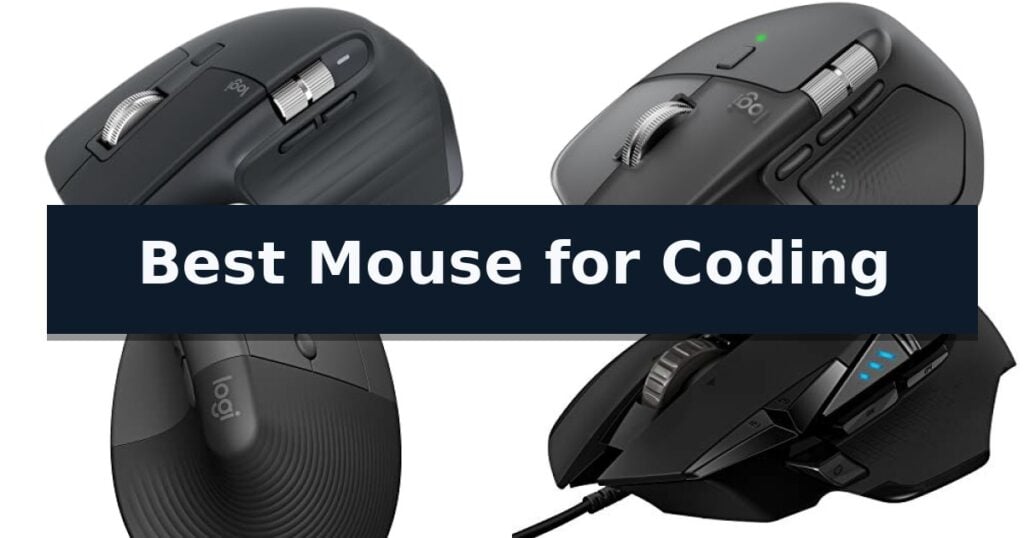
Logitech MX Master 3S Wireless Mouse is our top choice for the Best Mouse for Coding, offering a refined ergonomic shape and quiet clicks that minimize distractions during long programming sessions. For developers who prioritize advanced haptic feedback and customizable shortcuts, the Logitech MX Master 4 Wireless Mouse serves as a powerful alternative, while the Logitech Lift Vertical Ergonomic Mouse provides a distinct vertical orientation for those seeking a more natural wrist posture.
Selecting a mouse for coding requires balancing long-term comfort with the ability to execute complex workflows efficiently. Features like programmable buttons, high-precision sensors, and multi-device connectivity allow you to map IDE shortcuts directly to your hardware, reducing the need for repetitive keyboard commands and streamlining your development environment.
When evaluating these tools, we focus on how well each device integrates into a professional setup. Factors such as battery longevity, the tactile feel of scroll wheels, and the ability to switch seamlessly between multiple workstations are essential for maintaining focus. Our selection prioritizes hardware that supports sustained productivity without sacrificing comfort or reliability.
For those looking to optimize their entire desk setup, our guide on the Best Mouse for Coders provides additional insights into hardware that complements a professional coding environment.
10 Best Mouse for Coding in 2026 Reviews
Quick Comparison
| Product | Best For | Key Strength | Score |
|---|---|---|---|
| Logitech MX Master 3S Wireless Mouse | Best Overall | 8000 DPI sensor provides precise tracking on diverse surfaces including glass. | 4.9 |
| Logitech MX Master 4 Wireless Mouse | Advanced haptic feedback for workflows | Customizable haptic feedback for enhanced productivity and input confirmation. | 4.8 |
| Logitech Lift Vertical Ergonomic Mouse | Natural posture for long sessions | 57-degree vertical angle promotes a natural forearm posture. | 4.4 |
| Logitech G502 HERO Wired Mouse | Highly customizable button layout | 11 programmable buttons for complex macro assignments | 4.9 |
| Rapoo MT760 Multi-Device Wireless Mouse | Seamless multi-computer control | M+ Cross-Computer Technology for seamless cursor movement between multiple devices. | 4.3 |
| TECKNET Wireless Side Scroll Mouse | Efficient horizontal navigation | Dedicated side scroll wheel for efficient horizontal navigation. | 4.7 |
| Lenovo Yoga Pro Wireless Mouse | Balanced grip for daily coding | Programmable buttons for customized coding workflows | 4.9 |
| UGREEN Ergonomic Wireless Mouse | Vertical design reduces wrist strain | Vertical handshake design reduces wrist rotation and muscle strain. | 4.4 |
| Lekvey Rechargeable Vertical Mouse | Carpal tunnel support for developers | Ergonomic vertical design promotes a neutral handshake position to reduce wrist strain. | 4.8 |
| Logitech G305 LIGHTSPEED Wireless Mouse | Lag-free performance for power users | Lag-free 1 ms report rate via LIGHTSPEED wireless technology. | 4.7 |
How We Chose
To identify the best mouse for coding, we evaluate devices based on their ability to support high-intensity, long-duration computer work. We prioritize ergonomic comfort, button customization, and sensor accuracy, ensuring that each mouse can handle the specific demands of developers who rely on precise navigation and efficient shortcut execution throughout their workday.
- Ergonomic design and wrist support for extended daily use
- Programmability of buttons for IDE and workflow shortcuts
- Precision of tracking sensors across various desk surfaces
- Multi-device connectivity and seamless OS switching
- Build quality and tactile feedback of scroll wheels and buttons
1 Logitech MX Master 3S Wireless Mouse — Precision tracking on any surface
Precision and comfort are essential for long sessions, and the Logitech MX Master 3S Wireless Mouse addresses these needs with an 8000 DPI sensor capable of tracking on virtually any surface, including glass. This high-resolution tracking ensures that every movement is captured accurately, which is a significant advantage for developers managing complex codebases on high-resolution displays.
The device is engineered for quiet operation, featuring Quiet Clicks that reduce noise by 90% compared to standard models while maintaining a tactile, satisfying feel. This makes it an ideal choice for shared office environments or late-night coding sessions where minimizing distractions is a priority.
Workflow efficiency is further enhanced by MagSpeed scrolling, which allows for near-silent, high-precision navigation through thousands of lines of code. The mouse also supports FLOW cross-computer control, enabling seamless text and file transfers between different operating systems, which is particularly useful for developers working across multiple machines.
Designed with a focus on ergonomics, the silhouette promotes a more natural wrist posture. Users can leverage the Logi Options+ app to create app-specific profiles, allowing for extensive customization of the programmable buttons to streamline repetitive tasks and optimize coding workflows.
Best for: Developers and power users who require high-precision tracking, multi-device workflow management, and a quiet, ergonomic input device.
Skip if: Users who prefer a lightweight, symmetrical mouse or those who require a dedicated USB receiver, as this model relies exclusively on Bluetooth connectivity.
- 8000 DPI sensor provides precise tracking on diverse surfaces including glass.
- Quiet Clicks technology significantly reduces noise during operation.
- MagSpeed scrolling offers high-speed, precise navigation.
- FLOW cross-computer control enables seamless multi-device integration.
- Ergonomic design supports natural wrist posture for extended use.
- Bluetooth-only connectivity means no included USB receiver or wired charging cable.
- Higher weight profile compared to minimalist or ultra-lightweight gaming mice.
2 Logitech MX Master 4 Wireless Mouse — Advanced haptic feedback for workflows
The Logitech MX Master 4 Wireless Mouse introduces a tactile dimension to digital workflows through its Haptic Sense Panel, which provides customizable haptic feedback for specific shortcuts, notifications, and actions. This integration allows users to receive physical confirmation of inputs, potentially streamlining repetitive coding tasks and navigation within complex development environments.
Designed for high-performance productivity, the mouse features the MagSpeed scroll wheel, capable of scrolling 1,000 lines per second while maintaining pixel-level precision. The inclusion of the Actions Ring provides a dynamic, customizable overlay that adapts to individual applications, ensuring that frequently used filters and adjustments remain accessible directly at the cursor position.
Ergonomics remain a primary focus, with the device utilizing a natural tilt and an integrated thumb scroll wheel to reduce hand stress during extended coding sessions. The Logitech MX Master 4 Wireless Mouse also incorporates Quiet Clicks technology, which is engineered to reduce click noise by 90%, supporting a quieter environment for focused work.
Connectivity options include a USB-C dongle with an advanced radio chip and optimized antenna for reliable performance, alongside Bluetooth versatility. The device is constructed with a commitment to sustainability, featuring recycled plastic components and a battery containing 100% recycled cobalt, while offering compatibility with Googlebook laptops to support demanding professional workflows.
Best for: Developers and power users who require customizable haptic feedback and ergonomic support for long-duration coding sessions.
Skip if: Users who prefer a lightweight, ambidextrous mouse design or those who do not require advanced programmable haptic and scroll features.
- Customizable haptic feedback for enhanced productivity and input confirmation.
- MagSpeed scroll wheel allows for both rapid scrolling and precise control.
- Actions Ring provides app-specific, customizable shortcuts.
- Ergonomic design with thumb scroll wheel reduces hand fatigue.
- Premium feature set may be more than required for basic navigation tasks.
- Specific ergonomic shape is tailored for right-handed use.
3 Logitech Lift Vertical Ergonomic Mouse — Natural posture for long sessions
Maintaining a natural forearm posture during long hours of programming is a primary concern for developers, and the Logitech Lift Vertical Ergonomic Mouse addresses this with its distinct 57-degree vertical shape. This design is engineered to reduce strain, allowing the wrist to rest in a more neutral position compared to traditional flat mice.
Beyond its ergonomic profile, this mouse is built for focused work environments. It features whisper-quiet clicks and a SmartWheel that enables both precision line-by-line scrolling and rapid document navigation. The device includes four customizable buttons, allowing users to map frequently used coding shortcuts or macros directly to the mouse for improved workflow efficiency.
Connectivity and compatibility are central to its utility in modern development setups. The Logitech Lift Vertical Ergonomic Mouse supports both Bluetooth Low Energy and the included Logi Bolt USB-A receiver, ensuring reliable performance across Windows, macOS, iPadOS, Chrome OS, and Linux. It is also designed with sustainability in mind, incorporating certified post-consumer recycled plastic in its construction.
For those managing multiple devices, the mouse provides a flexible interface that integrates seamlessly into a multi-OS workspace. With a battery life rated for up to two years, it minimizes maintenance interruptions, letting developers focus on their code rather than hardware upkeep.
Best for: Developers with small to medium-sized hands seeking a vertical ergonomic design to reduce wrist strain during long coding sessions.
Skip if: Users with large hands or those who prefer a traditional low-profile mouse design may find the vertical orientation and specific sizing of this model less comfortable.
- 57-degree vertical angle promotes a natural forearm posture.
- Whisper-quiet clicks reduce noise in shared or quiet workspaces.
- Customizable buttons allow for personalized coding shortcuts.
- Dual connectivity via Bluetooth or Logi Bolt USB receiver.
- Size-specific design is optimized primarily for small to medium hands.
- Vertical orientation requires an adjustment period for those accustomed to standard mice.
4 Logitech G502 HERO Wired Mouse — Highly customizable button layout
Efficient coding workflows often depend on the ability to map complex shortcuts to physical buttons, and the Logitech G502 HERO Wired Mouse offers 11 programmable buttons to streamline repetitive tasks. By utilizing the included software, you can assign specific macros or commands to these buttons, turning a standard navigation tool into a dedicated productivity interface.
At the core of this device is the HERO 25K sensor, which provides high-precision tracking up to 25,600 DPI. This sensor is engineered for accuracy without smoothing, filtering, or acceleration, ensuring that cursor movement remains consistent across multiple monitors or high-resolution displays.
Physical customization is a standout feature, as the mouse includes an adjustable weight system. Users can arrange up to five 3.6g weights to achieve a preferred balance and feel, which can reduce fatigue during long programming sessions. The chassis also features mechanical switch button tensioning with metal pivot hinges, designed to provide a crisp, tactile click response for every input.
For navigation, the dual-mode hyper-fast scroll wheel allows for rapid scrolling through long codebases or documentation. The integration of LIGHTSYNC technology provides customizable RGB lighting, which can be synchronized with other compatible hardware to maintain a cohesive workspace aesthetic.
Best for: Developers who require extensive macro customization and a high-precision sensor for multi-monitor setups.
Skip if: Users who prefer a lightweight, minimalist, or wireless design for their workspace.
- 11 programmable buttons for complex macro assignments
- Adjustable weight system for personalized balance
- HERO 25K sensor for high-precision tracking
- Mechanical switch tensioning for consistent click feedback
- Wired-only connection limits desk mobility
- Complex software requirements to unlock full button programmability
5 Rapoo MT760 Multi-Device Wireless Mouse — Seamless multi-computer control
Managing complex development workflows often requires rapid navigation across multiple screens and applications, a task made significantly more efficient with the Rapoo MT760 Multi-Device Wireless Mouse. This peripheral distinguishes itself through M+ Cross-Computer Technology, which allows users to control multiple computers by simply moving the cursor to the edge of the screen, provided the devices are connected to the same network.
The device is engineered for high-precision tasks with 7 adjustable DPI settings, ranging from 800 up to 4000, allowing for granular control over cursor sensitivity. For developers who rely on custom shortcuts, the mouse features 11 programmable buttons that can be mapped to specific macros or media keys to streamline repetitive coding actions.
Ergonomics and build quality are central to its design, featuring a bow-back shape with thumb support intended to provide comfort during long sessions. It includes a specialized Hall magnetic induction side scroll wheel alongside a standard center wheel, facilitating smooth horizontal and vertical navigation through large codebases or wide project files.
Connectivity is highly flexible, supporting Bluetooth 5.0 and 2.4GHz wireless modes to switch between up to four devices, including PCs, laptops, and tablets. Power management is handled by an internal 800mAh li-po battery that supports USB-C quick charging and offers up to 90 days of use, with the added convenience of optional Qi wireless charging compatibility.
Best for: Developers who frequently switch between multiple workstations and require programmable buttons to execute complex coding macros.
Skip if: Users who prefer a lightweight, ambidextrous design or those who do not require multi-device switching capabilities.
- M+ Cross-Computer Technology for seamless cursor movement between multiple devices.
- 11 programmable buttons to assign custom shortcuts and macros.
- Multi-mode connectivity supporting up to 4 devices via Bluetooth or 2.4GHz.
- Ergonomic design with dedicated thumb support for extended use.
- Requires specific driver installation and network configuration for cross-computer features.
- Qi wireless charging module must be purchased separately.
6 TECKNET Wireless Side Scroll Mouse — Efficient horizontal navigation
Navigating complex codebases and sprawling spreadsheets requires hardware that keeps pace with your workflow, and the TECKNET Wireless Side Scroll Mouse introduces a dedicated side-mounted scroll wheel to handle horizontal navigation with ease. This design choice allows for precise movement across wide design canvases or dense data tables, effectively reducing the need for repetitive wrist adjustments during long programming sessions.
Beyond its specialized scrolling capability, this mouse offers seamless 3-device switching through a combination of Bluetooth 5.3/5.0 and 2.4GHz USB-A connectivity. You can toggle between multiple workstations using a single button, streamlining your desk setup without the clutter of extra peripherals. The device is powered by a rechargeable battery that supports up to 3 months of use on a single charge, based on two hours of daily activity.
For environments requiring focus, the mouse features quiet click switches that eliminate distracting noise. It also provides high-precision control with 6 adjustable DPI levels ranging from 800 to 4800, allowing you to tailor cursor sensitivity to your specific monitor resolution or task requirements. An integrated LED indicator provides quick visual confirmation of your current DPI setting.
The hardware is built for broad compatibility across Windows, macOS, Chrome, and Linux systems. To maximize efficiency, the unit includes an auto-sleep function that triggers after 10 minutes of inactivity, preserving battery life until the next click. While the side buttons are not supported on macOS, the primary functionality remains consistent across platforms, backed by a 36-month warranty upon registration.
Best for: Developers and data analysts who require horizontal scrolling and multi-device connectivity to manage complex workflows.
Skip if: Users who rely heavily on programmable macro buttons, as this model features non-programmable buttons.
- Dedicated side scroll wheel for efficient horizontal navigation.
- Multi-device connectivity supporting up to three simultaneous connections.
- Quiet click switches for distraction-free work environments.
- Rechargeable battery with long-lasting performance.
- Non-programmable buttons limit custom workflow mapping.
- Side buttons are not supported on macOS.
7 Lenovo Yoga Pro Wireless Mouse — Balanced grip for daily coding
The Lenovo Yoga Pro Wireless Mouse integrates a specialized thumb rest and soft-touch side materials, creating a balanced, ergonomic foundation for long coding sessions. This full-sized peripheral prioritizes comfort through its symmetrical design, ensuring that extended periods of navigation or IDE interaction remain manageable.
Performance is driven by a high-precision blue optical sensor capable of tracking on almost any surface. Developers can toggle between three DPI stages, with software-adjustable sensitivity reaching up to 4000 DPI to suit specific workflow requirements. The inclusion of programmable side and top buttons allows for custom mapping of frequent shortcuts, while the silent left and right click buttons minimize auditory distraction in quiet environments.
Connectivity is handled via Bluetooth 5.1, featuring dual-host quick pairing for seamless switching between multiple workstations. The internal rechargeable battery is designed for efficiency, requiring less than two hours for a full charge that sustains operation for two to three months. A 2-way metal scroll wheel provides tactile feedback, adding a layer of durability and control to the navigation experience.
This mouse is a practical choice for those who value multi-device flexibility and ergonomic support without the complexity of wired connections. While the design is optimized for right-handed users, its robust feature set and straightforward setup make it a reliable tool for professional software development environments.
Best for: Developers seeking a comfortable, multi-device ergonomic mouse with programmable buttons for custom shortcut mapping.
Skip if: Left-handed users or those requiring a specialized vertical mouse for severe repetitive strain concerns.
- Programmable buttons for customized coding workflows
- Dual-device Bluetooth 5.1 connectivity for seamless switching
- Long-lasting rechargeable battery with fast USB-C charging
- Multi-surface tracking with adjustable DPI up to 4000
- Right-handed design limits usability for left-handed users
8 UGREEN Ergonomic Wireless Mouse — Vertical design reduces wrist strain
Maintaining a natural wrist position during long coding sessions is essential for comfort, and the UGREEN Ergonomic Wireless Mouse addresses this with a vertical handshake design. By encouraging a more neutral posture, this mouse aims to reduce muscle strain compared to traditional flat designs, making it a specialized tool for developers who spend hours at their desks.
The device features a 5-button layout and 4 adjustable DPI levels (1000/1600/2000/4000), allowing for precise cursor control whether you are navigating complex IDEs or managing multiple windows. Its silent-click buttons are engineered to keep your environment quiet, while the PTFE glide feet ensure smooth movement across your desk surface.
Connectivity is handled through a dual-mode system, supporting both 2.4G wireless and Bluetooth, which allows you to switch between up to three devices seamlessly. This multi-system compatibility extends to Windows, macOS, Linux, ChromeOS, and Android, providing flexibility for diverse development setups.
Powered by a single AA battery, the mouse includes a smart sleep mode to preserve energy during idle periods. Please note that this model is specifically sized for medium to large hands; users with smaller hands may find the vertical orientation less comfortable, so verifying your hand size against the provided guides is recommended.
Best for: Developers with medium to large hands seeking a vertical ergonomic design to reduce wrist strain during long coding sessions.
Skip if: Users with small hands or those who prefer a traditional low-profile mouse shape will likely find this vertical design uncomfortable or difficult to operate.
- Vertical handshake design reduces wrist rotation and muscle strain.
- Multi-device connectivity allows switching between three devices via Bluetooth or 2.4G.
- Adjustable DPI settings up to 4000 for customizable cursor precision.
- Silent-click buttons provide a quiet working environment.
- Size constraint makes it unsuitable for users with small hands.
- Battery-powered operation requires periodic replacement of AA batteries.
9 Lekvey Rechargeable Vertical Mouse — Carpal tunnel support for developers
Maintaining a neutral wrist position during long coding sessions is essential for comfort, and the Lekvey Rechargeable Vertical Mouse addresses this with a scientific ergonomic design. By encouraging a natural handshake position, this vertical mouse aims to reduce strain on the wrist and arm compared to traditional flat designs.
The Lekvey Rechargeable Vertical Mouse features a built-in 600mAh rechargeable battery, eliminating the need for disposable replacements. It offers a convenient USB-C charging interface and includes an auto-sleep mode to conserve power. Depending on usage, a single charge can last between three to four weeks with heavy daily use, or up to three months with lighter activity.
Functionality is enhanced by three adjustable DPI levels (800/1200/1600), allowing users to toggle sensitivity based on their preference. The device also includes dedicated "Page Back" and "Page Forward" buttons for web browsing. It operates via a 2.4G wireless connection using a plug-and-play nano USB receiver, requiring no additional drivers or complex pairing.
Designed for compatibility, this mouse works with Windows, Linux, and Mac OS systems. While the buttons are non-programmable, the forward and back navigation features remain functional across these platforms. The unit measures 5.0" x 3.0" x 2.5", making it a suitable choice for users with medium to large hands.
Best for: Developers and office workers seeking a vertical ergonomic form factor to promote a neutral wrist position during extended computer use.
Skip if: Users who require programmable buttons for custom coding shortcuts or those with smaller hands who may find the 5.0-inch length too large for comfortable operation.
- Ergonomic vertical design promotes a neutral handshake position to reduce wrist strain.
- Rechargeable 600mAh battery removes the need for frequent battery replacements.
- Plug-and-play 2.4G wireless connectivity ensures simple setup without driver installation.
- Adjustable 3-level DPI allows for quick sensitivity changes.
- Non-programmable buttons limit customization for specific coding workflows.
- Large physical footprint may not be suitable for users with smaller hands.
10 Logitech G305 LIGHTSPEED Wireless Mouse — Lag-free performance for power users
Efficiency in a coding environment often hinges on the responsiveness of your peripherals, and the Logitech G305 LIGHTSPEED Wireless Gaming Mouse addresses this with its specialized LIGHTSPEED wireless technology. By maintaining a consistent 1 ms report rate, this device ensures that cursor movements remain precise and lag-free, which is essential for developers navigating complex IDEs or managing multiple windows.
Beyond its connectivity, the mouse is built around the HERO optical sensor, which provides up to 12,000 DPI sensitivity and 400 IPS precision. This sensor architecture is engineered for high power efficiency, allowing the device to operate for up to 250 hours of continuous use on a single AA battery. For those who prioritize longevity, the Endurance mode accessible via software can extend this battery life to as much as nine months.
The physical design emphasizes both portability and utility, weighing in at 3.4 oz to balance maneuverability with a durable build. It features 6 programmable buttons that can be customized to streamline repetitive coding tasks or shortcut commands. Furthermore, the inclusion of on-board memory allows users to save their preferred configurations directly to the device, ensuring consistent performance when switching between different workstations.
For developers who frequently travel or work across various setups, the compact design includes a convenient storage slot for the nano receiver. This makes it a practical choice for those who need a reliable, high-performance input tool that can easily transition from a desktop environment to a mobile laptop setup without compromising on responsiveness.
Best for: Developers who require a highly responsive, portable wireless mouse with programmable buttons for custom coding shortcuts.
Skip if: Users who prefer a larger, ergonomically contoured mouse for long-duration comfort or those who require more than six programmable buttons for complex macro workflows.
- Lag-free 1 ms report rate via LIGHTSPEED wireless technology.
- High power efficiency offering up to 250 hours of battery life.
- On-board memory for saving custom button configurations.
- Lightweight 3.4 oz design for improved maneuverability.
- Limited to 6 programmable buttons, which may be insufficient for complex macro-heavy workflows.
- AA battery power source requires physical battery replacement rather than rechargeable internal cells.
Best Mouse for Coding Buying Guide
Ergonomics and Long-Term Comfort
Coding often involves hours of continuous mouse use, making ergonomic design a critical factor. Vertical mice or those with a natural palm-support silhouette help maintain a neutral wrist position, which can reduce strain during extended debugging or architecture sessions.
When choosing a form factor, consider how your hand rests on the device. A full-sized mouse typically offers better support for the palm, whereas smaller or vertical models may require a brief adjustment period but offer significant benefits for long-term wrist health.
Programmable Buttons and Workflow Efficiency
The ability to map custom commands to side buttons or secondary scroll wheels can drastically speed up your coding workflow. Assigning common IDE functions like 'go to definition,' 'run build,' or 'switch tabs' to your mouse buttons minimizes reliance on keyboard shortcuts.
Look for software-supported devices that allow for application-specific profiles. This ensures that your button mappings automatically adjust when you switch from your code editor to a browser or terminal, keeping your tools relevant to the task at hand.
Precision Tracking and Surface Versatility
High-DPI sensors are essential for developers working with multi-monitor setups or high-resolution displays. A sensor that tracks accurately on various surfaces, including glass or wood, ensures consistent performance regardless of your workspace environment.
Adjustable DPI settings allow you to toggle between high-speed navigation for general tasks and high-precision movement for detailed UI design or pixel-perfect adjustments. This flexibility is a hallmark of a professional-grade coding mouse.
Connectivity and Multi-Device Support
Many developers work across multiple machines, such as a primary workstation and a laptop. Mice that support multi-device pairing via Bluetooth or dedicated USB receivers allow for instant switching, keeping your workflow fluid without needing to re-pair hardware.
Consider the reliability of the connection type. While Bluetooth is convenient for portability, a dedicated 2.4GHz wireless receiver often provides a more stable, low-latency connection, which is beneficial in environments with high wireless interference.
Battery Life and Charging Convenience
A mouse that dies in the middle of a sprint is a major disruption. Prioritize models with long battery life or fast-charging capabilities, such as USB-C, which allow you to keep working even while the device is plugged in.
Smart power management features, like auto-sleep modes, are valuable for extending the time between charges. Checking the battery status through companion software can also help you avoid unexpected downtime during critical project phases.
Frequently Asked Questions
Do I need a vertical mouse for coding?
A vertical mouse is not strictly necessary, but it is highly recommended if you experience wrist discomfort or fatigue. By promoting a 'handshake' position, it reduces forearm pronation, which can be beneficial for long-term health.
Can gaming mice be used for coding?
Yes, many gaming mice are excellent for coding because they feature high-precision sensors and numerous programmable buttons. However, they often lack the professional aesthetic and specific ergonomic features found in productivity-focused models.
How many programmable buttons are enough for a developer?
While it depends on your workflow, having at least two side buttons is a great starting point. Advanced users often prefer mice with five or more programmable inputs to handle complex IDE macros and window management.
Is a high DPI sensor necessary for coding?
High DPI is most useful if you use multiple large monitors. It allows you to traverse the screen with minimal physical movement, which can save time and reduce repetitive arm motion throughout the day.
What is the benefit of a side scroll wheel?
A side scroll wheel is particularly useful for horizontal navigation, such as scrolling through wide code files, large spreadsheets, or design timelines, providing a more efficient way to view content without using the scroll bar.
Conclusion: Our Top Pick
Our top pick is Logitech MX Master 3S Wireless Mouse. Choosing the right mouse for coding is an investment in your daily productivity and physical comfort. By prioritizing ergonomic support and button customization, you can create a more efficient development environment that adapts to your specific needs.
Whether you prefer the advanced features of the Logitech MX Master series or the specialized posture benefits of a vertical mouse, selecting a device that aligns with your workspace habits will ultimately lead to a more sustainable and enjoyable coding experience.