Logitech MX Vertical Wireless Mouse is our top recommendation for the Best Mouse for Finger Pain, as its 57-degree vertical angle is specifically designed to reduce muscular activity and wrist pressure. For those seeking different navigation methods, the ELECOM Huge Wireless Trackball Mouse offers index finger-operated precision to minimize wrist movement, while the Nulea M501 Wireless Trackball Mouse provides a thumb-controlled alternative for users who prefer to keep their hand stationary.
When addressing persistent discomfort, the primary goal is to shift your hand into a more neutral, relaxed posture. Vertical mice encourage a natural handshake position, which helps distribute pressure away from the sensitive nerves and tendons in the wrist and fingers. This adjustment is critical for anyone spending long hours at a desk, as it minimizes the repetitive motions that often exacerbate finger and forearm strain.
Beyond the shape, consider how you interact with your device. Trackball models eliminate the need to slide your mouse across a surface, which can be a significant relief if your pain is linked to constant arm or wrist movement. Regardless of the form factor, look for features like adjustable DPI settings, which allow you to increase cursor speed so you can cover more screen area with smaller, less taxing physical movements.
For those looking to build a more supportive workspace, exploring the Best Mouse for Ergonomics can provide additional insights into maintaining a healthy posture throughout the day.
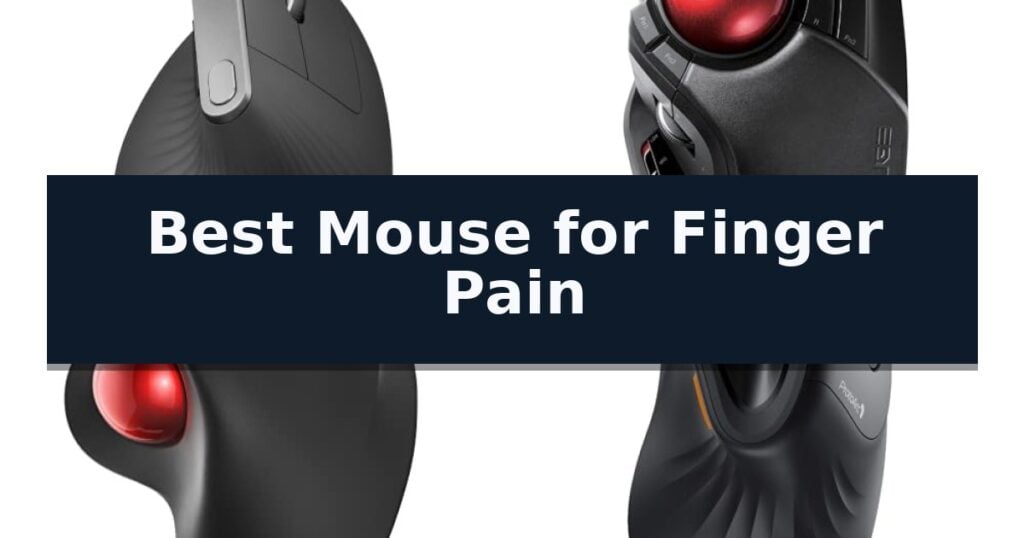
10 Best Mouse for Finger Pain in 2026 Reviews
Quick Comparison
| Product | Best For | Key Strength | Score |
|---|---|---|---|
| Logitech MX Vertical Wireless Mouse | Best Overall | 57° vertical angle promotes a natural handshake position to reduce wrist pressure. | 4.9 |
| ELECOM Huge Wireless Trackball Mouse | Finger-Operated Precision Control | Large 52mm trackball reduces repetitive hand and wrist movement. | 4.4 |
| Nulea M501 Wireless Trackball Mouse | Smooth Thumb-Controlled Navigation | Ergonomic thumb-control design reduces wrist and arm fatigue. | 4.3 |
| ProtoArc EM11 NL Vertical Mouse | Natural Grip for Smaller Hands | 58-degree vertical design promotes a natural, neutral wrist posture. | 4.3 |
| UGREEN Ergonomic Wireless Mouse | Reduced Strain with Vertical Design | Vertical handshake design reduces wrist rotation and muscle strain. | 4.3 |
| Lekvey Rechargeable Vertical Mouse | Comfortable Handshake Wrist Support | Neutral handshake wrist position for improved ergonomics. | 4.3 |
| TECKNET Ergonomic Vertical Mouse | Whisper-Quiet All-Day Comfort | 52° vertical angle promotes a natural handshake grip to reduce strain. | 4.4 |
| Nulea Ergonomic Vertical Mouse | Natural Handshake Angle Design | 57-degree vertical angle promotes a natural, strain-reducing hand position. | 4.6 |
| POJTK Wireless Ergonomic Mouse | Versatile Tri-Mode Connectivity | 58-degree vertical design promotes a neutral handshake posture. | 4.9 |
| Uineer Vertical Ergonomic Mouse | Ambient Lighting Meets Wrist Relief | Natural handshake grip to reduce wrist and forearm strain. | 4.7 |
How We Chose
Selecting the right ergonomic input device requires evaluating how specific designs interact with human physiology to mitigate repetitive stress. We analyze vertical angles, trackball placement, and sensor precision to determine which models effectively reduce muscle engagement. By focusing on these practical mechanical attributes, we identify which tools best support long-term comfort and productivity.
- Ergonomic geometry and vertical angle alignment
- Input method (vertical grip vs. trackball control)
- Customizable DPI and cursor sensitivity settings
- Connectivity options and multi-device support
- Button layout and accessibility for reduced strain
1 Logitech MX Vertical Wireless Mouse — Ergonomist-Approved Natural Posture
Maintaining a natural, neutral posture is essential for those seeking relief from repetitive strain, and the Logitech MX Vertical Wireless Mouse addresses this through its unique 57° vertical angle. By positioning the hand in a natural handshake orientation, this design significantly reduces muscular activity by 10 percent compared to a traditional mouse, effectively minimizing the pressure placed on the wrist during extended use.
Beyond its ergonomic shape, the device features a high-precision 4000 DPI optical sensor. This advanced tracking capability allows for 4x less hand movement than a standard 1000 DPI sensor, which helps to further reduce fatigue during long work sessions. Users can instantly adjust the cursor speed and accuracy using the dedicated switch located on the top of the unit.
The Logitech MX Vertical Wireless Mouse is built with a textured rubber surface that provides a secure, natural grip, while the overall form factor is engineered to accommodate a wide variety of hand shapes and sizes. It is also designed for productivity, offering the ability to move content seamlessly between three different Windows or Apple computers.
This rechargeable mouse is a practical choice for those prioritizing long-term comfort and posture. Its thoughtful design, which has been tested against criteria set by leading ergonomists, focuses on lowering muscle strain and improving wrist alignment to help mitigate discomfort associated with daily computer tasks.
Best for: Users seeking to reduce wrist pressure and muscle strain through a neutral, ergonomic handshake-style grip.
Skip if: Individuals who prefer a low-profile, flat mouse design or those who require a specific ambidextrous shape.
- 57° vertical angle promotes a natural handshake position to reduce wrist pressure.
- 4000 DPI high-precision sensor minimizes the amount of hand movement required.
- Ergonomist-approved design specifically tested to lower muscle strain.
- Multi-computer control allows for seamless content movement between three devices.
- Vertical form factor requires an adjustment period for those accustomed to traditional flat mice.
2 ELECOM Huge Wireless Trackball Mouse — Finger-Operated Precision Control
The ELECOM Huge Wireless Trackball Mouse distinguishes itself with a massive 52mm diameter trackball, engineered to minimize hand movement and alleviate strain during extended computer use. By shifting cursor control to the index finger, this device offers an alternative to traditional wrist-based navigation, making it a specialized tool for those seeking to reduce repetitive motion.
Designed with a focus on ergonomic support, the unit includes a large, soft palm rest that cradles the hand, promoting a more natural posture. The device features optical tracking technology for precise cursor movement and a high-performance gaming-grade sensor. Users can toggle between 500, 1000, and 1500 DPI settings, allowing for adjustable cursor speed to match specific workflow requirements.
Functionality is expanded through eight customizable buttons, including a scroll wheel with tilt capability for horizontal navigation. The trackball is supported by three large 2.5 mm artificial ruby bearings, which are designed to remain smooth and resist dust accumulation. Maintenance is simplified as the ball can be easily removed through the bottom of the chassis for cleaning.
Connectivity is handled via a 2.4GHz wireless USB receiver, providing a stable connection range of up to 10 meters on non-magnetic surfaces. The device is powered by a single AA battery and includes a remaining battery life indicator lamp. Measuring 4.5 inches wide and 7.2 inches long, this trackball requires significant desk space but provides a stable platform for high-precision tasks.
Best for: Users seeking to reduce wrist and hand strain by utilizing an index-finger operated trackball with extensive button customization.
Skip if: Users with limited desk space or those who prefer a compact, portable mouse design will find the 7.2-inch length and stationary footprint of this trackball cumbersome.
- Large 52mm trackball reduces repetitive hand and wrist movement.
- Ergonomic palm rest provides support for extended work sessions.
- Eight customizable buttons including horizontal scroll capability.
- Easy-access ball removal for low-maintenance cleaning of ruby bearings.
- Large physical footprint requires significant desk real estate.
- Stationary design is not intended for mobile or travel use.
3 Nulea M501 Wireless Trackball Mouse — Smooth Thumb-Controlled Navigation
The Nulea M501 Wireless Trackball Mouse is engineered to alleviate repetitive strain by shifting navigation duties from the wrist and arm to the thumb. By utilizing a high-precision trackball, this device allows users to maintain a neutral, relaxed palm position throughout the workday, which is a critical design choice for those managing finger or wrist discomfort during extended computing sessions.
Beyond its ergonomic chassis, the device offers 4 DPI levels to ensure cursor accuracy across different tasks and screen resolutions. Its compact footprint is particularly advantageous for users operating in constrained environments, such as small writing surfaces, crowded desks, or even when using a laptop on a couch or bed where traditional mouse sliding is physically impossible.
Connectivity is handled through a true wireless system that supports up to 3 devices simultaneously. Users can toggle between these devices using a dedicated button located on the bottom of the chassis, facilitating a seamless transition between a primary workstation and secondary devices. The inclusion of a rechargeable battery removes the need for disposable cells, providing a more sustainable power solution.
The mouse features a 6-button layout, including convenient back and forward navigation controls integrated into its elegant, curved frame. A notable trade-off for users seeking high-level customization is that these buttons are not programmable, meaning the device is best suited for standard navigation rather than complex macro-heavy workflows. Additionally, the charging system requires a standard 5V USB port or computer connection, as the hardware is not compatible with fast-charging adapters.
Best for: Users seeking to reduce wrist and arm strain through thumb-based navigation in limited workspace environments.
Skip if: Users who require programmable buttons for complex workflows or specific macro assignments will find this model limiting.
- Ergonomic thumb-control design reduces wrist and arm fatigue.
- Multi-device connectivity supports up to 3 devices via Bluetooth or USB.
- Rechargeable battery provides a convenient, eco-friendly power solution.
- Compact footprint works effectively on narrow or cluttered surfaces.
- Non-programmable buttons limit customization options for advanced users.
- Charging limitations require the use of a 5V charger or computer port rather than fast chargers.
4 ProtoArc EM11 NL Vertical Mouse — Natural Grip for Smaller Hands
The ProtoArc EM11 NL Wireless Ergonomic Vertical Mouse features a distinct 58-degree vertical design, engineered to promote a more natural wrist posture compared to traditional flat mice. By aligning the forearm and wrist in a neutral orientation, this device aims to reduce strain and discomfort for users experiencing finger or wrist fatigue during extended computer use.
Designed specifically for users with hand lengths under 7.5 inches, this rechargeable ergonomic mouse utilizes a built-in 500mAh Li-Ion battery, which is easily replenished via the included Type-C cable. The device offers versatile connectivity, allowing users to pair up to three devices simultaneously through dual Bluetooth and 2.4G USB-A wireless modes.
For precise control, the mouse includes adjustable DPI settings at 1000, 1600, and 2400 levels. It also incorporates forward and back buttons for improved navigation efficiency, although these buttons are not programmable and lack compatibility with Mac OS systems. The left and right buttons are designed for quiet clicking, helping to maintain a focused work environment.
Because the vertical orientation differs from standard mice, the manufacturer notes a 1-2 week learning curve for users to adapt to the grip. To ensure optimal comfort, it is recommended to hold the mouse naturally and relax the palm during operation. This model is compatible with Windows 8 or higher, Mac OS X 10.12 or higher, and Android 4.3 or higher.
Best for: Users with small to medium-sized hands seeking a vertical ergonomic design to alleviate wrist and finger strain during daily computer tasks.
Skip if: Users with large hands or those who require fully programmable buttons and native Mac OS compatibility for side navigation buttons.
- 58-degree vertical design promotes a natural, neutral wrist posture.
- Multi-device connectivity supports up to three devices via Bluetooth and 2.4G USB-A.
- Rechargeable 500mAh battery eliminates the need for disposable batteries.
- Quiet click buttons reduce noise during operation.
- Learning curve requires 1-2 weeks of adjustment for new users.
- Limited compatibility as forward and back buttons do not function on Mac OS.
- Non-programmable buttons restrict customization options.
5 UGREEN Ergonomic Wireless Mouse — Reduced Strain with Vertical Design
The UGREEN Ergonomic Wireless Mouse features a distinct vertical handshake orientation designed to minimize wrist rotation and reduce muscle strain during extended computer use. By shifting the hand into a more neutral position, this design aims to alleviate the repetitive stress often associated with traditional flat mouse profiles.
Beyond its ergonomic shape, this mouse offers versatile connectivity options, supporting both 2.4G wireless and Bluetooth protocols. It allows users to toggle between up to three different devices, enhancing workflow efficiency for those managing multiple workstations. The inclusion of 6 buttons and 4 adjustable DPI levels—ranging from 1000 to 4000—provides the precision necessary for tasks varying from detailed document editing to general navigation.
Usability is further refined by the integration of silent click technology, which maintains a quiet environment, and PTFE glide feet that promote smooth, low-friction movement across surfaces. The device is powered by a single AA battery and incorporates a smart sleep mode to optimize energy consumption over time.
Prospective users should note that the UGREEN Ergonomic Wireless Mouse is specifically engineered for medium to large hands. Because the vertical form factor requires a specific grip, individuals with smaller hands may find the reach to the buttons or the overall curvature less than ideal for their anatomy.
Best for: Users with medium to large hands seeking a vertical orientation to promote a more neutral wrist position during daily computer tasks.
Skip if: Individuals with smaller hand sizes or those who prefer a low-profile, traditional mouse design will likely find this vertical model uncomfortable or difficult to operate.
- Vertical handshake design reduces wrist rotation and muscle strain.
- Multi-device connectivity allows switching between three separate systems.
- Silent click buttons ensure quiet operation in shared workspaces.
- Adjustable DPI settings offer flexibility for different cursor speed requirements.
- Large form factor is not suitable for users with smaller hands.
- Requires AA battery rather than an integrated rechargeable power source.
6 Lekvey Rechargeable Vertical Mouse — Comfortable Handshake Wrist Support
The Lekvey Rechargeable Vertical Mouse addresses repetitive strain by utilizing a scientific vertical design that promotes a neutral "handshake" wrist and arm position. By shifting the hand away from the flat, pronated posture required by traditional mice, this device aims to reduce overall strain during extended computer use. This ergonomic orientation is intended to provide a more natural alignment for the forearm and wrist, which is a key consideration for those seeking the best mouse for finger pain and general hand discomfort.
Equipped with a built-in 600mAh rechargeable battery, this mouse eliminates the need for disposable batteries. It provides a convenient USB-C charging interface and includes an auto-sleep mode to preserve power. Users can expect several weeks of operation on a single charge, depending on daily usage intensity, which minimizes maintenance downtime. The device also features three adjustable DPI levels (800/1200/1600), allowing for sensitivity customization to match different tasks, from precise editing to general navigation.
Navigation is enhanced by dedicated "Page Back" and "Page Forward" buttons, which function across Windows, Linux, and Mac OS environments without requiring additional drivers. Setup is straightforward via the included 2.4G nano USB receiver, which enables plug-and-play connectivity. With dimensions of 5.0" x 3.0" x 2.5", the mouse is specifically sized to accommodate medium to large hands, providing a stable grip for daily productivity. A notable trade-off for this larger, ergonomic form factor is that the buttons are non-programmable, limiting the ability to customize inputs for specialized software workflows.
Best for: Users with medium to large hands seeking a vertical, rechargeable ergonomic solution to improve wrist posture.
Skip if: Users with small hands or those who require programmable buttons for specialized software workflows.
- Neutral handshake wrist position for improved ergonomics.
- Rechargeable 600mAh battery with USB-C charging.
- Plug-and-play 2.4G wireless connectivity with no driver requirements.
- Adjustable DPI settings for varied sensitivity needs.
- Non-programmable buttons limit customization options.
- Large physical footprint may not suit users with smaller hands.
7 TECKNET Ergonomic Vertical Mouse — Whisper-Quiet All-Day Comfort
Repetitive strain and discomfort during long hours at a desk often stem from unnatural wrist positioning, which is why the TECKNET Ergonomic Vertical Mouse utilizes a distinct 52° vertical angle. This design promotes a neutral handshake grip, effectively reducing tension in the forearm and carpal tunnel to help manage finger pain during extended use.
Beyond its ergonomic shape, this mouse offers versatile connectivity, supporting Bluetooth 5.0/3.0 and a 2.4G USB-A receiver for reliable, lag-free performance across three different devices. The internal 600mAh rechargeable battery eliminates the need for disposable replacements, providing up to two months of operation on a single 1.5-hour charge via the included Type-C cable.
Precision and quiet operation are central to its design, featuring 6 adjustable DPI levels ranging from 800 to 4800 for customized tracking sensitivity. The whisper-quiet click technology reduces noise by 99%, making it suitable for shared workspaces, while the six-button layout includes side-mounted forward and back controls to streamline navigation tasks.
Built for durability, the device is rated to withstand 6 million clicks, ensuring consistent performance for professional workflows. While the forward and back buttons are optimized for Windows environments and are not available on macOS, the mouse remains a highly adaptable tool for users seeking to minimize strain through a more natural hand posture.
Best for: Users experiencing forearm or wrist strain who require a versatile, rechargeable vertical mouse for multi-device office or home productivity.
Skip if: Mac users who specifically require functional side-mounted navigation buttons, or individuals who prefer a traditional low-profile mouse shape.
- 52° vertical angle promotes a natural handshake grip to reduce strain.
- Rechargeable 600mAh battery provides up to 2 months of use per charge.
- Versatile connectivity via Bluetooth 5.0/3.0 and 2.4G wireless.
- Whisper-quiet clicks minimize noise in shared environments.
- Forward/back buttons are not compatible with macOS.
- Vertical orientation requires an adjustment period for users accustomed to standard mice.
8 Nulea Ergonomic Vertical Mouse — Natural Handshake Angle Design
Repetitive strain from traditional computer peripherals often stems from an unnatural wrist position. The Nulea Ergonomic Vertical Mouse addresses this by utilizing a 57-degree vertical angle, which is engineered to mimic a natural handshake posture, effectively reducing forearm tension during extended periods of computer use.
Beyond its physical orientation, this device features adjustable DPI settings of 800, 1200, and 1600, allowing users to calibrate tracking precision to their specific workflow requirements. The inclusion of six buttons, including dedicated forward, backward, and a convenient 'Back to Desktop' key, helps minimize the need for repetitive hand movements across the desk surface.
The mouse operates via 2.4G wireless technology, providing a plug-and-play experience that keeps your workspace free of cable clutter. It is built with a durable, non-slip metal scroll wheel designed to withstand intensive work sessions while maintaining precise control. The lightweight construction further assists in reducing fatigue for users who spend long hours at their workstations.
Maintenance is straightforward, as the unit is designed for efficiency and ease of use. While it requires an external AA battery for operation, the overall design prioritizes a balance between ergonomic support and functional navigation, making it a practical tool for those seeking to alleviate discomfort associated with standard mouse designs.
Best for: Users seeking to reduce forearm and wrist strain through a vertical, handshake-style grip during daily computing tasks.
Skip if: Users who require a high-precision gaming mouse with advanced software customization or those who prefer a traditional low-profile mouse design.
- 57-degree vertical angle promotes a natural, strain-reducing hand position.
- Six programmable-style buttons include a dedicated 'Back to Desktop' shortcut for improved efficiency.
- Adjustable DPI settings allow for customized tracking sensitivity.
- Non-slip metal scroll wheel provides tactile, durable control.
- Requires an AA battery for operation, which is not included.
- Vertical design may require an adjustment period for users accustomed to standard mice.
9 POJTK Wireless Ergonomic Mouse — Versatile Tri-Mode Connectivity
The POJTK Wireless Rechargeable Ergonomic Mouse features a distinct 58-degree vertical angle designed to encourage a neutral "handshake" posture, directly addressing the strain often associated with traditional mouse usage. By aligning the hand in a more natural position, this device aims to reduce stress on the wrist and arm, providing a practical solution for those seeking to mitigate muscle fatigue.
Beyond its ergonomic shape, the mouse offers versatile tri-mode connectivity, allowing users to switch between Bluetooth 5.3, 2.4GHz USB-A, and USB-C connections. This flexibility enables seamless transitions between two devices without the need to constantly swap receivers. The inclusion of both USB-A and USB-C receivers ensures compatibility with a wide range of modern laptops, desktops, and tablets.
Performance is supported by an adjustable optical sensor that offers five DPI levels, reaching up to 4800 DPI for precise tracking across various surfaces. For quiet environments, the mouse incorporates a silent click design across its six buttons, which helps maintain a low-noise workspace. Additionally, the front and back shortcut keys provide quick navigation for web browsing, though these specific functions are limited to non-macOS systems.
Maintenance is simplified through a rechargeable battery system that eliminates the need for disposable batteries. A full charge can support between one to three months of use, depending on individual habits. To conserve power, the device enters an automatic standby mode after ten minutes of inactivity, requiring only a single click to wake it for immediate use.
Best for: Users seeking a vertical, ergonomic design to reduce wrist strain while requiring multi-device connectivity across various operating systems.
Skip if: Users who require full functionality of side-navigation buttons on macOS or those who prefer a traditional, flat-profile mouse design.
- 58-degree vertical design promotes a neutral handshake posture.
- Tri-mode connectivity supports Bluetooth 5.3, USB-A, and USB-C.
- Rechargeable battery provides extended usage time between charges.
- Silent button operation is ideal for quiet office or library environments.
- Shortcut key functionality is not supported on macOS systems.
- Charging limitations require avoiding fast chargers to protect battery health.
10 Uineer Vertical Ergonomic Mouse — Ambient Lighting Meets Wrist Relief
The Uineer Vertical Ergonomic Mouse addresses wrist discomfort by utilizing a natural handshake grip, which is designed to keep the forearm relaxed and the wrist in a neutral position during extended use. This vertical orientation is intended to minimize strain that often leads to repetitive stress issues, making it a specialized tool for those seeking a more comfortable desktop experience.
Beyond its ergonomic shape, this wireless device offers versatile connectivity through dual Bluetooth 5.0/4.0 and 2.4G wireless modes. It supports simultaneous pairing with up to three devices, such as a laptop, PC, or tablet, allowing for seamless switching without the need for constant re-pairing. The mouse is powered by a high-performance chip that provides four adjustable DPI settings (800, 1600, 2400, and 3200), ensuring tracking sensitivity can be adapted for different tasks ranging from document editing to casual gaming.
Usability is enhanced by integrated features like 7-color ambient lighting and intelligent power-saving modes. The mouse automatically enters sleep mode after 10-30 minutes of inactivity to conserve battery, with a low-battery LED indicator to prevent unexpected power loss. It is compatible with Windows, Mac OS X, Linux, Android, and iOS 13+ systems, though users should note that the side buttons are not functional on macOS.
Constructed for small to medium-sized hands, this mouse requires users to verify their hand dimensions for optimal fit. It includes a 24-month replacement warranty and a 45-day refund policy, providing long-term support for the hardware. While it offers a comprehensive suite of wireless features, potential buyers should ensure their workspace setup accommodates the vertical design.
Best for: Users with small-to-medium hands who require multi-device connectivity and a neutral wrist position to alleviate strain.
Skip if: Users with large hands or those who rely heavily on side-button functionality while operating a macOS system.
- Natural handshake grip to reduce wrist and forearm strain.
- Multi-device support allowing connection to three devices simultaneously.
- Four adjustable DPI levels for varied tracking precision.
- Intelligent power-saving with auto-sleep and low-battery alerts.
- Side buttons are non-functional when used with macOS.
- Size limitation requiring users to verify fit for small-to-medium hands.
Best Mouse for Finger Pain Buying Guide
Understanding Vertical Ergonomics
Vertical mice are engineered to mimic a natural handshake position, which prevents the forearm from twisting. By keeping the wrist in a neutral orientation, these devices significantly lower the tension placed on the carpal tunnel and surrounding tendons.
When transitioning to a vertical design, expect a brief adjustment period. Most users find that within a few days of consistent use, the reduction in muscle strain becomes noticeable, allowing for more comfortable operation during extended tasks.
The Role of Trackball Navigation
Trackball mice offer a distinct advantage for those who find moving their entire arm or wrist painful. By using a stationary base, you rely on your thumb or index finger to control the cursor, which keeps your wrist and forearm completely still.
These devices are particularly effective for users with limited desk space or those who need to work on uneven surfaces. Because the mouse itself does not move, you can maintain a consistent, ergonomic hand position regardless of your environment.
Optimizing Cursor Speed and DPI
High-performance sensors with adjustable DPI settings are essential for reducing finger and hand fatigue. By increasing the DPI, you can move the cursor across multiple monitors with minimal physical effort, effectively reducing the total distance your hand travels.
Look for models that allow for instant DPI switching. This feature enables you to toggle between high precision for detailed work and faster speeds for general navigation, ensuring your movements remain efficient and controlled.
Connectivity and Workflow Efficiency
Modern ergonomic mice often include multi-device connectivity, allowing you to switch between a laptop, desktop, or tablet with a single button. This reduces the need to reach for different peripherals, keeping your workspace streamlined and your movements focused.
Wireless freedom is another key factor in reducing strain. By eliminating cable drag, you ensure that your mouse movements remain smooth and consistent, preventing the subconscious tension that often arises when fighting against a stiff or restrictive cord.
Evaluating Button Placement
The layout of buttons and the scroll wheel should allow for natural finger placement without requiring awkward stretching. A well-designed ergonomic mouse places primary inputs within easy reach to prevent overextension of the fingers.
Consider whether a model offers programmable buttons or dedicated shortcuts. Reducing the number of clicks required to perform common tasks can significantly decrease the repetitive strain on your fingers over the course of a workday.
Frequently Asked Questions
How long does it take to get used to a vertical mouse?
Most users report an adjustment period of three to five days. During this time, it is normal to feel slightly less precise as your muscles adapt to the new, more natural grip.
Are trackball mice better than vertical mice for finger pain?
It depends on the source of your pain. If your discomfort is caused by wrist movement, a trackball is often superior because it remains stationary. If your pain is related to forearm tension, a vertical mouse is usually the better choice.
Do I need special software to use these ergonomic mice?
Most ergonomic mice are plug-and-play, meaning they work immediately via a USB receiver or Bluetooth. While some brands offer software for button customization, it is generally not required for basic navigation.
Can I use a vertical mouse for gaming?
Yes, many vertical mice feature high-DPI sensors that are capable of gaming. However, they may feel different than traditional gaming mice, so you may need to adjust your sensitivity settings to match your playstyle.
How do I know which size mouse to choose?
Check the manufacturer's dimensions and hand-size recommendations. Some models are specifically designed for smaller hands, while others are better suited for medium to large hands to ensure proper palm support.
Conclusion: Our Top Pick
Our top pick is Logitech MX Vertical Wireless Mouse. Choosing the right mouse for finger pain involves prioritizing a design that aligns with your specific ergonomic needs, whether that means the natural handshake posture of a vertical mouse or the stationary nature of a trackball. By focusing on features like adjustable DPI and accessible button layouts, you can significantly reduce the physical strain associated with daily computer use.
Investing in an ergonomic peripheral is a proactive step toward long-term comfort. As you evaluate your options, consider your primary tasks and how each design might simplify your workflow, ensuring that your choice supports both your health and your productivity.