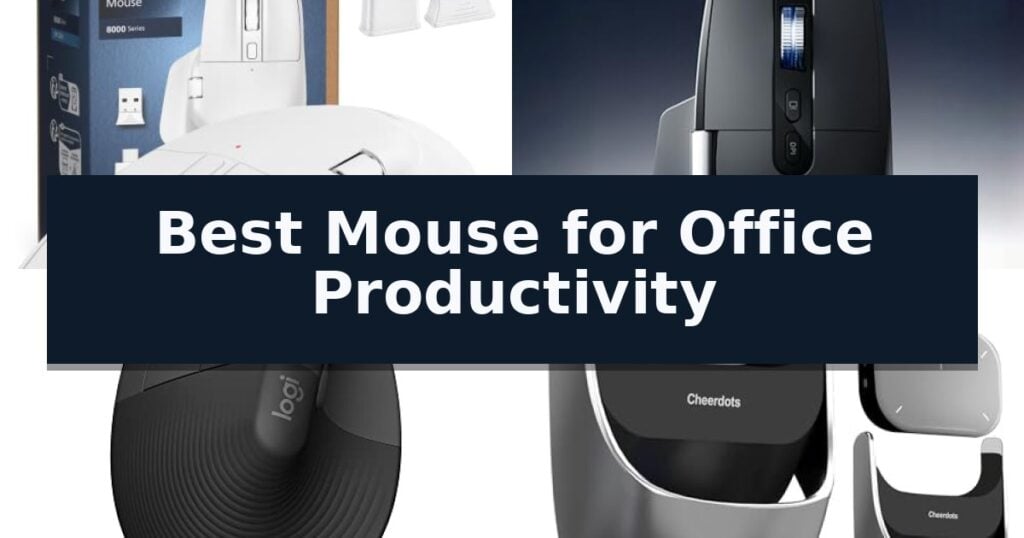
PHILIPS Ergonomic Wireless Mouse is our top choice for the Best Mouse for Office Productivity, offering a dedicated thumb-side scroll wheel that streamlines navigation through complex spreadsheets and wide documents.
For users prioritizing a natural hand posture, the Logitech Left Handed Lift Vertical Ergonomic Mouse provides a specialized 57-degree tilt designed specifically to reduce forearm strain. Alternatively, the MiniLuxis Ergonomic Productivity Wireless Mouse caters to those who need real-time performance data, featuring an integrated OLED display that tracks battery levels and DPI settings at a glance.
Selecting the right tool for office tasks involves balancing physical comfort with functional efficiency. While standard mice suffice for basic navigation, productivity-focused models incorporate secondary scroll wheels, programmable buttons, and multi-device switching to minimize repetitive movements and device swapping throughout the workday.
For those looking to optimize their entire desk setup, our guide on the Best Mouse for Office provides additional insights into matching hardware with your specific workstation requirements.
9 Best Mouse for Office Productivity in 2026 Reviews
Quick Comparison
| Product | Best For | Key Strength | Score |
|---|---|---|---|
| PHILIPS Ergonomic Wireless Mouse | Best Overall | Dual scroll wheels for efficient horizontal and vertical navigation. | 4.9 |
| MiniLuxis Ergonomic Productivity Wireless Mouse | OLED display for status tracking | Dual scroll wheels for efficient horizontal and vertical navigation. | 4.6 |
| Logitech Left Handed Lift Vertical Mouse | Natural posture for lefties | Ergonomic 57-degree vertical design promotes a more natural forearm posture. | 4.9 |
| OIKKEI AI Voice Mouse | Built-in meeting transcription | Integrated meeting transcription and automated summarization. | 4.3 |
| HP 280 Silent Wireless Mouse | Reliable tracking on any surface | 90% noise reduction on primary buttons for a quiet workspace | 4.6 |
| MangoEra Wireless Ergonomic Mouse | Supportive shape for large hands | Thumb side scroll wheel for efficient horizontal navigation | 4.3 |
| Verbatim Silent Corded Optical Mouse | Battery-free wired reliability | Silent click switches reduce noise in quiet environments. | 4.6 |
| HP Z3700 Wireless Mouse | Sleek profile for mobile work | Ultra-slim profile for easy storage and portability. | 4.3 |
| Acer Wireless Mouse | Simple plug-and-play connectivity | Stable 2.4GHz wireless connectivity with a 32ft range. | 4.6 |
How We Chose
When evaluating the best mouse for office productivity, we focus on features that directly reduce physical strain and minimize time spent on repetitive tasks. An experienced reviewer prioritizes the integration of secondary scroll wheels, seamless multi-device pairing, and long-term battery reliability to ensure the hardware supports, rather than hinders, a professional workflow.
- Ergonomic design and wrist support
- Multi-device connectivity and switching speed
- Horizontal and vertical navigation efficiency
- Battery life and charging convenience
- Customizable button and sensor performance
1 PHILIPS Ergonomic Wireless Mouse — Dual scroll for spreadsheet efficiency
Navigating complex spreadsheets and managing multiple devices becomes significantly more efficient with the PHILIPS Ergonomic Wireless Mouse. This peripheral features a dedicated thumb-side horizontal scroll wheel, allowing users to navigate wide documents or Excel columns without needing to drag the cursor across the screen. By mapping custom macros to the forward, backward, and middle-click buttons via the proprietary software, users can transform this device into a personalized control center for their specific office productivity needs.
Designed for long-term comfort, the PHILIPS Ergonomic Wireless Mouse utilizes a contoured right-handed shell with an integrated anti-slip thumb rest. The device incorporates noise-reduced switches that provide library-quiet clicks, making it suitable for shared workspaces where minimizing distractions is a priority. This ergonomic focus helps reduce daily fatigue during extended work sessions, supporting a more natural hand position.
Connectivity is handled through a versatile system that eliminates the need for bulky hubs. The included dual 2.4G receiver supports both USB-A and USB-C connections, while integrated Bluetooth allows for seamless switching between three distinct devices, such as a laptop, tablet, and desktop. This multi-device capability ensures that professionals can transition between different hardware environments without the friction of reconnecting peripherals.
Precision and power management are central to its design. The mouse features an optical sensor with 5-level adjustable DPI ranging from 800 to 4000 for tailored tracking speed, ensuring cursor accuracy across various surfaces. Its 500mAh rechargeable battery supports up to 25 days of heavy use, with an emergency 5-minute charge providing one hour of operation, mitigating the risk of downtime during critical tasks.
Best for: Office professionals who require multi-device connectivity and horizontal scrolling for spreadsheet-heavy workflows.
Skip if: Left-handed users, as the ergonomic contour and thumb-side controls are specifically optimized for right-handed use.
- Dual scroll wheels for efficient horizontal and vertical navigation.
- Multi-device pairing via Bluetooth and dual-interface USB receiver.
- Rechargeable battery with emergency 5-minute quick-charge capability.
- Silent click switches for quiet operation in shared office environments.
- Right-handed ergonomic design limits usability for left-handed individuals.
2 MiniLuxis Ergonomic Productivity Wireless Mouse — OLED display for status tracking
Efficient navigation through complex digital workspaces often hinges on the hardware at your fingertips. The MiniLuxis Ergonomic Productivity Wireless Mouse distinguishes itself with a built-in OLED smart display, providing immediate visual feedback on battery levels, DPI settings, and connection status without requiring additional software. This integration allows users to monitor their hardware state at a glance, ensuring that essential settings remain optimized during intensive workflows.
Designed for high-volume tasks, this mouse features both an infinite scroll wheel for rapid document traversal and a dedicated side scroll wheel for horizontal movement. These controls are specifically tailored for users working extensively in Excel, CAD, or video editing timelines, where precise lateral and vertical navigation is essential. By offloading these movements to dedicated hardware, the mouse reduces the need for repetitive on-screen cursor adjustments, directly supporting faster project completion.
Performance is driven by the PixArt PAW3220 sensor, which supports adjustable DPI up to 8000 and a 1000Hz polling rate. This combination ensures responsive tracking across various surfaces, while the quiet click mechanism is engineered to maintain a distraction-free environment in shared office spaces. The sensor's versatility allows it to handle everything from precise graphic design work to rapid spreadsheet navigation with consistent accuracy.
Versatility is a core component of its design, offering multi-device connectivity via Bluetooth, 2.4GHz wireless, or a USB-C wired connection. The integrated rechargeable battery supports long-term use, and the ergonomic shape is specifically intended to promote a natural hand position during extended work sessions. While the mouse is built for durability and feature-rich performance, its robust construction results in a heavier build compared to standard travel mice, which is a trade-off for those prioritizing stability and advanced navigation controls.
Best for: Office professionals and creatives who require precise horizontal and vertical navigation across multiple devices.
Skip if: Users who prefer a lightweight, minimalist mouse without advanced scroll wheels or display features.
- Dual scroll wheels for efficient horizontal and vertical navigation.
- OLED display for real-time status monitoring.
- Multi-device connectivity supporting Bluetooth, 2.4GHz, and wired modes.
- PixArt PAW3220 sensor with high-precision tracking.
- Heavier build compared to standard travel mice.
- Complex feature set may be unnecessary for basic administrative tasks.
3 Logitech Left Handed Lift Vertical Mouse — Natural posture for lefties
Maintaining a natural forearm posture during long work sessions is a primary challenge for many office professionals, and the Logitech Left Handed Lift Vertical Ergonomic Wireless Mouse addresses this directly with its unique 57-degree vertical shape. By encouraging a more natural handshake position, this device is engineered to reduce strain, making it a specialized tool for those seeking to improve their daily comfort.
Designed specifically for small to medium left hands, the mouse features a softly textured grip and a dedicated thumb rest to ensure stability and ease of use. The Logitech Left Handed Lift Vertical Ergonomic Wireless Mouse is ergo-certified, having been developed and tested against criteria established by leading ergonomists to ensure its design supports sustained productivity.
Functionality is at the forefront of this design, which includes whisper-quiet clicks and a SmartWheel for seamless, precise scrolling. Users can customize four of the six available buttons to streamline their workflow, allowing for quick access to frequently used commands. The mouse is also built with sustainability in mind, incorporating certified post-consumer recycled plastic in its construction.
Connectivity is highly flexible, supporting both Bluetooth Low Energy and the included Logi Bolt USB receiver. This ensures compatibility across a wide range of platforms, including Windows, macOS, iPadOS, Chrome OS, and Linux. With a battery life reaching up to two years, this mouse is a reliable, low-maintenance addition to any office setup.
Best for: Left-handed users with small to medium hands who require an ergonomic, vertical design to alleviate wrist strain during extended office work.
Skip if: Users with large hands or those who prefer a traditional, low-profile mouse shape will likely find the vertical orientation and specific sizing of this model uncomfortable.
- Ergonomic 57-degree vertical design promotes a more natural forearm posture.
- Customizable buttons allow for personalized workflow efficiency.
- Dual connectivity options via Bluetooth or Logi Bolt USB receiver.
- Whisper-quiet clicks minimize noise in shared office environments.
- Long battery life lasting up to two years.
- Size constraint limits comfort for users with larger hands.
- Left-handed orientation makes it unsuitable for right-handed users.
4 OIKKEI AI Voice Mouse — Built-in meeting transcription
The OIKKEI AI Voice Mouse streamlines professional workflows by integrating real-time meeting transcription and summarization directly into a standard desktop peripheral. With a single click, this device captures audio and generates concise meeting notes, allowing users to remain engaged in discussions rather than manual note-taking.
Designed for versatility, the OIKKEI AI Voice Mouse functions as a dual-mode tool. In Desktop Mode, it operates as a standard mouse with touchpad support, while the Air Mode transforms it into a handheld presentation remote. This feature set includes a digital spotlight, magnifier, and intuitive touch gestures for slide control, making it a comprehensive solution for boardroom presentations.
Productivity is further enhanced by an integrated ChatGPT voice assistant. By pressing a dedicated AI button, users can access voice-driven Q&A, document rewriting, and translation across 12 languages. The device requires internet access for these AI functions but operates without additional subscription fees for the core GPT mode.
Portability and battery efficiency are central to its design. Weighing just 70g and measuring 60 x 41 x 16 mm, the mouse is built for mobile professionals. It offers over 25 days of battery life on a single charge and connects via Bluetooth 5.0, ensuring compatibility across Windows, macOS, and Linux systems.
Best for: Professionals and journalists who require a portable, all-in-one device for navigating desktop tasks, managing presentations, and automating meeting transcription.
Skip if: Users who require a high-precision gaming mouse or those who do not need integrated AI transcription and presentation control features.
- Integrated meeting transcription and automated summarization.
- 2-in-1 design functions as both a desktop mouse and an air-based presentation remote.
- ChatGPT voice assistant support for drafting, translation, and document editing.
- Long-lasting battery providing over 25 days of use per charge.
- Requires internet access for all AI-powered transcription and voice assistant features.
5 HP 280 Silent Wireless Mouse — Reliable tracking on any surface
Maintaining a quiet and focused workspace is essential for efficiency, and the HP 280 Silent Wireless Mouse addresses this with its specialized 90% noise reduction on the primary buttons. This design choice ensures that every click remains satisfyingly tactile while eliminating the distracting sounds that can disrupt concentration in shared or open-office environments.
Beyond its silent operation, the mouse features a 1600 DPI optical sensor that provides reliable tracking across a variety of surfaces, often removing the need for a dedicated mouse pad. This multi-surface technology is paired with a comfortable, ergonomic right-handed design that supports extended use throughout the workday, complemented by a standard three-button layout and an integrated scroll wheel.
Connectivity is handled via a 2.4GHz USB-A nano receiver, which offers a stable wireless range of up to 32.8 feet. For portability, the receiver can be stored directly inside the mouse body, making it a practical choice for professionals who transition between different workstations or travel frequently.
Power management is a core strength of this model, as it is engineered for longevity with up to 18 months of battery life on a single AA battery. This focus on efficiency minimizes maintenance, allowing the device to remain ready for use without frequent power interruptions.
Best for: Office professionals and remote workers who require a quiet, reliable, and low-maintenance mouse for daily computing tasks.
Skip if: Users who require advanced programmable side buttons, high-speed gaming sensors, or Bluetooth connectivity will find this basic model too limited.
- 90% noise reduction on primary buttons for a quiet workspace
- 18-month battery life reduces the frequency of maintenance
- Multi-surface tracking eliminates the need for a mouse pad
- Integrated storage for the USB nano receiver enhances portability
- Limited to 2.4GHz USB connectivity without Bluetooth support
- Basic three-button layout lacks customizable side buttons for productivity shortcuts
6 MangoEra Wireless Ergonomic Mouse — Supportive shape for large hands
Navigating complex spreadsheets and wide timelines becomes significantly more efficient with the MangoEra Wireless Ergonomic Mouse, which features an integrated thumb side scroll wheel for precise horizontal navigation. This design choice minimizes the need for repetitive wrist movements, allowing for smoother transitions across expansive digital workspaces.
Built with a focus on natural hand positioning, this mouse offers a supportive shape tailored specifically for medium and large hands. The ergonomic profile aims to reduce strain during extended office sessions, providing a more comfortable grip for daily computing tasks and professional workflows.
The device incorporates quiet click buttons that deliver responsive tactile feedback while keeping noise levels low, making it a practical addition to shared office environments or home workspaces. Its smart power management system utilizes built-in sleep technology to preserve battery life when the unit is idle, running on a single replaceable AA battery for cord-free operation.
Installation is straightforward via the included 2.4GHz USB receiver, enabling a reliable plug-and-play wireless connection compatible with both Windows and Mac systems. This desktop mouse prioritizes functional simplicity, ensuring users can maintain focus on productivity without the clutter of charging cables or complex software setups.
Best for: Users with medium to large hands who require horizontal scrolling capabilities and a quiet environment for office productivity.
Skip if: Users who prefer a compact, travel-sized mouse or those who require a rechargeable internal battery instead of a replaceable AA battery.
- Thumb side scroll wheel for efficient horizontal navigation
- Ergonomic shape designed for medium and large hands
- Quiet click buttons for minimized noise in shared workspaces
- Simple 2.4GHz wireless plug-and-play connectivity
- Requires replaceable AA battery rather than a rechargeable internal power source
- Larger footprint may not be ideal for users with small hands
7 Verbatim Silent Corded Optical Mouse — Battery-free wired reliability
Maintaining a quiet workspace is essential for focus, and the Verbatim Silent Corded Optical Mouse addresses this by incorporating silent click switches and rubber covers to minimize distracting noise. This design choice ensures that every click remains discreet, making it a suitable tool for shared office environments or home setups where silence is valued.
Beyond its quiet operation, this mouse features an ergonomic shape and a comfort grip intended to support extended use throughout the workday. The device utilizes high-resolution optical technology to provide responsive cursor control, ensuring that tracking remains accurate for standard computing tasks like document navigation and web browsing.
The Verbatim Silent Corded Optical Mouse relies on a reliable wired connection via USB, which eliminates the need for batteries or the management of wireless receivers. This plug-and-play approach offers consistent performance without the risk of signal interference or power depletion during critical tasks.
Equipped with standard 3-button control, the mouse includes a precision scroll wheel to facilitate smooth movement through long documents and webpages. It maintains broad compatibility with both Windows and Mac operating systems, providing a straightforward solution for various office configurations.
Best for: Office workers and students who require a quiet, battery-free, and dependable input device for daily computing tasks.
Skip if: Users who require programmable buttons, high-DPI sensors for gaming, or the freedom of a wireless connection.
- Silent click switches reduce noise in quiet environments.
- Wired USB connection ensures constant power without batteries.
- Ergonomic shape designed for comfortable everyday use.
- Broad compatibility with both Windows and Mac systems.
- Wired cable may limit desk organization compared to wireless alternatives.
- Standard 3-button layout lacks advanced programmable features.
8 HP Z3700 Wireless Mouse — Sleek profile for mobile work
The HP Z3700 Wireless Mouse is engineered for portability, featuring a slim, low-profile design that measures just one inch in height. This compact form factor allows it to slide easily into laptop bags or sleeves, making it a practical choice for professionals who frequently transition between workspaces.
Reliability in a mobile environment is supported by a 2.4 GHz wireless connection, which maintains a consistent link to your computer. The device utilizes Blue LED technology, an optical sensor capability that enables the mouse to track accurately across a diverse range of surfaces, reducing the need for a dedicated mouse pad during travel.
Efficiency is a core focus of this model, highlighted by an impressive 16-month battery life on a single AA battery. This longevity minimizes maintenance requirements, ensuring the device remains operational during extended projects without frequent power interruptions.
Precision is handled by a 1200 DPI optical sensor, providing the necessary sensitivity for standard office tasks and navigation. With its lightweight build of 0.11 pounds, the HP Z3700 Wireless Mouse balances functional performance with the physical constraints required for a highly mobile office setup.
Best for: Professionals who prioritize a slim, travel-friendly design and long battery life for mobile office environments.
Skip if: Users who require advanced ergonomic contours for long-term wrist support or additional programmable side buttons for complex workflows.
- Ultra-slim profile for easy storage and portability.
- Extended battery life rated for up to 16 months.
- Blue LED sensor provides tracking versatility on various surfaces.
- Reliable 2.4 GHz wireless connectivity.
- Low-profile design may lack the ergonomic support preferred for all-day use.
- Standard 1200 DPI may be insufficient for high-precision design tasks.
9 Acer Wireless Mouse — Simple plug-and-play connectivity
Maintaining a streamlined workspace often begins with the right input device, and the Acer Wireless Mouse offers a straightforward, plug-and-play solution for daily office tasks. This peripheral utilizes a reliable 2.4GHz wireless connection that provides a stable, interference-free link up to 32 feet away, eliminating the need for cumbersome cords on your desk.
Designed with ergonomics in mind, the mouse is specifically shaped to accommodate medium to large sized hands, promoting comfort during extended periods of use. The device features 6 buttons for enhanced navigation, including dedicated forward and backward buttons that simplify browsing through web pages and complex file structures.
Precision is managed through 3 adjustable DPI settings (800, 1200, 1600), allowing users to toggle sensitivity based on the specific requirements of their design or administrative work. A visible indicator light provides real-time feedback on the current DPI level and alerts the user when battery levels drop below 10%, ensuring you are never caught off guard by a power failure.
Efficiency is further supported by a smart sleep mode that activates after 10 minutes of inactivity, significantly extending battery life. When it is time to resume work, the mouse wakes with just a few clicks. Built for longevity, the buttons and scroll wheel are tested for 10 million clicks, providing consistent performance for high-volume office environments.
Best for: Users with medium to large hands who require a reliable, plug-and-play wireless mouse for general office productivity and web navigation.
Skip if: Mac users who rely on side-button functionality for navigation, as these buttons are not supported on that operating system.
- Stable 2.4GHz wireless connectivity with a 32ft range.
- Adjustable 1600 DPI settings for customizable cursor precision.
- Ergonomic design tailored for medium to large hands.
- Smart sleep mode for extended battery efficiency.
- Side buttons are incompatible with Mac operating systems.
- AAA batteries are not included with the purchase.
Best Mouse for Office Productivity Buying Guide
Ergonomics and Long-Term Comfort
Office work often involves hours of continuous mouse usage, making ergonomic support a primary consideration. Models with contoured shells and thumb rests help maintain a neutral wrist position, which is essential for preventing discomfort during extended sessions.
Vertical mice represent a more specialized approach to ergonomics, rotating the hand to a handshake position. This design is particularly beneficial for users who experience forearm tension, as it encourages a more natural alignment of the arm and wrist.
Efficiency Through Specialized Navigation
Productivity-focused mice often include a secondary scroll wheel positioned for thumb control. This feature allows for rapid horizontal scrolling, which is a significant advantage when managing large spreadsheets, video editing timelines, or complex design boards.
Beyond scrolling, the ability to map custom macros to programmable buttons can drastically reduce the number of clicks required for common tasks. By assigning frequent commands to side buttons, users can execute complex workflows with minimal cursor travel.
Connectivity and Multi-Device Workflows
Modern professional environments frequently require switching between multiple computers or tablets. Mice that support both Bluetooth and 2.4GHz USB receivers allow for quick transitions, eliminating the need to disconnect and reconnect hardware.
Reliable multi-device switching ensures that the transition between a primary workstation and a secondary laptop is instantaneous. This capability is vital for hybrid workers who need a consistent input experience regardless of their current device or operating system.
Power Management and Reliability
Battery life is a critical factor for maintaining an uninterrupted workflow. Rechargeable models with high-capacity batteries offer the convenience of USB-C charging, while those using standard batteries often provide longer intervals between replacements.
Smart power-saving features, such as automatic sleep modes, extend the time between charges. For professionals, the inclusion of an emergency charging feature—where a few minutes of power provides hours of use—can be a decisive factor during busy periods.
Sensor Precision and Surface Versatility
The optical sensor determines how accurately the cursor tracks on different surfaces. High-DPI sensors allow for precise control, which is necessary for detailed graphic design or pixel-perfect adjustments in software applications.
Multi-surface tracking technology ensures that the mouse remains functional on various desk materials, including glass or bare wood. This reliability prevents the frustration of cursor lag or skipping, allowing for consistent performance in any workspace environment.
Frequently Asked Questions
Do I need a vertical mouse if I don't have wrist pain?
While vertical mice are designed to alleviate existing strain, they also serve as a preventative measure by encouraging a more natural forearm posture, which can be beneficial for any long-term computer user.
How does a side scroll wheel improve productivity?
A side scroll wheel allows for horizontal navigation without moving the cursor to the bottom scroll bar. This is highly effective for navigating wide spreadsheets, timelines, and large design documents.
Can I use a multi-device mouse with both Windows and Mac?
Yes, most modern multi-device mice are compatible with both operating systems. However, users should verify if the specific software for button customization is available for their preferred platform.
Is a rechargeable mouse better than one using AA batteries?
Rechargeable mice are generally more convenient for daily use and reduce waste. However, battery-operated models can offer longer standby times and are easier to power up instantly if you have spare batteries on hand.
What is the benefit of adjustable DPI settings?
Adjustable DPI allows you to change the cursor sensitivity on the fly. Higher DPI is useful for high-resolution monitors or fast-paced tasks, while lower DPI provides more control for precision-based work like photo editing.
Conclusion: Our Top Pick
Our top pick is PHILIPS Ergonomic Wireless Mouse. Choosing the right mouse for office productivity depends on your specific workflow needs, such as the requirement for horizontal scrolling or the need to manage multiple devices simultaneously. Prioritizing ergonomic support and efficient navigation tools will yield the most significant improvements in your daily comfort and output.
By focusing on the features that address your primary pain points—whether that is wrist fatigue, slow navigation, or device switching—you can select a tool that integrates seamlessly into your professional environment. Evaluate the connectivity options and button customization to ensure the hardware aligns with your existing software and habits.