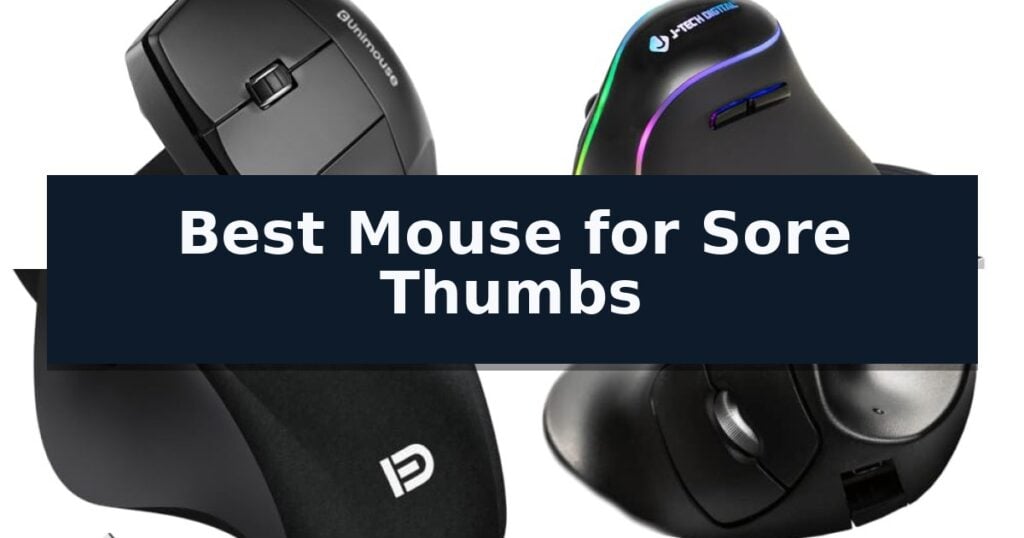
Contour Unimouse Ergonomic Vertical Mouse is our top choice for the Best Mouse for Sore Thumbs, thanks to its highly customizable thumb rest and adjustable tilt angle that allow for a personalized grip.
When dealing with thumb-related discomfort, the primary goal is to minimize the need for repetitive gripping and awkward positioning. Devices that offer adjustable support or alternative navigation methods, such as trackballs, can significantly alter how your hand interacts with your workstation throughout the day.
Selecting the right tool involves balancing your specific workspace needs with the level of physical support required. While some users benefit from the stability of a vertical mouse, others may find that off-table navigation provides the relief necessary to maintain productivity without aggravating existing strain.
For users exploring broader solutions, our guide to the Best Mouse for Sore Fingers and Hands provides additional insights into managing discomfort across the entire hand.
8 Best Mouse for Sore Thumbs in 2026 Reviews
Quick Comparison
| Product | Best For | Key Strength | Score |
|---|---|---|---|
| Contour Unimouse Ergonomic Vertical Mouse | Best Overall | Highly adjustable tilt from 35° to 70° for a custom fit. | 4.9 |
| J-Tech Digital Ergonomic Wireless Mouse | Reduces wrist and thumb strain | Vertical handshake design minimizes wrist and forearm pronation. | 4.3 |
| MangoEra Wireless Ergonomic Mouse | Thumb-controlled side scrolling | Thumb-controlled side scroll wheel for efficient horizontal navigation | 4.4 |
| Hippus HandShoe Wireless Mouse | Supports thumb and palm alignment | Contoured ergonomic shape specifically designed to support the entire hand and wrist. | 4.8 |
| YUMQUA Wireless Handheld Trackball Mouse | Off-table thumb-based navigation | Ergonomic handheld design reduces strain on palm joints and muscles. | 4.3 |
| YUMQUA USB Wired Handheld Trackball Mouse | Zero desk space required | Zero desk space required for operation. | 4.4 |
| YUMQUA Wireless Trackball Mouse | Built-in laser pointer control | Ambidextrous ergonomic design reduces wrist and palm joint stress. | 4.4 |
| YUMQUA Mini Handheld Trackball Mouse | Compact ergonomic thumb control | Handheld design eliminates the need for desk space. | 4.6 |
How We Chose
To identify the most effective tools for users experiencing thumb discomfort, we evaluate mice based on their ability to neutralize repetitive strain. We prioritize devices that offer physical customization, such as adjustable tilt or modular thumb rests, alongside reliable tracking performance to ensure that ergonomic benefits do not come at the cost of daily productivity.
- Adjustability of thumb support and grip angle
- Ergonomic design specifically targeting wrist and thumb strain
- Navigation precision and control mechanisms
- Wireless connectivity and battery longevity
- Compatibility with primary operating systems
1 Contour Unimouse Ergonomic Vertical Mouse — Fully adjustable thumb support
The Contour Unimouse Adjustable Ergonomic Vertical Mouse distinguishes itself through a highly adaptable design that allows users to set the tilt angle anywhere from 35° to 70°. This friction-hinge mechanism, combined with a fully adjustable thumb support that moves in all directions, provides a tailored grip intended to alleviate forearm twist and pressure on the thumb base.
Designed specifically for left-handed users, this wireless vertical mouse offers significant customization for various hand sizes. The device features six programmable buttons and a smooth scroll wheel, allowing professionals to assign specific functions to match their unique workflows, whether for CAD design, digital art, or general multitasking.
Reliability and convenience are supported by a rechargeable battery that provides up to 12 weeks of use on a single charge. The mouse utilizes a cordless USB Plug & Play receiver for seamless connectivity with both Windows and macOS systems, ensuring consistent cursor control and responsiveness for heavy computer users.
Constructed with post-consumer recycled plastic, the unit balances ergonomic performance with a focus on reducing environmental impact. By allowing users to adjust their grip throughout the day, the Contour Unimouse helps maintain comfort during long hours at the computer, making it a practical choice for those seeking to reduce repetitive strain.
Best for: Left-handed users who require a highly adjustable, ergonomic vertical mouse to reduce wrist and thumb strain during long work sessions.
Skip if: Users who prefer a fixed-angle vertical mouse or those who do not require the specific customization features of an adjustable thumb rest and tilt mechanism.
- Highly adjustable tilt from 35° to 70° for a custom fit.
- Fully customizable thumb rest that moves in all directions.
- Long-lasting battery providing up to 12 weeks of wireless use.
- Six programmable buttons to enhance professional productivity.
- Left-hand specific design limits use for right-handed individuals.
- Manual adjustment required to find the ideal ergonomic position.
2 J-Tech Digital Ergonomic Wireless Mouse — Reduces wrist and thumb strain
Maintaining a neutral hand position is essential for long-term comfort, and the J-Tech Digital Ergonomic Wireless Mouse addresses this with a distinct vertical "handshake" design. By rotating the wrist into a more natural orientation, this device aims to alleviate the specific strain often associated with traditional, flat mouse designs, making it a practical choice for those seeking relief during extended computer use.
Beyond its shape, the mouse includes back and forward thumb buttons to streamline navigation, which can be reassigned using third-party software. The unit is built for versatility, featuring 4 adjustable DPI settings (800, 1200, 1600, or 3200) to match your preferred cursor sensitivity. It operates on most non-metallic surfaces using optical tracking technology, providing consistent responsiveness for various desk setups.
Usability is enhanced by a removable, non-skid anti-sweat palm rest, which is designed to reduce surface drag during movement. This feature helps maintain smooth navigation across mousepads or tabletops. For power management, the mouse utilizes a rechargeable lithium battery supported by three distinct power-saving modes to extend usage time between charges, effectively eliminating the need for disposable batteries.
Compatibility extends across major operating systems including Windows and Mac OS. The package is backed by a one-year manufacturer warranty and access to US-based technical support, providing a structured safety net for the hardware. While the vertical form factor is designed for ergonomic benefit, users should be aware that it requires a brief learning curve to adapt from standard low-profile mice.
Best for: Users seeking a vertical orientation to reduce wrist and forearm strain during extended computer use.
Skip if: Users who require a traditional low-profile mouse shape or those who perform precision tasks on metallic surfaces.
- Vertical handshake design minimizes wrist and forearm pronation.
- Adjustable DPI settings allow for customized cursor responsiveness.
- Detachable palm rest reduces friction and improves maneuverability.
- Rechargeable battery eliminates the need for disposable replacements.
- Vertical form factor requires a learning curve for those accustomed to standard mice.
- Non-metallic surface limitation may restrict tracking performance on certain desks.
3 MangoEra Wireless Ergonomic Mouse — Thumb-controlled side scrolling
Navigating daily computer tasks often involves repetitive motions that can strain the hand, but the MangoEra Wireless Ergonomic Mouse addresses this through a specialized thumb-controlled side scroll wheel. By shifting horizontal navigation to the thumb, this device allows for more efficient management of spreadsheets and wide documents, potentially reducing the need for constant wrist movement.
Designed specifically for medium and large hands, this right-handed ergonomic mouse features a supportive shape that promotes a more natural hand position during extended sessions. The inclusion of quiet click buttons ensures that the device remains unobtrusive in shared workspaces or quiet home offices, providing tactile feedback without the distraction of loud mechanical noise.
Connectivity is handled via a 2.4GHz USB receiver, offering a simple plug-and-play wireless setup that is compatible with both Windows and Mac systems. The mouse utilizes smart power management with built-in sleep technology to conserve energy when idle, and it operates on a single replaceable AA battery, eliminating the need for charging cables.
While this mouse offers a focused set of productivity features, users should note that its ergonomic design is tailored for right-handed use and specific hand sizes. The reliance on a replaceable battery means users will need to keep spares on hand, though this design choice keeps the workspace free from tethered charging cords.
Best for: Medium to large-handed users seeking a right-handed ergonomic mouse with thumb-based horizontal scrolling for productivity tasks.
Skip if: Left-handed users or those requiring a compact, travel-sized mouse will find the specific ergonomic shape and dimensions of this model unsuitable.
- Thumb-controlled side scroll wheel for efficient horizontal navigation
- Quiet click buttons designed for noise-sensitive environments
- Ergonomic supportive shape optimized for medium and large hands
- Wireless 2.4GHz connectivity with simple plug-and-play setup
- Right-handed design limits compatibility for left-handed users
- Requires replaceable AA battery which is not included in the package
4 Hippus HandShoe Wireless Mouse — Supports thumb and palm alignment
The Hippus Wireless Light Click HandShoe Mouse M2UB-LC is engineered with a distinct, contoured curvature specifically designed to support the natural resting position of the fingers, palm, thumb, and wrist. By prioritizing hand alignment, this device aims to reduce the physical strain often associated with repetitive clicking and navigation tasks.
This ergonomic mouse features a two-button layout paired with a scroll wheel, utilizing Light Click technology to minimize the force required for input. The device is built for right-handed users with hand sizes between 6.9 and 7.7 inches, ensuring a tailored fit that encourages a relaxed grip rather than a pinched or clawed posture.
Equipped with a BlueRay Track sensor, the mouse delivers 1500 DPI laser precision, allowing for consistent tracking across a wide variety of surfaces. The wireless USB 1.1 connection provides a simple plug-and-play experience, requiring no additional software for compatibility with Windows, Mac OS, Unix, or Linux systems.
While the Hippus Wireless Light Click HandShoe Mouse M2UB-LC offers a specialized shape for comfort, its fixed size and right-hand orientation mean it is not suitable for all users. Those with larger or smaller hands, or left-handed individuals, will not achieve the intended ergonomic benefit from this specific model.
Best for: Right-handed users with hand sizes between 6.9 and 7.7 inches seeking a contoured, palm-supporting ergonomic design to minimize thumb and wrist strain.
Skip if: Left-handed users or those with hand sizes outside the 6.9 to 7.7-inch range, as the fixed ergonomic contour will not provide the intended support.
- Contoured ergonomic shape specifically designed to support the entire hand and wrist.
- Light Click buttons reduce the physical effort required for repetitive clicking.
- BlueRay Track sensor provides precise 1500 DPI tracking on most surfaces.
- Plug and Play wireless connectivity requires no software installation.
- Right-hand only orientation limits accessibility for left-handed users.
- Fixed size design is not adjustable for users outside the specified hand-size range.
5 YUMQUA Wireless Handheld Trackball Mouse — Off-table thumb-based navigation
The YUMQUA Wireless Handheld Trackball Mouse shifts navigation away from the desktop, utilizing a thumb-operated trackball to manage cursor movement. This design choice aims to minimize repetitive wrist and palm strain by allowing the user to operate the device while holding it in a neutral, relaxed position.
Equipped with a 2.4GHz wireless connection, this device offers a 10-meter operating range for flexible workspace setups. It features four adjustable DPI settings—400, 600, 800, and 1200—allowing users to calibrate tracking precision to their specific task requirements. The inclusion of a smooth scroll wheel ensures standard navigation remains accessible without requiring traditional mouse movement.
The ambidextrous, handheld form factor is engineered for comfort, specifically targeting the reduction of tension in palm joints and muscles. Because it functions as an air mouse, it does not require a flat surface, making it a versatile tool for presentations or confined work areas. It is compatible with Windows, Mac, Linux, and Android operating systems via a plug-and-play USB receiver.
The package includes the wireless mouse, a USB receiver, one AAA battery, and a protective storage bag. Users should note that while the device supports both USB and PS/2 interfaces, its primary benefit is the off-table mobility provided by the thumb-controlled trackball mechanism.
Best for: Users seeking to alleviate wrist or palm strain by moving cursor control from a flat surface to a handheld, thumb-operated trackball.
Skip if: Users who require high-precision gaming performance or those who prefer the tactile stability of a traditional desktop mouse.
- Ergonomic handheld design reduces strain on palm joints and muscles.
- Ambidextrous layout accommodates both left-handed and right-handed users.
- Four adjustable DPI settings allow for customizable tracking sensitivity.
- Off-table operation enables use in various environments without a mousepad.
- Thumb-only control may require a learning curve compared to standard mice.
- Handheld form factor lacks the physical stability of a desk-bound device.
6 YUMQUA USB Wired Handheld Trackball Mouse — Zero desk space required
The YUMQUA USB Wired Handheld Trackball Mouse offers a unique approach to cursor navigation by moving the control mechanism off the desktop entirely. This handheld device utilizes a thumb-operated trackball to manage movement, allowing users to operate their computer from a couch, during travel, or in cramped workspaces where a traditional mouse pad is impractical.
Designed with an ambidextrous 3-button layout, the unit can be cradled in either hand or held between palms to minimize wrist strain. The ergonomic design focuses on reducing joint and palm stress, which is particularly beneficial for those seeking to avoid the repetitive movements associated with standard desktop mice.
Connectivity is handled via a 6.6-foot USB 2.0 cable, ensuring a stable, lag-free connection without the need for batteries or software drivers. As a plug-and-play device, it provides universal compatibility across Windows, macOS, Linux, and Chrome OS, making it a versatile tool for various laptop and desktop setups.
This device provides a practical solution for users who require a portable, space-saving input method. By shifting the workload to the thumb via the 4D scrolling trackball, it effectively removes the physical constraints of a desk surface while maintaining full control over navigation.
Best for: Users who need a portable, ergonomic input device to operate a computer without a flat desk surface.
Skip if: Users who require high-precision gaming performance or prefer the tactile stability of a traditional desktop mouse.
- Zero desk space required for operation.
- Ambidextrous design suitable for left or right-handed use.
- Plug-and-play connectivity with no driver installation needed.
- 6.6-foot cable provides ample reach for various setups.
- Wired connection limits mobility compared to wireless alternatives.
- Thumb-operated trackball requires a learning curve for those accustomed to standard mice.
7 YUMQUA Wireless Trackball Mouse — Built-in laser pointer control
The YUMQUA Wireless Trackball Mouse offers a unique approach to cursor control by moving the navigation mechanism to a thumb-operated trackball, which can significantly reduce repetitive wrist movements. This handheld design allows users to operate their computer from a distance, effectively decoupling the mouse from the constraints of a traditional desk surface.
Designed for versatility, this device is fully ambidextrous, making it a viable option for both left-handed and right-handed users. The ergonomic handheld shape aims to alleviate strain on palm joints and muscles during extended use. It also integrates a built-in laser pointer, providing added utility for presentations or collaborative work environments.
Connectivity is handled via a reliable 2.4GHz wireless link that maintains responsiveness up to a 10-meter range. The unit features adjustable DPI settings—400, 600, 800, and 1200—allowing users to tailor cursor sensitivity to their specific workflow. Setup is straightforward with a plug-and-play USB receiver that requires no additional drivers for Windows, Mac, or Linux systems.
The package includes everything necessary for immediate operation, including a USB receiver, a AAA battery, and a protective storage bag. Its compact dimensions of approximately 4.13 inches in length and 1.97 inches in width make it a portable solution for those who frequently switch between workstations or need to navigate while away from a desk.
Best for: Users seeking an off-table, ergonomic input device to minimize wrist strain through thumb-based navigation.
Skip if: Users who require a traditional high-precision gaming mouse or those who prefer the tactile stability of a stationary desktop mouse.
- Ambidextrous ergonomic design reduces wrist and palm joint stress.
- Off-table navigation enables wireless control from up to 10 meters away.
- Built-in laser pointer adds functionality for professional presentations.
- Adjustable DPI settings allow for customizable cursor sensitivity.
- Handheld form factor may require a learning curve compared to standard desktop mice.
8 YUMQUA Mini Handheld Trackball Mouse — Compact ergonomic thumb control
The YUMQUA Mini Handheld Trackball Mouse offers a unique approach to navigation by removing the need for a flat desk surface entirely. By utilizing a thumb-operated trackball and a compact, handheld form factor, this device allows users to maintain a neutral wrist position while navigating, which can be a significant advantage for those seeking to minimize repetitive strain during long computer sessions.
Designed for versatility, this ambidextrous 3-button mouse can be operated with either the left or right hand, or even cradled between the palms. Its plug-and-play USB 2.0 connectivity ensures a stable, lag-free experience without the need for additional software or battery management, making it a straightforward solution for laptops, desktops, or even tablet setups that support USB peripherals.
The device features 4D scrolling capabilities controlled directly by the thumb, providing efficient navigation in tight spaces or while working from a couch. Measuring approximately 3.15 inches in length and weighing less than a third of a pound, its mini ergonomic design is specifically intended to reduce palm and joint stress, offering a portable alternative to traditional stationary mice.
Compatibility is broad, as the unit functions instantly across Windows, macOS, Linux, and Chrome OS environments. Because it operates off-table, it eliminates the physical limitations of desk space, serving as a practical tool for travelers or those working in cramped environments who require a precise, thumb-driven input method.
Best for: Users who need to navigate in cramped spaces or require an ergonomic, off-table input device to reduce wrist and palm strain.
Skip if: Users who require high-precision gaming performance or a traditional mouse form factor for standard desktop workflows.
- Handheld design eliminates the need for desk space.
- Ambidextrous 3-button layout supports both left and right-handed use.
- Plug-and-play USB connectivity requires no drivers or batteries.
- Ergonomic thumb control helps reduce wrist and joint fatigue.
- Wired connection limits freedom of movement compared to wireless alternatives.
- Non-traditional form factor may require a learning curve for new users.
Best Mouse for Sore Thumbs Buying Guide
The Importance of Adjustable Ergonomics
A fixed-angle mouse often forces the hand into a static position that may not align with your natural anatomy. For those with sore thumbs, the ability to modify the tilt and thumb support is crucial for distributing pressure away from sensitive joints.
Customizable hardware allows you to shift your posture throughout the day. By slightly altering the angle of your mouse, you can engage different muscle groups, which helps prevent the fatigue that builds up during long sessions of repetitive clicking and scrolling.
Thumb-Centric Navigation Features
Many ergonomic mice incorporate specialized thumb rests or side-mounted scroll wheels to reduce the workload on your fingers. These features are designed to keep the thumb in a neutral, relaxed position rather than forcing it to perform strenuous movements.
When evaluating these features, consider how the placement of buttons affects your reach. A well-designed mouse ensures that all controls are accessible without requiring you to overextend or pinch your thumb, which is essential for long-term comfort.
Off-Table Control Alternatives
For users who find standard mouse movement painful, handheld trackball devices offer a different approach. By moving the cursor with a thumb-operated ball while keeping the hand stationary, you can eliminate the need for large, sweeping arm movements across a desk surface.
These devices are particularly useful in cramped environments or for those who prefer to work in a more relaxed, non-traditional posture. Because they do not require a flat surface, they provide flexibility in how you position your hands and wrists.
Connectivity and Workflow Integration
Reliable wireless connectivity is a standard requirement for modern ergonomic setups, as it removes the drag and cable tension that can contribute to wrist and thumb fatigue. A stable connection ensures that your movements are translated accurately without the need for jerky, compensatory motions.
Consider the battery life and charging convenience of your chosen device. A mouse that requires frequent battery changes or awkward charging cable placement can become a source of frustration, potentially leading to poor posture as you struggle to reach the device.
Balancing Precision and Comfort
Ergonomic design should not sacrifice the precision needed for professional tasks. Look for mice that offer adjustable DPI settings, which allow you to control how much physical movement is required to navigate across your screen.
Higher sensitivity settings can be beneficial for those who need to minimize their range of motion. By fine-tuning these settings, you can achieve the necessary cursor speed with minimal effort, further protecting your thumb and wrist from unnecessary strain.
Frequently Asked Questions
Can an ergonomic mouse completely eliminate thumb pain?
While an ergonomic mouse is designed to reduce strain and improve hand positioning, it is one part of a broader workspace strategy. It is also important to take regular breaks and ensure your desk height and chair support are properly adjusted.
Are vertical mice better than trackball mice for thumb pain?
It depends on your specific discomfort. Vertical mice are often better for forearm and wrist alignment, while trackball mice are designed to minimize the need for arm movement, shifting the focus to thumb-based navigation.
Do I need special software to use the programmable buttons?
Many ergonomic mice are plug-and-play, but some advanced features or button remapping may require specific manufacturer software to function as intended on your computer.
How do I know if a mouse is the right size for my hand?
Check the manufacturer's dimensions and intended hand size. A mouse that is too large or too small can force your hand into an unnatural grip, which may exacerbate rather than alleviate your discomfort.
Is a wired or wireless mouse better for ergonomics?
Wireless mice are generally preferred for ergonomics because they eliminate cable drag and allow for more flexible placement on your desk, reducing the physical effort required to move the device.
Conclusion: Our Top Pick
Our top pick is Contour Unimouse Ergonomic Vertical Mouse. Selecting the right mouse is a personal process that depends on your specific hand anatomy and the nature of your daily tasks. By focusing on adjustability and the specific type of support you need, you can find a device that mitigates strain and supports long-term comfort.
We recommend prioritizing models that offer physical customization, such as the Contour Unimouse, to ensure the device adapts to your needs rather than forcing your hand into a rigid, uncomfortable position.