The Logitech MX Master Wireless Mouse is our top choice for the Best Mouse with High-Quality Scroll Wheel, providing a specialized thumb wheel for horizontal navigation and a speed-adaptive primary scroll wheel that adjusts to your flick speed.
When selecting a mouse for heavy document or spreadsheet work, the quality of the scroll mechanism is paramount. A high-quality wheel should offer distinct, tactile feedback for precise line-by-line scrolling while allowing for rapid, frictionless movement through long files. Beyond the primary wheel, many modern productivity mice now include secondary thumb-operated wheels to handle horizontal scrolling, which is essential for managing wide datasets without needing to click and drag on-screen scroll bars.
Beyond the scroll wheel, experienced users should prioritize connectivity options and ergonomic support. Mice that offer multi-device switching allow for seamless transitions between a desktop, laptop, and tablet, while ergonomic shapes help mitigate wrist strain during extended sessions. We evaluate these devices based on the tactile feel of their wheels, the reliability of their sensors on various surfaces, and the effectiveness of their software-based customization for professional workflows.
For users who require precise cursor control across different monitor setups, choosing a model with Best Mouse with Adjustable DPI ensures your navigation speed perfectly matches your workflow. When managing multiple workstations, looking for the Best Mouse with Bluetooth can simplify your desk setup by eliminating the need for extra cables or dongles.
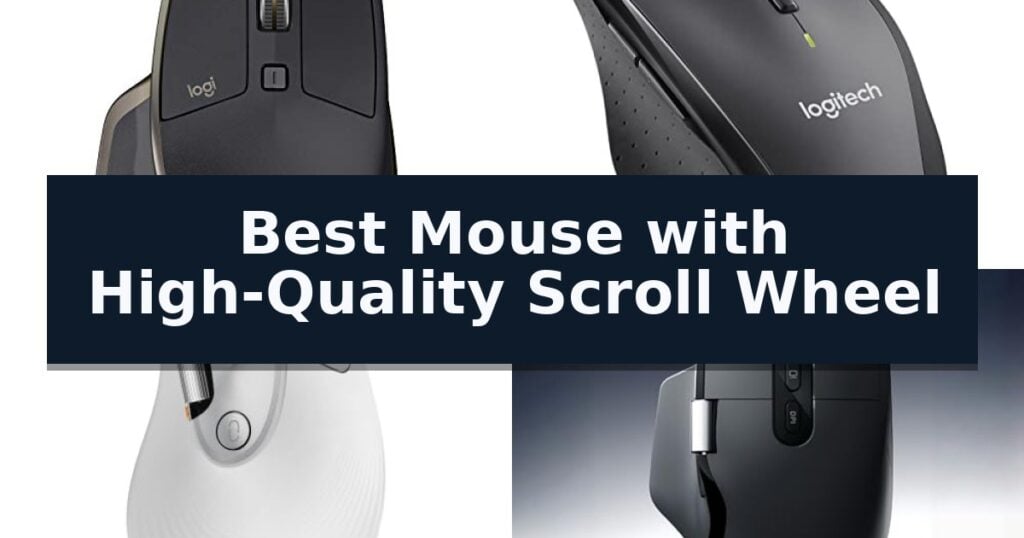
10 Best Mouse with High-Quality Scroll Wheel in 2026 Reviews
Quick Comparison
| Product | Best For | Key Strength | Score |
|---|---|---|---|
| Logitech MX Master Wireless Mouse | Best Overall | Speed-adaptive scroll wheel for versatile navigation | 4.9 |
| Logitech M705 Marathon Wireless Mouse | Hyper-fast frictionless metal wheel | Hyper-fast scrolling via a nearly frictionless metal wheel. | 4.5 |
| ProtoArc EM11 Pro Ergonomic Mouse | Dedicated side wheel for spreadsheets | Dedicated side scroll wheel for efficient horizontal navigation. | 4.8 |
| MiniLuxis Ergonomic Productivity Mouse | Dual scroll with OLED display | Dual-scroll wheel design for efficient vertical and horizontal navigation. | 4.4 |
| PHILIPS Ergonomic Wireless Mouse | Tactile horizontal thumb scrolling | Dedicated horizontal thumb scroll wheel for efficient wide-document navigation. | 4.3 |
| TECKNET 3-Device Wireless Mouse | Intelligent 4-way navigation | 4-way scroll wheel for efficient horizontal and vertical navigation. | 4.3 |
| INFINMIND Ergonomic Wireless Mouse | Precision-crafted metal wheels | Dual precision-crafted metal scroll wheels for superior tactile feedback. | 4.5 |
| CITLLA Ergonomic Bluetooth Mouse | Fast flying and horizontal scroll | Premium metal flying scroll wheel for rapid document navigation. | 4.8 |
| INFINMIND Multi-Device Wireless Mouse | Smooth 4-way navigation | 4-way navigation via precision-crafted metal scroll wheel. | 4.9 |
| SABLUTE MAM51 Ergonomic Mouse | Multifunction horizontal thumb wheel | Multifunction thumb wheel for efficient horizontal scrolling and app switching. | 4.5 |
How We Chose
To identify the best mouse with high-quality scroll wheel performance, we analyze the mechanical design and software integration of each device. We focus on how these components facilitate efficient navigation in professional environments, prioritizing tactile consistency, horizontal scrolling capabilities, and the overall ergonomic build that supports sustained daily productivity.
- Tactile feedback and scroll precision of the primary wheel
- Availability and utility of a dedicated horizontal thumb wheel
- Multi-device connectivity and switching speed
- Sensor tracking accuracy across diverse surfaces
- Ergonomic design and long-term comfort for specific hand sizes
1 Logitech MX Master Wireless Mouse — Speed-adaptive scrolling precision
Precision navigation is often hindered by standard hardware, but the Logitech MX Master Wireless Mouse addresses this with a speed-adaptive scroll wheel that automatically shifts between click-to-click and hyper-fast scrolling. This mechanical refinement allows for both granular control in spreadsheets and rapid movement through long documents, making it a versatile tool for demanding workflows.
Beyond its primary scroll wheel, the mouse features a unique thumb wheel designed for horizontal scrolling and advanced gesture controls. This secondary input provides a dedicated interface for navigating wide timelines or complex interfaces, reducing the need for repetitive keyboard shortcuts. The ergonomic design is complemented by a Darkfield High Precision sensor, which enables tracking on virtually any surface, including glass with a minimum thickness of 4mm.
Connectivity and power management are central to its utility. Users can pair the device with up to three Windows or Mac computers simultaneously, utilizing either the included Unifying receiver or Bluetooth Smart wireless technology. Switching between these connected devices is handled by a simple button press on the base. The integrated battery supports up to 40 days of usage on a single charge, and a 4-minute quick charge provides enough power for a full day of operation, ensuring minimal downtime.
While the device offers significant input flexibility, its size and weight profile are tailored for desktop use rather than ultra-portable travel. The inclusion of both a primary and thumb-operated scroll wheel necessitates a specific grip style, which may require an adjustment period for users accustomed to standard two-button mice.
Best for: Professionals who require horizontal navigation and multi-device connectivity across diverse workspaces.
Skip if: Users who prefer a lightweight, ambidextrous mouse or those who do not require advanced gesture controls and horizontal scrolling.
- Speed-adaptive scroll wheel for versatile navigation
- Unique thumb wheel for horizontal scrolling
- Darkfield High Precision sensor tracks on glass
- Multi-device switching for up to three computers
- Advanced power management with quick-charge capability
- Larger form factor may not suit all hand sizes
- Specific grip requirement due to dual-wheel layout
2 Logitech M705 Marathon Wireless Mouse — Hyper-fast frictionless metal wheel
The Logitech M705 Marathon Wireless Mouse distinguishes itself with a nearly frictionless metal scroll wheel that enables hyper-fast scrolling, allowing users to navigate through long documents and web pages with a single spin. This feature is paired with a power-efficient design that supports up to three years of battery life, reducing the frequency of maintenance.
Beyond its scrolling capabilities, the mouse features a sculpted, right-hand shape designed to guide the hand into a natural position. It includes five customizable buttons, including two thumb-operated buttons that facilitate quick navigation between web pages. The device utilizes a tiny Logitech Unifying receiver that can remain plugged into a laptop, minimizing the risk of loss or damage while supporting the addition of other compatible wireless peripherals.
For tracking performance, the Logitech M705 Marathon Wireless Mouse incorporates laser-grade tracking technology. This sensor is engineered to provide smooth and precise cursor control on surfaces that typically challenge standard optical mice, such as polished or wood-grain tables. The mouse measures 4.29 inches in height and 2.8 inches in width, offering a full-size form factor.
Compatibility is broad, covering Windows, Mac, and Linux systems, and the device is certified for Chrome. While the mouse offers significant utility through its customizable controls and long-lasting power, users should note that its right-handed ergonomic shape is not intended for ambidextrous use.
Best for: Users who require a long-lasting, ergonomic wireless mouse with high-speed scrolling capabilities for productivity tasks.
Skip if: Left-handed users, as the sculpted design is specifically optimized for right-hand use.
- Hyper-fast scrolling via a nearly frictionless metal wheel.
- Extended battery life of up to three years.
- Laser-grade tracking for precision on difficult surfaces.
- Logitech Unifying receiver for simplified multi-device connectivity.
- Right-handed ergonomic shape limits suitability for left-handed users.
3 ProtoArc EM11 Pro Ergonomic Mouse — Dedicated side wheel for spreadsheets
The ProtoArc EM11 Pro Ergonomic Mouse distinguishes itself with a dedicated side scroll wheel, specifically engineered to streamline navigation through wide Excel spreadsheets and complex video editing timelines. By allowing for horizontal scrolling without the need to manually drag on-screen bars, this design choice helps maintain workflow continuity during intensive office tasks.
Designed for users with hand lengths between 19.0 and 21.5 cm, the mouse features a vertical orientation that promotes a more natural handshake position. This ergonomic approach aims to reduce forearm twisting and wrist strain during long work sessions. New users should anticipate a 1-2 week adjustment period to allow muscles to adapt to the vertical grip.
Functionality is enhanced through browser-based customization, which allows users to configure six buttons and adjust DPI settings up to 7200 without requiring software installation. This flexibility ensures that frequently used shortcuts remain accessible, while the adjustable sensitivity supports precision tasks or rapid movement across multi-monitor setups.
Connectivity options include two Bluetooth 5.0 channels and a 2.4 GHz USB-A receiver, enabling seamless switching between three devices. The inclusion of a 500mAh rechargeable battery eliminates the need for disposable cells, and the device is recharged via a USB Type-C cable, contributing to a cleaner and more efficient desk environment.
Best for: Professionals with large hands who frequently navigate wide spreadsheets or video timelines and require multi-device connectivity.
Skip if: Users with smaller hands or those who prefer a traditional low-profile mouse design that does not require an adaptation period.
- Dedicated side scroll wheel for efficient horizontal navigation.
- Vertical ergonomic design to reduce wrist and forearm strain.
- Multi-device connectivity supporting up to three simultaneous connections.
- Browser-based customization requiring no software installation.
- Adjustable DPI up to 7200 for varied precision requirements.
- Requires 1-2 weeks of adaptation for users transitioning from a standard flat mouse.
- Specific hand size requirement of 7.5-8.5 inches for optimal comfort.
4 MiniLuxis Ergonomic Productivity Mouse — Dual scroll with OLED display
Precision navigation requires hardware that adapts to your workflow, and the MiniLuxis Ergonomic Productivity Wireless Mouse addresses this with a dual-scroll system. By pairing a traditional infinite scroll wheel with a dedicated side-mounted wheel, this device allows for rapid vertical movement through long documents alongside effortless horizontal scrolling for complex spreadsheets and video editing timelines.
At the core of its performance is the PixArt PAW3220 sensor, which supports adjustable DPI settings up to 8000 and a 1000Hz polling rate. These specifications provide the tracking accuracy needed for detailed graphic design or precise CAD work, while the ergonomic chassis is shaped to maintain a natural hand position during extended periods of computer use.
The integration of an OLED smart display provides immediate visual feedback on critical system data, including current battery levels, active DPI settings, and connection status. This feature eliminates the guesswork often associated with wireless peripherals, ensuring you remain informed without needing to open additional software.
Versatility is a primary focus, as the mouse offers multi-device connectivity via Bluetooth, 2.4GHz wireless, or a USB-C wired connection. This allows users to transition between different workstations or operating systems seamlessly, supported by a rechargeable battery that minimizes downtime during the workday.
Best for: Office professionals and content creators who require horizontal scrolling and precise tracking across multiple devices.
Skip if: Users who prefer a lightweight, minimalist design without extra hardware controls or an integrated display.
- Dual-scroll wheel design for efficient vertical and horizontal navigation.
- OLED smart display for real-time monitoring of DPI and battery status.
- Multi-device connectivity supporting Bluetooth, 2.4GHz, and wired modes.
- High-precision PixArt PAW3220 sensor with up to 8000 DPI.
- Heavier build compared to standard non-productivity mice.
- Complex feature set may exceed the needs of casual users.
5 PHILIPS Ergonomic Wireless Mouse — Tactile horizontal thumb scrolling
Navigating complex spreadsheets and multi-monitor workflows requires precise control, and the PHILIPS Ergonomic Wireless Mouse addresses this with a dedicated thumb-side horizontal scroll wheel. This secondary input allows for efficient navigation across wide documents, moving beyond standard vertical scrolling to streamline data-heavy tasks.
Beyond its specialized scrolling, the mouse features a 5-level adjustable DPI range from 800 to 4000, allowing users to calibrate cursor speed for specific applications like graphic design or general office work. The optical sensor is engineered to maintain tracking accuracy across various surfaces, including bare tabletops, without the need for a dedicated mousepad.
Connectivity is handled through a versatile system that eliminates the need for external hubs. The included dual 2.4G receiver supports both USB-A and USB-C connections, while integrated Bluetooth provides seamless pairing with up to three devices. Users can switch between these connections instantly, facilitating a cleaner workspace when moving between different computers or tablets.
Designed for extended use, the chassis incorporates an anti-slip thumb rest and a contoured shell intended to support a natural grip. The noise-reduced switches ensure that clicks remain quiet, making it suitable for shared office environments. Power management is supported by a 500mAh rechargeable battery, offering up to 25 days of usage on a single charge, with an emergency 5-minute top-up feature providing one hour of operation.
Best for: Professionals who require horizontal scrolling for spreadsheets and multi-device connectivity for varied computing environments.
Skip if: Users who prefer a symmetrical, ambidextrous design or those who require a wired connection for specific low-latency gaming applications.
- Dedicated horizontal thumb scroll wheel for efficient wide-document navigation.
- Multi-device support with instant switching between three connected devices.
- Dual USB-A/C receiver eliminates the need for separate adapters.
- Silent click switches minimize noise in shared workspaces.
- Rechargeable 500mAh battery with a convenient emergency fast-charge mode.
- Right-handed ergonomic design limits usability for left-handed users.
- Software-dependent macro customization requires the specific Philips SPK7858B application.
6 TECKNET 3-Device Wireless Mouse — Intelligent 4-way navigation
Navigating complex digital workspaces often requires more than a standard vertical scroll, which is why the TECKNET 3-Device Wireless Bluetooth Mouse features a specialized 4-way scroll wheel. This hardware addition enables both vertical and horizontal scrolling, a functional necessity for professionals managing wide spreadsheets, expansive artboards, or dense lines of code.
Beyond its navigation capabilities, this mouse prioritizes a quiet work environment with silent click keys that are rated to be 90% quieter than standard models. The device is built for versatility, offering triple connectivity via Bluetooth 5.0/3.0 and a 2.4 GHz wireless receiver, allowing users to toggle between three distinct devices seamlessly within a 15-meter range.
Performance is tailored to individual preferences through 6 adjustable DPI levels, ranging from 800 up to 4800 DPI. The mouse includes a memory function that retains these settings, ensuring consistent tracking precision across different tasks without the need for repetitive configuration. Its ambidextrous ergonomic design is specifically shaped to accommodate medium to large hands, aiming to reduce wrist strain during extended use.
Durability and efficiency are central to its construction, with buttons rated to withstand 8 million clicks. Power management is handled by an intelligent auto-sleep mode, which contributes to a battery life of up to 24 months when using two AAA batteries. This combination of multi-device support, specialized scrolling, and ergonomic focus makes it a practical tool for diverse computing setups.
Best for: Professionals and designers who require horizontal scrolling for wide documents and need to switch between multiple devices.
Skip if: Users who prefer a compact, travel-sized mouse or those who require a rechargeable battery rather than replaceable AAA batteries.
- 4-way scroll wheel for efficient horizontal and vertical navigation.
- Triple connectivity allows seamless switching between three devices.
- Silent click buttons reduce noise in shared workspaces.
- 6 adjustable DPI levels for precise tracking control.
- Requires replaceable AAA batteries rather than a built-in rechargeable power source.
- Larger ergonomic footprint may not suit users with smaller hands.
7 INFINMIND Ergonomic Wireless Mouse — Precision-crafted metal wheels
Precision and tactile feedback are essential for high-frequency tasks, and the INFINMIND Ergonomic Wireless Mouse addresses this with its dual-metal wheel design. By incorporating a dedicated front scroll wheel alongside a secondary side wheel, this device offers a distinct mechanical feel that improves navigation efficiency across complex documents and creative software.
Beyond its hardware construction, this mouse is built for versatility in professional environments. It features seamless 3-device switching, allowing users to toggle between a 2.4GHz USB-A connection and two separate Bluetooth channels with the press of a single button. This capability is supported by a high-capacity rechargeable battery that provides up to 90 days of usage on a single USB-C charge.
Customization is handled through dedicated programming software, which enables users to map shortcuts to the 6 programmable buttons on Mac and Windows systems. For precision-heavy tasks, the sensor offers 5-level DPI control ranging from 1000 to 4800 DPI, ensuring the cursor movement can be tuned to specific workspace requirements or monitor resolutions.
The ergonomic profile of the INFINMIND Ergonomic Wireless Mouse is contoured to support the palm, aiming to mitigate wrist fatigue during extended sessions. Its silent-click switches further enhance its utility in shared office spaces, ensuring that input operations remain unobtrusive while maintaining a high-quality tactile response.
Best for: Professionals and power users who require multi-device connectivity and tactile precision for high-volume scrolling tasks.
Skip if: Users who require advanced macro-heavy gaming software or those who prefer a lightweight, non-metallic aesthetic for their desktop peripherals.
- Dual precision-crafted metal scroll wheels for superior tactile feedback.
- Seamless 3-device switching between 2.4GHz and dual Bluetooth connections.
- Long-lasting battery life providing up to 90 days of operation.
- 5-level adjustable DPI for tailored cursor sensitivity.
- Programming software limited to Mac and Windows systems only.
8 CITLLA Ergonomic Bluetooth Mouse — Fast flying and horizontal scroll
Efficiency in digital navigation often hinges on the hardware interface, specifically the ability to move through dense data without repetitive motion. The CITLLA Ergonomic Bluetooth Mouse addresses this by integrating a premium metal flying scroll wheel alongside a dedicated horizontal thumb wheel, providing a dual-axis control system designed to streamline workflows in spreadsheet-heavy environments.
Beyond its specialized scrolling hardware, this device prioritizes connectivity and ergonomics. The chassis is shaped to support the hand during extended sessions, aiming to minimize wrist strain. Users can manage multiple environments simultaneously, as the mouse supports dual Bluetooth connections plus a 2.4G USB receiver, enabling instant switching between up to three devices with a single click.
For power management and operational discretion, the unit features a rechargeable battery that offers up to 60 days of use per charge via USB-C. The integrated silent-click switches ensure that input feedback remains unobtrusive in shared workspaces. Precision is handled by an optical sensor offering 5 DPI levels adjustable up to 4800 DPI, ensuring compatibility with various display resolutions and surface types.
Compatibility remains broad, covering Windows, Mac, ChromeOS, Linux, iPadOS, and Android. A dedicated one-touch Return to Desktop button is included for Windows users, further emphasizing its focus on productivity. With a 2-year warranty, the device provides a balanced set of features for those requiring high-quality scrolling and multi-device versatility.
Best for: Office professionals and power users who require horizontal and vertical scrolling for spreadsheets, design software, and multi-device multitasking.
Skip if: Users who prefer a lightweight, ultra-portable mouse or those who do not require horizontal scrolling functionality may find this ergonomic, multi-wheel design unnecessarily bulky.
- Premium metal flying scroll wheel for rapid document navigation.
- Dedicated horizontal thumb wheel for efficient side-to-side scrolling.
- Multi-device switching across three connected devices.
- Long-lasting battery life providing up to 60 days of usage.
- Ergonomic size may be less portable than standard compact travel mice.
9 INFINMIND Multi-Device Wireless Mouse — Smooth 4-way navigation
Precision-crafted metal wheels define the INFINMIND Multi-Device Wireless Mouse, offering a distinct metallic luster and a smooth tactile sensation that sets it apart from standard plastic scroll options. This 4-way navigation system allows for both rapid vertical scrolling and efficient horizontal movement, providing a versatile interface for complex spreadsheets or wide-format creative documents.
Beyond its scroll capabilities, the mouse features 7 programmable buttons that can be customized via dedicated software for Windows and Mac systems. Users can toggle between 5 adjustable DPI levels, ranging from 1000 to 4800, to match the sensitivity requirements of their specific tasks, whether that involves detailed design work or high-speed navigation.
Connectivity is a core strength, as the device supports multi-device pairing across three channels—one 2.4G USB connection and two Bluetooth channels. A single button allows for seamless switching between a laptop, tablet, or smartphone, ensuring broad compatibility with Windows, Mac OS, Linux, iOS, Android, and Chrome OS.
Designed for longevity and convenience, the mouse includes a power-efficient architecture that supports up to 20 months of battery life from a single AA battery. Its quiet-click switches are engineered to minimize noise, making it a suitable choice for shared office environments or quiet home workspaces.
Best for: Users who require multi-device connectivity and a tactile, 4-way metal scroll wheel for professional productivity.
Skip if: Users who require advanced button programming on Linux or Chrome OS, as the software customization is limited to Windows and Mac.
- 4-way navigation via precision-crafted metal scroll wheel.
- Multi-device switching across three separate connections.
- Long battery life lasting up to 20 months.
- 5-level adjustable DPI for tailored cursor control.
- Programming software is restricted to Mac and Windows systems only.
10 SABLUTE MAM51 Ergonomic Mouse — Multifunction horizontal thumb wheel
Navigating complex spreadsheets and long documents requires precise control, and the SABLUTE MAM51 Ergonomic Mouse addresses this with a dedicated, multifunction thumb wheel. This side-mounted control is engineered to handle horizontal scrolling, app switching, and zooming, allowing for efficient multitasking without requiring constant hand movement.
The device features a 59° handshake-style vertical angle, which is specifically contoured to provide palm support for small to medium hands. By promoting a more natural wrist position, it aims to reduce strain during extended office sessions. The mouse is equipped with an 8-button layout and offers 4-level DPI precision control, ranging from 1200 to 4000 DPI to accommodate different screen resolutions and task requirements.
Connectivity is handled via either a Bluetooth connection or the included 2.4GHz USB receiver, providing flexibility across Windows, macOS, ChromeOS, and Linux systems. The setup is plug-and-play, requiring no additional driver installations. For portability, the USB receiver can be stored directly inside the battery compartment.
To manage power consumption, the mouse includes an automatic sleep mode that activates after 10 minutes of inactivity. The manufacturer provides 24-month product support for quality-related issues, ensuring long-term assistance for the hardware.
Best for: Office professionals and data analysts who frequently navigate wide spreadsheets and require a vertical ergonomic design for smaller hands.
Skip if: Users with large hands or those who prefer a traditional flat mouse profile may find the vertical, contoured shape less comfortable.
- Multifunction thumb wheel for efficient horizontal scrolling and app switching.
- 59° vertical ergonomic design supports a natural wrist position.
- Dual-mode wireless connectivity via Bluetooth and 2.4GHz receiver.
- Adjustable 4-level DPI up to 4000 for varied precision needs.
- Vertical grip shape may require an adjustment period for users accustomed to flat mice.
Best Mouse with High-Quality Scroll Wheel Buying Guide
Primary Scroll Wheel Mechanics
The primary scroll wheel is the most frequently used interface on any mouse. High-quality models often feature speed-adaptive technology, which automatically switches between a tactile, stepped mode for precision and a free-spinning mode for rapid scrolling through long documents.
When choosing a mouse, consider whether you prefer the mechanical resistance of a notched wheel or the smooth, silent glide of a frictionless design. Metal wheels often provide a more premium, durable feel compared to plastic alternatives, contributing to a more satisfying user experience.
The Utility of Horizontal Thumb Wheels
A dedicated side or thumb-operated scroll wheel is a game-changer for users who frequently work with wide Excel spreadsheets, video editing timelines, or complex design software. This feature allows for horizontal navigation without the need to manually move the cursor to the bottom scroll bar.
By offloading horizontal movement to the thumb, you can keep your primary hand position stable, reducing repetitive motion and increasing overall efficiency. Ensure the placement of the thumb wheel is accessible for your specific hand size to avoid unnecessary stretching.
Multi-Device Connectivity
Modern professional setups often involve multiple computers or tablets. Mice that support multi-device connectivity via Bluetooth or dedicated USB receivers allow you to switch between devices with a single button press, streamlining your workflow.
Check that the mouse supports the specific operating systems you use, such as Windows, macOS, or Linux. Some advanced models also offer software-based features that allow you to copy and paste content between connected computers, further enhancing productivity.
Ergonomics and Hand Support
The shape of the mouse significantly impacts comfort during long workdays. Ergonomic designs, including vertical or sculpted right-handed shells, aim to place the wrist in a more natural position, reducing strain compared to flatter, more traditional mice.
Consider your hand size when evaluating ergonomic options. Some mice are specifically designed for large hands, while others cater to small or medium grips. A proper fit ensures that buttons and scroll wheels are within easy reach, preventing finger fatigue.
Sensor Accuracy and Tracking
A high-quality scroll wheel is only as effective as the sensor tracking the movement. Look for sensors that perform well on various surfaces, including glass or polished wood, to ensure your navigation remains smooth and responsive.
Adjustable DPI settings allow you to customize the cursor speed to match your monitor resolution and personal preference. Higher DPI settings are generally better for multi-monitor setups, while lower settings provide the precision needed for detailed design or data entry tasks.
Frequently Asked Questions
What is the benefit of a speed-adaptive scroll wheel?
A speed-adaptive wheel automatically switches from a tactile, stepped mode for precise control to a free-spinning mode when you flick the wheel, allowing you to scroll through hundreds of pages in seconds.
Do I need a dedicated thumb wheel for horizontal scrolling?
If you frequently work with wide spreadsheets, video editing timelines, or large design artboards, a thumb wheel significantly improves efficiency by allowing horizontal movement without moving your cursor.
Are vertical mice better for long-term comfort?
Vertical mice are designed to keep your wrist in a neutral 'handshake' position, which can reduce forearm twisting and strain compared to standard flat mice, making them a popular choice for long office hours.
Can I use a multi-device mouse with different operating systems?
Yes, most multi-device mice are compatible with Windows, macOS, and Linux. Ensure the specific model supports the connection types (Bluetooth or USB) available on your devices.
How does DPI affect my mouse performance?
DPI (dots per inch) determines cursor sensitivity. Higher DPI allows the cursor to move across the screen faster with less physical movement, which is useful for large or multiple monitor setups.
Conclusion: Our Top Pick
Our top pick is Logitech MX Master Wireless Mouse. Selecting the right mouse depends on balancing your specific navigation needs with your ergonomic requirements. For most professional users, a model that combines a high-quality primary scroll wheel with a dedicated thumb wheel offers the best combination of speed and precision for complex tasks.
Prioritize models that offer the connectivity and comfort features necessary for your daily workflow. By focusing on these core elements, you can find a reliable tool that enhances your productivity and reduces physical strain over time.