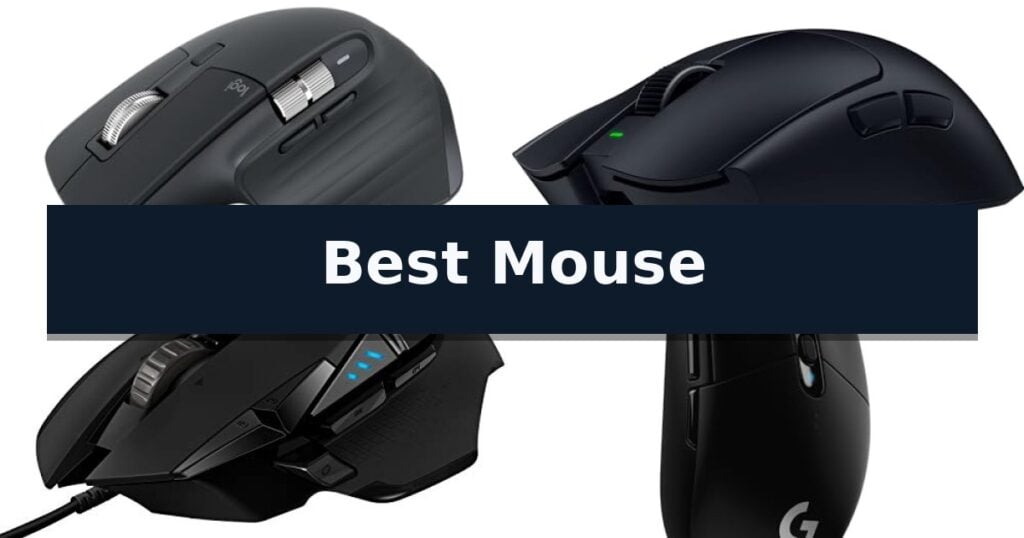
Logitech MX Master 3S Wireless Mouse is our top choice for the Best Mouse because it combines high-precision 8K tracking on any surface with a refined, quiet-click design that prioritizes long-term ergonomic comfort.
For those focused on competitive gaming, the Razer Viper V4 Pro offers an ultra-lightweight build and high-speed polling for rapid response times. If you prefer a more traditional, wired setup, the Logitech G502 HERO provides extensive customization with adjustable weights and programmable buttons for tailored control.
Selecting the right peripheral requires balancing your primary use case against physical design preferences. Whether you need seamless multi-device switching for office productivity or low-latency performance for gaming, identifying the specific sensor technology and connectivity type is essential for a satisfying experience.
If your primary focus is on high-performance gaming, our guide on Best Mouse and Keyboard for Gaming provides additional insights into matching your hardware to specific competitive requirements. For those seeking a balanced setup for everyday tasks, explore our recommendations for the Best Mouse and Keyboard for General Use to ensure your desk setup is optimized for comfort.
10 Best Mouse in 2026 Reviews
Quick Comparison
| Product | Best For | Key Strength | Score |
|---|---|---|---|
| Logitech MX Master 3S Wireless Mouse | Best Overall | 8K DPI sensor enables tracking on glass and high-precision surfaces. | 4.9 |
| Razer Viper V4 Pro Gaming Mouse | Ultra-Lightweight for Competitive Esports | Ultra-lightweight 49g design for maximum agility. | 4.3 |
| Logitech G502 HERO Wired Gaming Mouse | Customizable Weights for Precision Control | Adjustable weight system allows for personalized balance configuration. | 4.5 |
| Logitech G305 LIGHTSPEED Wireless Gaming Mouse | Lag-Free Performance for Wireless Gaming | LIGHTSPEED wireless technology for 1 ms report rate | 4.3 |
| Apple Magic Mouse | Seamless Multi-Touch Gestures for Mac | Multi-Touch surface enables intuitive gesture-based navigation. | 4.8 |
| Logitech M330 Silent Plus Wireless Mouse | Quiet Clicking for Shared Workspaces | SilentTouch Technology significantly reduces clicking noise. | 4.3 |
| Logitech M185 Compact Wireless Mouse | Reliable Portable Pick for Travel | Ambidextrous, contoured design for comfortable use in either hand. | 4.4 |
| TECKNET Wireless Multi-Device Mouse | Efficient Switching Between Three Devices | Seamless 3-device switching via Bluetooth 5.3 and 2.4GHz USB. | 4.8 |
| Logitech M510 Full Size Wireless Mouse | Ergonomic Support for All-Day Comfort | Ergonomic design with soft rubber grips for all-day comfort. | 4.7 |
| TECKNET Ergonomic Wireless Mouse | Budget-Friendly Comfort with Side Grips | 24-month battery life with power-saving mode | 4.3 |
How We Chose
Evaluating a computer mouse requires a focus on how hardware specifications translate into daily usability. An experienced reviewer assesses sensor tracking reliability, the tactile quality of switches, and the ergonomic impact of the chassis shape. We prioritize models that offer consistent performance across diverse surfaces and intuitive software support for workflow optimization.
- Sensor precision and DPI range for accurate cursor control
- Ergonomic shape and button placement for sustained comfort
- Connectivity options including Bluetooth, wireless dongles, and wired modes
- Battery life efficiency or power management features
- Customization software and programmable button accessibility
1 Logitech MX Master 3S Wireless Mouse — Premium Choice for Professional Productivity
Precision and workflow efficiency define the Logitech MX Master 3S Wireless Mouse, a peripheral engineered for users who demand high-performance tracking and quiet operation. Its standout 8K DPI sensor allows for accurate cursor movement on virtually any surface, including glass, providing a level of versatility that is essential for modern, multi-surface workspaces.
The design prioritizes comfort and utility, featuring a silhouette crafted to support a more natural wrist posture. The MagSpeed scrolling mechanism offers remarkable speed and precision, operating with near-silent performance that is 90% faster and 87% more precise than standard alternatives. Complementing this, the Quiet Clicks technology maintains a tactile, satisfying feel while reducing click noise by 90%, making it an ideal choice for shared office environments.
Productivity is further enhanced through deep integration with the Logi Options+ app, which enables app-specific button profiles and extensive customization. The mouse supports FLOW cross-computer control, allowing users to seamlessly transfer text, images, and files between Windows and macOS systems. With the ability to connect to up to three devices via Bluetooth, it provides a flexible solution for multi-OS setups.
Constructed with sustainability in mind, the Graphite and Black models incorporate 27% certified post-consumer recycled plastic. While it offers robust connectivity, users should note that this is a Bluetooth-only device and does not include a USB receiver or charging cable, requiring a compatible host device for wireless operation.
Best for: Professionals and power users who require high-precision tracking, multi-device workflow integration, and a quiet working environment.
Skip if: Users who require a dedicated USB receiver for connectivity or those who prefer a lightweight, ambidextrous mouse design.
- 8K DPI sensor enables tracking on glass and high-precision surfaces.
- Quiet Clicks technology significantly reduces operational noise.
- MagSpeed scrolling provides rapid and precise navigation.
- FLOW cross-computer control streamlines multi-device file transfers.
- Bluetooth-only connectivity lacks a bundled USB receiver.
- No included charging cable requires users to provide their own.
2 Razer Viper V4 Pro Gaming Mouse — Ultra-Lightweight for Competitive Esports
Precision and speed define the Razer Viper V4 Pro Wireless Esports Gaming Mouse, an ultra-lightweight peripheral engineered specifically for competitive play. Weighing just 49 grams, this mouse is 9% lighter than its predecessor, allowing for rapid, agile movements that are essential in high-stakes gaming environments.
At the core of its performance is the Focus Pro 50K DPI Optical Sensor Gen-3, which tracks up to 930 IPS and 90 G acceleration. To ensure maximum responsiveness, the device utilizes Razer HyperSpeed Wireless Gen-2 technology, supporting a true 8000 Hz polling rate that significantly reduces latency. The integration of Frame Sync further optimizes this by aligning sensor data directly with your PC's frame rate.
Durability and tactile feedback are addressed through the Gen-4 Optical Switches, rated for a 100-million-click lifespan, and an optical scroll wheel that provides consistent, precise actuation. Users can fine-tune their experience via Razer Synapse 4, which allows for granular adjustments to sensitivity, mouse rotation, and 1-DPI step increments.
The device offers flexible power management, providing up to 180 hours of battery life at a 1000 Hz polling rate, or 45 hours when utilizing the ultra-low latency 8000 Hz mode. It includes a USB-C cable for wired play and charging, alongside grip tape for enhanced handling during intense sessions.
Best for: Competitive esports players who require ultra-low latency, high polling rates, and an extremely lightweight design for rapid, precise cursor control.
Skip if: Users who prefer a heavier mouse with a high-profile ergonomic shape or those who do not require high-frequency polling rates for their specific gaming needs.
- Ultra-lightweight 49g design for maximum agility.
- True 8000 Hz polling rate for industry-leading speed and low latency.
- Long battery life up to 180 hours at standard polling.
- Gen-4 Optical Switches provide high durability and tactile responsiveness.
- High-performance 8000 Hz mode significantly reduces total battery runtime.
- Specialized esports focus may lack features preferred by casual or productivity-focused users.
3 Logitech G502 HERO Wired Gaming Mouse — Customizable Weights for Precision Control
Precision in cursor movement is often dictated by the physical characteristics of the hardware, and the Logitech G502 HERO Wired Gaming Mouse provides a high degree of control through its adjustable weight system. By incorporating five 3.6 g weights, users can physically modify the balance and center of gravity of the device to better align with their specific handling style and desk surface friction. This level of customization is essential for those who require a heavier, more stable feel during intense tasks or a lighter configuration for rapid, repetitive movements.
At the heart of this device lies the HERO 25K sensor, which supports tracking capabilities up to 25,600 DPI. This sensor is engineered to operate without smoothing, filtering, or acceleration, meaning the input provided by the user is translated to the screen with high fidelity. For high-performance environments, this lack of artificial processing ensures that cursor acceleration remains predictable, which is a critical factor for maintaining muscle memory and accuracy.
The chassis is equipped with 11 programmable buttons and a dual-mode hyper-fast scroll wheel, allowing users to map complex macros or frequently used commands directly to the mouse. These inputs are supported by mechanical switch button tensioning, which utilizes metal pivot hinges to provide a consistent, tactile click response. This mechanical design choice aims to reduce the force required for actuation while maintaining a crisp, reliable feel across the left and right primary buttons.
Integration with software environments is managed via LIGHTSYNC technology, which enables customizable RGB lighting that can synchronize with supported applications. Furthermore, the inclusion of on-board memory allows users to save their personalized button configurations and DPI settings directly to the mouse. This ensures that the device maintains its programmed behavior even when moved between different computer systems, eliminating the need to reconfigure software profiles on every new machine.
Best for: Users who require high-precision tracking and extensive button customization with the ability to physically tune the mouse's weight and balance.
Skip if: Users who prefer a lightweight, minimalist design or those who require wireless connectivity for their workspace setup.
- Adjustable weight system allows for personalized balance configuration.
- HERO 25K sensor provides high-precision tracking up to 25,600 DPI.
- 11 programmable buttons offer extensive control options.
- Mechanical switch tensioning ensures a consistent and crisp click feel.
- Wired-only connection limits mobility compared to wireless alternatives.
- Complex button layout may be excessive for users seeking a simple interface.
4 Logitech G305 LIGHTSPEED Wireless Gaming Mouse — Lag-Free Performance for Wireless Gaming
Precision and portability define the Logitech G305 LIGHTSPEED Wireless Gaming Mouse, a device engineered for users who prioritize responsive input without the clutter of cables. By utilizing LIGHTSPEED wireless technology, this mouse achieves a 1 ms report rate, providing a level of responsiveness that mirrors wired alternatives for competitive tasks.
At the heart of its performance is the HERO optical sensor, which offers up to 12,000 DPI and 400 IPS precision. This sensor is designed for high power efficiency, allowing the mouse to operate for up to 250 hours of continuous gameplay on a single AA battery. Users can further optimize power consumption by switching to Endurance mode via the Logitech G HUB software, extending battery life to as much as 9 months.
The physical construction focuses on maneuverability, weighing only 3.4 oz. Despite its lightweight build, the mouse remains durable and includes 6 programmable buttons and on-board memory for storing custom configurations. The chassis also features a compact design with built-in nano receiver storage, making it a practical choice for those who frequently travel with a laptop.
While it excels in efficiency and speed, the reliance on a AA battery means users must manage physical battery replacements rather than utilizing a rechargeable internal cell. However, the combination of the HERO sensor and LIGHTSPEED connectivity ensures that the Logitech G305 LIGHTSPEED Wireless Gaming Mouse remains a highly capable tool for both desktop and mobile environments.
Best for: Users who require a high-performance, lag-free wireless mouse that is compact enough for travel and efficient enough for long-term use.
Skip if: Users who prefer a rechargeable internal battery or a more ergonomic, contoured shape for extended daily office use.
- LIGHTSPEED wireless technology for 1 ms report rate
- HERO sensor with 12,000 DPI sensitivity
- 250-hour battery life on a single AA battery
- Lightweight 3.4 oz design with integrated receiver storage
- Requires AA battery rather than internal rechargeable power
- Compact, symmetrical shape may not suit all hand sizes
5 Apple Magic Mouse — Seamless Multi-Touch Gestures for Mac
Navigating a workspace requires reliable input, and the Apple Magic Mouse distinguishes itself through a unique, seamless Multi-Touch surface. This design choice allows for intuitive navigation, enabling users to swipe between web pages and scroll through documents using simple gestures directly on the device's exterior.
Engineered for efficiency, the Apple Magic Mouse is both wireless and rechargeable. It features an optimised foot design intended to provide a smooth glide across desk surfaces. The device is ready for immediate use out of the box and pairs automatically with Mac systems, simplifying the setup process for users.
Power management is a core component of this model, as the internal rechargeable battery is designed to last for about a month or more between charges. To maintain connectivity and power, the package includes a woven USB-C Charge Cable, which facilitates both pairing and charging when connected to a USB-C port on a Mac.
While the device offers a streamlined aesthetic and gesture-based control, its low-profile shape represents a specific ergonomic trade-off. Users should consider their preferred grip style to ensure the physical dimensions—measuring 5.12 inches in length and 2.91 inches in width—align with their comfort requirements during extended use.
Best for: Mac users seeking a low-profile, wireless mouse with integrated gesture controls for document and web navigation.
Skip if: Users who prefer a high-arched ergonomic mouse design or those who require a device with physical side buttons for custom macro assignments.
- Multi-Touch surface enables intuitive gesture-based navigation.
- Optimised foot design ensures smooth movement across desk surfaces.
- Long-lasting rechargeable battery provides approximately one month of use per charge.
- Automatic pairing functionality simplifies the connection process with Mac devices.
- Low-profile ergonomic shape may not suit all hand sizes or grip preferences.
- Lack of physical side buttons limits shortcut customization compared to traditional multi-button mice.
6 Logitech M330 Silent Plus Wireless Mouse — Quiet Clicking for Shared Workspaces
Maintaining a quiet workspace is essential for focus, and the Logitech M330 Silent Plus Wireless Mouse addresses this by utilizing proprietary SilentTouch Technology. This design choice reduces clicking sounds by over 90 percent compared to standard mice, allowing for high-performance input without the audible distraction typically associated with mechanical switches.
Beyond its quiet operation, this mouse is crafted for comfort with a contoured shape and rubberized grips specifically intended for right-handed users. Its ergonomic profile supports the hand during extended periods of use, while the lightweight build ensures it remains portable for users who frequently move between workstations.
Connectivity is handled via a 2.4 GHz USB-A Nano Receiver, providing a reliable wireless range of up to 33 feet. The device features advanced optical tracking with a 1000 dpi sensor, ensuring precise cursor control across most common desk surfaces. It is a true plug-and-play peripheral, compatible with Windows, macOS, ChromeOS, and Linux without the need for additional software installation.
Efficiency is a core component of its design, highlighted by a 18-month battery life and an integrated power-saving auto-sleep mode. The mouse includes one AA battery, and the receiver can be conveniently stored within the mouse housing during transport. Furthermore, the construction incorporates certified post-consumer recycled plastic, with the black model containing 76 percent recycled material.
Best for: Right-handed users who require a quiet, reliable, and energy-efficient wireless mouse for shared office environments or home workspaces.
Skip if: Left-handed users or those who prefer a symmetrical design, as the contoured shape is specifically optimized for right-handed ergonomics.
- SilentTouch Technology significantly reduces clicking noise.
- 18-month battery life with auto-sleep functionality.
- Contoured design with rubber grips for enhanced comfort.
- Plug-and-play connectivity via a compact USB-A receiver.
- Right-handed only ergonomic shape limits accessibility for left-handed users.
- USB-A receiver requires an available port or adapter for devices lacking legacy connectivity.
7 Logitech M185 Compact Wireless Mouse — Reliable Portable Pick for Travel
The Logitech M185 Compact Wireless Mouse provides a streamlined alternative to the standard laptop touchpad, utilizing a contoured, ambidextrous shape that accommodates both left- and right-handed users. By offering a more ergonomic interface, this device is designed to improve navigation precision during daily computing tasks.
Connectivity is handled via a 2.4 GHz USB-A nano receiver, which establishes a reliable wireless link at distances up to 33 feet. The plug-and-play design allows for immediate setup without the need for additional software, making it a straightforward solution for users who frequently move between different workstations.
Efficiency is a primary design goal, evidenced by the inclusion of a smart sleep mode that helps the device achieve up to 12 months of battery life on a single AA battery. Its optical tracking sensor ensures smooth cursor movement, which is particularly useful in tight workspaces or on busy desktops where space is at a premium.
Built with portability in mind, the mouse measures 3.89 inches in length and 2.36 inches in height, fitting easily into laptop bags. Furthermore, the construction incorporates certified post-consumer recycled plastic, reflecting a focus on material sourcing while maintaining a durable, functional form factor for mobile users.
Best for: Users needing a portable, reliable, and ambidextrous wireless mouse for laptop productivity in tight or mobile workspaces.
Skip if: Users who require a full-sized ergonomic mouse with additional programmable side buttons or high-precision gaming sensors.
- Ambidextrous, contoured design for comfortable use in either hand.
- Plug-and-play connectivity via a convenient nano USB receiver.
- Long battery life of up to 12 months with smart sleep mode.
- Compact and portable form factor ideal for travel and small desks.
- Limited to basic navigation without extra programmable buttons.
- Small size may not be ideal for users with very large hands.
8 TECKNET Wireless Multi-Device Mouse — Efficient Switching Between Three Devices
Navigating a multi-device workspace requires hardware that keeps pace with your workflow, and the TECKNET Wireless Multi-Device Mouse is engineered specifically for this demand. By integrating seamless 3-device switching, this peripheral allows you to move between two Bluetooth-connected devices and a third via a 2.4GHz USB-A receiver with the press of a single button.
Performance is tailored to your specific task through 6-level DPI control, which ranges from 800 to 4800 DPI. The current setting is easily verified via an LED indicator, ensuring you have the necessary precision for detailed design work or the speed required for rapid browsing. The inclusion of a precision metal scroll wheel provides a distinct tactile sensation and enhanced durability compared to standard plastic alternatives.
Efficiency is further supported by a side scroll wheel, which enables horizontal navigation through spreadsheets and wide canvases. This design choice is intended to reduce wrist movement during long sessions. For environments where noise is a concern, the mouse utilizes quiet click switches to maintain a focused atmosphere without sacrificing tactile feedback.
Power management is handled by a rechargeable battery that reaches a full charge in approximately 1.5 to 2 hours, providing up to 3 months of use based on 2 hours of daily operation. The device also features an auto-sleep mode that triggers after 10 minutes of inactivity to preserve power, waking instantly upon a click.
Compatibility extends across Windows, macOS, Chrome, and Linux platforms. While the device is designed for broad utility, users should note that side buttons are not supported on macOS and some legacy document versions may not recognize the horizontal scroll functionality.
Best for: Users who frequently multitask across multiple computers and require horizontal scrolling for spreadsheets or design software.
Skip if: Users who require programmable buttons for custom macros or those operating exclusively on older software versions that lack support for side-scrolling hardware.
- Seamless 3-device switching via Bluetooth 5.3 and 2.4GHz USB.
- Horizontal side scroll wheel for efficient navigation of wide documents.
- High-precision 6-level DPI control up to 4800 DPI.
- Quiet click technology for noise-sensitive work environments.
- Rechargeable battery with long-lasting performance.
- Non-programmable buttons limit customization options.
- Side buttons are not supported on macOS.
- Horizontal scroll wheel compatibility may be limited in older document software.
9 Logitech M510 Full Size Wireless Mouse — Ergonomic Support for All-Day Comfort
The Logitech M510 Full Size Wireless Mouse is engineered for extended use, featuring a contoured shape with soft rubber grips that support the hand during long periods of activity. This design focuses on providing a broad palm area and gently curved sides to ensure comfort throughout the day.
Functionality is enhanced through a suite of customizable controls. Beyond the three standard buttons, users can utilize Back/Forward buttons to navigate web pages or switch between applications. The device also incorporates a tilt-to-scroll function, allowing for horizontal and vertical scrolling through spreadsheets, maps, and media libraries, alongside a zoom feature for detailed viewing.
Power management is a core component of this model, which boasts a 2-year battery life. To maintain this efficiency, the mouse includes an integrated On/Off switch, a smart sleep mode, and a dedicated indicator light to provide status updates, reducing the frequency of battery replacements.
Connectivity is handled by the Logitech Unifying receiver, a compact USB-A nano receiver that remains plugged into the computer to minimize the risk of loss. This receiver supports the addition of other compatible wireless peripherals, streamlining the workspace by using a single connection point for multiple devices.
Best for: Users seeking a full-sized, ergonomic mouse with long battery life and programmable navigation buttons for daily productivity.
Skip if: Users who require a compact, travel-specific mouse or those who prefer a high-performance gaming mouse with adjustable DPI settings.
- Ergonomic design with soft rubber grips for all-day comfort.
- 2-year battery life supported by smart sleep mode and power switch.
- Programmable buttons and tilt-to-scroll functionality for efficient navigation.
- Logitech Unifying receiver allows for easy connection of multiple compatible devices.
- Requires software installation (Logitech SetPoint or Control Center) to enable advanced button programming and scrolling features.
- Full-size dimensions may be less portable than compact or travel-oriented models.
10 TECKNET Ergonomic Wireless Mouse — Budget-Friendly Comfort with Side Grips
The TECKNET Ergonomic Wireless Mouse is engineered for users who prioritize portability without sacrificing hand comfort, featuring a contoured shape and rubberized side grips designed to support the natural curve of the hand. This compact device measures 4.09 by 2.68 by 1.49 inches, making it a practical choice for travel or limited workspace environments.
Performance is driven by an advanced optical sensor that offers 5-level adjustable DPI settings ranging from 800 to 2600. This flexibility allows for precise cursor control across various surfaces, catering to different tasks from detailed work to general navigation. The mouse utilizes a 2.4G wireless connection via a USB-A mini-receiver, providing a stable link up to 49 feet away.
Efficiency is a core component of the TECKNET Ergonomic Wireless Mouse, which boasts a battery life of up to 24 months. This longevity is supported by an integrated power-saving mode and a physical on/off switch to prevent unnecessary drain. The device is designed for immediate use through a Plug and Play interface, compatible with Windows, Mac, Chrome OS, and Linux systems.
Prospective users should note that the USB-A receiver is stored within the mouse housing for safekeeping, and the unit requires AAA batteries, which are not included in the package. While the ergonomic design is universal, the side buttons are specifically optimized for Windows environments and are not compatible with Mac systems.
Best for: Users seeking a portable, ergonomic wireless mouse with long battery life for general productivity and travel.
Skip if: Users who require a mouse with side-button functionality on a Mac or those who only have USB-C ports on their computer.
- 24-month battery life with power-saving mode
- 5-level adjustable DPI for tailored precision
- Ergonomic contoured shape with rubber side grips
- Compact, travel-friendly dimensions
- Side buttons not compatible with Mac systems
- Requires USB-A port for the included receiver
- Batteries not included in the box
Best Mouse Buying Guide
Ergonomics and Hand Support
The physical shape of a mouse significantly impacts comfort during extended use. Contoured designs, like those found on the Logitech MX Master 3S, support a more natural wrist posture, which helps reduce strain over long sessions.
When choosing, consider your grip style—palm, claw, or fingertip. Larger, contoured mice are generally better for palm grips, while smaller, flatter profiles may suit those who prefer a more agile, fingertip-based control.
Sensor Performance and Tracking
High DPI (dots per inch) sensors allow for greater sensitivity and precision, which is critical for graphic design or high-stakes gaming. Sensors capable of tracking on glass or difficult surfaces offer the most versatility for mobile professionals.
For competitive gaming, look for sensors with high polling rates and low latency. These features ensure that your physical movements are translated to the screen with minimal delay, providing a distinct advantage in fast-paced environments.
Connectivity and Multi-Device Use
Modern mice often support multiple connection methods, including Bluetooth and dedicated wireless receivers. Models that support switching between three devices, like the TECKNET Wireless Multi-Device Mouse, are ideal for users managing multiple computers simultaneously.
While Bluetooth is convenient for portability, dedicated wireless dongles often provide a more stable, lag-free connection. Always check if your device has the necessary ports or if you require a Bluetooth-only solution.
Customization and Programmable Buttons
Programmable buttons allow you to map complex shortcuts or macros to your mouse, streamlining repetitive tasks. Software suites like Logi Options+ or Razer Synapse enable deep customization of these inputs based on the specific application you are using.
If you rely on specific software for work, ensure the mouse's button layout is accessible and that the software supports application-specific profiles to maximize your efficiency.
Battery Life and Charging
Wireless mice vary significantly in battery longevity. Rechargeable models eliminate the need for disposable batteries but require occasional downtime for charging, whereas some battery-powered options can last for months or even years.
Consider your tolerance for maintenance. If you prefer a 'set it and forget it' approach, look for models with long-lasting battery life or efficient power-saving modes that trigger automatically during inactivity.
Frequently Asked Questions
What is the difference between an optical and a laser sensor?
Optical sensors use an LED to track movement and are generally excellent on most opaque surfaces. Laser sensors can track on a wider variety of surfaces, including glass, but may be overly sensitive on some materials.
Do I need a high DPI mouse for general office work?
No, high DPI is primarily beneficial for gaming or high-resolution design work. For general office tasks, a standard DPI range is usually more than sufficient and often easier to control.
Are quiet-click mice actually silent?
Quiet-click mice, such as the Logitech MX Master 3S, are designed to significantly reduce the audible 'click' sound by up to 90% compared to standard switches, making them ideal for shared or quiet workspaces.
Can I use a gaming mouse for productivity?
Yes, many gaming mice offer high-precision sensors and extra programmable buttons that can be very useful for productivity, provided the design is comfortable for your specific hand size and grip.
How do I know if a mouse is compatible with my operating system?
Most modern mice are plug-and-play compatible with Windows, macOS, and Linux. However, advanced features like button customization often require specific manufacturer software, so check the product specifications for OS support.
Conclusion: Our Top Pick
Our top pick is Logitech MX Master 3S Wireless Mouse. Choosing the right mouse depends on whether your priority is professional productivity, competitive gaming, or simple portability. By focusing on sensor quality, ergonomic support, and the connectivity options that match your hardware, you can significantly improve your daily interaction with your computer.
The Logitech MX Master 3S remains our top recommendation for its balanced feature set, but the Razer Viper V4 Pro and Logitech G502 HERO serve as excellent alternatives for those with more specialized needs in gaming and customization.