The Sceptre C345B-QU240T Curved Monitor is our top choice for the Best Multi-Use Monitors, offering an expansive 34-inch ultrawide canvas that excels at managing complex multitasking workflows while maintaining high-performance gaming specs. For users prioritizing mobile productivity, the KYY X90G Triple Screen Extender provides a unique quad-screen setup for travel, whereas the GWSGUT G185S Portable Triple Monitor offers a larger 18.5-inch screen area for those needing more desktop real estate on the go.
Selecting a display that bridges the gap between professional office tasks and entertainment requires balancing screen real estate with connectivity. An ultrawide monitor often replaces the need for dual-screen setups by providing a seamless, bezel-free workspace, while portable extenders cater specifically to professionals who require a multi-monitor environment while working remotely or across different locations.
When evaluating these displays, consider how your specific environment dictates your hardware needs. A fixed curved monitor provides immersion and desk-space efficiency for stationary setups, while portable solutions prioritize flexibility and quick deployment. Understanding whether your primary goal is deep-focus multitasking or maintaining a mobile workstation will determine which display configuration best supports your daily requirements.
If you are looking to expand your digital workspace, our guide on Best Multi-Display Monitors provides additional insights into configuring multiple screens for maximum efficiency.
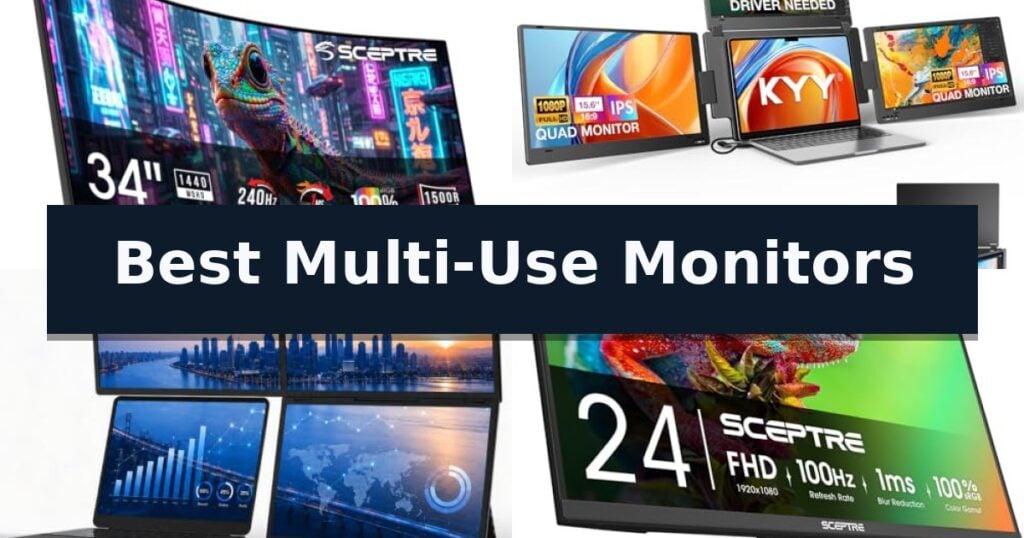
10 Best Multi-Use Monitors in 2026 Reviews
Quick Comparison
| Product | Best For | Key Strength | Score |
|---|---|---|---|
| Sceptre C345B-QU240T Curved Monitor | Best Overall | 240Hz refresh rate for smooth visual performance. | 4.9 |
| KYY X90G Triple Screen Extender | Instant Quad-Screen Productivity | Integrated aluminum alloy stand prevents screen stress and provides superior stability. | 4.5 |
| GWSGUT G185S Portable Triple Monitor | Expansive Portable Workspace | Quad-screen expansion capability for enhanced multitasking. | 4.9 |
| Sceptre E275W-FW100T Gaming Monitor | Balanced for Work and Play | 100Hz refresh rate and 1ms response time for fluid motion. | 4.5 |
| Acer KB272 G0bi IPS Monitor | Smooth Motion for Daily Tasks | 120Hz refresh rate for fluid motion in gaming and video. | 4.7 |
| Samsung S36GD Curved Monitor | Immersive Curved Viewing | 1800R curved design for enhanced immersion and depth perception. | 4.8 |
| Samsung LS27D366GANXZA Curved Monitor | Reduced Peripheral Distraction | 1800R curvature provides an immersive, wider field of view. | 4.4 |
| Kado KADO-C27-TRIPLE Monitor Set | Complete Triple-Screen Solution | Panoramic triple-screen configuration for enhanced multitasking. | 4.5 |
| Sceptre E275W-19203R LED Monitor | Budget-Friendly Office Essential | 100Hz refresh rate for smoother visuals. | 4.9 |
| Packard Bell M21500 Monitor Pair | Dual-Display Home Office Kit | Complete bundle includes two monitors plus a wireless keyboard and mouse. | 4.6 |
How We Chose
Evaluating the best multi-use monitors requires a focus on how hardware specifications translate to real-world utility. We assess each display based on its ability to handle both high-intensity productivity tasks and fluid entertainment, prioritizing connectivity, visual fidelity, and ergonomic flexibility to ensure the hardware supports diverse user needs without unnecessary complexity.
- Display resolution and aspect ratio for workspace density
- Refresh rate and response time for motion clarity
- Connectivity options including USB-C, HDMI, and DisplayPort
- Ergonomic features such as VESA mounting and blue-light filtering
- Color accuracy and gamut coverage for creative tasks
1 Sceptre C345B-QU240T Curved Monitor — Ultrawide Canvas for Multitasking
The Sceptre C345B-QU240T Curved Monitor offers a expansive 34-inch ultrawide canvas designed to consolidate complex digital workspaces and elevate immersive gaming. By pairing a 3440 x 1440 resolution with a 1500R curvature, this display creates a panoramic field of view that reduces the need for constant head movement, allowing users to keep multiple windows or wide-angle game environments within their natural line of sight.
Performance is anchored by a high-speed 240Hz refresh rate and a 1ms response time, which are engineered to minimize motion blur during rapid visual transitions. These specifications are particularly beneficial for competitive gaming where frame-by-frame clarity is essential. For creative tasks, the monitor provides 100% sRGB color gamut support, ensuring consistent and accurate color reproduction for multimedia projects.
Connectivity is managed via two HDMI ports and two DisplayPort inputs, providing the flexibility to integrate multiple devices simultaneously. The inclusion of built-in speakers and an audio-out jack helps reduce peripheral clutter, allowing for a cleaner desk setup. Additionally, the unit features Blue-Light Shift technology, which is designed to mitigate eye strain by reducing harmful blue light emissions during extended work or gaming sessions.
While the 34-inch form factor is a significant advantage for multitasking, it does require a substantial amount of desk space. Users should consider their available workspace before committing to this ultrawide footprint. Furthermore, while the 100% sRGB coverage is excellent for general creative work, professionals requiring specialized color spaces beyond sRGB may find this limitation a trade-off in their specific workflows.
Best for: Users who require a high-refresh-rate ultrawide display for a combination of professional multitasking and high-performance gaming.
Skip if: Users with limited desk space who cannot accommodate a 34-inch ultrawide form factor or those requiring specialized color-critical professional calibration beyond sRGB.
- 240Hz refresh rate for smooth visual performance.
- 100% sRGB color gamut for accurate color representation.
- 1500R curvature enhances immersion and viewing comfort.
- Integrated speakers reduce desk clutter.
- Large 34-inch footprint requires significant desk space.
- Limited to sRGB color space, which may not suit all professional creative workflows.
2 KYY X90G Triple Screen Extender — Instant Quad-Screen Productivity
Managing complex digital workflows often requires more than a single display, yet traditional multi-monitor setups can be cumbersome to transport. The KYY X90G Triple Screen Extender addresses this by providing a portable, integrated solution that expands a single laptop into a quad-screen workstation using only a single USB-C connection.
Designed for professionals who require high-density information access, this 15.6-inch 1080P FHD system features an integrated aluminum alloy stand. Unlike clip-on alternatives that place stress on the laptop's hinge, this stable base supports the monitors independently, accommodating laptops ranging from 12 to 17.3 inches.
The hardware includes auto-rotation for the top screen when folded, and the side screens offer 360-degree adjustability for flexible viewing angles. With a 60Hz refresh rate and 400 nits brightness, the IPS panels are engineered for clarity during long sessions, supported by low blue light technology to mitigate eye strain.
Compatibility extends across macOS, Windows, Linux (Ubuntu), and Android, making it a versatile tool for financial analysts, developers, and data-heavy operations. The system supports both extended and mirrored display modes, allowing users to tailor their layout to specific tasks like dashboard monitoring or cross-platform coding.
Best for: Professionals who need a portable, multi-screen setup for data-heavy tasks without the structural risks of clip-on screen extenders.
Skip if: Users with laptops that do not support video output over USB-C or those who require a lightweight, minimalist setup for casual, on-the-go browsing.
- Integrated aluminum alloy stand prevents screen stress and provides superior stability.
- Single USB-C connection simplifies cable management for a quad-screen setup.
- Auto-rotation and 360-degree adjustability allow for customizable, ergonomic workflows.
- 400 nits brightness and low blue light technology enhance visibility and comfort.
- Requires specific OS compatibility (Windows, macOS, Linux/Ubuntu, or Android) for full functionality.
- Heavier footprint compared to simple clip-on monitor extenders due to the integrated stand design.
3 GWSGUT G185S Portable Triple Monitor — Expansive Portable Workspace
Maximizing screen real estate for complex workflows often requires more than a standard dual-monitor setup. The GWSGUT G185S Portable Triple Monitor addresses this by providing a comprehensive, quad-screen expansion solution that integrates directly with your existing laptop. Designed for professionals who need to manage multiple data streams or applications simultaneously, this system transforms a single laptop into a wide-reaching command center.
The hardware centers on an 18.5-inch FHD 1080P IPS LCD display, which balances visual clarity with a smooth 60Hz refresh rate. With a 120% sRGB color gamut and a 1500:1 contrast ratio, the screens are engineered to provide accurate, vibrant color reproduction suitable for detailed tasks. The unit is constructed from a premium CNC-machined aluminum unibody, offering a robust build that maintains a sleek, professional aesthetic while remaining portable enough for mobile workstations.
Connectivity is streamlined through a one-cable system that supports USB-A, USB-C, and HDMI, ensuring compatibility across various hardware configurations. The setup includes an adjustable kickstand and VESA 75x75mm mount compatibility, providing flexibility for different desk environments. When the workday ends, the entire assembly folds into a compact form factor for easier storage.
While the system offers significant multitasking benefits, users should note that it requires a driver for operation and is recommended for laptops between 10 and 18 inches. This ensures a stable physical fit and proper software integration for the synchronized or independent screen modes.
Best for: Professionals and power users who require a high-resolution, multi-screen workspace that can be easily transported or stored.
Skip if: Users who prefer a plug-and-play experience without driver installations or those with laptops smaller than 10 inches.
- Quad-screen expansion capability for enhanced multitasking.
- Premium CNC aluminum unibody construction for durability.
- High color accuracy with 120% sRGB color gamut.
- Flexible mounting options including integrated kickstand and VESA compatibility.
- Driver installation required for full functionality.
- Specific laptop size requirements (10"-18") for optimal fit.
4 Sceptre E275W-FW100T Gaming Monitor — Balanced for Work and Play
The Sceptre E275W-FW100T Gaming Monitor streamlines your workspace and entertainment setup by integrating built-in speakers that deliver audio without requiring additional desk clutter. This 27-inch display is engineered to balance professional tasks and gaming sessions through a combination of performance-oriented specifications and ergonomic design features.
Equipped with a 100Hz refresh rate and a 1ms response time, the monitor provides smooth visual transitions for fast-paced action sequences. Connectivity is handled via two HDMI ports and one DisplayPort, allowing users to switch between multiple devices such as workstations and gaming consoles with ease.
For visual accuracy, the panel supports a 100% sRGB color gamut, ensuring a naturalistic representation of colors for graphic design or media consumption. To support extended use, the monitor includes Blue Light Shift technology, which is designed to reduce eye strain during long hours of work or play.
The physical design emphasizes versatility, featuring a frameless aesthetic and VESA wall mount compatibility. This allows users to optimize their viewing position and reclaim desk space, while custom FPS-RTS game modes provide quick access to display settings tailored for specific gaming genres.
Best for: Users who need a versatile 27-inch display that balances high-refresh-rate gaming requirements with color-accurate work tasks in a space-saving design.
Skip if: Users who require higher resolution than standard 1080p or those who need integrated USB-C power delivery for laptop docking.
- 100Hz refresh rate and 1ms response time for fluid motion.
- 100% sRGB color gamut for accurate color reproduction.
- Built-in speakers reduce the need for external audio hardware.
- VESA mountable design allows for flexible desk or wall configurations.
- Limited connectivity options compared to professional-grade hubs.
- Integrated speakers may not match the fidelity of dedicated audio systems.
5 Acer KB272 G0bi IPS Monitor — Smooth Motion for Daily Tasks
The Acer KB272 G0bi IPS Monitor is a 27-inch display engineered to balance high-speed gaming performance with everyday office utility. It features a 120Hz refresh rate and a 1ms response time, which work together to minimize motion blur and ghosting during fast-paced visual transitions.
Equipped with Adaptive-Sync Support, this monitor synchronizes its refresh rate with your graphics card to provide a smooth, tear-free experience for both gaming and video playback. The 1920 x 1080 Full HD resolution on an IPS panel ensures clear image quality and consistent color reproduction, supported by 99% sRGB color gamut coverage.
Designed for versatility, the monitor includes a Bluelight Filter to assist with extended viewing sessions. Its physical design is VESA mountable, allowing for flexible installation on monitor arms or wall mounts, while the inclusion of both HDMI and VGA connectivity provides compatibility with a variety of hardware configurations.
With a pixel pitch of 0.311mm and a brightness rating of 250 nits, the display is optimized for standard desktop environments. The Acer KB272 G0bi IPS Monitor serves as a practical solution for users who require a single screen capable of handling professional tasks during the day and responsive gaming in the evening.
Best for: Users seeking a versatile 27-inch display that combines high-refresh-rate gaming capabilities with standard office connectivity.
Skip if: Users requiring 4K resolution or higher pixel density for professional-grade photo and video editing.
- 120Hz refresh rate for fluid motion in gaming and video.
- Adaptive-Sync support to eliminate screen tearing.
- IPS panel technology for consistent image quality.
- VESA mount compatibility for flexible workspace setups.
- 1080p resolution may appear less sharp on a 27-inch screen compared to higher-resolution displays.
- 250 nits brightness is standard but may struggle in very brightly lit rooms.
6 Samsung S36GD Curved Monitor — Immersive Curved Viewing
The Samsung 27" Essential S3 (S36GD) Series FHD 1800R Curved Computer Monitor centers its design around an 1800R curvature, which physically wraps the display to align with the natural arc of human vision. This design choice is intended to improve depth perception and reduce the need for constant eye refocusing, potentially minimizing peripheral distractions during extended periods of work or entertainment.
Performance is driven by a 100Hz refresh rate, a specification that provides a higher frame-per-second capability than standard 60Hz panels. For the user, this translates to reduced motion blur and smoother visual transitions during fast-paced gaming or video playback. The monitor also includes a dedicated Game Mode, which allows for specific adjustments to color and contrast, helping to reveal details in darker, shadowed areas of a scene that might otherwise be obscured.
To address the physical strain associated with long-term display use, the monitor features Advanced Eye Comfort technology. Certified by TV, this system is engineered to manage blue light emissions and reduce screen flicker, both of which are common contributors to digital eye fatigue. This makes the unit a practical choice for users who spend significant portions of their day in front of a screen.
Connectivity is handled through integrated HDMI and D-sub ports, offering a straightforward approach to device management. While the FHD resolution provides a standard level of clarity for a 27-inch screen, the trade-off is that users requiring high-density, ultra-sharp pixel counts for professional-grade photo editing may find the pixel density lower than that of 4K alternatives. The sleek black finish and balanced feature set make it a versatile tool for mixed-use environments.
Best for: Users seeking an immersive, curved display for a mix of gaming, creative work, and general computing tasks.
Skip if: Users who require ultra-high resolutions above FHD or specialized color-accurate panels for professional-grade graphic design.
- 1800R curved design for enhanced immersion and depth perception.
- 100Hz refresh rate for smoother motion in fast-paced content.
- Advanced eye comfort technology to reduce strain during long sessions.
- Optimizable Game Mode to improve visibility in dark scenes.
- FHD resolution may be less sharp than higher-density displays on a 27-inch screen.
- Limited port selection focused on standard HDMI and D-sub connections.
7 Samsung LS27D366GANXZA Curved Monitor — Reduced Peripheral Distraction
The Samsung 27" Essential S3 (S36GD) Series FHD 1800R Curved Computer Monitor utilizes an 1800R curvature to wrap the display more closely around your field of vision, which is designed to enhance depth perception and minimize peripheral distractions during extended use.
Engineered for fluid visual output, this monitor features a 100Hz refresh rate that helps reduce motion blur and lag, making it a capable choice for fast-paced content, gaming, or creative workflows. The inclusion of Game Mode allows for specific adjustments to color and image contrast, ensuring that details in darker scenes remain visible.
For users prioritizing long-term comfort, the monitor incorporates Advanced Eye Comfort technology certified by TÜV. This feature is engineered to minimize blue light emission and screen flicker, helping to reduce eye strain during prolonged sessions. The unit also offers increased connectivity options, including HDMI and D-sub ports, to accommodate multiple devices simultaneously.
With its 27-inch screen size and sleek black finish, this display balances immersive viewing with a practical design. While the curved form factor excels at creating a more engaging workspace, users should note that the physical footprint measures 24.5 inches in width and 18.4 inches in height, which may require specific desk space considerations.
Best for: Users seeking an immersive, curved display for a mix of gaming and general productivity who want to minimize eye strain during long sessions.
Skip if: Users who require a flat screen for professional graphic design or color-critical work where curvature might introduce unwanted visual distortion.
- 1800R curvature provides an immersive, wider field of view.
- 100Hz refresh rate delivers smoother motion for gaming and video.
- TÜV-certified eye comfort technology reduces blue light and flicker.
- Dedicated Game Mode allows for quick contrast and color optimization.
- Curved design may not be suitable for all professional design tasks.
- Fixed physical footprint requires specific desk space for the 27-inch form factor.
8 Kado KADO-C27-TRIPLE Monitor Set — Complete Triple-Screen Solution
Maximizing desk space while maintaining a comprehensive workstation often requires a streamlined approach to hardware. The Kado KADO-C27-TRIPLE Monitor Set addresses this by providing a pre-configured trio of 27-inch displays, specifically engineered to offer a seamless, panoramic viewing experience for high-intensity multitasking.
Each monitor in this set features a 1500R curved design, which is intended to minimize peripheral distortion and reduce neck fatigue during extended sessions. By wrapping the display slightly around the user's field of vision, the setup creates a more immersive environment for both professional workflows and gaming.
Technical performance is supported by a 75Hz refresh rate and a fast response time, which work together to reduce ghosting and blurring during rapid pixel transitions. The inclusion of a 100% sRGB color gamut ensures that the visual output remains vibrant and accurate, making these monitors suitable for creative tasks that require precise color representation.
For added convenience, the system includes built-in speakers, which help maintain a clean desk aesthetic by eliminating the need for external audio hardware. The monitors are also compatible with VESA wall and arm mounts, allowing users to customize their ergonomic setup to fit their specific workspace requirements.
Best for: Users who require an immediate, cohesive triple-screen setup for productivity, creative work, or immersive gaming.
Skip if: Users with limited desk space or those who prefer a single ultra-wide monitor rather than three distinct physical displays.
- Panoramic triple-screen configuration for enhanced multitasking.
- 1500R curvature to reduce eye strain and distortion.
- 100% sRGB color gamut for accurate color reproduction.
- Integrated speakers to save desk space.
- Requires significant desk footprint due to the three-monitor array.
- Standard 1080p resolution may not satisfy users seeking 4K clarity.
9 Sceptre E275W-19203R LED Monitor — Budget-Friendly Office Essential
The Sceptre E275W-19203R LED Monitor provides a versatile visual foundation for both professional tasks and entertainment through its 100Hz refresh rate, which facilitates smoother image transitions compared to standard displays. This 27-inch monitor is designed to balance clarity and comfort, making it a functional addition to any workspace.
Engineered for diverse use cases, the display features Adaptive Sync support to minimize screen tearing, while the inclusion of FPS and RTS game modes allows users to toggle custom settings optimized for specific genres. Connectivity is handled via two HDMI ports and one VGA port, ensuring compatibility with a variety of legacy and modern hardware configurations.
User comfort is prioritized through the Blue Light Shift feature, which adjusts the color spectrum to reduce eye strain during extended sessions. The physical design includes a tiltable display that adjusts 13 degrees backward and 3 degrees forward, helping users achieve an ergonomic viewing angle.
For audio needs, the monitor comes equipped with built-in speakers, suitable for conference calls and casual media consumption without requiring external hardware. Its VESA wall-mountable design offers additional flexibility for users looking to save desk space or customize their setup.
Best for: Users seeking a budget-friendly, versatile display for a mix of office productivity and casual gaming.
Skip if: Users requiring high-resolution 4K output or specialized color-accurate panels for professional graphic design work.
- 100Hz refresh rate for smoother visuals.
- Blue Light Shift technology to reduce eye fatigue.
- Built-in speakers for space-saving audio.
- VESA wall-mountable for flexible installation.
- 1080p resolution may lack sharpness on a 27-inch screen compared to higher-density displays.
- Limited ergonomic adjustments beyond basic tilting.
10 Packard Bell M21500 Monitor Pair — Dual-Display Home Office Kit
The Packard Bell M21500 Monitor Pair provides a comprehensive dual-display solution designed to streamline multitasking for home offices and light gaming setups. By bundling two 21.5-inch monitors with a wireless keyboard and mouse, this kit offers an immediate, cohesive workstation upgrade without the need for sourcing individual peripherals.
Each monitor features a 1920 x 1080p Full HD resolution, ensuring sharp text and clear imagery for daily productivity tasks. The display is engineered with a 75 hertz refresh rate and a 5 ms response time, which supports fluid motion for casual gaming and video playback. The 178-degree wide viewing angle maintains color consistency, making it practical for collaborative environments where multiple people may view the screen simultaneously.
Ergonomics and installation flexibility are central to the design. The monitors are VESA mount compatible, allowing users to attach them to wall mounts or adjustable arms to reclaim desk space. For those using the included stands, the displays offer a 5-degree forward and 15-degree backward tilt, enabling users to adjust the viewing angle to suit their specific desk height and seating position.
Connectivity is handled through standard HDMI and VGA inputs, ensuring compatibility with a wide range of devices including PCs, Xbox, and PS5 consoles. The slim bezel design minimizes the gap between screens when placed side-by-side, creating a more immersive visual experience for extended work sessions or gaming.
Best for: Home office users and students who require a complete, ready-to-use dual-monitor setup for productivity and light gaming.
Skip if: Professional designers or competitive gamers who require higher refresh rates, color-accurate panels, or advanced connectivity like DisplayPort.
- Complete bundle includes two monitors plus a wireless keyboard and mouse.
- VESA mount compatibility allows for flexible, ergonomic desk configurations.
- Wide 178-degree viewing angles ensure consistent image quality from various positions.
- 75Hz refresh rate provides smoother motion than standard 60Hz displays.
- Limited tilt adjustment range may not suit all desk setups.
- Basic connectivity options are limited to HDMI and VGA.
Best Multi-Use Monitors Buying Guide
Ultrawide vs. Multi-Monitor Setups
Ultrawide monitors like the Sceptre C345B-QU240T provide a continuous, bezel-free viewing area that is ideal for side-by-side document editing or timeline-based creative work. This configuration eliminates the physical gap found between two separate monitors, creating a more cohesive visual experience.
Conversely, multi-monitor setups using portable extenders offer modularity. You can choose to use one, two, or three screens depending on the task, which is particularly beneficial for users who need to maintain a specific layout while traveling or working in limited desk spaces.
Connectivity and Workflow Integration
Modern multi-use monitors often rely on USB-C for single-cable solutions, which can carry power, data, and video signals simultaneously. This reduces cable clutter significantly, making it easier to maintain a clean desk environment for both work and play.
For users with multiple devices, monitors featuring multiple HDMI and DisplayPort inputs allow for quick switching between a work laptop and a gaming console. Checking the available ports ensures your current hardware can connect without requiring additional adapters.
Refresh Rates for Dual-Purpose Displays
While office work typically requires only 60Hz, gaming benefits from higher refresh rates like 100Hz or 240Hz. A monitor that supports these higher rates ensures that fast-moving visuals remain smooth, reducing motion blur during both gaming and high-speed video playback.
If you split your time between spreadsheets and gaming, choosing a monitor with at least 100Hz provides a noticeable improvement in responsiveness. This ensures your display remains relevant even as your software or gaming demands evolve.
Ergonomics and Eye Comfort
Long hours in front of a screen necessitate features that reduce physical strain. Blue-light shift technology and flicker-free backlighting are essential for minimizing eye fatigue during extended sessions of data entry or creative design.
Adjustability, such as VESA mount compatibility, allows you to position the screen at the correct height and angle. This is critical for maintaining good posture and preventing neck strain, regardless of whether you are using a single large monitor or a portable extender.
Color Accuracy for Creative Tasks
For users involved in photo editing or graphic design, sRGB color gamut coverage is a key metric. A monitor that offers 100% sRGB ensures that colors appear vibrant and accurate, which is vital for professional-grade creative output.
Even for general users, high color accuracy makes media consumption more enjoyable. When comparing models, look for displays that explicitly state their color performance to ensure your visual content looks as intended.
Frequently Asked Questions
Can I use an ultrawide monitor for gaming?
Yes, many ultrawide monitors are designed with high refresh rates and fast response times, making them excellent for immersive gaming experiences.
Do portable triple monitors require special drivers?
Some portable monitors require drivers for specific operating systems, though many modern models support plug-and-play functionality via USB-C.
What is the benefit of a curved monitor?
A curved screen wraps around your field of vision, which can reduce peripheral distortion and create a more immersive experience for both work and play.
Are built-in speakers sufficient for daily use?
Built-in speakers are convenient for general office audio and casual media, though they may lack the depth of dedicated external speakers or headphones.
How do I know if my laptop supports a triple screen extender?
Check your laptop's USB-C port specifications to ensure it supports DisplayPort Alt Mode or Thunderbolt, which are required to transmit video signals to external displays.
Conclusion: Our Top Pick
Our top pick is Sceptre C345B-QU240T Curved Monitor. Choosing the right monitor depends on whether you prioritize a permanent, immersive desktop setup or a flexible, mobile-ready workstation. Ultrawide options offer the best balance for stationary users, while portable extenders provide unmatched versatility for those on the move.
By focusing on refresh rates, connectivity, and ergonomic support, you can select a display that effectively manages your professional tasks and entertainment needs. Evaluate your specific space and device compatibility to find the monitor that best fits your daily workflow.