Klipsch ProMedia 2.1 Speaker System is our top choice for the Best Multimedia PC Speakers, offering a THX-certified audio experience that delivers significant power and clarity for demanding desktop users. For those prioritizing modern connectivity, the Edifier M60 Multimedia Speakers provide high-resolution wireless streaming with LDAC support, while the Edifier G2000 Gaming Speakers serve as a versatile alternative for users who want integrated RGB lighting and dedicated sound modes.
Selecting the right audio setup for a computer requires balancing physical footprint with acoustic performance. While some users need a dedicated subwoofer for deep bass in gaming or movies, others may prefer a compact soundbar that fits neatly under a monitor to save desk space.
Beyond raw power, connectivity options like USB-C, Bluetooth, and 3.5mm inputs determine how easily these systems integrate with your existing hardware. Our evaluation focuses on these practical considerations to ensure your choice matches your specific workspace layout and audio requirements.
For those looking to refine their entire audio setup, our guide on the Best Multimedia Computer Speakers provides additional insights into balancing high-fidelity sound with desktop ergonomics.
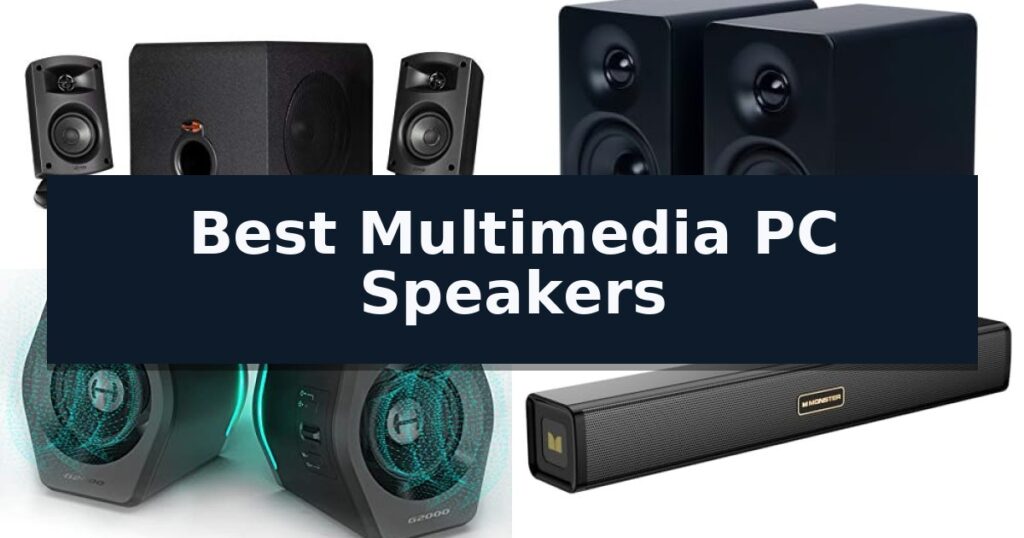
10 Best Multimedia PC Speakers in 2026 Reviews
Quick Comparison
| Product | Best For | Key Strength | Score |
|---|---|---|---|
| Klipsch ProMedia 2.1 Speaker System | Best Overall | THX Certified audio performance for high-fidelity sound. | 4.9 |
| Edifier M60 Multimedia Speakers | High-Res Audio With LDAC | Bluetooth 5.3 with LDAC support for high-resolution wireless streaming. | 4.4 |
| Edifier G2000 Gaming Speakers | Versatile Modes For Gaming | Versatile input options including Bluetooth, USB, and 3.5mm AUX. | 4.7 |
| Monster S220 Computer Soundbar | Portable With Built-In Battery | Integrated 2000mAh battery enables portable, off-grid use. | 4.9 |
| XKX Monitor Mount Speakers | Space-Saving Clip-On Design | Space-saving clip-on mount for monitors. | 4.3 |
| Redragon GS520 RGB Speakers | Dynamic Touch-Controlled Lighting | Touch-controlled RGB lighting with six selectable modes. | 4.5 |
| LENRUE G11 Computer Speakers | Compact Under-Monitor Fit | Space-saving under-monitor form factor. | 4.7 |
| Uakinat Wooden Multimedia Speakers | Vintage Oak Aesthetic | Unique oak-made cabinet provides a distinct vintage aesthetic. | 4.4 |
| Amazon Basics Stereo Speakers | Budget-Friendly Desktop Audio | USB-powered design removes the need for external power adapters. | 4.6 |
| Logitech Z150 Multimedia Speakers | Reliable Stereo Sound | Dual connectivity via 3.5mm and auxiliary inputs. | 4.6 |
How We Chose
To determine the best multimedia PC speakers, we analyze the balance between audio output capabilities and the physical constraints of a typical desktop environment. We evaluate each system based on its ability to provide clear, distortion-free sound while ensuring the connectivity options and form factor align with common computer setups and user needs.
- Acoustic fidelity and frequency range
- Connectivity versatility (wired vs. wireless)
- Physical footprint and mounting options
- Control accessibility and user interface
- Build quality and aesthetic integration
1 Klipsch ProMedia 2.1 Speaker System — Legendary THX Certified Audio
The Klipsch ProMedia 2.1 THX Certified Computer Speaker System utilizes proprietary Klipsch MicroTractrix Horn Technology to achieve high-efficiency sound dispersion, ensuring audio is directed precisely toward the listener. This design choice maximizes output from every watt of power, providing a clear and immersive acoustic experience for desktop environments.
Engineered for versatility, the system features a 200-watt peak power output capable of reaching 110dB, a level comparable to the intensity of live music. The setup includes two-way satellite speakers equipped with 3-inch midrange drivers that integrate with a dedicated 6.5-inch side-firing, ported subwoofer. This combination delivers a full-bandwidth bass response intended to provide both audible and physical impact during gaming, movies, or music playback.
Usability is centered on a dedicated control pod that offers Main Volume and Subwoofer Gain Control, allowing for quick adjustments to the sound profile. The system is designed for broad compatibility, featuring a standard 3.5mm input that connects to a wide array of devices, including computers, gaming consoles, televisions, and portable music players.
The satellites measure 8.5 inches by 4.2 inches by 5.67 inches, while the subwoofer occupies a footprint of 9.5 inches by 9.8 inches by 10.2 inches. This compact configuration is intended for users seeking a powerful audio upgrade without requiring a complex multi-component home theater installation.
Best for: Users seeking a high-output, THX-certified audio system for desktop gaming, media consumption, or music playback.
Skip if: Users who require wireless Bluetooth connectivity or a multi-channel surround sound configuration.
- THX Certified audio performance for high-fidelity sound.
- MicroTractrix Horn Technology for improved sound clarity and dispersion.
- Independent Subwoofer Gain Control for customizable bass levels.
- Broad compatibility with 3.5mm input for various media devices.
- Wired-only connection lacks modern wireless streaming capabilities.
- Fixed 3.5mm input may require adapters for devices lacking analog audio outputs.
2 Edifier M60 Multimedia Speakers — High-Res Audio With LDAC
Achieving high-fidelity sound in a restricted workspace requires hardware that balances footprint with acoustic engineering. The Edifier M60 Multimedia Speakers address this by integrating a high-efficiency closed-loop Class-D amplifier and a precise two-way active crossover into a chassis comparable in width and height to a standard mobile device.
These speakers are built for modern connectivity, featuring Bluetooth V5.3 with LDAC codec support, which allows for high-resolution streaming up to 24-bit/96kHz from compatible devices. For those prioritizing wired fidelity, the system includes USB-C and AUX inputs, managed by an internal DSP that ensures consistent audio processing across all sources.
The physical design emphasizes both aesthetics and acoustic performance. Each unit is equipped with a 1-inch silk dome tweeter and a 3-inch long-throw aluminum diaphragm mid-low driver to handle a total output of 66W RMS. To optimize sound projection, the set includes aluminum stands angled at 15 degrees, which direct audio toward the listener's ear level to minimize desktop distortion.
Usability is enhanced through a cap-sensitive touch panel that features an automatic backlight, illuminating as your hand approaches the unit. Users can further customize their experience by utilizing the EDIFIER ConneX mobile app, which provides access to extended functions and settings.
Best for: Desktop users who require high-resolution audio support and wireless LDAC streaming in a compact, space-saving form factor.
Skip if: Users who require a dedicated external subwoofer for deep sub-bass frequencies or those who need a larger soundstage for a room-filling audio setup.
- Bluetooth 5.3 with LDAC support for high-resolution wireless streaming.
- Compact footprint that fits easily on crowded desk setups.
- Bundled 15-degree aluminum stands for improved acoustic projection.
- Intuitive touch-sensitive controls with proximity-based backlighting.
- No dedicated subwoofer output for users seeking extended low-frequency performance.
- Limited physical connectivity options compared to larger bookshelf systems.
3 Edifier G2000 Gaming Speakers — Versatile Modes For Gaming
The Edifier G2000 Gaming Speakers distinguish themselves with a 10-degree elevation design and a 0.65L isometric cavity, engineered to direct sound toward the listener while maintaining a compact footprint on your desktop. These speakers utilize 2.75-inch full-range drivers to deliver a total peak power of 32W, supported by a backward mega bass port for enhanced low-frequency output.
Versatility is a core component of this system, featuring three dedicated EQ modes—Game, Music, and Movie—that allow users to adjust the acoustic profile to their current activity. The inclusion of a subwoofer output interface provides an upgrade path for those seeking even greater bass response, while the professional acoustic-team tuning ensures consistent audio performance across different media types.
Connectivity options are extensive, supporting 3.5mm AUX, Bluetooth, and USB sound card inputs to accommodate a wide range of devices including PCs, consoles, and mobile phones. The aesthetic is further defined by 12 integrated RGB lighting effects, which can be used to customize the visual environment of a gaming setup.
Built with a matte panel and metal laser-engraved details, the speakers prioritize both durability and a clean, modern look. The addition of anti-slip foot pads ensures the units remain stable on various surfaces, preventing unwanted movement during operation.
Best for: Desktop users seeking a compact, multi-input speaker system with integrated RGB lighting and dedicated EQ modes for gaming and media.
Skip if: Users who require a dedicated, high-output subwoofer included in the box or those looking for a larger, room-filling sound system for home theater applications.
- Versatile input options including Bluetooth, USB, and 3.5mm AUX.
- Three dedicated EQ modes for optimized audio in games, movies, and music.
- 12 RGB lighting effects for desktop customization.
- 10-degree elevation design for improved sound directionality.
- No dedicated subwoofer included, though an output interface is provided.
- Compact size may not provide the soundstage of larger bookshelf speakers.
4 Monster S220 Computer Soundbar — Portable With Built-In Battery
The Monster S220 Computer Soundbar provides a versatile audio solution for desktop environments, distinguished by its 2000mAh built-in battery. This capacity allows the unit to function as a portable speaker, enabling off-grid use for outdoor settings or areas without immediate access to power outlets. Measuring 16.5 inches in length, the soundbar is engineered with a compact 2.0-channel profile that fits neatly beneath most monitors, helping to reclaim valuable desk space while maintaining a clean aesthetic.
Audio performance is supported by dual 52mm full-range speakers and two integrated bass diaphragms. This hardware configuration is designed to produce clear dialogue and enhanced low-frequency response, making it suitable for streaming media or casual gaming. The device prioritizes connectivity, featuring Bluetooth 6.0 technology which offers a stated latency of less than 15ms. This low-latency performance is intended to minimize audio-visual lag during playback, ensuring a more synchronized experience.
Beyond wireless streaming, the soundbar offers multiple wired and local playback options. Users can utilize the 3.5mm AUX input for a stable, direct connection to a PC or laptop. Additionally, the unit supports direct media playback via a USB drive or TF card, providing flexibility for those who prefer to play audio files without a secondary device. Integrated controls are positioned for easy access, allowing for quick volume and track adjustments during use.
Designed for durability, the system has undergone rigorous reliability testing to ensure consistent operation. The package includes a 1-year warranty and access to 24/7 expert support to assist with initial setup or technical troubleshooting. This combination of wired and wireless functionality makes the soundbar a practical choice for users who need to transition between a fixed desktop setup and a portable, battery-powered audio source.
Best for: Users who need a versatile, space-saving speaker that can transition between desktop PC use and portable, battery-powered audio playback.
Skip if: Users requiring high-fidelity audiophile performance or a dedicated multi-speaker surround sound system for a large home theater setup.
- Integrated 2000mAh battery enables portable, off-grid use.
- Bluetooth 6.0 connectivity provides low-latency wireless streaming.
- Dual bass diaphragms enhance low-frequency audio output.
- Compact 16.5-inch footprint fits easily under most monitors.
- Limited to 2.0-channel audio, which may not satisfy users seeking immersive surround sound.
5 XKX Monitor Mount Speakers — Space-Saving Clip-On Design
Maximizing desk real estate often requires creative hardware solutions, and the XKX Monitor Mount Speakers address this by integrating audio directly into your display setup. By utilizing a clip-on mount design, these speakers attach to the top, side, or bottom of a monitor, effectively removing the need for bulky desktop units that consume valuable workspace.
Equipped with dual ultra-magnetic drivers and dual passive radiators, this soundbar delivers stereo audio output. The inclusion of an adaptive-channel-switching G-sensor is a notable technical feature, as it automatically adjusts the left and right audio channels based on the orientation of the speaker, ensuring correct stereo imaging regardless of whether it is mounted above or below the screen.
Connectivity is handled via a standard USB interface, with an included USB-C to USB adapter to support modern laptops, tablets, and desktop systems. The device is compatible with Windows, macOS, ChromeOS, and Linux environments. Users manage audio output through three intuitive touch buttons located on the front panel, which provide direct control over volume levels and muting.
Installation is straightforward, though users should ensure their computer's audio drivers are current and the playback device is correctly selected in the system settings. While the unit is designed for versatility, it is strictly intended for computer-based audio and is not compatible with standalone televisions or projectors.
Best for: Users with limited desk space who require a compact, integrated audio solution for their PC or laptop monitor.
Skip if: Users who require high-fidelity audio for professional mixing or those looking to connect speakers to a television or projector.
- Space-saving clip-on mount for monitors.
- Adaptive-channel-switching with G-sensor for flexible orientation.
- Includes USB-C adapter for broad device compatibility.
- Convenient touch controls for volume and muting.
- Incompatible with TVs, monitors with integrated tuners, and projectors.
- Requires up-to-date audio drivers and correct system configuration.
6 Redragon GS520 RGB Speakers — Dynamic Touch-Controlled Lighting
Upgrading your workstation audio requires a balance of desk footprint and output clarity. The Redragon GS520 Wired 2.0 Channel Stereo Sound Desktop RGB Computer Speakers address this by integrating a full-range 2.0 channel stereo core into a minimalist, brushed-material chassis. This design choice provides a clean, modern aesthetic that fits easily into compact setups without dominating your workspace.
Beyond its primary audio function, the unit features touch-controlled RGB lighting with six distinct modes. This interface allows users to cycle through lighting effects or switch them off entirely, offering a customizable visual element that complements various gaming or professional environments. The integration of touch controls keeps the exterior sleek, avoiding the clutter of physical switches.
Usability is prioritized through easy-access volume control buttons located directly on the device. These individual buttons allow for precise, quick adjustments without the need to navigate through software menus on your computer. The system utilizes a plug-and-play USB powered design, which simplifies cable management by drawing power directly from your computer, while connectivity is handled via standard 3.5mm audio and microphone jacks for broad compatibility with PCs, laptops, and televisions.
Measuring approximately 7.48 x 6.69 x 4.33 inches, these speakers are specifically engineered for compact placement. The connection cable between the two speakers reaches up to 31 inches, offering enough flexibility for most standard desktop configurations while maintaining a tidy, cohesive look. A notable trade-off for this space-saving, all-in-one design is the lack of a dedicated subwoofer, which limits the system's ability to produce extended low-frequency response compared to larger, multi-component audio setups.
Best for: Users seeking a compact, USB-powered speaker system with integrated RGB lighting for desktop PC or laptop setups.
Skip if: Users requiring high-fidelity studio-grade audio or those who need a dedicated subwoofer for deep bass performance.
- Touch-controlled RGB lighting with six selectable modes.
- Plug-and-play USB power for simplified connectivity.
- Individual volume buttons for accurate, quick adjustments.
- Minimalist brushed design that fits compact desk spaces.
- Wired connection limits placement flexibility compared to wireless alternatives.
- No dedicated subwoofer for extended low-frequency response.
7 LENRUE G11 Computer Speakers — Compact Under-Monitor Fit
Maximizing desk real estate while maintaining audio clarity is a common challenge for workstation setups. The LENRUE G11 Computer Speakers address this by utilizing a slim, all-in-one compact design intended to fit perfectly under a monitor, effectively eliminating the need for bulky external hardware that consumes valuable workspace.
Equipped with 4 large amplifier IC horns, these speakers are engineered to deliver Surge Stereo Sound, aiming for a distortion-free audio experience during media playback. The integration of Touch Angular Game Lights adds a visual element to the desktop, allowing users to toggle lighting effects with a single touch, moving away from traditional mechanical buttons.
Installation is straightforward with a plug and play interface that requires no drivers. The system connects via a standard 3.5mm audio cable and a USB power cable, with a top-mounted volume knob providing quick access to level adjustments. A Type C adapter is included to broaden compatibility across various modern laptops and desktop PCs.
While these speakers offer a streamlined aesthetic, they are designed for specific use cases. The unit is strictly a wired system and does not include Bluetooth connectivity, a dedicated headphone port, or an integrated microphone. It is optimized for PC and laptop environments and is not compatible with televisions or standalone headphones.
Best for: Users seeking a space-saving, under-monitor audio solution for desktop PCs and laptops who prefer a simple, wired plug-and-play setup.
Skip if: Users who require Bluetooth connectivity, a headphone jack for private listening, or compatibility with televisions.
- Space-saving under-monitor form factor.
- Touch-controlled dynamic lighting.
- Plug and play simplicity with no drivers required.
- Includes Type C adapter for modern device compatibility.
- No Bluetooth or wireless connectivity.
- Lacks headphone port and integrated microphone.
8 Uakinat Wooden Multimedia Speakers — Vintage Oak Aesthetic
Integrating classic aesthetics with modern utility, the Uakinat Wooden Multimedia Speakers serve as a distinct visual addition to any workspace. Featuring a unique oak-made speaker cabinet complemented by deluxe rewind fabric, these speakers are designed to blend seamlessly with wooden furniture, making them an ideal choice for environments where decor matters as much as audio output.
Functionality is centered on a straightforward Plug and Play experience. By utilizing a USB-powered connection alongside a standard 3.5mm audio cable, the system eliminates the need for complex driver installations. This setup ensures broad compatibility with a wide range of multimedia devices, including laptops, desktop PCs, smartphones, tablets, and various media players.
Audio performance is delivered through a dual-speaker configuration, with each unit rated at 3W. This design provides stereo sound across a wide pitch range, suitable for casual music listening, movie playback, or gaming in smaller room settings. The compact footprint, measuring approximately 11.8 inches in length, allows for easy placement on crowded desks.
The package includes the speaker unit and a user manual, supported by an 18-month warranty and a 30-day money-back guarantee. While the vintage oak aesthetic offers a specific style, users should note the reliance on a wired connection, which necessitates proximity to the audio source and a USB power port.
Best for: Users seeking a compact, vintage-inspired speaker system that prioritizes desk aesthetics and simple wired connectivity.
Skip if: Users requiring high-fidelity audio for professional production or those who prefer a wireless, battery-operated speaker setup.
- Unique oak-made cabinet provides a distinct vintage aesthetic.
- Plug and Play functionality requires no additional drivers.
- Wide compatibility via standard 3.5mm auxiliary jack.
- Compact design fits easily on most desktop surfaces.
- Wired-only connection limits placement flexibility.
- 3W output is optimized for small spaces rather than high-volume environments.
9 Amazon Basics Stereo Speakers — Budget-Friendly Desktop Audio
Achieving clear audio for your workspace often requires a balance between desk real estate and sound quality. The Amazon Basics Stereo 2.0 Speakers offer a compact solution for PC or laptop audio, featuring a dedicated bottom radiator designed to provide a more resonant, "springy" bass response than standard small-form speakers.
These speakers are built for convenience, utilizing a USB-powered design that eliminates the need for a separate wall outlet. Users can manage audio levels directly through the in-line volume control, which allows for quick adjustments without navigating through system menus. The unit is finished with a sleek metal finish and includes a scratch-free padded base to protect desk surfaces.
Aesthetically, the speakers incorporate blue LED lights, providing a distinct visual accent to a computer setup. Measuring approximately 3.94 inches in length and 2.6 inches in width, they are engineered to fit into tight spaces while delivering stereo sound output for general media consumption.
While these speakers provide a straightforward upgrade for integrated laptop audio, they are best suited for near-field listening environments. The reliance on a USB connection for power means they are tethered to the host computer, making them a dedicated desktop accessory rather than a portable solution for mobile devices.
Best for: Users seeking a compact, USB-powered audio upgrade for a desktop or laptop setup with limited space.
Skip if: Audiophiles or users requiring high-fidelity sound, deep sub-bass performance, or wireless connectivity.
- USB-powered design removes the need for external power adapters.
- Bottom radiator enhances bass output in a small form factor.
- In-line volume control allows for immediate, tactile sound adjustment.
- Scratch-free padded base protects desk surfaces from damage.
- Tethered connection requires a constant USB port for power.
- Near-field limitation means sound quality is optimized for close-range listening.
10 Logitech Z150 Multimedia Speakers — Reliable Stereo Sound
Achieving clear, consistent audio for your desktop workspace often comes down to selecting hardware that balances footprint with output. The Logitech Z150 Multimedia Speakers utilize two 2-inch drivers to deliver a peak power of 6 watts, providing a straightforward stereo sound solution for those who need reliable audio for movies, music, or gaming.
Designed for versatility, these speakers feature dual connectivity options, including a 3.5mm audio input and an auxiliary line. This allows for seamless integration with a variety of devices, such as desktop PCs, laptops, or even external soundbars. The compact design, measuring approximately 6.34 inches in height and 3.54 inches in width, ensures they fit comfortably on crowded desks without sacrificing workspace.
The system is engineered for ease of use, focusing on a clutter-free setup. While the speakers are compact, they are built to provide an immersive experience for daily tasks like conference calls or casual media consumption. The inclusion of both wired and wireless capabilities adds a layer of flexibility, allowing users to switch between audio sources with minimal friction.
When considering these speakers, it is important to note their role as a dedicated desktop audio solution. With their 6-watt peak power output, they are optimized for near-field listening environments rather than filling large rooms. The Logitech Z150 Multimedia Speakers represent a practical choice for users who prioritize a simple, effective audio upgrade for their primary workstation.
Best for: Users seeking a compact, reliable stereo audio solution for desktop PCs and general multimedia consumption.
Skip if: Users requiring high-fidelity, room-filling sound or deep bass response will likely find the 6-watt peak power output insufficient for their needs.
- Dual connectivity via 3.5mm and auxiliary inputs.
- Compact footprint ideal for small desk spaces.
- Versatile application for gaming, office calls, and media.
- Clear stereo sound provided by dual 2-inch drivers.
- Limited peak power of 6 watts restricts use to near-field listening.
- No dedicated subwoofer for enhanced low-frequency performance.
Best Multimedia PC Speakers Buying Guide
Understanding Speaker Configurations
The most common configuration for desktop audio is the 2.1 system, which includes two satellite speakers and a dedicated subwoofer. This setup is ideal for users who want a full-range sound profile, particularly for gaming and cinematic experiences where deep bass is essential.
Alternatively, 2.0 systems consist of two speakers without a separate subwoofer. These are generally more compact and easier to place on crowded desks, making them suitable for office environments where space is limited and high-fidelity music playback is the primary goal.
Connectivity and Input Versatility
Modern multimedia speakers often feature multiple input methods to accommodate various devices. While a 3.5mm auxiliary jack remains the standard for direct PC connection, many newer models include USB-C or USB-A inputs for digital audio processing.
Bluetooth connectivity has become increasingly common, allowing users to switch between their computer and mobile devices without unplugging cables. When choosing, consider whether you need a system that can handle multiple simultaneous sources or if a simple wired connection suffices.
Desktop Footprint and Ergonomics
The physical dimensions of your speakers should dictate your choice, especially if you have a small desk or a multi-monitor setup. Soundbars are designed to slide under a monitor, effectively reclaiming desk space that would otherwise be occupied by traditional satellite speakers.
If you opt for traditional speakers, look for models that include angled stands or mounting hardware. Directing sound toward your ears rather than your chest can significantly improve clarity and the perceived quality of the audio output.
Power and Volume Considerations
Output power is measured in watts, but it is important to distinguish between peak power and RMS (Root Mean Square) power. RMS provides a more accurate representation of the continuous power a speaker can handle, which is a better indicator of sustained volume levels.
For most desktop applications, a moderate wattage is sufficient to fill a small to medium-sized room. Avoid focusing solely on peak power numbers, as these often represent short bursts rather than the actual performance you will experience during daily use.
Aesthetic and Lighting Features
Many multimedia speakers now incorporate RGB lighting to match the aesthetic of gaming peripherals. While these features do not impact sound quality, they can be a significant factor if you are building a cohesive, themed desktop workspace.
If you prefer a more professional or minimalist look, consider speakers with neutral finishes or wood-grain cabinets. These options often blend more seamlessly into home office environments while still providing the necessary audio performance for multimedia tasks.
Frequently Asked Questions
Do I need a subwoofer for my PC speakers?
A subwoofer is recommended if you frequently watch movies, play games, or listen to bass-heavy music. If your primary use is voice calls or light background music, a 2.0 system is usually sufficient.
Can I connect my speakers to both my PC and my phone?
Yes, many modern speakers feature both a wired 3.5mm input and Bluetooth. This allows you to keep your PC connected via cable while streaming wirelessly from your phone.
What is the benefit of USB-powered speakers?
USB-powered speakers eliminate the need for an extra wall outlet, reducing cable clutter. They are ideal for laptops or setups where power strips are already at capacity.
Are soundbars better than traditional speakers?
Soundbars are better for saving space and fitting under monitors. Traditional speakers, especially those with separate subwoofers, generally offer a wider soundstage and better bass response.
Do I need special drivers for USB speakers?
Most USB multimedia speakers are plug-and-play, meaning they use standard audio drivers already present in Windows or macOS. You should not need to install additional software.
Conclusion: Our Top Pick
Our top pick is Klipsch ProMedia 2.1 Speaker System. Choosing the right multimedia speakers depends on your specific desk layout and how you prioritize audio quality versus space-saving design. For those who want a robust, room-filling sound, a 2.1 system remains the gold standard, while soundbars offer a cleaner, more minimalist alternative.
Always verify the connectivity options before purchasing to ensure the speakers will work with your current hardware. By matching your audio needs with the physical constraints of your workspace, you can significantly enhance your daily computing experience.