EMEET C950 HD Webcam is our top choice for the Best Narrow Angle Webcam, providing a focused 70-degree field of view that keeps the subject centered while minimizing background distractions.
A narrower field of view is essential for users who want to maintain a professional appearance in home offices or shared spaces without broadcasting their entire room. By limiting the frame, these cameras ensure the focus remains strictly on the speaker, which is often preferred for formal meetings and academic settings.
When selecting a webcam for a tighter composition, prioritize lens angle and image stability. While wider lenses are common for group settings, a 70-degree to 85-degree range offers the best balance for individual users, preventing the fisheye distortion often found in ultra-wide alternatives.
If you are looking for more options to refine your setup, our guide on the Best Narrow Field of View Webcam provides additional insights into selecting the right lens for your specific desk configuration.
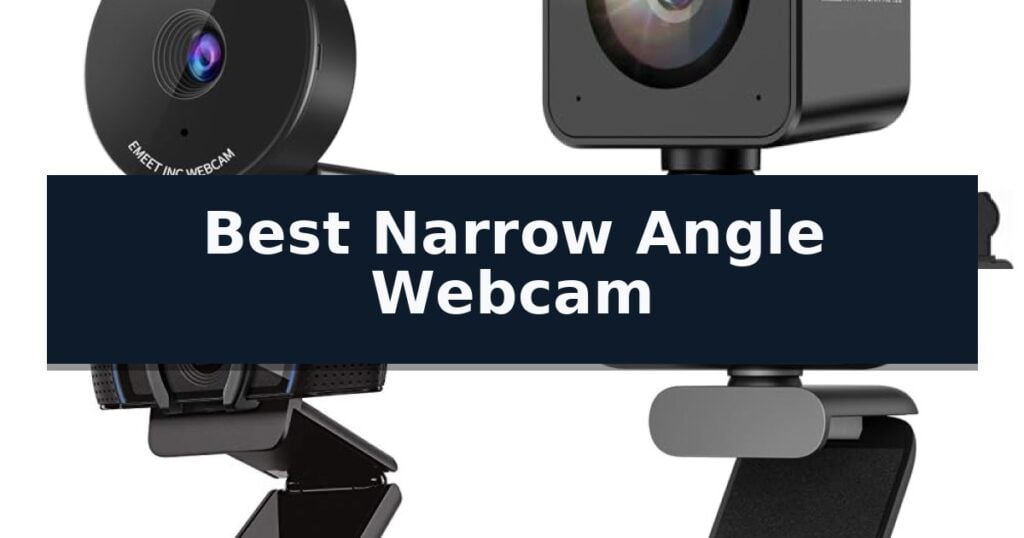
4 Best Narrow Angle Webcam in 2026 Reviews
Quick Comparison
| Product | Best For | Key Strength | Score |
|---|---|---|---|
| EMEET C950 HD Webcam | Best Overall | 70-degree narrow angle lens limits background exposure for increased privacy. | 4.9 |
| AOC 4K PDAF Webcam | Professional 75-Degree Framing | Phase Detection Autofocus (PDAF) provides near-instant focus locking without hunting. | 4.6 |
| Logitech C920S HD Pro Webcam | Classic 78-Degree Precision | Fixed 78-degree field of view for professional, focused framing. | 4.8 |
| wegear 1080P Webcam | Balanced 85-Degree Angle | 85° narrow field of view minimizes background distractions. | 4.7 |
How We Chose
Selecting the right webcam requires evaluating how the lens geometry interacts with your specific workspace. We analyze how each camera manages framing, light correction, and audio clarity to ensure a professional experience. Our criteria focus on practical utility, prioritizing devices that offer consistent, distortion-free video output for daily communication needs.
- Field of View (FOV) precision for professional framing
- Image sensor resolution and frame rate stability
- Physical privacy protection mechanisms
- Microphone pickup quality and noise reduction
- Compatibility with major video conferencing platforms
1 EMEET C950 HD Webcam — Focused 70-Degree View
Maintaining a focused, professional appearance during virtual meetings often requires minimizing background distractions. The EMEET C950 HD Webcam addresses this by utilizing a 70-degree narrow angle lens, which keeps the user centered while limiting the exposure of a home or office environment. This design choice prioritizes privacy and professional framing, making it a specialized tool for those who prefer a tighter field of view compared to wide-angle alternatives.
Equipped with a 2MP sensor, the webcam delivers 1080P resolution at 30FPS. To ensure optimal image quality, the device includes auto light correction technology. The manufacturer recommends maintaining a shooting distance of 0.5 to 1.2 meters in a well-lit environment for the sharpest results. Users can further refine video and image parameters through the dedicated EMEETLINK software.
Audio clarity is managed by a built-in omnidirectional microphone designed to capture natural sound. For the best performance, the microphone should be positioned 1 to 1.8 meters from the speaker in a quiet setting. The device also features a physical privacy cover that slides over the lens, providing a tactile and secure method to block the camera when not in use.
Installation is straightforward with USB Plug & Play functionality, ensuring broad compatibility across Windows, macOS, Linux, and Android TV systems. It supports major communication platforms including Zoom, Microsoft Teams, and Google Meet, offering a reliable solution for personal conferencing and online learning without complex configuration.
Best for: Individuals who need a tighter, privacy-conscious field of view for personal online meetings and remote learning.
Skip if: Users who require a wide-angle field of view to capture multiple people or a large portion of a room in the frame.
- 70-degree narrow angle lens limits background exposure for increased privacy.
- Physical privacy cover provides a secure, manual way to block the lens.
- USB Plug & Play connectivity ensures easy setup across multiple operating systems.
- Omnidirectional microphone captures clear audio for online calls.
- Fixed focus lens requires the user to stay within a specific distance range for optimal clarity.
- Not compatible with Chrome OS, which may limit use for some users.
2 AOC 4K PDAF Webcam — Professional 75-Degree Framing
Achieving a professional, distraction-free video presence often requires tighter framing than standard wide-angle lenses provide. The AOC 4K PDAF Webcam addresses this by utilizing a 75° diagonal field of view, which acts as a "Golden Standard" for professional composition by naturally cropping out cluttered backgrounds without the distortion common in wider lenses.
At the heart of this device is a flagship-grade IMX363 sensor capable of 2160P resolution. To ensure fluid motion during high-energy presentations or gaming, the camera supports 1080P at 60FPS. This higher frame rate minimizes the choppy, laggy video often associated with standard webcams, providing a smoother visual experience.
A standout technical feature is the inclusion of Phase Detection Autofocus (PDAF). Unlike standard contrast-based systems that hunt for focus, the AOC 4K PDAF Webcam locks onto subjects or documents instantly. This is particularly useful for macro-style demonstrations where fine text or intricate details need to remain sharp without the nauseating focus-hunting delays.
Designed for a hassle-free workflow, the unit includes a physical privacy shutter to ensure security when not in use. The package is comprehensive, featuring a built-in noise-canceling microphone, a desktop tripod, and a premium USB A-to-C adapter. Being driver-free, it is ready for immediate use across various platforms, including Zoom and Microsoft Teams.
Best for: Professionals and streamers who require precise, narrow-angle framing and instant focus for document or product demonstrations.
Skip if: Users who need an ultra-wide field of view to capture multiple people in a large conference room or a wide workspace.
- Phase Detection Autofocus (PDAF) provides near-instant focus locking without hunting.
- 75° field of view offers a professional, distortion-free composition.
- 1080P at 60FPS support ensures fluid motion for high-energy video.
- Physical privacy shutter provides hardware-level security.
- Narrow field of view may be too restrictive for group settings or wide-angle requirements.
3 Logitech C920S HD Pro Webcam — Classic 78-Degree Precision
Achieving a professional look during video calls often comes down to how well your equipment manages your immediate environment. The Logitech C920S HD Pro Webcam is built to provide a focused, high-quality image by utilizing a fixed 78-degree diagonal field of view, which helps isolate the subject and minimize distracting background clutter.
Performance is driven by a full HD five-element glass lens that delivers 1080p resolution at 30fps. To ensure clarity in varying environments, the camera incorporates Logitech RightLight 2 technology, which automatically adjusts to lighting conditions to produce balanced, contrasted images. This is particularly useful for users working in dim or unevenly lit rooms.
Usability is enhanced through the inclusion of dual integrated microphones, designed to capture audio from multiple angles for a more natural sound profile during conferences. The device also includes a physical privacy shutter, allowing users to cover the lens when the camera is not in use for added security.
For those who prefer granular control, the Logitech C920S HD Pro Webcam integrates with the Capture app, enabling users to customize stream settings and edit video output directly. The autofocus functionality ensures that the subject remains sharp, while the compact design allows for easy mounting on monitors or laptops.
Best for: Professionals and remote workers who need a reliable, focused 1080p video feed with integrated privacy features and automatic light correction.
Skip if: Users who require a wide-angle lens for group meetings or those seeking 4K resolution for high-end production work.
- Fixed 78-degree field of view for professional, focused framing.
- RightLight 2 technology for automatic brightness and contrast adjustment.
- Physical privacy shutter to ensure lens coverage when idle.
- Dual microphones for clearer, more natural audio capture.
- Limited field of view may be too narrow for large group settings.
- 1080p resolution is standard but lacks the detail of higher-end 4K sensors.
4 wegear 1080P Webcam — Balanced 85-Degree Angle
Maintaining a focused field of view is essential for professional video calls where you want to minimize background distractions. The wegear 1080P Webcam features an 85° field of view, providing a tighter, more professional framing compared to ultra-wide alternatives that capture unnecessary room details.
This device delivers 1920 x 1080 resolution at 30FPS, ensuring smooth and clear video transmission for platforms like Zoom and Microsoft Teams. It utilizes a 2.0MP CMOS sensor paired with a smart IQ algorithm to manage white balance and exposure automatically, which helps maintain natural color accuracy even when your lighting environment changes.
Usability is prioritized through a plug-and-play USB-A connection that requires no additional drivers for Windows, macOS, or ChromeOS. The unit includes a 5ft built-in cable for a reliable, consistent data connection, and a sliding privacy cover allows you to physically block the lens when the camera is not in use.
Audio is handled by built-in dual microphones designed to capture clear voice input during meetings. The hardware is mounted on a foldable, tripod-ready universal clip, offering flexible placement options on top of monitors, laptop lids, or standard camera tripods.
Best for: Professionals who need a focused, 85-degree field of view to keep the background limited during video conferences.
Skip if: Users requiring an ultra-wide angle for group settings or those who need a high-frame-rate sensor for professional-grade streaming.
- 85° narrow field of view minimizes background distractions.
- Auto light balance via smart IQ algorithm for consistent exposure.
- Built-in privacy cover for physical security.
- Plug-and-play compatibility with major operating systems.
- Fixed focus lens lacks the versatility of autofocus models.
- USB-A connection may require an adapter for modern laptops with only USB-C ports.
Best Narrow Angle Webcam Buying Guide
Understanding Field of View
The field of view determines how much of your environment is visible to the camera. A narrow angle, typically between 70 and 85 degrees, is ideal for single users who want to keep the background clutter to a minimum.
Choosing a narrower lens helps maintain a professional aesthetic. By cropping out unnecessary surroundings, you ensure that your face remains the primary focal point during video calls.
The Importance of Physical Privacy
Privacy is a critical consideration for any peripheral that sits on your monitor. A physical privacy cover provides a mechanical barrier that is more reliable than software-based solutions.
Look for models with integrated sliding shutters. This design ensures that the lens is completely blocked when not in use, offering peace of mind in both home and office environments.
Resolution and Frame Rate
Full HD 1080p resolution has become the standard for clear video communication. This resolution ensures that your image remains sharp on modern high-definition monitors.
A frame rate of 30FPS is sufficient for most meetings, though 60FPS options are available if you require smoother motion for presentations or streaming. Ensure your lighting is adequate to support these settings.
Audio Performance
While many webcams include built-in microphones, the quality can vary significantly. Omnidirectional or dual-microphone setups are generally better at capturing natural voice tones.
For the best results, position the camera within the manufacturer's recommended distance range. Using the device in a quiet environment further enhances the effectiveness of built-in noise-canceling features.
Compatibility and Setup
Ease of use is defined by plug-and-play functionality. Most modern webcams are compatible with Windows, macOS, and major video platforms like Zoom and Teams without requiring complex driver installations.
Check for USB-A or USB-C connectivity to ensure the camera fits your specific computer setup. Some models include adapters, which can be a helpful addition if your hardware ports are limited.
Frequently Asked Questions
Why choose a narrow angle webcam over a wide-angle one?
A narrow angle webcam is better for individual users because it focuses on the subject and excludes unnecessary background elements, providing a more professional look.
Do I need special software to use these webcams?
Most webcams are plug-and-play and work with standard video conferencing apps. Some manufacturers offer optional software for adjusting image parameters like brightness and contrast.
Is a physical privacy cover better than a software mute?
Yes, a physical cover provides a mechanical guarantee that the camera cannot see you, which is more secure than relying on software that could potentially be bypassed.
What is the ideal distance for these webcams?
Most fixed-focus webcams perform best when you are positioned between 0.5 and 1.2 meters from the lens, depending on the specific model's focal range.
Can I use these webcams on a tripod?
Many webcams feature a universal clip that is also compatible with standard tripod mounts, allowing for more flexible positioning if your monitor is not in an ideal spot.
Conclusion: Our Top Pick
Our top pick is EMEET C950 HD Webcam. Choosing the right webcam comes down to balancing your need for a focused, professional frame with the practical requirements of your workspace. Models with a 70-degree to 85-degree field of view are excellent for keeping the focus on you while maintaining a clean, distraction-free background.
By prioritizing physical privacy features and reliable plug-and-play connectivity, you can ensure a consistent experience across all your video calls. Evaluate your specific lighting and mounting needs to select the model that best integrates with your current setup.