The Corsair Ironclaw Wireless SE Gaming Mouse earns our recommendation for the Best Palm Grip Mouse thanks to its specialized asymmetric shape designed specifically to support larger hands during extended sessions.
Finding a mouse that accommodates a full palm rest requires prioritizing specific ergonomic geometry over generic ambidextrous designs. A proper palm grip mouse should fill the arch of your hand, providing enough surface area to prevent finger strain while maintaining consistent contact with the primary buttons.
Beyond shape, factors like sensor accuracy and wireless stability are essential for maintaining precision during high-intensity tasks. We focus on models that balance these physical dimensions with reliable connectivity to ensure your hand remains relaxed and your inputs remain consistent.
For those exploring broader options, our guide on the Best Palm Grip Gaming Mouse provides further insights into specialized hardware.
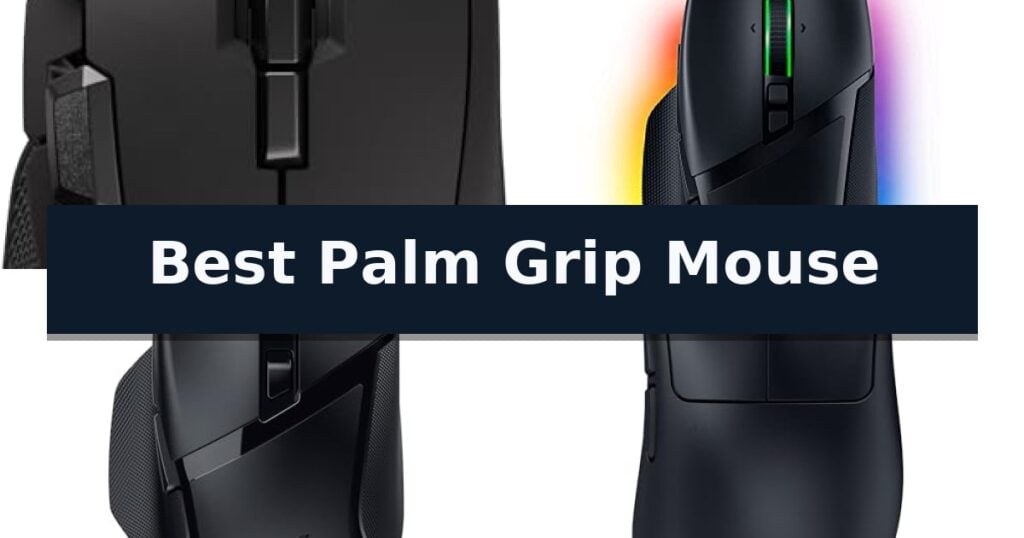
10 Best Palm Grip Mouse in 2026 Reviews
Quick Comparison
| Product | Best For | Key Strength | Score |
|---|---|---|---|
| Corsair Ironclaw Wireless SE Gaming Mouse | Best Overall | Ergonomic asymmetric shape tailored for larger hands and palm-grip users. | 4.9 |
| Razer Basilisk V3 Wired Gaming Mouse | Iconic Design with Thumb Rest | HyperScroll Tilt Wheel offers both free-spin and tactile modes. | 4.9 |
| Razer Basilisk V3 X HyperSpeed Mouse | Wireless Comfort for Multiple Grips | Iconic ergonomic shape tailored for multiple grip styles. | 4.5 |
| Razer DeathAdder V4 Pro Gaming Mouse | Refined Ergonomics for Fast Swipes | Ultra-lightweight 56g design for rapid, fatigue-free movement. | 4.5 |
| Logitech G PRO X SUPERLIGHT 2 DEX | Asymmetrical Comfort for Pros | Asymmetrical design provides ergonomic support for right-handed users. | 4.4 |
| Logitech G703 LIGHTSPEED Gaming Mouse | Supreme Comfort with Rubber Grips | HERO 25K sensor provides high-accuracy 1:1 tracking. | 4.6 |
| Pulsar Gaming Gears Xlite Mini Mouse | Ultralight Design for Palm Support | Ultralight 41g design reduces fatigue during long sessions. | 4.8 |
| Pulsar Gaming Gears CARPE-X Mouse | Balanced Shape for Palm Control | Ultra-lightweight 60g design for reduced fatigue during long sessions. | 4.4 |
| Rapoo VT3 MAX Wireless Gaming Mouse | Optimized Hand Grip Geometry | True 8K wireless polling rate for high-precision input. | 4.3 |
| Logitech Signature Comfort Plus M850 L | Built-in Cushion for Long Hours | Built-in palm cushion for enhanced comfort during long-term use. | 4.5 |
How We Chose
Selecting the right mouse for a palm grip requires evaluating how the chassis geometry interacts with the natural resting position of the hand. We prioritize mice with contoured, right-handed designs that provide dedicated support for the palm and fingers, ensuring that technical specifications like sensor accuracy and button responsiveness are matched by long-term physical comfort.
- Ergonomic geometry and hand-size compatibility
- Button placement and tactile feedback
- Sensor precision and DPI adjustability
- Wireless connectivity stability and latency
- Weight distribution and glide performance
1 Corsair Ironclaw Wireless SE Gaming Mouse — Ergonomic Shape for Larger Hands
Finding a peripheral that accommodates a natural hand posture can significantly reduce fatigue during extended computing sessions. The CORSAIR IRONCLAW WIRELESS SE Gaming Mouse is engineered specifically for users with larger hands, utilizing an ergonomic asymmetric shape that promotes a comfortable palm grip. By prioritizing a form factor that supports the entire hand, this device aims to provide a more stable and controlled experience for right-handed users.
Performance is driven by the CORSAIR MARKSMAN sensor, which offers a resolution of up to 26,000 DPI. This high-precision sensor includes surface calibration capabilities, allowing the mouse to adapt its tracking performance to different desk surfaces. For those who require extensive customization, the device features 10 programmable buttons that can be configured via iCUE software to manage complex macros or specific keybinds.
Connectivity and power management are central to the design, offering flexibility for various workflows. The mouse supports multiple wireless modes, delivering up to 285 hours of battery life over a 2.4GHz connection and extending up to 532 hours when using Bluetooth. This longevity ensures that the device remains functional through long periods of use without frequent recharging.
Aesthetically, the CORSAIR IRONCLAW WIRELESS SE Gaming Mouse incorporates customizable RGB lighting across the scroll wheel, logo, and front grill. To assist with real-time adjustments, it includes 3-stage indicators that provide visual cues for DPI settings and active profiles, ensuring that users can monitor their configuration at a glance.
Best for: Right-handed users with larger hands who prefer a palm grip and require high-precision sensor tracking for gaming or productivity.
Skip if: Users with smaller hands or those who prefer an ambidextrous, low-profile mouse design will likely find the ergonomic shape of this model too bulky.
- Ergonomic asymmetric shape tailored for larger hands and palm-grip users.
- High-precision 26,000 DPI CORSAIR MARKSMAN sensor with surface calibration.
- Extensive 10 programmable buttons for custom macro and keybind mapping.
- Exceptional battery life reaching up to 532 hours via Bluetooth.
- The large, asymmetric form factor may not be suitable for all hand sizes or grip styles.
2 Razer Basilisk V3 Wired Gaming Mouse — Iconic Design with Thumb Rest
The Razer Basilisk V3 Wired Gaming Mouse centers its design around a distinct HyperScroll Tilt Wheel, which allows users to toggle between a free-spin mode for rapid content navigation and a tactile mode for precise, step-by-step feedback. This versatility makes it a compelling option for users seeking a mouse that adapts to both high-speed gaming and detailed productivity tasks.
Engineered with an iconic ergonomic form factor and an integrated thumb rest, the mouse is built to support the hand during extended sessions. It features 11 programmable buttons that can be mapped to specific macros or secondary functions via the Razer Synapse App, providing a high degree of customization for complex workflows or gaming inputs.
Under the hood, the device utilizes a Focus+ 26K DPI Optical Sensor designed for pixel-precise tracking without smoothing. The Optical Mouse Switches Gen 2 are rated for up to 70 million clicks and offer a 0.2ms actuation speed, aiming to eliminate unintended misclicks during rapid operation.
Aesthetic customization is provided through 11 Razer Chroma RGB lighting zones, which can be individually configured from over 16.8 million colors. The lighting system is designed to react dynamically with over 150 integrated games, adding a visual layer to the user experience.
Best for: Users who require extensive button programmability and a versatile scroll wheel for both gaming and productivity.
Skip if: Users who prefer a lightweight, minimalist mouse or those who specifically require wireless connectivity for their workspace.
- HyperScroll Tilt Wheel offers both free-spin and tactile modes.
- 11 programmable buttons allow for extensive macro customization.
- Focus+ 26K DPI sensor provides high-precision tracking.
- Optical Mouse Switches Gen 2 ensure fast 0.2ms actuation.
- Wired-only connection limits desk placement flexibility.
- Higher button count may require a learning curve for some users.
3 Razer Basilisk V3 X HyperSpeed Mouse — Wireless Comfort for Multiple Grips
Achieving a stable and comfortable grip is essential for long gaming sessions or extended productivity tasks. The Razer Basilisk V3 X HyperSpeed Mouse is engineered with an iconic ergonomic form specifically designed to support multiple grip styles, making it a strong candidate for those seeking the Best Palm Grip Mouse experience.
This device offers versatile connectivity options, allowing users to switch between ultra-low-latency HyperSpeed Wireless for competitive gaming and Bluetooth for extended battery life. The mouse is powered by the Razer 5G Advanced 18K Optical Sensor, which provides pixel-precise tracking and customizable sensitivity settings to suit various gaming genres, including FPS and RPG titles.
Customization is a core focus, featuring 9 programmable controls that work in tandem with Razer Hypershift to enable complex macros and shortcuts. The internal hardware includes Razer Mechanical Mouse Switches Gen-2, rated for up to 60 million clicks, ensuring consistent actuation and durability. For aesthetic personalization, the mouse is equipped with Razer Chroma RGB lighting, which synchronizes across compatible devices.
Designed for long-term utility, the mouse includes 100% PTFE mouse feet for smooth gliding across surfaces. It supports up to 285 hours of battery life on HyperSpeed Wireless or up to 535 hours on Bluetooth, minimizing the need for frequent battery changes during intensive use.
Best for: Users who prioritize ergonomic support for palm or hybrid grip styles and require flexible wireless connectivity for both gaming and productivity.
Skip if: Users who prefer an ultra-lightweight, symmetrical design or those who require a wired-only connection for specific tournament environments.
- Iconic ergonomic shape tailored for multiple grip styles.
- Dual wireless connectivity with both HyperSpeed and Bluetooth options.
- 9 programmable controls for advanced macro and shortcut customization.
- Long battery life reaching up to 535 hours in Bluetooth mode.
- AA battery requirement adds weight compared to integrated rechargeable lithium-ion models.
- Standard size profile may not suit users with very small or very large hand dimensions.
4 Razer DeathAdder V4 Pro Gaming Mouse — Refined Ergonomics for Fast Swipes
The Razer DeathAdder V4 Pro Wireless Gaming Mouse prioritizes high-speed performance through an ultra-lightweight 56g chassis, specifically engineered for competitive gaming and rapid, precise cursor movement. This model integrates the Focus Pro 45K Optical Sensor Gen-2, which provides 900 IPS and 99.8% accuracy to ensure consistent tracking across various surfaces.
Connectivity is managed via Razer HyperSpeed Wireless Gen-2, supporting an 8000 Hz polling rate for low-latency input. Users can alternate between wireless and USB-C wired modes while maintaining this high polling rate. The device features Gen-4 optical switches, rated for 100 million clicks, and an optical scroll wheel to provide tactile feedback during intense gameplay.
Battery efficiency is a key design focus, offering up to 150 hours of operation at a 1000 Hz polling rate. For further customization, the Razer Synapse software allows for fine-tuning of lift-off distance, DPI, and polling rates, alongside features like Dynamic Sensitivity and Smart Tracking to tailor the mouse to specific playstyles.
The ergonomic shape is re-engineered to support palm grip users who require a balance between comfort and control. While the mouse is built for high-stakes esports environments, its dual-mode flexibility makes it adaptable for different desk setups and competitive requirements.
Best for: Competitive gamers and esports enthusiasts who require an ultra-lightweight, high-polling-rate mouse for precise, fast-paced tracking.
Skip if: Users who prefer a heavier mouse with a multi-button side panel or those who do not require high-frequency polling rates beyond standard gaming levels.
- Ultra-lightweight 56g design for rapid, fatigue-free movement.
- 8000 Hz polling rate for minimal input latency.
- 150-hour battery life at 1000 Hz for extended tournament play.
- Gen-4 optical switches offering high durability and tactile feedback.
- High-polling rate performance requires specific system resources to fully utilize.
- Ergonomic shape is optimized for specific grip styles, which may not suit all hand sizes.
5 Logitech G PRO X SUPERLIGHT 2 DEX — Asymmetrical Comfort for Pros
Achieving a consistent, high-precision grip during intense gaming sessions often comes down to the ergonomics of your hardware. The Logitech G PRO X SUPERLIGHT 2 DEX focuses on this need by utilizing an asymmetrical design specifically engineered for right-handed users, providing a tailored shape that supports various playing styles while maintaining a 60g lightweight profile.
Performance is driven by the HERO 2 sensor, which offers sub-micron tracking at up to 44K DPI. This sensor is built to handle high-speed movement with up to 888 IPS and 88 g-force acceleration, ensuring that every flick and adjustment is captured accurately. For connectivity, the mouse employs LIGHTSPEED wireless technology, supporting up to 8 kHz polling for a responsive, tournament-grade connection on both PC and Mac.
Usability is enhanced by 5 programmable buttons and side thumb buttons that allow for custom configurations to suit specific in-game actions. The device is designed for endurance, offering up to 95 hours of battery life on a single charge. Users can replenish power via the included USB-A to USB-C cable or integrate the POWERPLAY wireless charging system for continuous play without needing to plug in.
This mouse balances pro-grade technical specifications with a form factor meant to reduce fatigue during long sessions. By combining a high-performance sensor with a weight-optimized chassis, it provides a stable platform for users who prioritize both speed and ergonomic support in their peripheral setup.
Best for: Right-handed gamers who require an asymmetrical, lightweight mouse with high-polling rate performance and long battery life.
Skip if: Left-handed users or those who prefer a symmetrical, ambidextrous mouse shape will find this model unsuitable due to its right-hand-specific design.
- Asymmetrical design provides ergonomic support for right-handed users.
- 60g lightweight construction reduces physical strain during extended use.
- HERO 2 sensor delivers high-precision tracking up to 44K DPI.
- 95-hour battery life supports long gaming sessions between charges.
- 8 kHz polling rate ensures responsive, tournament-grade connectivity.
- Right-handed only form factor limits use for left-handed players.
- POWERPLAY charging requires a separate purchase for non-stop wireless charging.
6 Logitech G703 LIGHTSPEED Gaming Mouse — Supreme Comfort with Rubber Grips
Achieving consistent control during intense gaming sessions often comes down to the ergonomics of your peripheral, and the Logitech G703 LIGHTSPEED Wireless Gaming Mouse is engineered specifically to support a palm grip style. Its contoured shape, combined with integrated rubber side grips, provides a stable foundation for extended play, ensuring the mouse remains secure in your hand during rapid movements.
At the heart of its performance is the HERO 25K Sensor, which delivers high-precision tracking up to 25,600 DPI. This sensor is designed for efficiency and accuracy, featuring 1:1 tracking with zero smoothing or acceleration. The mouse maintains a lightweight profile at 95g, though it includes an optional 10g weight for users who prefer a heavier feel to their device.
Connectivity is managed via LIGHTSPEED Wireless technology, which provides a responsive, low-latency connection suitable for competitive environments. For those concerned about battery management, the device is compatible with the POWERPLAY wireless charging system, allowing for continuous power while the mouse is in use or at rest. When not using the charging system, the internal battery supports up to 35 hours of gameplay with default RGB lighting active.
Durability and tactile feedback are addressed through advanced button technology. The primary left and right buttons utilize metal-spring button tensioning, which reduces the force required for actuation and ensures consistent response across every click. With six programmable buttons, the layout offers enough customization for various gaming profiles without cluttering the interface.
Best for: Gamers who prefer a contoured, ergonomic palm grip and require high-precision sensor tracking with the option for continuous wireless charging.
Skip if: Users who require an ambidextrous design or a significantly lighter mouse for fingertip-style grip preferences.
- HERO 25K sensor provides high-accuracy 1:1 tracking.
- LIGHTSPEED wireless technology ensures pro-level responsiveness.
- Metal-spring button tensioning improves click consistency and feel.
- POWERPLAY compatibility enables seamless, continuous wireless charging.
- POWERPLAY charging system must be purchased separately.
- Battery life is limited to 35 hours with default lighting enabled.
7 Pulsar Gaming Gears Xlite Mini Mouse — Ultralight Design for Palm Support
The Pulsar Gaming Gears Xlite CrazyLight Wireless Gaming Mouse distinguishes itself through an exceptionally lightweight 41g chassis, engineered to provide effortless movement and rapid tracking for competitive gaming sessions. This mouse is specifically tailored for users who prefer a palm grip, though its ergonomic right-handed shape remains versatile enough to accommodate claw grip styles.
Performance is driven by the Pulsar XS-1 sensor, which delivers precise tracking capabilities up to 32,000 DPI and 750 IPS. The inclusion of Motion Sync and an adjustable lift-off distance allows for granular control over sensor behavior, while Turbo Mode provides a fixed 20,000 FPS for those who prioritize consistency at lower DPI settings.
Connectivity and responsiveness are prioritized via the included 8K wireless dongle, enabling polling rates up to 8,000Hz to minimize input latency. This high-frequency polling is optimized for systems equipped with recent CPUs and USB 3.0 ports. The device is plug-and-play compatible with both Windows and Mac platforms, with optional software available for further customization.
Durability is managed through 100 million-click optical switches, which are designed to maintain a crisp and consistent tactile response over extended use. The package includes dot skates to ensure smooth glide across various surfaces, rounding out a design focused on high-performance ergonomics and weight reduction.
Best for: Competitive gamers who prioritize an ultralight weight and high-polling rate performance for palm or claw grip styles.
Skip if: Users who prefer a heavier, larger mouse chassis or those without a modern CPU and USB 3.0 ports to support the 8K polling rate.
- Ultralight 41g design reduces fatigue during long sessions.
- 8,000Hz wireless polling significantly lowers input latency.
- Pulsar XS-1 sensor offers high-precision tracking up to 32,000 DPI.
- 100 million-click optical switches provide long-term durability.
- 8K polling performance requires high-end hardware to function optimally.
- Mini size may not suit users with larger hands who prefer a full-sized palm grip.
8 Pulsar Gaming Gears CARPE-X Mouse — Balanced Shape for Palm Control
The Pulsar Gaming Gears CARPE-X Wireless Gaming Mouse is defined by its ultra-lightweight 60g chassis, engineered to facilitate rapid tracking and effortless movement during extended gaming sessions. This medium-sized peripheral utilizes a balanced symmetrical shape specifically co-developed to support both palm and claw grip styles, ensuring stability for various hand positions.
Performance is driven by the Pulsar XS-1 sensor, which provides precise tracking capabilities up to 32,000 DPI and 750 IPS. For users prioritizing minimal input latency, the included LINK 8K receiver enables wireless polling rates of up to 8,000Hz. The device is designed for convenience, featuring onboard buttons and LED indicators that allow for setting adjustments without the need for additional software.
Durability is a core focus, with the mouse equipped with optical switches rated for 100 million clicks to ensure consistent performance over time. The unit is plug-and-play compatible with both Windows and Mac operating systems, offering a straightforward setup process while keeping optional software available for those who prefer deeper customization.
The CARPE-X balances high-end technical specifications with a user-focused design. While the 8K polling rate offers significant responsiveness, it is optimized for systems with recent CPUs and USB 3.0 connectivity to ensure stable operation. This model provides a robust, high-performance option for players seeking a reliable, lightweight interface for competitive gaming.
Best for: Competitive gamers who prefer a lightweight, symmetrical mouse and require high-polling rate connectivity for low-latency performance.
Skip if: Users who require a heavy, ergonomic mouse with a right-handed-only shape or those lacking a modern CPU and USB 3.0 port to support 8K polling.
- Ultra-lightweight 60g design for reduced fatigue during long sessions.
- 8,000Hz wireless polling via the included LINK 8K receiver.
- High-precision XS-1 sensor with 32,000 DPI capability.
- Durable optical switches rated for 100 million clicks.
- Hardware requirements including a recent CPU and USB 3.0 port are necessary to fully utilize the 8K polling rate.
9 Rapoo VT3 MAX Wireless Gaming Mouse — Optimized Hand Grip Geometry
Precision and responsiveness define the Rapoo VT3 MAX Wireless Gaming Mouse, a device engineered for high-stakes environments where every millisecond counts. By integrating a native 8000Hz wireless polling rate, this mouse bypasses the need for software algorithms, ensuring consistent input registration even in signal-congested tournament spaces.
The hardware foundation relies on the Nordic nRF54L15 MCU, which facilitates an efficient power profile. This architecture enables an impressive 750-hour battery life at a 1000Hz polling rate, significantly reducing the frequency of charging interruptions. Weighing only 53g, the chassis is designed to minimize hand and wrist strain during extended sessions.
For tracking accuracy, the sensor supports up to 30K DPI with independent X and Y-axis adjustments. This allows users to calibrate horizontal and vertical sensitivity to match specific display dimensions or in-game requirements. The inclusion of 10 programmable buttons and onboard memory ensures that custom macros remain accessible across different operating systems via the A HUB driver.
Durability is addressed through the implementation of 120-million lifespan optical switches. By utilizing infrared light rather than mechanical contact, these switches eliminate debounce delay and the potential for accidental double-clicking, providing a consistent tactile response for competitive play.
Best for: Competitive gamers who prioritize ultra-low latency, lightweight ergonomics, and long-term battery performance.
Skip if: Users who prefer the distinct tactile feedback of traditional mechanical switches, as this model utilizes optical switches.
- True 8K wireless polling rate for high-precision input.
- 53g ultra-lightweight design to reduce physical fatigue.
- 750-hour battery life at 1000Hz for minimal charging.
- 120-million lifespan optical switches for consistent, debounce-free clicking.
- Optical switches may lack the specific mechanical feedback preferred by some users.
10 Logitech Signature Comfort Plus M850 L — Built-in Cushion for Long Hours
The Logitech Signature Comfort Plus M850 L distinguishes itself as the first mouse from the brand to feature a built-in palm cushion, specifically engineered to provide a supportive resting point for the hand during extended work sessions. This contoured design is paired with cozy side grips, creating a natural and confident fit for right-handed users across a variety of hand sizes.
Beyond its ergonomic focus, this device prioritizes efficiency and quiet operation. The integrated SmartWheel allows users to toggle between line-by-line precision and high-speed scrolling, while the quiet click technology is designed to minimize noise in shared office environments. Users can further tailor the experience by utilizing the Logi Options+ software to customize buttons, adjust DPI levels, and streamline specific workflows.
Connectivity and power management are handled with versatility in mind. The mouse supports Bluetooth pairing and features Easy-Switch technology, allowing users to toggle instantly between up to three different devices without the need for a USB dongle. Furthermore, the internal power system is rated for up to 24 months of battery life, reducing the frequency of maintenance.
Compatibility extends across major platforms including Windows, macOS, Chrome OS, Linux, iPadOS, and Android. As a commitment to sustainable manufacturing, the plastic components of the Logitech Signature Comfort Plus M850 L are constructed using a minimum of 49% post-consumer recycled plastic, making it a functional and environmentally conscious choice for diverse desk setups.
Best for: Users who require a palm-supported ergonomic design and multi-device connectivity for long-duration office tasks.
Skip if: Left-handed users or those seeking an ultra-compact, travel-focused mouse without a dedicated palm rest.
- Built-in palm cushion for enhanced comfort during long-term use.
- Easy-Switch technology for seamless toggling between three devices.
- Long-lasting battery life rated up to 24 months.
- Customizable buttons via Logi Options+ software.
- Right-handed ergonomic shape limits suitability for left-handed users.
- Larger footprint due to the integrated palm cushion compared to standard compact mice.
Best Palm Grip Mouse Buying Guide
Understanding Ergonomic Geometry
A true palm grip mouse features a pronounced hump that fills the arch of your hand, allowing your fingers to rest flat against the primary buttons. This design minimizes the need for clawing or pinching, which can lead to wrist fatigue during long sessions.
When evaluating these mice, look for models that offer a dedicated thumb rest or a wider body profile. These features prevent your fingers from dragging on the mousepad and ensure your hand remains in a neutral, supported position.
Sensor Precision and Tracking
High-DPI sensors are standard, but the real benefit lies in tracking consistency across different surfaces. A reliable sensor should offer adjustable lift-off distance, which is critical for palm grip users who may inadvertently lift the mouse slightly during rapid movements.
Look for sensors that support surface calibration. This allows the mouse to adapt to the specific texture of your mousepad, ensuring that your cursor movement remains predictable and accurate regardless of your sensitivity settings.
Wireless Connectivity and Latency
Modern wireless technology has largely eliminated the perceived latency gap between corded and cordless devices. For competitive gaming or professional workflows, prioritize models that utilize dedicated 2.4GHz wireless dongles rather than relying solely on Bluetooth.
Battery management is a secondary but vital consideration for wireless users. Models that offer long-lasting battery life or rapid charging capabilities reduce the frequency of interruptions, keeping your workflow or gaming session seamless.
Button Customization and Macros
Programmable buttons allow you to map complex commands or shortcuts directly to your mouse. For palm grip users, the placement of these buttons is paramount; they should be easily reachable with your thumb or fingers without requiring you to shift your grip.
Software integration is the key to unlocking these features. A robust driver suite enables you to store profiles on the mouse itself, ensuring your custom keybinds remain active even when you move the device between different computers.
Weight and Glide Dynamics
The weight of a mouse significantly impacts how much force is required to initiate movement. While ultralight designs are popular for fast-paced shooters, some palm grip users prefer a slightly heavier mouse for added stability and control.
Mouse feet, or skates, are the final piece of the puzzle. High-quality PTFE feet provide a smooth, consistent glide that reduces friction. Ensure the mouse you choose has easily replaceable feet, as these will naturally wear down over time.
Frequently Asked Questions
How do I know if a mouse is suitable for a palm grip?
A palm grip mouse typically features a higher, more rounded back profile that fills your palm. If your fingers naturally lie flat on the buttons rather than arching, you are likely using a palm grip and should look for ergonomic, right-handed shapes.
Does a higher DPI sensor make a mouse better?
Not necessarily. While a higher DPI allows for faster cursor movement, accuracy and sensor consistency are more important. Most users find their ideal performance at lower or mid-range DPI settings.
Are wireless mice reliable for competitive gaming?
Yes, modern 2.4GHz wireless technology provides performance that is indistinguishable from wired connections, offering the same polling rates and low latency without the cable drag.
Can I use a palm grip mouse for office work?
Absolutely. The ergonomic benefits of a palm grip mouse, such as reduced wrist strain and better hand support, are just as valuable for long hours of office productivity as they are for gaming.
How often should I replace my mouse feet?
You should replace your mouse feet when you notice increased friction, uneven gliding, or visible wear on the edges. This typically happens after several months of heavy use.
Conclusion: Our Top Pick
Our top pick is Corsair Ironclaw Wireless SE Gaming Mouse. Choosing the right palm grip mouse comes down to matching the device's physical dimensions to your hand size and your specific functional needs. Prioritizing ergonomic support ensures that you can maintain comfort during extended use without sacrificing control or precision.
By focusing on sensor reliability, button placement, and build quality, you can find a tool that enhances your daily performance. Whether you are gaming or working, the right fit makes a significant difference in your overall experience.