Logitech C920x HD Pro Webcam is our top choice for the Best PC Camera and Microphone Combo, offering a reliable, high-definition standard for consistent video conferencing and streaming performance.
The PixelForge 2K Webcam provides a higher resolution option for those prioritizing image sharpness, while the NBPOWER 1080P 60FPS Streaming Webcam serves users who require smoother motion capture for gaming or high-speed video applications.
Selecting a camera and microphone combination requires balancing visual resolution with audio clarity. Experienced users look for integrated noise-reduction features and lens performance that adapts to varying light conditions to ensure a professional presence in any virtual meeting environment.
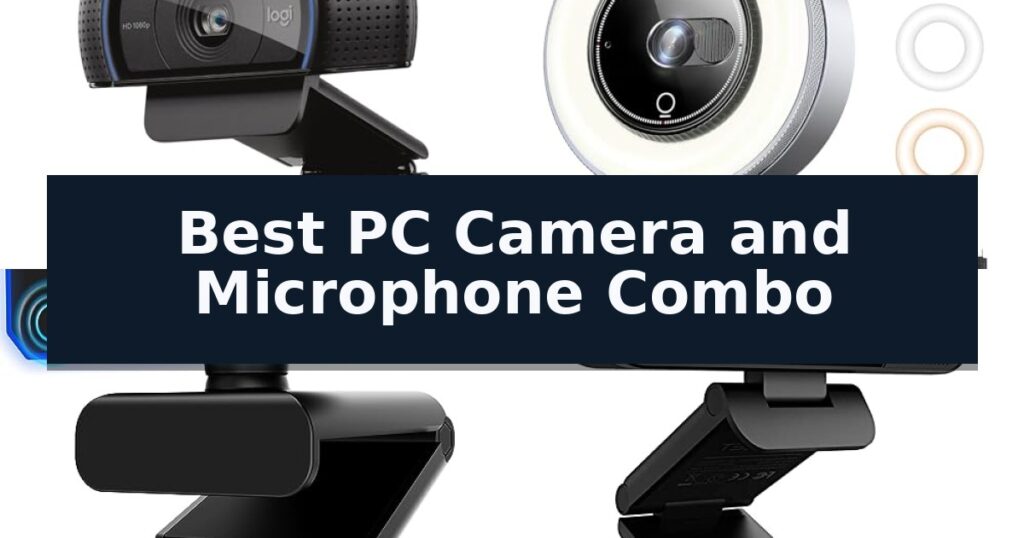
10 Best PC Camera and Microphone Combo in 2026 Reviews
Quick Comparison
| Product | Best For | Key Strength | Score |
|---|---|---|---|
| Logitech C920x HD Pro Webcam | Best Overall | Full HD 1080p resolution for clear and detailed video output. | 4.9 |
| PixelForge 2K Webcam | Sharper Resolution with Built-in Light | 2K Ultra HD resolution for sharp video output. | 4.9 |
| NBPOWER 1080P 60FPS Streaming Webcam | Smoother Motion for Live Streaming | Full HD 1080p at 60FPS for smooth video motion. | 4.4 |
| EMEET C960 Webcam | Wide Field of View | Plug-and-play USB connectivity requires no driver installation. | 4.7 |
| NexiGo N60 Webcam | Easy Plug-and-Play Setup | Plug-and-play setup with no driver installation required. | 4.9 |
| NIVEOLI 1080P Webcam | Simple Privacy Shutter Design | Integrated privacy shutter for physical lens security. | 4.3 |
| Acer A610 Webcam | Includes USB-C Adapter | 1080P Full HD resolution with an updated CMOS sensor for improved color performance. | 4.4 |
| Diccik 1080P Webcam | Large Sensor for Better Depth | Large 1/1.69-inch sensor for superior image depth and light sensitivity. | 4.9 |
| Shcngqio TWC29 Webcam | Eco-Conscious Durable Build | Integrated noise-canceling microphone reduces ambient background noise. | 4.6 |
| XOCLON 1080P Webcam | Compact Design for Travel | Plug-and-play USB connectivity eliminates the need for driver installations. | 4.9 |
How We Chose
Evaluating the Best PC Camera and Microphone Combo involves assessing how well the hardware balances visual fidelity with audio intelligibility. We prioritize devices that offer consistent 1080p or 2K output, effective noise-reduction microphones, and reliable light-correction sensors, ensuring that the hardware remains functional across various lighting environments and common conferencing software platforms.
- Video Resolution and Frame Rate
- Microphone Noise-Cancellation Capability
- Low-Light Performance and Auto-Correction
- Field of View and Lens Quality
- Plug-and-Play Compatibility and Driver Requirements
1 Logitech C920x HD Pro Webcam — Reliable Standard for Clear Calls
Achieving professional-grade video quality for remote meetings and content creation often hinges on the hardware you choose. The Logitech C920x HD Pro Webcam is engineered to simplify this process by providing Full HD 1080p video calling and recording at 30 fps, ensuring that your visual presence remains crisp and vibrantly colored during every session.
Beyond its primary imaging capabilities, this device integrates HD lighting adjustment and autofocus technology. This feature automatically fine-tunes the image quality to maintain clarity even in challenging, low-light environments. The inclusion of stereo audio with dual microphones further enhances its utility, capturing natural sound that is essential for clear communication in both video conferences and recorded content.
Designed for versatility, the camera functions as a reliable desktop or monitor-mounted unit. It offers wide compatibility across various operating systems, including Windows 11 and macOS, and integrates seamlessly with common platforms like Zoom, Microsoft Teams, and OBS. Users also receive a 3-month XSplit VCam license, which provides software-based background removal, replacement, and blurring capabilities without requiring a physical green screen.
While the unit is highly capable for standard streaming and professional calls, it is important to note the physical design constraints. The camera does not include a built-in privacy shutter, which may be a consideration for users who prioritize manual lens coverage when the device is not in use.
Best for: Remote professionals and content creators who need a reliable, high-definition plug-and-play solution for video conferencing and streaming.
Skip if: Users who require a built-in physical privacy shutter or advanced features like 4K resolution and high-frame-rate recording.
- Full HD 1080p resolution for clear and detailed video output.
- Automatic HD lighting correction for consistent performance in varying light conditions.
- Dual stereo microphones for natural audio capture.
- Broad software compatibility with major conferencing and streaming platforms.
- No physical privacy shutter included for manual lens coverage.
- Limited to 30 fps recording, which may not satisfy users seeking ultra-smooth high-motion video.
2 PixelForge 2K Webcam — Sharper Resolution with Built-in Light
Professional-grade video quality for virtual meetings often requires more than just a standard laptop lens, and the PixelForge 2K Webcam addresses this by integrating high-resolution optics with essential environmental controls. This device is engineered to provide a comprehensive solution for remote communication, ensuring that users maintain a polished appearance during professional conferences, online classes, or live streams.
At the core of this device is a 2K Ultra HD sensor capable of capturing 2560 x 1440p video. To ensure subjects remain sharp during movement, the camera utilizes advanced autofocus technology, which continuously adjusts to keep the user in focus regardless of minor shifts in position. This hardware is paired with a built-in adjustable ring light, which offers two lighting modes and three brightness levels to compensate for suboptimal room lighting, providing soft, natural illumination that can be adjusted on the fly.
Audio clarity is managed by an integrated noise-canceling microphone designed to filter out ambient background interference, ensuring that voices remain clear even in busy office or home environments. For users concerned with digital security, the unit features an integrated privacy cover that physically obscures the lens when the camera is not in active use, providing a tangible layer of protection against unauthorized access.
Installation is simplified through a plug-and-play USB interface, eliminating the need for complex driver configurations. The hardware is compatible with major operating systems including Windows and MacOS, ensuring seamless integration with standard conferencing platforms like Zoom, Google Meet, and Skype. While the fixed USB connection limits placement flexibility compared to wireless alternatives, it provides a stable, consistent data stream that is ideal for reliable, long-form video calls.
Best for: Remote professionals and students who require a single, integrated device for high-definition video calls and clear audio in various lighting conditions.
Skip if: Users who require professional-grade external studio lighting or a dedicated high-fidelity XLR microphone setup for broadcast-quality production.
- 2K Ultra HD resolution for sharp video output.
- Integrated adjustable ring light with multiple brightness levels.
- Noise-canceling microphone reduces background interference.
- Physical privacy cover for enhanced security.
- Fixed USB connectivity limits placement options compared to wireless alternatives.
3 NBPOWER 1080P 60FPS Streaming Webcam — Smoother Motion for Live Streaming
Achieving clear video and crisp audio for remote work or streaming often requires more than a basic integrated laptop camera. The NBPOWER 1080P 60FPS Streaming Webcam addresses this by combining a high-frame-rate optical sensor with an integrated noise-canceling microphone, designed to eliminate the common issues of grainy video and muffled sound during calls.
This device captures video at Full HD 1080p resolution at 60FPS, which provides smoother motion compared to standard 30FPS alternatives. To maintain image quality in challenging environments, it includes a built-in Fill RGB Light and an optical sensor that helps reduce graininess in low-light conditions. The unit also features face autofocus, ensuring the subject remains sharp even during movement.
Usability is centered on a plug-and-play design that utilizes a USB 2.0/3.0 connection, requiring no driver downloads for immediate use on Windows or Mac systems. The package includes a 1.7-meter braided cable for flexible placement and a physical privacy cover to block the lens when the camera is not in use.
Compatibility is broad, as the camera is certified for use with major platforms like Zoom, Microsoft Teams, Skype, and OBS. Whether for professional conferencing or live streaming, the combination of the noise-canceling microphone and the adjustable lighting helps create a more reliable setup for virtual communication.
Best for: Users needing a simple, all-in-one solution for video conferencing and streaming that includes integrated lighting and high-frame-rate capture.
Skip if: Users who require professional-grade optical zoom or advanced manual camera controls beyond basic autofocus and lighting adjustments.
- Full HD 1080p at 60FPS for smooth video motion.
- Integrated Fill RGB Light improves clarity in low-light settings.
- Plug-and-play USB connectivity requires no driver installation.
- Includes a physical privacy cover for security.
- Fixed-lens design lacks optical zoom capabilities.
4 EMEET C960 Webcam — Wide Field of View
Achieving professional-grade video clarity for remote collaboration requires a reliable hardware setup. The EMEET C960 Webcam distinguishes itself with a 90-degree wide-angle lens and dual noise-reduction microphones, providing a comprehensive solution for users needing both visual and audio capture in a single, streamlined device.
This camera delivers Full HD 1080P resolution supported by a 5-layer anti-glare lens for smooth, realistic video output. Its fixed focal length is optimized for subjects between 11.8 and 118.1 inches away, ensuring consistent clarity for standard desk setups. To address varying lighting environments, the unit features automatic low-light correction that adjusts exposure and color to maintain image quality in dim or harsh conditions.
Usability is centered on a plug-and-play USB design that eliminates the need for manual driver installations. The integrated omnidirectional microphones are engineered to filter out background noise, enhancing vocal presence during calls. For privacy, the device includes a removable cover that can be easily applied when the camera is not in use.
The foldable, tripod-ready clip allows for versatile mounting on laptops or external displays, making it a practical choice for home offices or conference rooms. With broad compatibility across Windows, MacOS, Linux, and Android TV, it integrates seamlessly with major conferencing platforms like Zoom and Microsoft Teams.
Best for: Home office professionals and remote students who require a simple, all-in-one plug-and-play solution for video conferencing.
Skip if: Users who require Windows Hello facial recognition or advanced manual focus controls will find this fixed-focus, non-biometric model insufficient.
- Plug-and-play USB connectivity requires no driver installation.
- Automatic low-light correction maintains image quality in suboptimal lighting.
- Dual noise-reduction microphones improve audio clarity.
- 90-degree wide-angle field of view accommodates multiple participants.
- Incompatible with Windows Hello facial recognition features.
- Fixed focal length limits manual adjustments for close-up or long-distance focus.
5 NexiGo N60 Webcam — Easy Plug-and-Play Setup
The NexiGo N60 Webcam simplifies video setups by integrating a high-definition camera and a noise-canceling microphone into a single, compact unit. This device utilizes a 1080p FHD two-MP CMOS sensor to capture clear video at 30fps, supported by a 3.6mm glass lens optimized for distances between 19.6 inches and 13 feet.
Designed for immediate utility, the camera functions as a plug-and-play device that requires no additional drivers. It maintains broad compatibility across major operating systems, including Windows 7 through 11, Mac OS X 10.7 and higher, Android, Linux, and Chrome OS. Users can expect a straightforward installation process that typically takes less than one minute.
For environments where background distractions are a concern, the built-in noise-canceling microphone works to reduce ambient sound during calls and recordings. The hardware also prioritizes user security by including a physical privacy cover that blocks the lens when the camera is not in active use.
While the device is versatile for conferencing, streaming, and online education, it is important to note that it is not compatible with gaming consoles like the Xbox, PS4, or PS5. If audio synchronization issues occur, the manufacturer provides firmware updates to resolve potential delays.
Best for: Individuals and professionals seeking a simple, plug-and-play 1080p camera and microphone solution for computer-based video conferencing and streaming.
Skip if: Users who require a webcam for use with gaming consoles like the Xbox or PlayStation, as this model is not compatible with those platforms.
- Plug-and-play setup with no driver installation required.
- Integrated noise-canceling microphone for improved audio clarity.
- Includes a physical privacy cover for enhanced security.
- Broad compatibility with Windows, Mac, Android, and Linux systems.
- Not compatible with gaming consoles such as Xbox or PlayStation.
- May require a firmware update if audio synchronization delays are encountered.
6 NIVEOLI 1080P Webcam — Simple Privacy Shutter Design
Maintaining a professional presence during virtual meetings requires reliable hardware, and the NIVEOLI 1080P Webcam simplifies this setup by integrating a high-definition camera with a dual-microphone array. This device is designed for users who need a straightforward, plug-and-play solution for video conferencing, streaming, or online collaboration without the complexity of installing additional drivers.
The camera captures Full HD 1080P video at 30 frames per second, utilizing enhanced high dynamic range (HDR) to maintain visibility in varying lighting conditions. Its automatic light correction and fixed-focus lens work to ensure that the image remains balanced, whether you are in a brightly lit office or a dimly lit room. The integrated dual noise-reducing digital microphones are paired with an advanced audio processor to isolate speech from ambient background noise, providing clearer audio for remote participants.
Physical security is addressed through an integrated privacy shutter, which allows you to manually block the lens when the camera is not in use. The unit features a 360-degree rotating head and an adjustable clip, offering flexibility for mounting on laptops, monitors, or standalone surfaces. Connectivity is handled via a standard USB 2.0 interface, ensuring broad compatibility across Windows, Mac, Linux, and Android operating systems.
This webcam is a practical choice for those prioritizing ease of use and essential privacy features. By combining visual and audio components into one unit, it reduces cable clutter and simplifies the configuration process for daily digital communication.
Best for: Users seeking a simple, all-in-one plug-and-play solution for video conferencing and streaming that includes a physical privacy cover.
Skip if: Users who require advanced features like autofocus, high-frame-rate recording for professional gaming, or specialized software for manual image control.
- Integrated privacy shutter for physical lens security.
- Dual noise-reducing microphones to minimize background interference.
- Plug-and-play USB 2.0 connectivity requiring no driver installation.
- 360-degree rotating head for flexible positioning.
- Fixed focus lens limits sharpness adjustments for varying distances.
- USB 2.0 interface may not offer the bandwidth of newer standards for high-end streaming.
7 Acer A610 Webcam — Includes USB-C Adapter
Achieving professional-grade video clarity during remote meetings requires hardware that balances image resolution with environmental adaptability. The Acer A610 Webcam addresses this by utilizing a modern CMOS sensor to deliver 1080P Full HD video, ensuring that participants remain sharp and clear during virtual conferences or online teaching sessions.
Designed for immediate integration, the camera features plug-and-play functionality that eliminates the need for complex driver installations. It includes a versatile Type-A to Type-C adapter, allowing for seamless connections across a wide range of laptops and desktop systems. For added versatility, the unit offers 360° rotation for precise positioning and an 83° field of view to keep the subject centered.
Audio performance is managed by dual noise-reduction microphones engineered to improve voice clarity by minimizing background interference. While the device excels in video and audio capture, it does not include built-in speakers, requiring users to rely on their computer's existing audio output system. The inclusion of a built-in privacy cover provides a physical safeguard for users who prioritize security when the camera is not in active use.
To maintain consistent video quality, the Acer A610 Webcam incorporates automatic low-light correction and exposure adjustment. These features help the camera adapt to varying lighting environments, though optimal clarity is best achieved in well-lit settings. Its broad compatibility with major platforms like Zoom, Teams, and Twitch makes it a practical choice for remote workers and content creators alike.
Best for: Remote workers and educators seeking a simple, plug-and-play 1080p camera with noise-reduction microphones for professional video calls.
Skip if: Users who require a camera with built-in speakers or those who need advanced digital zoom controls.
- 1080P Full HD resolution with an updated CMOS sensor for improved color performance.
- Dual noise-reduction microphones for clearer voice capture during meetings.
- Built-in privacy cover for enhanced security when the camera is inactive.
- Plug-and-play setup with an included USB-C adapter for broad device compatibility.
- No built-in speakers, requiring external audio hardware.
- No digital zoom control support for adjusting the frame.
8 Diccik 1080P Webcam — Large Sensor for Better Depth
The Diccik 1080P Webcam distinguishes itself through an industry-leading 1/1.69-inch sensor size, which provides enhanced light capture and image depth compared to standard webcams. This hardware-focused design choice aims to improve video clarity and color accuracy for professional communication and streaming.
Equipped with an F2.2 large aperture and advanced CMOS technology, this camera is engineered to maintain image quality in dim environments. The automatic low-light adjustment feature works to reduce graininess and restore color vibrancy, allowing for a clear presence without the need for additional studio lighting setups.
For connectivity and ease of use, the device utilizes a plug and play interface that requires no additional drivers or software. It features a 5ft durable braided cable that is designed to be more tangle-resistant than standard plastic alternatives, ensuring a reliable connection for daily use.
The unit is built for broad compatibility across major operating systems, including Windows 11, 10, 8, 7, macOS, and Linux. It is certified for seamless integration with common platforms such as Zoom, Microsoft Teams, OBS, Skype, and YouTube, making it a versatile tool for various professional and social video requirements.
Best for: Professionals and streamers who require improved low-light performance and image depth from a simple, plug-and-play USB camera.
Skip if: Users who require advanced features like optical zoom, physical privacy shutters, or high-frame-rate recording beyond 30fps.
- Large 1/1.69-inch sensor for superior image depth and light sensitivity.
- F2.2 aperture provides effective automatic low-light correction.
- Durable braided cable offers better resistance to tangling and wear.
- Wide compatibility with major OS platforms and streaming software.
- Fixed 30FPS frame rate may not satisfy users seeking high-motion smoothness.
- No physical privacy shutter included for lens coverage.
9 Shcngqio TWC29 Webcam — Eco-Conscious Durable Build
The Shcngqio TWC29 Webcam simplifies video conferencing and streaming with its integrated noise-canceling microphone, which actively reduces ambient background sound to ensure clear voice capture. This all-in-one solution is designed for users who need a reliable, plug-and-play device for remote work, education, or content creation without the complexity of managing separate audio and video hardware.
Equipped with a 1/2.9" CMOS sensor and a wide-angle lens, this camera delivers 1080p Full HD resolution at 30fps. The hardware includes automatic light correction, which dynamically adjusts exposure and color temperature to maintain image clarity across varying lighting conditions, from dim rooms to bright office spaces.
Usability is a core focus of the design, featuring a slide-on privacy cover that provides a physical barrier over the lens when the camera is not in use. The unit connects via a 5ft USB cable and is compatible with USB 2.0, 3.0, and 3.1 ports, supporting OTG functionality for select mobile devices. An adjustable universal clip allows for secure mounting on various laptop and desktop monitor profiles.
The device is built with an eco-conscious chassis and energy-efficient circuitry intended for long-term, daily operation. By combining a durable build with straightforward USB connectivity, the Shcngqio TWC29 Webcam provides a practical, low-maintenance hardware option for those seeking an integrated camera and microphone setup.
Best for: Users needing a simple, all-in-one 1080p camera and microphone solution for remote work and streaming.
Skip if: Users requiring professional-grade studio audio or high-frame-rate video for competitive gaming.
- Integrated noise-canceling microphone reduces ambient background noise.
- Automatic light correction balances brightness in different environments.
- Slide-on privacy cover offers physical lens security.
- Plug-and-play USB connectivity requires no additional drivers.
- Fixed 30fps frame rate may not meet the needs of high-motion streaming.
- Limited to 1080p resolution compared to 4K alternatives.
10 XOCLON 1080P Webcam — Compact Design for Travel
The XOCLON 1080P Webcam is a compact, hardware-focused solution for users who prioritize simplicity and portability in their remote work or online teaching setups. Measuring just 2.72 inches in length, this lightweight device is engineered for professionals who frequently transition between different workstations and require a reliable, no-fuss video interface.
Equipped with a 1080P resolution sensor, the camera captures video at a steady 30fps frame rate, providing clear visual output for standard conferencing applications. To combat inconsistent lighting environments, the unit features integrated auto light correction. This technology automatically modulates brightness levels, ensuring that the user remains visible and well-lit even when ambient room lighting is suboptimal.
Audio clarity is managed by an integrated noise-canceling microphone, which is designed to minimize background interference during calls. This feature is particularly useful for those operating in open workspaces or busy home offices where ambient noise can typically disrupt communication. The device maintains broad compatibility with major platforms, including Zoom, Teams, Skype, and Google Meet.
Installation is streamlined through a plug-and-play USB interface, eliminating the need for manual driver downloads or complex software configurations. This approach allows for immediate deployment across various laptop and desktop systems, making it a practical choice for users who need to connect and begin streaming or conferencing without technical delays.
Best for: Professionals and educators who require a portable, driver-free 1080P camera for daily video conferencing and remote teaching.
Skip if: Users requiring advanced manual camera controls, high-frame-rate streaming above 30fps, or professional-grade external microphone audio quality.
- Plug-and-play USB connectivity eliminates the need for driver installations.
- Auto light correction maintains balanced brightness in varying lighting conditions.
- Noise-canceling microphone technology helps reduce background interference during calls.
- Compact, lightweight design is suitable for travel and easy storage.
- Fixed 30fps frame rate may not meet the needs of high-end gaming or professional motion streaming.
- Limited manual adjustment options compared to software-driven professional webcams.
Best PC Camera and Microphone Combo Buying Guide
Visual Clarity and Resolution
Resolution dictates the sharpness of your video feed. While 1080p is the current standard for professional video calls, 2K options provide additional detail that can be beneficial for content creators or those using high-resolution monitors.
Beyond raw pixel count, the quality of the CMOS sensor and lens optics determines how well the camera handles color accuracy and depth. A larger sensor often captures more light, resulting in a more natural image compared to smaller, budget-focused sensors.
Audio Performance and Noise Reduction
A dedicated microphone is often superior, but a quality integrated combo unit must feature noise-reduction technology. This is essential for filtering out ambient room sounds, such as keyboard clicks or air conditioning, which can distract participants.
Positioning matters significantly for integrated microphones. Look for dual-mic arrays that can pick up sound from multiple directions, ensuring your voice remains clear even if you are not positioned perfectly centered in front of the camera.
Adapting to Lighting Conditions
Automatic light correction is a critical feature for home offices where lighting is rarely studio-perfect. Cameras that dynamically adjust exposure and white balance prevent your image from appearing washed out or overly dark when sitting in front of a window.
Some models include built-in ring lights or fill lights, which provide a localized light source. This is particularly useful for users who frequently work in dim environments and want to avoid the clutter of external lighting rigs.
Privacy and Security Features
Physical privacy covers are a simple yet highly effective security feature. They provide a tactile way to ensure the lens is blocked when the camera is not in use, offering peace of mind that software-based toggles cannot replicate.
When choosing a model, consider whether the cover is integrated into the chassis or a separate attachment. Integrated designs are generally more durable and less likely to be misplaced over time.
Connectivity and Compatibility
True plug-and-play functionality is vital for a seamless setup. Most modern webcams use standard USB protocols that do not require proprietary drivers, allowing them to work immediately with Windows, macOS, and Linux systems.
Check the cable length and connector type before purchasing. If your laptop only features USB-C ports, ensure the camera includes an adapter or uses a compatible interface to avoid needing additional dongles.
Frequently Asked Questions
Do I need to install special software for these webcams?
Most modern webcams are plug-and-play, meaning they work immediately with standard video conferencing software like Zoom or Teams without requiring additional drivers.
Can I use these webcams with a Mac?
Yes, all the listed models are compatible with macOS, though you should verify that your specific version of the operating system meets the manufacturer's requirements.
Is a 2K webcam better than a 1080p webcam?
A 2K webcam offers higher resolution, which can provide a sharper image, but 1080p is generally sufficient for most professional video calls and streaming needs.
How do I ensure the best audio quality?
Ensure you select the webcam as the default microphone input in your computer's system settings and your video conferencing application to bypass your computer's internal mic.
What is the benefit of a privacy cover?
A privacy cover provides a physical barrier over the lens, ensuring that the camera cannot capture video when you are not actively using it.
Conclusion: Our Top Pick
Our top pick is Logitech C920x HD Pro Webcam. Choosing the right camera and microphone combo depends on your specific environment and the type of meetings you attend. For most users, a reliable 1080p model with integrated noise-reduction and auto-light correction provides the best balance of performance and convenience.
Prioritize features like physical privacy shutters and plug-and-play compatibility to streamline your daily workflow. By focusing on these core hardware capabilities, you can ensure a professional and clear presence in every virtual interaction.