Razer Wolverine V3 Pro Controller is our top choice for the Best PC Controller for Gaming, offering an industry-leading 8000 Hz polling rate and high-precision TMR thumbsticks for competitive players.
For those prioritizing versatility, the AOC Interactive Screen Controller provides a unique driver-free interface for on-the-fly adjustments, while the 8Bitdo Ultimate 2 Wireless Controller delivers reliable, low-latency performance with a convenient charging dock for everyday use.
Selecting a controller for PC requires balancing technical specifications like input latency and stick durability against ergonomic comfort and software compatibility. Experienced players should prioritize connection stability and customization options that align with their specific genre preferences, whether they require rapid-fire triggers for shooters or macro-capable buttons for complex RPG inputs.
For players looking to expand their setup, our guide to the Best PC Controller covers additional options for various budgets and playstyles. If you specifically need specialized inputs for competitive titles, see our recommendations for the Best PC Controller for Fighting Games to find hardware with optimized D-pads and button layouts.
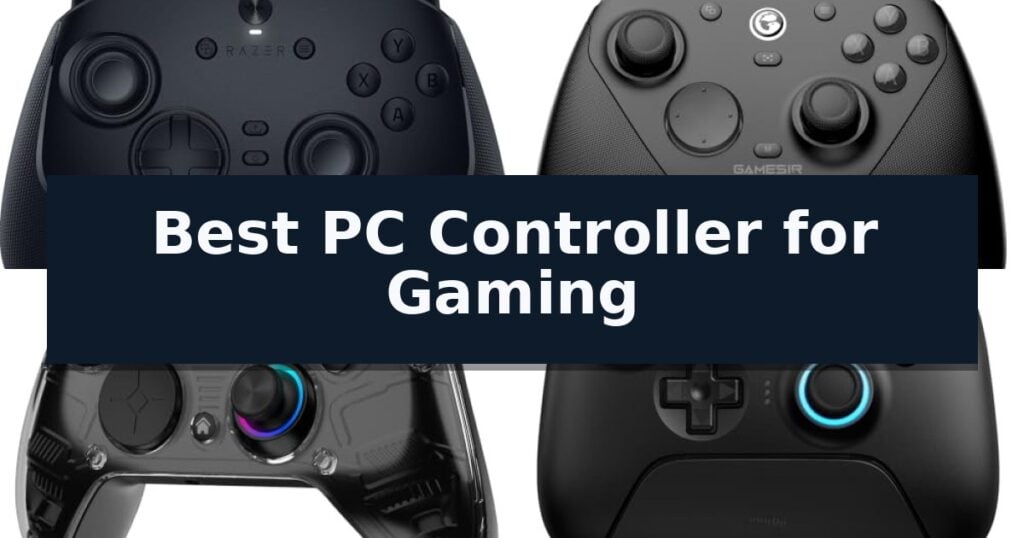
10 Best PC Controller for Gaming in 2026 Reviews
Quick Comparison
| Product | Best For | Key Strength | Score |
|---|---|---|---|
| Razer Wolverine V3 Pro Controller | Best Overall | 8000 Hz polling rate for ultra-responsive input | 4.9 |
| GameSir G7 Pro 8K Controller | Ultra-Low Latency Competitive Play | 8000Hz polling rate for minimal input lag | 4.5 |
| AOC Interactive Screen Controller | Driver-Free Onboard Customization | No-software configuration via built-in interactive screen. | 4.5 |
| 8Bitdo Ultimate 2 Wireless Controller | Stable TMR Precision Joysticks | TMR Joysticks for enhanced precision and durability. | 4.9 |
| ManbaOne Interactive Screen Controller | Visual Settings via Built-in Display | Integrated 2-inch display for direct, software-free configuration. | 4.8 |
| EasySMX X05Pro Wireless Controller | Ultra-Quiet Buttons for Stealth | Silent operation via silicone-damped buttons. | 4.8 |
| Xbox Wireless Gaming Controller | Reliable Standard for PC Compatibility | Zero-setup wired play via the included 9-foot USB-C cable. | 4.6 |
| PlayStation DualSense Wireless Controller | Immersive Haptic Feedback Experience | Advanced haptic feedback for responsive in-game sensations. | 4.8 |
| 8Bitdo Ultimate 2C Wireless Controller | High-Performance Budget Hall Effect | Hall Effect joysticks and triggers for enhanced longevity and precision. | 4.4 |
| Logitech G F310 Wired Gamepad | Classic Layout for Legacy Titles | Floating D-pad design for improved directional responsiveness | 4.9 |
How We Chose
To determine the Best PC Controller for Gaming, we analyze the hardware specifications that directly impact competitive performance and daily reliability. We focus on input responsiveness, sensor longevity, and the ease of customizing inputs, ensuring that each recommendation provides a tangible advantage over standard peripherals through superior build quality and intuitive design.
- Polling Rate and Input Latency: Evaluating the speed of data transmission between the controller and the PC to ensure minimal delay.
- Stick Technology: Assessing the use of Hall Effect or TMR sensors to eliminate stick drift and ensure long-term precision.
- Customization and Software: Reviewing the availability of remappable buttons, onboard profiles, and the necessity of companion software.
- Connectivity Options: Comparing wired, 2.4G wireless, and Bluetooth capabilities for platform flexibility.
- Ergonomics and Build Quality: Examining button actuation, grip materials, and overall form factor for extended play comfort.
1 Razer Wolverine V3 Pro Controller — Fastest 8K Polling for Esports
The Razer Wolverine V3 Pro Controller distinguishes itself with an industry-leading 8000 Hz polling rate, providing ultra-responsive input performance for competitive PC gaming. Designed for Windows 11 environments, this controller utilizes advanced TMR thumbsticks that feature magnetic, anti-drift technology to maintain precise control during intense sessions.
Engineered for esports, the device incorporates 4 mouse-click back buttons and 2 claw grip bumpers integrated directly into the rubberized handles. These inputs utilize the same microswitch actuation found in high-end gaming mice, ensuring tactile feedback and rapid response times. The Pro Hypertriggers offer further versatility, allowing players to toggle between lightning-fast mouse-click actuation and traditional analog control with a simple switch.
Durability and customization are central to the design, featuring Mecha-Tactile PBT action buttons and an 8-way floating D-pad built to withstand heavy use. Users can leverage Pro-Level Customization through software to adjust thumbstick sensitivity, save up to 4 onboard profiles, and remap any keyboard key to the controller’s 6 programmable buttons.
The controller maintains a lightweight form factor refined by professional esports players to minimize hand fatigue. It includes a custom carrying case and a 2-meter braided cable, supporting both wired and wireless connectivity via a USB-A dongle. Please note that this device is designed exclusively for Windows 11 PCs and lacks compatibility with Xbox, PlayStation, macOS, or mobile platforms.
Best for: Competitive PC gamers who require ultra-low latency and extensive button remapping capabilities on a Windows 11 system.
Skip if: Users who require a controller compatible with Xbox, PlayStation, or mobile gaming platforms.
- 8000 Hz polling rate for ultra-responsive input
- TMR magnetic thumbsticks designed to prevent drift
- Pro Hypertriggers with switchable click or analog modes
- 6 programmable buttons for advanced customization
- PC-only compatibility limits use to Windows 11 systems
2 GameSir G7 Pro 8K Controller — Ultra-Low Latency Competitive Play
Competitive gaming demands hardware that minimizes the gap between intention and action, a requirement addressed by the GameSir G7 Pro 8K PC Wireless Gaming Controller. This device distinguishes itself with an ultra-responsive 8000Hz polling rate and a 0.25ms wired latency, providing a high-speed connection designed for precision-focused esports environments.
The controller features Gen-2 GameSir Mag-Res TMR anti-drift sticks, engineered to maintain consistent, accurate tracking over time. For versatility across different game genres, it includes dual-mode triggers that allow users to switch between micro-switch inputs for rapid-fire shooters and Hall Effect analog inputs for nuanced control in racing titles.
Ergonomics and customization are central to its design, incorporating 4 remappable back buttons and 6-axis motion control to expand input options for complex maneuvers. The unit is fully compatible with Windows PCs and supports deep configuration through the GameSir Connect software, allowing players to tailor the controller to their specific preferences.
For extended play sessions, the controller is equipped with a 1200mAh rechargeable battery, ensuring reliable power during long wireless gaming sessions. Its combination of high-frequency polling and modular trigger technology makes it a specialized tool for users prioritizing technical performance in competitive PC gaming.
Best for: Competitive PC gamers who require ultra-low latency and customizable trigger inputs for high-stakes esports titles.
Skip if: Users who primarily play on consoles or those who do not require high-frequency polling rates and prefer a simpler, plug-and-play controller without software configuration.
- 8000Hz polling rate for minimal input lag
- Dual-mode triggers offering both micro-switch and Hall Effect functionality
- Gen-2 TMR anti-drift sticks for sustained tracking accuracy
- 4 remappable back buttons for enhanced control schemes
- Software-dependent customization requires GameSir Connect
- PC-focused design may limit utility on non-Windows platforms
3 AOC Interactive Screen Controller — Driver-Free Onboard Customization
The AOC Interactive Screen Controller eliminates the need for companion software by integrating a 1.5-inch interactive display directly into the chassis. This interface allows users to manage RGB lighting, vibration intensity, trigger modes, and button mapping on the fly, providing a plug-and-play experience that bypasses the typical driver installation process.
Engineered for competitive play, this controller features Hall Effect joysticks and triggers. By utilizing magnetic sensors instead of physical contact points, the hardware is designed to prevent stick drift. The dual Hall triggers offer adjustable travel distances, allowing users to switch between a 7mm racing throttle and a 3mm instant-actuation mode for rapid-fire inputs in first-person shooters.
Versatility is a core design focus, with triple-mode connectivity supporting Bluetooth, 2.4G wireless, and wired USB-C connections. It is compatible with PC, Nintendo Switch, Switch 2, Steam Deck, PS4, iOS, and Android devices. The unit includes 4 programmable back paddles that support macro recording, enabling complex command chains to be mapped to a single button press.
For extended gaming sessions, the device is powered by a 1000mAh battery rated for up to 18 hours of playtime, with the ability to maintain operation while charging via USB-C. Users can save configurations across 4 onboard profiles, making it simple to transition between different platform layouts or game genres without needing to reconfigure settings.
Best for: Gamers who require a multi-platform controller with hardware-level customization and drift-resistant joysticks.
Skip if: Users who specifically require compatibility with Xbox Series or PS5 consoles, as this model does not support those platforms.
- No-software configuration via built-in interactive screen.
- Hall Effect sensors for drift-free joystick and trigger performance.
- Multi-platform support including PC, Switch, Steam Deck, and mobile.
- Programmable back paddles with macro recording capabilities.
- Incompatible with Xbox Series and PS5 consoles.
- Battery life varies significantly based on RGB and vibration settings.
4 8Bitdo Ultimate 2 Wireless Controller — Stable TMR Precision Joysticks
Precision gaming requires hardware that minimizes input lag while maintaining consistent responsiveness. The 8Bitdo Ultimate 2 Wireless Controller addresses this by integrating advanced TMR Joysticks, which offer superior sensitivity and durability compared to traditional analog sticks. This controller is engineered to provide a reliable interface for PC, Steam, Apple, and Android platforms.
Connectivity is a standout feature, utilizing 8BitDo's proprietary 8Speed wireless technology. This 2.4G connection is designed for stability, maintaining ultra-low latency under 1ms with strong anti-interference capabilities across a 10m range. For users requiring maximum data throughput, the controller supports a 1000Hz polling rate when used in either 2.4G or wired modes.
Versatility in control is achieved through the Trigger Mode Switch, allowing users to toggle between linear Hall Effect triggers and non-linear tactile triggers. This hardware-level adjustment ensures the controller can be optimized for different gaming genres, from racing titles to precision shooters. The device also includes 2 Pro back paddle buttons and extra R4/L4 bumpers for expanded input options.
The package includes a multifunctional charging dock and a USB-C adapter, facilitating seamless transitions between play sessions. With customizable 6-axis motion control, rumble vibration, and a turbo function, the controller provides a comprehensive feature set. Users can further refine their experience using the 8BitDo Ultimate Software V2 to map buttons and adjust sensitivity settings.
Best for: Gamers who prioritize ultra-low latency and require the ability to switch between linear and tactile trigger inputs for different genres.
Skip if: Users who prefer a lightweight, minimalist controller without back paddles or those who do not require the advanced precision of TMR joysticks.
- TMR Joysticks for enhanced precision and durability.
- Ultra-low latency 2.4G wireless connection under 1ms.
- Trigger Mode Switch for tactile or linear input flexibility.
- 1000Hz polling rate for responsive performance.
- Increased complexity due to multiple hardware-level customization switches.
5 ManbaOne Interactive Screen Controller — Visual Settings via Built-in Display
Managing complex game settings often requires navigating cumbersome menus or external software, but the ManbaOne Interactive Screen Wireless Gaming Controller simplifies this process with an integrated 2-inch display. This built-in screen allows for direct, visual configuration of buttons, joysticks, and lighting without needing additional applications, making it a distinct choice for players who prefer immediate, on-device adjustments.
Beyond its interface, the controller is built for precision with Hall Effect joysticks and triggers, which are designed to resist stick drift and provide linear input for racing or shooting titles. The inclusion of micro-switch buttons and ALPS bumpers offers a tactile response, while the 800Hz+ wired polling rate ensures rapid input registration during intensive gameplay sessions.
Versatility is a core component of its design, supporting multi-platform connectivity across Windows PC, iOS, Android, and Switch consoles. The device includes a smart charging station that houses an 1800mAh battery, providing a convenient way to keep the controller powered and ready. Users can also save up to four custom configurations directly to the device, allowing for quick profile switching between different game genres.
For those seeking further customization, the controller features four remappable back keys that support macro definitions, enabling complex actions to be executed with a single press. While it offers extensive compatibility, users should note that it is not compatible with Xbox or PlayStation platforms, and wireless connectivity is most stable when using the included dongle rather than standard Bluetooth.
Best for: Gamers who prioritize on-device customization and visual feedback via an integrated screen for multi-platform play.
Skip if: Users specifically looking for native compatibility with Xbox or PlayStation consoles.
- Integrated 2-inch display for direct, software-free configuration.
- Hall Effect sensors in both joysticks and triggers to prevent drift.
- Smart charging station included for convenient power management.
- Four remappable back keys with macro support for advanced inputs.
- No native support for Xbox or PlayStation consoles.
- Bluetooth connection is less stable than the provided wireless dongle.
6 EasySMX X05Pro Wireless Controller — Ultra-Quiet Buttons for Stealth
Late-night gaming sessions often demand a balance between high-performance hardware and a quiet environment. The EasySMX X05Pro Wireless Gaming Controller for PC, Switch, Android/iOS addresses this with its specialized silicone-damped buttons, which are engineered for whisper-quiet operation across the ABXY, D-pad, and function keys.
Beyond its silent design, this controller integrates Hall Effect precision technology to eliminate stick drift, a common issue in standard potentiometers. The joysticks utilize 11-bit sensors that, when paired with the 1000Hz polling rate in wired or 2.4G wireless modes, provide rapid input response suitable for competitive play. For mobile users, the Bluetooth mode operates at a 125Hz polling rate.
Versatility is a core feature, offering connectivity across Windows PC, Switch, Android, and iOS. The hardware includes dual-stage adjustable triggers and two top-mounted programmable buttons, which are positioned to minimize accidental inputs. The internal 1000mAh battery supports extended play sessions, while the sweat-resistant silicone grip is designed to maintain comfort during prolonged use.
The 8-way D-pad utilizes dome switches to ensure precise diagonal inputs, particularly useful for fighting and retro game titles. While the controller is highly adaptable, users should note that it is not compatible with Xbox, PlayStation, Luna, or GeForce platforms.
Best for: Gamers who require silent button operation for late-night play and drift-free precision for competitive titles.
Skip if: Users who primarily play on Xbox, PlayStation, or cloud gaming platforms like Luna and GeForce, as this controller is not compatible with those systems.
- Silent operation via silicone-damped buttons.
- Drift-free Hall Effect joysticks for long-term precision.
- 1000Hz polling rate in wired and 2.4G modes for low latency.
- Programmable top buttons to prevent accidental presses.
- Limited platform compatibility (excludes Xbox, PlayStation, Luna, and GeForce).
- Lower polling rate (125Hz) when using Bluetooth mode.
7 Xbox Wireless Gaming Controller — Reliable Standard for PC Compatibility
The Xbox Wireless Gaming Controller simplifies the transition between console and computer gaming by including a 9-foot USB-C cable for immediate, zero-setup wired play. This design choice ensures that users can jump into their favorite titles on a Windows PC without the need for additional adapters or complex Bluetooth pairing processes.
Beyond its plug-and-play capability, the controller features a modernized design with sculpted surfaces and refined geometry intended to improve ergonomics during extended sessions. The inclusion of a hybrid D-pad and textured grip on the triggers, bumpers, and back case provides tactile feedback and improved control, helping players stay on target during intense gameplay.
Versatility is a core component of this device, as it supports both wired and wireless connections. When operating wirelessly, the controller offers up to 40 hours of battery life using standard AA batteries. If power runs low, the included cable allows for uninterrupted play, ensuring that the gaming experience remains consistent regardless of the power source.
For those who prefer a personalized setup, the XBOX Accessories app allows for button remapping and the creation of custom controller profiles. Additionally, the unit features a 3.5mm audio jack, enabling direct connection for compatible headsets to facilitate clear voice chat and immersive in-game audio across various platforms, including PC, console, and cloud-supported devices.
Best for: Gamers who want a reliable, versatile controller that works seamlessly across PC, console, and cloud platforms with both wired and wireless options.
Skip if: Users who require built-in rechargeable battery packs or advanced mechanical switches, as this model relies on standard AA batteries and traditional membrane-style inputs.
- Zero-setup wired play via the included 9-foot USB-C cable.
- Textured grip on triggers, bumpers, and back case for improved handling.
- Customizable button mapping through the dedicated XBOX Accessories app.
- Broad compatibility across PC, console, and cloud gaming devices.
- Standard AA battery reliance for wireless operation rather than an integrated rechargeable battery.
- Limited physical customization compared to pro-tier modular controllers.
8 PlayStation DualSense Wireless Controller — Immersive Haptic Feedback Experience
The PlayStation DualSense Wireless Controller distinguishes itself through advanced haptic feedback and adaptive triggers, providing physically responsive sensations that mirror in-game actions. This controller is engineered to deliver varying levels of force and tension directly to your fingertips, creating a more tactile connection to digital environments.
Beyond its primary sensory features, the device serves as a versatile input tool for multiple platforms. It supports connectivity via USB Type-C or Bluetooth, allowing for seamless integration with Windows PC, Mac, Android, and iOS devices. The inclusion of a built-in microphone and a 3.5mm headset jack ensures that communication remains straightforward during sessions.
Usability is further enhanced by a dedicated mute button, which allows users to toggle voice capture instantly. With dimensions of 7.68 by 7.48 by 2.87 inches and a weight of 0.9 pounds, the controller is designed for sustained use. Its compatibility across diverse hardware ecosystems makes it a functional choice for those who prioritize a consistent feel across different gaming setups.
While the controller offers significant immersion, users should note that specific advanced features like haptic feedback and adaptive triggers are highly dependent on software support. When used on non-PlayStation platforms, the experience may vary based on how the operating system or individual game titles interface with these proprietary hardware components.
Best for: Gamers who want immersive, tactile feedback and a controller that works across PC, mobile, and console platforms.
Skip if: Users who prioritize a lightweight, simple controller without complex haptic motors or those who do not require multi-platform wireless connectivity.
- Advanced haptic feedback for responsive in-game sensations.
- Adaptive triggers that provide variable tension.
- Versatile connectivity via Bluetooth or USB Type-C.
- Integrated microphone and 3.5mm audio jack.
- Feature dependency on software support for full functionality.
- Heavier build compared to standard basic controllers.
9 8Bitdo Ultimate 2C Wireless Controller — High-Performance Budget Hall Effect
Precision and responsiveness define the 8Bitdo Ultimate 2C Wireless Controller, which integrates Hall Effect joysticks and triggers to mitigate the common issue of stick drift. This controller is engineered for gamers who prioritize consistent input accuracy, utilizing wear-resistant metal joystick rings to maintain structural integrity over extended use.
Connectivity is a primary strength of this model, offering a 1000Hz polling rate when utilizing the 2.4G wireless or wired connection modes. This high-frequency data transmission ensures that inputs are registered rapidly, which is essential for competitive gaming scenarios on Windows PC and Android platforms.
The design emphasizes both utility and customization, featuring extra R4/L4 bumpers that allow for expanded control schemes. Users can perform custom button mapping without using software, providing a streamlined way to adjust configurations on the fly. The addition of a Turbo function further enhances gameplay flexibility for repetitive actions.
Ergonomics and tactile feedback are addressed through refined bumpers and a D-pad, which are designed to be light yet responsive. The controller provides a balanced feel for long sessions, ensuring that the physical interface remains comfortable while maintaining the durability required for high-performance gaming.
Best for: Gamers seeking a high-polling-rate controller with drift-resistant Hall Effect sensors for PC and Android.
Skip if: Users who require compatibility with consoles other than Windows PC or Android, or those who prefer a heavier controller build.
- Hall Effect joysticks and triggers for enhanced longevity and precision.
- 1000Hz polling rate for low-latency input.
- Hardware-based button mapping eliminates the need for external software.
- Wear-resistant metal joystick rings improve durability.
- Limited platform compatibility restricted to Windows and Android.
- Lightweight construction may not suit users who prefer a heavier, more substantial feel.
10 Logitech G F310 Wired Gamepad — Classic Layout for Legacy Titles
Navigating the landscape of PC gaming hardware requires a balance between legacy compatibility and modern input precision. The Logitech G F310 Wired Gamepad addresses this by utilizing a floating D-pad that rests on four individual switches rather than a single pivot point. This mechanical design choice provides tactile responsiveness during rapid directional changes, which is a significant advantage for players who rely on precise movement in fast-paced titles.
Designed with a familiar console-style layout, this controller minimizes the learning curve for those transitioning from traditional console gaming to a PC environment. It features 10 programmable buttons and an 8-way programmable D-pad, offering users the ability to map inputs to suit specific game requirements. This layout ensures that the transition between platforms remains seamless, allowing users to focus on gameplay rather than re-learning control schemes.
For titles that lack native gamepad support, the included Profiler software allows users to map keyboard and mouse commands directly to the controller. This versatility ensures that the device remains functional across a wide spectrum of software, from older titles to contemporary releases. While this requires an initial software installation, it provides a level of customization that bridges the gap between keyboard-and-mouse-only games and controller-based play.
The physical design incorporates a six-foot cord, providing sufficient reach for a comfortable gaming posture relative to a PC monitor. Its plug-and-play USB connection simplifies the setup process, ensuring immediate compatibility with Windows operating systems without complex driver configurations. This wired approach eliminates the need for batteries or charging, representing a trade-off where the user gains consistent, uninterrupted power at the expense of wireless mobility.
Best for: Gamers who require a reliable, wired controller with a familiar layout for both modern titles and legacy PC games.
Skip if: Users who prefer the freedom of wireless connectivity or those who require advanced features like haptic feedback or extra macro paddles.
- Floating D-pad design for improved directional responsiveness
- Profiler software enables mapping of keyboard and mouse commands
- Familiar button layout reduces the need for re-learning controls
- Plug-and-play USB connectivity for straightforward setup
- Wired-only connection limits movement range
- Software installation required to access advanced customization features
Best PC Controller for Gaming Buying Guide
Polling Rates and Latency
High polling rates, such as 8000 Hz, allow a controller to communicate with the PC more frequently, significantly reducing input lag. This is critical for competitive shooters where every millisecond of reaction time can influence the outcome of a match.
While ultra-high polling rates are beneficial, they are most effective when paired with a stable 2.4G wireless or wired connection. Bluetooth connections generally offer lower polling rates and are better suited for casual gaming or mobile use rather than high-stakes competitive play.
Anti-Drift Stick Technology
Stick drift is a common failure point in traditional potentiometers, where wear and tear cause unintended inputs. Modern controllers increasingly utilize Hall Effect or TMR (Tunnel Magnetoresistance) sensors, which use magnetic fields to track movement without physical contact.
Choosing a controller with these non-contact sensors ensures consistent accuracy over years of use. This technology is a non-negotiable feature for players who invest in premium hardware and want to avoid the frustration of replacing a controller due to sensor degradation.
Customization and Onboard Profiles
The ability to remap buttons and adjust trigger sensitivity allows players to tailor the controller to specific game genres. Controllers that support onboard profile storage are particularly useful, as they allow you to switch between different control schemes without needing to open software on your PC.
Some advanced models feature interactive screens that enable these adjustments directly on the device. This removes the need for background software, which can be beneficial for players who prefer a plug-and-play experience or who frequently switch between different gaming setups.
Ergonomics and Button Actuation
The physical feel of buttons and triggers dictates comfort during long sessions. Micro-switch buttons and mouse-click triggers provide a tactile, responsive feedback that is often preferred by competitive players for its speed and consistency.
Ergonomic design, including rubberized grips and optimized button placement, helps prevent hand fatigue. When evaluating a controller, consider the weight and shape to ensure it fits your hand size and grip style, whether you prefer a standard hold or a claw grip.
Platform Compatibility and Connectivity
PC gaming controllers vary significantly in their platform support. While some are designed exclusively for Windows, others offer multi-platform compatibility for consoles and mobile devices. Always verify if your chosen controller supports your specific operating system or console ecosystem.
Wired connections provide the most reliable performance for competitive play, while wireless options offer freedom of movement. Many modern controllers include both, allowing you to switch based on whether you are at a desk or playing from a couch.
Frequently Asked Questions
Do I need special software to use these controllers on PC?
Many modern controllers are plug-and-play, but some offer companion software for advanced customization like button remapping and sensitivity curves. Models with built-in screens allow you to adjust these settings directly on the controller.
What is the advantage of Hall Effect or TMR sticks?
These technologies use magnetic sensors instead of physical contact points, which effectively eliminates stick drift and increases the lifespan of the joysticks compared to traditional mechanical potentiometers.
Can I use a wireless controller for competitive gaming?
Yes, provided the controller supports a 2.4G wireless connection with a high polling rate. Bluetooth is generally less suitable for competitive gaming due to higher latency and lower polling rates.
Are all PC controllers compatible with every game?
Most PC controllers use XInput, which is the standard for Windows games. However, some specialized controllers may require specific drivers or software to function correctly in older titles or non-standard game launchers.
How do I know if a controller will fit my hands?
Look at the dimensions and weight of the controller. If you have smaller hands, a more compact design may be more comfortable, whereas players with larger hands often prefer controllers with a fuller, more ergonomic grip.
Conclusion: Our Top Pick
Our top pick is Razer Wolverine V3 Pro Controller. Choosing the right controller depends on your specific gaming needs, whether you are chasing the lowest possible latency for competitive shooters or seeking a versatile, multi-platform device for casual play. Prioritizing features like TMR or Hall Effect sensors ensures that your investment remains accurate and reliable for years to come.
By focusing on connection stability, button responsiveness, and the level of customization that fits your workflow, you can significantly enhance your gaming experience. Evaluate the trade-offs between wired performance and wireless convenience to select the model that best complements your unique setup.