Logitech G502 LIGHTSPEED Wireless Gaming Mouse is our top choice for the Best PC Gaming Wireless Mouse, offering a refined weight-balancing system and high-performance sensor technology that remains a benchmark for competitive play.
Selecting a wireless mouse for gaming requires balancing sensor precision with reliable connectivity. While some designs prioritize ultra-lightweight frames for rapid flick shots, others focus on ergonomic comfort and programmable button layouts for complex macro management.
Our evaluation focuses on how these hardware specifications translate to real-world gaming scenarios. We prioritize mice that maintain consistent polling rates and offer intuitive software support for DPI adjustments, ensuring your input is translated accurately regardless of your preferred playstyle.
If you are upgrading your entire desktop setup, you might also want to explore the Best PC Gaming Mouse options to ensure your peripheral suite is fully optimized for your needs.
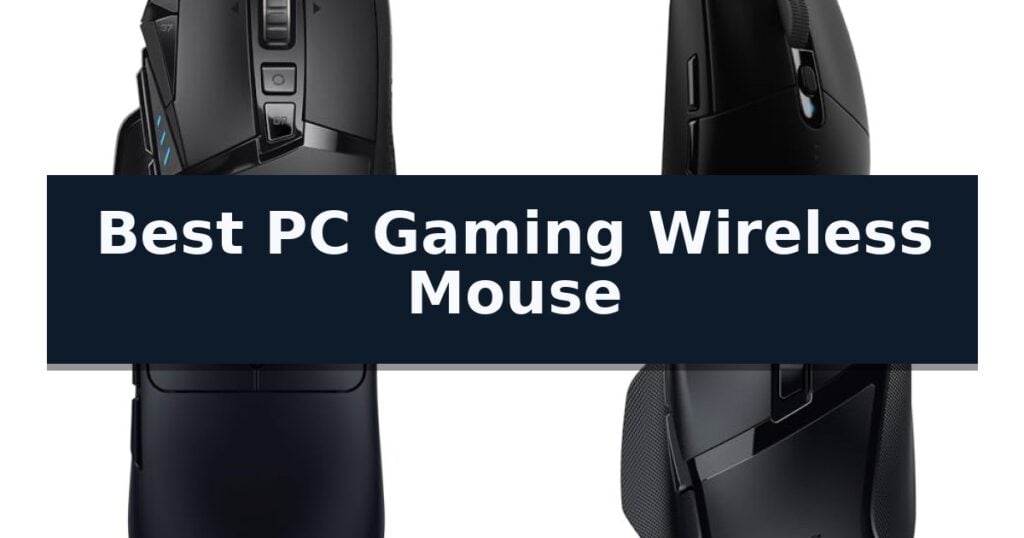
10 Best PC Gaming Wireless Mouse in 2026 Reviews
Quick Comparison
| Product | Best For | Key Strength | Score |
|---|---|---|---|
| Logitech G502 LIGHTSPEED Wireless Gaming Mouse | Best Overall | HERO 25K sensor provides high-accuracy tracking up to 25,600 DPI. | 4.9 |
| Logitech G305 LIGHTSPEED Wireless Gaming Mouse | Best for Long Battery Life | LIGHTSPEED wireless technology provides a 1 ms report rate for low-latency performance. | 4.9 |
| Razer Viper V3 HyperSpeed Gaming Mouse | Best for Competitive Esports Precision | Mass-centralized 82g design for balanced, consistent movement | 4.4 |
| Razer Basilisk V3 X HyperSpeed Mouse | Best Ergonomic Multi-Button Control | Ergonomic shape supports multiple grip styles for long-term comfort. | 4.3 |
| Logitech G703 LIGHTSPEED Wireless Gaming Mouse | Best for Comfortable Grip Performance | HERO 25K Sensor provides high-precision 1:1 tracking. | 4.4 |
| Redragon M913 Wireless MMO Gaming Mouse | Best for Complex Macro Keybinding | 12 side buttons for advanced macro and keybinding customization | 4.5 |
| Redragon M901P-KS Wireless Gaming Mouse | Best for High-Volume Macro Inputs | 12 programmable side buttons for complex macro execution. | 4.3 |
| SOLAKAKA SM600 Wireless Gaming Mouse | Best Lightweight Honeycomb Design | Tri-mode connectivity supports up to four devices simultaneously. | 4.7 |
| INPHIC A9 V2 Explorer Gaming Mouse | Best for Silent Click Operation | Tri-mode connectivity for seamless switching between multiple devices. | 4.7 |
| Redragon M810 PRO Wireless Gaming Mouse | Best Entry-Level Wireless Performance | Cable-free 2.4Ghz connectivity for unrestricted movement. | 4.8 |
How We Chose
When evaluating the best PC gaming wireless mouse, we examine how technical specifications impact actual gameplay performance. An experienced reviewer looks beyond marketing claims, focusing on sensor reliability, the stability of the wireless connection, and whether the physical design supports the user's specific grip style and macro requirements during intense gaming sessions.
- Sensor accuracy and DPI range for consistent tracking across various surfaces.
- Wireless latency and connection stability to ensure competitive-grade responsiveness.
- Battery efficiency and charging convenience for uninterrupted gaming sessions.
- Ergonomic design and button layout for long-term comfort and macro utility.
- Weight customization options to suit different grip styles and movement preferences.
1 Logitech G502 LIGHTSPEED Wireless Gaming Mouse — Best for Custom Weight Balancing
The Logitech G502 LIGHTSPEED Wireless Gaming Mouse distinguishes itself through a redesigned internal endoskeleton that achieves a 7-gram weight reduction while maintaining the iconic shape of its predecessor. This engineering choice allows for a high-performance wireless experience without sacrificing the familiar ergonomics that many users rely on for extended gaming sessions.
At the heart of this device is the HERO 25K sensor, which provides tracking speeds exceeding 400 IPS across a 25,600 DPI range. This sensor is engineered for high power efficiency, offering up to 10x the efficiency of previous generations, ensuring that the mouse remains responsive at the sub-micron level during intense gameplay.
Customization is a core component of the design, featuring 11 programmable buttons equipped with metal-spring tensioning for consistent actuation. The inclusion of six adjustable weights allows users to fine-tune the balance and feel of the mouse, providing a precision-tuned experience tailored to individual preferences for pixel tracking and targeting.
Connectivity is managed via the LIGHTSPEED wireless ecosystem, a technology trusted for delivering reliable, pro-grade performance. The mouse also supports POWERPLAY compatibility, allowing for continuous charging during use, and features a hyper-fast scroll wheel that toggles between free-spinning and notched modes for versatile navigation.
Best for: Gamers who require precise, customizable weight distribution and high-speed wireless tracking for competitive play.
Skip if: Users who prefer a lightweight, minimalist mouse design without the complexity of multiple programmable buttons or adjustable weights.
- HERO 25K sensor provides high-accuracy tracking up to 25,600 DPI.
- Adjustable weight system allows for personalized balance and feel.
- LIGHTSPEED wireless technology ensures reliable, low-latency performance.
- 11 programmable buttons offer extensive customization for complex commands.
- Increased complexity due to the weight-adjustment system and numerous buttons may not suit all grip styles.
2 Logitech G305 LIGHTSPEED Wireless Gaming Mouse — Best for Long Battery Life
The Logitech G305 LIGHTSPEED Wireless Gaming Mouse leverages proprietary wireless technology to achieve a 1 ms report rate, providing a connection that aims to eliminate the latency often associated with cordless peripherals. This focus on competition-level responsiveness makes it a notable candidate for users who prioritize consistent input speed during intensive gaming sessions.
At the core of its performance is the HERO sensor, which supports up to 12,000 DPI and 400 IPS precision. This sensor architecture is engineered for power efficiency, allowing the device to maintain high performance while drawing minimal power. The mouse is powered by a single AA battery, which provides up to 250 hours of continuous gameplay, or up to 9 months of use when toggled to Endurance mode via software.
Designed with portability in mind, the chassis includes integrated storage for the nano receiver, facilitating transport for those who game on multiple systems or travel with a laptop. The lightweight mechanical design keeps the total weight at 3.4 oz, balancing structural durability with the maneuverability required for rapid cursor movements.
Users can customize the device through six programmable buttons, with settings saved directly to on-board memory. This allows for consistent button configurations across different computers without needing to reconfigure software profiles, making it a practical choice for varied gaming environments.
Best for: Gamers who prioritize long battery life and a lightweight, portable design for both desktop and mobile gaming setups.
Skip if: Users who prefer a rechargeable internal battery or a more ergonomic, contoured shape for extended palm-grip usage.
- LIGHTSPEED wireless technology provides a 1 ms report rate for low-latency performance.
- HERO sensor offers high power efficiency and up to 12,000 DPI sensitivity.
- Extended battery life reaching up to 250 hours on a single AA battery.
- Integrated nano receiver storage enhances portability for travel.
- AA battery requirement necessitates manual replacement rather than USB recharging.
- Compact, symmetrical design may not suit all hand sizes or grip styles.
3 Razer Viper V3 HyperSpeed Gaming Mouse — Best for Competitive Esports Precision
Precision is the cornerstone of competitive gaming, and the Razer Viper V3 HyperSpeed Wireless PC Gaming Mouse is engineered to deliver exactly that through its mass-centralized 82g design. By balancing the internal components, this mouse ensures consistent, seamless swipes that are essential when every millisecond counts in a tournament setting.
At the heart of its performance is the Focus Pro 30K Optical Sensor, which features forward placement for improved tracking accuracy across diverse surfaces, including glass. The integration of HyperSpeed Wireless technology provides a low-latency connection that remains stable even in environments crowded with other wireless signals, ensuring your inputs are registered without delay.
Durability and longevity are prioritized through the Mechanical Mouse Switches Gen-2, which are rated for a 60-million click lifespan and utilize gold-plated contact points to resist wear. For extended sessions, the mouse offers up to 280 hours of battery life on a single AA battery, allowing you to focus on your gameplay rather than frequent power management.
Usability is further enhanced by on-mouse DPI control, allowing you to toggle between five distinct stages without needing to open software. For those looking to fine-tune their experience, the Razer Synapse App provides additional customization options, while the ability to disable Windows pointer precision settings helps maintain raw, unaccelerated input for maximum control.
Best for: Competitive esports players who require a lightweight, high-precision wireless mouse with long battery life.
Skip if: Users who prefer a rechargeable internal battery or a multi-button layout for complex MMO macros.
- Mass-centralized 82g design for balanced, consistent movement
- Focus Pro 30K Optical Sensor for high-accuracy tracking
- Up to 280 hours of battery life on a single AA battery
- HyperSpeed Wireless for low-latency, stable connectivity
- Requires AA battery rather than an internal rechargeable battery
- Limited to 6 programmable buttons which may not suit all genres
4 Razer Basilisk V3 X HyperSpeed Mouse — Best Ergonomic Multi-Button Control
Precision and comfort define the Razer Basilisk V3 X HyperSpeed Mouse, a wireless peripheral built for users who prioritize ergonomic support during extended gaming sessions. Its signature shape is engineered to accommodate multiple grip styles, ensuring that control remains consistent whether you are navigating intense competitive matches or managing complex productivity workflows.
At the heart of the device is the Razer 5G Advanced 18K Optical Sensor, which provides pixel-precise tracking and sensitivity customization to eliminate spinouts. Connectivity is handled through dual-mode technology, allowing users to toggle between the ultra-low-latency Razer HyperSpeed Wireless for gaming and Bluetooth for maximum power efficiency. This flexibility supports a battery life of up to 285 hours on HyperSpeed or 535 hours via Bluetooth.
The mouse features 9 programmable controls that work in tandem with Razer Hypershift to enable advanced macros and custom shortcuts. Durability is addressed through Razer Mechanical Mouse Switches Gen-2, which are rated for up to 60 million clicks and utilize gold-plated contact points to maintain consistent actuation over time. The inclusion of 100% PTFE mouse feet ensures smooth, low-friction movement across various surfaces.
Aesthetic customization is provided by Razer Chroma RGB, offering 16.8 million colors that can synchronize with other compatible devices. The unit includes onboard profile storage, allowing users to keep their settings accessible without needing constant software connectivity. With its combination of high-performance sensors, durable switches, and versatile wireless options, this mouse offers a comprehensive set of tools for both gaming and daily tasks.
Best for: Gamers and professionals who require an ergonomic, multi-button mouse with flexible wireless connectivity options.
Skip if: Users who prefer an ultra-lightweight, symmetrical design or those who require a wired-only connection for specific tournament environments.
- Ergonomic shape supports multiple grip styles for long-term comfort.
- Dual-mode connectivity allows switching between low-latency wireless and Bluetooth.
- 9 programmable controls enable advanced macro and shortcut customization.
- High-durability switches rated for 60 million clicks.
- Battery-powered operation requires AA batteries rather than an integrated rechargeable cell.
- Weight profile is heavier than specialized ultra-lightweight competitive mice.
5 Logitech G703 LIGHTSPEED Wireless Gaming Mouse — Best for Comfortable Grip Performance
Precision and responsiveness define the Logitech G703 LIGHTSPEED Wireless Gaming Mouse, a device engineered for high-performance play without the tether of a cable. By utilizing LIGHTSPEED Wireless technology, it delivers pro-level connectivity that maintains stability during intense gaming sessions. The mouse is built around the HERO 25K Sensor, which provides a sensitivity range of 100 to 25,600 DPI, ensuring 1:1 tracking without smoothing, filtering, or acceleration.
Designed for sustained comfort, the chassis features rubber side grips and an ergonomic shape that accommodates various hand positions. The internal construction includes metal-spring button tensioning, which reduces the force required to actuate the primary left and right clicks, promoting consistent feedback. Users can further customize the weight and feel by utilizing the included 10 g optional weight, allowing for a tailored experience that balances the base 95 g mass.
The device integrates seamlessly into the Logitech G ecosystem, supporting LIGHTSYNC RGB lighting for customizable aesthetics. For those seeking to eliminate battery management entirely, the mouse is compatible with the POWERPLAY wireless charging system, which keeps the device powered during both rest and active gameplay. With a battery life of up to 35 hours on a single charge with default lighting, it offers reliable endurance for extended sessions.
Functionality is expanded through 6 programmable buttons, allowing users to map commands and macros to suit specific gaming requirements. The combination of high-efficiency sensor technology and advanced mechanical design makes this a versatile tool for gamers who prioritize tactile response and reliable wireless performance in a lightweight, ergonomic package.
Best for: Gamers who prioritize ergonomic comfort and consistent, low-latency wireless performance with the option for continuous charging.
Skip if: Users who require an ultra-lightweight mouse under 90g or those who prefer a symmetrical, ambidextrous shape rather than an ergonomic right-handed design.
- HERO 25K Sensor provides high-precision 1:1 tracking.
- LIGHTSPEED Wireless ensures pro-level responsiveness.
- Metal-spring button tensioning improves click consistency.
- POWERPLAY compatibility allows for continuous wireless charging.
- Battery life is limited to 35 hours with default RGB lighting enabled.
- Ergonomic right-handed shape is not suitable for left-handed users.
6 Redragon M913 Wireless MMO Gaming Mouse — Best for Complex Macro Keybinding
Managing complex game commands requires hardware that keeps pace with rapid inputs, and the Redragon M913 Wireless MMO Gaming Mouse addresses this with a high-density layout featuring 12 side buttons. This design allows users to map extensive macros directly to the thumb area, streamlining spell rotations or inventory management in demanding titles.
Performance is anchored by the Optical Pixart 3335 gaming sensor, which provides instantaneous registration of clicks and swipes within a 1ms latency window. This ensures that the wireless connection maintains the responsiveness typically expected from wired peripherals, providing consistent accuracy during intense gameplay sessions.
Versatility is a core component of the Redragon M913 Wireless MMO Gaming Mouse, offering both 2.4Ghz wireless and USB-C wired modes. The integrated battery supports extended play, with an Eco mode that optimizes power consumption by adjusting backlight usage, extending the device's operational time from 45 hours up to 80 hours between charges.
Precision control is facilitated by 5 onboard DPI levels ranging from 1000 to 16000, which are adjustable in increments of 100 via dedicated software. This customization extends to the 16 programmable buttons and the 16.8 million color lighting effects, ensuring the hardware can be tailored to specific user preferences or game-specific profiles.
Best for: Gamers who require extensive macro keybinding and side-button accessibility for MMO and strategy titles.
Skip if: Users who prefer an ultra-lightweight, minimalist mouse design without the added bulk of a 12-button side panel.
- 12 side buttons for advanced macro and keybinding customization
- Dual-mode connectivity with 2.4Ghz wireless and USB-C wired options
- High-performance Optical Pixart 3335 sensor for low-latency input
- Extended battery life up to 80 hours in Eco mode
- Increased physical footprint due to the 12-button side panel design
7 Redragon M901P-KS Wireless Gaming Mouse — Best for High-Volume Macro Inputs
The Redragon M901P-KS Wireless Gaming Mouse prioritizes complex input management by featuring 12 side buttons that can be fully remapped to handle intricate macro commands. This design choice allows users to execute keyboard combinations directly from the mouse, providing a significant advantage in titles that require rapid, multi-key execution.
Engineered for precision, the device supports an adjustable DPI range from 100 to 16,000 and a polling rate between 125Hz and 1000Hz. The inclusion of 40G acceleration ensures that the sensor maintains responsiveness during high-speed movements, while the internal 1000mAh battery provides over 70 hours of operation with RGB lighting disabled. The mouse remains functional during wired charging, ensuring continuous uptime.
Customization is a core component of the Redragon M901P-KS Wireless Gaming Mouse, which includes five onboard memory profiles to store specific configurations. Users can toggle between two distinct working modes with a single click, and the integrated software allows for granular control over the 16.8 million color RGB lighting system, which offers four unique modes.
The chassis is constructed with skin-friendly materials and an ergonomic shape intended to mitigate fatigue during extended sessions. By eliminating cable drag, the wireless connectivity provides a smoother physical experience, while the ability to remap all 16 buttons ensures the hardware adapts to various gaming scenarios or productivity workflows.
Best for: Gamers who require extensive macro programming and side-button functionality for MMO or MOBA titles.
Skip if: Users who prefer a minimalist, lightweight mouse design without the added bulk of side-button arrays.
- 12 programmable side buttons for complex macro execution.
- Adjustable 16,000 DPI sensor with 40G acceleration.
- 70-hour battery life with the option for wired charging.
- Five onboard memory profiles for quick setting swaps.
- Higher button density may require an adjustment period for some users.
- RGB lighting usage significantly reduces the total battery standby time.
8 SOLAKAKA SM600 Wireless Gaming Mouse — Best Lightweight Honeycomb Design
The SOLAKAKA SM600 Wireless Gaming Mouse is defined by its specialized honeycomb shell design, which serves a dual purpose: significantly reducing the device's overall weight while promoting airflow to enhance heat dissipation during intense, long-duration gaming sessions. This structural choice ensures the mouse remains agile and comfortable, minimizing the physical fatigue often associated with heavier peripherals.
Engineered for high-level versatility, this peripheral features a tri-mode connection system. Users can seamlessly toggle between 2.4G wireless, Bluetooth 5.1, and Type-C wired modes, with the capacity to store connections for up to four devices simultaneously. This functionality allows for rapid transitions between a PC, laptop, tablet, or mobile phone without the need for constant re-pairing.
Performance is managed through 7 programmable buttons and dedicated software, which allows users to fine-tune DPI settings across six distinct levels, ranging from 800 to 13200. The sensor supports a 1000Hz polling rate to ensure minimal latency, while the integrated 600 mA lithium battery provides reliable power for wireless operation. The device also includes a low-battery indicator and supports continued use while charging via the included cable.
The aesthetic is further enhanced by 14 RGB rainbow backlight modes, which can be toggled via a dedicated top button to suit different environments. Constructed from high-quality ABS material, the ergonomic chassis is built to provide a stable grip, ensuring the mouse remains responsive and durable for extended use.
Best for: Gamers who require a lightweight, multi-device wireless mouse with extensive button programmability and adjustable DPI settings.
Skip if: Users who prefer a solid-shell mouse design or those who do not require multi-device Bluetooth connectivity.
- Tri-mode connectivity supports up to four devices simultaneously.
- Lightweight honeycomb shell enhances comfort and heat dissipation.
- 7 programmable buttons allow for extensive macro customization.
- 6-level adjustable DPI up to 13200 for precise control.
- Honeycomb design may require more frequent cleaning to prevent dust buildup inside the shell.
9 INPHIC A9 V2 Explorer Gaming Mouse — Best for Silent Click Operation
The INPHIC A9 V2 Explorer Gaming Mouse distinguishes itself with a versatile 12800 DPI optical sensor that allows users to adjust sensitivity across six levels, catering to tasks ranging from precise photo editing to rapid-fire gaming. This adaptability ensures the cursor remains responsive and smooth across various surfaces, providing a tailored experience for different workflows.
Connectivity is a primary strength of this device, offering tri-mode functionality that includes 2.4G wireless, Bluetooth, and USB-C wired options. Users can switch between devices like tablets, laptops, and desktops with a single button, eliminating the need for constant re-pairing. The inclusion of a USB-C wired connection allows for uninterrupted use while the device charges, effectively removing downtime during extended sessions.
Designed for quiet environments, the mouse features silent click technology, making it suitable for shared workspaces or late-night use without audible distractions. Despite its lightweight 102g frame, the ergonomic shape is intended to provide comfort during prolonged operation. A visible battery indicator provides timely alerts when power is low, and the device includes an auto-sleep function to conserve energy when idle.
For users requiring deeper customization, the mouse supports an optional driver download on Windows, enabling adjustments to polling rates, button mapping, and RGB lighting. Its broad compatibility across Windows, macOS, Android, and iOS makes it a flexible peripheral for diverse computing setups.
Best for: Users who require a versatile, multi-device wireless mouse that operates quietly in shared environments.
Skip if: Competitive gamers who prioritize ultra-lightweight, wired-only performance or those who require specialized software support on non-Windows operating systems.
- Tri-mode connectivity for seamless switching between multiple devices.
- Silent click switches ideal for quiet office or home environments.
- High-resolution 12800 DPI sensor with six adjustable levels.
- Rechargeable battery with USB-C wired mode for zero downtime.
- Advanced customization software is limited to Windows users only.
10 Redragon M810 PRO Wireless Gaming Mouse — Best Entry-Level Wireless Performance
Eliminating the physical constraints of a cord during intense gaming sessions is the primary objective of the Redragon M810 PRO Wireless Gaming Mouse. By utilizing a 2.4Ghz nano receiver, this device provides a cable-free experience designed to maintain reaction speeds without the drag or resistance typically associated with wired peripherals.
The mouse is built around the PAW3325 Optical Pixart sensor, supporting adjustable DPI levels up to 10,000. Users can toggle between five on-board DPI presets, allowing for rapid sensitivity adjustments to match specific in-game requirements. The hardware is optimized for efficiency, offering up to 45 hours of operation in eco-mode on a single charge.
Functionality is expanded through eight programmable buttons, which include a dedicated rapid-fire trigger and two side macro buttons. These inputs are fully customizable via the Redragon Pro driver software, enabling users to assign tactical keybinds for both gaming and productivity tasks. The software also manages the integrated RGB lighting, which features multiple dynamic modes like streaming, breathing, and waving effects.
Designed with an ergonomic grip, the Redragon M810 PRO Wireless Gaming Mouse balances performance with comfort. Its dual-mode connectivity and 1000Hz polling rate ensure consistent input registration, while the rechargeable internal battery removes the need for frequent replacements. This combination of macro-capable inputs and wireless freedom makes it a versatile tool for various desktop environments.
Best for: Gamers seeking an entry-level wireless mouse with programmable macro buttons and adjustable DPI settings.
Skip if: Users who require ultra-high polling rates beyond 1000Hz or those who prefer a lightweight, minimalist chassis without extra macro buttons.
- Cable-free 2.4Ghz connectivity for unrestricted movement.
- Eight programmable buttons including rapid-fire and macro options.
- Adjustable DPI up to 10,000 with five on-board presets.
- Customizable RGB lighting via dedicated driver software.
- 45-hour maximum battery life may require frequent recharging compared to non-RGB models.
- Software-dependent customization for advanced macro mapping.
Best PC Gaming Wireless Mouse Buying Guide
Sensor Precision and Tracking
The optical sensor is the heart of any gaming mouse, determining how accurately your physical movements are translated into in-game actions. Look for sensors that offer high DPI ranges and sub-micron detection to ensure your aim remains steady during both fast-paced movements and precise sniping.
Advanced sensors also include features like zero smoothing or filtering, which prevent unwanted acceleration. This consistency is vital for building muscle memory, as it ensures that the same physical swipe always results in the same distance traveled on your screen.
Wireless Connectivity and Latency
Modern wireless technology has largely eliminated the input lag that once plagued early cordless peripherals. High-end wireless protocols now offer report rates that match wired connections, providing the instantaneous feedback required for competitive esports.
When choosing a mouse, verify that it uses a dedicated 2.4GHz receiver rather than relying solely on Bluetooth. The 2.4GHz connection is specifically engineered to handle high-speed data transmission without the interference or latency issues commonly found in standard wireless connections.
Ergonomics and Grip Style
The physical shape and size of the mouse should complement your natural grip style, whether you use a palm, claw, or fingertip grip. A mouse that is too large or too small can lead to hand fatigue during extended sessions, regardless of its technical performance.
Consider the weight of the device as well. Lighter mice are generally preferred for fast-paced shooters where rapid, repetitive movements are necessary, while heavier, more ergonomic designs can provide better stability and comfort for slower-paced strategy or role-playing games.
Programmability and Macro Support
Many gaming mice feature additional side buttons that can be mapped to specific in-game commands or macros. This is particularly useful for MMO or MOBA players who need quick access to a wide array of abilities without moving their fingers from the primary controls.
Ensure the mouse has robust software support that allows you to save profiles directly to the device's on-board memory. This allows you to carry your custom button configurations and DPI settings between different computers without needing to reinstall drivers.
Battery Life and Charging
Wireless gaming mice require power, and battery life can vary significantly based on sensor efficiency and RGB lighting usage. Look for models that offer long-lasting battery performance or power-saving modes to minimize the frequency of charging interruptions.
Some premium models support wireless charging pads, which keep the mouse powered while it is in use. If you prefer a more traditional approach, ensure the mouse supports wired charging via a USB-C cable so you can continue playing while the battery replenishes.
Frequently Asked Questions
Is a wireless gaming mouse as fast as a wired one?
Yes, modern wireless gaming mice using proprietary 2.4GHz technology provide latency that is virtually indistinguishable from wired connections, making them suitable for competitive play.
How do I know which mouse shape is best for me?
The best shape depends on your hand size and grip style. Palm grip users often prefer larger, contoured mice, while claw and fingertip users typically benefit from smaller, more agile designs.
Do I need to worry about interference with my wireless mouse?
Most gaming-grade wireless mice use frequency-hopping technology to avoid interference from other devices, ensuring a stable connection even in crowded wireless environments.
Can I use a gaming mouse for productivity work?
Absolutely. High-precision sensors and programmable buttons are excellent for productivity tasks, allowing you to map shortcuts and macros to improve your workflow efficiency.
What is the benefit of adjustable weights?
Adjustable weights allow you to fine-tune the balance and feel of your mouse, helping you achieve the perfect resistance for your specific movement style.
Conclusion: Our Top Pick
Our top pick is Logitech G502 LIGHTSPEED Wireless Gaming Mouse. Choosing the right wireless mouse depends on balancing your specific gaming needs with the physical design of the device. Whether you prioritize the weight-tuned precision of the G502 or the long-lasting battery life of the G305, there is a model tailored to your playstyle.
Investing in a high-quality wireless mouse removes the physical constraints of a cable, allowing for more fluid movement and a cleaner desk setup. By focusing on sensor reliability and ergonomics, you can significantly enhance your overall gaming experience.