Logitech Z623 2.1 Speaker System is our top choice for the Best PC Speaker System with Subwoofer, offering THX-certified audio and 200W RMS power for a truly immersive listening experience. The Klipsch ProMedia 2.1 Speaker System serves as an excellent alternative for those prioritizing legendary horn-loaded clarity, while the Nylavee 2.1 Computer Speaker System provides a modern, feature-rich solution with integrated RGB lighting and Bluetooth connectivity.
Selecting a dedicated subwoofer setup for your computer requires balancing raw power with desk space and connection versatility. While some users prioritize high-wattage output for gaming and movies, others may need compact footprints or modern wireless inputs like Bluetooth to keep their workspace tidy.
When evaluating these systems, consider how the subwoofer's physical size and placement will affect your room's acoustics. A powerful system is only as effective as its integration into your specific environment, so verifying cable lengths and input compatibility is essential for a seamless setup.
If you are looking for broader options beyond subwoofer-equipped models, our guide to Best PC Speaker Sets provides a comprehensive look at various stereo configurations.
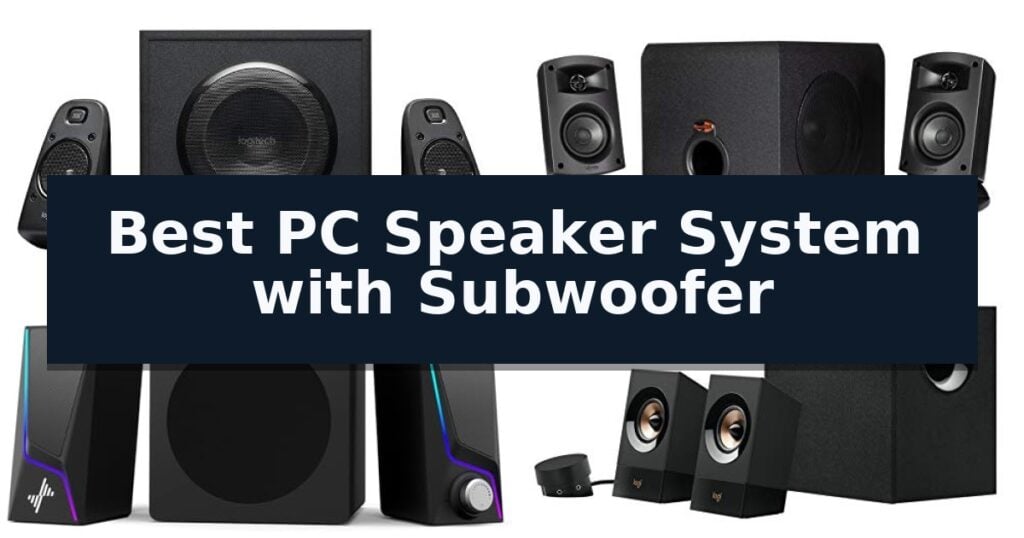
7 Best PC Speaker System with Subwoofer in 2026 Reviews
Quick Comparison
| Product | Best For | Key Strength | Score |
|---|---|---|---|
| Logitech Z623 2.1 Speaker System | Best Overall | THX-certified audio for consistent, high-quality sound reproduction. | 4.9 |
| Klipsch ProMedia 2.1 Speaker System | Legendary Clarity and Bass | THX Certification ensures high-performance audio standards for multimedia. | 4.8 |
| Nylavee 2.1 Computer Speaker System | Dynamic RGB with Punchy Bass | 60W peak power for room-filling stereo sound | 4.6 |
| Logitech Z533 2.1 Speaker System | Balanced Room-Filling Sound | 120W peak power for room-filling audio output | 4.5 |
| Klipsch ProMedia Lumina 2.1 System | Modernized Classic Desktop Audio | Versatile connectivity including USB-C, AUX, and Bluetooth 5.3. | 4.4 |
| Cyber Acoustics CA-3090 2.1 System | Compact Footprint for Desks | Compact footprint ideal for crowded desk setups. | 4.6 |
| cinnkeyi 2.1 USB Speaker System | Versatile Bluetooth and Wired Modes | Three-mode versatility including Bluetooth, USB, and 3.5mm inputs. | 4.4 |
How We Chose
To determine the best PC speaker system with subwoofer, we evaluate each model based on its ability to deliver balanced, high-fidelity audio across various media types. We prioritize systems that offer clear, distortion-free sound, intuitive control layouts, and flexible connectivity, ensuring the hardware integrates seamlessly into diverse desktop environments.
- Total RMS and peak power output for room-filling sound
- Subwoofer driver size and bass response performance
- Connectivity options including 3.5mm, RCA, and Bluetooth
- Control accessibility for volume, bass, and power management
- Physical footprint and satellite speaker mounting options
1 Logitech Z623 2.1 Speaker System — THX Certified Immersive Audio
Achieving an immersive audio environment requires equipment that balances raw power with precision, a standard met by the Logitech Z623 2.1 Speaker System. This THX-certified setup is engineered to deliver accurate, high-fidelity sound, making it a robust choice for users who prioritize audio clarity during gaming, movie watching, or music playback.
At the heart of the system is a 130W RMS subwoofer that provides the deep, resonant bass necessary for impactful soundscapes. Complementing this, the system offers a total of 400W peak power and 200W RMS, ensuring that audio remains dynamic and clear even at higher volumes. The THX certification serves as a benchmark for the system's ability to maintain consistent, high-quality output across various media types.
Usability is integrated directly into the hardware, with the right satellite speaker housing all primary controls. Users can adjust power, volume, and bass levels via dedicated dials, while a built-in headphone output allows for private listening without needing to disconnect the system from the source. The rear panel features versatile connectivity, including two 3.5mm inputs and one RCA input, enabling simultaneous connection to up to three devices.
The Logitech Z623 2.1 Speaker System occupies a footprint of approximately 17.31 by 11.87 inches, requiring adequate desk or floor space for the subwoofer and satellite units. While the system excels in power and input flexibility, its physical size and wired configuration are factors to consider for those with limited workspace or a preference for wireless setups.
Best for: Users who require a powerful, THX-certified audio system with multiple wired inputs for gaming and multimedia.
Skip if: Users who prefer a wireless audio setup or have limited desk space for a dedicated, large-format subwoofer.
- THX-certified audio for consistent, high-quality sound reproduction.
- 400W peak power provides significant volume and dynamic range.
- Versatile connectivity supports up to three devices via 3.5mm and RCA inputs.
- Integrated controls on the satellite speaker for quick volume and bass adjustments.
- Wired-only connection limits placement flexibility compared to wireless systems.
- Substantial footprint requires dedicated space for the subwoofer and satellite speakers.
2 Klipsch ProMedia 2.1 Speaker System — Legendary Clarity and Bass
Achieving high-fidelity audio in a desktop environment often requires balancing space with output, a challenge the Klipsch ProMedia 2.1 THX Certified Computer Speaker System addresses through its specialized horn-loaded design. By utilizing Klipsch MicroTractrix Horn Technology, this system increases efficiency to deliver clear, directed sound directly to the listener while maximizing the output from every watt of power.
The system consists of two-way satellites featuring 3-inch midrange drivers paired with a dedicated 6.5-inch side-firing, ported subwoofer. This configuration is engineered to provide a full bandwidth bass response, capable of reaching a peak power output of 200 watts and an in-room volume level of 110dB. Such specifications allow the system to handle demanding audio sources ranging from gaming and movies to high-fidelity music playback.
Usability is centered around a convenient control pod that provides direct access to the main volume and subwoofer gain. This allows for quick adjustments to the bass intensity without needing to reach behind the subwoofer unit. The system utilizes a standard 3.5-millimeter input, ensuring broad compatibility with computers, gaming consoles, televisions, and portable music players.
Physically, the satellites measure 8.5 by 4.2 by 5.67 inches, while the subwoofer occupies a 9.5 by 9.8 by 10.2-inch footprint. This compact arrangement is designed for straightforward plug-and-play integration into most workstation setups, though users should ensure adequate floor or desk space for the side-firing subwoofer to maintain proper airflow and acoustic performance.
Best for: Users seeking a high-output, THX-certified audio solution for gaming and multimedia that fits within a standard desktop footprint.
Skip if: Users who require wireless connectivity or Bluetooth integration, as this system relies exclusively on a 3.5-millimeter wired input.
- THX Certification ensures high-performance audio standards for multimedia.
- MicroTractrix Horn Technology improves sound dispersion and efficiency.
- Dedicated subwoofer gain control allows for precise bass adjustment.
- 200 watts of peak power provides significant volume headroom.
- Wired-only connectivity limits integration with modern wireless devices.
- Side-firing subwoofer design requires specific placement to avoid acoustic obstruction.
3 Nylavee 2.1 Computer Speaker System — Dynamic RGB with Punchy Bass
The Nylavee 2.1 Computer Speaker System distinguishes itself with a 60W peak power output and a dedicated subwoofer, providing a robust audio foundation for desktop environments. By integrating a Bluetooth 5.4 module alongside traditional USB, USB-C, and 3.5mm AUX inputs, this system offers versatile connectivity for both wired gaming and wireless media streaming.
Designed with a focus on desktop aesthetics, the system features 8 dynamic RGB lighting modes with four adjustable brightness levels. The compact footprint ensures the speakers fit alongside monitors without occupying excessive desk space, while the included external AC adapter provides the stable power necessary for consistent high-volume output.
Usability is centered around a single rotary knob that manages power, volume, and lighting modes, streamlining the interface for quick adjustments. The inclusion of extended cabling allows for flexible placement of the subwoofer, enabling users to position it under or beside their desk to suit their specific workstation layout.
This system is built to handle a variety of audio tasks, from gaming to movie playback, by delivering clear mids and highs balanced against the low-end presence of the subwoofer. With an 18-month warranty, the unit provides a reliable solution for users seeking an all-in-one audio upgrade for their PC setup.
Best for: Desktop users who require a compact, multi-input audio system with integrated RGB lighting for gaming and media consumption.
Skip if: Users who require professional-grade studio monitoring accuracy or those with extremely limited desk space who cannot accommodate a separate subwoofer unit.
- 60W peak power for room-filling stereo sound
- Triple connectivity options including Bluetooth 5.4, USB, and AUX
- Customizable RGB lighting with 8 dynamic modes
- Compact design suitable for crowded desk setups
- External AC adapter requires an additional power outlet
- Dedicated subwoofer requires floor or desk space for placement
4 Logitech Z533 2.1 Speaker System — Balanced Room-Filling Sound
The Logitech Z533 2.1 Speaker System is engineered to provide a robust audio experience for desktop environments, centering its performance on a dedicated, fabric-lined subwoofer. This front-facing unit is specifically designed to produce deep, impactful low frequencies, which adds significant weight and presence to music, movies, and gaming sessions. By separating the bass reproduction from the two satellite speakers, the system achieves a more balanced audio profile that covers the full range of sound, from crisp highs to rich, resonant lows.
With a total of 120W peak power and 60W RMS, this setup is capable of delivering substantial, room-filling volume without requiring a massive footprint. The inclusion of a wired control pod provides a practical solution for daily operation, allowing users to adjust power and volume levels directly from their desk surface. This centralized control ensures that essential audio management remains within easy reach, eliminating the need to fumble with software settings or reach behind a computer tower.
Connectivity is a core strength of this model, as it supports up to three compatible devices simultaneously through its integrated 3.5mm and RCA inputs. This design choice allows for seamless switching between different audio sources, such as a PC, tablet, or gaming console, without the inconvenience of constantly unplugging and reconnecting cables. Furthermore, the control pod features an integrated headphone jack, which provides a quick, accessible port for private listening sessions, ensuring that users can transition to headphones instantly whenever the situation requires.
While the system offers powerful output, potential buyers should consider the physical requirements of the setup. The subwoofer is a substantial component that necessitates dedicated floor or desk space, and the wired nature of the control pod means users must account for cable management to maintain a clean workspace. These factors are important trade-offs for those who prioritize high-output audio and physical control accessibility over a minimalist or wireless-only configuration.
Best for: Users who need a versatile, multi-input audio system that balances powerful bass with convenient desktop control.
Skip if: Users who require wireless Bluetooth connectivity or a more compact footprint for limited desk space.
- 120W peak power for room-filling audio output
- Front-facing subwoofer for deep, impactful bass
- Multi-device connectivity via 3.5mm and RCA inputs
- Integrated control pod with headphone jack
- Wired control pod requires cable management
- Large subwoofer footprint may limit placement options
5 Klipsch ProMedia Lumina 2.1 System — Modernized Classic Desktop Audio
Desktop audio has evolved significantly since the original release of the ProMedia line in 1999, and the Klipsch ProMedia Lumina 2.1 Computer Gaming System with Subwoofer and RGB Lighting Effects Built-in serves as a modernized successor to that legacy. This system features a completely reenvisioned cabinet design, integrated RGB lighting effects, and tiltable stands that allow for precise acoustic positioning on your workstation.
At the heart of the system is a low-profile subwoofer designed to deliver significant low-end punch without consuming excessive floor space. The unit includes an adjustable gain knob for quick bass management and a dedicated cable management design to keep your desk tidy. The system is versatile, supporting USB-C, AUX, and Bluetooth 5.3 connectivity, making it compatible with a wide range of devices from gaming PCs to mobile hardware.
Users can further refine their experience through the Klipsch Control desktop app. This software provides command over EQ settings, lighting patterns, and specialized modes like night mode and music react mode. The lighting system offers three color-changing options, allowing you to synchronize the visual aesthetic of your speakers with your existing workspace setup.
The system is built for longevity and ease of use, catering to gamers, content creators, and media enthusiasts who require a compact but impactful audio solution. With its combination of classic acoustic heritage and modern features like Bluetooth 5.3 and app-based customization, the Klipsch ProMedia Lumina 2.1 Computer Gaming System with Subwoofer and RGB Lighting Effects Built-in provides a comprehensive upgrade for any desktop environment.
Best for: Gamers and content creators who need a compact, feature-rich 2.1 speaker system with app-based EQ and lighting customization.
Skip if: Users who require a massive, high-wattage home theater setup or those who prefer a strictly analog, non-RGB aesthetic for their workspace.
- Versatile connectivity including USB-C, AUX, and Bluetooth 5.3.
- Compact, low-profile subwoofer design saves valuable floor space.
- Customizable RGB lighting and EQ settings via the Klipsch Control app.
- Tiltable stands allow for optimized sound direction toward the listener.
- RGB lighting and app features may be unnecessary for users seeking a minimalist aesthetic.
- Subwoofer footprint is optimized for small spaces, which may limit output compared to larger, dedicated home audio subwoofers.
6 Cyber Acoustics CA-3090 2.1 System — Compact Footprint for Desks
The Cyber Acoustics CA-3090 2.1 Speaker System is designed to maximize desk space with its compact, flat-panel satellite speakers and a dedicated side-firing subwoofer. This 2.1 channel system delivers 18W of peak power and 9W RMS, providing a focused audio solution for desktop environments where space is at a premium.
Usability is centered around a convenient desktop control pod, which allows for quick volume adjustments and power toggling without reaching behind the unit. The system also features a dedicated bass volume control located directly on the subwoofer, allowing users to balance the low-end output to suit their specific listening preferences for music, movies, or gaming.
The system utilizes a 3.5mm audio connection, ensuring broad compatibility with most standard PC setups and audio devices. The included four-inch ported poly carbon subwoofer is engineered to handle lower frequencies, while the two-inch satellite drivers manage the mid and high ranges.
To achieve optimal audio performance, the manufacturer recommends setting the source device volume between sixty-five and eighty percent, then using the speaker's control pod for final adjustments. The package includes the speakers, the subwoofer, a 110V AC power adapter, and a one-year manufacturer warranty.
Best for: Desktop users who need a space-saving audio solution with adjustable bass control for general multimedia use.
Skip if: Users requiring high-fidelity studio-grade sound or those who need wireless connectivity options, as this is a wired-only system.
- Compact footprint ideal for crowded desk setups.
- Dedicated control pod for convenient volume and power management.
- Adjustable bass control located on the subwoofer for personalized sound tuning.
- Wired 3.5mm connection for reliable, latency-free audio.
- Limited power output of 9W RMS may not be sufficient for large rooms.
- Wired-only design lacks modern Bluetooth or wireless connectivity.
7 cinnkeyi 2.1 USB Speaker System — Versatile Bluetooth and Wired Modes
Achieving a balanced soundstage on a desktop often requires balancing footprint with audio fidelity. The cinnkeyi 2.1 USB Speaker System addresses this by integrating a dedicated subwoofer with dual satellite speakers, providing a comprehensive 2.1 channel setup that occupies minimal desk space while delivering enhanced low-frequency response.
This system is engineered for versatility, featuring three distinct audio modes: PC, Line-In, and Bluetooth. In PC mode, the unit utilizes a single USB connection for both power and audio, simplifying cable management. For analog sources, the Line-In mode uses a 3.5mm jack while maintaining USB power, and the Bluetooth functionality allows for wireless streaming from mobile devices.
The audio performance is supported by a built-in DSP and sound card, which works to maintain clarity and detail across the 40Hz–18kHz frequency range. With a signal-to-noise ratio of ≥85dB, the system is designed to minimize distortion during playback. The main unit houses a 2.5-inch and 2-inch speaker configuration per side, complemented by a passive bass diaphragm for improved depth.
Usability is centered around a multifunction knob that handles volume adjustments and mode switching. The compact design, with the main speaker measuring 19cm by 9.5cm by 11cm, ensures it fits into tight workspaces. For optimal performance, the manufacturer recommends connecting the USB cable directly to a rear port on a desktop computer to ensure stable voltage delivery.
Best for: Users seeking a space-saving 2.1 audio solution that combines wired PC connectivity with the convenience of Bluetooth streaming.
Skip if: Audiophiles requiring high-fidelity studio monitors or those who need a system with dedicated optical or HDMI inputs.
- Three-mode versatility including Bluetooth, USB, and 3.5mm inputs.
- Compact footprint suitable for crowded desk environments.
- Integrated DSP and sound card for enhanced audio clarity.
- Single-cable USB operation for power and audio in PC mode.
- USB power dependency required even when using the 3.5mm line-in mode.
Best PC Speaker System with Subwoofer Buying Guide
Understanding Power Ratings
Power is often measured in both peak and RMS wattage. RMS represents the continuous power a system can handle, which is a more reliable indicator of sustained performance during movies or music playback.
Higher wattage generally allows for louder, more impactful sound without distortion. However, ensure your desk space can accommodate the larger subwoofers that typically accompany these high-power systems.
Connectivity and Inputs
Modern PC speaker systems often feature multiple inputs, allowing you to connect a desktop, laptop, and gaming console simultaneously. Check if your preferred model supports the specific cables you need, such as 3.5mm or RCA.
Bluetooth connectivity is becoming a standard feature for those who want to stream audio from mobile devices without unplugging their primary computer source. This adds significant convenience for casual listening.
Subwoofer Placement and Bass
The subwoofer is the engine of a 2.1 system, responsible for the low-frequency impact that standard satellite speakers cannot replicate. Placing it on the floor, rather than on your desk, often yields the best bass response.
Consider the cable length between the subwoofer and the satellite speakers. If you have a large desk or specific layout requirements, ensure the included cabling allows for flexible positioning.
Control and Ergonomics
Ease of use is critical for daily operation. Look for systems with a dedicated control pod or integrated volume and bass knobs on the satellite speakers, which keep adjustments within reach.
Some systems also include a headphone output on the control pod, which is a convenient feature for private listening sessions without needing to reach behind your computer tower.
THX Certification and Audio Quality
THX certification indicates that a speaker system has met specific standards for sound accuracy and performance. This is a helpful benchmark for users who want a cinematic audio experience at their desk.
While certification is a strong indicator of quality, personal preference for sound signatures—such as brighter highs or punchier lows—should also guide your final decision.
Frequently Asked Questions
Do I need a sound card to use these speaker systems?
Most modern PC speaker systems connect via a standard 3.5mm jack or USB, meaning they work perfectly with the integrated audio found on almost all motherboards and laptops.
Can I use these speakers with my TV?
Yes, as long as your TV has an analog audio output (like a 3.5mm headphone jack or RCA outputs), these systems can easily enhance your television's audio.
Where is the best place to put the subwoofer?
The floor is generally the best location for a subwoofer, as it allows the low frequencies to resonate properly. Avoid placing it inside a closed cabinet, which can muffle the sound.
What is the difference between 2.0 and 2.1 speaker systems?
A 2.0 system consists of two speakers, while a 2.1 system includes those same two speakers plus a dedicated subwoofer, which provides significantly deeper and more powerful bass.
Are these speakers suitable for professional audio editing?
While these systems are excellent for gaming, movies, and general music, professional audio editing often requires 'studio monitor' speakers designed for a flat, neutral frequency response.
Conclusion: Our Top Pick
Our top pick is Logitech Z623 2.1 Speaker System. Choosing the right PC speaker system depends on your specific desk layout and how you plan to use your audio. For those seeking a balance of power and cinematic performance, the Logitech Z623 remains a standout choice.
If you prioritize specific features like Bluetooth or compact designs, other options in our list may better suit your needs. Always verify your desk dimensions and connection requirements to ensure the system you choose fits your workspace perfectly.