The EMEET NOVA 4K Webcam is our choice for the Best PC Webcam because it combines high-resolution 4K output with precise PDAF autofocus for professional-grade clarity. The AOC 4K Webcam serves as a strong alternative for users needing a wider field of view for group meetings, while the Logitech C920x HD Pro remains a reliable standard for those prioritizing consistent 1080p performance in varied lighting.
Selecting a camera for your computer requires balancing resolution, autofocus speed, and audio integration. While 4K sensors offer superior detail, they often require higher bandwidth and specific software settings to reach their full potential. For many users, a high-quality 1080p sensor with robust light correction provides a more stable and plug-and-play experience for daily video conferencing.
Beyond raw resolution, the physical design and privacy features are essential for a permanent desk setup. Features like integrated privacy shutters, flexible mounting options, and noise-reducing microphones directly impact your daily workflow. We evaluated these models based on their ability to integrate seamlessly into existing office environments without requiring complex driver installations.
For users who require professional-grade audio for their meetings, pairing your camera with Best PC USB Headsets ensures your voice is heard clearly while keeping background noise to a minimum.
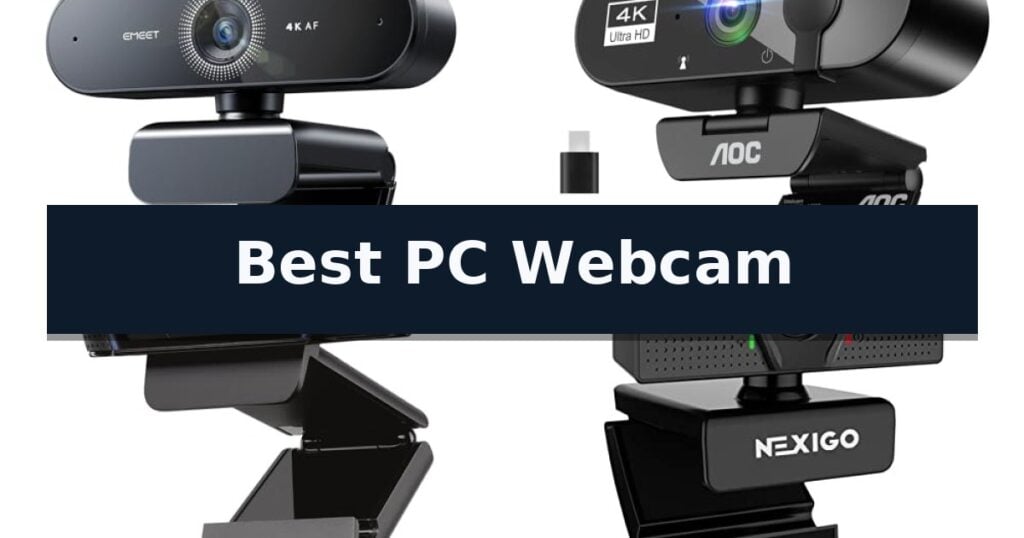
10 Best PC Webcam in 2026 Reviews
Quick Comparison
| Product | Best For | Key Strength | Score |
|---|---|---|---|
| EMEET NOVA 4K Webcam | Best Overall | Ultra 4K HD resolution for high-clarity video capture. | 4.9 |
| AOC 4K Webcam | Wide Angle 4K Streaming | 4K Ultra HD resolution for sharp, detailed video output. | 4.3 |
| Logitech C920x HD Pro Webcam | Industry Standard for Reliability | Full HD 1080p resolution for crisp and detailed video calls. | 4.3 |
| NexiGo N60 1080P Webcam | Budget Friendly Sharp Video | Plug-and-play setup via USB 2.0/3.0 with no driver installation required. | 4.7 |
| EMEET C960 1080P Webcam | Wide Field of View | 90-degree wide-angle lens captures more space. | 4.8 |
| NIVEOLI 1080P Webcam | Enhanced Low Light Performance | Plug-and-play USB 2.0 connectivity requires no driver installation. | 4.6 |
| TRAUSI 1080P Full HD Webcam | Advanced Noise Canceling Mics | Automatic light correction for consistent image quality | 4.8 |
| Acer A610 1080p Webcam | Effortless Plug and Play | Built-in privacy cover for enhanced security. | 4.4 |
| Logitech Brio 101 Webcam | Simple Privacy Focused Design | RightLight auto-light balance improves visibility in varied lighting environments. | 4.7 |
| Logitech C270 720p Webcam | Compact Essential Video Calling | RightLight 2 technology for automatic image contrast and brightness adjustment. | 4.5 |
How We Chose
When evaluating the best PC webcam, we focus on practical performance metrics that define a clear video call experience. An experienced reviewer prioritizes how a camera handles varying light conditions, the reliability of its autofocus, and the integration of essential features like privacy covers and noise-canceling microphones to ensure consistent, professional communication.
- Resolution and sensor performance
- Autofocus speed and accuracy
- Field of view and mounting flexibility
- Microphone audio clarity and noise reduction
- Plug-and-play compatibility and privacy features
1 EMEET NOVA 4K Webcam — Professional Ultra HD Clarity
Achieving professional-grade video quality during remote meetings or live streams requires hardware that prioritizes image clarity and reliable focus. The EMEET NOVA 4K Webcam distinguishes itself with a high-definition CMOS sensor capable of capturing 4K resolution, ensuring that every visual detail is rendered with precision for business or personal use.
Performance is anchored by PDAF autofocus technology, which maintains sharp focus on subjects within a range of 7.9 to 118 inches, even during movement. While the unit defaults to 1080P, users can easily toggle to full 4K via compatible software like OBS or PotPlayer. The camera also includes automatic light correction and adjustable settings for brightness, contrast, and saturation through the EMEETLINK software to help manage challenging lighting environments.
Audio and privacy are integrated into the design through dual omnidirectional microphones that capture natural sound from up to 8 feet away. For security, the EMEET NOVA 4K Webcam features a physical privacy cover, ensuring the lens is obscured when not in use. The device operates via a simple USB-A plug-and-play connection, eliminating the need for complex driver installations or cloud-based storage, which keeps data local.
The physical build offers significant flexibility for various setups, featuring a 360-degree horizontal rotation and a 180-degree adjustable stand. It also includes a standard 1/4-inch tripod nut for those who prefer an external mount. The robust swivel connection and internal rubber grips ensure the camera remains stable on top of monitors or laptops during extended use.
Best for: Professionals and streamers who require high-resolution 4K video and a secure, physical privacy cover for business meetings.
Skip if: Users who require advanced features like AI-driven facial tracking or adjustable field-of-view settings will find this model too limited.
- Ultra 4K HD resolution for high-clarity video capture.
- PDAF autofocus provides fast, accurate focus on moving subjects.
- Physical privacy cover ensures complete visual security when not in use.
- Flexible mounting options including a 360-degree swivel and tripod compatibility.
- No facial tracking or field-of-view adjustment capabilities.
- Manual focus is not supported, limiting control over focal depth.
2 AOC 4K Webcam — Wide Angle 4K Streaming
Achieving professional video quality for remote meetings or streaming often hinges on the hardware you choose. The AOC 4K Webcam prioritizes visual clarity by delivering 4K Ultra HD resolution, ensuring that every detail is captured with sharpness that standard integrated laptop cameras frequently lack.
Beyond its high-resolution sensor, this device is built for versatility in various home office setups. It features a wide 80° field of view and provides 360° swivel rotation alongside 180° tilt adjustment, allowing users to position the camera precisely on a monitor, desk, or tripod. The inclusion of automatic light correction helps maintain consistent brightness, which is particularly useful when working in environments with suboptimal or changing light levels.
Usability remains a core focus, as the unit utilizes a true plug-and-play design that requires no additional drivers for operation. It maintains broad compatibility with major communication platforms like Zoom, Teams, and Skype. To accommodate different hardware configurations, the package includes a USB-A to USB-C adapter, ensuring it can connect to both modern and legacy computer systems.
Security and audio performance are also addressed through thoughtful design choices. The webcam includes a physical sliding lens cover that provides a tactile way to ensure privacy when the camera is not in use. Additionally, the built-in noise-reducing microphone is engineered to improve voice clarity during calls, minimizing the need for external audio hardware in standard conferencing scenarios.
Best for: Users who require high-resolution 4K video and flexible mounting options for professional conferencing or streaming.
Skip if: Users who require advanced software-based features like background replacement or AI-driven auto-framing, as this model focuses on plug-and-play simplicity.
- 4K Ultra HD resolution for sharp, detailed video output.
- Physical sliding lens cover for immediate privacy assurance.
- 360° swivel and 180° tilt flexibility for precise positioning.
- USB-C and USB-A compatibility via the included adapter.
- Fixed 80° field of view may be too narrow for group settings compared to ultra-wide alternatives.
- No advanced software suite for deep customization of image parameters.
3 Logitech C920x HD Pro Webcam — Industry Standard for Reliability
Achieving clear, consistent video quality for remote meetings or streaming requires a reliable optical foundation. The Logitech C920x HD Pro Webcam addresses this by integrating HD lighting adjustment and autofocus, which automatically calibrates for sharp imagery even in challenging low-light environments.
This Full HD 1080p camera operates at 30 fps, ensuring fluid motion for professional video calls. It is designed for versatility, functioning as a standard desktop computer camera or a dedicated webcam for monitors. The inclusion of stereo audio with dual mics provides natural sound capture, reducing the need for external audio peripherals during standard conferencing.
Compatibility is a primary focus for this model, as it is fully functional with Windows 11, macOS, and major platforms like Zoom, Microsoft Teams, and Google Meet. Users also gain access to advanced capture software and a 3-month license for XSplit VCam, which allows for background removal, replacement, or blurring without requiring a physical green screen.
While it lacks a built-in privacy shutter, the Logitech C920x HD Pro Webcam remains a robust choice for users seeking a plug-and-play solution. Its combination of high-definition resolution and automated light correction makes it a practical, evidence-based tool for everyday digital communication.
Best for: Remote professionals and streamers who require reliable 1080p video quality and automated lighting adjustments for daily conferencing.
Skip if: Users who prioritize physical privacy features like a built-in privacy shutter or those requiring higher frame rates for professional-grade gaming broadcasts.
- Full HD 1080p resolution for crisp and detailed video calls.
- Automated HD light correction and autofocus for consistent image quality.
- Dual-mic stereo audio for clear sound capture.
- Includes 3-month XSplit VCam license for advanced background customization.
- No built-in privacy shutter included for lens coverage.
- Limited to 30 fps capture speed.
4 NexiGo N60 1080P Webcam — Budget Friendly Sharp Video
The NexiGo N60 1080P Webcam utilizes a 1080p FHD two-MP CMOS sensor to deliver sharp, clear video at 30fps, making it a capable tool for professional conferencing or personal streaming. Its 3.6mm glass lens is specifically optimized for fixed-distance clarity, performing best within a range of 19.6 inches to 13 feet.
Designed for immediate utility, this USB HD computer web camera features plug-and-play functionality that requires no additional drivers. It maintains broad compatibility across major operating systems, including Windows 7 through 11, Mac OS X 10.7 and higher, Android 4.0, and Linux, ensuring it integrates easily into most desktop or laptop setups.
For environments requiring privacy, the unit includes a physical privacy protection cover that blocks the lens when the camera is not in use. Additionally, the integrated noise-canceling microphone is engineered to reduce ambient background noise, which can improve audio clarity during video calls on platforms like Zoom, Skype, or Microsoft Teams.
Measuring 3.22 inches in length and 1.96 inches in height, the compact design fits unobtrusively on most monitors. While the camera is highly versatile for indoor use, users should note that it is not compatible with gaming consoles such as the Xbox, PS4, or PS5.
Best for: Individuals and professionals needing a simple, plug-and-play 1080p solution for video conferencing and online meetings.
Skip if: Users who require a webcam for use with gaming consoles like the Xbox or PlayStation, or those who need advanced features like autofocus or high-frame-rate recording.
- Plug-and-play setup via USB 2.0/3.0 with no driver installation required.
- Includes a physical privacy protection cover for enhanced security.
- Integrated noise-canceling microphone to minimize ambient background sound.
- High-resolution 1080p FHD video output for clear visual quality.
- Not compatible with gaming consoles including Xbox, PS4, or PS5.
- Fixed-focus lens may limit flexibility compared to autofocus models.
5 EMEET C960 1080P Webcam — Wide Field of View
Capturing a wide field of view during video calls is the primary strength of the EMEET C960 1080P Webcam, which utilizes a 90-degree wide-angle lens to include more participants or background space without requiring constant camera adjustments. This device is designed for professional streaming and communication, delivering 1920 x 1080p resolution through a 5-layer anti-glare lens for improved visual clarity.
The webcam features automatic light adjustment and exposure optimization, which help maintain stable image performance in varying lighting conditions. For the best results, it is recommended to use the camera in a well-lit environment. The fixed focus range spans from 11.8 to 118.1 inches, ensuring a clear image for standard desktop setups.
Audio input is handled by two built-in omnidirectional microphones designed to capture voice clearly for meetings. The unit includes a removable privacy cover that can be taken off automatically when needed. It is a plug-and-play device that includes both USB Type-A and A-to-C adapter connections, providing broad compatibility with Windows 10/11, macOS 10.14+, and Android TV 7.0+.
Compatibility extends to major platforms like Zoom, Teams, Facetime, and Google Meet. Users should note that the device does not feature built-in speakers and is not compatible with Windows Hello, tablets, or game consoles. For optimal performance, the manufacturer recommends connecting the webcam directly to a main computer USB port rather than a hub.
Best for: This webcam is best for remote professionals and students who need a wide-angle view and simple plug-and-play setup for video conferencing.
Skip if: Skip this model if you require Windows Hello facial recognition, built-in speakers, or compatibility with tablets and game consoles.
- 90-degree wide-angle lens captures more space.
- Automatic light adjustment for stable video quality.
- Includes USB Type-A and A-to-C adapter for versatile connectivity.
- Removable privacy cover for security.
- No built-in speakers included.
- Incompatible with Windows Hello, tablets, and game consoles.
6 NIVEOLI 1080P Webcam — Enhanced Low Light Performance
Maintaining a professional presence during virtual meetings requires reliable hardware, and the NIVEOLI 1080P Webcam offers a straightforward solution for high-definition communication. This device captures Full HD 1080p video at 30 frames per second, ensuring that your visual output remains sharp and clear during live streams or video calls.
The camera is equipped with enhanced high dynamic range (HDR), which provides automatic light correction to keep your image balanced in challenging lighting conditions, such as backlighting or dim environments. For audio, it utilizes dual noise-reducing digital microphones paired with an advanced audio processor to filter out background interference, resulting in clearer voice transmission.
Designed for versatility, the unit features a 360-degree rotating head and an adjustable clip that allows for secure mounting on monitors or placement on a flat surface. The inclusion of a built-in privacy cover provides physical security, allowing you to block the lens instantly when the camera is not in use.
Installation is simplified through a plug-and-play USB 2.0 interface, which eliminates the need for additional drivers across Windows, Mac, Linux, and Android operating systems. This compatibility ensures the camera integrates seamlessly with common platforms like Zoom, Skype, Twitch, and YouTube.
Best for: Users seeking a simple, plug-and-play 1080p camera with integrated privacy features for general video conferencing and streaming.
Skip if: Users who require advanced features like autofocus, high-frame-rate recording above 30fps, or professional-grade optical zoom capabilities.
- Plug-and-play USB 2.0 connectivity requires no driver installation.
- Built-in privacy cover provides immediate physical security.
- Dual noise-canceling microphones improve audio clarity in busy settings.
- Automatic light correction helps maintain image quality in varying light.
- Fixed focus lens may lack the precision of autofocus models for close-up work.
7 TRAUSI 1080P Full HD Webcam — Advanced Noise Canceling Mics
The TRAUSI 1080P Full HD Webcam simplifies video communication by integrating automatic light correction technology, which dynamically adjusts brightness and color to maintain visual quality across varying lighting environments. Whether you are working in a dim room or a bright office, this feature ensures your video remains clear and detailed without manual intervention.
Designed for versatility, this camera features a wide-angle lens that captures smooth video at 30 frames per second, making it suitable for professional conferences, live streaming, and online teaching. The device is equipped with an advanced noise-canceling microphone, which is engineered to isolate your voice from background distractions to ensure clear audio transmission during calls.
User security is prioritized through the inclusion of a secure privacy cover. This physical shield slides over the lens when the device is not in use, providing a simple, effective method to prevent unauthorized access to your personal space. The unit is built with eco-conscious materials and energy-efficient technology, reflecting a commitment to sustainable manufacturing practices.
Setup is straightforward thanks to the plug-and-play USB interface, which is compatible with USB 2.0, 3.0, and 3.1 connections. The webcam requires no additional drivers and includes a 5ft power cable, allowing for immediate use across laptops, desktops, and Mac systems.
Best for: Users who require a straightforward, plug-and-play video solution with built-in privacy protection and automatic lighting adjustments.
Skip if: Users who require professional-grade optical zoom, 4K resolution, or specialized mounting hardware for complex studio setups.
- Automatic light correction for consistent image quality
- Integrated privacy cover for physical security
- Noise-canceling microphone to reduce background audio
- Plug-and-play compatibility with multiple USB interfaces
- Fixed focus lens lacks optical zoom capabilities
8 Acer A610 1080p Webcam — Effortless Plug and Play
The Acer A610 1080p Webcam simplifies video conferencing by integrating a built-in privacy cover that physically conceals the lens when not in use. This design choice provides immediate visual confirmation of security, making it a practical addition for home offices or shared workspaces where privacy is a priority.
Equipped with a new CMOS sensor, this camera delivers 1080P Full HD video quality. It features automatic low-light correction and exposure adjustment to maintain clarity in varying lighting conditions. While it performs best in well-lit environments, these internal adjustments help stabilize image quality during standard video calls or streaming sessions.
The device is designed for plug-and-play operation, requiring no additional drivers for setup. It includes a Type-A to Type-C adapter, ensuring broad compatibility across different computer ports. The camera also offers 360° rotation and an 83° field of view, allowing users to adjust the physical angle to better frame their workspace.
Audio input is handled by dual noise-reduction microphones designed to improve voice clarity. Users should note that this model does not contain built-in speakers and requires manual selection as the default microphone input within their specific software settings to ensure optimal performance.
Best for: Remote workers and students needing a simple, plug-and-play 1080p camera with integrated privacy features.
Skip if: Users who require built-in speakers or advanced digital zoom control will need a different hardware solution.
- Built-in privacy cover for enhanced security.
- Plug-and-play setup with no drivers required.
- Automatic low-light correction for improved image visibility.
- Dual noise-reduction microphones for clearer audio input.
- No built-in speakers included.
- Fixed focus lens does not support digital zoom control.
9 Logitech Brio 101 Webcam — Simple Privacy Focused Design
Maintaining visual clarity during video calls is essential for professional and personal communication, and the Logitech Brio 101 Webcam addresses this with its Full HD 1080p resolution. This device is designed to provide a straightforward, reliable experience for users who require consistent video quality without complex configuration.
A standout feature of this model is the RightLight auto-light balance technology. This system is engineered to boost brightness by up to 50% compared to previous generations, which helps in reducing harsh shadows and ensuring the subject remains visible even in less-than-ideal lighting conditions. This automated adjustment allows users to focus on their meetings rather than manually tweaking exposure settings.
Usability is a core focus of the Logitech Brio 101 Webcam, which utilizes a simple USB plug-and-play interface. It is compatible with major video conferencing platforms like Zoom, Microsoft Teams, and Google Meet, ensuring that it integrates into existing workflows immediately upon connection. The inclusion of a built-in microphone further simplifies the setup by providing an all-in-one solution for audio and video capture.
Privacy and physical security are addressed through the integrated privacy shutter. This sliding cover provides a tactile, reliable way to block the lens when the camera is not in use, offering peace of mind without the need for external accessories. With its compact dimensions of roughly 2.87 by 2.62 inches, it maintains a low profile on any monitor or desktop setup.
Best for: Users seeking a simple, reliable 1080p webcam with an integrated privacy shutter for daily video conferencing.
Skip if: Users who require advanced features like adjustable field-of-view, 4K resolution, or professional-grade lighting controls.
- RightLight auto-light balance improves visibility in varied lighting environments.
- Integrated privacy shutter provides a physical safeguard for user security.
- USB plug-and-play setup ensures compatibility with major video platforms.
- Full HD 1080p resolution delivers clear image quality for standard calls.
- Fixed focus lens lacks the versatility of autofocus or manual zoom capabilities.
10 Logitech C270 720p Webcam — Compact Essential Video Calling
The Logitech C270 720p Webcam simplifies video communication by integrating an auto-light correction feature that adjusts to your environment, ensuring consistent image quality during calls. This compact device is designed for versatility, allowing users to transition between professional meetings and casual social interactions with ease.
Engineered for clarity, the webcam captures video at a 720p resolution at 30 fps with a diagonal 55-degree field of view. It features a built-in noise-reducing microphone capable of picking up audio clearly from up to 1.5 meters away, which helps maintain communication quality even in busier environments.
The hardware includes RightLight 2 technology, which automatically balances lighting to produce brighter and more contrasted images. This functionality is particularly useful for users who frequently join conference calls in varying indoor lighting conditions, as it reduces the need for manual camera adjustments.
Installation is straightforward thanks to an adjustable universal clip that secures the camera to laptops or monitors. Alternatively, the clip can be folded to allow the unit to sit stably on a shelf or desk surface. The device is compatible with major platforms like Skype and Zoom, and notably supports the Nintendo Switch 2 GameChat mode.
Best for: Users seeking a simple, plug-and-play webcam for standard video conferencing and casual gaming chat.
Skip if: Users requiring high-definition 1080p or 4K resolution, or those who need a wider field of view for group settings.
- RightLight 2 technology for automatic image contrast and brightness adjustment.
- Noise-reducing microphone effective up to 1.5 meters.
- Versatile mounting options via the adjustable universal clip.
- Broad compatibility including support for Nintendo Switch 2 GameChat.
- 720p resolution may lack the detail of higher-end 1080p or 4K models.
- 55-degree field of view is relatively narrow for capturing wide spaces.
Best PC Webcam Buying Guide
Understanding Resolution and Frame Rates
Most modern webcams offer either 1080p or 4K resolution. While 4K provides significantly more detail, it is only beneficial if your internet connection and video conferencing software support the higher bandwidth required for streaming at that quality.
A steady 30 frames per second is the industry standard for smooth video calls. Higher resolutions are excellent for recording content or high-end presentations, but 1080p remains the most practical choice for standard Zoom or Teams meetings.
The Importance of Autofocus and Light Correction
Autofocus is critical for maintaining a sharp image if you move during a call. PDAF technology, found in higher-end models, is generally faster and more accurate than standard contrast-based systems, ensuring you stay in focus even with slight movements.
Automatic light correction helps balance exposure when your environment is dim or backlit. This feature prevents your face from appearing washed out or silhouetted, which is a common issue in home offices with uneven natural lighting.
Field of View Considerations
The field of view (FOV) determines how much of your room is visible behind you. A narrower FOV, around 70 to 80 degrees, is ideal for single-person calls as it keeps the focus on you and minimizes background distractions.
If you frequently have multiple people in the frame or need to show a whiteboard, a wider FOV of 90 degrees or more is preferable. However, keep in mind that wider lenses can sometimes introduce distortion at the edges of the frame.
Audio Integration and Noise Reduction
While a dedicated microphone is always superior for audio quality, a webcam with a built-in noise-canceling microphone is sufficient for casual calls. These mics are designed to pick up your voice while filtering out ambient room noise like keyboard clicking.
For optimal audio performance, ensure the webcam is positioned close to your face and kept free of obstructions. If your work involves frequent client presentations, consider pairing your camera with a dedicated audio solution.
Privacy and Mounting Versatility
Physical privacy covers are a non-negotiable feature for many users. They provide a simple, hardware-based guarantee that your camera is not transmitting video when you are not actively using it, which is more secure than software-based toggles.
Look for a camera with a universal mounting clip that includes a tripod thread. This allows you to place the camera on top of your monitor or move it to a tripod for a more professional eye-level angle during important meetings.
Frequently Asked Questions
Do I need special software to use a 4K webcam?
Most 4K webcams are plug-and-play, but you may need to access specific software like OBS or the manufacturer's utility app to manually switch the output from 1080p to 4K.
Can I use a webcam without a privacy cover?
Yes, but if your model lacks a built-in cover, you can purchase a third-party adhesive privacy shutter to physically block the lens when not in use.
Why does my webcam image look grainy in low light?
Graininess is usually caused by the sensor struggling to capture enough light. Improving your room lighting or using a ring light can significantly enhance image quality.
Are all webcams compatible with Mac and Windows?
Most modern USB webcams are UVC (USB Video Class) compliant, meaning they work automatically with Windows, macOS, and Linux without needing custom drivers.
Does a higher FOV mean better video quality?
No, FOV only refers to the width of the captured scene. Quality is determined by the sensor resolution, lens glass, and image processing software.
Conclusion: Our Top Pick
Our top pick is EMEET NOVA 4K Webcam. Choosing the right webcam depends on your specific environment and how you intend to use it. For most professionals, a 1080p camera with reliable light correction and a privacy shutter offers the best balance of performance and ease of use.
If your work involves high-stakes presentations or content creation, investing in a 4K model provides the extra detail needed to stand out. Always ensure your mounting setup allows for an eye-level angle to maintain a professional appearance during every call.