Logitech MX Master 4 Wireless Mouse is our top choice for the Best Photo Editing Mouse because its haptic feedback and dedicated actions ring provide unparalleled control over complex adjustment layers and filters.
For photographers and retouchers, the mouse serves as the primary bridge between intent and digital execution. A device that offers high-resolution tracking and intuitive shortcuts reduces the cognitive load during long editing sessions, allowing for more fluid adjustments in software like Lightroom or Photoshop.
When selecting a pointing device for creative work, consider how the button layout and scroll wheel behavior integrate with your specific editing habits. While some users prioritize absolute pixel precision, others benefit from ergonomic designs that minimize fatigue during repetitive tasks like masking or spot healing.
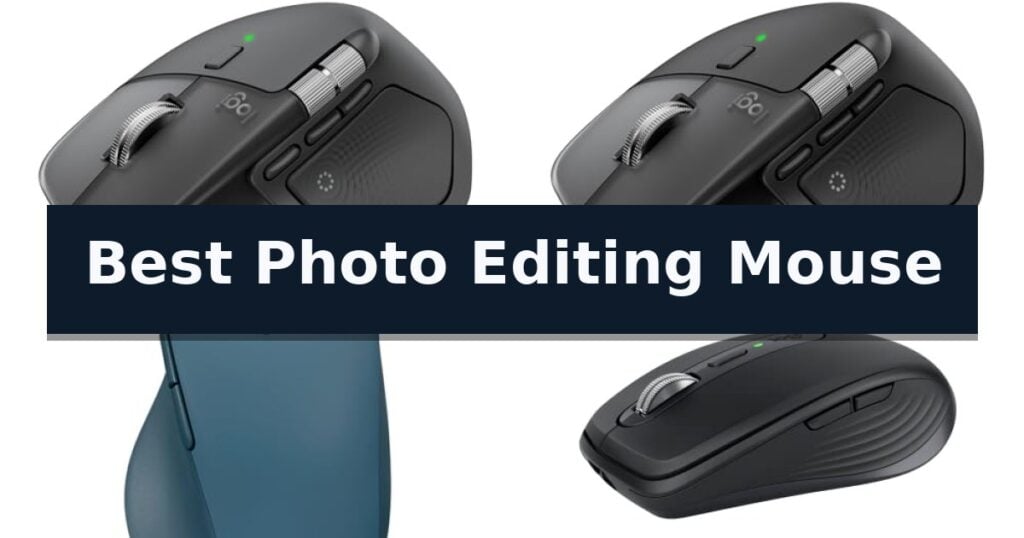
10 Best Photo Editing Mouse in 2026 Reviews
Quick Comparison
| Product | Best For | Key Strength | Score |
|---|---|---|---|
| Logitech MX Master 4 Wireless Mouse | Best Overall | Haptic Sense Panel provides customizable tactile feedback for shortcuts and notifications. | 4.9 |
| Logitech MX Master 4 for Mac | Optimized control for creative workflows | Haptic Sense Panel provides tactile confirmation for shortcuts and notifications. | 4.6 |
| Lenovo Yoga Pro Mouse | Programmable buttons for faster editing | Programmable buttons for custom workflow shortcuts | 4.3 |
| Logitech MX Anywhere 3S Mouse | High-precision tracking on any surface | 8K DPI sensor for high-precision tracking on any surface, including glass. | 4.9 |
| Logitech M720 Triathlon Wireless Mouse | Multi-device switching for complex setups | Multi-device switching across three computers via Bluetooth or Unifying receiver. | 4.8 |
| Logitech Ergo M575S Trackball Mouse | Steady thumb control for detailed work | Stationary thumb-operated trackball minimizes desk space requirements. | 4.7 |
| ProtoArc EM02 Trackball Mouse | Adjustable angles for ergonomic comfort | Adjustable 0°/15° tilt angle for personalized ergonomic comfort. | 4.9 |
| TECKNET Wireless Mouse | Side-scroll wheel for canvas navigation | Dedicated side scroll wheel for efficient horizontal navigation. | 4.5 |
| Logitech G305 LIGHTSPEED Gaming Mouse | Ultra-responsive sensor for pixel accuracy | HERO sensor provides high-precision tracking up to 12,000 DPI. | 4.3 |
| seenda Wireless Vertical Mouse | Integrated knob for quick volume control | Integrated volume knob for direct media control | 4.7 |
How We Chose
To determine the best photo editing mouse, we analyze how each device handles the specific demands of high-resolution image manipulation. Our evaluation focuses on the responsiveness of the sensor, the tactile quality of the scroll wheels, and the depth of software integration, ensuring that every tool enhances rather than hinders your creative process.
- Sensor resolution and tracking accuracy on diverse surfaces
- Ergonomic design and support for natural hand posture
- Customizability of buttons and software-based shortcuts
- Scrolling mechanism precision for timeline or canvas navigation
- Connectivity reliability and battery longevity
1 Logitech MX Master 4 Wireless Mouse — Advanced haptics for precise adjustments
The Logitech MX Master 4 Wireless Mouse integrates a unique Haptic Sense Panel that provides tactile feedback for specific actions, shortcuts, and notifications, allowing for a more responsive editing experience. This device is engineered to streamline complex workflows, making it a compelling candidate for the Best Photo Editing Mouse.
Beyond its haptic capabilities, the mouse features the MagSpeed scroll wheel, which is capable of scrolling 1,000 lines per second while maintaining pixel-level precision. The inclusion of the Actions Ring provides a dynamic, customizable overlay that adapts to individual applications, placing essential filters and adjustments directly at the cursor's location.
Designed with ergonomics in mind, the Logitech MX Master 4 Wireless Mouse utilizes a natural tilt and a dedicated thumb scroll wheel to reduce hand stress during extended editing sessions. The Quiet Clicks technology offers a soft, tactile feel while reducing click noise by 90%, which is beneficial for maintaining a focused environment.
Connectivity is handled via a high-performance USB-C dongle or Bluetooth, with an optimized antenna design to ensure reliable performance. The device is built with sustainability in mind, incorporating recycled plastic and cobalt, and includes a 1-month Adobe Creative Cloud subscription to support creative professionals.
Best for: Professional editors and designers who require tactile feedback and customizable shortcuts to accelerate complex creative workflows.
Skip if: Users who prefer a lightweight, symmetrical, or ambidextrous mouse design will find the ergonomic, right-handed tilt of this model unsuitable.
- Haptic Sense Panel provides customizable tactile feedback for shortcuts and notifications.
- MagSpeed scroll wheel offers high-speed scrolling with pixel-precise control.
- Actions Ring provides app-specific, dynamic tool overlays for faster editing.
- Quiet Clicks technology significantly reduces operational noise.
- Right-handed ergonomic design limits usability for left-handed users.
- Higher complexity may require a learning curve to fully utilize the haptic and software customization features.
2 Logitech MX Master 4 for Mac — Optimized control for creative workflows
Precision control is the hallmark of a high-end creative workspace, and the Logitech MX Master 4 for Mac delivers this through its innovative Haptic Sense Panel. By providing customizable haptic feedback for specific actions and shortcuts, this mouse allows designers and editors to physically feel their inputs, reducing the reliance on visual confirmation during complex tasks.
Designed specifically for the Apple ecosystem, the Logitech MX Master 4 for Mac features matching finishes and seamless integration with macOS. The Actions Ring provides a dynamic, customizable overlay that adapts to your active application, placing essential filters and adjustments directly at your cursor. This workflow efficiency is further supported by the MagSpeed scroll wheel, which enables users to navigate 1,000 lines per second with pixel-perfect precision.
Ergonomics and focus remain central to the design, featuring a natural tilt and an intuitive thumb scroll wheel to minimize hand strain during long editing sessions. The Quiet Clicks technology significantly reduces noise, offering 90% less click sound compared to standard mice, which is ideal for maintaining concentration in quiet studio environments.
Sustainability and longevity are integrated into the build, with the chassis incorporating recycled plastic and the battery utilizing 100% recycled cobalt. The device supports USB-C charging for continuous productivity and includes a 2-year limited hardware warranty, ensuring a reliable tool for professional creative workflows.
Best for: Professional creative editors and designers using macOS who require haptic feedback and deep application-specific customization.
Skip if: Users who primarily operate on non-Apple systems or those who prefer a lightweight, ambidextrous mouse design rather than an ergonomic, right-handed form factor.
- Haptic Sense Panel provides tactile confirmation for shortcuts and notifications.
- MagSpeed scroll wheel allows for both rapid scrolling and pixel-precise navigation.
- Actions Ring offers app-specific, customizable tool overlays.
- Quiet Clicks design minimizes auditory distractions in focused environments.
- Right-handed ergonomic design is not suitable for left-handed users.
- USB-C charging cable is not included in the package.
3 Lenovo Yoga Pro Mouse — Programmable buttons for faster editing
Precision and efficiency are the cornerstones of a productive creative workflow, and the Lenovo Yoga Pro Mouse addresses these needs with a focus on tactile control. Featuring a 2-way metal scroll wheel and a full-sized ergonomic design, this peripheral is engineered to provide the stability and comfort required during long editing sessions.
The mouse offers significant adaptability through its programmable side and top buttons, allowing users to map frequently used tools for faster access. Its blue optical sensor is designed for multi-surface tracking, ensuring consistent cursor movement across various desk materials, while the three-stage on-the-fly DPI adjustment—configurable up to 4000 via software—lets you switch between high-speed navigation and fine-tuned pixel-level precision.
Connectivity is handled via Bluetooth 5.1, supporting dual-device pairing with a dedicated bottom button for seamless switching between workstations. The internal rechargeable battery is a notable convenience, requiring less than two hours for a full charge that sustains operation for two to three months, depending on usage.
Built with a focus on balance, the Lenovo Yoga Pro Mouse incorporates soft-touch side materials and a dedicated thumb rest to minimize fatigue. While it provides a robust set of features for digital creators, users should note that it relies exclusively on Bluetooth connectivity, making it a specialized choice for modern wireless setups.
Best for: Digital creators and editors who require a programmable, ergonomic, and multi-device wireless mouse for varied workflows.
Skip if: Users who require a wired connection or a dedicated USB-A receiver, as this model relies exclusively on Bluetooth.
- Programmable buttons for custom workflow shortcuts
- Multi-surface tracking with high-precision optical sensor
- Long-lasting battery life with rapid USB-C recharging
- Dual-device Bluetooth pairing for seamless multitasking
- No wired connectivity or USB receiver included
- Software-dependent for full DPI configuration
4 Logitech MX Anywhere 3S Mouse — High-precision tracking on any surface
Precision is paramount when navigating complex creative software, and the Logitech MX Anywhere 3S Mouse addresses this with an upgraded 8K DPI sensor. This high-resolution tracking allows for subtle, accurate movements across virtually any surface, including glass, ensuring your cursor remains responsive during intricate photo adjustments.
Efficiency in editing often relies on rapid navigation through large timelines or high-resolution files. The MagSpeed scroll wheel provides the ability to scroll up to 1,000 lines per second, offering a blend of speed and precision that helps maintain a steady workflow. For those working in quiet environments, the Quiet Clicks mechanism delivers a tactile, satisfying response while significantly reducing audible noise.
Designed for versatility, this mouse supports multi-device, multi-OS connectivity via Bluetooth, allowing you to switch between up to three devices seamlessly. It is Engineered for Intel Evo, which verifies its technical specifications for a stable, reliable wireless connection. The unit is also highly portable, featuring a compact footprint that fits easily into a gear bag.
Power management is straightforward with the USB-C quick charging capability, providing up to 70 days of battery life on a full charge or three hours of use from a one-minute charge. The device is built with a focus on sustainability, utilizing certified post-consumer recycled plastic in its construction, with up to 78% recycled content in the Graphite model.
Best for: Creative professionals who require a portable, high-precision mouse that works on diverse surfaces and connects to multiple devices.
Skip if: Users who prefer a larger, ergonomic form factor or those who specifically require a dedicated USB receiver, as one is not included.
- 8K DPI sensor for high-precision tracking on any surface, including glass.
- MagSpeed scroll wheel enables rapid navigation through long files.
- Quiet Clicks technology reduces noise without sacrificing tactile feedback.
- Long-lasting battery with quick-charge USB-C functionality.
- No USB receiver included in the box, requiring Bluetooth or a separate Logi Bolt purchase.
- Compact design may not suit users who prefer a full-sized ergonomic mouse.
5 Logitech M720 Triathlon Wireless Mouse — Multi-device switching for complex setups
Precision and multi-device efficiency are essential for digital workflows, and the Logitech M720 Triathlon Wireless Mouse addresses these needs through its ability to pair with up to three devices simultaneously. This full-sized peripheral is engineered with a sculpted, rubber-coated body designed to provide a comfortable palm rest for extended editing sessions.
The mouse features hyper-fast scrolling, allowing users to navigate long timelines or expansive web pages with a simple spin of the wheel, while an instant-stop function provides necessary control. Users can customize the 6 programmable buttons via dedicated software to map specific shortcuts, streamlining repetitive tasks often required in creative software.
Connectivity is handled through either Bluetooth or the included Logitech Unifying receiver, which supports up to six compatible peripherals on a single USB port. The device also integrates Logitech FLOW technology, enabling the seamless movement of cursors, text, and files across multiple computers.
Designed for long-term reliability, the unit boasts a 24-month battery life, reducing the frequency of maintenance. Its compatibility spans across Windows, macOS, Chrome OS, Linux, and iPadOS, making it a flexible choice for diverse computing environments.
Best for: Users who need to manage multiple computers or tablets simultaneously with a single, ergonomic, and highly customizable input device.
Skip if: Users who prefer a lightweight, ambidextrous design or those who require a specialized high-DPI sensor specifically tuned for competitive gaming.
- Multi-device switching across three computers via Bluetooth or Unifying receiver.
- Hyper-fast scrolling wheel with instant-stop capability.
- 6 customizable buttons for personalized productivity shortcuts.
- 24-month battery life for extended, low-maintenance use.
- Ergonomic sculpted design with a rubberized grip for right-handed comfort.
- Right-handed orientation limits suitability for left-handed users.
- Full-sized dimensions may be less portable than compact travel mice.
6 Logitech Ergo M575S Trackball Mouse — Steady thumb control for detailed work
Precision and comfort are essential for detailed digital artistry, and the Logitech Ergo M575S Wireless Bluetooth Trackball Mouse addresses these needs through its unique thumb-operated tracking system. By eliminating the need to move your entire hand across a desk, this device allows for high-accuracy cursor control while maintaining a stationary footprint, which is particularly beneficial for cramped or specialized creative workspaces.
The Logitech Ergo M575S Wireless Bluetooth Trackball Mouse features a sculpted ergonomic shape developed with the Logi Ergo Lab. This design is intended to improve forearm posture and reduce muscle strain by allowing the hand to remain in a relaxed, natural position throughout extended editing sessions. The inclusion of quiet clicks further minimizes auditory distraction during focused work.
Customization is a core component of its functionality. Through the Logi Options+ App, users can configure the 3 customizable buttons to execute time-saving shortcuts and Smart Actions, effectively streamlining repetitive tasks in photo editing software. The cursor speed is also adjustable, allowing for a tailored experience that matches individual precision requirements.
Connectivity and longevity are prioritized through dual-mode support, offering both Bluetooth and the included Logi Bolt USB receiver. The device is powered by a single AA battery, which provides up to 18 months of battery life. Additionally, the unit incorporates post-consumer recycled plastic in its construction, reflecting a focus on sustainable material choices.
Best for: Editors who require a stationary, ergonomic pointing device to save desk space and reduce forearm fatigue during long sessions.
Skip if: Users who prefer the tactile feedback and rapid, wide-range motion of a traditional optical mouse for high-speed gaming or rapid-fire navigation.
- Stationary thumb-operated trackball minimizes desk space requirements.
- Ergonomic sculpted design reduces forearm muscle strain.
- Customizable buttons and Smart Actions via Logi Options+ app.
- Dual connectivity options including Bluetooth and Logi Bolt receiver.
- Thumb-only control requires a learning curve for those accustomed to traditional mice.
- Stationary design limits the range of motion for users who prefer large, sweeping hand movements.
7 ProtoArc EM02 Trackball Mouse — Adjustable angles for ergonomic comfort
Achieving precise cursor control during intricate photo manipulation requires hardware that minimizes wrist strain while maintaining high accuracy. The ProtoArc EM02 Wireless Trackball Mouse addresses this by utilizing a stationary thumb-operated trackball, allowing users to navigate across high-resolution displays without the repetitive motion associated with traditional mice.
Designed for ergonomic comfort, the device features a customizable hinge that allows users to toggle between a flat 0° or a tilted 15° angle. This adjustment promotes a more natural hand posture, which is particularly beneficial during long editing sessions. The unit is equipped with five adjustable DPI settings (200/400/800/1200/1600), enabling users to fine-tune cursor sensitivity to match the specific demands of their creative workflow.
Connectivity is handled through both 2.4GHz wireless and Bluetooth, supporting seamless switching between three distinct devices with a single button. The mouse is USB-C rechargeable, boasting an impressive 90-day standby time on a full charge, which reduces the frequency of maintenance. For quiet environments, the quiet-touch buttons ensure that clicks do not disrupt concentration.
While trackball operation involves a brief learning curve, the ProtoArc EM02 Wireless Trackball Mouse provides a stable platform that keeps the wrist stationary. Users should note that the device requires periodic maintenance to ensure smooth tracking; specifically, the ball and the internal white rollers should be cleaned if dust accumulation affects precision.
Best for: Creative professionals and editors working in tight or cluttered workspaces who require ergonomic support and multi-device connectivity.
Skip if: Users who prefer the tactile feedback of a traditional optical mouse or those who require full functionality of forward/backward buttons on Mac OS systems.
- Adjustable 0°/15° tilt angle for personalized ergonomic comfort.
- Multi-device connectivity via Bluetooth and 2.4GHz wireless.
- Five adjustable DPI levels for precise cursor control.
- USB-C rechargeable battery with 90-day standby time.
- Forward/backward buttons are not compatible with Mac OS.
- Short learning curve required for those transitioning from traditional mice.
8 TECKNET Wireless Mouse — Side-scroll wheel for canvas navigation
Navigating complex design canvases or lengthy spreadsheets requires precision and efficiency, and the TECKNET Wireless Mouse addresses this with a dedicated side-mounted scroll wheel. This specialized hardware allows for effortless horizontal navigation, reducing the need for repetitive wrist movements during extended editing or data entry sessions.
Beyond its ergonomic side-scrolling capability, the mouse offers seamless 3-device switching via Bluetooth 5.3 and a 2.4GHz USB-A receiver. Users can toggle between connected devices with a single button, streamlining workflows across multiple workstations without needing to re-pair hardware. The device is powered by a rechargeable battery that provides up to three months of use on a single charge based on two hours of daily activity.
For those requiring varied sensitivity, the mouse features 6-level DPI control ranging from 800 to 4800 DPI, with an LED indicator to confirm the current setting. The construction includes a precision-crafted metal scroll wheel that adds both visual appeal and a distinct tactile feel, while the silent click switches ensure the device remains unobtrusive in quiet environments.
While the mouse is highly versatile, it is important to note that all buttons are non-programmable, meaning users cannot remap them for specific software shortcuts. Additionally, while it maintains wide compatibility with Windows, Chrome, and Linux, side button functionality is not supported on macOS. The unit enters an auto-sleep mode after 10 minutes of inactivity to preserve power, waking instantly with a click.
Best for: Users who frequently navigate wide spreadsheets or design canvases and require a multi-device wireless setup.
Skip if: Users who rely on programmable buttons for custom software macros or those primarily using macOS who require full side-button functionality.
- Dedicated side scroll wheel for efficient horizontal navigation.
- Multi-device connectivity supporting up to three devices simultaneously.
- High-precision 6-level DPI adjustment for varied control needs.
- Quiet click switches for distraction-free operation.
- Non-programmable buttons limit custom shortcut mapping.
- Limited macOS support regarding side button functionality.
9 Logitech G305 LIGHTSPEED Gaming Mouse — Ultra-responsive sensor for pixel accuracy
Precision and responsiveness are essential when navigating complex image adjustments, and the Logitech G305 LIGHTSPEED Wireless Gaming Mouse offers a high-performance solution for creative workflows. By utilizing the advanced HERO sensor, this device provides up to 12,000 DPI sensitivity and 400 IPS precision, ensuring that every cursor movement is translated accurately across your editing software.
The mouse integrates LIGHTSPEED wireless technology, which maintains a 1 ms report rate to eliminate input lag. This level of connectivity is beneficial for tasks requiring consistent, fluid motion, such as masking or fine-tuning brush strokes. Despite its wireless nature, the device remains highly maneuverable, weighing only 3.4 oz to prevent fatigue during extended editing sessions.
Designed for versatility, the Logitech G305 LIGHTSPEED Wireless Gaming Mouse features 6 programmable buttons that can be customized to trigger frequently used shortcuts or tools. The inclusion of on-board memory allows you to save your preferred configurations directly to the mouse, ensuring your settings remain consistent even when switching between different workstations.
Power efficiency is a standout aspect of this design, with the device capable of providing 250 hours of continuous use on a single AA battery. For those who prioritize longevity, the Endurance mode accessible through the Logitech G HUB software can extend battery life up to nine months, reducing the frequency of maintenance interruptions during critical projects.
Best for: Editors who require a high-precision, lag-free wireless mouse with programmable shortcuts for efficient software navigation.
Skip if: Users who prefer a larger, ergonomically contoured mouse or those who require more than six programmable buttons for complex macro workflows.
- HERO sensor provides high-precision tracking up to 12,000 DPI.
- LIGHTSPEED wireless technology ensures a lag-free 1 ms report rate.
- 6 programmable buttons allow for custom shortcut mapping.
- Ultra-efficient battery life lasts up to 250 hours on one AA battery.
- Compact design may not suit users who prefer larger, palm-grip mice.
- Limited button count compared to specialized productivity mice.
10 seenda Wireless Vertical Mouse — Integrated knob for quick volume control
The seenda Wireless Vertical Mouse differentiates itself through an integrated volume control knob, allowing users to adjust audio levels or manage media playback directly from the device. This design choice aims to streamline workflows for multitaskers and remote workers who frequently switch between video calls and media applications without needing to navigate through software menus.
Engineered with an ergonomic vertical orientation, the mouse promotes a natural handshake grip that helps maintain a neutral wrist and forearm position. This focus on comfort is intended to reduce pressure during extended sessions of computer use. The device features silent click switches, which are designed to minimize noise in shared workspaces or quiet environments.
Versatility is a core component of this model, offering three-device connectivity via 2.4G USB or dual Bluetooth channels. Users can toggle between a laptop, tablet, and desktop with a single click. The optical sensor provides adjustable DPI settings of 1000, 1600, and 2400, allowing for varied cursor speed and precision based on specific task requirements.
Power management is handled by a built-in 500mAh rechargeable battery, which supports USB-C charging and provides up to two months of use per charge. The mouse is compatible with a broad range of operating systems, including Windows, macOS, iOS, Android, and Chrome OS, making it a flexible peripheral for diverse hardware setups.
Best for: Office professionals and hybrid workers who need to manage multiple devices and audio levels while maintaining a neutral wrist posture.
Skip if: Users with large hands may find the small-to-medium form factor uncomfortable for extended use.
- Integrated volume knob for direct media control
- Ergonomic vertical design to support a neutral handshake grip
- Multi-device connectivity supporting up to three devices
- Silent click technology for quiet operation
- Long-lasting battery life with USB-C recharging
- Small-to-medium size constraint may not suit all hand dimensions
- Vertical orientation requires an adjustment period for those accustomed to traditional mice
Best Photo Editing Mouse Buying Guide
The Importance of Ergonomics
Photo editing often involves hours of repetitive motion, from precise brush strokes to constant clicking. An ergonomic mouse, such as a vertical or sculpted design, helps maintain a neutral wrist position, which is essential for preventing strain during marathon editing sessions.
Look for models that offer a thumb rest or a shape that fits your hand size comfortably. Reducing muscle tension in your forearm allows you to maintain focus on your work rather than your physical discomfort.
Customizable Controls and Shortcuts
The ability to map specific tools to mouse buttons can significantly speed up your workflow. Whether it is toggling between tools, adjusting brush sizes, or triggering complex macros, programmable buttons are a major asset for any editor.
Advanced software integration allows these buttons to be context-aware, meaning they can perform different functions depending on whether you are in a library module or a develop module.
Precision and Tracking
High DPI sensors are not just for gaming; they provide the pixel-level accuracy required for detailed retouching and masking. A mouse that tracks reliably on various surfaces, including glass, offers the flexibility to work in different environments without needing a dedicated mousepad.
Consistent tracking ensures that your cursor movement matches your hand movement exactly, which is critical when you are working on fine details that require steady, controlled input.
Scroll Wheel Functionality
A high-quality scroll wheel is vital for navigating through large image catalogs or zooming in and out of canvases. Features like mag-speed scrolling or side-mounted wheels allow for rapid movement across large files or horizontal timelines.
The tactile feel of the wheel, including the ability to switch between free-spinning and notched modes, provides the control needed to stop exactly where you need to on a pixel or a specific frame.
Connectivity and Battery Life
Reliable wireless connectivity is standard for a clean desk setup, but it must be stable enough to prevent input lag. Dual-mode connectivity, allowing you to switch between Bluetooth and a dedicated receiver, provides versatility for users with multiple workstations.
Battery life is equally important, as you do not want your mouse dying in the middle of a project. Look for rechargeable models that offer quick-charge capabilities, ensuring you can continue working with minimal downtime.
Frequently Asked Questions
Do I need a high DPI mouse for photo editing?
While you do not need the extreme DPI levels used in competitive gaming, a higher DPI sensor allows for smoother, more precise cursor movement, which is beneficial when working on high-resolution displays.
Are trackball mice better for photo editing?
Trackball mice can be excellent for those with limited desk space or wrist issues, as they keep the wrist stationary. However, they require a learning curve to achieve the same level of precision as a traditional mouse.
How do I customize buttons for my editing software?
Most modern professional mice come with companion software that allows you to assign specific keyboard shortcuts or macros to the mouse buttons, which can be saved as profiles for different applications.
Is a vertical mouse suitable for detailed retouching?
A vertical mouse is great for ergonomics, but some users find it slightly less intuitive for extremely fine, pixel-perfect masking compared to a standard horizontal mouse. It often comes down to personal preference and adaptation.
Can I use a gaming mouse for photo editing?
Yes, gaming mice often feature high-quality sensors and excellent build quality, which are great for editing. Just ensure the design is comfortable for long-term use and that the software allows for productivity-focused button mapping.
Conclusion: Our Top Pick
Our top pick is Logitech MX Master 4 Wireless Mouse. Choosing the right mouse for photo editing depends on balancing ergonomic comfort with the level of control you need for your specific workflow. Whether you prioritize programmable buttons for shortcuts or a high-precision sensor for detailed masking, the right tool will make your time in front of the screen more efficient.
Evaluate your desk space and the amount of time you spend editing daily to decide between a traditional ergonomic mouse or a trackball. By focusing on these practical needs, you can select a device that supports your creative process for years to come.