MiniLuxis Ergonomic Productivity Wireless Mouse is our top choice for the Best Premium Mouse for Spreadsheets, offering a dedicated side scroll wheel that significantly accelerates horizontal navigation through complex data sets.
The TSQQST Ergonomic Wireless Mouse serves as a capable alternative for those prioritizing an integrated OLED display for real-time tracking of DPI and battery status. Meanwhile, the CORN USB Silent Wired Mouse provides a budget-conscious, plug-and-play solution for users who prefer a reliable, battery-free connection for stationary office work.
Selecting a pointing device for intensive spreadsheet management requires balancing physical comfort with specific navigation features. While standard mice suffice for basic tasks, professional data work benefits from specialized hardware that minimizes repetitive strain and reduces the time spent manually adjusting scroll bars.
If you are looking to upgrade your entire desk setup, our guide to the Best Premium Mouse covers additional options that prioritize build quality and long-term reliability.
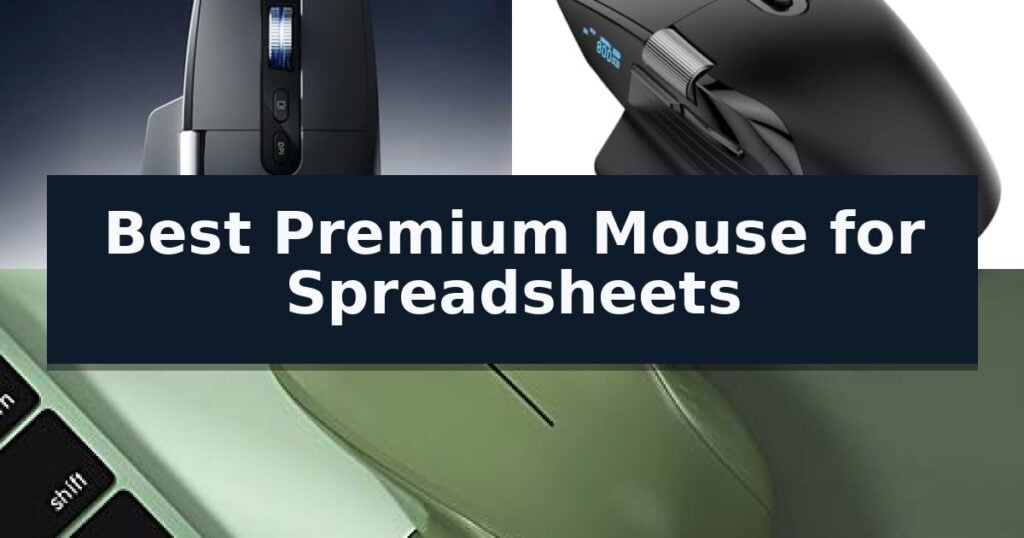
3 Best Premium Mouse for Spreadsheets in 2026 Reviews
Quick Comparison
| Product | Best For | Key Strength | Score |
|---|---|---|---|
| MiniLuxis Ergonomic Productivity Wireless Mouse | Best Overall | Dedicated side scroll wheel for efficient horizontal navigation in large spreadsheets. | 4.9 |
| TSQQST Ergonomic Wireless Mouse | OLED display with side scrolling | Dedicated side scroll wheel for efficient horizontal navigation. | 4.9 |
| CORN USB Silent Wired Mouse | Budget-friendly horizontal scroll wheel | Side-to-side scrolling for efficient spreadsheet navigation | 4.4 |
How We Chose
When evaluating the best premium mouse for spreadsheets, we prioritize hardware that directly addresses the unique challenges of data-heavy environments. Our assessment focuses on navigation efficiency, ergonomic support to prevent fatigue, and the reliability of wireless or wired connectivity, ensuring that each device provides a tangible improvement to your daily workflow.
- Horizontal scrolling capabilities for wide data tables
- Ergonomic design to support long-duration usage
- Sensor precision and adjustable DPI settings
- Multi-device connectivity and switching speed
- Build quality and silent operation features
1 MiniLuxis Ergonomic Productivity Wireless Mouse — Dual scroll for horizontal navigation
Navigating complex datasets requires precision tools that minimize repetitive strain and maximize efficiency. The MiniLuxis Ergonomic Productivity Wireless Mouse addresses this by integrating a dedicated side scroll wheel alongside a standard infinite scroll wheel, allowing users to move through expansive Excel spreadsheets and financial reports with ease.
Engineered for high-intensity workflows, this mouse features the PixArt PAW3220 sensor, which supports an adjustable DPI up to 8000 and a 1000Hz polling rate. These specifications provide the tracking accuracy necessary for detailed CAD drawings or complex programming tasks, while the ergonomic shape promotes a natural hand position to reduce fatigue during extended sessions.
Connectivity and status monitoring are streamlined through a versatile design that supports Bluetooth, 2.4GHz wireless, and USB-C wired modes. The inclusion of an OLED smart display provides real-time feedback on battery levels, current DPI settings, and connection status, ensuring users remain informed without needing to toggle between software menus.
For those working in shared environments, the quiet click mechanism offers a distraction-free experience. The device is powered by a rechargeable battery, which can be replenished via the USB-C port, maintaining productivity without the need for frequent battery replacements.
Best for: Office professionals and data analysts who require precise horizontal and vertical navigation for large spreadsheets and complex design software.
Skip if: Users who prefer a lightweight, minimalist mouse or those who do not require advanced features like side-scrolling and OLED status displays.
- Dedicated side scroll wheel for efficient horizontal navigation in large spreadsheets.
- PixArt PAW3220 sensor provides high-precision tracking with up to 8000 DPI.
- OLED smart display allows for quick monitoring of battery, DPI, and connectivity.
- Multi-device connectivity supports seamless switching between Bluetooth, 2.4GHz, and wired modes.
- Heavier build compared to standard office mice, which may not suit users prioritizing ultra-lightweight peripherals.
2 TSQQST Ergonomic Wireless Mouse — OLED display with side scrolling
Navigating complex datasets requires precision tools, and the TSQQST Ergonomic Wireless Mouse distinguishes itself with a dedicated side scroll wheel designed specifically for horizontal navigation. This feature allows for seamless movement across expansive spreadsheets, financial reports, and CAD files, significantly reducing the need for repetitive cursor adjustments that often slow down data-heavy workflows.
Beyond its specialized scrolling capabilities, this mouse integrates an OLED smart display that provides real-time feedback on battery levels, DPI settings, and connection status. This visual interface eliminates guesswork, ensuring you remain informed about your device's performance during long work sessions without needing to toggle between software menus.
The device supports a versatile multi-device connectivity suite, allowing users to toggle between Bluetooth, 2.4GHz wireless, and USB-C wired modes. This flexibility is essential for hybrid workspaces where shifting between laptops, desktops, and tablets is a frequent requirement, and the plug-and-play design ensures compatibility without the need for additional drivers.
Designed with an ergonomic profile suitable for medium-to-large hands, the mouse promotes comfort during extended use. The inclusion of silent clicks further enhances the workspace environment, minimizing noise in shared office settings or quiet home environments while maintaining reliable, interference-free operation up to 32 feet.
Best for: Professionals who frequently navigate wide spreadsheets, financial models, or complex timelines and require precise horizontal scrolling.
Skip if: Users with smaller hands or those who prefer a minimalist, non-ergonomic mouse profile may find the dimensions and button layout less comfortable.
- Dedicated side scroll wheel for efficient horizontal navigation.
- OLED smart display for instant monitoring of DPI and battery.
- Tri-mode connectivity including Bluetooth, 2.4GHz, and USB-C wired.
- Silent click switches for a quiet working environment.
- Larger ergonomic footprint may not suit all hand sizes.
- USB-A receiver storage requires careful handling to avoid misplacement.
3 CORN USB Silent Wired Mouse — Budget-friendly horizontal scroll wheel
Navigating complex spreadsheets often requires more than just standard cursor movement, and the CORN USB Silent Wired Computer Mouse addresses this with specialized side-to-side scrolling capabilities. This feature allows users to shift horizontally across wide data sets instantly, streamlining the workflow for those managing extensive tables or presentations.
Beyond its navigation tools, the mouse prioritizes a quiet environment through its mute button design, ensuring that frequent clicking does not disrupt your workspace. The device is built with an ergonomic design that features a skin-friendly, anti-slip surface, intended to provide a comfortable grip during long periods of data entry.
Technical performance is supported by 1000 DPI sensitivity, which provides the necessary precision for accurate cell selection and document editing. The zero setup required functionality means the mouse is ready for immediate use upon connecting the cable to a standard USB or PS/2 port, eliminating the need for additional software installations.
While this model offers specific utility for spreadsheet navigation, it remains a straightforward, wired peripheral. It is a practical choice for users who prefer a reliable, battery-free connection and require dedicated hardware controls for horizontal scrolling in their daily office tasks.
Best for: Users who require dedicated horizontal scrolling and quiet operation for efficient spreadsheet and presentation management.
Skip if: Users who prefer the freedom of a wireless connection or require higher DPI settings for specialized graphic design work.
- Side-to-side scrolling for efficient spreadsheet navigation
- Mute buttons for quiet operation in shared spaces
- Ergonomic, anti-slip design for comfortable extended use
- Plug-and-play wired connectivity with no setup required
- Wired-only connection limits desk mobility
- Fixed 1000 DPI sensitivity may not suit all precision needs
Best Premium Mouse for Spreadsheets Buying Guide
Horizontal Navigation Efficiency
The most critical feature for spreadsheet users is the inclusion of a dedicated side scroll wheel. This allows you to move across columns in large workbooks without relying on the scroll bar, which is often inefficient and prone to overshooting.
Infinite scroll wheels also play a vital role, enabling you to zip through thousands of rows in seconds. Combining these two navigation methods transforms how you interact with massive data sets, making the process feel fluid rather than mechanical.
Ergonomics for Extended Sessions
Spreadsheet work often involves long hours at a desk, making ergonomic support a non-negotiable factor. A mouse that promotes a natural hand position helps reduce wrist strain and prevents the discomfort associated with repetitive clicking.
Look for models with contoured shapes that support the palm and fingers. While individual hand size varies, a well-designed ergonomic mouse should feel like an extension of your hand, allowing for precise movements without requiring excessive grip force.
Sensor Precision and DPI
While spreadsheet work does not require the extreme speed of gaming, it does demand consistent tracking. A high-quality sensor ensures that your cursor lands exactly where you intend, which is essential when selecting small cells or dragging formulas.
Adjustable DPI settings allow you to customize the sensitivity to your preference. Higher DPI is useful for multi-monitor setups where you need to traverse large screen real estate quickly, while lower settings offer the control needed for granular cell editing.
Connectivity and Workflow Integration
In modern hybrid offices, the ability to switch between devices is invaluable. Mice that offer Bluetooth, 2.4GHz wireless, and wired modes allow you to maintain a single, familiar input device across your laptop, desktop, and tablet.
Seamless switching ensures you do not lose momentum when moving between workstations. Reliable wireless connections are preferred for clean desks, but wired options remain a valid choice for those who want to eliminate battery management entirely.
Smart Features and Battery Life
Modern productivity mice often include OLED displays that provide immediate feedback on battery levels and current DPI settings. This eliminates guesswork and ensures you are never caught with a dead device in the middle of a critical project.
Rechargeable batteries, particularly those utilizing USB-C, offer a sustainable and convenient way to keep your mouse powered. Silent click switches are another premium touch, helping to maintain a quiet environment in shared office spaces or home setups.
Frequently Asked Questions
Why is a side scroll wheel better than a standard scroll wheel for spreadsheets?
A side scroll wheel allows for horizontal movement across columns, which is the standard layout for most spreadsheets, whereas a standard wheel only moves vertically.
Do I need a high DPI mouse for Excel?
You do not need extremely high DPI, but having adjustable settings allows you to match the cursor speed to your screen resolution and personal comfort, which improves selection accuracy.
Is a wired mouse better for data entry?
Wired mice are generally more reliable as they do not require charging or batteries, making them a set-and-forget option for stationary office setups.
How does an OLED display help with productivity?
An OLED display provides at-a-glance information about your current settings and battery life, preventing unexpected downtime and allowing for quick adjustments without software menus.
Can these mice be used for tasks other than spreadsheets?
Yes, the features that make these mice excellent for spreadsheets, such as infinite scrolling and ergonomic design, are also highly beneficial for video editing, graphic design, and general web browsing.
Conclusion: Our Top Pick
Choosing the right mouse for spreadsheet work is an investment in your daily comfort and efficiency. By prioritizing horizontal navigation and ergonomic support, you can significantly reduce the physical and mental fatigue associated with managing large data sets.
While the MiniLuxis Ergonomic Productivity Wireless Mouse stands out for its comprehensive feature set, the best choice ultimately depends on your specific workspace needs. Whether you require multi-device flexibility or a simple, reliable wired connection, selecting a tool designed for productivity will enhance your overall output.