Samsung Odyssey OLED G6 Gaming Monitor is our top choice for the Best Professional Gaming Monitors because its QD-OLED panel delivers exceptional color accuracy and a near-instantaneous 0.03ms response time for competitive precision.
For those prioritizing expansive screen real estate, the Alienware 34 QD-OLED Gaming Monitor offers an immersive ultrawide experience, while the ASUS TUF Gaming 4K Monitor provides a high-fidelity alternative for users requiring sharp 4K resolution for both gaming and creative workflows.
Selecting a display for professional play requires balancing motion clarity, color reproduction, and input latency. Our evaluation focuses on how these panels handle high frame rates and whether their specific feature sets, such as glare-free coatings or specialized sync technologies, provide a tangible advantage in fast-paced environments.
Once you have secured a high-performance display, pairing it with the Best Professional Computer Mouse ensures your input precision matches the speed of your monitor. To complete your setup, consider investing in the Best Pro-Level Wireless Gaming Headsets for clear communication and immersive audio during competitive matches.
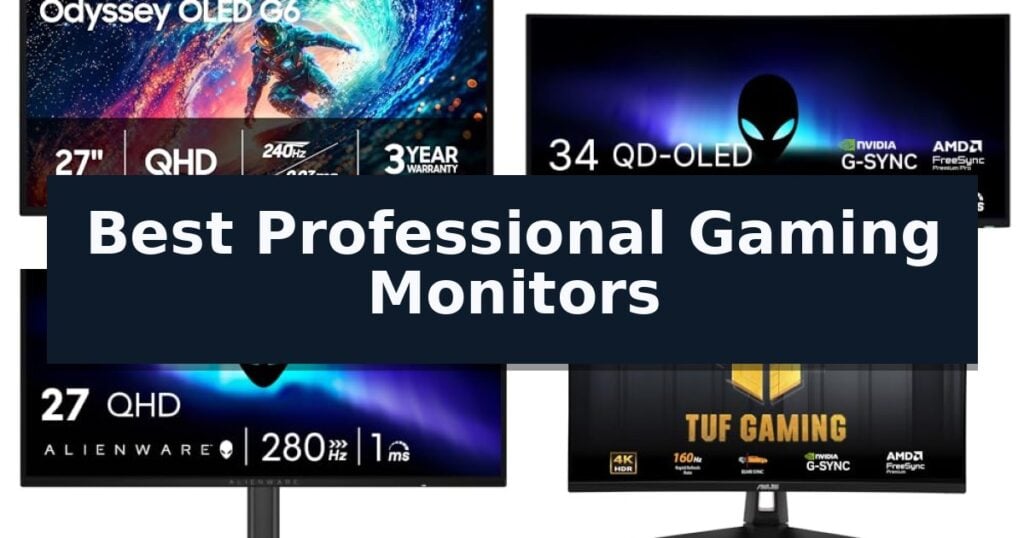
10 Best Professional Gaming Monitors in 2026 Reviews
Quick Comparison
| Product | Best For | Key Strength | Score |
|---|---|---|---|
| Samsung Odyssey OLED G6 Gaming Monitor | Best Overall | 0.03ms response time for ultra-smooth motion. | 4.9 |
| Alienware 34 QD-OLED Gaming Monitor | Ultimate Ultrawide Immersion | QD-OLED Penta Tandem technology for superior color and brightness | 4.5 |
| Alienware 27 QHD Gaming Monitor | Competitive Precision and Clarity | 280Hz refresh rate for ultra-smooth competitive motion | 4.3 |
| ASUS TUF Gaming 4K Monitor | High-Fidelity 4K Competitive Play | 160Hz refresh rate combined with 4K resolution for sharp, fluid gaming. | 4.6 |
| MSI MAG 27-inch UHD Gaming Monitor | Ultra-Fast 320Hz Refresh Rate | 320Hz refresh rate for ultra-smooth motion. | 4.7 |
| AOC 27-inch QHD Gaming Monitor | Overclocked Speed for Pros | Blazing-fast 260Hz overclocked refresh rate for competitive responsiveness. | 4.5 |
| Samsung Odyssey G5 QHD Gaming Monitor | Detailed QHD Visuals | 180Hz refresh rate and 1ms response time for smooth motion. | 4.7 |
| Dell 27-inch 240Hz Gaming Monitor | Fluid Motion IPS Performance | 240Hz refresh rate for fluid motion | 4.9 |
| ASUS TUF Gaming 1440p Monitor | Reliable High-Speed QHD | 180Hz refresh rate for fluid motion | 4.6 |
| Sceptre 34-inch Curved Gaming Monitor | Immersive Wide-Angle Performance | 240Hz refresh rate for fluid motion | 4.9 |
How We Chose
Evaluating the best professional gaming monitors requires a rigorous look at how display specifications translate into real-world competitive performance. We assess each model based on its ability to maintain fluid motion, accurate color rendering, and low input lag, ensuring that the hardware supports the demands of high-level play without introducing visual artifacts.
- Panel technology and color accuracy
- Refresh rate and response time consistency
- Adaptive sync compatibility
- Ergonomic adjustability and build quality
- Connectivity options for multi-device setups
1 Samsung Odyssey OLED G6 Gaming Monitor — Unmatched Speed and Color Accuracy
The Samsung 27" Odyssey OLED G6 (G61SH) distinguishes itself through a high-performance QD-OLED display that balances QHD resolution with the high brightness and color depth required for modern gaming. Designed to address common display concerns, this monitor integrates OLED Safeguard technology, which utilizes a thermal modulation system to actively mitigate the risk of burn-in during extended sessions.
Speed is a primary focus of this model, evidenced by its 240Hz refresh rate and an exceptionally fast 0.03ms response time. These specifications are paired with AMD FreeSync Premium to minimize image tearing and choppiness. For visual fidelity, the screen is Pantone Validated, ensuring accurate reproduction of over 2100 colors and 110 skin tone shades, while HDR10 support enhances contrast by providing deeper shadows and brighter highlights.
Usability is enhanced by Glare Free Technology, which maintains screen clarity by reducing reflections from external light sources. The monitor is supported by a highly adjustable ergonomic stand that allows for pivoting, tilting, and swiveling, ensuring users can achieve their preferred viewing angle. The package also includes a 3-year manufacturer warranty to support long-term reliability.
While the monitor offers significant technical advantages, its performance is best suited for environments where users can leverage the high refresh rate and color accuracy. The 27-inch form factor provides a balance between screen real estate and pixel density, making it a versatile choice for professional-grade gaming setups.
Best for: Competitive gamers and professionals who require high color accuracy, rapid response times, and advanced burn-in protection.
Skip if: Users who prefer a 4K resolution display or a larger screen size for productivity-heavy workflows may find the 1440p resolution limiting.
- 0.03ms response time for ultra-smooth motion.
- OLED Safeguard technology to help prevent burn-in.
- Pantone Validated color accuracy for lifelike visuals.
- Glare-free screen coating to reduce distracting reflections.
- QHD (1440p) resolution may not satisfy users seeking 4K clarity.
- 27-inch size is fixed, which may not suit those needing larger workspace dimensions.
2 Alienware 34 QD-OLED Gaming Monitor — Ultimate Ultrawide Immersion
The Alienware 34 Gaming Monitor AW3426DW brings high-end visual fidelity to the desktop through its advanced QD-OLED Penta Tandem panel technology. Designed for immersive play, this ultrawide display features an 1800R curve and a 21:9 aspect ratio that wraps around the user's field of view, while the new RGB stripe subpixel layout provides a noticeable improvement in text clarity compared to previous OLED generations.
Performance-focused gamers will appreciate the high 280Hz refresh rate and an ultra-fast 0.03ms response time, ensuring fluid motion during competitive sessions. The monitor supports NVIDIA G-SYNC Compatible, AMD FreeSync Premium Pro, and VESA AdaptiveSync to eliminate screen tearing. With a peak brightness of 1300 nits and VESA DisplayHDR True Black 500 certification, it delivers deep blacks and high contrast for HDR-compatible content.
Beyond raw specs, the monitor incorporates AlienFX lighting and a functional 360-degree ventilation system housed within the established Alienware 30 design language. Connectivity is handled by two HDMI 2.1 ports and one DP 1.4 port, along with a USB-C 15W power delivery option. Cable management is simplified through the integrated stand design to maintain a clean desk aesthetic.
To address the long-term concerns associated with OLED technology, the unit includes an enhanced anti-burn-in AI algorithm and a specialized graphite sheet for heat dissipation. These protective measures are supported by a 3-year warranty that specifically covers OLED burn-in, providing peace of mind for users investing in high-end display hardware.
Best for: Competitive and immersive gamers seeking a high-refresh-rate ultrawide display with advanced burn-in protection.
Skip if: Users who require a flat display panel or those with limited desk space for a 34-inch curved monitor.
- QD-OLED Penta Tandem technology for superior color and brightness
- High 280Hz refresh rate with 0.03ms response time
- 3-year warranty including coverage for OLED burn-in
- Improved RGB stripe subpixel layout for better text clarity
- Ultrawide 1800R curve may not suit users preferring flat screens
- Large physical footprint requires significant desk space
3 Alienware 27 QHD Gaming Monitor — Competitive Precision and Clarity
The Alienware 27 Gaming Monitor AW2726DL is engineered for competitive environments, featuring a high-speed 280Hz refresh rate that provides fluid motion for fast-paced titles. By combining a 2560×1440 QHD resolution with a 1ms gray-to-gray response time, this display minimizes blur and ghosting to maintain visual clarity during intense gameplay.
Equipped with an IPS panel, the monitor offers consistent color reproduction with 93% DCI-P3 coverage, ensuring vivid imagery across wide viewing angles. The inclusion of AMD FreeSync Premium and VESA AdaptiveSync technology helps mitigate screen tearing and stuttering, providing a synchronized experience with various GPU configurations.
Designed with a 27-inch form factor, the monitor includes a VESA 100×100 mount for flexible installation. It provides essential connectivity through HDMI and DisplayPort inputs, supporting the high-bandwidth requirements of its 280Hz output. The unit is backed by a 3-year Advanced Exchange Service warranty, reflecting its focus on professional-grade reliability.
While the high refresh rate and color accuracy cater to performance-focused users, the 400 cd/m2 brightness and 1000:1 contrast ratio are optimized for standard indoor gaming environments. This balance of speed and visual fidelity makes it a specialized tool for players prioritizing frame rates and motion smoothness.
Best for: Competitive gamers who prioritize high refresh rates and color accuracy for fast-paced, high-resolution titles.
Skip if: Users who require a 4K resolution display for professional creative work or those with limited desk space for a 27-inch monitor.
- 280Hz refresh rate for ultra-smooth competitive motion
- 1ms response time to reduce ghosting and blur
- 93% DCI-P3 color coverage for vivid, accurate visuals
- AMD FreeSync Premium for tear-free gaming
- 1000:1 contrast ratio may limit deep black levels compared to specialized HDR displays
4 ASUS TUF Gaming 4K Monitor — High-Fidelity 4K Competitive Play
Achieving high-fidelity visuals in competitive gaming requires hardware that balances resolution with speed. The ASUS TUF Gaming VG27UQ1A addresses this by pairing a 27-inch 4K Ultra HD display with an ultra-fast 160Hz refresh rate, ensuring that professional gamers do not have to sacrifice image clarity for fluid motion.
This monitor utilizes Fast IPS panel technology to deliver a 1ms response time, which minimizes ghosting during intense sequences. To further enhance visual stability, it incorporates ELMB Sync technology, allowing variable-refresh-rate features to function alongside motion blur reduction. This combination ensures that tearing and stuttering are effectively managed during high-frame-rate gameplay.
For those who split their time between PC and console platforms, the monitor provides versatile connectivity. It supports 4K 120Hz visuals via HDMI 2.1, enabling high-resolution output for modern consoles without chroma subsampling. The inclusion of NVIDIA G-SYNC Compatible and AMD FreeSync Premium certifications ensures broad compatibility with various graphics hardware.
Beyond raw performance, the display is engineered for color accuracy, featuring a 95% DCI-P3 color gamut and HDR technology for vibrant, lifelike visuals. The package includes essential accessories such as a DisplayPort cable and an L-shaped screwdriver, and it is backed by a 3-year warranty with advanced replacement service to support long-term reliability.
Best for: Competitive gamers who require a 4K resolution display that maintains high refresh rates for both PC and modern console gaming.
Skip if: Users who prioritize a larger screen size or ultrawide aspect ratio for immersive simulation gaming may find the 27-inch form factor restrictive.
- 160Hz refresh rate combined with 4K resolution for sharp, fluid gaming.
- HDMI 2.1 support allows for 4K 120Hz output on current-gen consoles.
- Fast IPS panel provides a 1ms response time for reduced motion blur.
- ELMB Sync enables simultaneous use of motion blur reduction and variable refresh rate technologies.
- 27-inch screen size may be smaller than desired for users seeking an ultra-wide or large-format display.
5 MSI MAG 27-inch UHD Gaming Monitor — Ultra-Fast 320Hz Refresh Rate
The MSI MAG 27-inch UHD Gaming Monitor distinguishes itself with a high-speed 320Hz refresh rate, providing fluid motion for competitive gaming environments. This display is engineered for versatility, featuring a dual-mode capability that allows users to toggle between different resolutions and refresh rates to suit specific game requirements.
Equipped with a Rapid IPS panel, the monitor maintains color intensity and purity during fast-paced sequences. The integration of a 0.5ms (GtG, Min.) response time is designed to minimize screen tearing and choppy frame rates, ensuring a consistent visual output. For enhanced image quality, the unit is VESA DisplayHDR 400 certified, which aids in producing precise contrast and shadow details.
The monitor includes a dedicated Console Mode, optimized for seamless connectivity with modern gaming consoles like the PS5 and Xbox Series X|S. Its physical design incorporates a tilt-adjustable stand and VESA mount compatibility, allowing for flexible positioning on a desk or wall mount. The inclusion of HDMI and VGA ports provides standard connectivity options for various hardware setups.
While the monitor offers high-performance specifications, users should ensure their hardware can support the high refresh rate and UHD resolution output. The 27-inch form factor provides a balanced screen size for both gaming and office productivity tasks, supported by a 3-year warranty.
Best for: Competitive gamers and console users who require a high-refresh-rate display with UHD resolution and flexible connectivity.
Skip if: Users who do not have hardware capable of driving 320Hz at UHD resolution or those who require a larger screen size for professional creative work.
- 320Hz refresh rate for ultra-smooth motion.
- 0.5ms response time to reduce ghosting and tearing.
- Dual Mode functionality for flexible resolution and refresh rate management.
- Console Mode optimized for modern gaming systems.
- High hardware requirements to fully utilize the 320Hz UHD performance.
- Limited connectivity compared to professional-grade displays with more diverse I/O options.
6 AOC 27-inch QHD Gaming Monitor — Overclocked Speed for Pros
Competitive gaming demands hardware that keeps pace with rapid movements, and the AOC 27-inch QHD Gaming Monitor addresses this with a high-performance 240Hz native refresh rate that can be overclocked to 260Hz via DisplayPort. This monitor is built for players who prioritize fluid motion and minimal input lag, supported by an ultra-responsive 0.3ms MPRT that significantly reduces blur during fast-paced sequences.
The display utilizes a 27-inch QHD IPS panel with a resolution of 2560×1440, ensuring that high-speed action remains crisp and detailed. Beyond raw speed, the monitor incorporates Adaptive-Sync technology, which works across both AMD and NVIDIA GPUs to eliminate screen tearing and stuttering, providing a consistent visual experience during intense gaming sessions.
Designed with a modern aesthetic, the unit features a three-sided frameless design and a textured black and red finish. Ergonomics are addressed through a -3° to +21° tilt adjustment, allowing users to find a comfortable viewing angle. For technical tuning, the monitor includes Shadow Control and dedicated Game Mode presets, accessible through an intuitive graphical OSD menu.
Connectivity is handled by one DisplayPort 1.4 and two HDMI 2.0 ports, alongside an audio out jack for external sound setups. With a 300-nit brightness and a 1000:1 contrast ratio, the screen maintains visibility and depth in various lighting conditions, backed by a 3-year manufacturer warranty for long-term reliability.
Best for: Competitive gamers seeking high-refresh-rate performance and QHD clarity for fast-paced titles.
Skip if: Users requiring professional-grade color accuracy for creative work or those who prefer a 4K resolution display.
- Blazing-fast 260Hz overclocked refresh rate for competitive responsiveness.
- Ultra-low 0.3ms response time minimizes motion blur.
- Adaptive-Sync support ensures tear-free visuals across different GPU brands.
- Three-sided frameless design provides an immersive, modern aesthetic.
- Limited ergonomic adjustment restricted to tilt only.
- Standard 1000:1 contrast ratio may not provide the deep blacks found in specialized HDR panels.
7 Samsung Odyssey G5 QHD Gaming Monitor — Detailed QHD Visuals
The Samsung 27" Odyssey G5 (G51F) Series QHD Gaming Monitor prioritizes visual fidelity and fluid motion through its 180Hz refresh rate and 1ms response time. By combining a 2560 x 1440 resolution with HDR10 support, this display delivers increased pixel density and enhanced depth in shadows and highlights, catering to users who require sharp, realistic imagery during high-intensity sessions.
Engineered for competitive environments, the monitor integrates AMD FreeSync to mitigate screen tearing and stuttering during complex, fast-paced sequences. The inclusion of a Black Equalizer feature allows users to manually adjust dark areas, providing a functional advantage when attempting to identify targets hidden in low-light game environments.
Usability is addressed through an ergonomic stand that supports tilt, pivot, and height adjustments, ensuring the display can be positioned for individual comfort. The monitor also features an Auto Source Switch+ function, which simplifies connectivity by automatically detecting active input signals, reducing the need for manual source selection.
While the monitor offers a comprehensive suite of gaming-focused tools, including a Virtual Aim Point for precision, it is designed specifically for users seeking a balance between high-resolution detail and responsive performance. The 27-inch form factor provides a standard footprint suitable for most desk configurations, supported by a 1-year manufacturer warranty.
Best for: Gamers seeking a balance of high-resolution QHD detail and a fast 180Hz refresh rate for competitive play.
Skip if: Users requiring ultra-wide aspect ratios or specialized professional color-grading capabilities beyond standard HDR10 support.
- 180Hz refresh rate and 1ms response time for smooth motion.
- QHD resolution provides 1.7 times the pixel density of Full HD.
- Ergonomic stand allows for versatile tilt, pivot, and height adjustments.
- Black Equalizer improves visibility in dark in-game areas.
- HDR10 may not meet the requirements of professional-grade color-critical workflows.
8 Dell 27-inch 240Hz Gaming Monitor — Fluid Motion IPS Performance
The Dell 27-inch 240Hz Gaming Monitor (SE2726HG) prioritizes fluid motion for competitive environments by pairing a high 240Hz refresh rate with a rapid 0.5ms response time. This combination is engineered to minimize input lag and provide crisp visuals during fast-paced gameplay, ensuring that motion remains fluid and responsive.
Built with Fast IPS technology, this display maintains excellent color accuracy and consistent imagery across wide viewing angles. The panel covers 99% of the sRGB color gamut, delivering vivid, detailed visuals that benefit both gaming and general media consumption. For those concerned with extended use, the monitor is TÜV Rheinland 3-star certified, which helps lower blue light exposure while maintaining overall color quality.
To ensure a seamless experience, the monitor integrates AMD FreeSync Premium and HDMI VRR support. These technologies work to eliminate screen tearing and stuttering, providing a stable visual output for both PC and console setups. Connectivity is handled through two HDMI ports and a DisplayPort 1.4 interface, offering flexible options for multiple devices.
The physical design includes a tilt-adjustable stand, allowing users to customize their viewing angle for improved ergonomics. With a 27-inch screen size and a 1920×1080 resolution, the monitor is designed to fit into standard desk setups without requiring excessive space. It comes backed by a 3-year warranty, providing long-term support for the hardware.
Best for: Competitive gamers who prioritize high refresh rates and color accuracy in a 27-inch form factor.
Skip if: Users who require a 4K resolution for professional creative work or high-density pixel clarity.
- 240Hz refresh rate for fluid motion
- 0.5ms response time reduces input lag
- 99% sRGB color coverage for accurate visuals
- TÜV 3-star certified eye comfort features
- 1080p resolution may appear less sharp on a 27-inch screen compared to higher resolutions
9 ASUS TUF Gaming 1440p Monitor — Reliable High-Speed QHD
The ASUS TUF Gaming VG27AQ3A is engineered for competitive environments, featuring a high-speed 180Hz refresh rate that provides the fluid motion necessary for fast-paced gaming. This 27-inch QHD display offers a resolution of 2560 x 1440, ensuring that visual details remain sharp during intense sessions.
To address common visual artifacts, this monitor integrates ASUS Extreme Low Motion Blur Sync (ELMB Sync) technology. This allows users to run ELMB alongside variable-refresh-rate technologies, effectively minimizing ghosting and screen tearing. The inclusion of FreeSync Premium and G-Sync compatibility ensures that the display remains synchronized with the GPU for a tear-free experience.
The monitor utilizes a Fast IPS panel that achieves a 1ms response time, balancing rapid pixel transitions with wide viewing angles. With a color gamut covering 130% sRGB and support for HDR10, the display enhances contrast and color depth, providing a more immersive visual experience for both gaming and media consumption.
Designed for convenience, the unit includes built-in speakers for immediate audio output and comes with a comprehensive package including a DisplayPort cable and an L-shaped screwdriver for assembly. The product is backed by a 3-year warranty and includes a complimentary 3-month Adobe Creative Cloud subscription.
Best for: Competitive gamers seeking a high-refresh-rate QHD display with advanced motion blur reduction and broad synchronization support.
Skip if: Users who require a professional-grade color-accurate monitor for specialized creative work or those who prefer a larger screen size beyond 27 inches.
- 180Hz refresh rate for fluid motion
- ELMB Sync technology to eliminate ghosting
- Fast IPS panel with 1ms response time
- 130% sRGB color gamut for vibrant visuals
- Integrated speakers may not replace dedicated audio solutions
10 Sceptre 34-inch Curved Gaming Monitor — Immersive Wide-Angle Performance
The Sceptre 34-inch Curved Gaming Monitor (C345B-QU240T) centers its design around a high-performance 1500R curvature and an ultra-smooth 240Hz refresh rate. This combination is engineered to provide a wide-angle, immersive visual field that minimizes distortion while maintaining fluid motion for fast-paced gaming environments.
Beyond its refresh rate, the monitor features a 1ms response time with blur reduction, which is critical for maintaining clarity during rapid on-screen movement. The 3440 x 1440 resolution combined with a 100% sRGB color gamut ensures that the display delivers vibrant, accurate color reproduction suitable for both creative multimedia tasks and competitive gaming.
Connectivity is handled through two HDMI ports and two DisplayPort inputs, offering the versatility needed to manage multiple devices simultaneously. The inclusion of built-in speakers and an audio out jack allows for a streamlined desk setup by reducing the need for external audio peripherals, keeping the workspace clutter-free.
To support extended sessions, the monitor integrates Blue-Light Shift technology. This feature is designed to reduce harmful blue light emissions, helping to mitigate eye strain during long hours of use. The unit measures 31.8 inches in width and 18 inches in height, providing a substantial screen real estate footprint for professional-grade setups.
Best for: Gamers and creative professionals who require a high-refresh-rate ultrawide display with integrated color accuracy features.
Skip if: Users with limited desk space who cannot accommodate a 34-inch ultrawide form factor or those who prefer a flat display panel.
- 240Hz refresh rate for fluid motion
- 1ms response time with blur reduction
- 100% sRGB color gamut for accurate visuals
- Integrated speakers to reduce desk clutter
- Blue-Light Shift technology to alleviate eye strain
- Large physical footprint may not fit all desk configurations
Best Professional Gaming Monitors Buying Guide
Prioritizing Refresh Rates and Response Times
Professional gaming demands the highest possible refresh rate to ensure smooth motion and minimal input lag. Monitors offering 240Hz or higher provide a distinct advantage by updating the image more frequently, which helps in tracking fast-moving targets accurately.
Equally important is the response time, measured in gray-to-gray or MPRT. A lower response time, ideally 0.5ms or less, is critical for eliminating ghosting and motion blur, ensuring that the image remains crisp even during rapid camera movements.
Understanding Panel Technologies
The choice between OLED, IPS, and VA panels significantly impacts your visual experience. OLED panels, such as QD-OLED, offer infinite contrast ratios and vibrant colors, making them ideal for high-end gaming where visual fidelity is as important as speed.
IPS panels remain a staple for competitive play due to their balance of color accuracy and fast response times. They provide consistent performance across wide viewing angles, which is beneficial if your setup involves multiple monitors or non-standard seating positions.
Resolution and Aspect Ratio Considerations
While 1440p (QHD) is currently the sweet spot for professional gaming, offering a balance between pixel density and frame rate performance, 4K monitors are becoming more viable for those who also require high-resolution workspaces.
Ultrawide monitors offer an immersive field of view that can provide a strategic advantage in certain genres. However, ensure your hardware can drive the increased pixel count without sacrificing the high refresh rates necessary for competitive responsiveness.
Ergonomics and Physical Adjustability
A monitor's stand is often overlooked but is vital for long-term comfort. Look for models that offer height, tilt, and swivel adjustments to ensure the screen is perfectly aligned with your eye level, which helps reduce neck and eye strain during extended sessions.
VESA mount compatibility is another essential feature if you plan to use a monitor arm. This allows for a cleaner desk setup and greater flexibility in positioning, especially when managing multiple displays or limited desk space.
Connectivity and Sync Technologies
Ensure your monitor supports the latest display standards, such as DisplayPort 1.4 or HDMI 2.1, to take full advantage of high refresh rates and resolution. These connections are necessary for modern consoles and high-performance PCs alike.
Adaptive sync technologies like G-SYNC and FreeSync are non-negotiable for a tear-free experience. These features synchronize the monitor's refresh rate with your GPU's output, preventing stuttering and screen tearing during intense gameplay.
Frequently Asked Questions
Is OLED better than IPS for competitive gaming?
OLED panels offer superior contrast and near-instant response times, which can be beneficial for motion clarity. However, IPS panels are often preferred for their consistent color accuracy and resistance to potential burn-in over long periods of static use.
Does a higher refresh rate always mean better performance?
A higher refresh rate allows for smoother motion, but it must be paired with a GPU capable of outputting enough frames to match the monitor's capability. If your system cannot maintain high frame rates, the benefits of a 240Hz+ monitor will be diminished.
What is the benefit of a curved monitor for gaming?
Curved monitors can provide a more immersive experience by matching the natural curvature of the human eye, which can reduce distortion at the edges of the screen, particularly on larger ultrawide displays.
Are built-in speakers necessary for a gaming monitor?
Most professional gamers prefer dedicated headsets for better audio positioning and clarity. Built-in speakers are convenient for casual use but rarely match the performance of external audio solutions.
How do I prevent burn-in on an OLED monitor?
Modern OLED monitors include built-in safeguards like thermal modulation and pixel-shifting algorithms. To further protect your screen, avoid leaving static images on the display for extended periods and utilize the monitor's built-in maintenance features.
Conclusion: Our Top Pick
Our top pick is Samsung Odyssey OLED G6 Gaming Monitor. Choosing the right monitor depends on balancing your specific competitive needs with your hardware's capabilities. Whether you prioritize the speed of a 240Hz OLED panel or the resolution of a 4K display, the current market offers robust options that cater to different professional requirements.
By focusing on response times, refresh rates, and ergonomic flexibility, you can select a display that not only enhances your gaming performance but also supports your long-term comfort and productivity.