ASUS ProArt PA278QV Professional Monitor is our top choice for the Best Professional Graphics Monitors, offering Calman Verified color accuracy and a factory-calibrated Delta E < 2 rating that ensures consistent performance for demanding creative tasks. For users requiring streamlined cable management, the ASUS ProArt PA278CV provides similar color precision with the added benefit of USB-C power delivery, while the XPPen Artist 13.3 Pro serves as a specialized alternative for artists who prefer direct pen-to-screen interaction.
Selecting a display for professional graphics requires balancing technical color standards with the physical demands of long-term creative work. Professionals must prioritize panels that maintain consistent luminance and color reproduction across the entire screen, as even minor deviations can compromise final output quality in print or digital media.
Beyond color metrics, the physical interface of a monitor significantly impacts daily productivity. Features such as height-adjustable stands, integrated USB hubs, and varied input options allow for a more efficient workspace, reducing the need for external adapters and helping maintain a clean, ergonomic desk setup.
For those looking to expand their research beyond specific graphics-focused models, our guide on Best Professional Computer Monitors provides a broader look at display options for various office and creative environments.
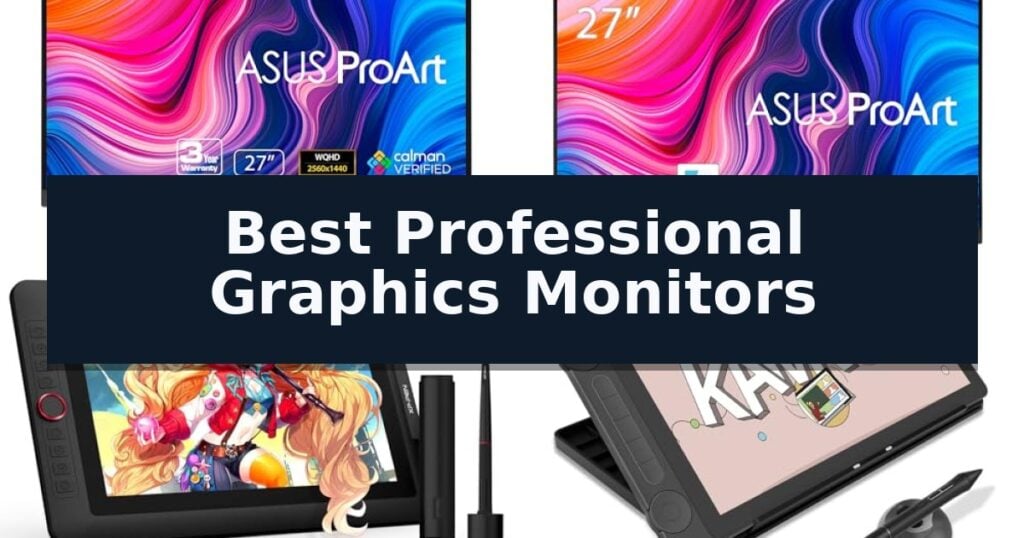
4 Best Professional Graphics Monitors in 2026 Reviews
Quick Comparison
| Product | Best For | Key Strength | Score |
|---|---|---|---|
| ASUS ProArt PA278QV Professional Monitor | Best Overall | Calman Verified color accuracy with Delta E < 2 | 4.9 |
| ASUS ProArt PA278CV Professional Monitor | Versatile USB-C Connectivity | Factory-calibrated color accuracy with Delta E < 2 and 100% sRGB/Rec. 709 coverage. | 4.3 |
| XPPen Artist 13.3 Pro Drawing Tablet | Precision for Digital Illustration | Fully-laminated display significantly reduces parallax for precise input. | 4.5 |
| HUION Kamvas 13 Gen 3 Tablet | Advanced Pen-to-Screen Workflow | Canvas Glass 2.0 reduces glare and improves visual clarity. | 4.3 |
How We Chose
When evaluating professional graphics monitors, we focus on technical specifications that directly impact visual fidelity and workflow efficiency. An experienced reviewer examines factory calibration reports, color gamut support, and physical connectivity options to determine which displays provide the most reliable foundation for color-critical design, photo editing, and video production tasks.
- Color Accuracy and Gamut Coverage
- Panel Resolution and Clarity
- Connectivity and Peripheral Integration
- Ergonomic Adjustability and Stand Design
- Factory Calibration and Consistency
1 ASUS ProArt PA278QV Professional Monitor — Industry-Standard Color Accuracy
Achieving precise color reproduction is the primary challenge for digital creators, and the ASUS ProArt PA278QV Professional Monitor addresses this with Calman Verified certification and a Delta E < 2 color accuracy rating. This ensures that the colors you see on screen are calibrated for professional-grade fidelity right out of the box, removing the guesswork from critical photo and video editing tasks.
The display features a 27-inch WQHD IPS panel with a resolution of 2560 x 1440, providing the screen real estate necessary for complex creative workflows. To meet industry standards, the monitor covers 100% of the sRGB and Rec. 709 color gamuts, ensuring consistency across digital media projects. Users can further refine their output using the ASUS ProArt Preset and Palette software, which allows for granular adjustments to color, brightness, and black levels.
Designed for long-term usability, the monitor includes an ergonomic stand that supports tilt, pivot, swivel, and height adjustments to maintain a comfortable viewing position. The integration of ASUS Eye Care Technology, featuring a flicker-free backlight and a blue light filter, helps mitigate eye fatigue during extended editing sessions. The screen is also finished with an anti-glare coating to minimize distracting reflections in bright environments.
Connectivity is handled by a comprehensive suite of ports, including DisplayPort, HDMI, DVI-D, and Mini DP, alongside an integrated USB hub for managing peripherals. The package is supported by a 5-year warranty—comprising a 3-year standard term plus a 2-year extension upon registration—and includes a complimentary 3-month subscription to Adobe Creative Cloud.
Best for: Professional photographers and video editors who require out-of-the-box color accuracy and a versatile, ergonomic workspace.
Skip if: Users who require 4K resolution for high-density pixel workflows or those seeking specialized high-refresh-rate panels for gaming.
- Calman Verified color accuracy with Delta E < 2
- Comprehensive 100% sRGB and Rec. 709 color gamut coverage
- Highly adjustable ergonomic stand for custom viewing angles
- Extensive connectivity options including a built-in USB hub
- Extended 5-year warranty coverage
- WQHD resolution may be insufficient for users specifically requiring 4K clarity
2 ASUS ProArt PA278CV Professional Monitor — Versatile USB-C Connectivity
Precision color reproduction is the cornerstone of the ASUS ProArt PA278CV Professional Monitor, which arrives factory-calibrated to achieve a Delta E < 2 rating. This 27-inch display is designed to meet the rigorous demands of graphic designers and video editors, offering 100% sRGB and 100% Rec. 709 color gamut coverage to ensure consistent, true-to-life visuals across creative workflows.
Beyond its color accuracy, the monitor features a QHD (2560 x 1440) IPS panel that provides a sharp, expansive workspace for multitasking. Connectivity is streamlined through a versatile USB-C port that supports 65W power delivery, allowing users to charge laptops and transmit data via a single cable. This setup effectively reduces desk clutter while maintaining high-speed data transfer capabilities.
Productivity is further enhanced by the inclusion of DisplayPort daisy-chaining, which enables the connection of up to four displays for a seamless multi-monitor workstation. The hardware is built for long-term comfort, featuring an ergonomic stand with a 90-degree pivot, height, tilt, and swivel adjustments to accommodate various desk configurations and vertical workflows.
The package includes a comprehensive set of cables—USB-C, HDMI, and DisplayPort—for immediate deployment. Users also benefit from an extended 5-year warranty (3 years standard plus 2 years upon registration) and a complimentary 3-month Adobe Creative Cloud subscription, providing a complete toolkit for professional content creation.
Best for: Creative professionals who require high color accuracy and a streamlined, single-cable workspace for video editing or graphic design.
Skip if: Users who require 4K resolution for ultra-high-definition detail or those who need a larger screen size beyond 27 inches.
- Factory-calibrated color accuracy with Delta E < 2 and 100% sRGB/Rec. 709 coverage.
- USB-C connectivity with 65W power delivery for simplified device charging.
- DisplayPort daisy-chaining capability for multi-monitor setups.
- Highly adjustable ergonomic stand with pivot functionality.
- QHD resolution may not satisfy users seeking 4K pixel density.
- Limited screen size of 27 inches might feel restrictive for complex multi-window workflows.
3 XPPen Artist 13.3 Pro Drawing Tablet — Precision for Digital Illustration
Achieving precise digital illustration requires hardware that bridges the gap between hand-eye coordination and software performance. The XPPen Artist 13.3 Pro Drawing Tablet addresses this with a fully-laminated FHD display that minimizes parallax, ensuring that the cursor remains directly beneath the pen tip for a more natural drawing experience.
This device features a 13.3-inch screen with a wide color gamut, supporting 123% sRGB and 88% NTSC, which provides vibrant, accurate color reproduction for professional creative workflows. The display is paired with a battery-free stylus that supports 60 degrees of tilt function and features a low Initial Activation Force (IAF), allowing for smooth, lag-free shading and line transitions at 220 RPS.
Usability is enhanced through a physical Red Dial and 8 customizable shortcut keys, which allow creators to zoom, pan, and adjust brush sizes without relying on keyboard shortcuts. The tablet is designed for versatility, offering universal compatibility with Windows, Mac, Chrome OS, and Linux, and it includes an adjustable stand to support ergonomic posture during long creative sessions.
Connectivity is managed via an included 3-in-1 cable, which requires a connection to a computer or laptop to function. While the tablet is a powerful tool for animation and illustration, users should note that it is not a standalone computer and must be tethered to a host device to operate.
Best for: Digital artists and illustrators seeking a color-accurate, low-parallax drawing display that integrates seamlessly with existing computer workflows.
Skip if: Users requiring a standalone, portable tablet that does not need to be physically connected to a computer or laptop.
- Fully-laminated display significantly reduces parallax for precise input.
- High color gamut (123% sRGB) ensures vivid and accurate color representation.
- Battery-free stylus with 60-degree tilt support and low IAF.
- Physical Red Dial and 8 shortcut keys for efficient workflow customization.
- Requires a constant connection to a computer or laptop via a 3-in-1 cable.
- Not a standalone device and lacks internal processing capabilities.
4 HUION Kamvas 13 Gen 3 Tablet — Advanced Pen-to-Screen Workflow
The HUION Kamvas 13 (Gen 3) Drawing Tablet with Screen introduces a refined visual experience through its Canvas Glass 2.0, which utilizes anti-sparkle technology to minimize glare while maintaining high screen clarity. This 13.3-inch display is fully laminated, ensuring that the distance between the pen tip and the cursor is minimized for precise input during digital illustration or design tasks.
Performance is driven by the PenTech 4.0 technology, which supports 16384 levels of pressure sensitivity and a 2g initial activation force. This configuration allows for highly responsive strokes, complemented by three customizable side buttons on the pen that can be mapped to specific workflow shortcuts. The device also features five programmable shortcut keys and dual dial buttons on the tablet chassis for efficient navigation.
Color accuracy is a primary focus for this model, achieving 99% sRGB coverage and an average ΔE < 1.5. Each unit includes a factory calibration report to verify color consistency out of the box. The display supports 16.7 million colors, making it suitable for color-critical creative work across various professional software environments.
Connectivity is streamlined through a single USB-C cable setup, though users must note that this is a peripheral device requiring a connection to a Windows, Mac, Android, or Linux computer to function. The package includes an ST300 adjustable stand, providing multiple ergonomic angles for extended drawing sessions. Its compact design, measuring 14.2 by 7.98 inches, balances screen real estate with portability for professional workspaces.
Best for: Digital artists and designers who require a portable, color-accurate pen display with high pressure sensitivity for detailed creative work.
Skip if: Users seeking a standalone tablet that functions without a connection to a host computer or laptop.
- Canvas Glass 2.0 reduces glare and improves visual clarity.
- PenTech 4.0 provides 16384 levels of pressure sensitivity for natural stroke control.
- Factory color calibration ensures high accuracy with 99% sRGB coverage.
- Dual dial buttons and programmable keys streamline creative workflows.
- Requires a host computer connection to function as it is not a standalone device.
- Limited screen size of 13.3 inches may feel restrictive for complex multi-window layouts.
Best Professional Graphics Monitors Buying Guide
Understanding Color Accuracy
Professional graphics work demands high color fidelity, typically measured by Delta E values. A lower Delta E indicates that the colors displayed on the screen are closer to the actual source, which is essential for ensuring that your digital work translates accurately to print or other displays.
Look for monitors that explicitly state coverage for industry-standard color spaces like sRGB and Rec. 709. These standards ensure that your projects remain consistent across different platforms and devices, preventing unexpected color shifts during the final export or delivery stage.
The Importance of Panel Technology
IPS panels are the industry standard for graphics work due to their superior viewing angles and color consistency. Unlike older panel types, IPS technology ensures that colors do not shift or wash out when you move your head, providing a stable visual environment for detailed editing.
Resolution also plays a critical role in professional workflows. A QHD or higher resolution provides the necessary screen real estate to view high-resolution images at full scale while still leaving room for toolbars and palettes, significantly improving multitasking efficiency.
Connectivity and Workflow Integration
Modern professional monitors should act as a central hub for your workstation. Features like USB-C connectivity with power delivery allow you to connect your laptop, transfer data, and charge your device using a single cable, which reduces clutter and simplifies your setup.
Daisy-chaining capabilities are another valuable feature for power users who require multiple displays. By connecting monitors in a series, you can expand your digital workspace without needing to occupy multiple ports on your computer, keeping your desk organized and functional.
Ergonomics for Extended Sessions
Creative work often involves long hours at the desk, making ergonomic design a non-negotiable factor. A monitor with a fully adjustable stand—supporting tilt, swivel, pivot, and height adjustments—allows you to position the screen at the optimal eye level to prevent strain.
In addition to physical adjustments, look for built-in eye-care technologies such as flicker-free backlighting and blue light filters. These features help mitigate eye fatigue during marathon editing sessions, allowing you to maintain focus and accuracy throughout the day.
Calibration and Long-Term Reliability
Factory calibration is a significant time-saver for professionals who need to start working immediately. Monitors that arrive pre-calibrated and include a verification report offer peace of mind that the display meets professional standards right out of the box.
Consider the warranty and support provided by the manufacturer as part of your investment. Long-term reliability is crucial for professional equipment, and extended warranty options can provide valuable protection against hardware failures over the lifespan of your monitor.
Frequently Asked Questions
What does Calman Verified mean for a monitor?
Calman Verified indicates that the monitor has undergone rigorous testing to ensure it meets professional color accuracy standards, providing confidence that the colors you see are true to the source.
Is a 4K monitor necessary for professional graphics work?
While 4K offers higher pixel density, QHD (1440p) is often sufficient for many professional tasks. The choice depends on your specific resolution requirements and the processing power of your workstation.
Why is an IPS panel preferred for graphics?
IPS panels offer the best color reproduction and widest viewing angles, ensuring that colors remain consistent even when viewed from the side, which is vital for precise editing.
Can I use a drawing tablet as my primary monitor?
While drawing tablets with screens are excellent for illustration, they are typically designed as secondary input devices. Most professionals prefer a dedicated monitor for color-critical tasks and a tablet for input.
How often should I recalibrate my monitor?
Even with factory calibration, monitors can drift over time. Professionals typically recalibrate their displays every few months using a hardware colorimeter to maintain consistent accuracy.
Conclusion: Our Top Pick
Our top pick is ASUS ProArt PA278QV Professional Monitor. Choosing the right professional graphics monitor involves prioritizing color precision and ergonomic flexibility to support your specific creative workflow. By focusing on factory-calibrated panels with robust connectivity, you can ensure your hardware remains a reliable asset for years to come.
Whether you opt for a standard desktop display or a specialized pen-enabled tablet, the best choice is one that integrates seamlessly into your existing setup while meeting the color standards required by your industry.