Logitech G502 HERO Gaming Mouse is our pick for the Best Programmable Gaming Mouse because it delivers a versatile 11-button layout paired with a high-precision sensor that excels in both competitive and casual play.
Selecting a mouse with deep customization requires balancing button placement with software reliability. Experienced players prioritize how easily they can map complex macros to side buttons without sacrificing their grip or reaction time during intense sessions.
Beyond raw button counts, the physical feel and weight distribution play a significant role in long-term comfort. Whether you prefer a lightweight frame for rapid flicks or a heavier, adjustable chassis for stability, the right hardware should align with your specific hand size and preferred playstyle.
If you are looking to expand your peripheral setup, you might also be interested in Best Programmable Gaming Mice for more specialized options. To complement your mouse, explore the Best Programmable Keyboards to unify your command center.
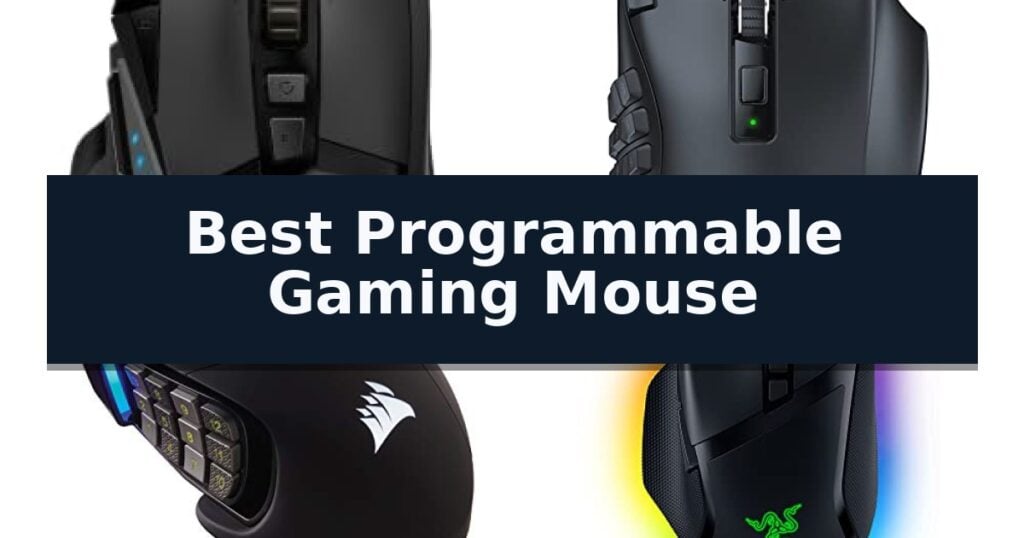
10 Best Programmable Gaming Mouse in 2026 Reviews
Quick Comparison
| Product | Best For | Key Strength | Score |
|---|---|---|---|
| Logitech G502 HERO Gaming Mouse | Best Overall | HERO 25K sensor for high-precision tracking up to 25,600 DPI. | 4.9 |
| Razer Naga V2 HyperSpeed Gaming Mouse | Wireless Freedom for MMO Players | 19 programmable buttons for extensive macro mapping. | 4.4 |
| Corsair Scimitar RGB Elite Gaming Mouse | Adjustable Side Buttons for Comfort | Patented Key Slider system for personalized button positioning. | 4.9 |
| Razer Basilisk V3 Gaming Mouse | Fastest Switches for Competitive Play | HyperScroll Tilt Wheel offers both free-spin and tactile modes. | 4.6 |
| Logitech G305 LIGHTSPEED Gaming Mouse | Lightweight Wireless for Travel | Ultra-fast LIGHTSPEED wireless technology for lag-free performance. | 4.5 |
| UtechSmart Venus Pro Gaming Mouse | Extended Battery for Long Sessions | 16 programmable buttons for complex macro assignments. | 4.4 |
| Attoe Vertical Gaming Mouse | Ergonomic Design Reduces Wrist Strain | Ergonomic vertical design helps reduce wrist and shoulder fatigue. | 4.5 |
| SOLAKAKA SM809 Pro Gaming Mouse | Modular Panels for Custom Layouts | Modular magnetic side plates for custom grip and button configurations. | 4.7 |
| Redragon M811 PRO Gaming Mouse | High-Speed Input for FPS Gamers | 2.4Ghz wireless connectivity for lag-free input. | 4.7 |
| Redragon M908 Gaming Mouse | Budget-Friendly MMO Macro Power | 18 programmable buttons for complex macro assignments. | 4.3 |
How We Chose
Evaluating the best programmable gaming mouse requires a focus on how hardware and software interact to enhance gameplay. We analyze the tactile response of programmable buttons, the reliability of sensor tracking, and the ease of remapping commands. These criteria ensure that each mouse provides a consistent, responsive experience tailored to the specific needs of modern gamers.
- Button layout and macro accessibility
- Sensor tracking accuracy and DPI range
- Software interface and onboard memory capabilities
- Ergonomic design and weight customization
- Connectivity stability and latency performance
1 Logitech G502 HERO Gaming Mouse — Classic Choice for Precision Control
Precision tracking is essential for competitive play, and the Logitech G502 HERO Wired Gaming Mouse delivers this through its advanced HERO 25K sensor. This sensor provides tracking up to 25,600 DPI without smoothing, filtering, or acceleration, ensuring that every movement is captured with high fidelity.
Customization is a core strength of this device, featuring 11 programmable buttons that allow users to map complex commands or macros. The inclusion of a dual-mode hyper-fast scroll wheel adds versatility, enabling rapid scrolling through long documents or precise, notched movement for gaming tasks.
Physical ergonomics and balance are addressed through an adjustable weight system. Users can arrange up to five 3.6g weights to achieve a preferred weight and balance configuration, tailoring the feel of the mouse to their specific grip style and surface friction requirements.
Durability and tactile feedback are enhanced by a mechanical switch button tensioning system. By utilizing metal pivot hinges in the left and right buttons, the mouse provides a consistent, crisp click feel with rapid feedback, which is critical for high-frequency inputs during intense sessions.
Aesthetic integration is managed via LIGHTSYNC technology, which offers fully customizable RGB lighting. This system can be synchronized with in-game actions or other compatible hardware through the Logitech Gaming Software, allowing for a cohesive visual setup.
Best for: Gamers who require high-precision tracking and extensive button customization with a weight-balanced feel.
Skip if: Users who prefer a lightweight, minimalist, or wireless design will find this wired, multi-button configuration too bulky or complex.
- HERO 25K sensor for high-precision tracking up to 25,600 DPI.
- Adjustable weight system allows for personalized balance and feel.
- 11 programmable buttons provide extensive control for complex macros.
- Mechanical switch tensioning ensures crisp and rapid click feedback.
- Wired connection limits mobility compared to wireless alternatives.
- Complex design may be excessive for users seeking a simple, lightweight mouse.
2 Razer Naga V2 HyperSpeed Gaming Mouse — Wireless Freedom for MMO Players
Managing complex macro commands and rapid-fire inputs requires hardware that keeps pace with your playstyle. The Razer Naga V2 HyperSpeed Wireless MMO Gaming Mouse addresses this with an array of 19 programmable buttons, allowing for extensive customization of essential commands and advanced macros directly at your fingertips.
Performance is driven by the Focus Pro 30K Optical Sensor, which maintains tracking accuracy across diverse surfaces, including glass. The mouse utilizes Razer HyperSpeed Wireless (2.4 GHz) technology for low-latency connectivity, while also offering Bluetooth for extended battery efficiency. Users can expect up to 250 hours of performance in 2.4GHz mode or up to 400 hours when utilizing Bluetooth.
The integrated Razer HyperScroll Technology provides versatility for different tasks, featuring a free-spin mode for rapid content navigation and a tactile mode for precise, controlled feedback. Durability is supported by Mechanical Mouse Switches Gen-2, which incorporate gold-plated contact points to resist degradation and support a lifespan of up to 60 million clicks.
To ensure optimal performance, the device integrates with the Razer Synapse App, where users can refine settings and accuracy. Measuring 4.71 inches in length and 2.96 inches in width, this mouse is designed for ergonomic comfort during long sessions, backed by a two-year manufacturer warranty.
Best for: MMO gamers who require a high volume of programmable buttons and long-lasting wireless battery life.
Skip if: Users who prefer an ultra-lightweight mouse for competitive FPS titles may find the button-heavy design and physical dimensions less suitable.
- 19 programmable buttons for extensive macro mapping.
- Long battery life reaching up to 400 hours via Bluetooth.
- HyperScroll Technology with adjustable tactile and free-spin modes.
- Focus Pro 30K Optical Sensor for high-precision tracking.
- Larger physical footprint compared to standard lightweight gaming mice.
3 Corsair Scimitar RGB Elite Gaming Mouse — Adjustable Side Buttons for Comfort
The Corsair Scimitar RGB Elite Gaming Mouse centers its design around a patented Key Slider control system, allowing users to physically reposition the 12 side buttons to match their specific grip and hand size. This level of hardware customization is engineered for players who demand rapid access to complex macros and frequent actions during intense MMO or MOBA sessions.
Performance is driven by a native 18,000 DPI optical sensor, utilizing a custom PixArt PMW3391 engine that supports adjustments in 1 DPI resolution steps. This precision allows for granular tracking control, ensuring that cursor movement remains consistent with the user's sensitivity preferences across various gaming environments.
Durability is a core focus, evidenced by the inclusion of Omron switches rated for 50 million clicks. These components, paired with a sturdy scroll wheel and a braided cable, are built to withstand the repetitive inputs common in long-term competitive play. The chassis features a contoured shape with a dedicated right-side finger rest to provide ergonomic support during extended use.
Compatibility extends across multiple platforms, including PC, Mac, PS5, PS4, and Xbox, making it a versatile peripheral for gamers who switch between systems. The device is fully integrated with iCUE software, enabling users to manage button programming and lighting configurations through a centralized interface.
Best for: Gamers who require extensive macro management and physical button customization for MMO or MOBA titles.
Skip if: Users who prefer a lightweight, minimalist mouse design or those who do not utilize side-button macros.
- Patented Key Slider system for personalized button positioning.
- High-precision 18,000 DPI optical sensor with 1 DPI adjustment increments.
- 50 million click-rated Omron switches for long-term reliability.
- Broad compatibility with PC, Mac, and major gaming consoles.
- Higher complexity due to the large number of programmable buttons.
- Heavier footprint compared to standard lightweight gaming mice.
4 Razer Basilisk V3 Gaming Mouse — Fastest Switches for Competitive Play
The Razer Basilisk V3 Customizable RGB Wired Ergonomic Gaming Mouse distinguishes itself with a versatile HyperScroll Tilt Wheel that allows users to toggle between a free-spin mode for rapid navigation and a tactile mode for precise, step-by-step control. This design choice provides a significant advantage for gamers who need to cycle through skills or weapons quickly while maintaining the ability to perform accurate inputs during intense gameplay.
Engineered for high-performance responsiveness, the mouse features Optical Mouse Switches Gen 2 that deliver a 0.2ms actuation speed. These switches are rated for up to 70 million clicks, ensuring durability and consistent execution without the risk of unintended misclicks. The internal hardware is anchored by a Focus+ 26K DPI Optical Sensor, which provides pixel-precise tracking and intelligent functions designed to eliminate smoothing for a crisp, reliable response.
Customization is a core component of this peripheral, offering 11 programmable buttons that allow users to assign macros and secondary functions for essential in-game actions. The aesthetic experience is managed through 11 Razer Chroma RGB lighting zones, which can be configured with over 16.8 million colors and reactive effects that sync with over 150 integrated games. The ergonomic form factor includes a dedicated thumb rest, supporting the hand during extended usage sessions.
To achieve optimal performance, the device integrates with the Razer Synapse App, which serves as the central hub for adjusting sensor settings and button assignments. Users are encouraged to disable Windows pointer precision settings to ensure the sensor tracks movement with maximum accuracy. With its combination of high-speed switches, advanced sensor technology, and extensive lighting customization, this mouse is a comprehensive tool for competitive PC gaming.
Best for: Gamers who require extensive macro customization and a versatile scroll wheel for both rapid navigation and precise tactical inputs.
Skip if: Users who prefer a lightweight, minimalist design or those who specifically require a wireless connection for their gaming setup.
- HyperScroll Tilt Wheel offers both free-spin and tactile modes.
- 11 programmable buttons allow for extensive macro and function assignment.
- Optical Mouse Switches Gen 2 provide rapid 0.2ms actuation.
- Focus+ 26K DPI Optical Sensor ensures high-precision tracking.
- Wired-only connection may limit cable management preferences.
- Heavier ergonomic design compared to ultra-lightweight competitive mice.
5 Logitech G305 LIGHTSPEED Gaming Mouse — Lightweight Wireless for Travel
The Logitech G305 LIGHTSPEED Wireless Gaming Mouse distinguishes itself through the integration of ultra-fast LIGHTSPEED wireless technology, which provides a 1 ms report rate for competition-level responsiveness without the tether of a cable. This device is engineered for users who prioritize mobility and efficiency, featuring a compact, durable design that includes built-in storage for the nano receiver, making it a practical choice for both desktop setups and travel.
At the heart of its performance is the next-generation optical HERO sensor. This sensor supports up to 12,000 DPI sensitivity and 400 IPS precision, while offering significant power efficiency gains over previous generations. The mouse is powered by a single AA battery, which supports up to 250 hours of continuous gameplay. Users can further optimize this by switching to Endurance mode via the Logitech G HUB software, extending battery life to as long as 9 months.
Despite its wireless capabilities, the mouse maintains a lightweight profile at only 3.4 oz. This is achieved through an efficient mechanical design that balances structural integrity with maneuverability. With 6 programmable buttons and on-board memory, the device allows for customized control schemes that remain stored on the mouse itself, ensuring consistent performance across different PC or Mac environments.
The trade-off for this lightweight, portable form factor is the reliance on a replaceable AA battery rather than an integrated rechargeable system, which may require users to keep spare batteries on hand. Additionally, while the compact dimensions are ideal for portability, users with larger hand sizes may find the physical footprint less ergonomic compared to larger, contoured gaming mice.
Best for: Gamers and professionals who require a highly portable, lag-free wireless mouse with long battery life for both travel and desktop use.
Skip if: Users who prefer a larger, ergonomically contoured mouse or those who specifically require an integrated rechargeable battery system.
- Ultra-fast LIGHTSPEED wireless technology for lag-free performance.
- High-efficiency HERO sensor with up to 12,000 DPI.
- Extended battery life up to 250 hours or 9 months in Endurance mode.
- Lightweight 3.4 oz design for improved maneuverability.
- Requires replaceable AA batteries rather than an internal rechargeable battery.
- Compact physical dimensions may not suit all hand sizes.
6 UtechSmart Venus Pro Gaming Mouse — Extended Battery for Long Sessions
The UtechSmart Venus Pro Wireless MMO Gaming Mouse distinguishes itself with 16 fully programmable buttons, allowing users to consolidate complex macro commands into single-click actions for improved response times. This mouse is engineered for high-intensity gaming, featuring 12 thumb-grip buttons specifically angled to accommodate natural thumb positioning for rapid, precise inputs.
Equipped with 2.4 GHz wireless technology, the device provides a stable connection with a 10-meter range, effectively minimizing latency during competitive play. For users who prefer a wired connection, it also supports a 1.5m cable transmission, ensuring professional-level performance in various environments. The internal 1000mA battery supports up to 70 hours of use on a single charge, with integrated software available to monitor power consumption.
Accuracy is managed by a custom PixArt PMW3335 optical sensor, which offers an adjustable DPI range from 100 to 16000. Users can toggle between five DPI stages and utilize a 1000 Hz polling rate to tailor the tracking to specific gaming requirements. The mouse surface features a specialized grinding coating, designed to provide a sweat-resistant, skin-friendly grip that enhances friction and reduces wrist fatigue during extended sessions.
The ergonomic design is complemented by an auto-sleeping mode and low-power consumption settings to preserve battery life. With its combination of high-precision tracking and extensive button customization, this mouse serves as a versatile tool for both MMO and FPS titles.
Best for: Gamers who require extensive macro customization and reliable wireless performance for long-duration play sessions.
Skip if: Users who prefer a lightweight, minimalist mouse design or those who do not require a high volume of programmable side buttons.
- 16 programmable buttons for complex macro assignments.
- 70-hour battery life with power-saving modes.
- High-precision 16000 DPI sensor with adjustable stages.
- Ergonomic, sweat-resistant coating for improved grip.
- Higher weight profile due to the large 1000mA battery capacity.
- Complex button layout may require an adjustment period for new users.
7 Attoe Vertical Gaming Mouse — Ergonomic Design Reduces Wrist Strain
The Attoe Gaming Mouse with 5 D Rocker, Wireless Vertical Mouse with [24000 DPI] [12 Programmable Buttons], Computer Mouse for Gamer/PC/E-Sports/Laptop (Black) is engineered to address wrist strain during extended gaming sessions by promoting a natural handshake position. This vertical design is specifically crafted to help reduce muscle strain and alleviate discomfort associated with carpal tunnel syndrome.
Performance is driven by a high-precision PMW3325 sensor, offering adjustable sensitivity with five DPI presets reaching up to 24000 DPI. For complex gaming maneuvers, the mouse features a 5-direction thumb-operated rocker that replaces five traditional keys, allowing for precise directional control and clicks with minimal effort.
Customization is handled through dedicated software, which supports macro editing across 12 programmable buttons. Once configured, the settings are saved directly to the mouse, ensuring that your custom button functions remain active even when the device is connected to a different computer.
Connectivity is highly versatile, featuring tri-mode flexibility that includes Bluetooth 5.0, 2.4GHz wireless, and a USB-C wired connection. The device is rechargeable and includes dual-color indicators to help users identify the active connection channel, providing stable performance within a 33-foot range.
The aesthetic is complemented by side RGB strips that offer five dynamic lighting effects to enhance the gaming atmosphere. While the device is designed for right-handed users, its contoured shape is intended to accommodate a wide range of hand sizes for both professional gaming and daily productivity.
Best for: Right-handed gamers seeking an ergonomic vertical design to reduce wrist strain during long sessions.
Skip if: Left-handed users or those who prefer a traditional low-profile mouse shape for their gaming setup.
- Ergonomic vertical design helps reduce wrist and shoulder fatigue.
- 12 programmable buttons with onboard memory for custom macro storage.
- Tri-mode connectivity supports wireless, Bluetooth, and wired usage.
- High-precision sensor with up to 24000 DPI for rapid sensitivity adjustments.
- Right-handed orientation limits use for left-handed gamers.
- Software installation may require manual security approval on some systems.
8 SOLAKAKA SM809 Pro Gaming Mouse — Modular Panels for Custom Layouts
The SOLAKAKA SM809 Pro Gaming Mouse distinguishes itself with a highly modular design featuring four magnetic side plates, allowing users to physically swap button layouts to match their specific grip style or game requirements. This hardware-level customization is complemented by a high-precision PAW3311 optical sensor that supports up to 24000 DPI, providing granular sensitivity adjustments for both rapid-fire movement and pixel-perfect aiming.
Engineered for versatility, the device offers triple-mode connectivity, enabling seamless switching between 2.4GHz wireless, Bluetooth 5.0, and a USB-C wired connection. This flexibility ensures stable performance across desktops, laptops, and tablets without the need for constant dongle swapping or pairing delays.
The mouse prioritizes user-defined control through its 16 programmable buttons. All inputs support custom macros and key remapping, which are stored directly on the device's onboard memory. This allows for a consistent experience across different machines, as the mouse retains settings without requiring background software to be active during use.
Configuration is streamlined via a web-based interface accessible at solakakadriver.com. By eliminating the need for traditional software installation, the SOLAKAKA SM809 Pro Gaming Mouse offers a plug-and-play experience where DPI levels, RGB lighting modes, and complex macros can be adjusted in any browser and saved instantly to the hardware.
Best for: Gamers who require extensive macro support and a modular, customizable button layout for different game genres.
Skip if: Users who prefer a minimalist, lightweight mouse design without the added bulk of modular side plates and multiple side buttons.
- Modular magnetic side plates for custom grip and button configurations.
- Triple-mode connectivity including wireless, Bluetooth, and wired options.
- Onboard memory stores macros and profiles for software-free operation.
- Web-based configuration eliminates the need for background driver software.
- Increased physical weight and complexity due to the modular plate design.
- Requires browser access for initial button remapping and macro setup.
9 Redragon M811 PRO Gaming Mouse — High-Speed Input for FPS Gamers
Precision control and rapid input are essential for competitive gaming, and the Redragon M811 PRO Wireless RGB Gaming Mouse addresses these needs with its 2.4Ghz wireless connection technology. This mouse is engineered to eliminate cord drag, providing the freedom of movement required for high-speed tracking and responsive gameplay.
The device features a high-performance sensor with 5 redefinable DPI levels, ranging from 100 up to 26,000 DPI. This wide sensitivity range allows users to calibrate the mouse to their specific game requirements, whether they need high-speed flick shots or granular control for precision aiming.
Equipped with 15 programmable buttons, including a default layout of 2 primary clicks and 8 side buttons, this mouse offers extensive customization for complex keybinds. All buttons, along with the 16.8 million color RGB lighting effects, are fully adjustable through dedicated software, enabling users to tailor the interface to their tactical preferences.
Designed with an ergonomic grip, the mouse follows the natural structure of the human hand to minimize fatigue during extended sessions. The combination of wireless performance, high-resolution sensor capabilities, and a robust button layout makes it a versatile tool for both intensive gaming and demanding productivity tasks.
Best for: FPS gamers and MMO players who require extensive button remapping and wireless freedom.
Skip if: Users who prefer a lightweight, minimalist mouse with fewer side buttons may find the 15-button layout overly complex.
- 2.4Ghz wireless connectivity for lag-free input.
- Highly adjustable 26,000 DPI sensor.
- 15 programmable buttons for custom macro keybinds.
- Ergonomic design to reduce hand fatigue.
- Higher button count may be unnecessary for casual users.
10 Redragon M908 Gaming Mouse — Budget-Friendly MMO Macro Power
Precision and customization define the Redragon M908 Wired MMO RGB Gaming Mouse, a peripheral engineered for users who demand granular control over their input devices. At its core, the mouse utilizes a high-precision Pixart PAW3327 sensor capable of reaching 12400 DPI, allowing for rapid adjustments across five levels to suit varying gaming or productivity requirements.
The hardware is built for complex workflows, featuring 18 programmable buttons, including 12 dedicated side keys for MMO-style macro management. Users can store these configurations across five onboard memory profiles, each identifiable by a unique light color. To ensure the device feels balanced during extended sessions, it includes an 8-piece weight tuning set, allowing for physical adjustments of 2.4g per piece.
Durability and stability are prioritized through the inclusion of a 6ft braided-fiber cable and a gold-plated USB connector. The base is equipped with smooth TEFLON feet pads to minimize friction, while the ergonomic body is designed for comfort during intense use. The 16.8 million color RGB backlight can be customized or disabled entirely depending on the user's aesthetic preference.
Compatibility is broad, supporting programmable functionality on Windows systems from 2000 through 10, with basic operation available on Mac OS. This device serves as a versatile tool for players who require a high degree of remapping capability and physical weight customization in a wired, lag-free package.
Best for: MMO gamers and power users who require extensive macro remapping and physical weight customization.
Skip if: Users who prefer a lightweight, minimalist design or those requiring wireless connectivity.
- 18 programmable buttons for complex macro assignments.
- 8-piece weight tuning set allows for personalized handling.
- High-precision Pixart PAW3327 sensor with adjustable DPI up to 12400.
- Five onboard memory profiles with dedicated color-coded identification.
- Wired-only connection limits desk mobility.
- Heavier footprint compared to standard lightweight gaming mice.
Best Programmable Gaming Mouse Buying Guide
Understanding Programmable Button Layouts
Programmable buttons are the core feature of these devices, allowing users to map complex macros, spells, or system commands directly to the mouse. The placement of these buttons is critical; they should be reachable without forcing your hand into an awkward or strained position.
Consider how many buttons you actually need for your specific genre. MMO players often benefit from large side-button grids, while FPS players might prefer a smaller, more tactical set of buttons that won't interfere with their primary grip.
Sensor Precision and DPI Settings
The optical sensor determines how accurately your physical movements translate into in-game actions. High-end sensors offer high DPI ranges and zero acceleration, ensuring that your cursor movement remains consistent regardless of how fast you move the mouse.
Look for sensors that support fine-tuned DPI adjustments. This allows you to calibrate the sensitivity to match your monitor resolution and personal preference, providing a smoother experience during high-stakes aiming scenarios.
Software and Onboard Memory
The software accompanying your mouse is the gateway to its full potential. A robust interface makes it simple to create profiles, assign macros, and adjust RGB lighting, ensuring that your settings are exactly where you need them.
Onboard memory is a vital feature for those who move between different computers. By saving your profiles directly to the mouse, you can maintain your custom keybinds and sensitivity settings without needing to reinstall or configure software on every new machine.
Ergonomics and Weight Customization
Ergonomics dictate how comfortable the mouse feels during extended gaming sessions. A well-contoured shape supports your palm and fingers, reducing the risk of fatigue or strain, especially for users who spend hours at their desk.
Weight customization allows you to modify the physical feel of the mouse. Adding or removing weights can help you achieve the perfect balance, providing more stability for precise shots or lighter movement for fast-paced action.
Wired vs. Wireless Connectivity
Wired mice provide a constant, latency-free connection that many competitive players prefer for its simplicity and reliability. You never have to worry about battery life or signal interference during a match.
Modern wireless technology has largely eliminated the latency issues of the past, offering performance that rivals wired counterparts. If you choose wireless, ensure the mouse has a long battery life and a stable connection method to avoid interruptions.
Frequently Asked Questions
Do I need special software to program my mouse buttons?
Most programmable mice require manufacturer-specific software to map complex macros. However, many modern models feature onboard memory, allowing you to save your settings to the device and use them on other computers without the software.
How many programmable buttons are enough for gaming?
The number of buttons depends on your game. FPS players usually find 2-4 side buttons sufficient, while MMO or MOBA players often prefer 12 or more buttons to manage complex ability rotations.
Does a higher DPI always mean a better mouse?
Not necessarily. While a high DPI range is useful for specific setups, most gamers play at lower or mid-range DPI settings. Sensor accuracy and the absence of smoothing or acceleration are more important for consistent performance.
Can I use a gaming mouse for productivity tasks?
Yes, programmable buttons are excellent for productivity. You can map shortcuts for copy-paste, browser navigation, or application-specific tools to your mouse buttons to speed up your workflow.
What is the benefit of adjustable weights?
Adjustable weights allow you to change the center of gravity and the overall heft of the mouse. This helps you find a balance that feels natural for your hand size and movement style.
Conclusion: Our Top Pick
Our top pick is Logitech G502 HERO Gaming Mouse. Choosing the right programmable gaming mouse comes down to identifying which features directly improve your performance. Prioritize button placement and sensor reliability over aesthetic additions to ensure your hardware supports your playstyle.
By focusing on ergonomic comfort and the ability to save custom profiles, you can build a setup that remains consistent across different games and systems, giving you a distinct advantage in every session.