VSD K1 Pro Macro Keyboard is our top choice for the Best Programmer Keyboards with Macros, offering a comprehensive 87-key TKL layout paired with dedicated LCD keys and knobs for advanced workflow automation. For those prioritizing complex multi-layer command management, the Koolertron 16-Key Macro Keypad excels with its specialized one-handed design, while the LUKCOZMO 12-Key Macro Pad provides a versatile wireless solution for users needing flexible connectivity on a crowded desk.
Selecting a dedicated macro device requires balancing the physical footprint against the number of programmable inputs available. Experienced users often prioritize devices that allow for on-board storage of configurations, ensuring that complex shortcuts and multi-step scripts remain functional even when switching between different workstations or operating systems.
Beyond simple key remapping, the most effective tools for programmers integrate seamlessly with existing development environments. We focus on devices that offer intuitive software interfaces for macro recording, as well as hardware features like hot-swappable switches and ergonomic adjustability that support long-term comfort during intensive coding sessions.
For a broader look at input hardware, our guide to Best Programmer Keyboards provides additional context on selecting the right primary typing surface to complement your macro setup.
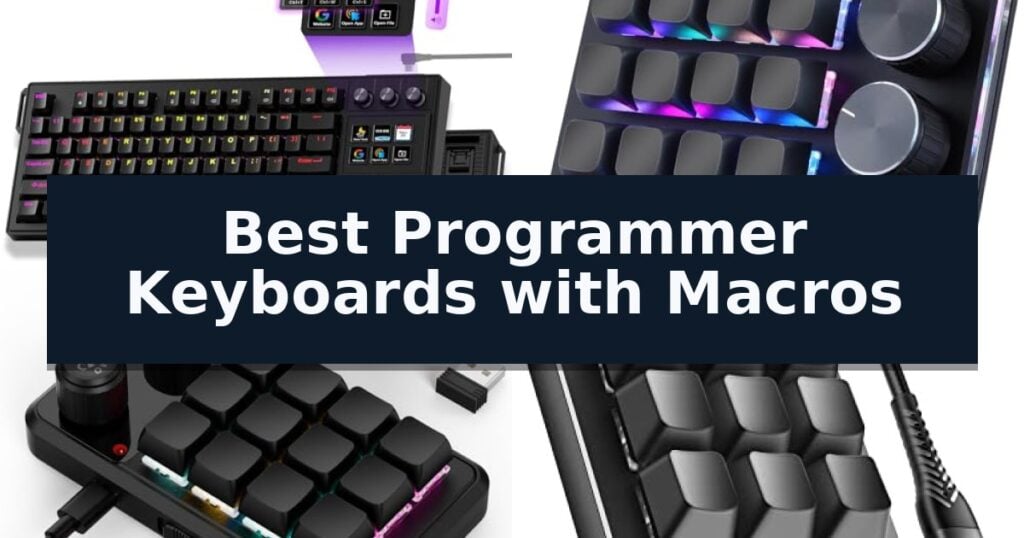
10 Best Programmer Keyboards with Macros in 2026 Reviews
Quick Comparison
| Product | Best For | Key Strength | Score |
|---|---|---|---|
| VSD K1 Pro Macro Keyboard | Best Overall | Six customizable LCD keys for visual macro and shortcut management. | 4.9 |
| Koolertron 16-Key Macro Keypad | Best for Complex Multi-Layer Tasks | 16 programmable keys and 3 knobs for custom command mapping. | 4.8 |
| LUKCOZMO 12-Key Macro Pad | Best for Versatile Wireless Connectivity | Dual connectivity options with both wireless and wired modes. | 4.3 |
| Vaydeer 9-Key Macro Keypad | Best for Visual Function Mapping | 6 customizable functional layers for application-specific workflows. | 4.5 |
| Koolertron 9-Key Macro Keypad | Best for Ergonomic Coding Shortcuts | Built-in MCU stores configurations locally on the device. | 4.9 |
| SAYODEVICE 24-Key Macro Keypad | Best for High-Volume Command Sets | 24 fully programmable keys for extensive macro customization. | 4.7 |
| SAYODEVICE 8-Key Macro Keypad | Best for Streamlined Shortcut Access | Hotswappable mechanical switches for customizable tactile feel. | 4.4 |
| BRIMFORD 4-Key Macro Keypad | Best for Minimalist Macro Needs | Extensive macro support with the ability to chain up to 349 commands. | 4.9 |
| LUKCOZMO 4-Key Macro Keypad | Best for Compact Desktop Setups | On-board memory allows for plug-and-play use across different computers without re-configuration. | 4.7 |
| SAYODEVICE 1-Key Macro Keypad | Best for Dedicated Single-Action Keys | Hot-swappable mechanical design for easy customization without soldering. | 4.9 |
How We Chose
To identify the most effective macro keyboards for programming, we evaluate devices based on their ability to handle complex, multi-step command sequences without compromising desk ergonomics. We prioritize hardware that offers reliable on-board memory and user-friendly configuration software, ensuring that custom shortcuts remain consistent across different development environments and hardware setups.
- Macro capacity and layer management capabilities
- Software interface intuitiveness and configuration storage
- Build quality, including hot-swappable switch compatibility
- Physical footprint and ergonomic layout for desk integration
- Connectivity options including wired stability and wireless flexibility
1 VSD K1 Pro Macro Keyboard — Best for Advanced Workflow Control
Integrating a dedicated stream controller into your workspace, the VSD K1 Pro Macro Keyboard features six customizable LCD keys and three multi-function knobs, allowing for granular control over complex workflows. This device acts as an interactive command center, enabling users to assign macros, media controls, or application shortcuts directly to its interface for streamlined operation.
Built for versatility, the keyboard utilizes a hot-swappable PCB compatible with 3-pin or 5-pin switches, providing the flexibility to customize the typing feel without soldering. The internal architecture features a gasket mount design paired with a 5-layer sound-dampening structure, which works to minimize cavity noise and provide a consistent, elastic keystroke response.
The integrated TFT color display serves as a central hub for real-time monitoring and customization. Through the VSD Craf software, users can upload images or animations to the LCD keys, facilitating visual recognition of assigned tasks. The unit also offers dynamic RGB backlighting with over 16.8 million color options, adjustable via the onboard controls or software.
Designed for ergonomic comfort and durability, the VSD K1 Pro Macro Keyboard includes adjustable stands with three height settings (3°, 6°, and 13°) to reduce wrist strain during extended use. The chassis is constructed from sturdy ABS, and the keys are rated for 50 million keystrokes, ensuring consistent performance for intensive gaming, streaming, or video editing environments.
Best for: Content creators, streamers, and power users who require a hybrid mechanical keyboard and programmable macro deck for complex workflow automation.
Skip if: Users who require a wireless connection or a pre-installed USB-C to USB-C cable, as this model is strictly wired and includes only a USB-A to USB-C cable.
- Six customizable LCD keys for visual macro and shortcut management.
- Hot-swappable PCB allows for easy switch and keycap personalization.
- Gasket-mounted structure with 5-layer dampening for a refined typing sound.
- Three multi-function knobs for precise volume and setting adjustments.
- Wired-only connectivity limits desk placement options.
- Software installation required for full screen and macro customization features.
2 Koolertron 16-Key Macro Keypad — Best for Complex Multi-Layer Tasks
The Koolertron Macro Programmable Keypad offers a specialized solution for users requiring granular control over complex workflows, featuring 16 programmable keys and three physical knobs. This compact device allows for the creation of up to 16 distinct macros, with each macro capable of storing up to 500 characters, effectively streamlining repetitive tasks in professional or gaming environments.
Designed for versatility, the keypad includes 6 layers of user settings stored directly on the device, eliminating the need for constant reconfiguration. Users can manage these layers through dedicated web-based or software interfaces, which are compatible with Windows and Mac OS systems. The hot-swappable mechanical switches allow for customization, while the plug-and-play design ensures straightforward integration into existing desk setups.
The integration of three programmable knobs provides tactile control for adjustments that would otherwise require complex key combinations. Its compact footprint is specifically engineered to save desk space, making it a practical addition for users who need to augment their primary keyboard without cluttering their workspace.
While highly functional for macro-heavy tasks, the device is not compatible with Linux systems, which may limit its utility for certain developer environments. The reliance on specific software or web interfaces for configuration is a trade-off for its deep customization capabilities, requiring an initial setup phase to map commands to the 16 keys and knobs.
Best for: Users who need to execute complex, multi-step commands or macros efficiently within a limited desk space.
Skip if: Users who require Linux compatibility or those who prefer a full-sized keyboard layout for standard typing tasks.
- 16 programmable keys and 3 knobs for custom command mapping.
- 6 layers of built-in storage for diverse profiles.
- Hot-swappable switches for personalized tactile feedback.
- Compact design ideal for space-constrained setups.
- Not compatible with Linux operating systems.
- Software configuration required for full macro customization.
3 LUKCOZMO 12-Key Macro Pad — Best for Versatile Wireless Connectivity
The LUKCOZMO 12-Key Macro Pad streamlines complex workflows by integrating 12 programmable mechanical keys with two dedicated control knobs in a compact, portable form factor. Designed for users who require precise, one-handed control, this device allows for multi-key macros, enabling users to execute complex combinations or repetitive tasks like copy, paste, and system settings with a single click.
Connectivity is highly flexible, featuring both wireless and wired modes via a Type-C interface. The device includes a wireless receiver, allowing for a clutter-free workspace, while the wired option ensures a stable connection when needed. Its onboard memory function means that once you configure your settings on a Windows machine, the keypad retains those profiles, making it truly plug-and-play across different systems including Linux, Mac OS, and Raspberry Pi.
Customization is managed through dedicated software that provides a real-time floating window to help track key functions during use. The individually adjustable RGB backlighting can be configured to display different modes or key-press actions, adding a visual layer to your setup. Users can program specific interval times for macros, such as automated password entry, by dragging functions to virtual keys and flashing the configuration to the device.
The inclusion of two programmable knobs provides tactile control for volume, scrolling, or custom application-specific adjustments. Because the LUKCOZMO 12-Key Macro Pad supports non-conflict key inputs, it is capable of handling simultaneous key presses, ensuring high-speed, accurate responses for both gaming and professional productivity tasks.
Best for: Users who need a portable, programmable interface for complex macro execution and tactile volume or scrolling control.
Skip if: Users who require a full-sized keyboard layout or those who prefer a wired-only connection without the need for additional macro-specific software.
- Dual connectivity options with both wireless and wired modes.
- Two programmable knobs for versatile volume and scrolling control.
- Onboard memory allows for plug-and-play use across multiple computers.
- Real-time floating window software interface for easy function tracking.
- Software setup requires manual extraction from the included USB drive.
- Compact size may not be suitable for users needing a full-sized keyboard.
4 Vaydeer 9-Key Macro Keypad — Best for Visual Function Mapping
Managing complex workflows requires more than just standard key shortcuts, and the Vaydeer 9-Key Macro Keypad offers a specialized solution for users needing granular control over their digital environment. This compact device features 9 non-conflict keys that support NKRO (N-Key Rollover), ensuring that simultaneous inputs are registered accurately during intense gaming or rapid-fire productivity tasks.
The hardware is built around 6 customizable functional layers, allowing you to switch between distinct profiles for different applications like design software, office suites, or specific game titles. A unique floating window interface provides real-time visual feedback, ensuring you never lose track of which function is mapped to a specific key at any given moment. This visual mapping is a significant advantage for users who rely on complex macro sequences.
Setting up the Vaydeer 9-Key Macro Keypad is straightforward, utilizing a drag-and-drop interface to assign multimedia controls, hotkeys, or one-click application launches. The device supports OTA (Over-the-Air) firmware upgrades, ensuring the keypad remains compatible with evolving software needs. Additionally, you can export and import your custom settings, making it easy to maintain consistent workflows across multiple workstations.
Designed for both utility and portability, this one-handed mechanical keyboard measures just 2.83 by 2.83 inches. It is engineered to streamline repetitive tasks such as copy, paste, and system navigation, while also offering advanced macro modes including no repeat, repeat by holding, and sequence triggering. This versatility makes it a practical tool for anyone looking to optimize their desk space and input efficiency.
Best for: Users who require a compact, visually-assisted input device for managing complex macro sequences and application-specific shortcuts.
Skip if: Users who need a full-sized keyboard layout or those who prefer a wireless connection, as this device is designed specifically for one-handed macro tasks.
- 6 customizable functional layers for application-specific workflows.
- Real-time floating window for clear visual function mapping.
- 9 NKRO keys that support complex macro sequences and simultaneous inputs.
- Compact, ergonomic design that saves desk space.
- Limited to 9 keys, which may not suffice for users requiring extensive physical key arrays.
- Wired connection required, lacking wireless portability options.
5 Koolertron 9-Key Macro Keypad — Best for Ergonomic Coding Shortcuts
The Koolertron 9-Key Macro Keypad provides a specialized solution for users seeking to offload complex inputs to a dedicated, programmable interface. Measuring just 2.7" x 2.5" x 1.2", this compact device allows for extensive customization without occupying the significant desk space required by a full-sized keyboard.
Engineered with a built-in MCU, the keypad stores configurations directly on the hardware. This design ensures that your programmed settings remain intact even when moving the device between different computers. Users can manage up to 4-layer custom configurations, enabling quick switching between distinct workflows for gaming, video editing, or office productivity.
The device features all 9 keys as programmable, supporting a wide array of functions including multimedia shortcuts, web navigation, and system locks. Its standout capability is the support for 16 macro function buttons, which can execute series of up to 349 commands. This allows for complex automation, such as triggering multi-step shortcuts for CAD or Adobe software with a single press.
For visual customization, the RGB backlight offers 8 dynamic effects with adjustable speed, brightness, saturation, and color settings. The keypad utilizes a detachable USB cable and functions as a plug-and-play peripheral, allowing it to operate alongside a standard 104-key keyboard without interference.
While highly versatile, the unit is a dedicated macro tool rather than a replacement for a primary typing board. Its small footprint is ideal for specialized tasks, though users requiring full-keyboard functionality for standard typing will need to integrate it into an existing setup.
Best for: Users needing a compact, dedicated hardware interface to execute complex macros and multi-step shortcuts for professional software or gaming.
Skip if: Users looking for a primary typing keyboard or those who require a larger layout for standard data entry.
- Built-in MCU stores configurations locally on the device.
- Supports up to 349 key commands per macro.
- 4-layer custom configurations for versatile workflow management.
- Ultra-small footprint saves valuable desk space.
- No support for USB hubs, requiring a direct connection to the computer.
- Limited to 9 keys, which may not be sufficient for users needing extensive physical key arrays.
6 SAYODEVICE 24-Key Macro Keypad — Best for High-Volume Command Sets
The SAYODEVICE 24-Key Macro Keypad provides a dedicated hardware solution for users needing to expand their input capabilities beyond a standard layout. By offering 24 fully programmable keys, it allows for the assignment of complex command sequences, shortcuts, or specific script executions that can streamline repetitive workflows.
Designed for versatility, this keypad features hot-swap mechanical switches, allowing for tactile customization based on user preference. The device connects via a 5-foot USB cable and utilizes an online programming interface to map keys, manage custom macros, and configure RGB lighting settings. It is compatible with both Windows and Mac OS environments.
Beyond simple key mapping, the unit supports multifunctional assignments including media controls such as Play, Pause, Volume adjustment, and track navigation. This makes it a practical tool for both office productivity tasks, like copy-paste automation, and gaming configurations where rapid access to specific inputs is required.
The compact 24-key footprint is engineered to sit alongside a primary keyboard, serving as a dedicated macro pad. While it offers significant utility for power users, it requires an active internet connection to access the programming page for initial setup and configuration changes.
Best for: Users who require a dedicated, programmable hardware interface to execute complex macros and shortcuts for office or gaming workflows.
Skip if: Users who prefer a plug-and-play device that does not require an online programming interface for configuration.
- 24 fully programmable keys for extensive macro customization.
- Hot-swap mechanical switches allow for personalized tactile feel.
- Includes multifunctional media controls for volume and playback.
- RGB lighting customization via the programming interface.
- Requires an online programming page for initial key mapping and configuration.
7 SAYODEVICE 8-Key Macro Keypad — Best for Streamlined Shortcut Access
The SAYODEVICE 8-Key Macro Keypad provides a compact, dedicated interface for users looking to streamline repetitive tasks through custom shortcuts and macros. Designed with hotswappable mechanical switches, this device allows for tactile customization while occupying minimal desk space compared to full-sized alternatives. By isolating frequently used commands onto a secondary input device, users can reduce the need for complex key combinations on their primary keyboard, potentially increasing efficiency in both professional workflows and gaming sessions.
Functionality is managed through a web-based interface at SayoDevice.com, where users can program specific key combinations, custom scripts, or media controls such as play, pause, and volume adjustments. This web-based configuration approach removes the need for persistent background software, though it does require an active internet connection for the initial setup of macros and RGB lighting profiles. The ability to assign custom scripts makes it a versatile tool for specialized inputs that go beyond standard keystrokes.
The keypad features integrated RGB lighting that can be personalized via the same web configuration portal, allowing for visual feedback or aesthetic matching with existing peripherals. It connects to host systems using an included 5-foot USB data cable and maintains broad compatibility with both Windows and Mac OS environments. This wired connection ensures consistent, low-latency performance, which is particularly beneficial for users who rely on the device for time-sensitive tasks or rhythm-based gaming.
Each unit includes eight replacement keycaps, allowing for physical layout adjustments to match specific macro assignments. As a dedicated macro controller, it serves as a functional extension to a standard keyboard rather than a replacement, focusing strictly on shortcut efficiency. A notable trade-off for this compact design is the lack of wireless connectivity, which may limit placement options on desks where cable management is a priority.
Best for: Users needing a dedicated, programmable macro pad for custom shortcuts, media control, or specialized gaming inputs.
Skip if: Users who require a full-sized keyboard layout or those who prefer a wireless connection, as this device is strictly wired.
- Hotswappable mechanical switches for customizable tactile feel.
- Web-based configuration allows for easy macro and RGB customization.
- Compact 8-key footprint saves valuable desk space.
- Broad compatibility with both Windows and Mac OS.
- Wired-only connection limits placement flexibility.
- Requires external software/web portal for initial configuration.
8 BRIMFORD 4-Key Macro Keypad — Best for Minimalist Macro Needs
For users seeking to streamline complex workflows or optimize gaming inputs, the BRIMFORD 4-Key Macro Keypad offers a compact, hardware-based solution for executing multi-step commands. This device features four fully programmable keys and a versatile macro knob, allowing for precise control over repetitive tasks without the need for a full-sized keyboard.
The BRIMFORD 4-Key Macro Keypad stands out for its ability to handle up to 349 key commands, supporting complex sequences with configurable delays. Whether you are managing office shortcuts, CAD commands, or game tricks, the device allows you to chain actions like "Ctrl + A, 0.5s delay, Ctrl + C, 0.5s delay, Ctrl + V" into a single button press. Its integrated macro knob adds further utility, supporting stepless rotation and click functions for volume control, page navigation, or custom application-specific adjustments.
Designed for efficiency, the keypad includes on-board storage that memorizes your custom key functions, ensuring your settings persist when switching between devices. The inclusion of a layer switching button allows you to manage multiple profiles, significantly expanding the utility of the four physical keys. This makes it a practical tool for designers and power users who require quick access to varied toolsets.
Customization is handled via software on a Windows system, with the device connecting via a standard USB-A to USB-C cable. While the setup process is straightforward, users should note that the software is designed specifically for Windows environments. This dedicated macro hardware provides a reliable way to offload complex inputs, keeping your primary workspace organized and your most-used commands within immediate reach.
Best for: Programmers, designers, and gamers who need a dedicated, programmable interface to execute complex macro sequences and shortcuts.
Skip if: Users who require a wireless connection or those who operate exclusively on macOS or Linux, as the customization software requires a Windows environment.
- Extensive macro support with the ability to chain up to 349 commands.
- Programmable macro knob that supports rotation and click-to-trigger actions.
- On-board storage ensures custom profiles remain active across different devices.
- Layer switching capability allows for multiple configuration profiles on a single device.
- Windows-only software required for initial customization and programming.
- Wired-only connectivity via USB-C, limiting placement flexibility compared to wireless alternatives.
9 LUKCOZMO 4-Key Macro Keypad — Best for Compact Desktop Setups
Streamlining complex workflows and gaming inputs becomes significantly more manageable with the LUKCOZMO 4-Key Macro Keypad, a compact peripheral designed to offload repetitive tasks. This device features a user-friendly interface with a real-time floating window, ensuring you remain aware of the active function assigned to each key during operation.
Engineered for versatility, the keypad utilizes a Type-C to USB interface and operates as a driver-free HID device. Once configured on a Windows system, the unit retains settings in its internal memory, allowing for seamless plug-and-play functionality across Linux, Mac OS, and other platforms. The 3 non-conflict keys support simultaneous presses, providing high-speed response times for demanding gaming or productivity scenarios.
Customization is a core strength of this unit, offering multi-key macro support of up to 15 keys per button, including adjustable interval times for tasks like automated password entry. The RGB LED backlight is fully adjustable via the configuration software, allowing for distinct visual feedback during key presses. Users can easily map functions by dragging them to virtual keys and flashing the device to save the configuration.
Designed to save valuable desk space, the LUKCOZMO 4-Key Macro Keypad is highly portable and includes a 1m USB cable. Its ability to function alongside a standard keyboard without interference makes it an effective tool for executing complex combos or system shortcuts, such as one-click copy, paste, or delete commands, to improve overall efficiency.
Best for: Users seeking a compact, programmable input device to automate repetitive productivity tasks or complex gaming macros.
Skip if: Users who require a full-sized keyboard layout or those who prefer a wireless connection without the need for a USB cable.
- On-board memory allows for plug-and-play use across different computers without re-configuration.
- Customizable RGB backlighting provides clear visual feedback for key actions.
- Supports multi-key macros up to 15 keys with programmable interval timing.
- Compact, space-saving design is highly portable for office or gaming setups.
- Configuration software requires a Windows environment for initial setup.
- Limited to four physical keys, which may restrict users needing extensive macro libraries.
10 SAYODEVICE 1-Key Macro Keypad — Best for Dedicated Single-Action Keys
The SAYODEVICE 1-Key Macro Keypad offers a specialized, ultra-compact solution for users who require a dedicated, single-action input trigger for high-frequency tasks. By isolating a single key, this device provides a reliable, tactile point for executing complex macros, coding commands, or repetitive shortcuts without cluttering your primary workspace. Its design centers on a hot-swappable mechanical switch architecture, which allows users to swap out switches and keycaps to match their preferred typing feel or aesthetic without the need for soldering.
Efficiency is central to the device's functionality, utilizing a web-based configuration interface that is compatible with macOS, Linux, and Windows. This intuitive setup allows users to remap the key or assign specific macros, which are then saved directly to the device's built-in storage. This onboard memory ensures that your custom settings remain active even when moving the keypad between different computers, providing a consistent experience across various workstations.
Connectivity is handled via a stable Micro USB wired connection, which eliminates the latency concerns often associated with wireless peripherals. The included 5ft long data cable provides enough length for flexible placement on a desk, supporting a true plug-and-play experience that is ideal for gamers, designers, and programmers who need immediate, responsive input. The ultra-mini footprint is specifically engineered to occupy minimal space, serving as a dedicated auxiliary tool that complements, rather than replaces, a standard keyboard.
While the device excels at providing a dedicated trigger, users should consider the trade-off inherent in its design. The single-key limitation means that complex, multi-button command sequences cannot be executed from this unit alone. It is best utilized as a supplementary input device for specific, high-frequency actions that benefit from a dedicated physical button, rather than a replacement for a full-sized macro pad or keyboard.
Best for: Users who need a dedicated, programmable single-key input for macros or shortcuts to improve workflow efficiency.
Skip if: Users who require a full-sized keyboard or a multi-key macro pad for complex, multi-button command sequences.
- Hot-swappable mechanical design for easy customization without soldering.
- Web-based configuration with built-in storage for portability across devices.
- Stable wired connection ensures zero latency for high-frequency tasks.
- Ultra-mini footprint saves valuable desk space.
- Single-key limitation restricts the execution of complex multi-key macro sequences.
Best Programmer Keyboards with Macros Buying Guide
The Importance of On-Board Memory
On-board memory is a critical feature for any programmer who frequently switches between different machines or operating systems. By storing your macro configurations directly on the device's internal MCU, you eliminate the need to re-configure your shortcuts every time you plug into a new workstation.
This portability ensures that your workflow remains uninterrupted, whether you are moving between a home desktop and a work laptop. Devices that support this feature effectively act as a persistent extension of your coding environment, regardless of the host machine's software restrictions.
Macro Complexity and Layering
The ability to create multi-step macros is what separates a basic keypad from a professional-grade tool. Look for devices that allow you to record sequences with specific interval timings, which is essential for triggering complex IDE commands or automated build scripts with a single key press.
Layering functionality further expands your input capacity by allowing a single physical key to perform different actions based on the active layer. This is particularly useful for programmers who need to manage separate sets of shortcuts for coding, debugging, and general system navigation.
Switch Customization and Feel
Hot-swappable PCB designs provide a significant advantage by allowing you to tailor the tactile feedback of your keys without soldering. Programmers often prefer specific switch types—such as linear for rapid input or tactile for precise confirmation—to reduce fatigue during long coding sessions.
Being able to replace individual switches also extends the lifespan of your macro pad. If a frequently used macro key begins to show signs of wear, you can simply swap in a fresh switch, maintaining consistent performance across your entire input surface.
Ergonomics and Desk Space
The physical layout of a macro keyboard should complement your existing setup rather than clutter it. For many, a compact macro pad that sits beside a full-sized keyboard is more ergonomic than a single, oversized board that forces your hands into awkward positions.
Consider the height and angle of the device, as well as the presence of non-slip feet. A stable, low-profile design helps maintain a natural wrist position, which is vital for preventing strain during extended periods of high-frequency input.
Connectivity and Integration
While wired connections offer the lowest latency and highest reliability for critical macros, wireless options provide a cleaner desk aesthetic. Evaluate whether your workflow requires the absolute stability of a USB-C connection or if the freedom of a wireless receiver aligns better with your workspace needs.
Ensure that the configuration software is compatible with your primary operating system. Some devices offer web-based interfaces, which can be more accessible and less intrusive than proprietary software that requires constant background processes.
Frequently Asked Questions
Can I use these macro keyboards on both Windows and Mac?
Most programmable macro pads are compatible with both operating systems. However, you should verify if the configuration software requires a specific OS for the initial setup, even if the device functions as a plug-and-play peripheral afterward.
What is the difference between a macro pad and a standard keyboard?
A macro pad is designed specifically for custom shortcuts and specialized inputs, often featuring fewer keys but higher programmability. A standard keyboard is built for general typing, though many models now include limited macro functionality.
Do I need to install drivers for these macro keyboards?
Many modern macro keyboards are HID driver-free, meaning they work immediately upon connection. You will typically only need to install software or use a web interface once to program your desired macros into the device's internal memory.
How many macros can I store on these devices?
The capacity varies by model, but most devices support multiple layers of configurations. High-end macro pads can store dozens or even hundreds of individual commands across these layers, which are saved directly to the device.
Can I use a macro pad alongside my main keyboard?
Yes, macro pads are designed to function as auxiliary devices. They operate independently of your main keyboard, allowing you to keep your primary typing surface clear while utilizing the macro pad for specialized coding or editing shortcuts.
Conclusion: Our Top Pick
Our top pick is VSD K1 Pro Macro Keyboard. Choosing the right macro keyboard depends on your specific workflow needs, whether you require the extensive control of a full TKL board or the focused efficiency of a dedicated macro pad. Prioritizing devices with robust on-board storage and intuitive software will ensure your custom shortcuts remain reliable across all your projects.
By evaluating how these tools integrate into your existing desk setup and coding routine, you can significantly reduce repetitive tasks. Investing in a high-quality, programmable device is a practical step toward a more efficient and comfortable development environment.