Logitech MX Master 3S Wireless Mouse is our top choice for the Best Programming Mouse because it balances high-precision tracking with quiet, tactile controls that minimize distraction during long coding sessions.
For developers needing more tactile feedback, the Logitech MX Master 4 introduces advanced haptic controls that allow for more nuanced navigation through complex codebases. If you prefer a more aggressive, high-button-count layout for complex macros, the Razer Naga V2 HyperSpeed offers an extensive array of programmable inputs that can significantly accelerate repetitive tasks.
Selecting the right peripheral for software development requires balancing physical comfort with the ability to map complex commands to accessible buttons. While some users prioritize a vertical orientation to reduce wrist strain, others require high-DPI sensors and multi-device connectivity to manage multiple workstations seamlessly.
For those looking to refine their setup, our guide on the Best Programmable Mouse for Programming offers deeper insights into button mapping strategies. Additionally, exploring the Best Programmable Mouse for Productivity can help you identify features that translate well across various professional tasks.
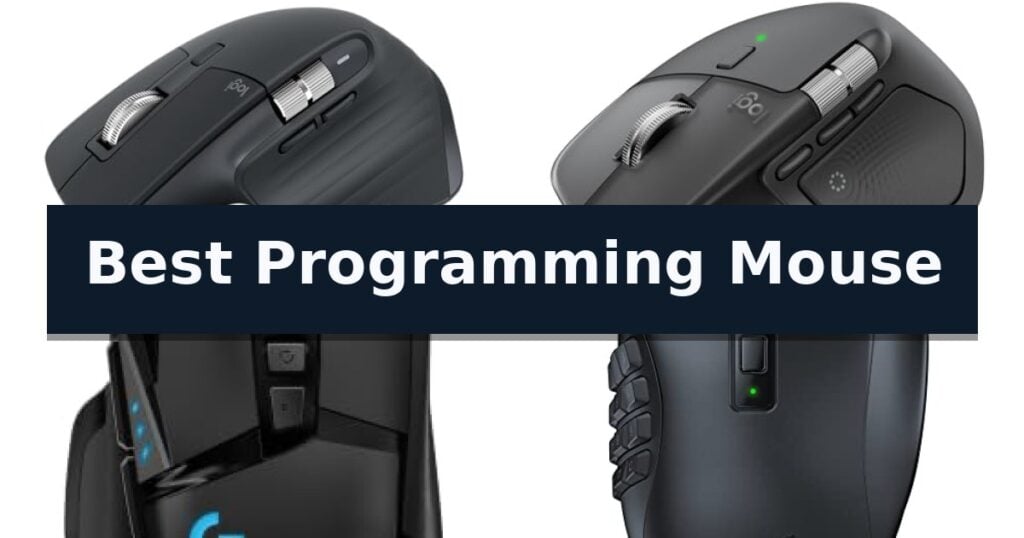
10 Best Programming Mouse in 2026 Reviews
Quick Comparison
| Product | Best For | Key Strength | Score |
|---|---|---|---|
| Logitech MX Master 3S Wireless Mouse | Best Overall | 8000 DPI sensor provides high-precision tracking on virtually any surface. | 4.9 |
| Logitech MX Master 4 Wireless Mouse | Haptic feedback for advanced workflows | Haptic Sense Panel provides physical feedback for improved workflow efficiency. | 4.3 |
| Logitech G502 HERO Gaming Mouse | Customizable weight and button layout | HERO 25K sensor provides high-precision tracking up to 25,600 DPI. | 4.6 |
| Razer Naga V2 HyperSpeed Gaming Mouse | Massive macro potential for developers | 19 programmable buttons for extensive macro customization. | 4.8 |
| Razer Basilisk V3 X Gaming Mouse | Ergonomic comfort for long sessions | Dual-mode wireless connectivity featuring both HyperSpeed and Bluetooth. | 4.6 |
| Logitech MX Vertical Wireless Mouse | Natural posture reduces wrist strain | 57° vertical angle promotes a natural handshake position to reduce wrist strain. | 4.3 |
| Redragon M913 Wireless MMO Mouse | Affordable multi-button productivity | 12 side buttons for extensive macro and shortcut remapping. | 4.6 |
| Attoe Vertical Gaming Mouse | Vertical design with macro control | Ergonomic vertical orientation designed to reduce wrist and shoulder strain. | 4.6 |
| Logitech Signature M650 L Mouse | Tailored for larger hand sizes | Tailored ergonomic shape specifically for larger hand sizes. | 4.6 |
| Logitech G305 LIGHTSPEED Wireless Mouse | Compact and reliable wireless freedom | Ultra-fast LIGHTSPEED wireless technology with 1 ms report rate. | 4.9 |
How We Chose
Selecting the right mouse for programming requires evaluating how a device integrates into a developer's daily workflow. An experienced reviewer focuses on the physical comfort of the chassis, the reliability of button mapping software, and the efficiency of navigation tools like high-speed scroll wheels to ensure the hardware supports rather than hinders complex tasks.
- Ergonomic form factor and long-term comfort
- Programmable button count and software integration
- Sensor precision and surface tracking capabilities
- Multi-device connectivity and OS compatibility
- Scroll wheel speed and tactile feedback
1 Logitech MX Master 3S Wireless Mouse — Quiet clicks for focused coding
Precision is the hallmark of a high-performance workflow, and the Logitech MX Master 3S Wireless Mouse is engineered specifically to facilitate this through its advanced 8000 DPI sensor. This sensor is capable of tracking on virtually any surface, including glass, providing the granular control required for complex coding environments and detailed interface design.
Beyond its tracking capabilities, the mouse features MagSpeed scrolling, which is designed to be 90% faster and 87% more precise than standard wheels, allowing for near-silent navigation through long codebases. The Quiet Clicks mechanism maintains a tactile, satisfying feedback while reducing click noise by 90%, making it an ideal choice for shared office spaces or quiet home environments.
Ergonomics remain a primary focus of the design, with a silhouette crafted to support a more natural wrist posture. The device includes optimally placed thumb controls that can be fully customized using the Logi Options+ app. This software allows users to create App-specific profiles, ensuring that frequently used commands are always within reach.
For developers working across multiple systems, the Logitech MX Master 3S Wireless Mouse supports FLOW cross-computer control. This feature enables seamless movement of the cursor and transfer of text, images, and files between Windows and macOS devices. It connects via Bluetooth to as many as three devices, providing a versatile solution for multi-OS setups.
Best for: Professional developers and power users who require multi-device connectivity, high-precision tracking, and customizable shortcuts across different software environments.
Skip if: Users who require a wired connection for absolute zero-latency performance or those who prefer a lightweight, symmetrical mouse design for fast-paced gaming.
- 8000 DPI sensor provides high-precision tracking on virtually any surface.
- MagSpeed scrolling offers exceptional speed and near-silent operation.
- Quiet Clicks technology significantly reduces noise without sacrificing tactile feel.
- FLOW cross-computer control allows for seamless file and text transfer between multiple operating systems.
- Bluetooth-only connectivity means no included USB receiver or wired charging cable.
- Ergonomic right-handed design is not suitable for left-handed users.
2 Logitech MX Master 4 Wireless Mouse — Haptic feedback for advanced workflows
The Logitech MX Master 4 Wireless Mouse introduces a tactile dimension to digital workflows through its integrated Haptic Sense Panel. This feature provides customizable haptic feedback for specific shortcuts, notifications, and actions, allowing users to physically feel their inputs during complex programming or design tasks.
Designed for high-intensity navigation, the mouse features the MagSpeed scroll wheel, which enables scrolling through 1,000 lines per second while maintaining pixel-level precision. The inclusion of the Actions Ring provides a dynamic, app-specific overlay that places frequently used filters and adjustments directly at the cursor, streamlining repetitive tasks.
Ergonomics remain a priority, with the device utilizing a natural tilt and a dedicated thumb scroll wheel to reduce hand strain during extended sessions. The Quiet Clicks technology is engineered to reduce click noise by 90%, supporting a focused environment without sacrificing the tactile satisfaction of a mechanical switch.
Connectivity options include a high-performance USB-C dongle with an optimized antenna for reliable signal strength, alongside Bluetooth versatility. The device is built with sustainability in mind, incorporating recycled plastics and a battery containing 100% recycled cobalt, ensuring a durable tool for professional use.
Best for: Professional developers and designers who require tactile feedback, high-speed scrolling, and customizable app-specific shortcuts to manage complex, multi-layered workflows.
Skip if: Users who prefer a lightweight, ambidextrous design or those who do not require advanced haptic and macro-customization features will find this ergonomic, feature-heavy mouse unnecessary.
- Haptic Sense Panel provides physical feedback for improved workflow efficiency.
- MagSpeed scroll wheel offers high-speed, precise navigation.
- Actions Ring creates a customizable, app-specific shortcut interface.
- Quiet Clicks technology reduces operational noise by 90%.
- Ergonomic right-handed design is not suitable for left-handed users.
- High-feature complexity may require a learning curve for full customization.
3 Logitech G502 HERO Gaming Mouse — Customizable weight and button layout
Precision control is the hallmark of the Logitech G502 HERO Wired Gaming Mouse, a device engineered for users who demand granular customization in their workflow. At its core lies the HERO 25K sensor, capable of tracking up to 25,600 DPI with zero smoothing, filtering, or acceleration, ensuring that every movement is registered with exacting accuracy.
The physical design prioritizes adaptability, featuring adjustable weights that allow you to fine-tune the mouse's balance. By arranging up to five 3.6 g weights, you can modify the feel to suit your specific ergonomic preference. This level of personalization extends to the 11 programmable buttons, which provide extensive mapping options for complex tasks or shortcuts.
Durability and tactile feedback are addressed through mechanical switch button tensioning. By incorporating a metal spring tensioning system and metal pivot hinges into the left and right buttons, the mouse delivers a consistent, crisp click feel. Furthermore, the dual-mode hyper-fast scroll wheel offers versatility, allowing for rapid navigation through long documents or precise, notched scrolling.
Integration with LIGHTSYNC technology enables fully customizable RGB lighting, which can be synchronized with other supported hardware. With on-board memory to store your configurations, the mouse maintains your personalized settings across different systems without requiring additional software installation on every machine.
Best for: Users who require high-precision tracking and extensive button remapping for complex productivity or gaming workflows.
Skip if: Users who prefer a lightweight, minimalist design or those who require wireless connectivity for their workspace.
- HERO 25K sensor provides high-precision tracking up to 25,600 DPI.
- Adjustable weight system allows for personalized balance and feel.
- 11 programmable buttons offer extensive customization for shortcuts.
- Mechanical switch tensioning ensures a crisp and consistent click response.
- Wired connection limits portability and cable-free desk management.
- Heavier build compared to ultra-lightweight productivity mice.
4 Razer Naga V2 HyperSpeed Gaming Mouse — Massive macro potential for developers
Efficiency in complex workflows often hinges on the ability to execute repetitive tasks with minimal physical movement. The Razer Naga V2 HyperSpeed Gaming Mouse addresses this by integrating 19 programmable buttons, allowing users to map advanced macros and essential shortcuts directly to their fingertips. This design choice transforms the device from a standard peripheral into a specialized tool for high-density command environments.
Performance is driven by the Focus Pro 30K Optical Sensor, which maintains tracking accuracy across diverse surfaces, including glass. The integration of Razer HyperScroll Technology offers versatility, enabling users to toggle between free-spin mode for rapid navigation and tactile mode for precise, controlled input. These mechanical adjustments ensure that the hardware adapts to the specific demands of the task at hand.
Connectivity and longevity are balanced through dual-mode wireless capabilities. The mouse utilizes Razer HyperSpeed Wireless (2.4 GHz) for low-latency performance, or Bluetooth for extended usage. Battery life is a significant technical highlight, offering up to 250 hours on the low-latency 2.4GHz connection and up to 400 hours via Bluetooth, reducing the frequency of maintenance interruptions.
Durability is supported by Mechanical Mouse Switches Gen-2, which feature gold-plated contact points designed to resist degradation. These switches are rated for up to 60 million clicks, providing a consistent tactile response over the lifespan of the device. Users can further refine their experience by utilizing the Razer Synapse App to optimize sensor performance and button mapping.
Best for: Power users and developers who require extensive macro mapping and long-lasting wireless battery life for complex software workflows.
Skip if: Users who prefer a lightweight, minimalist mouse design or those who do not require a high volume of programmable side buttons.
- 19 programmable buttons for extensive macro customization.
- Long battery life reaching up to 400 hours on Bluetooth.
- HyperScroll Technology allows for both tactile and free-spin scrolling.
- Focus Pro 30K Optical Sensor provides high-precision tracking on various surfaces.
- Higher physical weight compared to standard office mice due to the button array and battery capacity.
- Requires software installation (Razer Synapse) to fully unlock advanced customization features.
5 Razer Basilisk V3 X Gaming Mouse — Ergonomic comfort for long sessions
Precision control and ergonomic comfort define the Razer Basilisk V3 X Gaming Mouse, a tool engineered for users who require high-performance input for both gaming and complex productivity tasks. This device centers on its signature ergonomic shape, which supports multiple grip styles while providing nine programmable controls to streamline workflows through custom macros and shortcuts.
Performance is driven by the Razer 5G Advanced 18K Optical Sensor, which delivers pixel-precise tracking and customizable sensitivity settings. The mouse utilizes Razer Mechanical Mouse Switches Gen-2, rated for up to 60 million clicks, ensuring consistent actuation and durability for high-frequency use. For smooth movement across surfaces, the base features 100% PTFE mouse feet.
Connectivity options offer significant flexibility, allowing users to toggle between ultra-low-latency HyperSpeed Wireless for competitive scenarios and Bluetooth for extended battery efficiency. When operating on HyperSpeed, the mouse provides up to 285 hours of battery life, extending to 535 hours via Bluetooth, minimizing the need for frequent charging interruptions.
The aesthetic and functional integration includes Razer Chroma RGB lighting, which synchronizes with other compatible devices for a unified setup. With onboard profile storage and a 1000 Hz polling rate, this mouse maintains consistent performance across various environments, from intensive strategy gaming to demanding professional software applications.
Best for: Users who require a highly customizable, ergonomic wireless mouse for both competitive gaming and complex productivity workflows.
Skip if: Users who prefer an ultra-lightweight, symmetrical design or those who require a wired-only connection for specific latency requirements.
- Dual-mode wireless connectivity featuring both HyperSpeed and Bluetooth.
- Nine programmable controls for advanced macro and shortcut customization.
- Long battery life reaching up to 535 hours on Bluetooth.
- High-precision 18K optical sensor for accurate tracking.
- AA battery power requirement rather than an integrated rechargeable battery.
- Standard weight profile may feel heavy to users accustomed to ultralight mice.
6 Logitech MX Vertical Wireless Mouse — Natural posture reduces wrist strain
The Logitech MX Vertical Wireless Mouse prioritizes long-term comfort through its unique 57° vertical angle, which is specifically engineered to reduce wrist pressure and muscular activity. By placing the hand in a natural handshake position, this device aims to mitigate the physical strain often associated with extended periods of computer use.
Beyond its ergonomic shape, the mouse features an advanced 4000 DPI high-precision sensor. This high sensitivity allows for 4x less hand movement compared to a standard 1000 DPI sensor, effectively reducing fatigue during intensive tasks. Users can instantly adjust cursor speed and accuracy using the dedicated cursor speed switch located on the device.
Designed for versatility, the mouse includes a textured rubber surface that provides a secure, natural grip for various hand shapes and sizes. It supports multi-device workflows, allowing users to move content between up to three different Windows or Apple computers seamlessly. The unit is rechargeable and includes a USB receiver for wireless connectivity.
This device has been user-tested and ergonomist-approved to ensure it meets specific criteria for improved posture and reduced muscle strain. The inclusion of FSC-certified paper in the packaging reflects a focus on responsible manufacturing, while the ergonomic design remains the primary functional highlight for professional users.
Best for: Users seeking to reduce wrist pressure and muscle strain during long hours of computer-intensive work.
Skip if: Users who prefer a traditional low-profile mouse design or those with very limited desk space who may find the vertical form factor bulky.
- 57° vertical angle promotes a natural handshake position to reduce wrist strain.
- 4000 DPI high-precision sensor minimizes required hand movement.
- Multi-computer workflow support allows seamless content movement between three devices.
- Ergonomist-approved design tested for improved posture and lower muscle activity.
- Unique vertical form factor requires an adjustment period for users accustomed to traditional mice.
7 Redragon M913 Wireless MMO Mouse — Affordable multi-button productivity
Efficiency in complex workflows often hinges on the ability to execute macros and shortcuts without moving your hand from the device. The Redragon M913 Wireless MMO Mouse addresses this by integrating 12 side buttons directly into its chassis, allowing for extensive remapping to suit specific software environments or gaming tasks.
This device offers dual-mode connectivity, functioning via a 2.4Ghz wireless connection or a USB-C wired mode. The inclusion of the Optical Pixart 3335 gaming sensor ensures that inputs are registered within a 1ms latency window, providing the responsiveness required for precise control. Users can toggle between five onboard DPI levels, ranging from 1000 to 16000, with the ability to adjust these settings in increments of 100.
Power management is handled by a high-capacity battery paired with a low-consumption chip. In eco-mode, which reduces the intensity of the 16.8 million color lighting effects, the mouse can operate for up to 80 hours on a single charge, or 45 hours with the backlight fully active. This flexibility ensures that the device remains functional during long sessions.
Customization is managed through dedicated software that supports all 16 buttons, including the side-mounted array. This driver support remains active even when the mouse is used in wireless mode, allowing for consistent macro execution across different setups. The ergonomic design is intended to provide comfort during extended use, balancing the weight of the internal battery with a functional, multi-button layout.
Best for: Users who require extensive macro-key functionality and wireless flexibility for productivity or gaming workflows.
Skip if: Users who prefer a minimalist mouse design or those who find a high button count on the side of the chassis distracting or ergonomically unsuitable.
- 12 side buttons for extensive macro and shortcut remapping.
- Dual-mode connectivity featuring both 2.4Ghz wireless and USB-C wired options.
- Long-lasting battery life reaching up to 80 hours in eco-mode.
- High-precision sensor with adjustable DPI up to 16000.
- Increased weight due to the internal battery and multi-button hardware.
- Complex button layout may require a learning curve for those unaccustomed to MMO-style mice.
8 Attoe Vertical Gaming Mouse — Vertical design with macro control
The Attoe Vertical Gaming Mouse addresses wrist strain by promoting a natural handshake position, a design choice specifically crafted to combat carpal tunnel syndrome and reduce muscle fatigue during extended computer use. This ergonomic focus is paired with high-performance hardware, making it a versatile tool for both office productivity and competitive gaming.
Equipped with a high-precision PMW3325 sensor, the mouse offers adjustable sensitivity with five DPI presets reaching up to 24000 DPI. For complex gaming scenarios, the device features 12 programmable buttons and a 5-direction thumb-operated rocker. This rocker replaces five traditional keys, allowing users to execute precise movements like forward, backward, left, right, and click with minimal effort.
Connectivity is handled through a tri-mode system, supporting dual Bluetooth 5.0, 2.4GHz wireless, and USB-C wired connections. The mouse includes clear dual-color indicators to distinguish between channels, ensuring stable performance up to 33 feet. Its internal memory saves programmable button configurations, eliminating the need for resetting when moving between different computers.
Customization is managed via dedicated configuration software, which supports macro editing to tailor button functions to specific game demands. The aesthetic is enhanced by side RGB lighting strips with five dynamic effects. The unit is powered by a rechargeable battery and is supported by a 12-month warranty, providing a balance of ergonomic relief and technical control.
Best for: Right-handed users seeking an ergonomic vertical design with extensive macro-programming capabilities for gaming and productivity.
Skip if: Users who prefer a traditional horizontal mouse grip or those who require a symmetrical, ambidextrous design.
- Ergonomic vertical orientation designed to reduce wrist and shoulder strain.
- Tri-mode connectivity including Bluetooth, 2.4GHz wireless, and wired USB-C.
- 12 programmable buttons with onboard memory for saved configurations.
- 5-direction thumb rocker for efficient, multi-axis control in games.
- Right-handed only ergonomic design limits use for left-handed individuals.
- Software installation may require manual security approval on some systems.
9 Logitech Signature M650 L Mouse — Tailored for larger hand sizes
The Logitech Signature M650 L Mouse is designed specifically to accommodate larger hand sizes, providing an ergonomic shape that features a soft thumb area and rubber side grips for extended comfort. This wireless peripheral prioritizes a quiet environment, utilizing SilentTouch technology to reduce click noise by 90 percent, making it suitable for both office and home workspaces.
Functionality is centered around the SmartWheel, which allows users to toggle between line-by-line precision for detailed documents and super-fast scrolling for navigating long web pages. Connectivity is flexible, offering options for Bluetooth Low Energy or the included Logi Bolt USB receiver. The device is compatible with a wide range of operating systems, including Windows, macOS, Linux, ChromeOS, iPadOS, and Android.
Customization is managed through the Logitech Options+ software, which enables users to map shortcuts to the side buttons, such as copy/paste or back/forward navigation. The unit is engineered for longevity, boasting a 24-month battery life from a single AA battery. Furthermore, the construction incorporates certified post-consumer recycled plastic, with the graphite and black models containing at least 65 percent recycled content.
Measuring 4.65 inches in length and 2.58 inches in width, this full-size mouse is built to provide a stable, comfortable grip for users who find standard-sized mice too small. Its combination of multi-platform support, customizable inputs, and efficient power management makes it a practical tool for daily computing tasks.
Best for: Users with larger hands who require a quiet, customizable, and long-lasting wireless mouse for multi-device workflows.
Skip if: Users who prefer a compact, travel-sized mouse or those who require a high-performance gaming sensor with adjustable DPI settings.
- Tailored ergonomic shape specifically for larger hand sizes.
- SilentTouch technology reduces click noise by 90 percent.
- SmartWheel scrolling provides both precision and speed.
- 24-month battery life from a single AA battery.
- Customizable side buttons via Logitech Options+ software.
- Larger physical footprint may be less suitable for users with smaller hands or those seeking a compact travel mouse.
10 Logitech G305 LIGHTSPEED Wireless Mouse — Compact and reliable wireless freedom
The Logitech G305 LIGHTSPEED Wireless Mouse utilizes ultra-fast LIGHTSPEED wireless technology to provide a 1 ms report rate, ensuring competition-level responsiveness for demanding tasks. This wireless performance is paired with the next-generation optical HERO sensor, which offers 400 IPS precision and adjustable sensitivity up to 12,000 DPI for accurate cursor control.
Designed for both efficiency and longevity, this mouse features an ultra-efficient power system that delivers 250 hours of continuous use on a single AA battery. Users can further extend this by switching to Endurance mode via Logitech G HUB software, which pushes battery life up to 9 months for standard usage.
The device is built with a lightweight mechanical design, weighing only 3.4 oz to improve maneuverability during extended sessions. Its compact frame includes built-in nano receiver storage, making it a practical choice for users who need a portable solution that transitions easily between desktop setups and travel.
With 6 programmable buttons and on-board memory, the mouse allows for custom configuration of commands to suit specific workflows. This combination of high-precision tracking, long-lasting battery efficiency, and a portable, lightweight form factor makes it a versatile tool for those requiring reliable wireless input.
Best for: Users who need a lightweight, portable wireless mouse with long battery life and high-precision tracking for both work and play.
Skip if: Users who prefer an ergonomic shape designed specifically for large hands or those who require a rechargeable internal battery rather than AA batteries.
- Ultra-fast LIGHTSPEED wireless technology with 1 ms report rate.
- High-efficiency HERO sensor providing up to 12,000 DPI.
- Long battery life reaching up to 250 hours of continuous gameplay.
- Lightweight, portable design with built-in nano receiver storage.
- Requires AA batteries rather than a rechargeable internal battery.
- Compact, symmetrical shape may not suit all grip styles.
Best Programming Mouse Buying Guide
Ergonomics for Extended Sessions
Programming often involves hours of continuous computer use, making the physical shape of your mouse a critical factor in preventing fatigue. Models with a contoured design or a vertical orientation help maintain a more natural wrist posture, reducing the strain associated with repetitive movements.
When choosing a mouse, consider how your hand rests on the device. A larger, full-size mouse can provide better palm support for those with larger hands, while smaller, more compact options might be better suited for travel or limited desk space.
Customization and Macro Efficiency
The ability to assign specific IDE commands or shortcuts to mouse buttons can significantly speed up your development process. Look for mice that offer robust software support, allowing you to create application-specific profiles that automatically switch based on the software you are currently using.
Some mice feature a high number of programmable buttons, which are particularly useful for complex workflows that require frequent switching between windows, debugging tools, or version control commands.
Sensor Precision and Surface Versatility
A high-DPI sensor ensures that your cursor movements are accurate and responsive, which is essential when working with high-resolution monitors or multi-display setups. Modern sensors that can track on various surfaces, including glass, provide added flexibility for different workspace environments.
While gaming-grade sensors offer extreme precision, they are also highly effective for productivity tasks. The key is to find a balance between sensitivity and control, ensuring the mouse feels consistent across your entire workspace.
Connectivity and Multi-Device Support
Developers frequently work across multiple machines, such as a primary desktop and a laptop. Mice that support multi-device pairing via Bluetooth or dedicated wireless receivers allow you to switch between systems instantly without needing to re-pair.
Some advanced models include software-based flow features that enable you to move your cursor and transfer files between different computers as if they were a single extended desktop, streamlining your cross-platform workflow.
Scroll Wheel Functionality
Navigating through thousands of lines of code requires an efficient scrolling mechanism. A dual-mode scroll wheel that can switch between precise, line-by-line movement and a free-spin mode for rapid navigation is a significant productivity advantage.
Look for wheels that offer high-quality tactile feedback or near-silent operation, as these features contribute to a more focused and less distracting working environment during intense coding sessions.
Frequently Asked Questions
Do I need a gaming mouse for programming?
Not necessarily, but gaming mice often feature high-quality sensors and extra programmable buttons that can be very useful for mapping complex coding macros.
How does a vertical mouse help with programming?
A vertical mouse encourages a more natural 'handshake' position, which can reduce the muscular strain and wrist pressure that often build up during long hours of coding.
Can I use a wireless mouse for professional development?
Yes, modern wireless technology provides low-latency performance that is indistinguishable from wired connections, while offering the benefit of a clutter-free desk.
Is software required to customize mouse buttons?
Most programmable mice require manufacturer-specific software to map buttons to specific keyboard shortcuts or macros, though some settings may be saved to the mouse's onboard memory.
What is the benefit of a high DPI sensor for coding?
A high DPI sensor allows for faster cursor movement with less physical hand travel, which is particularly beneficial when using multiple high-resolution displays.
Conclusion: Our Top Pick
Our top pick is Logitech MX Master 3S Wireless Mouse. Choosing the right programming mouse comes down to identifying which features will most effectively reduce your physical strain and increase your daily efficiency. Whether you prioritize ergonomic comfort, extensive macro capabilities, or multi-device connectivity, the best choice is one that integrates seamlessly into your existing development environment.
By focusing on the quality of the sensor, the reliability of the button customization software, and the overall build quality, you can select a tool that will serve as a reliable companion for your coding projects for years to come.