The PlayStation DualSense Edge Wireless Controller is our pick for the Best PS5 Controller because it offers extensive hardware customization, including mappable back buttons and replaceable stick modules. The SCUF OMEGA Wireless Performance Controller serves competitive players needing ultra-low latency and mechanical switches, while the standard PlayStation DualSense Wireless Controller remains the primary choice for those prioritizing native haptic feedback and adaptive trigger integration.
Selecting a controller for the PS5 requires balancing native console features against individual ergonomic preferences and competitive requirements. While official Sony hardware ensures full compatibility with advanced system features, third-party alternatives often introduce specialized inputs like macro buttons or Hall Effect sensors to address specific durability or performance needs.
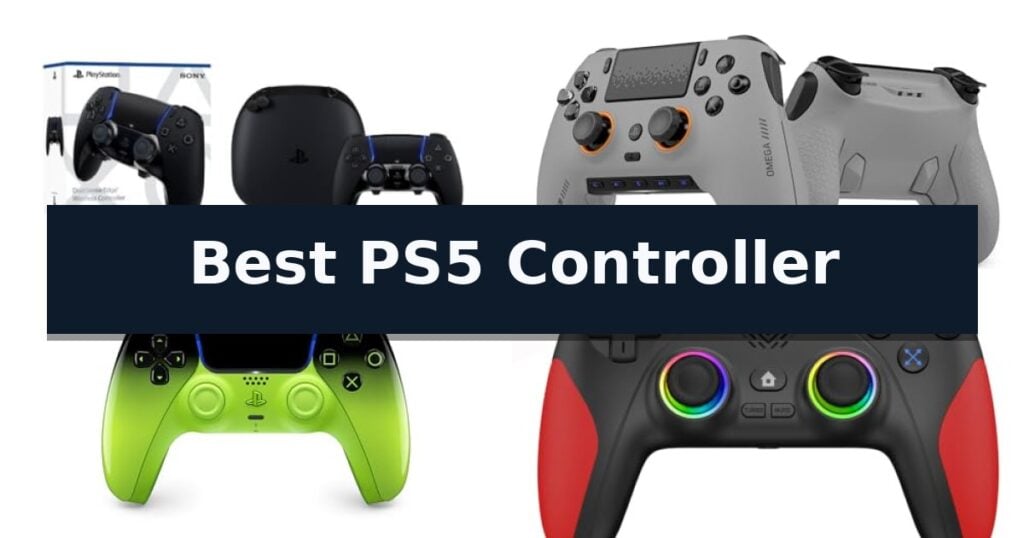
10 Best PS5 Controller in 2026 Reviews
Quick Comparison
| Product | Best For | Key Strength | Score |
|---|---|---|---|
| PlayStation DualSense Edge Wireless Controller | Best Overall | Replaceable stick modules extend the lifespan of the controller. | 4.9 |
| SCUF OMEGA Wireless Performance Controller | Competitive Esports Precision | 11 fully customizable inputs including rear paddles and G-Keys for faster reactions. | 4.8 |
| PlayStation DualSense Wireless Controller | Standard Immersive Haptic Feedback | Immersive haptic feedback for tactile environmental simulation. | 4.3 |
| Akalyptra Wireless Controller | Durable Hall Effect Joysticks | Hall Effect joysticks and triggers for improved longevity and precision. | 4.7 |
| JUNHUAN Wireless Hall Effect Controller | Extended Battery Life | Hall Effect joysticks and triggers for reduced wear and precise input. | 4.3 |
| Linhugame Wireless Controller | Budget-Friendly Hall Effect Option | Hall Effect joysticks offer enhanced durability and precision. | 4.4 |
| VidPPluing Wireless Controller | Programmable Macro Back Buttons | Programmable back buttons for custom macro mapping | 4.5 |
| Gamrombo LED Wireless Controller | Customizable RGB Lighting | Customizable RGB lighting with memory function. | 4.3 |
| Hiyuky Wireless Controller | Unique Graffiti Aesthetic | 1560mAh high-capacity battery providing up to 20 hours of gameplay. | 4.7 |
| AFMVV Wireless Controller | Ergonomic Anti-Fatigue Design | Ergonomic design reduces fatigue during long sessions. | 4.8 |
How We Chose
Evaluating the best PS5 controller requires a focus on how hardware inputs translate to in-game responsiveness. We prioritize controllers that maintain reliable wireless connectivity while offering tactile, durable components. By assessing the balance between native console feature support and advanced customization options, we identify which models provide the most consistent performance for diverse gaming styles.
- Input Latency and Connection Stability
- Ergonomic Design and Button Tactility
- Customization and Mapping Capabilities
- Sensor Durability and Stick Drift Resistance
- Native Feature Integration and Battery Life
1 PlayStation DualSense Edge Wireless Controller — Ultimate Pro-Level Customization
Precision control defines the PlayStation DualSense Edge Wireless Controller, a device engineered for players who demand granular adjustments to their input hardware. By incorporating replaceable stick modules and adjustable stick caps, the controller allows users to maintain their preferred tactile feel even after extensive use, addressing a common point of wear in standard gamepads.
Beyond its modular stick design, the controller features mappable back buttons that provide additional inputs for complex maneuvers, effectively expanding the player's control scheme. These inputs, combined with the ultra customizable controls available through the console's software, enable users to remap buttons, adjust stick sensitivity, and modify trigger dead zones to suit specific gameplay requirements.
The PlayStation DualSense Edge Wireless Controller retains the core functionality of the standard hardware, including haptic feedback and adaptive triggers, ensuring that advanced customization does not come at the expense of immersive features. Its design maintains a familiar ergonomic profile while integrating these pro-level enhancements into a cohesive, Midnight Black aesthetic.
While the controller offers significant flexibility, users should note that the modular components are specific to this model. The inclusion of DualSense Wireless Controller features built in ensures full compatibility with the existing library of games, making it a functional upgrade for those seeking a more tailored interface.
Best for: Competitive gamers and enthusiasts who require highly granular control mapping and modular hardware maintenance.
Skip if: Casual players who do not need remappable back buttons or stick sensitivity adjustments and prefer a standard, non-modular controller.
- Replaceable stick modules extend the lifespan of the controller.
- Mappable back buttons allow for personalized input configurations.
- Ultra customizable controls enable deep software-level adjustments.
- Retains all standard DualSense wireless features.
- Higher complexity compared to standard controllers due to modular parts.
2 SCUF OMEGA Wireless Performance Controller — Competitive Esports Precision
The SCUF OMEGA Wireless Performance Controller distinguishes itself through its extensive customization capabilities, featuring 11 additional inputs including rear paddles, side action buttons, and G-Keys. Engineered for competitive play, this officially licensed PlayStation 5 controller prioritizes low-latency performance and precise input response to meet demanding gaming requirements.
Central to its design is the integration of Omron mechanical switches across the instant triggers, D-pad, and action buttons, providing a crisp, tactile feel that mimics mouse-like responsiveness. The controller also introduces the SCUF Mobile App, which allows users to adjust trigger and thumbstick response curves and achieve true 0% thumbstick deadzone directly from an iOS or Android device.
Durability and modularity are key components of the SCUF OMEGA Wireless Performance Controller. It utilizes Endurance TMR thumbsticks to mitigate drift and jitter, while the magnetic faceplate system enables quick swapping of thumbsticks, D-pads, and action buttons without the need for tools. Users can further tailor their experience by choosing between concave or domed thumbstick shapes in varying heights.
Designed for versatility, the controller supports 2.4Ghz PS5 connectivity and offers 1K wireless or wired polling on PC for ultra-low latency. It also includes Bluetooth 5.0 for compatibility with tablets and mobile devices, ensuring consistent performance across multiple platforms. A Tournament Lock is included to secure cable retention during high-stakes competitive sessions.
Best for: Competitive gamers seeking deep input customization, mechanical switch responsiveness, and modular hardware adjustments for PS5 and PC.
Skip if: Casual players who prefer a standard, out-of-the-box controller experience without the need for app-based mapping or advanced mechanical inputs.
- 11 fully customizable inputs including rear paddles and G-Keys for faster reactions.
- Omron mechanical switches provide consistent, tactile, and rapid-fire inputs.
- Endurance TMR thumbsticks designed to prevent drift and improve longevity.
- Magnetic faceplate allows for tool-free customization of components.
- High complexity may require a learning curve for users unfamiliar with advanced mapping software.
- Premium feature set represents a significant investment compared to standard controllers.
3 PlayStation DualSense Wireless Controller — Standard Immersive Haptic Feedback
The PlayStation DualSense Wireless Controller – Remix Green distinguishes itself through its integrated haptic feedback technology, which simulates in-game actions and environmental textures directly in your hands. This level of sensory input aims to deepen immersion, moving beyond simple vibration to provide more nuanced physical responses during gameplay.
Designed for versatility, the controller features a built-in microphone for online communication and a 3.5mm jack for direct headset connection. Its connectivity options extend its utility beyond the console; users can pair the device via Bluetooth wireless technology or a USB Type-C cable to play on Windows PC, Mac, Android, and iOS devices.
For those utilizing the controller on a PC, it supports advanced functionality including haptic feedback and adaptive triggers in compatible titles. This integration ensures that the specific tactile benefits of the hardware are not limited to console play, allowing for a consistent experience across multiple platforms.
The unit measures approximately 7.83 inches in length and weighs roughly 0.62 pounds, maintaining a familiar ergonomic profile. It includes a one-year manufacturer warranty, providing a baseline of support for its internal components and build quality.
Best for: Gamers seeking immersive haptic feedback and adaptive trigger support across both console and PC platforms.
Skip if: Users who prefer a lightweight, wired-only controller without the need for haptic features or multi-device Bluetooth compatibility.
- Immersive haptic feedback for tactile environmental simulation.
- Broad compatibility with PC, Mac, and mobile devices via Bluetooth.
- Adaptive triggers that provide resistance in supported games.
- Integrated microphone and 3.5mm headset jack for easy communication.
- Requires specific software support on PC to utilize advanced features like adaptive triggers.
- Battery life management is necessary due to the wireless nature of the device.
4 Akalyptra Wireless Controller — Durable Hall Effect Joysticks
The Akalyptra Wireless Controller distinguishes itself through the integration of Hall Effect joysticks and triggers, a design choice engineered to provide precise input response. This technology is particularly relevant for users seeking a durable alternative for demanding gaming sessions, as it minimizes the mechanical wear common in traditional potentiometer-based sticks.
Beyond its core input sensors, this controller includes 2 back paddles that support remap and combo programming, allowing for customized button layouts. The device also features a Turbo function with a 10 Hz rapid-fire rate, which can be activated for specific gameplay requirements. For immersive feedback, the unit utilizes dual vibration motors to simulate in-game events.
The controller is designed for versatility, offering 6-axis motion sensing for gesture-based controls and an integrated 3.5mm TRRS audio jack for headset connectivity. Users can also customize the aesthetic of the device using the 8 RGB lighting modes, which can be toggled or disabled via the onboard controls.
Setup is straightforward, requiring an initial wired connection to a PS-5 console to pair the device before transitioning to wireless operation. The controller is compatible with the PS-5, Pro, Slim, PC, and Steam Deck, providing a flexible interface for various gaming environments.
Best for: Gamers seeking Hall Effect sensor durability and customizable back paddle inputs for PS-5 and PC platforms.
Skip if: Users who prioritize native first-party controller features or those who prefer a lightweight, non-RGB aesthetic.
- Hall Effect joysticks and triggers for improved longevity and precision.
- Programmable back paddles for custom remap and combo functionality.
- Integrated 6-axis gyroscope for motion-controlled gameplay.
- 8 RGB lighting modes for visual customization.
- Wired initial setup required for wireless pairing.
- Turbo speed is fixed at 10 Hz.
5 JUNHUAN Wireless Hall Effect Controller — Extended Battery Life
The JUNHUAN Wireless Hall Effect Controller integrates magnetic Hall sensing technology into its joysticks and triggers, providing precise input and improved resistance to stick drift compared to traditional mechanical components. This design choice aims to offer consistent control for users engaging in fast-paced FPS, racing, and action titles on PS5, PC, and Mac platforms.
Beyond its sensor technology, the controller features a high-capacity 1500mAh rechargeable battery that supports between 10 and 12 hours of continuous gameplay. The device is built with an ergonomic, anti-slip textured grip intended to maintain comfort and stability during extended sessions. Connectivity is managed via an included USB cable for initial pairing, after which it functions wirelessly.
Customization options include programmable back paddles and adjustable turbo settings, allowing users to tailor button mapping to specific play styles. While the unit includes advanced features like an integrated gyroscope, it does not contain a built-in microphone, which is a notable hardware trade-off for users who rely on controller-based audio input.
The controller supports firmware updates to address potential compatibility or performance issues, with the manufacturer providing direct support channels for these processes. Its design prioritizes a balance between functional customization and long-term durability through the use of non-contact magnetic sensors.
Best for: Gamers seeking a controller with Hall Effect sensors for increased longevity and customizable back paddles for competitive play.
Skip if: Users who require an integrated microphone or native headset connectivity directly through the controller's hardware.
- Hall Effect joysticks and triggers for reduced wear and precise input.
- 1500mAh battery providing 10-12 hours of playtime.
- Programmable back paddles and turbo functionality for customization.
- Anti-slip ergonomic grip design for improved handling.
- No built-in microphone for direct voice communication.
- Requires initial wired setup for pairing.
6 Linhugame Wireless Controller — Budget-Friendly Hall Effect Option
The Linhugame Wireless Controller distinguishes itself through the integration of Hall Effect joysticks, which are engineered to provide a durable lifespan of up to 5 million cycles. This technology offers precise, responsive feedback, ensuring smoother and more accurate movement during gameplay compared to standard potentiometer-based sticks.
Designed for versatility, this controller supports two connection modes: Bluetooth 5.3 for wireless freedom or a USB Type-C wired connection. It includes a 6-axis gyroscope for motion-based inputs, allowing for intuitive control over character direction and in-game actions. For added immersion, vibration motors are embedded directly into the side handles.
The device features a Turbo button for rapid-fire inputs and is compatible with original charging docks, simplifying your setup. Powering these features is an 800mAh battery that delivers up to 8 hours of playtime on a single charge. Note that this model does not include an internal microphone, requiring a headset to be plugged into the 3.5mm audio jack for voice communication.
Maintenance is straightforward, with a dedicated reset button provided for troubleshooting connection or charging issues. If console updates affect functionality, the manufacturer provides a specific update method via a provided file link to ensure continued compatibility with PS5, Pro, and Slim consoles.
Best for: Gamers seeking a durable, Hall Effect-equipped controller with wireless connectivity and native charging dock compatibility.
Skip if: Users who require an integrated microphone for voice chat without the need to plug in an external headset.
- Hall Effect joysticks offer enhanced durability and precision.
- Dual connection modes via Bluetooth 5.3 or USB-C.
- Accessory-friendly design compatible with original charging docks.
- 6-axis motion sensing for immersive gameplay.
- No built-in microphone, requiring a wired headset for voice input.
- Initial setup may require a USB-C cable for the first Bluetooth pairing.
7 VidPPluing Wireless Controller — Programmable Macro Back Buttons
The VidPPluing Wireless Controller distinguishes itself through its programmable back buttons (M1 & M2), allowing users to map complex macros and in-game commands for faster access during high-intensity gameplay. This level of customization is designed to provide a competitive edge, supported by a 3-speed adjustable TURBO function that enables rapid, continuous firing without repetitive button presses.
Built for extended sessions, the device features an ergonomic, non-slip design with soft-touch materials to maintain comfort and grip. The controller is equipped with a 1500 mAh battery and includes dual vibration motors to enhance tactile feedback. For audio connectivity, it integrates a 3.5mm headset jack, ensuring seamless communication during multiplayer sessions.
Aesthetically, the controller offers 7-color adjustable RGB lighting with four distinct modes—Steady, Breathing, Color Cycle, and Reactive—allowing for visual personalization of the gaming environment. It utilizes Hall Effect triggers for precise input, catering to players who require consistent and accurate response times across various titles.
The VidPPluing Wireless Controller provides broad utility through its seamless compatibility with PS5, Pro, Slim, PC, and Steam Deck. By supporting multiple platforms without the need for complex setup procedures, it functions as a versatile input device for users who switch between console and computer-based gaming environments.
Best for: Gamers who require programmable macro buttons and multi-platform compatibility for both console and PC gaming.
Skip if: Users who prefer a first-party controller experience or those who do not require additional macro mapping and RGB lighting features.
- Programmable back buttons for custom macro mapping
- 1500 mAh battery for extended play sessions
- Hall Effect triggers for precise input control
- Multi-platform compatibility including PS5, PC, and Steam Deck
- RGB lighting may be distracting for some users
- Additional weight compared to standard controllers due to battery capacity
8 Gamrombo LED Wireless Controller — Customizable RGB Lighting
The Gamrombo LED Wireless Controller distinguishes itself through its integrated customizable RGB lighting system, allowing users to toggle between colors and light effect modes with a single button press. This controller is engineered for compatibility with PS5 series consoles and Windows PCs, offering a specialized solution for those seeking aesthetic personalization alongside standard gaming inputs.
Beyond its visual features, the device focuses on mechanical precision with upgraded joysticks designed to minimize dead zones and enhance longevity. The integration of a 6-axis gyroscope and dual-vibration function aims to provide tactile feedback during gameplay, while the built-in speaker supports immersive audio output directly from the controller.
For audio connectivity, the unit includes a 3.5mm TRRS headphone jack, enabling the use of external headsets for voice communication, as the controller itself does not contain a microphone. Users should note that the device requires an initial connection to the console via the included USB-C data cable to activate, and it is not compatible with PS4 hardware.
The controller supports one-click wake-up functionality for convenient console access. With its color memory function, the device retains your preferred lighting configuration for future sessions, ensuring a consistent setup without the need for repeated adjustments.
Best for: Gamers looking for a PS5-compatible controller that offers customizable RGB lighting and upgraded joystick precision.
Skip if: Users who require native PS4 compatibility or those who prefer a controller with an integrated microphone.
- Customizable RGB lighting with memory function.
- Upgraded high-precision joysticks to reduce dead zones.
- Integrated 6-axis gyroscope and dual-vibration for immersion.
- Includes a 3.5mm TRRS headphone jack for external audio.
- Not compatible with PS4 consoles.
- Requires initial wired connection for activation.
- No built-in microphone for voice input.
9 Hiyuky Wireless Controller — Unique Graffiti Aesthetic
The Hiyuky Wireless Controller distinguishes itself with a unique graffiti aesthetic that sets it apart from standard hardware. Beyond its visual design, this controller is engineered for compatibility across PS5, Slim, Pro, and PC platforms, offering a versatile solution for various gaming setups.
Performance is anchored by an upgraded joystick mechanism designed to provide a precise, lag-free response. To support extended sessions, the unit houses a 1560mAh high-capacity battery, which is rated for up to 20 hours of continuous use on a single charge. The ergonomic chassis features a non-slip grip to enhance comfort during high-intensity action sequences.
Integrated functionality includes a 6-axis gyro for motion-sensitive gameplay and dual vibration motors for tactile feedback. The controller also incorporates a standard 3.5mm audio jack, allowing for direct headset connection for game audio and team communication, complemented by a dedicated mute button.
This controller provides a comprehensive suite of inputs, including a functional touchpad, light bar, and speaker, ensuring it maintains parity with standard console input requirements. Its combination of aesthetic flair and core technical features makes it a practical consideration for those seeking a secondary or replacement input device.
Best for: Gamers seeking a distinctive visual design with long-lasting battery life for extended play sessions on PS5 or PC.
Skip if: Users who require specific proprietary features or official first-party hardware integration for advanced console-exclusive software features.
- 1560mAh high-capacity battery providing up to 20 hours of gameplay.
- Upgraded joystick design for precise, lag-free input response.
- Ergonomic non-slip grip for improved handling during intense sessions.
- Full compatibility with PS5, Slim, Pro, and PC systems.
- Graffiti design may not appeal to users preferring a minimalist or standard aesthetic.
10 AFMVV Wireless Controller — Ergonomic Anti-Fatigue Design
The AFMVV Wireless Controller prioritizes user comfort through an ergonomic design that incorporates a balanced weight distribution, specifically engineered to reduce physical fatigue during extended gaming sessions. This focus on long-term usability is complemented by an integrated LED lighting system, which provides customizable visual effects to enhance the gaming environment.
Engineered for seamless integration, this controller utilizes advanced Bluetooth technology to establish a stable, low-latency wireless connection with the PS5 console. The internal architecture features highly sensitive analog sticks and precision triggers, designed to ensure that inputs register with minimal delay, providing responsive control across a variety of game titles.
The device includes a built-in rechargeable battery capable of supporting hours of continuous gameplay on a single charge. Constructed from durable materials, the unit is built to withstand regular use while maintaining its structural integrity. It also features a 6-axis gyro sensor and a functional touchpad to support standard console input requirements.
Prospective buyers should note a current system compatibility notice: due to a recent PS5 firmware update, vibration and controller speaker functions may be temporarily unavailable. This is a recognized system-level compatibility issue rather than a hardware defect, and the controller remains fully functional for standard gameplay inputs.
Best for: Gamers seeking an ergonomic, wireless alternative with customizable LED lighting for extended play sessions on PS5, PC, or Mac.
Skip if: Users who require full functionality of the PS5 controller speaker and vibration features, which are currently restricted due to a system compatibility update.
- Ergonomic design reduces fatigue during long sessions.
- Advanced Bluetooth ensures a stable, low-latency connection.
- Customizable LED lighting adds aesthetic personalization.
- High-precision triggers and analog sticks for responsive input.
- Vibration and speaker functions are currently unavailable due to a PS5 system update.
Best PS5 Controller Buying Guide
Native Compatibility and Features
Official Sony controllers are engineered to support the full suite of PS5 features, including haptic feedback and adaptive triggers. These elements are deeply integrated into the console's software, providing sensory feedback that third-party alternatives often cannot replicate.
When choosing a non-official controller, buyers should verify if the device supports the console's specific wireless protocols. Some third-party options may require a wired connection for initial pairing or lack support for specific system-level audio features.
The Role of Hall Effect Sensors
Hall Effect technology uses magnets to detect stick movement, effectively eliminating the physical contact that leads to traditional stick drift. This is a significant upgrade for players who put heavy hours into competitive shooters or action games.
While standard potentiometers are common, Hall Effect joysticks and triggers offer a longer lifespan and more consistent input precision. This feature is increasingly standard in high-end and enthusiast-focused third-party controllers.
Customization and Input Mapping
Pro-level controllers often include rear paddles or additional buttons that can be mapped to primary inputs. This allows players to keep their thumbs on the sticks while performing complex actions like jumping or reloading.
Software-based customization, such as adjusting deadzones or trigger response curves, provides a competitive edge. Buyers should look for controllers that offer an intuitive app or on-device interface for saving these profiles.
Ergonomics and Build Quality
The physical shape and weight distribution of a controller determine comfort during long sessions. Textured grips and balanced weight prevent hand fatigue and ensure the device remains secure during intense gameplay.
Build materials, including the type of switches used under the buttons, dictate the tactile feel. Mechanical switches provide a crisp, mouse-like click that is often preferred for rapid-fire inputs compared to standard membrane buttons.
Battery Life and Connectivity
Wireless performance is critical for a seamless experience. Controllers with high-capacity batteries reduce the frequency of charging, while low-latency wireless technology ensures that inputs are registered without noticeable delay.
For those who play on multiple platforms, such as PC or mobile, multi-device compatibility is a valuable feature. Ensure the controller supports the necessary connection standards for your secondary gaming devices.
Frequently Asked Questions
Do all third-party controllers support haptic feedback?
No, most third-party controllers lack the specific haptic feedback and adaptive trigger motors found in official Sony hardware. They typically use standard vibration motors.
What is the advantage of Hall Effect joysticks?
Hall Effect joysticks use magnetic sensors instead of physical contact points, which significantly reduces the risk of stick drift and increases the overall durability of the controller.
Can I use a PS5 controller on a PC?
Yes, most PS5 controllers, including official and third-party models, are compatible with Windows PCs via Bluetooth or USB-C connection.
Are back buttons allowed in tournaments?
Generally, yes. Most competitive gaming leagues permit the use of controllers with back paddles or buttons, provided they do not automate prohibited gameplay macros.
Why does my controller need a firmware update?
Firmware updates are often released to ensure compatibility with the latest console system software and to address minor input or connectivity issues.
Conclusion: Our Top Pick
Our top pick is PlayStation DualSense Edge Wireless Controller. Choosing the right controller depends on whether you prioritize the immersive features of the official Sony hardware or the specialized performance enhancements found in pro and third-party models. For most users, the standard or Edge versions provide the most reliable experience.
Competitive players should look toward controllers with mechanical switches and Hall Effect sensors to gain a technical advantage. Always verify compatibility with your specific console version to ensure a smooth setup.